# Bkper LLM Knowledge Pack
> Composed context for AI agents using canonical Site, Docs, Apps, and Changelog sources.
## Site
### About Us
Source: https://bkper.com/about.md
Our mission is to make Finance & Accounting effortless, intelligent, and accessible for everyone, everywhere.
Back in the day, while working on large batch-driven financial systems, we read the first publications about natural language processing and machine learning. From then on we envisioned a totally different way how finance should be done — a reality where machines would do all the work instead of people obeying compliance-rigid systems.
We started Bkper, building towards a consistent bookkeeping platform that is the single source of truth for true accounting intelligence — where reporting happens in real-time, not through monthly batch runs, and where AI doesn't just categorize expenses but can actually understand your context.
Now, with hundreds of customers around the globe and bots recording millions of transactions, our vision is proving out.

## Our Principles
#### User-Centric Focus
Every decision starts with the user. We design solutions that truly help people manage their finances, letting real feedback guide what we build next.
#### Simplicity & Essentialism
Do less, but better. Every feature must earn its place. We remove complexity before adding new capabilities, because simple solutions scale better, cost less, and delight users more.
#### Technology-First
Technology should do the work, not people. We build intelligent systems that understand business context, provide real-time insights, and pursue transformative solutions over incremental gains.
#### Global by Default
Built for users in any country from day one. We handle multiple currencies, units of measure, and cultural contexts as first-class concerns — providing the framework, not the compliance burden.
These principles, along with our operational values and decision framework, guide every choice we make — from product to code. [Read our mission, principles & values](https://bkper.com/about/mission-principles-values.md.md)
## Our Journey
- **2014** Awarded at Stanford University Entrepreneurship Course
- **2015** Delaware Incorporated as Bkper Inc.
- **2016** Unventures Incubation Program
- **2017** Pre-Seed round by Plug and Play and Social Capital
- **2018** Became a Google Cloud SaaS Partner
- **2019** Launched on GCP Marketplace and integrated with +10k Banks
- **2020** Launched Bkper Bots
- **2021** First single customer to reach 1 million transactions
- **2022** Expanded the tech team from 1 to 3 engineers
- **2023** Expanded Bank Connections coverage to Brazil and Europe
- **2024** Launched the new Progressive Web App
- **2025** Launched the AI-powered Bkper Agent

**130K+** users in **120+** countries
**50M+** transactions recorded
## Team

#### Mael Caldas
Co-Founder [LinkedIn](https://www.linkedin.com/in/mael-caldas-5b12ab50/)

#### Jacob van den Berg
Co-Founder [LinkedIn](https://www.linkedin.com/in/jacobvandenberg/)

#### Victor Drumond
Lead Software Engineer [LinkedIn](https://www.linkedin.com/in/victordmds/)

#### Bruno Coelho
Software Engineer [LinkedIn](https://www.linkedin.com/in/bruno-coelho-9ab0b0139/)
Backed by
[](https://www.plugandplaytechcenter.com/)[](https://www.socialcapital.com/)
### Bank Connections
Source: https://bkper.com/banks.md
# Securely Connect and Centralize Financial Data
Access over 11,000 banks and credit card institutions across the US, Europe, and Brazil with seamless integration.
Bkper connects to more than **11,000** financial institutions across the US, Europe, and Brazil.
Try it for Free
## How Bank Connections Work
#### Connect
**Transactions flow in automatically**
Connect your bank and credit card accounts — transactions are recorded in Bkper shortly after they clear at your financial institution.
[Learn more](https://help.bkper.com/en/articles/8601113-introduction-to-bkper-bank-connections)
#### Reconcile
**Consolidate in one place**
Reconcile data from multiple financial institutions and see your complete financial position in a single, organized view.
#### Report
**Analyze and report with Sheets**
Sync bank transactions to Bkper, then analyze and report on your financial data directly in Google Sheets with powerful functions.
[Explore Sheets integration](https://bkper.com/sheets.md)
## Secure by Design
No credentials stored. End customers connect directly to their own financial institutions — no need to handle sensitive banking information. Enterprise-grade security built in.
See security
### FAQ
- Which banks are supported?
Bkper connects to over 11,000 financial institutions, including major banks, credit unions, and credit card providers across the US, Europe, and Brazil. For other regions, you can import statements via the Bkper Agent.
- How do bank connections work?
Bkper uses secure, industry-standard connections to link your bank accounts. Once connected, transactions are automatically imported into your Bkper books shortly after they clear at your financial institution.
- How quickly do transactions appear?
Transactions typically appear in Bkper within hours of clearing at your bank. The exact timing depends on your financial institution, but most transactions are available within the same business day.
- Is my banking data secure?
Yes. Bkper never stores your bank credentials. You connect directly to your financial institution using industry-standard OAuth authentication. All data is encrypted in transit and at rest on Google Cloud infrastructure.
### Platform
Source: https://bkper.com/platform.md
# Financial infrastructure, ready to build on
A distributed transactional engine, real-time event processing, balance auditing, and financial modeling — the hard problems are solved. Build your solution on top.
Start Building [See what's been built](https://bkper.com/apps.md)
### How you build on it
Choose your entry point — from a CLI one-liner to a full managed app. No lock-in between tiers.
#### Scripts & CLI
**No infrastructure needed**
Pipe data through the CLI, write Node.js scripts, or call the REST API directly. Output as JSON or CSV for pipelines and AI agents.
[Explore CLI](https://bkper.com/docs/build/scripts/cli-pipelines.md)
#### Google Workspace
**Google's runtime**
Build automations with Apps Script, extend Google Sheets with custom functions and triggers. Bidirectional sync built in.
[See Apps Script](https://bkper.com/docs/build/google-workspace/apps-script.md)
#### Platform Apps
**Full managed hosting**
Edge hosting, pre-configured OAuth, KV storage, secrets, event handling, and log observability. You write business logic — the platform handles infrastructure.
[See the app platform](https://bkper.com/docs/build/apps/overview.md)
## What you don't have to build
Building financial software from scratch means solving transactional integrity, data modeling, event processing, and access control before you write a single line of business logic. The engine handles all of it — accessible through the REST API, TypeScript SDK, and CLI.
| You need | From scratch | With the platform |
| --- | --- | --- |
| Transactional integrity | Design a ledger, enforce double-entry, handle concurrent writes | Zero-sum invariant enforced at API level — every write is atomic |
| Financial modeling | Account type design, balance periods, closing procedures, hierarchical grouping | 4 account types with temporal behavior, period-agnostic balances — query any timeframe without closing. Groups, hierarchies, Collections for multi-entity structures, any countable resource |
| Extensible data model | Custom field schemas, tagging systems, metadata storage | Custom properties on any entity, hashtags for multi-dimensional tracking |
| Real-time automation | Message queues, webhook infrastructure, retry logic, idempotency | 30 event types — declare what you listen for, events route automatically |
| Balance consistency | Reconciliation algorithms, distributed locks, periodic verification | Consensus-based audit, six years of refinement, always consistent |
| Access control | Auth system, roles, permissions, audit logging | Six permission roles with OAuth and agent identity. Full activity trail — every action logged, every change traceable to a user or app |
Built on Google Cloud — Google's data centers, encryption, and infrastructure behind every API call. [See security](https://bkper.com/security.md)
## Developer experience
One command starts your local environment — Vite dev server with HMR, Workers runtime for event handlers, and a Cloudflare tunnel so webhooks reach your laptop. Build, deploy, and preview before production. Query live logs from the CLI. JSON and CSV output for scripting.
[Set up your environment](https://bkper.com/docs/build/getting-started/setup.md)
## What the platform handles
Without the platform, building a Bkper app with a UI, event handling, and authentication requires provisioning servers, configuring OAuth, setting up tunnels, and managing secrets. The platform eliminates all of it.
| Concern | Without | With the platform | You get |
| --- | --- | --- | --- |
| Hosting | Provision servers, SSL, CDN | `bkper app deploy` | `your-app.bkper.app` live on the edge |
| Authentication | OAuth client, consent screen, token refresh | `auth.getAccessToken()` | Users sign in with Google — tokens managed for you |
| Webhooks | Public endpoint, DNS, JWT verification | Declare in `bkper.yaml` | Events routed to your handlers automatically |
| Local dev | ngrok, manual tunnel config | `bkper app dev` | HMR + live webhooks on localhost |
| Secrets | Secrets manager, access config | `bkper app secrets put` | `c.env.MY_SECRET` in your code |
| KV storage | Deploy Redis/Memcached, manage connections | Declare `KV` in `bkper.yaml` | `c.env.KV.get()` / `.put()` ready to use |
| Preview | Build a staging pipeline | `bkper app deploy --preview` | Isolated environment with its own secrets & KV |
| Observability | Deploy logging infrastructure, retention policies, query APIs | `bkper app logs` | 15-day retained logs per request — method, outcome, exceptions, stack traces |
[Build your first app](https://bkper.com/docs/build/getting-started/first-app.md)
> "Through our partnership with Bkper, we successfully unified the entire accounting, tax, and financial reporting process. Instead of spending time on routine tasks, our professionals can now focus on client advice, reviews, and continuous process improvement."

**Daniel González Cotelo** Partner & Head of Tax and Accounting, [Posadas](https://www.ppv.com.uy/)
> "The partnership with Bkper has been a cornerstone of Brain's digital strategy, driving operational efficiency, cost savings, and enhanced service delivery."

**Camilo Preve** Partner, [Brain](https://www.brain.uy/)
### Pricing
Source: https://bkper.com/pricing.md
# Flexible plans that fit your needs
Start free, upgrade as you grow. No credit card required.
Monthly Yearly (Save ~25%)
### Free
for unlimited evaluation
$0/mo $0/mo
100 transactions/month
This includes:
- ✓ Unlimited books
- ✓ Unlimited accounts
- ✓ Unlimited collaborators
- ✓ Comments & activities
- ✓ Google Sheets add-on ? Connect Bkper to Google Sheets to build custom reports, import data, and automate workflows.
- ✓ Bots & automations
- ✓ Chart reports
Get Started Free
### Standard
for solo Innovators & Consultants
$14/mo $10.50/mo billed as $126/year
1,000 transactions/month
Everything in Free, plus:
- ✓ Saved queries ? Save and reuse custom queries to quickly access the reports and views you use most.
- ✓ Bank connections ? Automatically import transactions from your bank. Supports thousands of banks across the US, Europe, and Brazil.
Subscribe
### Business
for visionary CFOs & Accountants
$32/mo $24/mo billed as $288/year
5,000 transactions/month
Everything in Standard, plus:
- ✓ Book closing & lock dates ? Lock your books at specific dates to prevent changes to past periods. Essential for audit compliance.
- ✓ Domain-wide activation
- ✓ Custom logo
Subscribe
## Need more than 5,000 transactions per month?
Professional plans support up to 10,000 transactions. For larger volumes, contact our team for a custom plan.
[Contact Sales](https://bkper.com/mailto:support@bkper.com)
### FAQ
- What payment options do you accept?
We accept all major credit cards including Visa, MasterCard, and American Express. Payments are securely processed by Stripe.
- Are there any long-term contracts?
There's no contract on any plan. You just pay as you go, and you can cancel any time without penalty.
- What happens if I change plans?
When you change plans, any unused portion of your current plan is applied as a pro rata credit toward your new plan. The switch is instant.
- Can I cancel my subscription?
Yes, you can cancel your subscription at any time. Your plan will remain active until the end of the current billing period, so you won't lose any access you've already paid for.
- Do you offer refunds?
We offer a money-back guarantee for the current billing period if you're not satisfied with the service. Just reach out to our support team.
- How do transaction limits work?
Your transaction counter resets at the start of each billing cycle. Note that deleted transactions still count toward your monthly limit, but draft transactions do not.
### Security
Source: https://bkper.com/security.md
# Your Data. Protected.
Built on Google Cloud Platform, Bkper delivers enterprise-grade protection for your financial data with advanced encryption and industry-standard security protocols.
## How We Protect Your Data
#### Encrypt
**End-to-end data protection**
All data encrypted in transit with SSL and at rest using AES — the same Advanced Encryption Standard and cryptographic key management Google uses to protect its own data.
[Learn about GCP encryption](https://cloud.google.com/security/encryption/default-encryption)
#### Scale
**Global infrastructure, zero downtime**
Enterprise-grade automated infrastructure on Google Cloud that dynamically scales to meet your business demands. Google manages all critical components — servers, networking, and security protocols.
[See GCP infrastructure](https://cloud.google.com/security/infrastructure/)
#### Authenticate
**Secure access with OAuth2**
No passwords stored. Users authenticate directly with Google using industry-standard OAuth2 protocol. Every API request is verified and authorized, ensuring only legitimate access to your financial data.
## Google Cloud Partner
Bkper is a certified Google Cloud Partner since 2018 — meeting the highest product and security standards, verified by Google. Your data runs on the same infrastructure that powers Google's own services.
See partner listing
### FAQ
- Where is my data stored?
All data is stored on Google Cloud Platform servers, distributed across multiple data centers for redundancy and reliability. Google manages physical security, environmental controls, and infrastructure maintenance.
- Is my data encrypted?
Yes. All data is encrypted in transit using SSL/TLS and encrypted at rest using AES (Advanced Encryption Standard). Encryption keys are managed by Google's Key Management Service with automatic key rotation.
- How does authentication work?
Bkper uses OAuth2 for authentication — the same protocol used by Google, GitHub, and other major platforms. You sign in with your Google account, and Bkper never stores or handles your password.
- Does Bkper comply with GDPR?
Yes. As a Google Cloud Partner, Bkper adheres to GDPR requirements for data protection. You maintain full control over your data and can export or delete it at any time.
- Who has access to my financial data?
Only users you explicitly authorize can access your books. Bkper uses Google Workspace's permission model, so you control sharing with the same granularity as Google Docs or Sheets.
### Google Sheets
Source: https://bkper.com/sheets.md
# Turn Google Sheets into a Powerful Accounting Tool
Connect your Bkper books to Google Sheets. Build dynamic financial reports, dashboards, and custom analyses — all connected to your books.
## What You Can Do
#### Functions
**Live financial data in cells**
Use custom Bkper Functions to pull balances, transactions, and account data directly into your spreadsheet. Data updates automatically as transactions are recorded.
[Get the add-on](https://workspace.google.com/marketplace/app/bkper/360398463400)
#### Reports
**Balance sheets, P&L, cash flow**
Create balance sheets, income statements, and cash flow reports that update in real time. Copy and reuse report templates across clients and entities.
#### Dashboards
**Charts and analyses, your way**
Combine Bkper data with Google Sheets' powerful charting tools. Build custom dashboards for expense tracking, revenue forecasting, and any financial analysis you need.
## Bkper Functions
Seven functions give you full access to your financial data from any cell.
\=BKPER\_BALANCES\_TOTAL()
Fetch total balances for accounts or groups over any period
\=BKPER\_BALANCES\_PERIOD()
Fetch period-by-period balances for trend analysis
\=BKPER\_BALANCES\_CUMULATIVE()
Fetch cumulative balances for running totals
\=BKPER\_BALANCES\_TRIAL()
Fetch a trial balance view across all accounts
\=BKPER\_TRANSACTIONS()
Fetch individual transactions with full query support
\=BKPER\_ACCOUNTS()
Fetch a live list of accounts from your book
\=BKPER\_GROUPS()
Fetch a live list of groups from your book
## How It Works
1
#### Install
Get the Bkper add-on from the Google Workspace Marketplace.
2
#### Connect
Link your Bkper books to any Google Sheets spreadsheet.
3
#### Build
Use Bkper Functions to create dynamic financial reports.
### FAQ
- Is the Google Sheets add-on free?
Yes, the Bkper Google Sheets add-on is included with all plans, including the Free plan.
- What are Bkper Functions?
Bkper Functions are custom spreadsheet functions that pull live data from your Bkper books. For example, =BKPER\_BALANCES\_TOTAL() returns the balance of an account or group for any period.
- Can I use it with multiple books?
Yes, you can connect multiple Bkper books to the same spreadsheet, making it easy to consolidate data from different entities or projects.
- Does it work with bank connection data?
Yes, transactions imported via Bank Connections are available through Bkper Functions just like any other transaction.
- Can I reuse reports across clients?
Yes. Since Bkper Functions reference books by ID, you can copy a report template to a new spreadsheet and simply update the book ID to generate the same reports for a different client or entity.
### With Google
Source: https://bkper.com/withgoogle.md
# AI-First Finance and Accounting Platform on Google Cloud
Bkper and Google Cloud provide the secure infrastructure to automate your bookkeeping workflow.
## Strong Infrastructure
Google Cloud offers the highest security and protective standards to your sensitive data and we always use the fastest infrastructure for data processing.
- Modern infrastructure: safe, global, economical, high performance and constant improvements.
- Google Servers: fully automated services that scale according to customers' usage of Bkper.
- Secure and unified billing in your local currency, managed by Google.
[Meet Google Cloud →](https://cloud.google.com/)

## What can I do more with Bkper and Google Cloud?
New customers on Google Cloud Platform (GCP) receive $300 credit that can be used on Bkper paid plans. Unused credit expires in 12 months.
[Start GCP free trial →](https://console.cloud.google.com/freetrial/signup/)
| Bkper Plan | Benefits | $300 credit gives you |
| --- | --- | --- |
| Standard | 1,000 transactions per month | Up to 12 months |
| Business | 5,000 transactions per month | Up to 8 months |
### FAQ
- How long does the $300 credit last?
The $300 credit ends as soon as one of these conditions is met: 12 months have elapsed since you signed up, or you've spent the $300 in credit. Your remaining credit and days are displayed at the top of the Google Cloud Platform Console during your free trial period.
- Do I need to put down credit card information when I sign up?
Google asks for your credit card information when you sign up to verify your identity and distinguish actual customers from robots. Even though you set up a billing account, you won't be charged unless you upgrade to a paid account.
- What happens after the $300 credit ends?
After the credit ends, you will be automatically downgraded to the Bkper Free plan, unless you upgrade to a paid account.
### Mission, Principles & Values
Source: https://bkper.com/about/mission-principles-values.md
Bkper's mission, principles, values, and decision framework — the foundation that guides every choice from product to code.
## Mission Statement
**Make Finance & Accounting effortless, intelligent, and accessible for everyone, everywhere.**
## Core Principles
### User-Centric Focus
- **User focus** - Meet and exceed customer needs and desires in every decision
- **Empathy for users** - Understand their pain points and design solutions that truly help
- **Customer-driven development** - Let user feedback guide product evolution
- **Support-focused** - Prioritize helping users succeed over feature complexity
### Simplicity & Essentialism
- **Do less, but better** - Focus on the essential few over the trivial many
- **Remove before adding** - Before building new features, eliminate unnecessary complexity
- **Every feature must earn its place** - If it's not essential, it doesn't belong
- **Simplicity compounds value** - Simple solutions scale better, cost less, and delight users more
- **One concept, not many** - Use the same powerful abstraction everywhere rather than special cases
- **Ship today, perfect tomorrow** - Default to the simplest solution that delivers value now, complexity must be earned through real usage
- **Speed through simplicity** - Move fast by eliminating unnecessary complexity, not by rushing or compromising
### Technology-First Approach
- **Technology should do the work, not people** - Automate manual processes and reduce human overhead
- **AI should understand context, not just categorize** - Build intelligent systems that comprehend business logic
- **Real-time data is superior to batch processing** - Provide immediate insights and continuous synchronization
- **Paradigm shift over incremental improvement** - Pursue transformative solutions, not just marginal gains
## Operational Values
### Quality & Excellence
- **Quality** - Strive for excellence and continuous improvement in all outputs
- **Simplicity in practice** - Apply our core principle of simplicity to daily operations
- **Move fast with focus** - Act quickly on what's essential, ignore what's not
- **Resilience** - Build robust systems and maintain adaptability under pressure
### Collaboration & Integrity
- **Collaboration** - Work effectively across functional and department boundaries
- **Integrity** - Practice honesty, sincerity, and stand up for beliefs
- **Mutual respect and trust** - Foster an environment of psychological safety
- **Accountability** - Take ownership of decisions and outcomes
### Global Perspective
- **Global mindset** - Consider diverse markets, cultures, and local contexts
- **Accessibility** - Ensure solutions work for users in any country
- **Scalability** - Design systems that grow with global demand
### Platform Guide
Source: https://bkper.com/platform/agents.md
Behavioral and domain context for building on the Bkper platform — technical instincts, quality standards, and product sensibilities.
Simplicity, essentialism, and speed with integrity aren't just values — they're survival strategies that enable a small team to deliver exceptional value globally.
## Technical Instincts
When you write code or architect systems on Bkper, certain principles are essential:
**Simplicity scales better than cleverness.** Reach for proven, boring technology over cutting-edge complexity. Build only what's essential — every line of code, every feature, every decision must earn its place.
**Data integrity is sacred.** In financial systems, eventual consistency isn't good enough. Protect the zero-sum invariant religiously — every dollar tracked must balance perfectly, extending this same rigor to any resource being tracked.
**Performance is user experience.** A fast system isn't a luxury — it's essential for users making rapid financial decisions about cash flow, expenses, and budgets.
**Security is foundational.** Bake security into every layer, knowing that the platform is trusted with sensitive financial data — bank connections, transaction details, and business intelligence.
**Global from day one.** Handle multiple currencies, units of measure, timezones, and formats as first-class concerns, not afterthoughts.
## Quality Instincts
**Tests are contracts with the future.** Tests aren't overhead — they're investments in confidence, documentation, and velocity. Reach for tests when fixing bugs, adding features, or refactoring code. A failing test that reproduces a bug is as valuable as the fix itself.
**Domain understanding precedes implementation.** Model the problem space before jumping to solutions, ensuring code reflects business reality rather than technical convenience. Think in terms of resources, their movements, and their relationships before writing the first line of code.
## Product Sensibilities
**Every feature has a cost.** Not just development time, but cognitive load, maintenance burden, and opportunity cost. Ask "Is this essential?" before "Is this worth it?" Choose the essential few over the trivial many.
**Convention over configuration.** Provide smart defaults that work for 80% of users while allowing power users to customize.
**Progressive disclosure.** Reveal complexity gradually, ensuring new users aren't overwhelmed while power users can access advanced features.
**Error messages are teaching moments.** When something goes wrong, help users understand why and how to fix it, using language they understand.
## How to Approach Problems
1. **Start with user pain.** Don't build features; solve problems. Every solution begins with understanding what's making users' lives difficult.
2. **Question the premise.** Before optimizing a workflow, ask whether it should exist. Before adding a feature, explore if you can eliminate the need for it. Ask "What can we remove?" before "What should we add?"
3. **Think in flows.** Whether it's cash flowing through accounts, inventory through stocks, or instruments through portfolios, visualize movement and identify where friction occurs.
4. **Consider the ecosystem.** Bkper exists in a broader financial context — banks, payment processors, accounting software, tax systems — while recognizing similar ecosystems exist for other resource types. Design for interoperability.
## Standards
**In Code:**
- Readable over clever
- Tested over "it works on my machine"
- Documented over self-documenting
- Maintainable over perfect
**In Design:**
- Intuitive over beautiful
- Accessible over trendy
- Consistent over unique
- Responsive over pixel-perfect
- Flexible over prescriptive
**In Communication:**
- Clear over comprehensive
- Actionable over theoretical
- Honest over diplomatic
- Constructive over critical
### Terms of Service
Source: https://bkper.com/terms.md
##### Updated August 29, 2022
### General Conditions
Bkper Inc. (“Bkper”, “We”) hosts bkper platform (“_bkper_”), websites and related services, in [datacenters](http://www.google.com/about/datacenters/) on Google infrastructure, including [Google Cloud Platform](https://cloud.google.com/), using its [technologies and following its principles](http://www.google.com/policies/technologies/).
By using _bkper_ and related services, The User (“You”) agrees with [Google’s Terms](http://www.google.com/policies/terms/) and [Privacy Policy](http://www.google.com/policies/privacy/), entering into the same legal relationship with Bkper, equivalent, in all aspects, with your legal agreement with Google.
By using _bkper_ and related services, You also agree that Bkper, as a Google Cloud Platform user, is bound to the [Terms of Services, Privacy Policy](https://developers.google.com/cloud/terms/) and [Acceptable Use Policy](https://developers.google.com/cloud/terms/aup) agreements of the latter, and therefore these agreements are also binding to You, and that Bkper can take any action necessary to ensure these conditions are fulfilled.
We assure You that all financial information in any [Book](https://help.bkper.com/en/articles/2569162-books) provided by _bkper_ is confidential and is the sole property of the owner of the Book, as set down in topic 7, _Confidential Information_, of [Google Cloud Platform Terms of Service](https://developers.google.com/cloud/terms/). You can also download and/or exclude all your data from _bkper_ at your convenience at any time.
By using _bkper_ and related services, You also agree that Bkper creates an Account for You to identify You, Your Content and any files on _bkper_. See our [Privacy Policy](https://bkper.com/privacy/.md) for more details.
### Free usage
Bkper has grouped features and established usage thresholds made available to You as a free version (“Free Plan”) of _bkper_. If You choose to use the Free Plan You agree that Bkper may, at its sole discretion, at any time and for any reason modify features, grouped features and usage thresholds, but will endeavor to provide reasonable advance notice via the Bkper website and/or electronic mail.
#### Upgrade from Free Plan to Paid Plan
You can at any time, via means provided to You on the Bkper website, or via electronic mail to Bkper, choose to Subscribe to a Paid Plan (“Change Plan”) to extend Your access to _bkper_ features, grouped features or usage thresholds that are different from Your Free Plan.
### Billing & Payment
Bkper may add additional features or groupings of features to _bkper_ and make these available to You as a paid version (“Paid Plan”). If You choose to Subscribe to a Paid Plan (Subscription), You shall pay Fees (described below) to Bkper. Upon selection of a Paid Plan, You will provide Bkper with the necessary billing information (“Billing Data”).
Bkper accepts Credit cards as payment mechanism of a monthly or yearly subscription Fee (“Subscription Fee”, “Fee”, “Fees”) for a Paid Plan. All currency references are in U.S. dollars. Paid Plans can be paid as either a monthly Subscription Fee or a yearly Subscription Fee. If You select a Paid Plan, You must provide current, complete and accurate Billing Data. You must promptly update all Billing Data to keep Your Account current, complete and accurate (such as a change in billing address, credit card number or credit card expiration date) and You must promptly notify Bkper if Your Payment Method is changed (for example, for loss or theft) or if You become aware of a potential breach of security, such as the unauthorized disclosure or use of Your name or password. If You fail to provide any of the foregoing information, You agree that Bkper may continue charging You for any use of the Paid Plan under your Billing Data unless You have “Terminated” Your Paid Plan as set forth herein.
### Monthly Billing
If You select the Monthly Fee, the credit card that You provide as part of the Billing Data will be automatically and immediately billed on the Day of Your Subscription. You agree that Bkper may charge to Your credit card all amounts due and owing for Your Account on that Day on a monthly basis or upon any Change in Your Paid Plan or upon Termination or Cancellation of Your Account. (see “Termination, Breach, Suspension and Cancellation” and “Refund”).
### Annual Billing
If You select the Yearly Fee, the credit card that You provide as part of the Billing Data will be automatically and immediately billed on the Day of Your Subscription. You agree that Bkper may charge to Your credit card all amounts due and owing for Your Account on that Day on a yearly basis or upon any change in Your Paid Plan or upon Termination or Cancellation of Your Account. (see “Termination, Breach, Suspension and Cancellation” and “Refund”).
Bkper will contact You via electronic mail to inform You upon each charge.
Bkper may change prices of Paid Plans at any time without prior notice, but will endeavor to provide reasonable advance notice via the Bkper website and/or electronic mail.
You agree that in the event Bkper is unable to collect the fees owed to Bkper for Your Account through Your Subscription Fee, Bkper may take any other steps it deems necessary to collect such fees from You and that You will be responsible for all costs and expenses incurred by Bkper in connection with such collection activity, including collection fees, court costs and attorneys’ fees. As long as Your Account remains active and in good standing, You will be charged the Subscription Fee even if You never use _bkper_. You may, however, Change from a Paid Plan to a Free Plan at any time.
If Your Subscription Fee payment is 15 days overdue, Bkper will disable Your access to the features provided by the Paid Plan. (see the “Termination, Breach, Suspension and Cancellation” and “Refund”).
Bkper billing and payment through the Google Cloud Platform Marketplace is subject to Payment Terms on the [Google Cloud Platform Terms of Service](https://cloud.google.com/terms/).
### Paid Usage
If You choose to use a Paid Plan You agree that Bkper may, at its sole discretion, at any time and for any reason modify features, grouped features and usage thresholds within Paid Plans, but will endeavor to provide reasonable advance notice via the Bkper website and/or electronic mail.
#### Upgrade or Downgrade Paid Plan
You can at any time, via means provided to on the Bkper website, or via electronic mail to Bkper, choose to Subscribe to the Free Plan or any Other Paid Plan (“Change Plan”) to reduce or extend Your access to _bkper_ features, grouped features or usage thresholds that are different from Your current Paid Plan.
### Termination, Breach, Suspension and Cancellation
Bkper may, at its sole discretion, at any time and for any reason, terminate the Service, Terminate this Agreement, or Suspend or terminate Your Account. In the event of suspension or termination, Your Account will be disabled and You may not be granted access to Your Account or any files or other Content (including Your User Content) contained in Your Account, and Bkper may Delete Your User Content, although copies of data or data itself may remain in our system for back-up and/or for regulatory and/or legal requirements. In the event of termination, Bkper may also withdraw and at its discretion reallocate any public web address related to Your Account.
You can request to Terminate Your Account, via means provided for cancellation on the Bkper website, or via electronic mail to Bkper, without reason at any time. Bkper will make all reasonable efforts to do so.
In the event of Account Termination Your Content and files contained in Your Account, will not be accessible to You and Deleted after meeting any Regulatory and/or legal requirements. After You Terminate Your Account, Content and files are unavailable to You.
### Refund
You can change your Subscription at any time from a Paid Plan to a Free Plan, meaning that Your credit card will not be charged anymore. You continue to have access to the Paid Plan features, grouped features or usage thresholds through to the end of your billing period. After this period, Your Account will continue with access to _bkper_ in the Free Plan.
You may request a refund related to your Paid Plan (Subscription) at any time via means provided by Bkper, such as a support channel and/or electronic mail. Bkper honors refund requests at its sole discretion for the current active subscription period (either month or year, depending on your plan). Refunds are not be provided for any previous already completed subscription periods, regardless of usage.
### Disclaimers, Indemnity & Limited Liability
#### Responsibility Disclaimer
Bkper isn’t a professional services firm of any sort, and isn’t in the business of giving any kind of professional advice. Through our Websites and Apps we may provide you with information we think might be useful in running your personal finances or business, but this should not be seen as a substitute for any professional advice and we aren’t liable in that way.
#### Warranty Disclaimer
Bkper services and all third-party products are made available to you on an “as is” basis. We disclaim all warranties, express or implied, including any implied warranties of non-infringement, merchantability and fitness for a particular purpose.
#### Indemnity
You indemnify us against all losses, costs (including legal costs), expenses, demands or liability that we incur arising out of, or in connection with, a third-party claim against us relating to your use of our services or any third-party product (except as far as we’re at fault).
#### Limited Liability
Our liability to you in connection with our services or these terms, in contract, tort (including negligence) or otherwise, is limited as follows:
We have no liability arising from your use of our services for any loss of revenue or profit, loss of goodwill, loss of customers, loss of capital, loss of anticipated savings, legal, tax or accounting compliance issues, damage to reputation, loss in connection with any other contract, or indirect, consequential, incidental, punitive, exemplary or special loss, damage or expense.
For loss or corruption of your data (as far as we’re at fault), our liability will be limited to taking reasonable steps to try and recover that data from available backups.
### Changes in Terms
Bkper reserves the right, at its sole discretion, to change, modify, add or remove portions of these Terms of Service, at any time. It is your responsibility to check these Terms of Service periodically for changes. Your continued use of Bkper following the posting of changes will mean that you accept and agree to the changes. As long as you comply with these Terms of Use, Bkper grants you a personal, non-exclusive, non-transferable, limited privilege to enter and use Bkper.
For more information or further questions, email us at [legal@bkper.com](https://bkper.com/mailto:legal@bkper.com).
#### Related links - Google:
Policies & Principles: [http://www.google.com/policies/](http://www.google.com/policies/) Privacy Policy: [http://www.google.com/policies/privacy/](http://www.google.com/policies/privacy/) Google Terms of Service: [http://www.google.com/policies/terms/](http://www.google.com/policies/terms/) Technologies and Principles: [http://www.google.com/policies/technologies/](http://www.google.com/policies/technologies/)
#### Related Links - Google Cloud Platform:
Terms of Service: [https://developers.google.com/cloud/terms/](https://developers.google.com/cloud/terms/) Acceptable Use Policy: [https://developers.google.com/cloud/terms/aup](https://developers.google.com/cloud/terms/aup)
#### Related Links - Bkper:
Privacy Policy: [https://bkper.com/privacy/](https://bkper.com/privacy/) Cookie Policy: [https://bkper.com/cookies/](https://bkper.com/cookies/)
bkper.com is built by Bkper Inc. on top of Google Cloud Platform but is not affiliated to Google.
* * *
_The trademarks, logos, and service marks (collectively the “Trademarks”) displayed on this Web Site are registered and unregistered trademarks of Bkper Inc. its affiliates and others. You can view trademarks owned by Bkper Inc. on LegalForce Trademarkia at this link: [https://www.trademarkia.com/owners/bkper-inc](https://www.trademarkia.com/owners/bkper-inc). Nothing contained on this Web Site should be construed as granting, by implication, estoppel, or otherwise, any license or right to use any Trademark displayed on this Web Site without the written permission of Bkper Inc. or such third party that may own the trademark displayed on this Web Site. Your misuse of the Trademarks displayed on this Web Site, or any other content on this Web Site, except as provided herein, is strictly prohibited._
### Privacy Policy
Source: https://bkper.com/privacy.md
Updated December 12, 2017
Welcome to the Bkper Privacy Policy. This Bkper Privacy Policy (“Policy”) describes how Bkper Inc. (“Bkper,” “we,” “us” or “our”) collects, uses and discloses your personal information. This Policy applies to information we collect when you use our websites, mobile applications and other online products and services where this Policy is posted (collectively, the “Services”).
We may change the provisions of this Policy at any time and will indicate when changes have been made by revising the date at the top of this Policy. Your use of the Services, or any portion thereof, following the posting of such changes shall constitute your consent to such changes. We encourage you to review the Policy whenever you access the Services to make sure that you understand our information collection, use and disclosure practices. If we make material changes to this policy, we will provide you with additional notice of such changes and request your affirmative consent before using or sharing previously collected information in a materially different way.
By providing us with Personal Data, you are consenting to our use of it in accordance with this Privacy Policy.
### Information That You Provide to Us
**Personal Information.** Bkper may collect information that you provide when you use the Services, such as when you: (1) create an account; (2) make a purchase; (3) participate in events or promotions; (4) send questions or comments via e-mail or live chat to Bkper customer support; (5) submit your resume to us online; (6) fill out surveys; or (7) otherwise communicate with us through the Services. The types of personal information that you provide may include your name, e-mail address, telephone number, postal address and other contact or identifying information that you choose to provide.
**Your Data.** Bkper stores, processes and maintains files that you create and/or upload using the Services (as well as previous versions of your files), including Bkper books, accounts, transactions and files that you create and other data related to your account in order to provide the Services to you.
### Information That We Collect Automatically From You
Account activity. Bkper automatically records certain information about your use of bkper. Similar to other web services, Bkper uses both permanent and session cookies, web beacons, and pixel tracking technology to record information such as account activity (e.g., storage usage, number of log-ins, actions taken), data displayed or clicked on (e.g., UI elements, links), other log information (e.g., browser type, IP address, date and time of access, cookie ID, referrer URL, etc.), and to remember user preferences while using the Services. Bkper may collect automated error reports in the case of software malfunction that may be reviewed to help resolve problems in bkper.
### Information We Collect From Third Parties
We may obtain information from other sources and combine that with information we collect through our Services. For example, if you create or log into your Google account, we will have access to certain information from that account, such as your email, name and photo, in accordance with the authorization procedures determined by Google.
If you elect to purchase a subscription to use bkper, we may receive information about your purchase from our third-party payment processor, such as your credit card information, security code, and billing address.
We use analytics services and software provided by third parties to help us understand how users access and use the Services. These tools and services place cookies, web beacons and other devices or technologies on our Services to enable them to track traffic data. The data collected typically includes information such as your IP address, your Internet Service Provider, your web browser, the time spent on webpages. We use this information exclusively to improve our Services and your experience, to see which areas and features of our Services are popular and to count visits.
### How We Use Your Information
#### Personal Information
We use personal information collected through bkper’s services for purposes described in this Policy or otherwise disclosed to you in connection with our services. For example, we may use your information to:
- Operate and improve our services;
- Send you information about new products, contests, features and enhancements, special offers and other events of interest from Bkper and our partners;
- Provide and deliver the products and services you request, process transactions, and to send you related information, including confirmations and invoices;
- Send you technical notices, updates, security alerts and support and administrative messages;
- Respond to your comments, questions and requests and provide customer service;
- Monitor and evaluate trends, usage and activities in connection with our Services;
- We may share with third parties certain pieces of aggregated, non-personal information, such as the number of users who used a Bkper for business purposes. Such information does not identify you individually.
#### Your Data
All information in any Book or uploaded file is confidential and belongs to the owner of the Book. It is not shared outside our services by any means or with our staff, except when you do so. You can also download and/or exclude all your data from bkper at your convenience.
Files you create, upload, or copy to Bkper may, if you choose, be read, copied, used and redistributed by people you know or, again if you choose (by our sharing functionality), by people you do not know.
Information you disclose using the chat function of Bkper may be read, copied, used and redistributed by people participating in the chat. Use care when including sensitive personal information in files you share or in chat sessions, such as social security numbers, financial account information, home addresses or phone numbers.
### Data Security
Bkper takes reasonable measures to protect your personal information and your files from loss, misuse and unauthorized access, disclosure, alteration and destruction and to ensure that your files remain available to you.
### Your Choices
You may terminate your use of Bkper at any time.
Editing or Deleting your Personal Information. If you have created an account, you may at any time review and/or update the contact information we have for you. Please note that even if you delete information from your account, or deactivate it, we may retain certain information as required by law or for legitimate business purposes. We may also retain cached or archived copies of your information for a certain period of time.
You may elect to stop receiving our marketing emails by following the unsubscribe instructions included in such emails, or you may contact us at [contact@bkper.com](https://bkper.com/mailto:contact@bkper.com)
You may elect to stop receiving our weekly update emails by following the unsubscribe instructions included in such emails, or you may contact us at [contact@bkper.com](https://bkper.com/mailto:contact@bkper.com)
If you elect to stop receiving our marketing emails and or weekly updates, we may still send you transactional or relationship messages, such as emails about your account or our ongoing business relations.
Cookies. Most web browsers are set to accept cookies by default. If you prefer, you can usually choose to set your browser to remove or reject browser cookies. Please note that if you choose to remove or reject cookies, this could affect the availability and functionality of our Services.
### Cookie Policy
Source: https://bkper.com/cookies.md
##### Updated September 11, 2024
To make our websites and products work we place small data files called Cookies on your device.
### What are Cookies?
A cookie is a small text file that a Website or App stores on your computer or mobile device when you visit a Website or App.
**First party cookies** are cookies set by the Website or App you’re visiting. Only this Website or App can read them. In addition, a Website or App might potentially use external services, which also set their own cookies, known as **third-party cookies**.
**Persistent cookies** are cookies saved on your computer and that are not deleted automatically when you quit your browser, unlike a **session cookie**, which is deleted when you quit your browser. The Bkper Website and Bkper App make use of all these types of Cookies.
The purpose is to enable the Website and App to remember your preferences (such as user name, language, etc.) and your current position (in App navigation) for a certain period of time.
That way, you don’t have to re-enter them or re-start at a point zero when browsing around the Website or App during the same visit or a future visit.
Cookies can also be used to establish anonymised statistics about the browsing experience on our Website and App (specially by third party Cookies).
### How do we use Cookies?
Bkper Websites and App use **first-party cookies**. These are cookies set and controlled by the Bkper team, and are used purely for the purpose of providing a great user experience and to continuously improve that experience. These are not accessed or controlled in any way by any external organisation.
However, our Websites and App also make use of **third party Cookies** that you will have to accept from external organisations (listed below).
Since our Website, App and Business aren’t operable without the use of Cookies, You, by accessing and using our Website and App agree with this Cookie policy.
#### List of Cookies we use
| Name | Service | Purpose | Type & Duration | Details |
| --- | --- | --- | --- | --- |
| Source | bkper.app | Store http referer to know where the user came from | First, 2 years | Anonymised, for statistical purposes |
| visitedLP | bkper.app | Know the journey through the Bkper website to login | First, 2 years | |
| already-logged | bkper.app | Store if you already logged in the app | First, 2 years | |
| \_\_utma | ga.js | Used to distinguish users and sessions | Third, 2 years | [Google Analytics](https://developers.google.com/analytics/devguides/collection/analyticsjs/cookie-usage#gajs) |
| \_\_utmc | ga.js | Determine whether the user was in a new session/visit | Third, session | [Google Analytics](https://developers.google.com/analytics/devguides/collection/analyticsjs/cookie-usage#gajs) |
| \_\_utmz | ga.js | Stores the traffic source or campaign that explains how the user reached us | Third, 6 months | [Google Analytics](https://developers.google.com/analytics/devguides/collection/analyticsjs/cookie-usage#gajs) |
| \_\_utmt | ga.js | Used to throttle request rate | Third, 10 minutes | [Google Analytics](https://developers.google.com/analytics/devguides/collection/analyticsjs/cookie-usage#gajs) |
| \_\_utmb | ga.js | Used to determine new sessions/visits | Third, 30 minutes | [Google Analytics](https://developers.google.com/analytics/devguides/collection/analyticsjs/cookie-usage#gajs) |
| \_ga | gtag.js | Used to distinguish users | Third, 2 years | [Google Analytics](https://developers.google.com/analytics/devguides/collection/analyticsjs/cookie-usage#gajs) |
| \_gid | gtag.js | Used to distinguish users | Third, 24 hours | [Google Analytics](https://developers.google.com/analytics/devguides/collection/analyticsjs/cookie-usage#gajs) |
| \_gat | gtag.js | Used to throttle request rate | Third, 1 minute | [Google Analytics](https://developers.google.com/analytics/devguides/collection/analyticsjs/cookie-usage#gajs) |
| \_gaexp | Optimize | Used to determine a user's inclusion in an experiment | Third, ~14 days | [Google Analytics](https://developers.google.com/analytics/devguides/collection/analyticsjs/cookie-usage#gajs) |
| SSID | Google | Google collects visitor information for videos hosted by YouTube on maps integrated with Google Maps | Third, persistent | |
| SID | Google | Security cookie to confirm visitor authenticity, prevent fraudulent use of login data | Third, 2 years | |
| DSID | Google | Used to link your activity across devices if you've previously signed in to your Google Account | Third, 1 year | [Google](https://policies.google.com/technologies/types?hl=en-US) |
| HSID | Google | Security cookie to confirm visitor authenticity | Third, 2 years | [Google](https://policies.google.com/technologies/types?hl=en-US) |
| LSID | Google | Used to remain connected to your Google Account | Third, 2 years | |
| SIDCC | Google | Security cookie to confirm visitor authenticity | Third, 3 months | |
| SAPISID | Google | Google collects visitor information for videos hosted by YouTube | Third, persistent | |
| APISID | Google | Personalizes Google ads on websites based on recent searches | Third, 2 years | |
| intercom-session-muankhdn | Intercom | Keep track of sessions | Third, 1 week | [Intercom](https://www.intercom.com/help/en/articles/2361922-intercom-messenger-cookies) |
| \_\_Secure-3PSID | Google | Builds a profile of website visitor interests for personalized ads | Third, 2 years | |
| \_\_Secure-3PSIDCC | Google | Builds a profile of website visitor interests for personalized ads | Third, 2 years | |
| \_\_Secure-3PAPISID | Google | Builds a profile of website visitor interests for personalized ads | Third, 2 years | |
| JSESSIONID | J2EE | Session management in the J2EE web application for HTTP protocol | Third, 2 years | |
| \_\_stripe\_mid | Stripe | Fraud prevention and detection | Third, 1 year | [Stripe](https://stripe.com/cookies-policy/legal) |
| GWT\_LOCALE | Google Web Toolkit | Store locale settings | Third, 2 years | |
| IDE | Google | Used by Google DoubleClick to register and report website user actions | Third | [Google](https://policies.google.com/technologies/types?hl=en-US) |
| 1P\_JAR | Google | Based on recent searches and previous interactions, custom ads are shown | Third, 1 week | |
| NID | Google | Stores visitors' preferences and personalizes ads | Third, 6 months | [Google](https://policies.google.com/technologies/types?hl=en-US) |
| ANID | Google | Lists ads on Google sites based on recent searches | Third, persistent | [Google](https://policies.google.com/technologies/types?hl=en-US) |
| OTZ | Google | Links activities of website visitors to other devices previously logged in | Third, 1 month | |
| UULE | Google Analytics | User behaviour on websites | Third, 1 day | |
| G\_ENABLED\_IDPS | Google Authentication | Google Login | Third, persistent | |
| G\_AUTHUSER\_H | Google Authentication | Google Login | Third, session | |
| \_\_Host-GAPS | Google | Pending | Third, 2 years | |
| ACCOUNT\_CHOOSER | Google | Google Accounts login | Third, variable | |
| \_\_Host-3PLSID | Google | Required for the use of the options and services of the website | Third, 2 years | |
| SMSV | Google | Google Accounts login | Third, variable | |
| LSOLH | Google | Required for the use of the options and services of the website | Third, 1 year | |
### Third Party Cookies
Our Website and App make use of content from external providers, e.g. YouTube, Intercom, and Stripe.
To view this third-party content, you have to accept their specific terms and conditions. This includes their cookie policies, which we have no control over.
But if you do not view this content, no third-party cookies are installed on your device.
**Third party providers on Bkper websites and Bkper App**
[Google.com](https://policies.google.com/technologies/cookies) [Intercom.com](https://www.intercom.com/legal/cookie-policy) [Stripe.com](https://stripe.com/cookies-policy/legal) [Youtube.com](https://www.youtube.com/t/terms)
These third-party services are outside of the control of Bkper. Providers may, at any time, change their terms of service, purpose and use of cookies, etc.
### How can you manage cookies?
You can manage/delete cookies as you wish - for details, see [aboutcookies.org](https://www.aboutcookies.org/).
#### Removing cookies from your device
You can delete all cookies that are already on your device by clearing the browsing history of your browser. This will remove all cookies from all websites you have visited.
Be aware though that you may also lose some saved information (e.g. saved login details, site preferences).
#### Managing site-specific cookies
For more detailed control over site-specific cookies, check the privacy and cookie settings in your preferred browser.
#### Blocking cookies
You can set most modern browsers to prevent any cookies being placed on your device, but you may then have to manually adjust some preferences every time you visit a Website or App. And some services and functionalities may not work properly at all (e.g. profile logging-in).
## Docs
---
source: /docs/ai-fundamentals.md
# AI Fundamentals for Finance
Most people meet AI through a chat box. You type a question, you get an answer, and it feels like a calculator that talks. It is not. Working with AI in accounting — where numbers must be correct, not approximately correct — requires a different mental model.
This page covers the minimum you need: how Large Language Models behave, what to feed them, how to ask, how agents work, and the one rule that keeps AI usable for finance.
## LLM Nature
A Large Language Model does not look up answers. It predicts the most likely next word, piece by piece, with randomness baked in. Different models trade off speed for depth, but all share this nature.
The consequence is unintuitive: **the same prompt can produce different answers**. Ask an LLM to compute a tax three times and you may get three slightly different numbers. The fourth try might be wrong by a wider margin.
LLMs are **probabilistic**, not deterministic. Treat their direct output as a draft, never as a verdict.
## Hallucinations
When an LLM does not know something, it does not stop. It guesses — fluently, confidently, and often wrongly. It will invent account names that don't exist, cite tax rules that were never written, and reference invoices it has never seen. This is called **hallucination**, and it is not a bug to be patched away. It is a direct consequence of how the model works.
The lesson is simple: **never trust raw LLM output for facts**. Verify, ground, or — better — route the work through something deterministic.
## Context
Hallucinations get worse when the model has nothing to ground itself on. That is where context comes in.
An LLM only knows what is in its **context window** right now: your current prompt, the files you attached, the recent conversation. It does not know your books. It does not remember last week. Each session starts blank.
You build context by handing it relevant pieces — a chart of accounts, a transaction list, a policy document, a project's `AGENTS.md`, an installed skill. Persistent context (skills, project files) saves you from pasting the same information every time.
But context has a sweet spot. Too little, and the model invents. Too much, and it loses focus, mixes unrelated pieces, and slows down. **The key is curation** — give the model exactly what it needs to answer the question in front of it, nothing more.
## Intent
Most people instinctively talk to AI the way they would write instructions for a person: *first do this, then do that, then check this*. That habit comes from automation — scripts, macros, step-by-step recipes. With AI it works against you.
AI is not an automation engine you feed steps to. It is closer to a worker you hand a goal to. You describe **what** you need and **why**, and let the model figure out the **how**. That shift is often called **intent**.
It matters because the engine underneath is probabilistic (see [LLM Nature](#llm-nature)). A vague goal gives a probabilistic model room to drift. A clear outcome gives it a target to aim at — and gives you something concrete to check at the end.
Compare:
- **Step-by-step (the old habit):** *"Open my book, filter transactions tagged `#sales` for Jan–Mar, sum the VAT column, convert to EUR, give me the total."* You are scripting the work. And unlike a real script, sending the right steps does not guarantee the right answer — the model can still misread a step, skip one, or quietly invent a number along the way. You inherit all the risk of the steps *and* all the risk of the model.
- **Intent (what done looks like):** *"I need the VAT I owe for Q1 2025, in EUR, ready to file. Use my Bkper book as the source of truth."* You describe the outcome. The agent decides the *how* — which transactions to pull, which tag to trust, which math to run, and often whether to answer directly or write a small script that computes it for you (more on that in [AI in Accounting](#ai-in-accounting)).
Pair intent with **success criteria** — a plain way of saying *how will I know the answer is right when I see it?* For an accountant that is usually concrete: an expected total you already estimated, a report shape that matches last quarter's, a reconciliation that should come out to zero, a specific account whose closing balance you know. Without success criteria the model has no way to know when it is done — and neither do you.
## Agents
An **agent** is an LLM running in a loop with tools. At each step the model proposes an action, runs a tool (a CLI command, a script, an API call), and observes the result. That observation feeds the next step — which may be progress, a correction, a retry, or a completely different approach. The loop keeps turning until the success criteria are met.
This is the shape behind the `bkper` CLI agent and every other AI assistant that does real work. The success criteria is what closes the loop — without it, a probabilistic engine running freely produces drift, not progress. And a loop is only as trustworthy as the tools inside it — which is the problem accounting forces us to solve.
## AI in Accounting
AI fundamentals apply across finance. The accounting layer is where they get strict — because accounting numbers don't have a tolerance band.
Accounting cannot be 99% right. A balance sheet that is mostly correct is wrong. A tax filing that is approximately accurate is a problem. And no technique — better prompts, richer context, smarter agents — makes an LLM's output guaranteed correct. Errors will happen, and inside an agent loop they compound silently between checks.
So the rule is not *make the AI correct*. Nothing makes the AI correct. The rule is:
> **Never let unverified LLM output be the final word on a number.**
The practical question is how to keep verification cheap. That is what code is for.
When an LLM writes a script that computes the answer, you stop verifying outputs and start verifying the script. You read it once, test it, and trust it as long as it doesn't change. From then on the same inputs give the same outputs, auditable line by line. Verification becomes a one-time cost instead of a per-result cost.
That shifts the rule into a practical split:
- **Deterministic work** — tax calculations, reports, reconciliations, financial statements, balance computations — has a single correct answer that must be reproducible. Have the LLM write code (or call a deterministic tool), and verify the code, not each output. The work becomes repeatable, auditable, and reusable.
- **Non-deterministic work** — spotting suspicious transactions, surfacing business insights, bootstrapping a chart of accounts, summarizing a period — has no single correct answer. Direct LLM output is acceptable here, but only as a draft for a human to review and decide on.
In both cases the human stays in the loop. AI doesn't remove the reviewer; it changes what arrives for review. With code carrying the deterministic load, the human is checking artifacts a human can actually check — a script, a report, a flagged item — instead of re-checking every number the model emits.
## What's next
- [AI Tooling](https://bkper.com/docs/ai-tooling.md) — how to get Bkper docs and context into any AI
- [Coding Agents](https://bkper.com/docs/build/build-with-ai/coding-agents.md) — build Bkper integrations with the `bkper agent` CLI command
---
source: /docs/ai-tooling.md
# AI Tooling
Every page on bkper.com is available as clean Markdown. Navigation chrome — sidebar, header, footer — is stripped, reducing token usage for AI tools.
## Formats
Three ways to get docs into your AI. Pick the one that matches your workflow.
### `llms.txt` — explore
A structured index of every article with descriptions. Start here when you want your AI to browse and pick what to read.
- [`/llms.txt`](https://bkper.com/llms.txt) — all docs
- [`/docs/guides/llms.txt`](https://bkper.com/docs/guides/llms.txt) — user-facing guides
- [`/docs/build/llms.txt`](https://bkper.com/docs/build/llms.txt) — developer docs
- [`/docs/api/llms.txt`](https://bkper.com/docs/api/llms.txt) — all API libraries at a glance
### `llms-full.txt` — deep dive
The complete text of every article in one file. No links to chase, no extra requests. Use this when you need comprehensive context on a specific topic.
- [`/llms-full.txt`](https://bkper.com/llms-full.txt) — all docs
- [`/docs/build/apps/llms-full.txt`](https://bkper.com/docs/build/apps/llms-full.txt) — all app docs
- [`/docs/build/scripts/llms-full.txt`](https://bkper.com/docs/build/scripts/llms-full.txt) — all script docs
### `.md` — single page
Any individual page as Markdown. Use this when you already know the exact page you need.
Append `.md` to the URL:
```
https://bkper.com/about.md
https://bkper.com/docs/core-concepts.md
```
```sh
curl https://bkper.com/docs/core-concepts.md
```
Or request it via the `Accept` header — no URL modification needed:
```sh
curl https://bkper.com/docs/core-concepts \
-H "Accept: text/markdown"
```
The response includes an `x-markdown-tokens` header with the estimated token count, which agents can use to plan context window usage:
```
HTTP/2 200
content-type: text/markdown; charset=utf-8
vary: Accept
x-markdown-tokens: 1850
```
Every documentation page also has a **Page Options** dropdown in the right sidebar:

Copy the page as Markdown, open it directly in [Claude](https://claude.ai) or [ChatGPT](https://chatgpt.com), or grab a ready-made prompt for your AI tool of choice.
## API References
API reference endpoints compile the library overview and full spec into a single compact document optimized for agent workflows:
- [`/docs/api/rest.md`](https://bkper.com/docs/api/rest.md) — endpoints, parameters, and data models
- [`/docs/api/bkper-js.md`](https://bkper.com/docs/api/bkper-js.md) — bkper-js README + TypeScript definitions
- [`/docs/api/bkper-gs.md`](https://bkper.com/docs/api/bkper-gs.md) — bkper-gs README + TypeScript definitions
- [`/docs/api/bkper-api-types.md`](https://bkper.com/docs/api/bkper-api-types.md) — shared TypeScript type definitions
- [`/docs/api/bkper-web-auth.md`](https://bkper.com/docs/api/bkper-web-auth.md) — OAuth browser SDK
Compiled Markdown vs raw source (overview + `openapi.json` or `.d.ts`):
| Library | Raw (tokens) | `.md` (tokens) | Reduction |
|---|---|---|---|
| REST API | ~38K | ~9K | 4× |
| bkper-js | ~32K | ~18K | 1.8× |
| bkper-gs | ~22K | ~12K | 1.9× |
| bkper-api-types | ~12K | ~5K | 2.4× |
| bkper-web-auth | ~2K | ~2K | ~1× |
## Agent Skills
For coding agents that support the [Agent Skills standard](https://agentskills.io), install the Bkper skill for built-in platform knowledge:
```bash
npx skills add bkper/skills --skill bkper
```
This bundles all Bkper docs — core concepts, CLI reference, SDK types, and financial reporting workflows — into a single skill the agent loads automatically when working on Bkper tasks. It saves you from manually pasting Markdown URLs into the context window. [Source on GitHub](https://github.com/bkper/skills).
Ready to build? See [Coding Agents](https://bkper.com/docs/build/build-with-ai/coding-agents.md) for how to use the Bkper CLI Agent and other coding agents with Bkper.
---
source: /docs/api.md
# API Reference
Technical reference documentation for all Bkper APIs and SDKs. Use the REST API directly or choose a client library for your platform.
- [REST API](https://bkper.com/docs/api/rest.md): Full OpenAPI reference for the Bkper REST API — endpoints, parameters, and response schemas.
- [bkper-js](https://bkper.com/docs/api/bkper-js.md): JavaScript/TypeScript client library for Bkper — classes, interfaces, and type definitions.
- [bkper-gs](https://bkper.com/docs/api/bkper-gs.md): Google Apps Script library for Bkper — use Bkper directly in Google Sheets and Apps Script projects.
- [bkper-web-auth](https://bkper.com/docs/api/bkper-web-auth.md): Web authentication SDK for Bkper — OAuth flows, token management, and session handling.
- [bkper-api-types](https://bkper.com/docs/api/bkper-api-types.md): TypeScript type definitions for the Bkper API — shared interfaces and enumerations.
- [Design Tokens](https://bkper.com/docs/api/bkper-web-design.md): CSS design tokens — typography, spacing, colors, and theming for Bkper web applications.
---
source: /docs/api/bkper-api-types.md
# bkper-api-types
This package contains Typescript definitions for the [Bkper REST API](https://bkper.com/docs/#rest-api).
The types are generated based on the Bkper [Open API spec](https://bkper.com/docs/api/rest/openapi.json) using the [dtsgenerator](https://github.com/horiuchi/dtsgenerator) tool.
More information at the [Bkper Developer Documentation](https://bkper.com/docs/#rest-api)
[](https://www.npmjs.com/package/@bkper/bkper-api-types) [](https://github.com/bkper/bkper-api-types)
### 1) Add the package:
```bash
npm i -S @bkper/bkper-api-types
```
### 2) Configure tsconfig.json:
```
{
"compilerOptions": {
"typeRoots" : ["node_modules/@bkper", "node_modules/@types" ]
}
}
```
[Learn more](https://www.typescriptlang.org/docs/handbook/tsconfig-json.html#types-typeroots-and-types) about **@types**, **typeRoots** and **types**
---
source: /docs/api/bkper-gs.md
# bkper-gs
[](https://github.com/google/clasp) [](https://www.npmjs.com/package/@bkper/bkper-gs-types) [](https://github.com/bkper/bkper-gs)
## bkper-gs
`bkper-gs` library provides a simple and secure way to access the [Bkper REST API](https://bkper.com/docs/api/rest) through [Google Apps Script](https://developers.google.com/apps-script/reference/) infrastructure.
With `bkper-gs` you can build [Apps and Bots](https://bkper.com/docs/) to your Books to create bookkeeping and accounting solutions on Google Workspace, such as the Bkper [Add-on for Google Sheets](https://workspace.google.com/marketplace/app/bkper/360398463400), simple automations or advanced solutions, and you can manage your scripts in the [Dashboard](https://script.google.com/home).
It works the same way your favorite Google Apps Script library works, providing a **BkperApp** entry point, like [CalendarApp](https://developers.google.com/apps-script/reference/calendar/calendar-app), [DocumentApp](https://developers.google.com/apps-script/reference/document/document-app), [SpreadsheetApp](https://developers.google.com/apps-script/reference/spreadsheet/spreadsheet-app) and the like.
### Setup
This library is already published as an [Apps Script](https://script.google.com/d/1hMJszJGSUVZDB3vmsWrUZfRhY1UWbhS0SQ6Lzl06gm1zhBF3ioTM7mpJ/edit?usp=sharing), making it easy to include in your project. To add it to your script, do the following in the Apps Script code editor:
1. Click on the menu item "Resources > Libraries..."
2. In the "Add a Library" text box, enter the Script ID "**1hMJszJGSUVZDB3vmsWrUZfRhY1UWbhS0SQ6Lzl06gm1zhBF3ioTM7mpJ**" and click the "Select" button.
3. Choose a version in the dropdown box (usually best to pick the latest version).
4. Click the "Save" button.
#### Typescript Definitions for autocomplete:
To use TypeScript in the development of an Apps Script project, see the [Develop Apps Script using TypeScript](https://developers.google.com/apps-script/guides/typescript) as reference.
##### 1) Add the package:
```bash
npm i -S @bkper/bkper-gs-types
```
##### 2) Configure tsconfig.json:
```
{
"compilerOptions": {
"typeRoots" : ["node_modules/@bkper", "node_modules/@types" ]
}
}
```
[Learn more](https://www.typescriptlang.org/docs/handbook/tsconfig-json.html#types-typeroots-and-types) about **@types**, **typeRoots** and **types**
### Get a Book
The get a [Book](https://bkper.com/docs/api/bkper-gs/#book), use the parameter found on the URL accessed on [bkper.com](https://bkper.com):

To get the Book name:
```javascript
function getBookName() {
var book = BkperApp.getBook('agtzfmJrcGVyLWhyZHIOCxIGTGVkZ2VyGNKJAgw');
var bookName = book.getName();
}
```
### Record Transactions
To record a simple transaction:
```javascript
function recordATransaction() {
var book = BkperApp.getBook('agtzfmJrcGVyLWhyZHIOCxIGTGVkZ2VyGNKJAgw');
book.record('#gas 63.23');
}
```
You can also record transactions in batch by passing an Array of strings as the [record](https://bkper.com/docs/api/bkper-gs/#book_record) method parameter:
```javascript
function batchRecordTransactions() {
var book = BkperApp.getBook('agtzfmJrcGVyLWhyZHIOCxIGTGVkZ2VyGNKJAgw');
var transactions = new Array();
transactions.push('#breakfast 15.40');
transactions.push('#lunch 27.45');
transactions.push('#dinner 35.86');
book.record(transactions);
}
```
The above code will send all records in a bulk. Very useful for importing large amount of data without the risk of reaching script limits.
### List Transactions
Each book is a large database and every interaction is done in terms of queries. Everytime you "select" an [Account](https://bkper.com/docs/api/bkper-gs/#account) by clicking on left menu at [bkper.com](https://bkper.com), you are actually filtering transactions by that [Account](https://bkper.com/docs/api/bkper-gs/#account).
When you retrieve transactions, the [getTransactions](https://bkper.com/docs/api/bkper-gs/#book_gettransactions) method returns an [TransactionIterator](https://bkper.com/docs/api/bkper-gs/#transactioniterator) to let you handle potentially large datasets:
```javascript
function listTransactions() {
var book = BkperApp.getBook('agtzfmJrcGVyLWhyZHITCxIGTGVkZ2VyGICAgKCtg6MLDA');
//GetTransactions returns an interator to deal with potencial large datasets
var transactionIterator = book.getTransactions("account:'Bank' after:01/04/2014");
while (transactionIterator.hasNext()) {
var transaction = transactionIterator.next();
Logger.log(transaction.getDescription());
}
}
```
Run the **queryTransactions** function, exchanging your bookId, with the same query, check the log output and you will see the same descriptions:

### List Accounts
You can access all Account objects, in a way similar to the left sidebar:
```javascript
function listAccounts() {
//Open the book
var book = BkperApp.getBook('agtzfmJrcGVyLWhyZHIOCxIGTGVkZ2VyGNKJAgw');
var accounts = book.getAccounts();
for (var i = 0; i < accounts.length; i++) {
var account = accounts[i];
if (account.isPermanent() && account.isActive()) {
Logger.log(account.getName() + ': ' + account.getBalance());
}
}
}
```
---
source: /docs/api/bkper-js.md
# bkper-js
bkper-js library is a simple and secure way to access the [Bkper REST API](https://bkper.com/docs/api/rest) on Node.js and modern browsers.
It provides a set of classes and functions to interact with the Bkper API, including authentication, authorization, and data manipulation.
[](https://www.npmjs.com/package/bkper-js) [](https://github.com/bkper/bkper-js)
### Add the package:
```bash
npm i -S bkper-js
```
### CDN / Browser
The simplest way to use bkper-js in a browser — no build tools, no npm, just a `
```
Get an access token with the [Bkper CLI](https://www.npmjs.com/package/bkper):
```bash
bkper auth login # one-time setup
bkper auth token # prints a token (valid for 1 hour)
```
Pin to a specific version by replacing `@2` with e.g. `@2.31.0`.
### Node.js / CLI Scripts
For local scripts and CLI tools, use the [bkper](https://www.npmjs.com/package/bkper) CLI package for authentication:
```typescript
import { Bkper } from 'bkper-js';
import { getOAuthToken } from 'bkper';
// Configure with CLI authentication
Bkper.setConfig({
oauthTokenProvider: async () => getOAuthToken(),
});
// Create Bkper instance
const bkper = new Bkper();
// Get a book and work with it
const book = await bkper.getBook('your-book-id');
console.log(`Book: ${book.getName()}`);
// List all books
const books = await bkper.getBooks();
console.log(`You have ${books.length} books`);
```
First, login via CLI: `bkper auth login`
### npm + Bundler
If you are using a bundler (Vite, webpack, esbuild, etc.), install from npm and provide an access token the same way as the CDN example:
```typescript
import { Bkper } from 'bkper-js';
Bkper.setConfig({
oauthTokenProvider: async () => 'your-access-token',
});
const bkper = new Bkper();
const books = await bkper.getBooks();
```
### Web Applications on \*.bkper.app
> **Note:** `@bkper/web-auth` **only works on `*.bkper.app` subdomains**. Its session cookies are scoped to the `.bkper.app` domain and will not work on any other domain. For apps on other domains, use the [CDN / Browser](#cdn--browser) approach with an access token instead.
For apps hosted on `*.bkper.app` subdomains, use the [@bkper/web-auth](https://www.npmjs.com/package/@bkper/web-auth) SDK for built-in OAuth login flow:
```typescript
import { Bkper } from 'bkper-js';
import { BkperAuth } from '@bkper/web-auth';
// Initialize authentication
const auth = new BkperAuth({
onLoginSuccess: () => initializeApp(),
onLoginRequired: () => showLoginButton(),
});
// Restore session on app load
await auth.init();
// Configure Bkper with web auth
Bkper.setConfig({
oauthTokenProvider: async () => auth.getAccessToken(),
});
// Create Bkper instance and use it
const bkper = new Bkper();
const books = await bkper.getBooks();
```
See the [@bkper/web-auth documentation](https://bkper.com/docs/api/bkper-web-auth) for more details.
### API Key (Optional)
API keys are optional and only needed for dedicated quota limits. If not provided, requests use a shared managed quota via the Bkper API proxy.
```typescript
Bkper.setConfig({
oauthTokenProvider: async () => getOAuthToken(),
apiKeyProvider: async () => process.env.BKPER_API_KEY, // Optional - for dedicated quota
});
```
---
source: /docs/api/bkper-web-auth.md
# @bkper/web-auth
[](https://www.npmjs.com/package/@bkper/web-auth) [](https://github.com/bkper/bkper-web-sdks)
# @bkper/web-auth
OAuth authentication SDK for apps on the [Bkper Platform](https://bkper.com/docs/build/apps/overview) (`*.bkper.app` subdomains).
## Installation
```bash
bun add @bkper/web-auth
```
## Quick Start
```typescript
import { BkperAuth } from '@bkper/web-auth';
// Initialize client with callbacks
const auth = new BkperAuth({
onLoginSuccess: () => {
console.log('User authenticated!');
loadUserData();
},
onLoginRequired: () => {
console.log('Please sign in');
showLoginButton();
},
});
// Initialize authentication flow on app load
await auth.init();
// Get access token for API calls
const token = auth.getAccessToken();
if (token) {
fetch('/api/data', {
headers: { Authorization: `Bearer ${token}` },
});
}
```
## Handling Token Expiration
Access tokens expire and need to be refreshed. The recommended pattern is to handle authentication errors and retry:
```typescript
async function apiRequest(url: string, options: RequestInit = {}) {
// Add auth header
const token = auth.getAccessToken();
options.headers = {
...options.headers,
Authorization: `Bearer ${token}`,
};
const response = await fetch(url, options);
// Handle expired token
if (response.status === 403) {
try {
await auth.refresh();
options.headers = {
...options.headers,
Authorization: `Bearer ${auth.getAccessToken()}`,
};
return fetch(url, options); // Retry once
} catch (error) {
// Refresh failed - the onError callback will be triggered
// Handle the error appropriately (e.g., redirect to login, show error message)
throw error;
}
}
return response;
}
```
## What's Included
- OAuth authentication SDK for apps on `*.bkper.app` subdomains
- Callback-based API for authentication events
- OAuth flow with in-memory token management
- Token refresh mechanism
- TypeScript support with full type definitions
## How It Works
**Session Persistence:**
- Access tokens are stored in-memory (cleared on page refresh)
- Sessions persist via HTTP-only cookies scoped to the `.bkper.app` domain
- Call `init()` on app load to restore the session from cookies
> **Note:** This SDK only works for apps hosted on `*.bkper.app` subdomains. For apps on other domains, use a valid access token directly with [bkper-js](https://github.com/bkper/bkper-js#cdn--browser).
**Security:**
- HTTP-only cookies protect refresh tokens from XSS
- In-memory access tokens minimize exposure
## TypeScript Support
This package is written in TypeScript and provides full type definitions out of the box. All public APIs are fully typed, including callbacks and configuration options.
```typescript
import { BkperAuth, BkperAuthConfig } from '@bkper/web-auth';
const config: BkperAuthConfig = {
onLoginSuccess: () => console.log('Authenticated'),
onError: error => console.error('Auth error:', error),
};
const auth = new BkperAuth(config);
```
## Browser Compatibility
This package requires a modern browser with support for:
- [Fetch API](https://developer.mozilla.org/en-US/docs/Web/API/Fetch_API#browser_compatibility) for HTTP requests
- [Location API](https://developer.mozilla.org/en-US/docs/Web/API/Location) for login/logout redirects
The app must be deployed to a `*.bkper.app` subdomain for session cookies to work.
---
source: /docs/api/bkper-web-design.md
# Design Tokens
[](https://www.npmjs.com/package/@bkper/web-design) [](https://github.com/bkper/bkper-web-sdks)
# @bkper/web-design
Bkper's design system - CSS variables, tokens, and themes.
## Installation
```bash
npm install @bkper/web-design
```
## Usage
Import in your build system:
```css
@import '@bkper/web-design';
```
Or link directly in HTML:
```html
```
Alternatively, skip installation and link directly to a hosted version (CDN):
```html
```
Note: The CDN serves the most recent npm release.
## Web Awesome Integration
This package works standalone with sensible default values. If [Web Awesome](https://www.webawesome.com/) is loaded, Bkper tokens will automatically inherit from Web Awesome's design system for seamless integration.
## Design Tokens
### Typography
| Token | Default | Web Awesome Fallback |
| :--- | :--- | :--- |
| `--bkper-font-family` | `ui-sans-serif, system-ui, sans-serif` | `--wa-font-family-body` |
| `--bkper-font-family-code` | `ui-monospace, monospace` | `--wa-font-family-code` |
| `--bkper-font-size-x-small` | `0.75rem` | `--wa-font-size-xs` |
| `--bkper-font-size-small` | `0.85rem` | — |
| `--bkper-font-size-medium` | `1rem` | `--wa-font-size-m` |
| `--bkper-font-size-large` | `1.25rem` | `--wa-font-size-l` |
| `--bkper-font-weight-bold` | `600` | `--wa-font-weight-bold` |
| `--bkper-line-height-normal` | `1.8` | — |
### Border
| Token | Default | Web Awesome Fallback |
| :--- | :--- | :--- |
| `--bkper-border` | `1px solid var(--bkper-color-border)` | — |
| `--bkper-border-radius` | `0.375rem` | `--wa-border-radius-m` |
### Spacing
| Token | Default | Web Awesome Fallback |
| :--- | :--- | :--- |
| `--bkper-spacing-3x-small` | `0.125rem` | `--wa-space-3xs` |
| `--bkper-spacing-2x-small` | `0.25rem` | `--wa-space-2xs` |
| `--bkper-spacing-x-small` | `0.5rem` | `--wa-space-xs` |
| `--bkper-spacing-small` | `0.75rem` | `--wa-space-s` |
| `--bkper-spacing-medium` | `1rem` | `--wa-space-m` |
| `--bkper-spacing-large` | `1.5rem` | `--wa-space-l` |
| `--bkper-spacing-x-large` | `2rem` | `--wa-space-xl` |
| `--bkper-spacing-2x-large` | `2.5rem` | `--wa-space-2xl` |
| `--bkper-spacing-3x-large` | `3rem` | `--wa-space-3xl` |
| `--bkper-spacing-4x-large` | `4rem` | `--wa-space-4xl` |
### Color
| Token | Default | Web Awesome Fallback |
| :--- | :--- | :--- |
| `--bkper-color-black` | `#1b1d26` | — |
| `--bkper-color-white` | `#f1f2f3` | — |
| `--bkper-color-primary` | `#0071ec` | `--wa-color-brand-50` |
| `--bkper-color-success` | `#00883c` | `--wa-color-success-50` |
| `--bkper-color-danger` | `#dc3146` | `--wa-color-danger-50` |
| `--bkper-color-warning` | `#b45f04` | `--wa-color-warning-50` |
| `--bkper-color-focus` | `#3e96ff` | `--wa-color-focus` |
### Contextual Colors
These tokens change between light and dark themes.
| Token | Light | Dark | Web Awesome Fallback |
| :--- | :--- | :--- | :--- |
| `--bkper-color-text` | `var(--bkper-color-black)` | `var(--bkper-color-white)` | `--wa-color-text-normal` |
| `--bkper-color-link` | `#0053c0` | `#6eb3ff` | `--wa-color-text-link` |
| `--bkper-color-background` | `white` | `#101219` | `--wa-color-surface-default` |
| `--bkper-color-border` | `#e4e5e9` | `#2f323f` | `--wa-color-surface-border` |
| `--bkper-color-neutral` | `#2f323f` | `#e4e5e9` | `--wa-color-neutral-20` |
#### Account Type Colors
Five color families map to Bkper account types, each at three intensity levels. Values change between themes for optimal contrast.
**Grey — Neutral**
| Level | Token | Light | Dark |
| :--- | :--- | :--- | :--- |
| low | `--bkper-color-grey-low` | `#f5f5f5` | `#3A3A3A` |
| medium | `--bkper-color-grey-medium` | `#ccc` | `#6d6d6d` |
| high | `--bkper-color-grey-high` | `#3A3A3A` | `#bfb8b8` |
**Blue — Assets**
| Level | Token | Light | Dark |
| :--- | :--- | :--- | :--- |
| low | `--bkper-color-blue-low` | `#dfedf6` | `#1d4268` |
| medium | `--bkper-color-blue-medium` | `#afd4e9` | `#3478bc` |
| high | `--bkper-color-blue-high` | `#3478bc` | `#50a4d9` |
**Yellow — Liabilities**
| Level | Token | Light | Dark |
| :--- | :--- | :--- | :--- |
| low | `--bkper-color-yellow-low` | `#fef3d8` | `#664900` |
| medium | `--bkper-color-yellow-medium` | `#fce39c` | `#cc9200` |
| high | `--bkper-color-yellow-high` | `#cc9200` | `#e3bb56` |
**Green — Incoming**
| Level | Token | Light | Dark |
| :--- | :--- | :--- | :--- |
| low | `--bkper-color-green-low` | `#e2f3e7` | `#0d3514` |
| medium | `--bkper-color-green-medium` | `#b8e0c3` | `#228c33` |
| high | `--bkper-color-green-high` | `#228c33` | `#36cf64` |
**Red — Outgoing**
| Level | Token | Light | Dark |
| :--- | :--- | :--- | :--- |
| low | `--bkper-color-red-low` | `#f6deda` | `#631b13` |
| medium | `--bkper-color-red-medium` | `#eebbb4` | `#bf4436` |
| high | `--bkper-color-red-high` | `#bf4436` | `#eb7763` |
### Deprecated Tokens
These aliases are kept for backward compatibility. Use the replacement token instead.
| Deprecated Token | Replacement |
| :--- | :--- |
| `--bkper-font-color-default` | `--bkper-color-text` |
| `--bkper-border-color` | `--bkper-color-border` |
| `--bkper-background-color` | `--bkper-color-background` |
| `--bkper-link-color` | `--bkper-color-link` |
---
source: /docs/build.md
# Build
Bkper is designed to be extended. Whether you're piping CLI commands in a shell script or building a full platform app with a UI, events, and managed hosting — the same APIs and tools power everything.
## The building spectrum
**Scripts & CLI** — Pipe data through the CLI, write Node.js scripts, or call the REST API directly. No infrastructure needed.
**Google Workspace** — Build automations with Apps Script, extend Google Sheets with custom functions and triggers.
**Platform Apps** — Full applications with managed hosting, authentication, event handling, and deployment on the [Bkper Platform](https://bkper.com/docs/build/apps/overview.md).
## Where to start
- [Development Setup](https://bkper.com/docs/build/getting-started/setup.md): Install the CLI, authenticate, and verify your environment.
- [Quick Wins](https://bkper.com/docs/build/getting-started/quick-wins.md): The fastest ways to create value with Bkper programmatically.
- [Your First App](https://bkper.com/docs/build/apps/first-app.md): Build and deploy a platform app in minutes.
- [The Agent Model](https://bkper.com/docs/build/getting-started/agent-model.md): How apps, bots, and integrations are identified in Bkper.
## Build by section
- [Scripts & Integrations](https://bkper.com/docs/build/scripts/cli-pipelines.md): CLI piping, Node.js scripts, and direct API usage.
- [Apps](https://bkper.com/docs/build/apps/overview.md): The Bkper Platform — managed hosting, auth, events, and deployment.
- [Google Workspace](https://bkper.com/docs/build/google-workspace/apps-script.md): Apps Script development and Sheets integrations.
- [Tools](https://bkper.com/docs/build/tools/cli.md): CLI and libraries for building on Bkper.
- [Examples & Patterns](https://bkper.com/docs/build/examples.md): Real-world open source projects to learn from.
---
source: /docs/build/apps/app-listing.md
# App Listing
All Bkper apps are listed on the Automations Portal at _[app.bkper.com](https://app.bkper.com/) > Automations > Apps_. Each app has its own page with logo, description, and details:

App listings are populated from the fields you declare in [`bkper.yaml`](https://bkper.com/docs/build/apps/configuration.md). Sync metadata changes with `bkper app sync`. Deploying code is a separate step.
## Listing fields
Make sure your `bkper.yaml` has the following fields populated for a complete listing:
```yaml
id: your-app-id
name: Your App Name
description: A clear description of what your app does
logoUrl: https://your-app.bkper.app/images/logo.svg
logoUrlDark: https://your-app.bkper.app/images/logo-dark.svg
ownerName: Your Name or Organization
ownerWebsite: https://yourwebsite.com
website: https://your-app.bkper.app
```
See [App Configuration](https://bkper.com/docs/build/apps/configuration.md) for the full `bkper.yaml` reference.
## Default visibility
By default, installation is limited to the users you've declared in `bkper.yaml`:
```yaml
# Specific Bkper usernames
users: alice bob
# Your entire domain
users: *@yourcompany.com
```
Use Bkper usernames for individual access, not email addresses.
Your team can install and use the app, but it doesn't appear in the public Bkper app directory for other users.
## Publishing to all users
To make your app available to all Bkper users, contact us at [support@bkper.com](mailto:support@bkper.com?subject=Publish+Bkper+App). We'll review your app and, once approved, publish it.
### What the review involves
- **Functionality check** — The app works correctly and handles errors gracefully
- **Security review** — Event handlers are idempotent and include loop prevention
- **Listing quality** — The app has a clear name, description, logo, and user-facing documentation
### README matters
Your app's `README.md` is displayed to end users on the app listing page. Write it for the people who will install and use your app — not for developers.
**README should explain:**
- What the app does from a user's perspective
- How to use it (step-by-step for non-technical users)
- What features are available
**README should NOT contain:**
- Tech stack or architecture details
- Build commands or development setup
- Project structure or internal file paths
- API documentation or SDK references
Put developer documentation in `AGENTS.md` or internal docs instead. Keep `README.md` focused on the user experience.
### Where published apps appear
Once published, your app appears in:
- **[bkper.com/apps](https://bkper.com/apps)** — The public app directory
- **Automations Portal** — Inside every Bkper book, users can find and install your app
---
source: /docs/build/apps/architecture.md
# App Architecture
Bkper platform apps follow a three-package monorepo pattern. Each package handles a distinct concern, all deployed to the same `{appId}.bkper.app` domain.
## Structure
```
packages/
├── shared/ — Shared types and utilities
├── web/
│ ├── client/ — Frontend UI (Vite + Lit)
│ └── server/ — Backend API (Hono)
└── events/ — Event handler (webhooks)
```
The packages are connected via [Bun workspaces](https://bun.sh/docs/install/workspaces). Import shared code from `@my-app/shared` in any package.
## Web client
The client package builds a browser UI with [Lit](https://lit.dev/) and [@bkper/web-design](https://www.npmjs.com/package/@bkper/web-design) for consistent Bkper styling.
- Built with [Vite](https://vitejs.dev/) — configured in the project's `vite.config.ts` for fast builds and HMR during development
- Static assets served by the web server handler
- Communicates with Bkper via `bkper-js`
This is where your app's UI lives — book pickers, account lists, reports, forms.
### Web client authentication
The client authenticates users via the [`@bkper/web-auth`](https://www.npmjs.com/package/@bkper/web-auth) SDK. OAuth is pre-configured on the platform — no client IDs, redirect URIs, or consent screens to set up.
```ts
import { Bkper } from 'bkper-js';
import { BkperAuth } from '@bkper/web-auth';
const auth = new BkperAuth({
baseUrl: isLocalDev ? window.location.origin : undefined,
onLoginSuccess: () => initializeApp(),
onLoginRequired: () => showLoginButton(),
});
await auth.init();
const bkper = new Bkper({
oauthTokenProvider: async () => auth.getAccessToken(),
});
```
This is the canonical pattern. Do not implement custom OAuth flows, redirect handling, or token refresh — the SDK and platform handle everything. See the [@bkper/web-auth API Reference](https://bkper.com/docs/api/bkper-web-auth.md) for the full SDK documentation.
## Web server
The server package runs on [Cloudflare Workers](https://developers.cloudflare.com/workers/) using [Hono](https://hono.dev/) as the web framework. It handles:
- Serving the client's static assets
- Custom API routes for your app's backend logic
- Type-safe access to platform services (KV, secrets) via `c.env`
```ts
import { Hono } from 'hono';
import type { Env } from '../../../../env.js';
const app = new Hono<{ Bindings: Env }>();
app.get('/api/data', async c => {
const cached = await c.env.KV.get('my-key');
return c.json({ data: cached });
});
export default app;
```
## Events handler
The events package receives webhook calls from Bkper when subscribed [events](https://bkper.com/docs/build/apps/event-handlers.md) occur. It's a separate Hono app that processes events and returns responses.
```ts
import { Hono } from 'hono';
import { Bkper, Book } from 'bkper-js';
import { handleTransactionChecked } from './handlers/transaction-checked.js';
import type { Env } from '../../../env.js';
const app = new Hono<{ Bindings: Env }>().basePath('/events');
app.post('/', async c => {
const event: bkper.Event = await c.req.json();
if (!event.book) {
return c.json({ error: 'Missing book in event payload' }, 400);
}
const bkper = new Bkper({
oauthTokenProvider: async () => c.req.header('bkper-oauth-token'),
agentIdProvider: async () => c.req.header('bkper-agent-id'),
});
const book = new Book(event.book, bkper.getConfig());
switch (event.type) {
case 'TRANSACTION_CHECKED':
return c.json(await handleTransactionChecked(book, event));
default:
return c.json({ result: false });
}
});
export default app;
```
Event handlers run at `https://{appId}.bkper.app/events` in production. During development, a Cloudflare tunnel routes events to your local machine.
See [Event Handlers](https://bkper.com/docs/build/apps/event-handlers.md) for patterns and details.
## Shared package
Common types, utilities, and constants used across packages:
```ts
// packages/shared/src/types.ts
export interface EventResult {
result?: string | string[] | boolean;
error?: string;
warning?: string;
}
// packages/shared/src/constants.ts
export const APP_NAME = 'my-app';
```
Import in any package:
```ts
import type { EventResult } from '@my-app/shared';
```
> **Note:** The `Env` type (KV bindings, secrets) lives in the root `env.d.ts` file, auto-generated from `bkper.yaml`. Import it as `import type { Env } from '../../../env.js'` — it is not part of the shared package.
## When you don't need all three
Not every app needs a UI, API, and event handler:
- **Event-only app** — Just the `events` package. Automates reactions to book events without a user interface. Remove the `web` section from `bkper.yaml`.
- **UI-only app** — Just the `web` packages. Opens via a [context menu](https://bkper.com/docs/build/apps/context-menu.md) to display data or collect input. Remove the `events` section from `bkper.yaml`.
- **Full app** — All three packages. Interactive UI with backend logic and event-driven automation.
The template includes all three by default. Remove what you don't need.
## Simple App Patterns
These are the minimal, canonical patterns for common app tasks. Use them as starting points and resist adding complexity unless the user explicitly asks for it.
### Client-only UI with authentication
The smallest useful app needs only the `packages/web/client/` directory. No server routes, no event handlers, no custom auth logic.
```ts
// packages/web/client/src/app.ts
import { Bkper } from 'bkper-js';
import { BkperAuth } from '@bkper/web-auth';
const auth = new BkperAuth({
baseUrl: window.location.origin.includes('localhost') ? undefined : window.location.origin,
onLoginSuccess: () => render(),
onLoginRequired: () => renderLogin(),
});
await auth.init();
const bkper = new Bkper({
oauthTokenProvider: async () => auth.getAccessToken(),
});
async function render() {
const books = await bkper.getBooks();
// render books
}
```
Key points:
- `BkperAuth` handles OAuth, token refresh, and session management internally.
- `auth.getAccessToken()` returns a valid token synchronously after `init()` resolves.
- Do not add server-side `/auth/*` routes. Do not implement `refresh_token` logic yourself.
### Fetch and display data
```ts
const book = await bkper.getBook(bookId);
const accounts = await book.getAccounts();
// render accounts
```
Use `bkper-js` for all API calls. Do not call the REST API directly when `bkper-js` provides the same method.
## Library Usage Reference
| Task | Use | Do not use |
|------|-----|------------|
| Client authentication | `@bkper/web-auth` (`BkperAuth`, `getAccessToken`) | Custom OAuth flows, manual `fetch('/auth/refresh')`, `google-auth-library` in the browser |
| API calls from client | `bkper-js` (`Bkper`, `Book`, `Account`, `Transaction`) | Direct `fetch()` to REST endpoints |
| API calls from event handler | `bkper-js` with `oauthTokenProvider` from `bkper-oauth-token` header | Hard-coding API keys, calling REST directly |
| Local development server | `npm run dev` (template script) | Manual `miniflare` + `cloudflared` invocations |
| Event handler routing | `switch (event.type)` in `packages/events/src/index.ts` | Middleware frameworks, external webhook routers |
| UI components | `@bkper/web-design` + Lit | Heavy UI frameworks unless the user explicitly requests them |
## Common Pitfalls
Avoid these patterns even if they seem necessary. The platform or SDK already solves the problem.
1. **Implementing custom OAuth on the server**
- `@bkper/web-auth` manages the full OAuth lifecycle on the client. The platform handles tokens. Adding a server-side auth layer is unnecessary and will break.
2. **Adding `/api/auth/refresh` or similar routes**
- Token refresh is internal to `@bkper/web-auth`. Exposing it via Hono routes creates security surface area and duplicates platform functionality.
3. **Modifying `packages/web/server/` for a simple UI task**
- If the user only asked for a client-side feature, do not touch the server package. The Vite dev server proxies `/api` to the Miniflare worker automatically; you do not need to add routes unless the user explicitly asks for custom backend logic.
4. **Installing additional auth or HTTP libraries**
- `bkper-js` and `@bkper/web-auth` are the only packages you need for Bkper API access and authentication. Adding `axios`, `google-auth-library`, or similar is almost always wrong.
5. **Creating event handlers when the user asked for a UI-only feature**
- If the user says "show me a list of books in a popup," that is a client-only task. Do not scaffold `packages/events/` handlers or subscribe to webhooks.
6. **Calling REST endpoints directly when `bkper-js` has the method**
- If `bkper-js` exposes `book.getTransactions()`, use it. Do not `fetch('https://api.bkper.com/...')` and parse JSON manually.
7. **Reverse-engineering SDK internals**
- Use the public API surface documented in the API reference. Do not read SDK source to find private methods or internal request patterns.
---
source: /docs/build/apps/configuration.md
# App Configuration
The `bkper.yaml` file is the single configuration file for your Bkper app. It defines the app's identity, access control, menu integration, event handling, and deployment settings.
It lives in the root of your project. Use `bkper app sync` to push metadata changes to Bkper, and use `bkper app deploy` to upload built code to the platform.
## Minimal example
```yaml
id: my-app
name: My App
description: A Bkper app that does something useful
developers: myuser
```
## Full example
From the [app template](https://github.com/bkper/bkper-app-template):
```yaml
id: my-app
name: My App
description: A Bkper app that does something useful
logoUrl: https://my-app.bkper.app/images/logo-light.svg
logoUrlDark: https://my-app.bkper.app/images/logo-dark.svg
website: https://bkper.com/apps/bkper-cli
ownerName: Bkper
ownerLogoUrl: https://avatars.githubusercontent.com/u/11943086?v=4
ownerWebsite: https://bkper.com
repoUrl: https://github.com/bkper/bkper-app-template
repoPrivate: true
developers: someuser *@yoursite.com
users: someuser *@yoursite.com
menuUrl: https://my-app.bkper.app?bookId=${book.id}
menuUrlDev: http://localhost:8787?bookId=${book.id}
webhookUrl: https://my-app.bkper.app/events
apiVersion: v5
events:
- TRANSACTION_CHECKED
deployment:
web:
main: packages/web/server/src/index.ts
client: packages/web/client
events:
main: packages/events/src/index.ts
services:
- KV
compatibility_date: '2026-01-28'
```
### App identity
| Field | Description |
| ------------- | --------------------------------------------------------------------------------------------------------- |
| `id` | Permanent app identifier. Lowercase letters, numbers, and hyphens only. Cannot be changed after creation. |
| `name` | Display name shown in the Bkper UI. |
| `description` | Brief description of what the app does. |
### Branding
| Field | Description |
| ------------- | ------------------------------------------ |
| `logoUrl` | App logo for light mode (SVG recommended). |
| `logoUrlDark` | App logo for dark mode. |
| `website` | App website or documentation URL. |
### Ownership
| Field | Description |
| -------------- | ------------------------------------------------------------ |
| `ownerName` | Developer or company name. |
| `ownerLogoUrl` | Owner's logo/avatar URL. |
| `ownerWebsite` | Owner's website. |
| `repoUrl` | Source code repository URL. |
| `repoPrivate` | Whether the repository is private. |
| `deprecated` | Hides from app listings; existing installs continue working. |
### Access control
| Field | Description |
| ------------ | ----------------------------------------------------------------------------------------------------------------------------- |
| `developers` | Who can update the app and deploy new versions. Comma-separated Bkper usernames. Supports domain wildcards: `*@yoursite.com`. |
| `users` | Who can install and use the app. Same format as developers. Leave empty for public apps. |
### Menu integration
| Field | Description |
| ----------------- | --------------------------------------------------------------------------- |
| `menuUrl` | Production menu URL. Supports [variable substitution](#menu-url-variables). |
| `menuUrlDev` | Development menu URL (used when the developer clicks the menu). |
| `menuText` | Custom menu text (defaults to app name). |
| `menuOpenMode` | How the app menu opens: `SIDEBAR` (default), `EXPANDED`, or `NEW_TAB`. |
See [Context Menu](https://bkper.com/docs/build/apps/context-menu.md) for details on building menu integrations.
### Menu URL variables
The following variables can be used in `menuUrl` and `menuUrlDev`:
| Variable | Description |
| --------------------------- | ---------------------------------------- |
| `${book.id}` | Current book ID |
| `${book.properties.xxx}` | Book property value |
| `${account.id}` | Selected account ID |
| `${account.name}` | Selected account name |
| `${account.properties.xxx}` | Account property value |
| `${group.id}` | Selected group ID |
| `${group.name}` | Selected group name |
| `${group.properties.xxx}` | Group property value |
| `${transactions.ids}` | Comma-separated selected transaction IDs |
| `${transactions.query}` | Current search query |
### Event handling
| Field | Description |
| --------------- | ------------------------------------------------------------------------------- |
| `webhookUrl` | Production webhook URL for receiving events. |
| `webhookUrlDev` | Development webhook URL (auto-updated by `bkper app dev`). |
| `apiVersion` | API version for event payloads (currently `v5`). |
| `events` | List of [event types](https://bkper.com/docs/build/apps/event-handlers.md#event-types) to subscribe to. |
See [Event Handlers](https://bkper.com/docs/build/apps/event-handlers.md) for details on handling events.
### File patterns
| Field | Description |
| -------------- | ---------------------------------------------------------------------------------------------------------------------- |
| `filePatterns` | List of glob patterns (e.g., `*.ofx`, `*.csv`). When a matching file is uploaded, a `FILE_CREATED` event is triggered. |
### Properties schema
The `propertiesSchema` field defines autocomplete suggestions for custom properties in the Bkper UI, helping users discover the correct property keys and values for your app:
```yaml
propertiesSchema:
book:
keys:
- my_app_enabled
values:
- 'true'
- 'false'
group:
keys:
- my_app_category
account:
keys:
- my_app_sync_id
transaction:
keys:
- my_app_reference
```
### Deployment
For apps deployed to the [Bkper Platform](https://bkper.com/docs/build/apps/overview.md):
| Field | Description |
| ------------------------------- | ---------------------------------------------------------------------------------------------------------------------- |
| `deployment.web.main` | Entry point for the web handler (serves UI and API). |
| `deployment.web.client` | Directory for static client assets. |
| `deployment.events.main` | Entry point for the events handler (processes webhooks). |
| `deployment.services` | Platform services to provision. Currently: `KV` (key-value storage). |
| `deployment.secrets` | Secret names used by the app. Managed via `bkper app secrets`. |
| `deployment.compatibility_date` | [Cloudflare Workers compatibility date](https://developers.cloudflare.com/workers/configuration/compatibility-dates/). |
See [Building & Deploying](https://bkper.com/docs/build/apps/deploying.md) for the full deployment workflow.
---
source: /docs/build/apps/context-menu.md
# Context Menu
Apps can add context menu items on the Transactions page **More** menu in your Books. This lets you open dynamically built URLs with reference to the current Book's context — the active query, selected account, date range, and more.
## How it works
Once you install an App with a menu configuration, a new menu item appears in your Book:

When clicked, a popup opens carrying the particular context of that book at that moment:

## Configuration
Configure the menu URL in your [`bkper.yaml`](https://bkper.com/docs/build/apps/configuration.md):
```yaml
menuUrl: https://my-app.bkper.app?bookId=${book.id}&query=${transactions.query}
```
When the user clicks the menu item, the URL expressions `${xxxx}` are replaced with contextual information from the Book:
```
https://my-app.bkper.app?bookId=abc123&query=account:Sales
```
Where `abc123` is the current Book id and `account:Sales` is the current query being executed.
### Development URL
Use `menuUrlDev` for a separate URL during development:
```yaml
menuUrl: https://my-app.bkper.app?bookId=${book.id}&query=${transactions.query}
menuUrlDev: http://localhost:8787?bookId=${book.id}&query=${transactions.query}
```
The development URL is used when the app developer is the one clicking the menu item.
### Menu open mode
Control how the menu opens with `menuOpenMode`:
```yaml
menuOpenMode: SIDEBAR
```
| Mode | Behavior |
| ---------- | ------------------------------------------------------------------------- |
| `SIDEBAR` | Opens in a narrow side panel (default). |
| `EXPANDED` | Opens in a wider panel with more room for complex UIs. |
| `NEW_TAB` | Opens the menu URL in a new browser tab instead of an embedded panel. |
### Available expressions
The menu URL supports these dynamic expressions:
| Expression | Description |
| --- | --- |
| `${book.id}` | The current Book ID |
| `${transactions.query}` | The current query string |
| `${account.id}` | The selected account ID |
| `${account.name}` | The selected account name |
| `${group.id}` | The selected group ID |
| `${group.name}` | The selected group name |
For the full list of accepted expressions, see the [Menu URL variables](https://bkper.com/docs/build/apps/configuration.md#menu-url-variables) reference.
---
source: /docs/build/apps/deploying.md
# Building & Deploying
## The deployment workflow
1. **Build** — Compile your code
```bash
npm run build
```
This runs two build steps:
- Client (Vite) to static assets in `dist/web/client/`
- Worker bundles (esbuild) — web server to `dist/web/server/`, events handler to `dist/events/`
Build output includes size reporting so you can monitor bundle sizes.
2. **Sync** — Update app metadata
```bash
bkper app sync
```
Syncs your `bkper.yaml` configuration to Bkper — name, description, menu URLs, webhook URLs, access control, and branding. Run this whenever you change app settings.
3. **Deploy** — Upload code to the platform
```bash
bkper app deploy
```
Deploys your pre-built code from `dist/` to the Bkper Platform. Your app is live at `https://{appId}.bkper.app`.
The typical workflow combines all three:
```bash
npm run build && bkper app sync && bkper app deploy
```
### Production
The default deployment target. Your app runs at `https://{appId}.bkper.app`.
```bash
bkper app deploy
```
### Preview
Deploy to a separate preview environment for testing before production:
```bash
bkper app deploy --preview
```
Preview URLs use a dash suffix: `https://{appId}-preview.bkper.app`. For example, an app with `id: my-app` deploys to `https://my-app-preview.bkper.app`.
Preview has independent secrets and KV storage from production.
### Independent handler deployment
Deploy only the events handler:
```bash
bkper app deploy --events
```
Useful when you've only changed the events handler and want a faster deployment. Web is deployed by default.
## Secrets management
Secrets are environment variables stored securely on the platform. Declare them in `bkper.yaml`:
```yaml
deployment:
secrets:
- EXTERNAL_SERVICE_TOKEN
```
### Setting secrets
```bash
# Set for production
bkper app secrets put EXTERNAL_SERVICE_TOKEN
# Set for preview
bkper app secrets put EXTERNAL_SERVICE_TOKEN --preview
```
You'll be prompted to enter the value.
### Listing and deleting
```bash
# List all secrets
bkper app secrets list
# Delete a secret
bkper app secrets delete EXTERNAL_SERVICE_TOKEN
```
### Accessing in code
Secrets are available as `c.env.SECRET_NAME` in your Hono handlers:
```ts
app.get('/api/data', async (c) => {
const token = c.env.EXTERNAL_SERVICE_TOKEN;
// use token
});
```
During local development, use the `.dev.vars` file instead. See [Development Experience](https://bkper.com/docs/build/apps/development.md#local-secrets).
### KV storage
Declare KV in `bkper.yaml`:
```yaml
deployment:
services:
- KV
```
The platform provisions a KV namespace for your app. Access it via `c.env.KV`:
```ts
await c.env.KV.put('key', 'value', { expirationTtl: 3600 });
const value = await c.env.KV.get('key');
```
KV storage is separate between production and preview environments.
## Deployment status
Check the current state of your deployment:
```bash
bkper app status
```
## Installing on books
After deploying, install the app on specific books to activate it:
```bash
# Install on a book
bkper app install -b
# Uninstall from a book
bkper app uninstall -b
```
Once installed, the app's [event handlers](https://bkper.com/docs/build/apps/event-handlers.md) receive events from that book, and the app's [context menu](https://bkper.com/docs/build/apps/context-menu.md) appears in the book's UI.
---
source: /docs/build/apps/development.md
# Development Experience
Local development uses two composable processes — the worker runtime and the client dev server — that run concurrently.
## What runs
```bash
npm run dev
```
The project template runs both processes via `concurrently`:
1. **`vite dev`** — Client dev server with HMR. Changes to Lit components reflect instantly in the browser. Configured in `vite.config.ts`.
2. **`bkper app dev`** — The worker runtime:
- **Miniflare** — Simulates the Cloudflare Workers runtime locally for the web server and events handler.
- **Cloudflare tunnel** — Exposes the events handler via a public URL so Bkper can route webhook events to your machine.
- **File watching** — Server and shared package changes trigger automatic rebuilds via esbuild.
You can also run them independently: `npm run dev:client` for just the UI, or `npm run dev:server` / `npm run dev:events` for specific workers.
## URLs
| Handler | URL |
| --- | --- |
| Client (Vite dev server) | `http://localhost:5173` |
| Web server (Miniflare) | `http://localhost:8787` |
| Events (via tunnel) | `https://.trycloudflare.com/events` |
The Vite dev server proxies `/api` requests to `http://localhost:8787` (configured in `vite.config.ts`). The tunnel URL is automatically registered as the `webhookUrlDev` in Bkper, so events from books where you're the developer are routed to your local machine.
## Configuration flags
You can run specific handlers independently:
```bash
# Start only the web worker
bkper app dev --web
# Start only the events worker
bkper app dev --events
# Override default ports
bkper app dev --sp 8787 --ep 8791
```
## Client configuration
The client dev server is configured in `vite.config.ts` at the project root. This is a standard Vite config — add plugins, adjust settings, or customize the dev server as needed.
### Local development authentication
During local development, the Vite dev server runs a Bkper auth middleware plugin (`createBkperAuthMiddleware()` from `bkper/dev`). This plugin:
1. Uses your CLI credentials (from `bkper auth login`) to obtain and refresh OAuth tokens
2. Injects the token into your client code automatically
3. Proxies `/api` requests to the Miniflare worker
Before starting development, run:
```bash
bkper auth login # one-time setup
```
Then `npm run dev` handles authentication automatically. The client calls `auth.getAccessToken()` and the middleware ensures the token is valid.
If you see authentication errors in the browser, verify you're logged in:
```bash
bkper auth token # should print a token
```
This is the canonical pattern for local development. Do not manually pass tokens or implement custom auth flows.
## Local secrets
Environment variables for local development live in a `.dev.vars` file at the project root:
```bash
# .dev.vars (gitignored)
EXTERNAL_SERVICE_TOKEN=your-token-here
```
Copy from the provided template:
```bash
cp .dev.vars.example .dev.vars
```
These variables are available as `c.env.SECRET_NAME` in your Hono handlers during development.
## KV storage
KV data persists locally in the `.mf/kv/` directory during development. This means your data survives restarts — useful for testing caching and state patterns.
```ts
// Read
const value = await c.env.KV.get('my-key');
// Write with TTL
await c.env.KV.put('my-key', 'value', { expirationTtl: 3600 });
```
See the [Cloudflare KV documentation](https://developers.cloudflare.com/kv/) for more usage patterns.
## Type generation
The `env.d.ts` file provides TypeScript types for the Worker environment — KV bindings, secrets, and other platform services. It's auto-generated based on your `bkper.yaml` configuration and checked into version control.
Rebuild it after changing services or secrets in `bkper.yaml`:
```bash
bkper app build
```
## The development loop
1. Run `npm run dev`
2. Edit client code — see changes instantly via Vite HMR
3. Edit server code — auto-rebuilds and reloads via esbuild watch
4. Trigger events in Bkper — your local handler receives them via the tunnel
5. Check the activity stream in Bkper to see handler responses
6. Iterate
## Debugging
- **Server errors** — Check the terminal output from `bkper app dev`. Worker runtime errors appear here.
- **Event handler errors** — Check the Bkper activity stream. Click on an event handler response to see the result or error, and replay failed events.
- **Client errors** — Use browser DevTools. The Vite dev server provides source maps.
---
source: /docs/build/apps/event-handlers.md
# Event Handlers
Event handlers are the code that reacts to events in your Bkper Books. When a transaction is checked, an account is created, or any other event occurs, your handler receives it and can take action — calculate taxes, sync data between books, post to external services, and more.

## How it works
1. You declare which events your app handles in [`bkper.yaml`](https://bkper.com/docs/build/apps/configuration.md)
2. Bkper sends an HTTP POST to your webhook URL when those events fire
3. Your handler processes the event and returns a response
On the [Bkper Platform](https://bkper.com/docs/build/apps/overview.md), events are routed to your `events` package automatically — including local development via tunnels. For [self-hosted](https://bkper.com/docs/build/apps/self-hosted.md) setups, you configure the webhook URL directly.
## Agent identity
Event handlers **run on behalf of the user who installed the app**. Their transactions and activities are identified in the UI by the app's logo and name:

## Responses
Handler responses are recorded in the activity that triggered the event. You can view and replay them by clicking the response at the bottom of the activity:

### Response format
Your handler must return a response in this format:
```ts
{ result?: string | string[] | boolean; error?: string; warning?: string }
```
- The `result` is recorded as the handler response in the book activity
- If you return `{ result: false }`, the response is suppressed and not recorded
- Errors like `{ error: "This is an error" }` show up as error responses
To show the full error stack trace for debugging:
```ts
try {
// handler logic
} catch (err) {
return { error: err instanceof Error ? err.message : String(err) };
}
```
### HTML in responses
If you return an **HTML snippet** (e.g., a link) in the result, it will be rendered in the response popup.
## Development mode
Event handlers run in _Development Mode_ when executed by the **developer or owner** of the App.
In development mode, both successful results and errors are shown as responses:

You can click a response to **replay** failed executions — useful for debugging without recreating the triggering event.
To find transactions with bot errors in a book, run the query:
```
error:true
```
## Preventing loops
When your event handler creates or modifies transactions, those changes fire new events. To prevent infinite loops, check the `event.agent.id` field:
```ts
function handleEvent(event: bkper.Event) {
// Skip events triggered by this app
if (event.agent?.id === 'your-app-id') {
return { result: false };
}
// Process the event
// ...
}
```
This pattern is essential for any handler that writes back to the same book.
## Authentication
When Bkper calls your event handler's webhook URL, it sends two headers on every request:
- `bkper-oauth-token` — The OAuth access token of the user who installed the app. Use this to call the API back on behalf of the user.
- `bkper-agent-id` — Your app's agent identifier.
Pass these directly to `bkper-js`:
```ts
const bkper = new Bkper({
oauthTokenProvider: async () => c.req.header('bkper-oauth-token'),
agentIdProvider: async () => c.req.header('bkper-agent-id'),
});
const book = new Book(event.book, bkper.getConfig());
```
This is the canonical pattern. Do not implement custom authentication for event handlers.
> **Note**
> Both production (`webhookUrl`) and development (`webhookUrlDev`) endpoints receive OAuth tokens in the `bkper-oauth-token` header. During local development, events are routed through the Cloudflare tunnel started by `bkper app dev`.
For [self-hosted](https://bkper.com/docs/build/apps/self-hosted.md) setups, the same headers are sent to your production `webhookUrl`.
## Event routing pattern
On the Bkper Platform, the `events` package uses [Hono](https://hono.dev) to receive webhook calls. A typical pattern routes events by type:
```ts
import { Bkper, Book } from 'bkper-js';
app.post('/', async c => {
const event: bkper.Event = await c.req.json();
if (!event.book) {
return c.json({ error: 'Missing book in event payload' }, 400);
}
const bkper = new Bkper({
oauthTokenProvider: async () => c.req.header('bkper-oauth-token'),
agentIdProvider: async () => c.req.header('bkper-agent-id'),
});
const book = new Book(event.book, bkper.getConfig());
switch (event.type) {
case 'TRANSACTION_CHECKED':
return c.json(await handleTransactionChecked(book, event));
default:
return c.json({ result: false });
}
});
```
## The Event object
The event payload has the following structure:
```ts
{
/** The id of the Book associated to the Event */
bookId?: string;
/** The Book object associated with the Event */
book?: {
agentId?: string;
collection?: Collection;
createdAt?: string;
datePattern?: string;
decimalSeparator?: "DOT" | "COMMA";
fractionDigits?: number;
id?: string;
lastUpdateMs?: string;
lockDate?: string;
name?: string;
ownerName?: string;
pageSize?: number;
period?: "MONTH" | "QUARTER" | "YEAR";
periodStartMonth?: "JANUARY" | "FEBRUARY" | "MARCH" | "APRIL"
| "MAY" | "JUNE" | "JULY" | "AUGUST" | "SEPTEMBER"
| "OCTOBER" | "NOVEMBER" | "DECEMBER";
permission?: "OWNER" | "EDITOR" | "POSTER" | "RECORDER"
| "VIEWER" | "NONE";
properties?: { [name: string]: string };
timeZone?: string;
timeZoneOffset?: number;
};
/** The user in charge of the Event */
user?: {
avatarUrl?: string;
name?: string;
username?: string;
};
/** The Event agent, such as the App, Bot or Bank institution */
agent?: {
id?: string;
logo?: string;
name?: string;
};
/** The creation timestamp, in milliseconds */
createdAt?: string;
/** The event data */
data?: {
/** The object payload. Depends on the event type. */
object?: any;
/** The object previous attributes when updated */
previousAttributes?: { [name: string]: string };
};
/** The unique id that identifies the Event */
id?: string;
/** The resource associated to the Event */
resource?: string;
/** The type of the Event */
type?: EventType;
}
```
The event payload is the same structure exposed by the [REST API](https://bkper.com/docs/build/scripts/rest-api.md). If you use TypeScript, add the [`@bkper/bkper-api-types`](https://www.npmjs.com/package/@bkper/bkper-api-types) package to your project for full type definitions.
For update events, `data.previousAttributes` contains the fields that changed and their previous values — useful for computing diffs or reacting only to specific field changes.
## Event types
Declare which events your app handles in `bkper.yaml`:
```yaml
events:
- TRANSACTION_CHECKED
- TRANSACTION_POSTED
- ACCOUNT_CREATED
```
The complete current set of event types:
| Event | Description |
| --- | --- |
| `FILE_CREATED` | A file was attached to the book. |
| `FILE_UPDATED` | An attached file was updated. |
| `TRANSACTION_CREATED` | A draft transaction was created. |
| `TRANSACTION_UPDATED` | A transaction was updated. |
| `TRANSACTION_DELETED` | A transaction was deleted. |
| `TRANSACTION_POSTED` | A draft transaction was posted and now affects balances. |
| `TRANSACTION_CHECKED` | A posted transaction was checked (reviewed and locked). |
| `TRANSACTION_UNCHECKED` | A checked transaction was unchecked and becomes editable again. |
| `TRANSACTION_RESTORED` | A deleted transaction was restored. |
| `ACCOUNT_CREATED` | An account was created. |
| `ACCOUNT_UPDATED` | An account was updated. |
| `ACCOUNT_DELETED` | An account was deleted. |
| `QUERY_CREATED` | A saved query was created. |
| `QUERY_UPDATED` | A saved query was updated. |
| `QUERY_DELETED` | A saved query was deleted. |
| `GROUP_CREATED` | A group was created. |
| `GROUP_UPDATED` | A group was updated. |
| `GROUP_DELETED` | A group was deleted. |
| `COMMENT_CREATED` | A comment was added. |
| `COMMENT_DELETED` | A comment was deleted. |
| `COLLABORATOR_ADDED` | A collaborator was added to the book. |
| `COLLABORATOR_UPDATED` | A collaborator's permissions were updated. |
| `COLLABORATOR_REMOVED` | A collaborator was removed from the book. |
| `INTEGRATION_CREATED` | An integration was created in the book. |
| `INTEGRATION_UPDATED` | An integration was updated. |
| `INTEGRATION_DELETED` | An integration was deleted. |
| `BOOK_CREATED` | A book was created. |
| `BOOK_AUDITED` | A balances audit completed for the book. |
| `BOOK_UPDATED` | Book settings were updated. |
| `BOOK_DELETED` | The book was deleted. |
---
source: /docs/build/apps/first-app.md
# Your First App
This tutorial walks you through building and deploying a Bkper app from scratch. For the deep reference on any topic — architecture, configuration, development, events, or deployment — follow the links in each step.
## Prerequisites
[Development Setup](https://bkper.com/docs/build/getting-started/setup.md) — the CLI installed and authenticated.
## Walkthrough
1. **Scaffold from the template**
```bash
bkper app init my-app
cd my-app
```
The CLI sets your app ID, package name, URLs, and event-handler loop guards automatically. See [App Configuration](https://bkper.com/docs/build/apps/configuration.md) for the full `bkper.yaml` reference.
2. **Start developing**
```bash
npm run dev
```
This runs the Vite client dev server and the local worker runtime with automatic webhook tunneling. See [Development Experience](https://bkper.com/docs/build/apps/development.md) for details.
3. **Open the app**
Visit [http://localhost:5173](http://localhost:5173). Select a book to see account balances. No OAuth setup required — the platform handles authentication.
4. **Trigger an event**
Go to any Bkper book and check (reconcile) a transaction. Your local event handler receives the webhook via the tunnel and creates a 20% draft transaction. See [Event Handlers](https://bkper.com/docs/build/apps/event-handlers.md) for the full event model.
5. **Make a change**
Edit the handler in `packages/events/src/handlers/transaction-checked.ts` and save. The worker reloads automatically. Check another transaction to see your change.
6. **Customize your listing**
Update `bkper.yaml` with your app's description, owner details, and repository URL. Replace the placeholder logos in `packages/web/client/public/images/`. See [App Listing](https://bkper.com/docs/build/apps/app-listing.md) for publishing details.
7. **Update the README**
Edit `README.md` for end users — what the app does and how to use it. Keep developer docs in `AGENTS.md`.
8. **Deploy**
```bash
npm run build
bkper app sync
bkper app deploy
```
Your app is live at `https://my-app.bkper.app`. See [Building & Deploying](https://bkper.com/docs/build/apps/deploying.md) for preview environments, secrets, and KV.
## What you built
| You wrote | Platform handled |
| --- | --- |
| ~30 lines of UI | OAuth, consent screen, token refresh |
| ~40 lines of event logic | Hosting, SSL, edge routing |
| `bkper.yaml` | Webhook tunnels, KV, type generation |
## Next steps
- [App Architecture](https://bkper.com/docs/build/apps/architecture.md) — Understand the three-package pattern
- [App Configuration](https://bkper.com/docs/build/apps/configuration.md) — Full `bkper.yaml` reference
- [Event Handlers](https://bkper.com/docs/build/apps/event-handlers.md) — All event types and patterns
- [Building & Deploying](https://bkper.com/docs/build/apps/deploying.md) — Preview environments and secrets
---
source: /docs/build/apps/overview.md
# The Bkper Platform
The Bkper Platform is a complete managed environment for building, deploying, and hosting apps on Bkper. It removes infrastructure complexity so you can focus on business logic.
### Hosting
Apps are deployed to `{appId}.bkper.app` on a global edge network powered by [Cloudflare Workers for Platforms](https://developers.cloudflare.com/cloudflare-for-platforms/workers-for-platforms/). Your app runs close to your users, with zero infrastructure to manage.
Preview environments are built in — deploy to a preview URL to test before going to production.
### Authentication
OAuth is pre-configured. No client IDs, no redirect URIs, no consent screens to build.
- **Web client** — Use `@bkper/web-auth`: `auth.getAccessToken()`. See [App Architecture → Web client authentication](https://bkper.com/docs/build/apps/architecture.md#web-client-authentication).
- **Event handlers** — The user's OAuth token arrives in the `bkper-oauth-token` header. See [Event Handlers → Authentication](https://bkper.com/docs/build/apps/event-handlers.md#authentication).
- **Local development** — The Vite auth middleware uses your CLI credentials. See [Development Experience → Local development authentication](https://bkper.com/docs/build/apps/development.md#local-development-authentication).
### Services
Declare the services you need in [`bkper.yaml`](https://bkper.com/docs/build/apps/configuration.md) and the platform provisions them:
- **KV storage** — Key-value storage for caching and state. Access via `c.env.KV` in your handlers.
- **Secrets** — Securely stored environment variables. Set via `bkper app secrets put`, access via `c.env.SECRET_NAME`.
### Developer experience
The project template composes the full development environment:
```bash
npm run dev
```
This runs two processes concurrently: `vite dev` for the client UI (HMR), and `bkper app dev` for the worker runtime (Miniflare for your server and event handlers, plus a Cloudflare tunnel so Bkper can route webhook events to your laptop). Your entire development environment, running locally.
### Deployment
Build and deploy your app:
```bash
npm run build && bkper app sync && bkper app deploy
```
Your app is live at `{appId}.bkper.app`. The platform handles routing, SSL, and edge distribution.
## What you'd build yourself without it
Without the platform, creating a Bkper app with a UI, event handling, and authentication requires:
| Concern | Without the platform | With the platform |
| --- | --- | --- |
| **Hosting** | Provision servers, configure domains, SSL, CDN | `bkper app deploy` |
| **Authentication** | Register OAuth client, build consent screen, handle token refresh, manage redirect URIs | `auth.getAccessToken()` |
| **Event webhooks** | Set up a public endpoint, configure DNS, handle JWT verification | Declare in `bkper.yaml`, platform routes events |
| **Local dev webhooks** | Install ngrok or similar, manually configure tunnel URL | `bkper app dev` starts tunnel automatically |
| **Secrets** | Set up a secrets manager, configure access | `bkper app secrets put` |
| **KV storage** | Deploy Redis/Memcached, manage connections | Declare `KV` in `bkper.yaml` |
| **Preview environments** | Build a staging pipeline | `bkper app deploy --preview` |
| **Type safety** | Manually create type definitions | `env.d.ts` auto-generated |
The platform eliminates all of this. You write business logic, the platform handles infrastructure.
## Getting started
```bash
# Create a new app from the template
bkper app init my-app
# Start developing
npm run dev
```
This gives you a working app with a client UI, server API, and event handler — all running locally with full HMR and webhook tunneling.
See [Your First App](https://bkper.com/docs/build/apps/first-app.md) for a complete walkthrough, or continue to [App Architecture](https://bkper.com/docs/build/apps/architecture.md) to understand how platform apps are structured.
---
source: /docs/build/apps/self-hosted.md
# Self-Hosted Alternative
The [Bkper Platform](https://bkper.com/docs/build/apps/overview.md) handles hosting, authentication, and deployment for you. However, you can host event handlers on your own infrastructure if you have specific requirements — existing cloud setup, compliance constraints, or legacy apps.
> **Tip**
> Use the Bkper Platform unless you have a specific reason to self-host. It eliminates the need to manage authentication, secrets, hosting, and deployment yourself.
## Cloud Functions
A Bkper event handler running on [Google Cloud Functions](https://cloud.google.com/functions/) receives authenticated calls from the `bkper-hrd@appspot.gserviceaccount.com` service account. You need to grant this service account the [Cloud Functions Invoker IAM role](https://cloud.google.com/functions/docs/securing/managing-access-iam) (`roles/cloudfunctions.invoker`).
Set the production endpoint in [`bkper.yaml`](https://bkper.com/docs/build/apps/configuration.md):
```yaml
webhookUrl: https://us-central1-my-project.cloudfunctions.net/events
```
### Authentication
An OAuth Access Token **of the user who installed the app** is sent to the production `webhookUrl` endpoint in the `bkper-oauth-token` HTTP header, along with the agent identifier in `bkper-agent-id`, on each event. Your handler uses this token to call the API back on behalf of the user.
Both production (`webhookUrl`) and development (`webhookUrlDev`) endpoints receive OAuth tokens in the `bkper-oauth-token` header.
### Throughput and scaling
Event throughput can be high, especially when processing large batches. Set the [max instance limit](https://cloud.google.com/functions/docs/max-instances#setting_max_instances_limits) — usually **1-2 is enough**. When the function returns `429 Too Many Requests`, the event is automatically retried with incremental backoff until it receives an HTTP `200`.
### Response format
The function response must follow the standard format:
```ts
{ result?: any, error?: any }
```
See [Event Handlers](https://bkper.com/docs/build/apps/event-handlers.md#response-format) for details on response handling.
### Considerations
- Execution environment is subject to [Cloud Function Quotas](https://cloud.google.com/functions/quotas) — quota counts against the developer account, not the end user
- Recommended for scenarios where event throughput exceeds **1 event/second/user** and processing can be handled asynchronously
- Can be combined with context menus built with [Apps Script HTML Service](https://developers.google.com/apps-script/guides/html) or any other UI infrastructure
---
## Generic Webhooks
You can host event handlers on any infrastructure — other cloud providers, containers, on-premise servers.
Configure the same `webhookUrl` property in [`bkper.yaml`](https://bkper.com/docs/build/apps/configuration.md):
```yaml
webhookUrl: https://my-server.example.com/bkper/events
```
### Authentication
Calls to the production webhook URL are signed with a JWT token using the [Service to Function](https://cloud.google.com/functions/docs/securing/authenticating#service-to-function) method. You can verify this token to assert the identity of the Bkper service.
> **Note**
> Cloud Functions handles JWT verification automatically. For other infrastructure, you need to implement verification yourself. We strongly recommend Cloud Functions for this reason.
### Retry behavior
If your infrastructure returns an HTTP `429` status, the event is automatically retried with incremental backoff until it receives an HTTP `200`. Use this to handle temporary overload gracefully.
---
source: /docs/build/build-with-ai/agent-security.md
# Agent Security
AI coding agents are powerful but run with your permissions. A misconfigured agent can read credentials, overwrite files, or modify live financial data.
Three layers of protection keep your Bkper development safe:
[Image: Three layers of agent security: sandbox isolation restricts what the agent can reach, credential protection controls how the agent authenticates, and permission scoping limits what the agent can do in Bkper]
## Sandbox isolation
The most effective way to limit an agent is to run it inside a sandbox — a container, micro-VM, or OS-level boundary that restricts what it can reach.
[Image: Sandbox isolation: the agent can only access project files, CLI, and SDK inside the sandbox boundary, while credentials, SSH keys, and other sensitive files on the host machine remain unreachable]
Most agents support a "yolo" or auto-approve mode that skips permission prompts. The per-command approval model sounds safe but creates friction that kills productivity — agents frequently need to run builds, tests, and CLI commands. Pi Agent (and therefore Bkper CLI Agent) runs in yolo mode by default.
Running in a sandbox makes this safe: **full autonomy inside a restricted boundary**.
### Built-in sandboxing
Some agents sandbox themselves without a container. [Claude Code](https://code.claude.com/docs/en/sandboxing) and [Codex](https://developers.openai.com/codex/concepts/sandboxing) both use OS-level primitives (Seatbelt on macOS, bubblewrap on Linux) to enforce filesystem and network isolation. If you use either, enable their sandbox mode before working with real data.
### Container-based sandboxing
For agents without built-in sandboxing — including Pi Agent and Bkper CLI Agent — use a container. We use Docker with [DevContainers](https://containers.dev) and [DevPod](https://devpod.sh) to get reproducible, isolated environments that work the same way locally and in the cloud. Claude Code also publishes a [reference devcontainer](https://code.claude.com/docs/en/devcontainer) designed for autonomous operation with network allowlisting.
Other sandbox tools worth knowing about:
- [Docker Sandboxes](https://docs.docker.com/ai/sandboxes/) — microVM-based sandboxes built for coding agents, with host-side credential injection
- [Gondolin](https://earendil-works.github.io/gondolin/) — lightweight micro-VMs with programmable network egress and secret injection
- [Podman](https://podman.io) — rootless, daemonless Docker alternative
## Credential protection
Even inside a sandbox, the agent can access any credentials present in that environment. The Bkper CLI stores OAuth credentials (including a refresh token) at `~/.config/bkper/.bkper-credentials.json`. If the agent can read that file, it can make API calls as you.
### Host-side credential injection
The most secure option. Your credentials never enter the sandbox — an HTTP proxy on the host intercepts outbound API requests and injects authentication headers before forwarding them. [Docker Sandboxes](https://docs.docker.com/ai/sandboxes/security/credentials/) and [Gondolin](https://earendil-works.github.io/gondolin/) implement this pattern.
This works well with the Bkper CLI because only `bkper auth login` starts an interactive browser login. Regular CLI commands can proceed without local credentials and let the proxy add authentication.
### Login inside the sandbox, then logout cleanly
This is the simplest practical workflow for many teams. Authenticate inside the sandbox with a secondary low-permission account:
```bash
bkper auth login
```
When you are done, revoke the refresh token and remove the local credentials:
```bash
bkper auth logout
```
`bkper auth logout` does both:
- revokes the stored refresh token remotely when possible
- clears local credentials from disk
If remote revocation fails, the CLI still clears local credentials and warns that remote cleanup may need manual follow-up.
## Permission scoping
The Bkper CLI authenticates as the user who ran `bkper auth login`. If that user is the book owner, the agent has owner-level access — it can delete accounts, change sharing settings, and modify lock dates.
**Use a secondary account with limited permissions instead.** Log into the CLI with a different Google account (for example, a personal Gmail), then share the target book with that account at the appropriate level:
| Permission | What the agent can do | Good for |
| --- | --- | --- |
| **View Only** | Read accounts, transactions, and balances | Read-only scripts, reporting, analysis |
| **Record Only** | Create and delete drafts | Automated data entry with human review |
| **Record & View** | Record drafts, post transactions, view data | Most development and testing workflows |
| **Editor** | Full data management (accounts, groups, transactions) | Building apps that manage book structure |
Avoid granting **Owner** permission to the agent's account. Owner access allows sharing changes, closing-date modifications, and other irreversible operations that should remain under direct human control.
For the full permissions matrix, see [Book Sharing — Permissions](https://bkper.com/docs/guides/using-bkper/book-sharing.md#permissions).
### Combining layers
A typical secure setup:
1. **Sandbox** — agent runs inside a DevContainer, Docker Sandbox, or micro-VM with only the project directory mounted
2. **Credentials** — either injected from the host, or authenticated inside the sandbox and explicitly revoked with `bkper auth logout` when work is done
3. **Permissions** — CLI authenticated as a secondary account with Record & View access
No single layer is bulletproof, but together they limit exposure to a narrow, time-bound, permission-scoped window.
---
source: /docs/build/build-with-ai/coding-agents.md
# Coding Agents
AI coding agents are the fastest way to go from idea to working Bkper integration. They can scaffold projects, write SDK code, debug issues, and iterate with you in real time — as long as they have the right context about the platform.
Use whichever agent harness you're most comfortable with. They all work well. But we have a recommended starting point.
> **Tip: New to AI?**
> If you're new to how LLMs, context, and agents work, read [AI Fundamentals](https://bkper.com/docs/ai-fundamentals.md) first. It covers the mental model you need before building with AI.
> **Caution: Security**
> Coding agents run with your permissions. Before using them with real Bkper data, read [Agent Security](https://bkper.com/docs/build/build-with-ai/agent-security.md) to understand container isolation, credential protection, and permission scoping.
## Bkper CLI Agent (recommended)
The Bkper CLI ships with a built-in coding agent. It's powered by [Pi Agent](https://pi.dev) with a custom system prompt that gives it deep knowledge of Bkper — core concepts, the SDK, CLI commands, and the accounting model. It's what the Bkper team uses every day, and the choice of Pi as the engine was deliberate.
#### Why Pi
We spent over a year working heavily with coding agents — Claude Code, Cursor, OpenCode, Codex — before settling on Pi as the foundation for Bkper CLI Agent. The reasoning comes down to three things:
- **Hackability** — Pi can be extended while it's running. Custom extensions, hot-reload with `/reload`, shape the agent to fit your project. Bkper CLI Agent is itself an example: a Pi instance that reshaped itself for financial data, with the accounting model, SDK types, and CLI commands baked into its context. That kind of deep customization isn't possible with closed agents.
- **Context management** — `/tree` gives you a branching view of your entire session. When a line of exploration turns into a dead end, you go back to a previous branch instead of paying for that detour in tokens and degraded intelligence. For Bkper projects — where you're working across books, accounts, event handlers, and SDK types — keeping context focused directly affects output quality.
- **Model freedom** — 15+ providers (Anthropic, OpenAI, Google, and more). Pick the model that fits the task instead of being locked into one vendor.
> **Note: We're still early**
> Nobody knows what the ideal AI coding workflow looks like yet. Pi's bet — give developers a minimal, hackable foundation instead of an opinionated black box — matches how we think about developer tools at Bkper. [Lucas Meijer's talk](https://youtu.be/fdbXNWkpPMY?t=796) captures this mindset well.
> **Tip: Further watching**
> - [Lucas Meijer on Pi's minimal, hackable design philosophy](https://www.youtube.com/watch?v=fdbXNWkpPMY)
> - [Pi Agent overview and capabilities](https://www.youtube.com/watch?v=Dli5slNaJu0)
> - [Pi Agent in action](https://youtu.be/OMFIPv8a4qA?t=8)
Make sure the [CLI is installed and authenticated](https://bkper.com/docs/build/getting-started/setup.md), then start the agent:
```bash
bkper agent
```
> **Tip: Windows users**
> Run the agent inside [WSL](https://learn.microsoft.com/en-us/windows/wsl/install) for the best experience. Terminal agents rely on Linux tooling that works more reliably under WSL than native Windows. Clone your project into the WSL filesystem (e.g. `~/code/`) for best performance — Windows files are also accessible via `/mnt/c/`.
#### Connect a model provider
The agent needs access to a language model. On first launch, type `/login` and select a provider. We recommend **GitHub Copilot** — if you have a GitHub account with Copilot enabled, it gives you access to Claude, GPT, and Gemini models with no extra API keys.
Once logged in, you're in an interactive session. The agent can read your project files, run CLI commands, write code, and iterate with you — all with Bkper context already loaded.
#### Start asking questions
Just talk to it. Good starting prompts:
- `What are the main account types in Bkper?`
- `How do I query transactions using the CLI?`
- `What files are in this project?`
- `Help me create a script that lists all accounts in my book`
The agent reads your project's `AGENTS.md` and nearby files automatically, so it already has project-specific context. Since Bkper CLI Agent wraps [Pi Agent](https://pi.dev), you can pass any Pi flag through — `--model`, `--continue`, `@file` references, and so on.
## Other coding agents
Any coding agent can build effectively with Bkper when given the right context. Here are the ones we've used and recommend:
| Agent | Type | Models | What it is |
| --- | --- | --- | --- |
| [Pi Agent](https://pi.dev) | Terminal | 15+ providers — Anthropic, OpenAI, Google, and more | Minimal, extensible harness — the engine behind Bkper CLI Agent |
| [Claude Code](https://claude.com/product/claude-code) | Terminal, Desktop, IDE | Claude models | Anthropic's full-featured agent across all surfaces |
| [OpenCode](https://opencode.ai) | Terminal, Desktop, IDE | 75+ providers — free models included, works with Copilot and ChatGPT subscriptions | Open-source agent with the largest provider ecosystem |
| [Codex](https://github.com/openai/codex) | Terminal, Desktop, IDE | OpenAI — works with your ChatGPT plan | OpenAI's open-source coding agent |
| [Cursor](https://cursor.com) | Terminal, Desktop, IDE | Multiple providers built in | AI-native code editor with a terminal agent |
Each tool has its own way of loading project context. The next section explains how to provide Bkper knowledge to any of them.
## Giving your agent context
Bkper CLI Agent has context built in. For other agents, you need to provide it.
### Install the Bkper skill (recommended)
For agents that support the [Agent Skills standard](https://agentskills.io), install the Bkper skill:
```bash
npx skills add bkper/skills --skill bkper
```
This bundles everything the Bkper Agent knows — core concepts, CLI reference, SDK types, and financial reporting workflows — into a single skill the agent loads automatically when working on Bkper tasks. [Source on GitHub](https://github.com/bkper/skills).
### Direct Markdown access
If your agent doesn't support skills, you can load context manually. Every page on bkper.com is available as clean Markdown — append `.md` to any URL:
```
https://bkper.com/docs/core-concepts.md
https://bkper.com/docs/api/bkper-js.md
https://bkper.com/docs/build.md
```
This strips navigation chrome and reduces token usage. See [AI Tooling](https://bkper.com/docs/ai-tooling.md) for all access methods.
Three URLs cover most Bkper development needs:
| URL | What it covers |
| --- | --- |
| [`/platform/agents.md`](https://bkper.com/platform/agents.md) | Technical instincts, quality standards, domain sensibilities |
| [`/docs/core-concepts.md`](https://bkper.com/docs/core-concepts.md) | The from-to model, account types, transactions, groups, queries |
| [`/docs/api/bkper-js.md`](https://bkper.com/docs/api/bkper-js.md) | Full bkper-js SDK reference with TypeScript types |
Use whichever combination your project needs.
### Project-level context files
For project-specific knowledge — which book you're working with, what accounts matter, what tags to use — add it to your agent's context file (`AGENTS.md`, `CLAUDE.md`, or equivalent):
```markdown
## Project context
- Book ID: abc123-def456
- Key accounts: Checking, Sales, Accounts Receivable
- Common tags: #invoice, #payment, #reconciled
## Rules
- All automated transactions must be created as drafts
- Use the #sync tag on all imported transactions
```
This gives the agent project-specific knowledge that no published doc can provide.
## Next steps
- [Your First App](https://bkper.com/docs/build/apps/first-app.md) — build and deploy a full Bkper app (a great task to pair with an AI agent)
- [CLI Scripting & Piping](https://bkper.com/docs/build/scripts/cli-pipelines.md) — automate data workflows with CLI pipes
- [Apps Overview](https://bkper.com/docs/build/apps/overview.md) — understand the Bkper Platform architecture
---
source: /docs/build/examples.md
# Examples & Patterns
These are production apps built on Bkper, each demonstrating a different integration pattern. All are open source and available on GitHub.
## Tax Bot
[GitHub](https://github.com/bkper/bkper-tax-bot)
Calculates VAT, GST, and other taxes automatically when transactions are posted. Demonstrates **property-driven configuration** — tax rates and rules are stored in account and group properties, making the bot configurable per-book without code changes.
**What you'll learn:** Using account/group properties to drive behavior, creating related transactions automatically, working with transaction amounts.
## Exchange Bot
[GitHub](https://github.com/bkper/bkper-exchange-bot)
Converts transaction amounts between Books based on updated exchange rates and calculates realized gains and losses. Demonstrates **multi-book synchronization** — when a transaction is checked in one book, the bot creates corresponding entries in connected books.
**What you'll learn:** Mirroring transactions between books, working with exchange rates, gain/loss calculations, cross-book data flow.
## Portfolio Bot
[GitHub](https://github.com/bkper/bkper-portfolio-bot)
Keeps stocks/bonds instruments book in sync with financial books and calculates realized results using FIFO method. Demonstrates **quantity and instrument tracking** — managing financial instruments with both amounts and quantities.
**What you'll learn:** FIFO accounting patterns, tracking instruments with amounts and quantities, synchronized portfolio management.
## Inventory Bot
[GitHub](https://github.com/bkper/bkper-inventory-bot)
Calculates COGS (Cost of Goods Sold) automatically using FIFO method when inventory items are sold. Demonstrates **inventory management patterns** — tracking purchase and sale quantities to compute accurate costs.
**What you'll learn:** Inventory management patterns, purchase/sale quantity tracking, automatic COGS calculation.
## Subledger Bot
[GitHub](https://github.com/bkper/bkper-subledger-bot)
Manages hierarchical relationships between parent and subsidiary books, mapping accounts and groups across ledger levels. Demonstrates **hierarchical ledger relationships** — keeping consolidated and detailed views in sync.
**What you'll learn:** Parent-child book patterns, account/group mapping between books, consolidated reporting.
## Bkper Sheets
[GitHub](https://github.com/bkper/bkper-sheets)
The Google Sheets Add-on — extends Bkper with custom spreadsheet functions, data import/export, and formula-driven reporting. Demonstrates a full **Google Workspace integration**.
**What you'll learn:** Sheets add-on architecture, custom functions, data synchronization between Bkper and Sheets.
---
source: /docs/build/getting-started/agent-model.md
# The Agent Model
When you build something that interacts with Bkper — a script, an automation, a full platform app, or even a bank integration — Bkper treats it as an **agent**: any application that can perform actions on books **on behalf of a user**.
These agents can take various forms such as Apps, Bots, Assistants, or even Banks that interact with your books:
[Image: Bkper Agents Model]
## Permissions
Agents can only access books that have been explicitly shared with the user they're acting on behalf of. Your code never has elevated access — it operates within the same permission boundaries as the human user who authorized it.
## Identity
Every API request your app makes includes a `bkper-agent-id` header. This lets Bkper attribute actions to the correct agent, so activities and transactions appear with your app's logo and name throughout the Bkper interface — making it easy for book owners to see which entity performed specific actions:
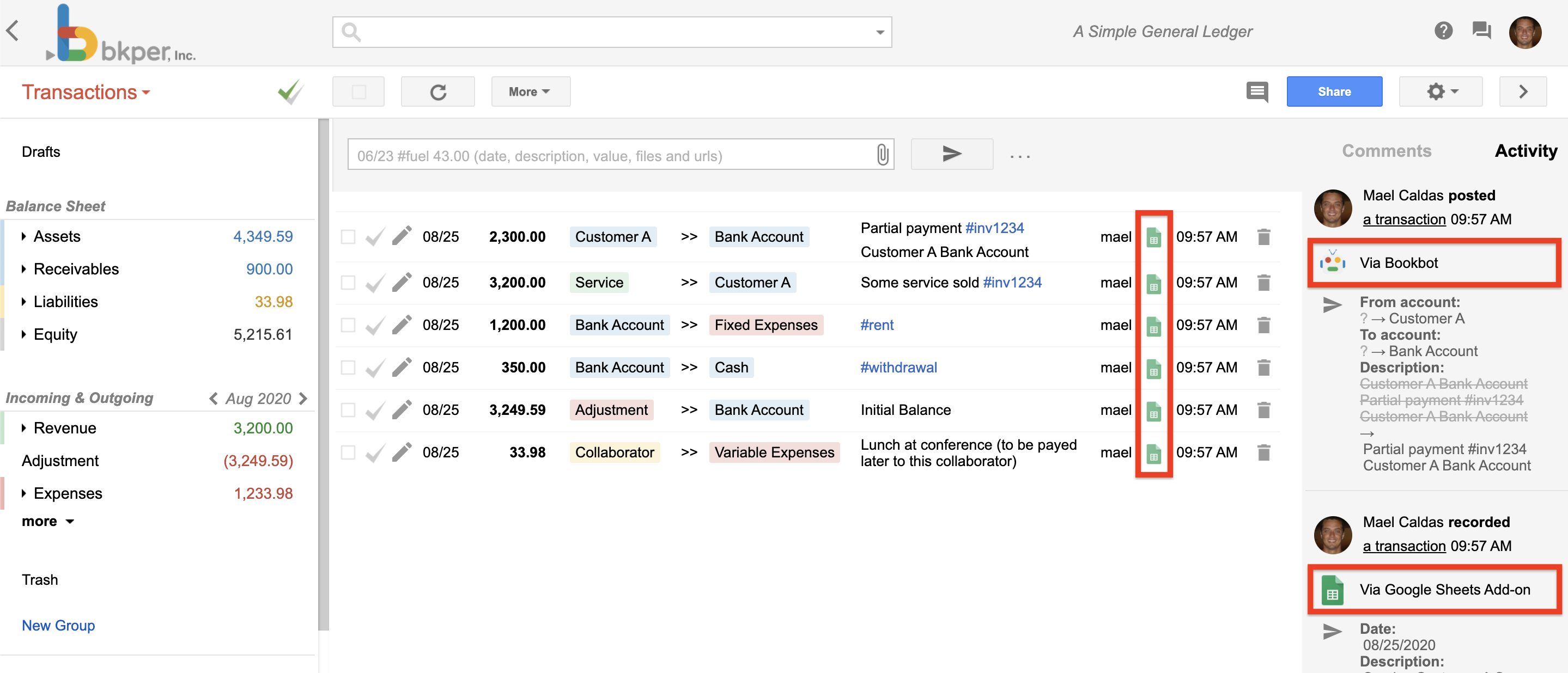
## Bots vs AI Agents
The distinction between a "bot" and an "AI agent" is about capability, not a different type of Bkper primitive. Both are just apps:
| | **Bot** | **AI Agent** |
| --- | --- | --- |
| **Purpose** | Automating predefined tasks | Autonomously perform tasks |
| **Capabilities** | Follows rules; limited learning; basic interactions | Complex, multi-step actions; learns and adapts; makes decisions independently |
| **Interaction** | Reactive; responds to triggers or commands | Proactive; goal-oriented |
In Bkper, what people call "bots" are typically apps whose primary capability is [event handling](https://bkper.com/docs/build/apps/event-handlers.md) — reacting to things that happen in a book. AI agents go further, combining event handling with LLM reasoning to make decisions.
---
source: /docs/build/getting-started/quick-wins.md
# Quick Wins
You've [set up your environment](https://bkper.com/docs/build/getting-started/setup.md). Here are three ways to start building immediately — from a 1-line shell command to a 20-line script.
## CLI piping
Copy all accounts from one book to another in a single line:
```bash
bkper account list -b $SOURCE_BOOK --format json | bkper account create -b $DEST_BOOK
```
The CLI outputs JSON that feeds directly into the next command. No code, no setup beyond the CLI itself.
Add a property to every matching transaction:
```bash
bkper transaction list -b $BOOK -q "account:Expenses" --format json | \
bkper transaction update -b $BOOK -p "reviewed=true"
```
See [CLI Scripting & Piping](https://bkper.com/docs/build/scripts/cli-pipelines.md) for more patterns.
## Node.js script
A short script that lists all accounts with their current balances:
```ts
import { Bkper } from 'bkper-js';
import { getOAuthToken } from 'bkper';
Bkper.setConfig({
oauthTokenProvider: async () => getOAuthToken(),
});
const bkper = new Bkper();
const book = await bkper.getBook('your-book-id');
const report = await book.getBalancesReport('');
const containers = report.getBalancesContainers();
for (const container of containers) {
console.log(`${container.getName()}: ${container.getCumulativeBalance()}`);
}
```
Run it:
```bash
npm install bkper-js bkper
node script.mjs
```
See [Node.js Scripts](https://bkper.com/docs/build/scripts/node-scripts.md) for more examples.
## Direct API call
Call the REST API from any language. Here's a `curl` example:
```bash
# Get your OAuth token (after running bkper auth login)
TOKEN=$(bkper auth token)
# List your books
curl -s -H "Authorization: Bearer $TOKEN" \
https://api.bkper.app/v5/books | jq '.items[].name'
```
See [Direct API Usage](https://bkper.com/docs/build/scripts/rest-api.md) for the full guide.
## What next?
These quick wins are just the beginning. Depending on what you want to build:
- **More automation** — [CLI Scripting & Piping](https://bkper.com/docs/build/scripts/cli-pipelines.md) for shell-based workflows, [Node.js Scripts](https://bkper.com/docs/build/scripts/node-scripts.md) for complex logic
- **A full app** — [Your First App](https://bkper.com/docs/build/apps/first-app.md) to build and deploy an app with UI and event handling on the [Bkper Platform](https://bkper.com/docs/build/apps/overview.md)
- **Google Workspace** — [Apps Script Development](https://bkper.com/docs/build/google-workspace/apps-script.md) for Sheets automation and triggers
---
source: /docs/build/getting-started/setup.md
# Development Setup
Everything you build on Bkper starts with the CLI. It handles authentication, provides the `bkper-js` library for programmatic access, and manages the full app lifecycle.
## Prerequisites
- [Node.js](https://nodejs.org/) >= 18
## Install and authenticate
1. **Install the CLI**
```bash
npm i -g bkper
```
2. **Authenticate**
```bash
bkper auth login
```
This opens your browser for Google OAuth authentication. Once complete, the CLI stores your credentials locally. All API calls — from the CLI, from scripts, and from `bkper-js` — use this token. To clean up later, run `bkper auth logout`, which revokes the stored refresh token when possible and clears local credentials.
3. **Verify**
```bash
bkper book list
```
You should see a list of your Bkper Books. If you do, you're ready to build.
## What you now have
After setup, you have:
- **CLI commands** — Manage books, accounts, transactions, and apps from the terminal. Run `bkper --help` for the full command list.
- **Auth provider for scripts** — Use `getOAuthToken()` from the `bkper` package in any Node.js script:
```ts
import { Bkper } from 'bkper-js';
import { getOAuthToken } from 'bkper';
Bkper.setConfig({
oauthTokenProvider: async () => getOAuthToken(),
});
```
- **App development tools** — Initialize, develop, and deploy platform apps with `bkper app` commands.
## Optional: API key
For dedicated API quota and project-level usage tracking, you can configure your own API key. This is optional — the default shared quota (60 requests per minute) works for most use cases.
See [Direct API Usage](https://bkper.com/docs/build/scripts/rest-api.md#custom-api-key) for setup instructions.
## Next steps
- [Quick Wins](https://bkper.com/docs/build/getting-started/quick-wins.md) — The fastest ways to create value with Bkper programmatically
- [Your First App](https://bkper.com/docs/build/apps/first-app.md) — Build and deploy a platform app
- [CLI reference](https://bkper.com/docs/build/tools/cli.md) — Overview of CLI capabilities
---
source: /docs/build/google-workspace/apps-script.md
# Apps Script Development
[Google Apps Script](https://developers.google.com/apps-script) is Google's serverless platform for extending Google Workspace. With the `bkper-gs` library, you can build Bkper automations that run inside Google's infrastructure — no servers, no deployment pipeline, and native access to Sheets, Drive, Calendar, and Gmail.
## When to use Apps Script
Use Apps Script when your automation lives in the Google Workspace ecosystem:
- Scheduled jobs that read from or write to Google Sheets
- Spreadsheet triggers (on-edit, on-form-submit) that record transactions
- Custom add-ons distributed to a team or domain
- Workflows that combine Bkper with other Google services (Drive, Calendar, Gmail)
If you need real-time event handling, a web UI, or automation that runs outside Google Workspace, use [Node.js scripts](https://bkper.com/docs/build/scripts/node-scripts.md) or a [platform app](https://bkper.com/docs/build/apps/overview.md) instead.
### Add the library
`bkper-gs` is published as an Apps Script library. To add it to your script:
1. Open your script in the [Apps Script editor](https://script.google.com)
2. Click **+** next to **Libraries** in the left-side panel
3. In the "Script ID" field, enter:
```
1hMJszJGSUVZDB3vmsWrUZfRhY1UWbhS0SQ6Lzl06gm1zhBF3ioTM7mpJ
```
4. Click **Look up**, choose the latest version, and click **Add**
The `BkperApp` global is now available in your script.
### TypeScript definitions
For TypeScript development with autocomplete, install the type definitions:
```bash
npm i -S @bkper/bkper-gs-types
```
Configure `tsconfig.json`:
```json
{
"compilerOptions": {
"typeRoots": ["node_modules/@bkper", "node_modules/@types"]
}
}
```
See [Develop Apps Script using TypeScript](https://developers.google.com/apps-script/guides/typescript) and use [clasp](https://github.com/google/clasp) to push TypeScript projects to Apps Script.
## The BkperApp entry point
`BkperApp` works the same way as `CalendarApp`, `DocumentApp`, and `SpreadsheetApp` — it's a global entry point that follows familiar Apps Script conventions.
The book ID comes from the URL when you open a book at [bkper.com](https://bkper.com):
```js
// Get a book by its ID (from the URL)
const book = BkperApp.getBook('agtzfmJrcGVyLWhyZHIOCxIGTGVkZ2VyGNKJAgw');
```
### Get a book
```js
function getBookName() {
const book = BkperApp.getBook('agtzfmJrcGVyLWhyZHIOCxIGTGVkZ2VyGNKJAgw');
Logger.log(book.getName());
}
```
### Record a transaction
```js
function recordTransaction() {
const book = BkperApp.getBook('agtzfmJrcGVyLWhyZHIOCxIGTGVkZ2VyGNKJAgw');
book.record('#gas 63.23');
}
```
Transactions use the same [shorthand syntax](https://bkper.com/docs/guides/using-bkper/record-transactions.md) you'd use in the Bkper UI.
### Batch record transactions
For bulk operations, pass an array. The library sends all records in a single API call — important for avoiding Apps Script execution time limits:
```js
function importExpenses() {
const book = BkperApp.getBook('agtzfmJrcGVyLWhyZHIOCxIGTGVkZ2VyGNKJAgw');
const transactions = [
'#breakfast 15.40',
'#lunch 27.45',
'#dinner 35.86',
];
book.record(transactions);
}
```
### Query transactions
The `getTransactions()` method returns a `TransactionIterator` for handling large datasets without loading everything into memory:
```js
function listTransactions() {
const book = BkperApp.getBook('agtzfmJrcGVyLWhyZHIOCxIGTGVkZ2VyGNKJAgw');
const iterator = book.getTransactions("account:'Bank' after:01/01/2024");
while (iterator.hasNext()) {
const transaction = iterator.next();
Logger.log(transaction.getDescription());
}
}
```
See [Querying Transactions](https://bkper.com/docs/guides/using-bkper/query-transactions.md) for the full query syntax.
### List accounts with balances
```js
function listAccountBalances() {
const book = BkperApp.getBook('agtzfmJrcGVyLWhyZHIOCxIGTGVkZ2VyGNKJAgw');
const accounts = book.getAccounts();
for (const account of accounts) {
if (account.isPermanent() && account.isActive()) {
Logger.log(`${account.getName()}: ${account.getBalance()}`);
}
}
}
```
## Building triggers
Apps Script triggers let your automation run on a schedule or respond to spreadsheet events — without any always-on infrastructure.
### Time-based (scheduled)
```js
function setupDailySync() {
ScriptApp.newTrigger('syncTransactions')
.timeBased()
.everyDays(1)
.atHour(6)
.create();
}
function syncTransactions() {
const book = BkperApp.getBook('YOUR_BOOK_ID');
const sheet = SpreadsheetApp.openById('YOUR_SHEET_ID').getActiveSheet();
// Read rows from Sheets, record to Bkper
const rows = sheet.getDataRange().getValues();
const transactions = rows.slice(1).map(row => `${row[0]} ${row[1]} ${row[2]}`);
book.record(transactions);
}
```
### Spreadsheet edit trigger
```js
function onEdit(e) {
const sheet = e.source.getActiveSheet();
if (sheet.getName() !== 'Expenses') return;
const row = e.range.getRow();
const amount = sheet.getRange(row, 3).getValue();
const description = sheet.getRange(row, 2).getValue();
if (amount && description) {
const book = BkperApp.getBook('YOUR_BOOK_ID');
book.record(`${description} ${amount}`);
}
}
```
## TypeScript development workflow
For non-trivial scripts, use [clasp](https://github.com/google/clasp) for local development with TypeScript:
```bash
# Install clasp
npm install -g @google/clasp
# Log in
clasp login
# Clone an existing script
clasp clone
# Push changes
clasp push
# Watch for changes
clasp push --watch
```
With `@bkper/bkper-gs-types` configured, your editor provides full autocomplete for `BkperApp`, `Book`, `Transaction`, `Account`, and all other bkper-gs types.
## API reference
The complete `bkper-gs` reference is at [bkper.com/docs/bkper-gs](https://bkper.com/docs/bkper-gs/).
## Related
- [Building Sheets Integrations](https://bkper.com/docs/build/google-workspace/google-sheets.md) — Custom Sheets automations with bkper-gs
- [Node.js Scripts](https://bkper.com/docs/build/scripts/node-scripts.md) — When you need automation outside Google Workspace
- [Guides → Google Sheets Add-on](https://bkper.com/docs/guides/google-sheets.md) — End-user guide for recording and fetching data with the Bkper add-on
---
source: /docs/build/google-workspace/google-sheets.md
# Building Sheets Integrations
The [Bkper Add-on for Google Sheets](https://bkper.com/docs/guides/google-sheets.md) lets users record transactions and fetch data with built-in functions. This page covers the next level: building *custom* Sheets integrations with `bkper-gs` — automated pipelines, custom menus, scheduled reports, and two-way sync.
See [Apps Script Development](https://bkper.com/docs/build/google-workspace/apps-script.md) first to set up `bkper-gs` and understand the fundamentals.
## The boundary: add-on vs custom integrations
The built-in add-on covers the common cases well. Build a custom integration when:
- You need a **custom menu** tailored to your team's workflow
- You want **automated pipelines** that run on a schedule without user interaction
- You're building a **specialized report** that the standard functions don't cover
- You need **two-way sync** between a spreadsheet and Bkper (data flowing both directions)
- You're distributing a **custom add-on** to your domain or organization
## Custom menu functions
Add a Bkper-powered menu to any Google Sheet. Users can trigger operations directly from the spreadsheet without opening Bkper.
```js
function onOpen() {
SpreadsheetApp.getUi()
.createMenu('Bkper')
.addItem('Import expenses from this sheet', 'importExpenses')
.addItem('Fetch account balances', 'fetchBalances')
.addSeparator()
.addItem('Sync all', 'syncAll')
.addToUi();
}
function importExpenses() {
const sheet = SpreadsheetApp.getActiveSpreadsheet().getSheetByName('Expenses');
const book = BkperApp.getBook(getBookId());
const rows = sheet.getDataRange().getValues().slice(1); // skip header
const transactions = rows
.filter(row => row[0] && row[1] && row[2]) // date, description, amount
.map(row => `${row[1]} ${row[2]} ${row[0]}`); // "description amount date"
book.record(transactions);
SpreadsheetApp.getUi().alert(`Imported ${transactions.length} transactions.`);
}
```
### Sheets → Bkper (import)
Pull structured data from a spreadsheet and create transactions in bulk. Useful for importing bank exports, expense reports, or any data that lives in Sheets first.
```js
function importFromSheet() {
const ss = SpreadsheetApp.openById('YOUR_SHEET_ID');
const sheet = ss.getSheetByName('Transactions');
const book = BkperApp.getBook('YOUR_BOOK_ID');
const rows = sheet.getDataRange().getValues();
const header = rows[0];
const dateCol = header.indexOf('Date');
const descCol = header.indexOf('Description');
const amountCol = header.indexOf('Amount');
const importedCol = header.indexOf('Imported');
const toImport = [];
for (let i = 1; i < rows.length; i++) {
const row = rows[i];
if (row[importedCol]) continue; // skip already imported
const date = Utilities.formatDate(new Date(row[dateCol]), 'UTC', 'dd/MM/yyyy');
toImport.push({
row: i + 1,
tx: `${row[descCol]} ${row[amountCol]} ${date}`,
});
}
if (toImport.length === 0) return;
book.record(toImport.map(item => item.tx));
// Mark rows as imported
for (const item of toImport) {
sheet.getRange(item.row, importedCol + 1).setValue(true);
}
}
```
### Bkper → Sheets (export/reporting)
Write Bkper data into a spreadsheet for dashboards, analysis, or sharing with stakeholders who work in Sheets.
```js
function exportBalancesToSheet() {
const book = BkperApp.getBook('YOUR_BOOK_ID');
const sheet = SpreadsheetApp.getActiveSpreadsheet()
.getSheetByName('Balances');
sheet.clearContents();
sheet.appendRow(['Account', 'Balance']);
const accounts = book.getAccounts();
for (const account of accounts) {
if (account.isPermanent() && account.isActive()) {
sheet.appendRow([account.getName(), account.getBalance()]);
}
}
}
```
## Scheduled reporting
Use time-based triggers to run reports on a schedule — no user needs to be logged in.
```js
function setupWeeklyReport() {
// Run every Monday at 8am
ScriptApp.newTrigger('generateWeeklyReport')
.timeBased()
.onWeekDay(ScriptApp.WeekDay.MONDAY)
.atHour(8)
.create();
}
function generateWeeklyReport() {
const book = BkperApp.getBook('YOUR_BOOK_ID');
const ss = SpreadsheetApp.openById('YOUR_REPORT_SHEET_ID');
const sheet = ss.getSheetByName('Weekly') || ss.insertSheet('Weekly');
const lastWeek = new Date();
lastWeek.setDate(lastWeek.getDate() - 7);
const from = Utilities.formatDate(lastWeek, 'UTC', 'MM/dd/yyyy');
sheet.clearContents();
sheet.appendRow(['Description', 'Amount', 'Date', 'Account']);
const iterator = book.getTransactions(`after:${from}`);
while (iterator.hasNext()) {
const tx = iterator.next();
sheet.appendRow([
tx.getDescription(),
tx.getAmount(),
tx.getDateFormatted(),
tx.getCreditAccount()?.getName(),
]);
}
}
```
## Working with Custom Properties
Custom Properties let you attach metadata to Bkper entities (accounts, transactions). Use them as a sync key between Sheets and Bkper to avoid duplicates and enable updates.
```js
// Store a Sheets row ID on a transaction as a custom property
function recordWithSheetId(book, txString, sheetRowId) {
const transaction = book.newTransaction()
.setDate(new Date())
.setAmount(100)
.setDescription(txString)
.setProperty('sheet_row_id', sheetRowId);
transaction.create();
}
// Later, look up transactions by their sheet row ID
function findBySheetId(book, sheetRowId) {
const iterator = book.getTransactions(`properties.sheet_row_id:${sheetRowId}`);
return iterator.hasNext() ? iterator.next() : null;
}
```
This pattern enables idempotent sync: check if a transaction already exists before creating it, and update rather than duplicate.
## When to move beyond Sheets
Google Sheets is powerful, but it has limits. Consider a [platform app](https://bkper.com/docs/build/apps/overview.md) when:
- You need **real-time event handling** — platform apps get webhook events pushed instantly; Sheets triggers have latency and quota limits
- You need **a web UI** outside of Sheets — platform apps get `{appId}.bkper.app` with full auth
- Your automation needs to **run at scale** — Workers have no cold starts and higher execution limits than Apps Script
- You want to **publish to all Bkper users** — platform apps appear in the Bkper app listing; Sheets add-ons have a separate distribution model
## Related
- [Apps Script Development](https://bkper.com/docs/build/google-workspace/apps-script.md) — Setting up `bkper-gs`, BkperApp patterns, triggers
- [The Bkper Platform](https://bkper.com/docs/build/apps/overview.md) — When to build a full platform app
- [Guides → Google Sheets Add-on](https://bkper.com/docs/guides/google-sheets.md) — End-user guide for the built-in add-on
---
source: /docs/build/scripts/cli-pipelines.md
# CLI Scripting & Piping
The Bkper CLI is designed for scripting. Every command supports multiple output formats, and selected write commands accept piped JSON input — making it easy to build data pipelines, batch operations, and automated workflows.
## Output formats
All commands support three output formats via the `--format` global flag:
| Format | Flag | Best for |
| ------ | -------------------------- | --------------------------------------- |
| Table | `--format table` (default) | Human reading in the terminal |
| JSON | `--format json` | Programmatic access, single-item detail |
| CSV | `--format csv` | Spreadsheets, AI agents, data pipelines |
```bash
# Table output (default)
bkper account list -b abc123
# JSON output
bkper account list -b abc123 --format json
# CSV output -- raw data, no truncation, RFC 4180
bkper account list -b abc123 --format csv
```
**CSV output details:**
- RFC 4180 compliant — proper quoting, CRLF line endings, no truncation
- All metadata included — IDs, properties, hidden properties, URLs, and timestamps
- Raw values — dates in ISO format, numbers unformatted
> **Tip: AI agent guidance**
> When using the CLI from an AI agent or automated script, prefer `--format csv` for list commands, `--format json` for single-item commands (`get`, `create`, `update`), and stdin piping for batch operations.
## Query semantics quick reference
Use these rules in scripts to avoid ambiguous or empty results:
- `on:` supports year, month, and day (`on:2025`, `on:2025-01`, `on:2025-01-31`).
- `after:` is **inclusive** and `before:` is **exclusive**.
- A full-year range uses next-year boundary:
- `after:2025-01-01 before:2026-01-01`
```bash
# Full year with on:
bkper transaction list -b $BOOK_ID -q "on:2025" --format csv
# Same full year with explicit boundaries
bkper transaction list -b $BOOK_ID -q "after:2025-01-01 before:2026-01-01" --format csv
```
## Batch operations
Write commands (`account create`, `transaction create`, `transaction update`) accept JSON piped via stdin. The input format follows the [Bkper API Types](https://raw.githubusercontent.com/bkper/bkper-api-types/refs/heads/master/index.d.ts) — a single JSON object or an array of objects.
Groups are created explicitly with `bkper group create --name` and optional `--parent`, so hierarchy stays deterministic.
### Creating in batch
```bash
# Create transactions from JSON
echo '[{
"date": "2025-01-15",
"amount": "100.50",
"creditAccount": {"name": "Bank Account"},
"debitAccount": {"name": "Office Supplies"},
"description": "Printer paper",
"properties": {"invoice": "INV-001"}
}]' | bkper transaction create -b abc123
# Create accounts
echo '[{"name":"Cash","type":"ASSET"},{"name":"Revenue","type":"INCOMING"}]' | \
bkper account create -b abc123
# Create a group explicitly
bkper group create -b abc123 --name "Fixed Costs" --hidden
# Pipe from any script that outputs JSON
python export_bank.py | bkper transaction create -b abc123
```
Batch results are output as a flat JSON array:
```bash
bkper account create -b abc123 < accounts.json
# [{"id":"acc-abc","name":"Cash",...}, {"id":"acc-def","name":"Revenue",...}]
```
### Adding properties via CLI flag
The `--property` flag can add or override properties from the stdin payload:
```bash
echo '[{"name":"Cash","type":"ASSET"}]' | \
bkper account create -b abc123 -p "region=LATAM"
```
## Piping between commands
All JSON output is designed to feed directly into other commands. This is the most powerful pattern — combining commands into pipelines:
### Copy data between books
```bash
# Copy all accounts from one book to another
bkper account list -b $BOOK_A --format json | bkper account create -b $BOOK_B
# Copy transactions matching a query
bkper transaction list -b $BOOK_A -q "after:2025-01-01" --format json | \
bkper transaction create -b $BOOK_B
```
Recreate groups explicitly with `bkper group create --name ... --parent ...` before copying accounts that reference them.
### Clone a full chart of accounts
```bash
# Recreate the group hierarchy explicitly
bkper group create -b $DEST --name "Assets"
bkper group create -b $DEST --name "Current Assets" --parent "Assets"
# Then copy accounts and transactions
bkper account list -b $SOURCE --format json | bkper account create -b $DEST
bkper transaction list -b $SOURCE -q "after:2025-01-01" --format json | \
bkper transaction create -b $DEST
```
### Batch updates with jq
Use [jq](https://jqlang.github.io/jq/) to transform data between commands:
```bash
# List transactions, modify descriptions, pipe back to update
bkper transaction list -b $BOOK -q "after:2025-01-01" --format json | \
jq '[.[] | .description = "Updated: " + .description]' | \
bkper transaction update -b $BOOK
# Add a property to all matching transactions
bkper transaction list -b $BOOK -q "account:Expenses" --format json | \
bkper transaction update -b $BOOK -p "reviewed=true"
# Batch update checked transactions
bkper transaction list -b $BOOK -q "is:checked after:2025-01-01" --format json | \
bkper transaction update -b $BOOK --update-checked -p "migrated=true"
```
### Daily export
```bash
#!/bin/bash
# Export yesterday's transactions to CSV
DATE=$(date -d "yesterday" +%Y-%m-%d)
bkper transaction list -b $BOOK_ID \
-q "on:$DATE" \
--format csv > "export-$DATE.csv"
```
### Bulk categorization
```bash
#!/bin/bash
# Add a property to all uncategorized transactions
bkper transaction list -b $BOOK_ID \
-q "account:Uncategorized" \
--format json | \
bkper transaction update -b $BOOK_ID -p "needs_review=true"
```
## Combining with other tools
The CLI works with standard Unix tools:
```bash
# Count transactions matching a query
bkper transaction list -b $BOOK_ID -q "after:2025-01-01" --format json | jq 'length'
# Extract specific fields with jq
bkper account list -b $BOOK_ID --format json | \
jq '[.[] | {name, type}]'
# Sort by amount
bkper transaction list -b $BOOK_ID -q "after:1900-01-01" --format json | \
jq 'sort_by(.amount | tonumber) | reverse'
```
## Full CLI reference
For the complete command reference including all options, see the [bkper-cli app page](https://bkper.com/apps/bkper-cli.md) or run `bkper --help`.
---
source: /docs/build/scripts/node-scripts.md
# Node.js Scripts
For tasks that go beyond CLI piping — complex logic, external API integration, scheduled jobs — write a Node.js script with `bkper-js`.
## Setup
```bash
# Create a script project
mkdir my-bkper-script && cd my-bkper-script
npm init -y
npm install bkper-js bkper
```
Authenticate once via the CLI:
```bash
bkper auth login
```
## The pattern
Every script follows the same structure: authenticate, get a book, do work.
```ts
import { Bkper } from 'bkper-js';
import { getOAuthToken } from 'bkper';
Bkper.setConfig({
oauthTokenProvider: async () => getOAuthToken(),
});
const bkper = new Bkper();
const book = await bkper.getBook('your-book-id');
// Your logic here
```
### Export balances to JSON
```ts
import { Bkper } from 'bkper-js';
import { getOAuthToken } from 'bkper';
import { writeFileSync } from 'fs';
Bkper.setConfig({
oauthTokenProvider: async () => getOAuthToken(),
});
const bkper = new Bkper();
const book = await bkper.getBook('your-book-id');
const report = await book.getBalancesReport('on:2025-12-31');
const rows = report.getBalancesContainers().map(container => ({
name: container.getName(),
balance: container.getCumulativeBalance().toString(),
}));
writeFileSync('balances.json', JSON.stringify(rows, null, 2));
console.log(`Exported ${rows.length} balances`);
```
### Bulk-create accounts from a JSON export
```ts
import { Account, Bkper } from 'bkper-js';
import { getOAuthToken } from 'bkper';
import { readFileSync } from 'fs';
type AccountInput = {
name: string;
type: 'ASSET' | 'LIABILITY' | 'INCOMING' | 'OUTGOING';
groups?: Array<{ id?: string; name?: string }>;
};
Bkper.setConfig({
oauthTokenProvider: async () => getOAuthToken(),
});
const bkper = new Bkper();
const book = await bkper.getBook('your-book-id');
const data: AccountInput[] = JSON.parse(readFileSync('accounts.json', 'utf-8'));
const accounts = data.map(acc => {
const account = new Account(book).setName(acc.name).setType(acc.type);
if (acc.groups?.length) {
account.setGroups(acc.groups);
}
return account;
});
const created = await book.batchCreateAccounts(accounts);
console.log(`Created ${created.length} accounts`);
```
### Query transactions and generate a report
```ts
import { Amount, Bkper } from 'bkper-js';
import { getOAuthToken } from 'bkper';
Bkper.setConfig({
oauthTokenProvider: async () => getOAuthToken(),
});
const bkper = new Bkper();
const book = await bkper.getBook('your-book-id');
const result = await book.listTransactions('account:Expenses after:2025-01-01');
let total = new Amount(0);
for (const tx of result.getItems()) {
const amount = tx.getAmount();
if (!amount) continue;
total = total.plus(amount);
console.log(`${tx.getDate()} | ${tx.getDescription()} | ${amount.toString()}`);
}
console.log(`\nTotal: ${total.toString()}`);
```
### With cron
```bash
# Run daily at 8am
0 8 * * * cd /path/to/script && node export.mjs
```
### In CI environments
The CLI helper `getOAuthToken()` is designed for local developer machines, where the CLI can store and refresh credentials. In GitHub Actions or other unattended environments, provide your own token source:
```ts
import { Bkper } from 'bkper-js';
const bkper = new Bkper({
oauthTokenProvider: async () => {
const token = process.env.BKPER_OAUTH_TOKEN;
if (!token) {
throw new Error('BKPER_OAUTH_TOKEN is not set');
}
return token;
},
});
```
Use this pattern only when another system is already issuing and rotating the token for the job. For unattended long-running automation, implement your own OAuth flow instead of relying on the CLI's locally stored credentials.
## Error handling
Wrap API calls with proper error handling:
```ts
import { BkperError } from 'bkper-js';
try {
const book = await bkper.getBook('your-book-id');
// ...
} catch (error) {
if (error instanceof BkperError && error.code === 404) {
console.error('Book not found');
} else if (error instanceof BkperError && error.code === 403) {
console.error('No access to this book');
} else if (error instanceof Error) {
console.error('API error:', error.message);
} else {
console.error('Unknown error:', String(error));
}
process.exit(1);
}
```
## When to use scripts vs apps
| Scenario | Use |
| ---------------------------------------------- | ----------------------------------------- |
| One-off data migration | Script |
| Scheduled export/report | Script |
| Reacting to book events in real time | [Platform app](https://bkper.com/docs/build/apps/overview.md) |
| Custom UI for users | [Platform app](https://bkper.com/docs/build/apps/overview.md) |
| Complex multi-step workflow with external APIs | Script or app, depending on trigger |
## Next steps
- [bkper-js API Reference](https://bkper.com/docs/api/bkper-js.md) — Full SDK documentation
- [CLI Scripting & Piping](https://bkper.com/docs/build/scripts/cli-pipelines.md) — For simpler tasks, the CLI may be enough
- [Direct API Usage](https://bkper.com/docs/build/scripts/rest-api.md) — Use the REST API from any language
---
source: /docs/build/scripts/rest-api.md
# Direct API Usage
The Bkper REST API is the universal interface for interacting with Bkper Books. Every library and tool — [bkper-js](https://bkper.com/docs/build/tools/libraries.md#bkper-js), [bkper-gs](https://bkper.com/docs/build/tools/libraries.md#bkper-gs), the [CLI](https://bkper.com/docs/build/tools/cli.md) — is built on top of it. This page shows how to call it directly from any language.
If you are using an official SDK, see the library-specific guides instead:
- **Node.js / CLI** — [Node.js Scripts](https://bkper.com/docs/build/scripts/node-scripts.md)
- **Browser apps** — [Platform Apps](https://bkper.com/docs/build/apps/overview.md)
- **Google Apps Script** — [Apps Script Development](https://bkper.com/docs/build/google-workspace/apps-script.md)
## Base URL
```
https://api.bkper.app
```
All API calls use this endpoint:
- `https://api.bkper.app/v5/books` — List books
- `https://api.bkper.app/v5/books/{bookId}` — Get a specific book
## Specifications
The API is built on [OpenAPI](https://swagger.io/resources/open-api/) and [Google API Discovery](https://developers.google.com/discovery) specifications:
- [OpenAPI specification](https://bkper.com/docs/api/rest/openapi.json)
- [Google API Discovery document](https://bkper.com/_ah/api/discovery/v1/apis/bkper/v5/rest)
You can use these specifications to generate client libraries with tools like [OpenAPI generator](https://openapi-generator.tech/) or [Google APIs code generator](https://github.com/google/apis-client-generator) in the language of your choice.
For **TypeScript**, we maintain an updated type definitions package:
- [`@bkper/bkper-api-types`](https://www.npmjs.com/package/@bkper/bkper-api-types)
## Authentication
Every request must include a valid OAuth2 access token in the `Authorization` header:
```
Authorization: Bearer YOUR_ACCESS_TOKEN
```
No API key is required to authenticate — the Bkper API proxy provides a managed key with shared quota.
### Obtaining a token
For local development and scripts, the easiest path is through the [Bkper CLI](https://bkper.com/docs/build/tools/cli.md):
```bash
bkper auth login
bkper auth token
```
For unattended environments (CI, servers), provide your own token source using the OAuth2 flow that matches your setup. See [CLI → Authenticating scripts and local development](https://bkper.com/docs/build/tools/cli.md#authenticating-scripts-and-local-development) for the canonical pattern used by the `bkper-js` SDK.
## Direct HTTP calls
Send JSON payloads with `Content-Type: application/json`.
### List books
```bash
curl -s https://api.bkper.app/v5/books \
-H "Authorization: Bearer YOUR_ACCESS_TOKEN"
```
### Create a transaction
```bash
curl -s https://api.bkper.app/v5/books/BOOK_ID/transactions \
-H "Authorization: Bearer YOUR_ACCESS_TOKEN" \
-H "Content-Type: application/json" \
-d '{
"date": "2025-01-15",
"amount": "100.50",
"creditAccount": {"name": "Bank Account"},
"debitAccount": {"name": "Office Supplies"},
"description": "Printer paper",
"properties": {"invoice": "INV-001"}
}'
```
### Using fetch (browser or Node.js)
```js
const response = await fetch('https://api.bkper.app/v5/books/BOOK_ID/transactions', {
method: 'POST',
headers: {
'Authorization': 'Bearer YOUR_ACCESS_TOKEN',
'Content-Type': 'application/json',
},
body: JSON.stringify({
date: '2025-01-15',
amount: '100.50',
creditAccount: { name: 'Bank Account' },
debitAccount: { name: 'Office Supplies' },
description: 'Printer paper',
properties: { invoice: 'INV-001' },
}),
});
const transaction = await response.json();
```
### Using Python requests
```python
import requests
response = requests.post(
"https://api.bkper.app/v5/books/BOOK_ID/transactions",
headers={"Authorization": "Bearer YOUR_ACCESS_TOKEN"},
json={
"date": "2025-01-15",
"amount": "100.50",
"creditAccount": {"name": "Bank Account"},
"debitAccount": {"name": "Office Supplies"},
"description": "Printer paper",
"properties": {"invoice": "INV-001"},
},
)
transaction = response.json()
```
## API Explorer
The REST API Explorer lets you browse endpoints, inspect payload formats, and try the API live:
[Open API Explorer](https://apis-explorer.appspot.com/apis-explorer/?base=https://bkper-hrd.appspot.com/_ah/api#p/bkper/v5/)

---
## Custom API key
For dedicated quota and project-level usage tracking, you can optionally configure your own API key:
1. Join [bkper@googlegroups.com](https://groups.google.com/g/bkper) to unlock access to enable the API on your project
2. [Create a new GCP project](https://console.cloud.google.com/projectcreate), or select an existing one
3. [Enable the Bkper API](https://console.cloud.google.com/apis/library/app.bkper.com) in the Google Cloud Console
4. [Create an API key](https://console.cloud.google.com/apis/credentials/key)
- [Add API Restrictions](https://cloud.google.com/docs/authentication/api-keys#adding_api_restrictions) to `app.bkper.com` API only
Send your API key in the `bkper-api-key` HTTP header:
```
bkper-api-key: YOUR_API_KEY
```
> **Note**
> API keys are for project identification and quota management only, not for authentication. Do not store API keys in your code. See [securing an API key](https://cloud.google.com/docs/authentication/api-keys#securing_an_api_key) best practices.
> **Tip**
> For Google Apps Script, you can store the API key in the [Script Properties](https://developers.google.com/apps-script/reference/properties/properties-service#getScriptProperties()). To store it, open the online editor, *File > Project properties > Script properties*.
### Metrics
With your own API key, you can view detailed [metrics on the GCP Console](https://console.cloud.google.com/apis/api/app.bkper.com/metrics) for your project's API calls:

The [metrics dashboard](https://console.cloud.google.com/apis/api/app.bkper.com/metrics) provides information about endpoint calls, latency, and errors — a good overview of your integration's health.
### Quota
The [quotas dashboard](https://console.cloud.google.com/apis/api/app.bkper.com/quotas) provides details of the current default and quota exceeded errors.
The default shared quota is **60 requests per minute**. If you need higher limits with your own API key, please get in touch so we can discuss your case.
---
source: /docs/build/tools/cli.md
# CLI
The Bkper CLI is the command-line interface for everything you build on Bkper. It serves two roles:
- **Data management** — Work with books, accounts, transactions, and balances from the terminal
- **App development** — Initialize, develop, build, and deploy Bkper apps
## Installation
```bash
npm i -g bkper
```
## Authentication
```bash
bkper auth login # authenticate via Google OAuth
bkper auth logout # revoke the stored refresh token and clear local credentials
bkper auth token # print the current access token (requires prior login)
```
`bkper auth login` authenticates via Google OAuth and stores credentials locally. The same credentials are used by:
- All CLI commands
- The `getOAuthToken()` function in scripts
- The `bkper app dev` local development server
`bkper auth token` is useful for direct API calls — pipe the output into a variable:
```bash
TOKEN=$(bkper auth token)
```
### App lifecycle
```bash
# Create a new app from the template
bkper app init my-app
# Start worker runtime (Miniflare + tunnel + file watching)
bkper app dev
# Build worker bundles
bkper app build
# Sync app metadata to Bkper
bkper app sync
# Deploy to the Bkper Platform
bkper app deploy
# Remove app from the Bkper Platform
bkper app undeploy
# Check deployment status
bkper app status
```
> **Note:** The project template composes the full workflow via `npm run dev` (runs Vite + `bkper app dev` concurrently) and `npm run build` (runs `vite build` + `bkper app build`). Use the template scripts for the complete development experience.
### Secrets management
```bash
# Set a secret for production
bkper app secrets put EXTERNAL_SERVICE_TOKEN
# Set a secret for preview environment
bkper app secrets put EXTERNAL_SERVICE_TOKEN --preview
# List secrets
bkper app secrets list
# Delete a secret
bkper app secrets delete EXTERNAL_SERVICE_TOKEN
```
### App installation
```bash
# Install app on a book
bkper app install -b
# Uninstall app from a book
bkper app uninstall -b
```
### Authenticating scripts and local development
For Node.js scripts, automations, and local app development, use the CLI's stored credentials via `getOAuthToken()`:
```ts
import { Bkper } from 'bkper-js';
import { getOAuthToken } from 'bkper';
Bkper.setConfig({
oauthTokenProvider: async () => getOAuthToken(),
});
```
This is the canonical pattern. The CLI handles the OAuth flow, token storage, and refresh. Do not implement custom OAuth for scripts.
## Data management commands
The CLI provides full data management capabilities:
```bash
# Books
bkper book list
bkper book get
bkper book create --name "My Company"
# Accounts
bkper account list -b
bkper account create -b --name "Sales" --type INCOMING
# Transactions
bkper transaction list -b -q "account:Sales after:2025-01-01"
bkper transaction create -b --description "Office supplies 123.78"
# Balances
bkper balance list -b -q "on:2025-12-31"
```
All data commands use `-b, --book ` to specify the book context.
## Query semantics (transactions and balances)
Use the same query language across Bkper web app, CLI, and Google Sheets integrations.
- `on:` supports different granularities:
- `on:2025` → full year
- `on:2025-01` → full month
- `on:2025-01-31` → specific day
- `after:` is **inclusive** and `before:` is **exclusive**.
- Full year 2025: `after:2025-01-01 before:2026-01-01`
- For point-in-time statements (typically permanent accounts: `ASSET`, `LIABILITY`), prefer `on:` or `before:`.
- For activity statements over a period (typically non-permanent accounts: `INCOMING`, `OUTGOING`), prefer `after:` + `before:`.
- For statement-level analysis, prefer report root groups (for example `group:'Balance Sheet'` or `group:'Profit & Loss'`) over isolated child groups.
```bash
# Transactions in full year 2025
bkper transaction list -b -q "on:2025"
# Transactions in January 2025
bkper transaction list -b -q "on:2025-01"
# Balance Sheet snapshot (point-in-time)
bkper balance list -b -q "group:'Balance Sheet' before:2026-01-01"
# P&L activity over 2025
bkper balance list -b -q "group:'Profit & Loss' after:2025-01-01 before:2026-01-01"
```
## Output formats
The CLI supports multiple output formats for scripting and piping:
```bash
# Table (default, human-readable)
bkper book list
# JSON (for programmatic use)
bkper book list --format json
# CSV (for spreadsheets and data tools)
bkper transaction list -b --format csv
```
See [CLI Scripting & Piping](https://bkper.com/docs/build/scripts/cli-pipelines.md) for scripting patterns.
## Full reference
Run `bkper --help` or `bkper --help` for built-in documentation on any command.
The complete CLI documentation, including all commands and options, is available on the [bkper-cli app page](https://bkper.com/apps/bkper-cli.md).
---
source: /docs/build/tools/libraries.md
# Libraries & SDKs
Choose the right library for your environment. All libraries are built on the [REST API](https://bkper.com/docs/build/scripts/rest-api.md) and are used by the Bkper team to build our own products.
## bkper-js
**JavaScript/TypeScript SDK for Node.js and browsers.**
The primary client library for programmatic access to Bkper. Use it for [scripts](https://bkper.com/docs/build/scripts/node-scripts.md), [platform apps](https://bkper.com/docs/build/apps/overview.md), and web applications.
```ts
import { Bkper } from 'bkper-js';
import { getOAuthToken } from 'bkper';
Bkper.setConfig({
oauthTokenProvider: async () => getOAuthToken(),
});
const bkper = new Bkper();
const books = await bkper.getBooks();
```
- [npm package](https://www.npmjs.com/package/bkper-js)
- [API Reference](https://bkper.com/docs/api/bkper-js.md)
## bkper-gs
**Google Apps Script library.**
Access Bkper from Apps Script — Google Sheets automations, triggers, add-ons. Authentication is handled by the Apps Script runtime.
```js
function listBooks() {
var books = BkperApp.getBooks();
books.forEach(function (book) {
Logger.log(book.getName());
});
}
```
- [GitHub](https://github.com/bkper/bkper-gs)
- [API Reference](https://bkper.com/docs/api/bkper-gs.md)
## @bkper/web-auth
**Web authentication SDK for the Bkper Platform.**
Browser-based OAuth for apps hosted on `*.bkper.app` subdomains. Use with bkper-js when building platform apps.
```ts
import { BkperAuth } from '@bkper/web-auth';
const auth = new BkperAuth({ onLoginSuccess: () => initApp() });
await auth.init();
// Use with bkper-js
const token = await auth.getAccessToken();
```
- [npm package](https://www.npmjs.com/package/@bkper/web-auth)
- [API Reference](https://bkper.com/docs/api/bkper-web-auth.md)
## @bkper/web-design
**CSS design tokens for Bkper web applications.**
Provides typography, spacing, border, and color tokens as CSS custom properties. Includes light/dark theme support and account-type color families. Works standalone or integrates with [Web Awesome](https://www.webawesome.com/) — if Web Awesome is loaded, Bkper tokens automatically inherit its design system values.
```css
@import '@bkper/web-design';
```
Then use the tokens in your styles:
```css
.my-component {
font-family: var(--bkper-font-family);
padding: var(--bkper-spacing-medium);
color: var(--bkper-color-text);
border: var(--bkper-border);
}
```
- [npm package](https://www.npmjs.com/package/@bkper/web-design)
- [Token Reference](https://bkper.com/docs/api/bkper-web-design.md)
## @bkper/bkper-api-types
**TypeScript type definitions for the REST API.**
Add autocomplete and contextual documentation to any TypeScript project that works with Bkper API payloads.
```bash
npm install @bkper/bkper-api-types
```
Configure `tsconfig.json` to make the `bkper` namespace globally available:
```json
{
"compilerOptions": {
"types": ["@bkper/bkper-api-types"]
}
}
```
Then use the `bkper` namespace directly — no import needed:
```ts
const event: bkper.Event = await c.req.json();
if (!event.book) {
throw new Error('Missing book in event payload');
}
const book: bkper.Book = event.book;
```
- [npm package](https://www.npmjs.com/package/@bkper/bkper-api-types)
- [API Reference](https://bkper.com/docs/api/bkper-api-types.md)
## Which library to use
| Scenario | Library |
| ---------------------------------------------- | ------------------------------------------------------------------ |
| Node.js scripts and automations | bkper-js + CLI |
| Browser (any domain, with access token) | [bkper-js via CDN](https://github.com/bkper/bkper-js#cdn--browser) |
| Platform apps (server-side) | bkper-js |
| Platform apps (client-side, \*.bkper.app only) | bkper-js + @bkper/web-auth |
| Platform apps (styling) | @bkper/web-design |
| Google Apps Script | bkper-gs |
| Google Sheets add-ons | bkper-gs |
| Any language (direct HTTP) | [REST API](https://bkper.com/docs/build/scripts/rest-api.md) + @bkper/bkper-api-types |
---
source: /docs/core-concepts.md
# Core Concepts
Bkper tracks resources — money, inventory, or anything countable — as movements between places. Every financial event is recorded as an amount moving **from** one Account **to** another. This from-to model replaces the traditional language of debits and credits with something intuitive: resources leave one place and arrive at another.
The system enforces a **zero-sum invariant** — the total of all records always equals zero. Nothing is created or destroyed, only transferred. This makes Bkper a double-entry bookkeeping system where every transaction automatically produces balanced entries.
For those familiar with traditional accounting, "from" corresponds to credit and "to" corresponds to debit — but the explicit flow eliminates the need to memorize these rules.
## Accounts
**Accounts** are the places where resources reside or flow through. An Account can represent a bank, a category, a customer, a project, or anything else that holds or transfers value. You define what each Account represents and structure them at whatever level of detail suits your needs.
An Account registers all incoming and outgoing amounts through transactions. The sum of these movements produces the account's **balance** — the net result of everything that has flowed in and out.
## Account Types
Bkper organizes Accounts into four types that determine how an Account behaves and where it appears in your financial structure:
- **Asset** (blue) — **permanent**. Real resources you own: bank accounts, cash, receivables. Balances carry forward continuously, showing your position at any point in time.
- **Liability** (yellow) — **permanent**. Obligations you owe: credit cards, loans, supplier debts. Balances also carry forward continuously.
- **Incoming** (green) — **non-permanent**. Revenue sources: salary, sales, interest. Balances track activity within a selected period rather than as a cumulative position.
- **Outgoing** (red) — **non-permanent**. Expenses and costs: rent, supplies, payroll. Balances also track activity within a selected period.
## Transactions
A **Transaction** is the atomic unit of financial activity. It captures:
- **Date** — when it happened
- **Amount** — how much moved
- **From Account** — where the resource came from
- **To Account** — where it went
- **Description** — what happened
The from-to model makes every event explicit and traceable.
A transaction is nothing more than moving a resource from one place to another. When you pay a taxi for a ride, the amount that goes from your wallet to the driver represents a transaction.
If any essential element is missing, the transaction is saved as an incomplete draft.
## Transaction States
Transactions move through a lifecycle with four states:
- **Draft** — incomplete or unposted. Does not affect balances.
- **Unchecked** — posted and updates balances, but remains editable.
- **Checked** — reviewed and locked for integrity.
- **Trashed** — removed from balances, but recoverable.
This structure puts a **human in the loop** — you review and confirm before records become permanent.
## Groups
**Groups** organize Accounts into hierarchies for reporting and analysis. They don't change the underlying data — they provide structure for understanding it. Groups consolidate account balances, so you can see totals for categories like "Expenses" or "Assets" at a glance.
Groups support hierarchies (groups of groups) and multiple perspectives — an Account can belong to different groups in different hierarchies.
Groups inherit the nature of the accounts they contain:
- **Asset-only group** — behaves as Asset (blue)
- **Liability-only group** — behaves as Liability (yellow)
- **Mixed Asset + Liability** — shows Equity (gray, net balance)
- **Incoming-only group** — behaves as Income (green)
- **Outgoing-only group** — behaves as Expense (red)
- **Mixed Incoming + Outgoing** — shows Net Result (gray)
## Books
A **Book** is a self-contained ledger — the complete scope of an entity, whether an individual, a project, or a business. Every Account, Transaction, and Group lives within a Book, and every Book balances to zero. Books can track any countable resource using the same from-to model.
The sum of all credits and debits recorded in a Book always tallies to zero — nothing is created or destroyed, only transferred. For more complex entities, multiple Books can be organized into a Collection.
## Example Flows
These examples show the same movement model in concrete situations. Some match the diagrams on this page. Others add common accrual flows that are easy to confuse.
These examples use Bkper's transaction shorthand `From >> To`, meaning the amount leaves the Account on the left and arrives at the Account on the right.
| Situation | Transaction |
| --- | --- |
| Salary received | `Salary >> Bank Account` |
| Investment funded | `Bank Account >> Investments` |
| Dividends received | `Dividends >> Bank Account` |
| Loan received | `Loan >> Bank Account` |
| Rent paid | `Bank Account >> Rent` |
| Transportation bought on credit card | `Credit Card >> Transportation` |
**Buy on a credit card now, pay it later**
| Step | Transaction |
| --- | --- |
| Purchase | `Credit Card >> Outgoing` |
| Payment | `Bank Account >> Credit Card` |
**Sell now and receive cash later**
| Step | Transaction |
| --- | --- |
| Sale on credit | `Incoming >> Accounts Receivable` |
| Interest added while unpaid | `Incoming >> Accounts Receivable` |
| Collection | `Accounts Receivable >> Bank Account` |
**Receive a supplier bill now and pay it later**
| Step | Transaction |
| --- | --- |
| Bill received | `Accounts Payable >> Outgoing` |
| Interest added while unpaid | `Accounts Payable >> Outgoing` |
| Payment | `Bank Account >> Accounts Payable` |
**Receive a loan now and repay principal later**
| Step | Transaction |
| --- | --- |
| Loan proceeds | `Loan >> Bank Account` |
| Principal repayment | `Bank Account >> Loan` |
In each case, the first movement records the position that was created — a receivable or a liability. The later movement settles that position. This keeps Incoming and Outgoing focused on activity, while Asset and Liability Accounts hold positions until they are cleared.
If a receivable or payable grows before settlement, record another movement to that same Account, then settle the total later.
## Balances
**Balances** are always calculated from Transactions, never stored independently. The total balance across all Accounts in a Book is always zero. Account type determines how balances behave over time:
- **Permanent Accounts** (Asset & Liability) — balance **to a date**, showing cumulative position at a point in time.
- **Non-permanent Accounts** (Incoming & Outgoing) — balance **within a period**, showing activity during a timeframe.
Bkper maintains a continuous ledger with no concept of closing periods — the same ledger serves all time-based queries automatically.
## Custom Properties
**Custom Properties** are key-value pairs attachable to any entity — Books, Accounts, Groups, Transactions, Collections, and Files. They add context, metadata, and meaning beyond core financial data.
By attaching properties like `invoice: inv123456` or `exc_code: BRL`, entities become rich with information that can drive automation and reporting — without changing the core model.
## Hashtags
**Hashtags** are lightweight labels on Transactions that enable multi-dimensional tracking. They complement the Account structure by adding dynamic categorization — a single transaction might carry `#team_marketing #project_alpha #q1_campaign`, enabling filtering and analysis from any perspective.
Unlike Account structures, Hashtags can be added or removed as needs evolve, making them ideal for cost allocation, project tracking, and ad-hoc analysis.
## Collections
**Collections** group related Books for organization and consolidated views. Each Book remains self-contained and balanced — Collections simply provide navigation and structure across multiple Books. You might track resources in multiple currencies, or organize branch offices in one collection.
Collections can also serve as references for automations (Bots or Apps) that work on all Books in the collection.
## Events
Every action in a Book — posting a transaction, editing an account, adding a comment — generates an **Event**. Events record _who_ (a user) or _what_ (a bot, an automation) performed the action and _when_, forming a complete audit trail essential for collaboration and trust.
Events are also the foundation of Bkper's automation model. Bots and Agents listen for specific event types and react automatically — for example, calculating taxes when a transaction is posted or converting currencies when one is checked.
---
source: /docs/guides.md
# Guides
Practical guides covering everything from your first sign-in to advanced financial workflows. Whether you're new to Bkper or looking to master specific features, start with the section that matches your needs.
- [Getting Started](https://bkper.com/docs/guides/getting-started.md): A roadmap from your first Book and transaction to reporting, collaboration, and automation.
- [Using Bkper](https://bkper.com/docs/guides/using-bkper/signing-in.md): Day-to-day workflows for Transactions, Accounts, Groups, Books, and features like properties and hashtags.
- [Google Sheets](https://bkper.com/docs/guides/google-sheets.md): Use Bkper functions and features directly in Google Sheets for reporting and analysis.
- [Automations](https://bkper.com/docs/guides/automations/bank-connections.md): Bank connections, automatic transaction imports, and workflow automations.
- [Accounting Principles](https://bkper.com/docs/guides/accounting-principles/fundamentals/permanent-accounts.md): Double-entry bookkeeping, account types, receivables, payables, and financial modeling in Bkper.
- [Account & Billing](https://bkper.com/docs/guides/account-and-billing/subscriptions.md): Plans, pricing, billing management, and account settings.
- [Templates](https://bkper.com/docs/guides/templates/profit-and-loss.md): Pre-built Book templates for personal finances, business accounting, and more.
- [Troubleshooting](https://bkper.com/docs/guides/troubleshooting/known-issues-google-sheets.md): Solutions to common issues and answers to frequently asked questions.
---
source: /docs/guides/account-and-billing/delete-account.md
# Delete Bkper Data and Close Account
You have full control over your data in Bkper. If you no longer need your data, you can delete it at any time without prior notice.
## Delete data
To delete recorded data from Bkper, **delete your books**. Before deleting a book, make a backup by using the Bkper Add-on for Google Sheets to fetch all transactions to a spreadsheet, or download a CSV file to your computer.
> **Caution**
> Once you delete a book, there is no way to recover the data.
## Remove Google account access
To revoke Bkper's access to your Google Account, go to [apps connected to your Google Account](https://security.google.com/settings/security/permissions).
Select **Bkper** on the list and click **Remove**.

After revoking access, Bkper will no longer have access to any data from your Google Account. Note that this only removes the authorization — any recorded data is preserved in Bkper. To delete the data itself, delete your books as described above.
## Mobile app
To stop using Bkper on your phone, uninstall the Bkper app following the instructions for your device.
## Unsubscribe from emails
Stop receiving emails from Bkper by clicking any **unsubscribe** link at the bottom of Bkper emails.

## Deceased account holders
If you need to cancel the subscription or delete the data of someone who has passed away, send an email to [support@bkper.com](mailto:support@bkper.com). The Bkper team will help with the cancellation and any data removal.
---
source: /docs/guides/account-and-billing/google-cloud.md
# Bkper on Google Cloud
You can subscribe to Bkper through the Google Cloud Marketplace when your organization wants Bkper charges to be billed by Google Cloud instead of by Bkper directly.
Use this guide only for subscriptions purchased through Google Cloud Marketplace. If your subscription is billed directly by Bkper through Stripe, see [Manage Bkper Subscription](https://bkper.com/docs/guides/account-and-billing/manage-subscription.md) instead.
> **Caution**
> Google controls the Marketplace checkout, billing, and order-management screens. The exact labels and order of steps can vary by country, billing account, permissions, and Google interface updates.
>
> When a Google Cloud step differs from this guide, follow the current controls shown by Google Cloud. Do not create a second subscription to work around an unclear or missing control.
## Before you start
Make sure you know which account should own the subscription.
- **Bkper account** — the subscription applies to the Bkper account you associate during the Marketplace signup flow. Use the Bkper login that owns the Books you want covered by the plan.
- **Google Cloud billing account** — the charges are billed by Google Cloud. You need permission to purchase Marketplace products on the billing account your organization wants to use.
- **Billing terms** — payment methods, invoices, taxes, refunds, and billing disputes are handled under Google Cloud Marketplace terms, not Bkper's direct Stripe billing flow.
If you cannot select a billing account or complete the purchase, contact the administrator of your Google Cloud organization or billing account.
## Subscribe through Google Cloud Marketplace
1. Open the [Bkper listing on Google Cloud Marketplace](https://console.cloud.google.com/marketplace/details/bkper-public/bkper).
2. Sign in to Google Cloud with an account that can purchase products for the intended billing account.
3. Choose the Bkper plan you want from the Marketplace listing.
4. Select the correct Google Cloud billing account.
5. Review the price, billing terms, and Google Cloud Marketplace terms shown by Google.
6. Confirm the purchase in Google Cloud Marketplace.
7. When Google Cloud offers the provider signup or account-association step, continue to Bkper.
8. Sign in to Bkper with the account that should receive the subscription.
9. Open a Book owned by that Bkper account and verify that the plan is reflected there.
> **Note**
> The Google Cloud purchase and the Bkper account association are both important. If the purchase completes but the Bkper account is not associated, Bkper may not know which account should receive the plan.
## Change your plan
Use Google Cloud Marketplace order management to upgrade or downgrade a Bkper subscription purchased through Google Cloud.
1. Open Google Cloud Console and go to your Marketplace orders or subscriptions.
2. Find the existing Bkper order.
3. Open the order details.
4. Use the plan-management action provided by Google Cloud.
5. Choose the target Bkper plan, if it is available for your order.
6. Review the price, effective date, proration, and terms shown by Google.
7. Confirm the change.
8. Open a Book owned by the associated Bkper account and verify the updated plan.
> **Tip**
> If the plan you need is not available in the Marketplace controls, contact [Bkper support](mailto:support@bkper.com) before creating a new subscription.
## Cancel or return to the free plan
Cancel the paid subscription from Google Cloud Marketplace order management.
Depending on the controls available for your order, Google Cloud may offer cancellation directly or a change to a free Bkper plan. Use the option shown for your current Marketplace order.
Before confirming, review the cancellation terms shown by Google, including:
- when the paid plan stops applying,
- whether any remaining paid period continues,
- whether charges, credits, or refunds are affected.
After confirming the change in Google Cloud, open a Book owned by the associated Bkper account and verify the plan status.
> **Caution**
> Do not delete Books or revoke account access as a substitute for cancelling a Google Cloud Marketplace subscription. Billing changes must be made through Google Cloud Marketplace.
## Invoices, receipts, and refunds
For Google Cloud Marketplace subscriptions:
- Google Cloud bills the subscription.
- Google Cloud provides invoices and receipts through Cloud Billing.
- Google Cloud Marketplace terms apply to payment, cancellation, tax, refund, and billing-dispute handling.
- Bkper's direct [Refund Policy](https://bkper.com/docs/guides/account-and-billing/subscriptions.md#refund-policy) does **not** apply to Google Cloud purchases.
For Google Cloud billing documentation, see [Cloud Billing documentation](https://cloud.google.com/billing/docs) and [Google Cloud terms](https://cloud.google.com/terms/).
### I cannot select a billing account
You may not have permission to purchase Marketplace products for that billing account, or the billing account may not be active. Contact your Google Cloud billing administrator.
### The purchase completed, but Bkper does not show the plan
First, confirm that the Bkper account association step was completed with the correct Bkper login.
If the plan still does not appear, contact [Bkper support](mailto:support@bkper.com) and include:
- the Bkper login email that should receive the subscription,
- the Google Cloud Marketplace order or subscription identifier,
- the plan purchased,
- the approximate purchase time.
Do not include card numbers, bank details, or other sensitive payment information.
### I associated the wrong Bkper account
Contact [Bkper support](mailto:support@bkper.com) before purchasing again. Include the Google Cloud Marketplace order identifier and both the incorrect and intended Bkper login emails.
### I cannot find the plan-change or cancellation control
Check that you are signed in to the Google account with access to the Marketplace order and the relevant billing account. If the control still is not available, contact your Google Cloud billing administrator or Google Cloud support.
### I need Bkper Professional
If the tier you need is not available through the Marketplace flow, contact [Bkper support](mailto:support@bkper.com) for guidance.
---
source: /docs/guides/account-and-billing/manage-subscription.md
# Manage Bkper Subscription
This guide covers the full lifecycle of a Bkper subscription billed through Stripe — subscribing, upgrading, downgrading, cancelling, updating your payment method, and accessing invoices. If you subscribe through the Google Cloud Marketplace, see [Bkper on Google Cloud](https://bkper.com/docs/guides/account-and-billing/google-cloud.md) instead.
All subscription changes are managed from the **Billing** page. Sign in to [Bkper](https://app.bkper.com/) and click on your avatar in the top-right corner, then select **Billing**.
## Subscribing to a paid plan
Sign in to [Bkper](https://app.bkper.com/) and click on your avatar in the top-right corner of the web app.

Select **Pricing**, then click **Choose** on the subscription plan you want. The checkout page opens with the subscription details and price on the left side.

Make sure you are signed in with the correct **book owner email account**. Fill out your card details on the right side and press the **Subscribe** button.

Your subscription is now active. The subscription details appear in the bottom-left corner of the books you own, and the [Bkper Pricing page](https://app.bkper.com/b/#pricing:) reflects your current plan.

Bkper charges monthly or annually on the same day of the month or year. Each successful charge triggers an email with an invoice and receipt for your records. Contact details are included in the email and on the invoice for any billing questions.
Bkper sends email reminders when a payment is overdue and when a card is about to expire. After three failed charge attempts, the subscription is automatically cancelled — but you can return and resubscribe at any time.
> **Note**
> - Annual Bkper Standard subscriptions include a **25% discount**.
> - Bkper Business subscriptions are monthly only.
## Upgrading your plan
When you reach the transaction threshold of your current plan and need to continue posting during the current month, you can upgrade your Bkper subscription to the next tier.
On the Billing page, press the **Update plan** button.

Select the plan you want to upgrade to and press **Continue**.

Confirm the update and press **Confirm**.

Your subscription plan is now updated.
If you're upgrading from Bkper Free to a paid plan, follow the steps in [Subscribing to a paid plan](#subscribing-to-a-paid-plan) above.
Please [contact the Bkper team](mailto:contact@bkper.com) to upgrade to the Bkper Professional tier.
## Downgrading your plan
If you need fewer transactions than your current plan offers, you can downgrade to a lower tier.
Click on your avatar in the top-right corner.

Select **Billing**. The Billing page opens. Press the **Update plan** button.

Select the plan you want to downgrade to and press **Continue**.

Confirm the update and press **Confirm**.

Your subscription plan is now downgraded.
To downgrade to the Bkper Free tier, see [Cancelling your subscription](#cancelling-your-subscription) below.
## Cancelling your subscription
If you no longer need a paid plan, you can cancel your Bkper subscription at any time.
Open the Billing page by clicking on your avatar in the top-right corner and selecting **Billing**.

On the Billing page, press the **Cancel plan** button.

Press the **Cancel plan** button again to confirm the cancellation.

Your plan is now cancelled. Bkper will no longer charge you, and you can continue using the paid features of your tier until the end of the current billing period. After that, your account returns to the Bkper Free tier.
## Changing billing period
The Bkper Standard subscription offers a **25% discount** on annual billing. Once you've confirmed the value of the paid features, you can switch your billing period from monthly to annually — or back to monthly.
On the Billing page, press the **Update plan** button.

Click the **Yearly** toggle, then press **Continue**.

Confirm the update and press **Confirm**.

Your billing period has now changed.
## Update payment method
You can update your payment details at any time from the Billing page.
Open the Billing page by clicking on your avatar in the top-right corner and selecting **Billing**.

Press **+ Add payment method**.

Fill out the form with the new card details and check **Use as default payment method**.

Press the **Add** button. Your payment method is now updated.
### Declined and failed payments
Payments can fail for a variety of reasons. Together with Stripe, Bkper does its best to avoid payment issues and collect charges normally. When a payment does not go through, Bkper tries to indicate the reason and provide steps to resolve the failure.
Unfortunately, for privacy and security reasons, card issuers only discuss the specific reasons for declined payments with the cardholder — they cannot share those details with Bkper. In these cases, the best course of action is to **contact your card issuer directly** and ask them for more information about the decline.
> **Tip**
> If repeated payment failures occur, consider updating your payment method with a different card using the steps above to avoid subscription interruption.
## Invoices and receipts
Sign in to [Bkper](https://app.bkper.com/) and click on your avatar in the top-right corner.

Select **Billing** from the dropdown menu. Your billing page opens.
On the billing page you can find information about your:
- **Subscription Plan**
- **Payment Methods**
- **Billing information**
- **Invoice History**

Scroll down to the **Invoice history** section and click on the date of the invoice or receipt you need.

From the window that opens, select:
- **Download invoice**
- **Download receipt**
If you have any questions about your billing or subscription plans, reach out through [Bkper support](mailto:support@bkper.com).
---
source: /docs/guides/account-and-billing/subscriptions.md
# Bkper Subscriptions
Bkper is a consumption-based service where subscription plans are defined by the number of posted transactions per month, per owner. Higher-tier plans unlock additional features.
There are currently four subscription plans: **Bkper Free**, **Bkper Standard**, **Bkper Business**, and [Bkper Professional](https://bkper.com/professional/).
## Bkper Free
You start on Bkper for free with no credit card required. The Free plan is a fully functional version of Bkper with minor limitations that don't affect evaluation or personal and household use.
The Free plan includes:
- **100 posted transactions per month per owner**
- Unlimited Books and Accounts
- Unlimited Collaborators
- Comments and Activities
- Google Sheets add-on
- Bots and automations
- Chart reports
Bkper Free gives you plenty of room to explore every feature and understand how Bkper works for you.
Additionally, you can **test Bank Connections for 45 days** on the Free plan.
Bkper Free is always available — you can downgrade from a paid plan at any time and keep all your data accessible. Stay on Free for as long as you need until you're ready to [subscribe to a paid plan](https://bkper.com/docs/guides/account-and-billing/manage-subscription.md#subscribing-to-a-paid-plan).
## Bkper Standard
The Standard plan includes everything in Free, plus:
- **1,000 posted transactions per month per owner**
- **Saved Queries** for fast analysis
- **Bkper Bank Connections**
## Bkper Business
The Business plan includes everything in Standard, plus:
- **5,000 posted transactions per month per domain**
- **Book closing and lock dates**
- **White-label books**
- **Domain-wide activation**
All users with an email under your domain (e.g., mydomain.com) access Bkper as Business subscribers. Transactions posted in books created by those users count towards the domain's monthly transaction limit.
With Bkper Business, your domain's custom logo is automatically added to all books, boosting brand awareness among users. If you're on Google Workspace, Bkper uses your Workspace logo. Otherwise, the Bkper team can set the logo for you.
## Bkper Professional
If you need more than 5,000 transactions per month, please [contact the Bkper team](mailto:support@bkper.com) to discuss the Professional plan.
## Transaction counter
The monthly transaction counter tracks consumption against your subscription plan.
Posted transactions in a book increase the monthly counter for the **book owner**. Draft entries do not affect the counter. Deleted (posted) transactions do not decrease the counter — they remain part of the account's activity log and can be restored at any time.
You can find the total number of posted transactions for the current month in the summary at the bottom-left corner of each book you own. A per-book breakdown is available on the [Book list](https://app.bkper.com/#books:redirect=false).
> **Note**
> If you have a paid subscription and post a transaction on a book owned by someone else, those transactions count towards the **book owner's** plan — not yours.
> **Note**
> The counter reflects the current calendar month in which you post, regardless of the transaction's date. For example, posting a transaction in February with a date of 01/01/2025 increases February's count.
## Billing cycle
The monthly billing cycle follows the calendar month, running from the 1st to the last day. Transaction counters reset to zero on the first day of each month, regardless of your payment date.
If you reach your plan's transaction limit before the end of the month, you can continue recording drafts and post them in the next period. To resume posting immediately, [upgrade to a higher tier](https://bkper.com/docs/guides/account-and-billing/manage-subscription.md#upgrading-your-plan).
Find your [Billing, Invoices & Receipts](https://bkper.com/docs/guides/account-and-billing/manage-subscription.md#invoices-and-receipts).
## Limitations
You can create as many books and add as many shared users as you need, regardless of your plan.
While there are maximum monthly transaction thresholds, there is no limit to the total number of transactions you can store.
Transactions can include attachments of up to 20 MB each, with no limit on the total number of attachments or total storage space.
Activities remain available and accessible for four years.
## Refund policy
You can [cancel your Bkper subscription](https://bkper.com/docs/guides/account-and-billing/manage-subscription.md#cancelling-your-subscription) at any time and continue using the paid features of your tier through the end of the current billing period. After that, your account downgrades to the Bkper Free tier.
If you subscribed to a paid plan directly through Bkper (not through Google Cloud), Bkper offers a money-back guarantee for the **current subscription period** — whether monthly or annual. Send a simple request to [support@bkper.com](mailto:support@bkper.com), and the Bkper team will issue the refund right away for the current billing period to your registered card.
> **Caution**
> Refunds are not issued for past billing periods (previous months or years), regardless of whether the service was used or not.
Depending on your bank's processing time, it may take 5–10 business days for the refund to appear on your statement.
[Visit the Bkper Pricing Page](https://bkper.com/pricing/)
---
source: /docs/guides/accounting-principles/accounting-methods/accrual-basis.md
# Accrual Basis
The **accrual basis** records revenues and expenses at the moment they occur, regardless of when cash actually changes hands. This generates [payable](https://bkper.com/docs/guides/accounting-principles/payables/accounts-payable.md) or [receivable](https://bkper.com/docs/guides/accounting-principles/receivables/accounts-receivable.md) balances that represent outstanding obligations until the money moves.
When the cash does move — whether as a full settlement or a partial installment — a separate transaction records that payment.
## Example — a printing company
A printing company buys paper from a supplier and sells folders to a client, both on credit.
### The accounts
The book needs accounts that track the cash position, the counterparties, and the goods involved.

### Recording the purchase
The company buys printing paper on credit, then pays the supplier later. Two [transactions](https://bkper.com/docs/core-concepts.md#transactions) capture this:
| Date | Amount | From Account | | To Account | Description |
| --- | --- | --- | --- | --- | --- |
| 05/07 | 3,000.00 | Supplier | >> | Paper | Printing Paper A4 300 |
| 31/07 | 3,000.00 | Bank Account | >> | Supplier | Payment |

### Recording the sale
The company sells folders on credit, then receives the payment from the client:
| Date | Amount | From Account | | To Account | Description |
| --- | --- | --- | --- | --- | --- |
| 12/07 | 300.00 | Folders | >> | Client | 100 Color foldable Folders |
| 31/07 | 300.00 | Client | >> | Bank Account | Payment of the 100 Folders |

> **Note**
> With the accrual method you can track receivables and payables — obligations that remain visible in your balances until settled. This is not possible with the [cash basis](https://bkper.com/docs/guides/accounting-principles/accounting-methods/cash-basis.md) method, which only records transactions when money moves.
---
source: /docs/guides/accounting-principles/accounting-methods/cash-basis.md
# Cash Basis
The **cash basis** records revenue when a payment is received and expenses when a payment is made. Unlike the [accrual basis](https://bkper.com/docs/guides/accounting-principles/accounting-methods/accrual-basis.md), you do not track receivables or payables — every transaction reflects actual cash movement.
## Example — a printing company
A printing company buys paper and sells folders, recording each event only when money changes hands.
### The accounts
Because this cash-basis example does not track outstanding receivables or payables, the book only requires accounts for the cash position, income, and expenses.

> **Note**
> In this simplified cash-basis example, there are no supplier or payable timing accounts — expenses are recorded directly when paid. Other liability accounts, such as loans, credit cards, or taxes payable, can still exist in a cash-basis book when they reflect real obligations.
### Recording the transactions
Each transaction corresponds to an actual cash movement:
| Date | Amount | From Account | | To Account | Description |
| --- | --- | --- | --- | --- | --- |
| 22/07 | 300.00 | Bank Account | >> | Papers | Expenses with papers |
| 26/07 | 30.00 | Client | >> | Bank Account | Client's payment |

The purchase is recorded on the date the bank pays, and the sale is recorded on the date the client's payment arrives — not when the order is placed or the invoice issued.
---
source: /docs/guides/accounting-principles/billing-invoicing.md
# Billing and Invoicing
Invoicing is handled by your preferred invoicing solution, and the generated invoices are recorded as receivables in Bkper through automations. This way, your receivable balances always reflect the actual amount to collect.
There are many online invoicing solutions available — such as [ZipBooks](https://zipbooks.com/), [Invoice Ninja](https://www.invoiceninja.com/), [Zoho](https://www.zoho.com/invoice/), and [Yamm](https://yet-another-mail-merge.com/) — that connect to Bkper without programming through automations like the [Google Sheets Add-on for Bkper](https://bkper.com/blog/turn-google-sheets-into-a-powerful-accounting-tool/).
The [Bkper API](https://bkper.com/api) also lets you customize and extend Bkper into Google Workspace, so you can build your own solutions and automate workflows — including invoicing — with simple Google Apps Scripts that fully integrate with Google Workspace.
---
source: /docs/guides/accounting-principles/bkper-for-accountants.md
# Bkper for Accountants
Bkper's core implements the same fundamentals as any double-entry bookkeeping or accounting system, with a key differentiating factor.
## A paradigm shift in transaction representation
Instead of working with traditional journal entries:

Bkper is driven by a **transaction flow** — resources move from one Account to another:

Both representations are fundamentally the same, but the shift in paradigm introduces a higher level of abstraction that changes how teams work with financial data:
- The flow representation is closer to reality.
- It is easier to understand for non-accountants.
- It sets a common language among clients, accountants, and developers.
- It enables much more effective financial modeling.
- It enhances control and audit.
- It presents accounting as a **strategic tool**, rather than a tax and compliance burden.
## An event-driven architecture
Instead of relying on databases and batch processes:

Bkper is built as an **event-driven API**, converting a complex, rigid, compliance-driven environment into a consistent and organized ledger.
### What this architecture enables
- Effective [robot process automation](https://bkper.com/docs/guides/automations/apps-and-bots.md)
- Flexible and simple customizations
- Reusable components and services — Bots, Apps, and Templates
- Streamlined and safe [collaboration](https://bkper.com/docs/guides/using-bkper/book-sharing.md)
## Built on Google Cloud Platform
Bkper applies the highest security standards:
- **User management** outsourced to Google Workspace
- **API access** through OAuth2 and SSL
- **Distributed datastore**, [encrypted at rest](https://cloud.google.com/docs/security/encryption/default-encryption)
- **[Point-in-time disaster recovery](https://cloud.google.com/datastore/docs/pitr)** up to 7 days
- **Security infrastructure** outsourced to Google Cloud Platform
---
source: /docs/guides/accounting-principles/fundamentals/account-reconciliation.md
# Account Reconciliation
Reconciling your Bkper accounts against real-world bank statements ensures that your records match reality. Bkper's daily balance values — sometimes called a running or rolling balance — make it straightforward to spot and correct discrepancies.
## Selecting the account and period
Open your Book and select the Account that corresponds to the bank statement you want to reconcile. When you select an Account, the **daily balance value** appears on the **last Transaction of each day**.

This is the corresponding bank statement for the same Account and period.

## Detecting differences
From the **final balance value** on the Book you can quickly detect the difference between the Book and the statement. In this example, the Book shows −72.47 while the statement shows −92.22.
## Comparing daily balances
Compare the daily balance values on the Transactions from the beginning of the period until you detect what causes the difference.
**The Book:**

**The statement:**

Walk through the daily balances chronologically. When a day's balance in Bkper diverges from the statement, the Transaction causing the difference is on that day — it may be a wrong amount, a missing Transaction, or a duplicate.
## Correcting discrepancies
Correct any difference you find by editing the Transaction. After correcting all errors during the period, the daily balance values on all Transactions match the daily balance values on the statement.

## Marking reconciled Transactions
The **check mark** on Transactions serves as a powerful reconciliation aid. Beyond confirming the balance value, it can also signal that attachments, comments, and other details have been reviewed. Check each Transaction as you reconcile it to maintain a clear reference of what has been verified.

> **Tip**
> Use the [check and uncheck](https://bkper.com/docs/guides/using-bkper/transactions.md#checking-and-unchecking) feature systematically during reconciliation. Unchecked Transactions give you a clear view of what still needs review — making it easy to pick up where you left off.
---
source: /docs/guides/accounting-principles/fundamentals/amortization.md
# Amortization
Amortization gradually writes down the balance of an intangible asset over its useful life, spreading the cost across the periods that benefit from it.
## The accounts
Two accounts handle the process: an **accumulated amortization** account (liability type) that tracks the total amount written down, and an **amortization expense** account (outgoing type) that records the periodic cost.

## Recording amortization transactions
Each period, record a transaction that moves an amount from the accumulated amortization account to the expense account. In this example, an intangible asset worth 5,000.00 is amortized over five months at 1,000.00 per month:
| Date | Amount | From Account | | To Account | Description |
| --- | --- | --- | --- | --- | --- |
| 05/05 | 1,000.00 | Accumulated amortization | >> | Amortization expense | 5 x 1000 corresponding to Intangible asset XYZ |
| 04/06 | 1,000.00 | Accumulated amortization | >> | Amortization expense | - |
| 05/07 | 1,000.00 | Accumulated amortization | >> | Amortization expense | - |
| 05/08 | 1,000.00 | Accumulated amortization | >> | Amortization expense | - |
| 06/09 | 1,000.00 | Accumulated amortization | >> | Amortization expense | - |

> **Tip: Recording in bulk**
> For linear amortization with equal amounts, use the [record multiplier](https://bkper.com/docs/guides/using-bkper/record-guide.md) on the single-entry input to record all transactions at once. Alternatively, prepare entries in a Google Sheet and record them with the [Add-on for Google Sheets](https://bkper.com/docs/guides/google-sheets.md).
## Sample book
Explore a working example: [Amortization](https://app.bkper.com/b/#transactions:bookId=agtzfmJrcGVyLWhyZHITCxIGTGVkZ2VyGICAoPCv0b0LDA).
---
source: /docs/guides/accounting-principles/fundamentals/balance-sheet-equity.md
# Balance Sheet and Equity
Equity is what remains when you subtract liabilities from assets on the balance sheet. Bkper can show this value in real-time, updating automatically after every posted transaction.
## Setting up an equity group
To view your equity, group all your asset and liability accounts into a single **Equity** group.

The Equity group in the balance sidebar combines all the movements from these accounts, providing an up-to-date equity balance after each posted transaction.

## Viewing the balance sheet
Find your balance sheet on the left side of the dashboard. It shows all asset and liability accounts with their current balances, and the Equity group displays the net result.

---
source: /docs/guides/accounting-principles/fundamentals/bank-accounts.md
# Bank Accounts
When you operate with several bank accounts, consolidating the total balance across all of them can become difficult. In Bkper, you can group your bank accounts into a single [Group](https://bkper.com/docs/core-concepts.md#groups) and get the consolidated balance value effortlessly.
## Viewing individual balances
On the Balance Sheet in the left menu of your Book, you can find the balance values of each bank Account.

## Grouping for a consolidated balance
To get the **consolidated balance value of all bank accounts**, group them into a single Group. The Group total updates automatically as Transactions are recorded.

## Recording Transactions
Record incoming and outgoing Transactions to and from your bank accounts. Each Transaction moves an amount from one Account to another.

## Tracking each account separately
Each bank Account maintains its own running balance based on all recorded Transactions. When you filter a single permanent Account, Bkper shows that running balance on each transaction row. See the [Accounts guide](https://bkper.com/docs/guides/using-bkper/accounts.md#running-balance) for where it appears in the interface.

**Brex Cash** 7,000 = +20,000 − 8,000 − 5,000

**Citi Bank** 500 = +8,000 − 5,000 − 2,000 − 500
The **Bank Accounts** Group updates together with the Transactions, always showing the consolidated balance value of all the bank accounts.

**Bank Accounts 7,500 = Brex Cash 7,000 + Citi Bank 500**
---
source: /docs/guides/accounting-principles/fundamentals/closing-a-period.md
# Closing a Period
**Closing a book** is a concept rooted in the early days of bookkeeping and accounting. Physical books were used to write down each transaction, and at some point those books reached their last page. To solve this, closing entries were recorded in that book and opening entries in a new one, so balances could carry forward correctly.

From closing books came the concept of **closing a period**. If a book was closed after a fixed period, performance could be measured on a time basis. This became a standard practice — an important moment to assess how an entity performed, understand its new position, and share the results through standard reports.
These concepts became so deeply rooted in bookkeeping that many systems inherited them. But what if a book has no physical limitations, and entries can be endless?
## Continuous balance values
The most significant difference with a traditional book or system is Bkper's concept of **continuous balance values**. Balance values in Bkper are updated and [audited](https://bkper.com/docs/guides/using-bkper/balances-audit.md) on every posted transaction. Each posted transaction updates both the position and the performance up to that moment.
For the conceptual overview of how balances work in Bkper, see [Core Concepts — Balances](https://bkper.com/docs/core-concepts.md#balances).
Permanent accounts carry their balances forward continuously, while non-permanent accounts are read within the selected period. Period boundaries follow the timezone set on the book.
This means permanent account balances carry over to a new financial year, while Incoming and Outgoing accounts are reported by period — without closing entries or stored midnight resets.

A bank account's running balance illustrates this concept — the closing value of one day becomes the starting value for the next. To see where the running balance appears in the current interface, see the [Accounts guide](https://bkper.com/docs/guides/using-bkper/accounts.md#running-balance).
Since there is no limitation on the number of transactions in a Bkper book, **there is no need to close a book**. You simply continue recording transactions on the same book for as long as needed.
## Closing a period
Different from closing a book is the concept of **closing a period**. Since balances in Bkper are updated and [audited](https://bkper.com/docs/guides/using-bkper/balances-audit.md) on each posted transaction, there is no specific action required to close one period and open another. You can simply continue recording transactions.
## Reporting a period
With an endless book of transactions, continuous balance values, and no closing date — how do you report a period in Bkper?
Since balances are updated on each posted transaction and date boundaries naturally separate one reporting window from the next, a dynamically selected **[date range](https://bkper.com/docs/guides/using-bkper/date-range-slider.md)** reports both the performance and the closing position of that period.
Learn how to use dates and periods for reports in the [Query Guide](https://bkper.com/docs/guides/using-bkper/search-and-queries.md).
To illustrate, consider a book that holds transactions from **January 2018** through **February 2020**. To report the **position** (balance sheet) for 2018, query:
```
on:12/31/2018
```
And for 2019:
```
on:12/31/2019
```
To report the **performance** (profit & loss) for 2018, query:
```
after:01/01/2018 before:01/01/2019
```
And for 2019:
```
after:01/01/2019 before:01/01/2020
```
## Locking a period
To prevent spontaneous, malicious, or erroneous modifications to a reported or audited period, a [lock date](https://bkper.com/docs/guides/using-bkper/books.md#closing--lock-dates) can be set on each book. Once a lock date is set, no modifications or transactions can be recorded before that date. Only book owners and editors can change the lock date to an earlier date.
This is the option that most closely resembles closing a period in Bkper.

---
source: /docs/guides/accounting-principles/fundamentals/credit-cards.md
# Credit Cards
A credit card represents money you owe — making it a **liability type** account (yellow in Bkper). Setting it up this way lets you track the outstanding balance, payments, and interest charges accurately.
## Setting up the account
Create a **Credit Card** account as a liability alongside your other accounts.

## Recording expenses
When you charge expenses to the credit card, the **amount owed on the card increases**. Record each expense as a movement from the credit card account to the appropriate expense account.

## Recording a partial payment
When you make a partial payment, the **amount owed on the credit card decreases** by the amount paid.
| Date | Amount | From Account | | To Account | Description |
| --- | --- | --- | --- | --- | --- |
| 04/03/2017 | 255.00 | Bank Account | >> | Credit Card | Partial credit card payment |
For simplicity, the examples shown here use the same date in the screenshot, but they represent a sequence: expenses increase the amount owed, payments reduce it, interest adds to the unpaid balance, and the final payment clears the liability.

## Recording interest charges
The credit card company charges interest on the remaining unpaid balance. Record this as a movement from the credit card account to an interest expense account, which increases the amount owed.
| Date | Amount | From Account | | To Account | Description |
| --- | --- | --- | --- | --- | --- |
| 04/03/2017 | 30.00 | Credit Card | >> | Credit Card Interests | Interest on outstanding balance |

## Paying off the full balance
When you pay the remaining outstanding balance, the outstanding balance returns to zero.
| Date | Amount | From Account | | To Account | Description |
| --- | --- | --- | --- | --- | --- |
| 04/03/2017 | 280.00 | Bank Account | >> | Credit Card | Full credit card payoff |

---
source: /docs/guides/accounting-principles/fundamentals/double-entry-bookkeeping.md
# Double-Entry Bookkeeping
Bkper is a double-entry bookkeeping system. This guide takes you from the basics of double-entry — and how Bkper interprets it — through choosing accounts and [account types](https://bkper.com/docs/core-concepts.md#account-types), to [grouping accounts](https://bkper.com/docs/core-concepts.md#groups) so you can centralize control of your finances in one snapshot on the balance sidebar.
This is the level of control you can work toward:
> **Note**
> This level of detail is not mandatory — you can start with just a few accounts. The colors in the image correspond to the account type colors in Bkper.
## Double-entry bookkeeping
**How does double-entry bookkeeping work?** Each time you make a transaction — like paying someone — you make at least two entries in two different accounts, as the resource goes from one account to another.
**What is an account?** In Bkper, an account is a place where resources reside or flow through. For those familiar with traditional accounting, this can also be translated into a T-account with debit (left) and credit (right) sides.
Key principles of double-entry bookkeeping:
- A transaction always consists of a Debit and Credit entry in a book
- Debit and Credit entries are always in two different accounts
- Debit and Credit are always in balance in a book
- To start a book you make balance adjustments to your accounts
- On Debit-balance accounts, debit entries increase the balance
- On Debit-balance accounts, credit entries decrease the balance
- On Credit-balance accounts, debit entries decrease the balance
- On Credit-balance accounts, credit entries increase the balance
## A single transaction
The payment by bank transfer of a bus ticket becomes a **credit** entry on your Bank account and a **debit** entry on your Expenses account. The bank account decreased and the expenses account increased.
## Combining transactions
On a work trip, some expenses are made and at the end of the month the company reimburses them.
First, a pizza for lunch costs $50.00. The **credit** entry records the amount to be reimbursed (increasing) at $50.00, and the **debit** entry records the expense increasing by $50.00.
Next, a hotel stay costs $250.00. The **credit** entry records the reimbursable amount increasing by $250.00, and the **debit** entry records the expense increasing by $250.00.
The reimbursement of all expenses at the end of the month is done by bank transfer. The **credit** entry records the Bank account decreasing by $300.00, and the **debit** entry records the reimbursement on the Collaborator account decreasing by $300.00.
## How Bkper represents this
Bkper transactions follow the same bookkeeping principles. When you take the combination of transactions described above and put the account balances together, the Bkper representation matches exactly.
The simplified view of these transactions:
And how they appear in Bkper:
**Transactions**

**Accounts**

## Starting with accounts
Transactions represent the exchange of resources between two accounts. If you are not familiar with bookkeeping or accounting concepts, start with just a few accounts that represent all your activities. With a few accounts, transaction identification can be done with searchable [#hashtags](https://bkper.com/docs/guides/using-bkper/hashtags.md) in the description.
As the need for more granularity grows naturally, you can add accounts that make sense for your activities. Add an online payment receivable alongside your bank account, or detail expenses into separate accounts to track their balances during a running period.
## Account types
Account types determine if an account appears on the balance sheet or the income statement in the balance sidebar.
**Asset** (blue) and **Liability** (yellow) accounts are permanent accounts shown on the upper part of the sidebar — together they represent your balance sheet. **Incoming** (green) and **Outgoing** (red) accounts are non-permanent accounts shown on the lower part — together they represent your income statement for a given period.
See also: [Permanent accounts, debit and credit balances](https://bkper.com/docs/guides/accounting-principles/fundamentals/permanent-accounts.md)
With account types assigned, the transactions and accounts look like this:
**Transactions**

**Accounts**

## Grouping by account type
With accounts that represent financial movements, you can **group accounts** of the same kind and see their total balance on the sidebar. Group all customer accounts into one group to show the combined customer balance. The same applies for revenue, assets, liabilities, or expenses.
Bkper does not allow grouping Permanent Accounts with Non-Permanent accounts, but you can group Assets with Liabilities to see your **Equity**, and group Incoming with Outgoing to see your **Net Profit** for a given period.
**Transactions**

> **Note**
> The group totals on the balance sidebar now show the combined balance of all bank accounts in one place.
**Accounts**

## Grouping permanent accounts
Grouping permanent accounts shows the result of your balance sheet on the sidebar.
## Grouping non-permanent accounts
Grouping non-permanent accounts shows the result (net profit) of the selected running period on the sidebar.
> **Note**
> - The asset and liability accounts are omitted from the image above for visualization purposes
> - Groups that hold accounts from two different types are colored gray in Bkper
With all groupings in place:
**Transactions**

> **Note**
> - The **Equity** and **Net Profit** balance totals appear on the balance sidebar
> - **Permanent accounts** are organized on top; **non-permanent** accounts are shown for the current month below
**Accounts**

> **Note**
> - Permanent account groups and Non-Permanent account groups are colored gray
> - An account can be grouped into multiple groups across different hierarchies
Explore this concept hands-on by making your own copy of the [advanced concept book](https://app.bkper.com/b/#transactions:bookId=agtzfmJrcGVyLWhyZHITCxIGTGVkZ2VyGICAwPnMyPIIDA).
---
source: /docs/guides/accounting-principles/fundamentals/inventory-depreciation.md
# Inventory Depreciation
This guide shows a periodic asset write-down flow in Bkper. Whether you apply it to inventory obsolescence or another depreciating asset, you record periodic transactions that move value from the asset into a depreciation expense account, with an accumulated depreciation account reflecting the total reduction.
## The accounts
Set up your chart of accounts with the relevant asset, liability, and expense accounts to capture the full depreciation cycle.

### Receive inventory
When inventory arrives, record the transaction that increases your asset account.

### Pay for the inventory
Record the payment to reflect the cash outflow.

### Depreciate inventory over time
Periodically record depreciation to reflect the loss of value. Each transaction moves a portion of the asset value into the depreciation expense.

> **Tip**
> To record all depreciation transactions at once, prepare your entries in a Google Sheet and use the [Bkper Add-on for Google Sheets](https://bkper.com/docs/guides/google-sheets.md) to post them to your book in bulk.
## Sample book
Explore a working example of inventory depreciation in the [Inventory Depreciation sample book](https://app.bkper.com/#transactions:bookId=agtzfmJrcGVyLWhyZHITCxIGTGVkZ2VyGICAgN6_kKUKDA).
---
source: /docs/guides/accounting-principles/fundamentals/permanent-accounts.md
# Permanent Accounts and Balance Types
Bkper account types define two things at once:
- whether the balance carries forward continuously or is read within a period
- whether the account increases on the **From** side or the **To** side of a transaction
This guide explains those two dimensions together so you can read balances correctly.
If you need the broader model first, see [Core Concepts — Account Types](https://bkper.com/docs/core-concepts.md#account-types) and [Balances](https://bkper.com/docs/core-concepts.md#balances).
## The Two Dimensions That Matter
Every account in Bkper has:
1. a **time behavior**
2. a **balance direction**
### Time behavior
Accounts are either:
- **Permanent** — balances carry forward continuously
- **Non-permanent** — balances are interpreted within a selected period
### Balance direction
Accounts either increase when they appear on:
- the **From** side of a transaction
- the **To** side of a transaction
These two dimensions combine into the four account types used in Bkper.
## The Four Account Types
| Account type | Time behavior | Increases on | Typical examples | Main question it answers |
| --- | --- | --- | --- | --- |
| **Asset** | Permanent | **To** | Bank, cash, inventory, receivables | What do I have right now? |
| **Liability** | Permanent | **From** | Loans, credit card debt, suppliers | What do I owe right now? |
| **Incoming** | Non-permanent | **From** | Sales, salary, interest | How much did I earn in this period? |
| **Outgoing** | Non-permanent | **To** | Rent, payroll, supplies, fuel | How much did I spend in this period? |
## Permanent Accounts
**Permanent accounts** are the balance-sheet accounts in Bkper:
- **Asset** accounts
- **Liability** accounts
Their balances do not reset when the month or year changes. They accumulate continuously and show your financial position at a point in time.
A **Bank** account is a typical permanent Asset account. Each incoming transfer increases its balance, and each outgoing payment decreases it. A **Loan** account is a typical permanent Liability account. Each new borrowing increases the liability balance, and each repayment reduces it.
Permanent accounts answer position questions such as:
- How much cash do I have now?
- How much inventory do I hold now?
- How much do I still owe?
## From Balances: Liability and Incoming Accounts
Accounts with a **From** balance increase when they appear on the **From** side of a transaction.
This includes:
- **Liability** accounts
- **Incoming** accounts
Use this pattern when the source side of the movement is what should grow.
Typical examples:
- a **Loan Payable** account increases when borrowed money comes from that liability account into the bank
- a **Sales** or **Salary** account increases when income flows from that account into a bank or cash account
These accounts often answer period or obligation questions such as:
- How much revenue did I generate this month?
- How much salary income did I receive this year?
- How much do I still owe on this liability?
## To Balances: Asset and Outgoing Accounts
Accounts with a **To** balance increase when they appear on the **To** side of a transaction.
This includes:
- **Asset** accounts
- **Outgoing** accounts
Use this pattern when the destination side of the movement is what should grow.
Typical examples:
- a **Bank** account increases when money arrives in it
- an **Expense** account increases when money is assigned to that spending category
These accounts often answer questions such as:
- How much cash is in this bank account now?
- How much is still receivable from customers?
- How much did I spend on fuel this month?
## How This Appears in Bkper
In Bkper, account type determines both the color and how the balance should be interpreted.
**The Accounts**
**The Transactions**
When reading a balance, ask two questions:
1. Is this account **permanent** or **non-permanent**?
2. Does it increase on the **From** side or the **To** side?
Those two answers tell you whether you are looking at:
- a position that carries forward
- or activity within a period
## Why This Matters
Understanding this model helps you:
- choose the right account type when creating accounts
- interpret balances without relying on debit/credit memorization
- understand why Assets and Outgoing accounts grow on the **To** side
- understand why Liabilities and Incoming accounts grow on the **From** side
- read reports and grouped balances correctly
## Next Steps
- Learn the underlying movement model in [Double-Entry Bookkeeping](https://bkper.com/docs/guides/accounting-principles/fundamentals/double-entry-bookkeeping.md)
- Review the big picture in [Core Concepts](https://bkper.com/docs/core-concepts.md)
- See how time-based balances work in [Closing a Period](https://bkper.com/docs/guides/accounting-principles/fundamentals/closing-a-period.md)
---
source: /docs/guides/accounting-principles/fundamentals/profit-loss-net-income.md
# Profit & Loss and Net Income
**Net income** is the result of all revenues and gains minus the cost of goods sold, expenses, and losses over a given period. In Bkper, you can track this figure in real time by grouping your incoming and outgoing accounts under a single cross group.
## Setting up the Net Income group
Place all incoming and outgoing accounts into a cross group called **Net Income**. This group spans both account types, so its balance always reflects the difference — your profit or loss for the selected period.

## Reading the result
Once the group is in place, the sidebar shows the **Net Income** balance alongside the individual incoming and outgoing totals. The value updates automatically every time a transaction is posted against any account in the group.

Use the date slider above the balances to navigate between periods and compare results month by month.
> **Tip**
> The [Profit and Loss Report on Google Sheets](https://bkper.com/docs/guides/templates/profit-and-loss.md) guide shows how to pull these balances into a spreadsheet and build a shareable P&L statement.
---
source: /docs/guides/accounting-principles/fundamentals/recording-refunds.md
# Recording Refunds
Refunds are a common part of bookkeeping, whether you are receiving a refund on a purchase or issuing a refund on a sale. In Bkper, refunds are recorded by **inverting the original transaction**, effectively reversing its financial impact.
> **Caution**
> Deleting the original transaction is not recommended — it removes valuable financial history and disrupts account balances. Always record refunds as reversal transactions instead.
## The principle
A refund is simply the opposite of the original transaction. Instead of recording new income or expense, you reverse the original entry to reflect the return of funds. This ensures that the original transaction remains in your records, the refund is accurately accounted for, and account balances stay consistent and reconcilable.
## Refunding a sale
When you sell something, you typically record:
| Date | Amount | From Account | | To Account | Description |
| --- | --- | --- | --- | --- | --- |
| 01/01/2026 | 100.00 | Service | >> | Receivable | Original sale |
If you later issue a refund, reverse the transaction by swapping the accounts:
| Date | Amount | From Account | | To Account | Description |
| --- | --- | --- | --- | --- | --- |
| 01/02/2026 | 100.00 | Receivable | >> | Service | Refund on sale |
This removes the revenue from your books, clears the receivable (if it was unpaid) or adjusts the balance accordingly, and keeps the transaction history intact for accurate reporting.
## Refunding a purchase
When you make a purchase, you record:
| Date | Amount | From Account | | To Account | Description |
| --- | --- | --- | --- | --- | --- |
| 02/01/2026 | 200.00 | Payable | >> | Expense | Original purchase |
If you later receive a refund, invert the transaction:
| Date | Amount | From Account | | To Account | Description |
| --- | --- | --- | --- | --- | --- |
| 02/02/2026 | 200.00 | Expense | >> | Payable | Refund on purchase |
This removes the expense from your books and restores the payable amount, ensuring the correct balance. For a partial refund, simply adjust the amount accordingly.

## Why reverse instead of delete
- **Keeps records accurate** by maintaining a clear transaction history
- **Ensures proper reconciliation** with bank statements and financial reports
- **Maintains the integrity of account balances**, making it easier to track incoming and outstanding amounts
- **Allows for adjustments**, such as deducting any fees charged on the refund, ensuring the net amount is correctly reflected
> **Note**
> Refund transactions may not always happen on the same day as the original sale or purchase. This method ensures that both the initial transaction and its refund are properly accounted for, even when they occur in different accounting periods.
---
source: /docs/guides/accounting-principles/fundamentals/sales-taxes-vat.md
# Sales Taxes / VAT
Recording sales taxes in Bkper lets you see your tax receivable or payable balance at any moment. The approach depends on whether tax is included in the sales price or added separately.
In all cases, tax accounts track what you owe the government (**Output Tax** — a liability) and what the government owes you (**Input Tax** — an asset).
> **Tip**
> These examples use simplified cash basis for easy understanding. You can also set up more complex tax flows involving [accounts payable](https://bkper.com/docs/guides/accounting-principles/payables/accounts-payable.md) and [accounts receivable](https://bkper.com/docs/guides/accounting-principles/receivables/accounts-receivable.md) instead of a direct bank account.
## Taxes included in the price
When the tax is already embedded in the price, each purchase or sale is recorded at the **full amount** first. A second transaction then extracts the tax portion into a dedicated tax account.
### Purchase (tax included)
You buy supplies for **220** (includes 20 tax at 10%). You pay 220, but your real expense is 200 — the other 20 is a tax credit you reclaim.
```mermaid
flowchart LR
B["Bank"]:::asset -- "220" --> E["Expense"]:::outgoing
E -- "20" --> IT["Input Tax"]:::asset
```
| # | Amount | From | | To | Description |
|---|---|---|---|---|---|
| 1 | **220.00** | Bank `Asset` | >> | Expense `Outgoing` | Service or product purchased |
| 2 | **20.00** | Expense `Outgoing` | >> | Input Tax `Asset` | #vatin |
**Result:** Expense = 200, Input Tax = 20 (reclaimable), Bank = −220
The second transaction corrects the expense — 20 of the 220 was never your cost, it's a tax credit.
### Sale (tax included)
You sell a product for **440** (includes 40 tax at 10%). The customer pays 440, but your real revenue is 400 — the other 40 is the government's money passing through you.
```mermaid
flowchart LR
P["Product"]:::incoming -- "440" --> B["Bank"]:::asset
OT["Output Tax"]:::liability -- "40" --> P
```
| # | Amount | From | | To | Description |
|---|---|---|---|---|---|
| 1 | **440.00** | Product `Incoming` | >> | Bank `Asset` | Service or product sold |
| 2 | **40.00** | Output Tax `Liability` | >> | Product `Incoming` | #vatout |
**Result:** Revenue = 400, Output Tax = 40 (owed to government), Bank = +440
The second transaction corrects the revenue — 40 of the 440 was never yours, it belongs to the government.
## Taxes not included in the price
When the tax is added separately from the price, the purchase or sale is recorded at the **net amount**. A separate transaction records the tax portion, increasing what the customer owes (or what you owe the supplier).
### Purchase (tax not included)
You buy a product for **500** net, plus 50 tax (10%). You owe the supplier a total of 550.
```mermaid
flowchart LR
S["Supplier"]:::liability -- "500" --> E["Expense"]:::outgoing
S -- "50" --> IT["Input Tax"]:::asset
```
| # | Amount | From | | To | Description |
|---|---|---|---|---|---|
| 1 | **500.00** | Supplier `Liability` | >> | Expense `Outgoing` | Product purchased |
| 2 | **50.00** | Supplier `Liability` | >> | Input Tax `Asset` | #vatin |
**Result:** Expense = 500, Input Tax = 50 (reclaimable), Supplier liability = 550
The tax transaction increases what you owe the supplier (liability goes up by 50) and creates a tax credit (Input Tax asset goes up by 50). When you pay, you settle the full 550.
### Sale (tax not included)
You sell a service for **600** net, plus 60 tax (10%). The client owes you a total of 660.
```mermaid
flowchart LR
P["Product"]:::incoming -- "600" --> C["Client"]:::asset
OT["Output Tax"]:::liability -- "60" --> C
```
| # | Amount | From | | To | Description |
|---|---|---|---|---|---|
| 1 | **600.00** | Product `Incoming` | >> | Client `Asset` | Service sold |
| 2 | **60.00** | Output Tax `Liability` | >> | Client `Asset` | #vatout |
**Result:** Revenue = 600, Output Tax = 60 (owed to government), Client receivable = 660
The tax transaction increases what the client owes you (receivable goes up by 60) and creates a tax liability (Output Tax goes up by 60). Revenue stays at 600 — the tax is the government's money, not yours.
## Settlement
At the end of a tax period, close the outstanding Input Tax and Output Tax balances. Offset the credits against the liability, then pay (or reclaim) the difference.
**Example:** Input Tax = 50 (credits), Output Tax = 60 (liability). You owe 10.
```mermaid
flowchart LR
IT["Input Tax"]:::asset -- "50" --> OT["Output Tax"]:::liability
B["Bank"]:::asset -- "10" --> OT
```
| # | Amount | From | | To | Description |
|---|---|---|---|---|---|
| 1 | **50.00** | Input Tax `Asset` | >> | Output Tax `Liability` | #settlement — offset credits |
| 2 | **10.00** | Bank `Asset` | >> | Output Tax `Liability` | #settlement — pay remaining |
After settlement, both Input Tax and Output Tax have zero balance.
---
You can automate tax-included transactions with the [Tax Bot](https://bkper.com/apps/sales-tax-bot.md). The bot listens for posted transactions and automatically records the tax entry based on rates configured on your accounts or groups.
> **Caution**
> These are general and simplified examples of recording sales taxes. Always consult your local tax specialist on how to record sales taxes correctly in your bookkeeping.
---
source: /docs/guides/accounting-principles/modeling/multiple-currencies.md
# Multiple Currencies
When you work with multiple currencies, **keep a separate book for each currency**. How you structure the flow between books depends on your business processes, regulations, and local requirements. Some operations use intermediary accounts to track fees, taxes, and spread; others simply record mirror transactions in both books and reconcile exchange gains or losses periodically.
Regardless of your process, the principle is the same: one book per currency, linked through intercompany or operation accounts.
## Simple transfer example
Here is a straightforward remittance from Brazil to the United States.
### Book 1 — BRL
In the Brazilian book, the transfer moves funds from the local bank to an asset account representing the US operation:
| Date | Amount | From Account | | To Account | Description |
| --- | --- | --- | --- | --- | --- |
| 14/11 | 240.00 | Banco | >> | US Operation | Transfer to USA |

The **US Operation** account is an asset — it represents money held abroad from the Brazilian perspective.
### Book 2 — USD
In the US book, the same transfer is recorded as funds arriving from the Brazilian operation:
| Date | Amount | From Account | | To Account | Description |
| --- | --- | --- | --- | --- | --- |
| 14/11 | 60.00 | Brazilian Operation | >> | Bank account | Transfer from Brazil |

The **Brazilian Operation** account is a liability — it represents an obligation to the Brazilian entity from the US perspective.
You can later settle the intercompany balance by paying the Brazilian operation back, or clear the remaining balance as an outgoing expense or incoming revenue depending on exchange rate variations.
> **Note**
> This is a simplified example that reflects one possible process. Your actual setup may differ depending on regulations, intermediary banks, and how you handle exchange fees.
## Aggregating reports across currencies
You can consolidate the Balance Sheet and Profit & Loss statements from multiple currency books into a single report using the [Google Sheets Add-on](https://bkper.com/docs/guides/google-sheets.md).

## Tracking gains and losses from exchange variation
When you hold balances in multiple currencies, exchange rate fluctuations cause gains or losses over time. To track these periodically:
1. Fetch the relevant account balances from each book using the Google Sheets Add-on
2. Calculate the balance in the other currency using a formula like `=GoogleFinance("CURRENCY:USDEUR")`
3. Record the difference back to the book as incoming revenue (gain) or outgoing expense (loss)

> **Tip**
> If you deal with many transfers and accounts across currencies, this process can become laborious. Consider automating it with the [Exchange Bot](https://bkper.com/apps/exchange-bot.md).
---
source: /docs/guides/accounting-principles/modeling/structuring-books-collections.md
# Structuring Books and Collections
## One Book per entity
The simplest way to use Bkper is with **one Book per entity**. An entity can be a company, department, individual, or any unit that operates within its own financial scope.
If you do not have a clear need for multiple units or operational segmentation, keeping one Book per entity is always preferable — it simplifies reconciliation and reduces overhead.
Still, the question often arises: when should you use more than one Book, or a Collection of Books?
## When to use more than one Book
Multiple Books are needed when your entity operates with more than one unit of measurement, or when your internal structure requires segmentation.
### Multiple units
Use a separate Book when the same entity tracks different units — for example:
- **Currencies** (USD, EUR, JPY)
- **Quantities and values** (inventory quantities alongside their monetary value)
A company operating in USD, EUR, and JPY would use three Books — one per currency. An entity tracking both inventory quantities and their financial value would use one Book for quantities and another for monetary value.
This separation ensures transaction consistency within each unit and enables accurate calculations such as gains, losses, or value changes.
### Internal segmentation
You may also split Books for organizational or managerial purposes:
- **Functional separation** — payables, receivables, HR
- **Access control** — giving different teams access only to relevant data (e.g., Department A and Department B)
Each part can be represented as a separate Book with its own permissions and scope. As operations scale, separating Books by department with tailored access becomes essential to maintain control and clarity.
## When to use a Collection
A [Collection](https://bkper.com/docs/core-concepts.md#collections) is a container for multiple Books that are logically related, typically belonging to the same entity or operational structure.
Collections help:
- **Simplify navigation** across related Books
- **Enable orchestrated automations** using Bkper Agents (Bots)
Collections are used in a wide range of real-world scenarios — from small startups operating in just two currencies, to large investment funds managing portfolios across 27 currencies — all under the same entity, organized through Books and Collections.
## Orchestrating automations with Bkper Agents
Bkper Agents operate within a Collection of Books to automate and synchronize operations.
### Portfolio Agent
The [Portfolio Agent](https://bkper.com/apps/stock-bot.md) tracks financial instruments such as stocks or bonds. It tracks both quantities and values, and computes unrealized results (market price changes) and realized results (gains and losses from operations). It works across Books — typically one for quantities and others for values.
### Exchange Bot
The [Exchange Bot](https://bkper.com/apps/exchange-bot.md) synchronizes balances and transactions between Books in different currencies. It tracks unrealized forex gains and losses and computes realized results on currency conversions. It is ideal for entities managing finances in multiple currencies under a unified structure.
### Inventory Bot
The [Inventory Bot](https://bkper.com/apps/inventory-bot.md) coordinates Books that track inventory quantities and inventory values (e.g., COGS, adjustments). It supports real-time inventory valuation and accurate COGS tracking.
### Subledger Bot
The [Subledger Bot](https://bkper.com/apps/subledger-bot.md) consolidates separate Books (e.g., payables, receivables, departments) into a central general ledger Book. Each subledger operates independently while the general ledger provides a consolidated view — keeping operations modular while unifying reporting.
---
source: /docs/guides/accounting-principles/modeling/tracking-departments-projects.md
# Tracking Departments, Projects, and Cost Centers
Managing multiple segments within your entity — whether departments, properties, projects, or cost centers — is a common need. You want to track how each segment performs financially while maintaining an organized view of your overall finances.
In Bkper, each Transaction moves an amount from one Account to another. You cannot record a single Transaction that splits across multiple departments the way traditional systems might handle multi-line entries. Instead, Bkper offers a flexible approach to track segments, adaptable to different scales and needs.
This guide presents several approaches — from very simple to more complex — helping you choose the right method for your situation.
## Hashtags — the simplest starting point
Record Transactions with [hashtags](https://bkper.com/docs/guides/using-bkper/hashtags.md) to segment your income and expenses while maintaining a single, clean Chart of Accounts organized by traditional financial categories.
Imagine you manage two rental properties: Lider and Prime. Instead of duplicating your Chart of Accounts for each property, you record Transactions like this:
```
01/15 2,500 Rent >> Tenant A #Lider
01/20 1,800 Rent >> Tenant B #Prime
01/22 300 Bank >> Maintenance #Lider
01/24 150 Bank >> Maintenance #Prime
```
Your Rent Account shows total rental income across all properties (4,300), while clicking `#Lider` instantly filters all Transactions for that property — showing rent recognized to Tenant A and 300 in maintenance expense. You can generate balance reports filtered by hashtag to see the financial performance of each segment.
### When to use hashtags
This approach works best when you have small to medium transaction volumes per segment and want simple, fast implementation. It is ideal when you want to avoid Chart of Accounts complexity and when reporting by segment is occasional rather than continuous.
### Advantages
Hashtags are very simple to implement and maintain. The approach scales easily as you add new departments or projects without changing your Chart of Accounts. Your Chart of Accounts remains clean and unified, making it fast to record Transactions. You can view balance totals filtered by hashtag, providing clear segment reporting.
### Limitations
Balance reporting for hashtags is limited to queries with up to 30,000 Transactions. Balance values are not automatically tied to hashtags — you need to generate reports to see segment balances. You cannot create sub-hierarchies or nested structures within hashtags.
> **Tip**
> See the [General Ledger Template](https://bkper.com/docs/guides/templates/general-ledger-template.md) for a working example of hashtag-based segment reporting. Also explore the [Search Assistant](https://bkper.com/docs/guides/using-bkper/search-and-queries.md#search-assistant) and [Query Guide](https://bkper.com/docs/guides/using-bkper/search-and-queries.md) for powerful filtering options.
## Accounts and Groups per segment
Create separate Accounts for each segment and use [Groups](https://bkper.com/docs/core-concepts.md#groups) to organize them for both segment-level and category-level views. This approach provides instant balance values for each segment through the Account structure.
For two properties, you create Accounts for each segment:
**From Accounts (green):**
- Rent_Lider
- Rent_Prime
**To Accounts (red):**
- Maintenance_Lider
- Maintenance_Prime
You can also create Groups organized by category. Since an Account can belong to different Groups in different hierarchies, the same Accounts can be grouped differently:
- **Income** (gray Group)
- **Rent** (green Group) — Rent_Lider, Rent_Prime
- **Maintenance** (red Group) — Maintenance_Lider, Maintenance_Prime
> **Caution**
> In Bkper, Account and Group names are unique within a Book. You cannot create multiple "Rent" Accounts that exist independently under different parent Groups. Each Account name must be unique across the entire Book — this is why the example uses names like **Rent_Lider** and **Rent_Prime** rather than simply "Rent" in each property context.
A Group can only have one parent Group, meaning it exists in one hierarchy. However, Accounts can belong to multiple Groups in different hierarchies, giving you flexibility in how you view your data.
### When to use Accounts and Groups
This approach works well with moderate transaction volumes when you have a few segments that are relatively stable and do not change frequently. It is ideal when you need instant balance values per category (Expenses, Income) without generating separate reports, and when segment reporting is less critical to your operations.
### Advantages
Balance values are instantly available for each segment through Accounts, and consolidated balance values are instantly available through Groups. There is no transaction limit for balance reporting. The structure works well for stable organizational structures where segments remain consistent over time.
### Limitations
This approach creates a more complex [Chart of Accounts](https://bkper.com/docs/guides/using-bkper/chart-of-accounts.md) that requires careful maintenance. Adding new expense or income categories requires creating Accounts for all segments. The [Bkper Agent](https://bkper.com/apps/bookbot.md) autocomplete may struggle when you have similar Account names like Rent_Lider and Rent_Prime — it may need more context in your Transaction description to correctly allocate to the right Account.
## Separate hierarchies with dual organization
Build several Group hierarchies: ones organized by segment and another organized by traditional financial categories. This hybrid approach balances granular segment tracking with consolidated financial reporting.
Using the property example, you create the same segment-specific Accounts as above, but organize them into separate hierarchies:
**Hierarchy 1 — Property Lider:**
- **Lider Income** (gray Group) — Rent_Lider, Maintenance_Lider
**Hierarchy 2 — Property Prime:**
- **Prime Income** (gray Group) — Rent_Prime, Maintenance_Prime
**Hierarchy 3 — Financial Categories:**
- **Income** (gray Group)
- **Revenue** (green Group)
- **Rent** (green Group) — Rent_Lider, Rent_Prime
- **Expenses** (red Group)
- **Maintenance** (red Group) — Maintenance_Lider, Maintenance_Prime
This structure enables you to view financial performance both by individual property (Lider Income shows all income and expenses for that property) and by category (Rent Group shows total rental income across all properties).
While Accounts can belong to multiple Groups in different hierarchies, each Group can only have one parent. The Lider Income Group and the Income Group are separate hierarchies, both containing the Rent_Lider Account.
### When to use separate hierarchies
This approach works when you need both segment-level and category-level reporting perspectives. It suits operations with a moderate number of segments (typically 3–10) that have a stable structure. Use it when higher transaction volumes make the 30,000 Transaction hashtag limit restrictive.
### Advantages
You gain dual reporting perspectives, viewing your finances both by segment and by category. All balance values are instantly available without generating reports. There are no transaction limits. The structure provides flexible reporting across different dimensions of your operation.
### Limitations
This approach creates a complex Chart of Accounts. Creating new categories requires updates across all segments. You need careful planning of your hierarchy structure. The Group hierarchy limitations still apply — one parent per Group. The [Bkper Agent](https://bkper.com/apps/bookbot.md) autocomplete may also struggle with similar Account names.
## Separate Books with the Subledger Bot — most complex
Create a separate Book for each segment with its own complete Chart of Accounts, then use the [Subledger Bot](https://bkper.com/apps/subledger-bot.md) to consolidate all segment Books into one General Ledger Book. Each segment Book can have its own permissions, access controls, bank connections, language, and automations.
For the property example, create three Books:
- **Lider Book** — complete Chart of Accounts for this property
- **Prime Book** — complete Chart of Accounts for this property
- **General Ledger Book** — consolidated view of all properties
Record Transactions in each property Book using simple Account names:
**Lider Book:**
```
01/15 2,500 Rent >> Tenant A
01/17 2,500 Tenant A >> Bank
01/22 300 Bank >> Maintenance
```
**Prime Book:**
```
01/20 1,800 Rent >> Tenant B
01/23 1,800 Tenant B >> Bank
01/24 150 Bank >> Maintenance
```
The Subledger Bot automatically records these Transactions in the General Ledger Book. It consolidates segment-level Accounts into aggregated Accounts, so your General Ledger shows Rent as the consolidated total of the Rent_Lider and Rent_Prime Accounts — giving you individual property performance per property Book and total consolidated results in the General Ledger.
Each segment Book operates independently with its own Transaction history and Chart of Accounts. You can [share](https://bkper.com/docs/guides/using-bkper/book-sharing.md) the Lider Book with the property manager for Lider without giving them access to Prime data or the entire operation data. The General Ledger provides the consolidated financial view across all operations.
### When to use separate Books
This approach is designed for operations with a large number of segments and high transaction volumes. Use it when you need data separation between segments for different teams, confidentiality requirements, different bank connections, and slightly different operations per segment. It works well when different people manage different segments and should not see each other's data. The approach also shines when you want to use a template Book to quickly spin up new segments, and when you require advanced access control.
### Advantages
Separate Books provide clean data separation between segments. Each segment operates independently with its own scope. You gain granular access control, sharing each Book with different teams. Adding new segments is easy — copy your template Book and configure it. Balance values are available instantly in all Books with no transaction limits. The approach scales well for larger organizations where segments are more complex.
### Limitations
This approach has the **highest maintenance overhead**. Changes to your Chart of Accounts structure must be replicated to the General Ledger and other Books. The initial setup is more complex, requiring understanding of custom properties for the Subledger Bot. Reporting requires accessing multiple Books. You face additional overhead in consolidation management. The approach requires [Subledger Bot](https://bkper.com/apps/subledger-bot.md) installation and configuration.
## Which approach should you choose?
Start by asking yourself these questions:
**What is your transaction volume per segment?** If you have under 30,000 total Transactions to report per hashtag at once, hashtags work perfectly. Beyond that limit, use Accounts with Groups, Separate Hierarchies, or Separate Books.
**How often do your segments change?** For frequently changing segments, hashtags offer the most flexibility. With stable segments that rarely change, any approach works. For segments that never change, Separate Books provide the best scalability.
**Do you need instant balance values per segment?** If occasional reports are sufficient, hashtags work fine. If you need continuous monitoring with instant balance values, use Accounts with Groups, Separate Hierarchies, or Separate Books.
**Do different teams need different access?** If everyone sees everything, use hashtags, Accounts with Groups, or Separate Hierarchies. If you need confidential separation with different access levels, use Separate Books.
**How do segments differ operationally?** If segments operate differently, Separate Hierarchies or Separate Books best reflect those differences.
**How important is ease of recording?** If speed matters greatly, hashtags are fastest. If you are willing to be more careful with Account selection, Accounts with Groups work well. If accuracy matters more than speed, Separate Books provide the clearest structure.
> **Tip**
> Start as simple as you can — most likely with hashtags. As your operation grows and you reach the 30,000 Transaction limit or need more sophisticated reporting, migrate to Accounts with Groups or Separate Hierarchies. As you scale further or need access control, move to Separate Books. Bkper's flexibility allows you to evolve your approach as your needs change.
## Summary
Tracking multiple segments within your entity requires choosing the right organizational approach. **Hashtags** offer simplicity and speed. **Accounts and Groups** provide instant balance values with moderate complexity. **Separate Hierarchies** add dual reporting perspectives for growing reporting needs. **Separate Books** with the Subledger Bot deliver full separation and access control for operations with different teams and workflows.
Start simple, measure your needs, and evolve your approach as your understanding and operation grows. Bkper's flexibility ensures you can restructure your organization without losing historical data or disrupting ongoing operations.
---
source: /docs/guides/accounting-principles/owners-equity/capital-contributions.md
# Capital Contributions
A capital contribution is an act of giving money or assets to a company or organization.
There are two main types of contribution agreements. The first requires the business to take on a debt — essentially a [loan payable](https://bkper.com/docs/guides/accounting-principles/payables/loan-payable.md). The second lacks the characteristics of debt: there is no execution date, no interest, and the capital does not necessarily have to be paid back.
Capital contribution agreements are usually made with investors, but they can also come from someone interested in partnering with your company.

Both types of contributions are represented by the **Liability** Account type, which holds a permanent "From Account" balance.
The key difference in how you record them in Bkper is that **non-debt agreements** are included in the [Equity](https://bkper.com/docs/guides/accounting-principles/fundamentals/balance-sheet-equity.md) Group, while **debt agreements** are not. Non-debt contributions increase the Equity of the business and should not appear as an account payable on the balance sheet. Debt-like contributions remain liabilities and are better grouped with other obligations, such as loans payable.
---
source: /docs/guides/accounting-principles/owners-equity/owners-withdrawal.md
# Owner's Withdrawal
The owner's withdrawal (or draw) account is essential for managing finances as a sole proprietor. Setting it up correctly in Bkper lets you track money taken out of the business for personal use while maintaining accurate financial records.
## Setting up the account
The owner's withdrawal account is a **liability type** account (yellow in Bkper) grouped under **Owner's Equity**.
> **Note**
> An owner's withdrawal account can alternatively be created as an asset type account (blue) representing a "receivable" to the company. However, since withdrawals directly reduce owner's equity on the Balance Sheet, it is more logical to include it in the Owner's Equity group as a liability type account.
## How it works
Owner's withdrawal accounts are **contra equity accounts** — they reduce the owner's equity, which from the company's perspective is a liability.
When you make a **capital contribution**, the movement flows from the owner's equity account to the bank account, increasing the owner's stake in the business.
When you make a **withdrawal**, the movement is reversed — from the bank account to the owner's withdrawal account, decreasing the owner's equity.

## Recording transactions
**Capital contribution** — adding funds to the business:
| Date | Amount | From Account | | To Account | Description |
| --- | --- | --- | --- | --- | --- |
| 01/09/2023 | 5,000.00 | Owner's Equity | >> | Bank Account | Capital contribution |

**Owner's draw** — withdrawing money for personal use:
| Date | Amount | From Account | | To Account | Description |
| --- | --- | --- | --- | --- | --- |
| 01/09/2023 | 2,000.00 | Bank Account | >> | Owner's Draw | Personal withdrawal |

---
source: /docs/guides/accounting-principles/owners-equity/retained-earnings.md
# Retained Earnings
Retained earnings is a component of owner's equity that represents net income reinvested in the business. By recording periodic results correctly, you can track how profits and losses accumulate on the balance sheet over time.
## Setting up the account
The retained earnings account is a **liability type** account (yellow in Bkper), grouped within **Owner's Equity**.

## Understanding the accounting
After an operating period, the financial result is either positive (profit) or negative (loss). That result can then be presented on the balance sheet through retained earnings as part of owner's equity.

### Transitioning the result to the balance sheet
Moving the periodic result from the income statement to the balance sheet via the retained earnings account presents accumulated results within owner's equity. The book itself remains balanced throughout.

**Profits increase owner's equity** — A profit is recorded to the retained earnings account, growing the owner's stake in the business.
**Losses decrease owner's equity** — A loss is recorded from the retained earnings account, reducing the owner's stake.
## Sample transactions
An operating period that ends with a **profit** increases owner's equity:
| Date | Amount | From Account | | To Account | Description |
| --- | --- | --- | --- | --- | --- |
| 31/12/2023 | 10,000.00 | Income Summary | >> | Retained Earnings | Net income for the period |

An operating period that ends with a **loss** decreases owner's equity:
| Date | Amount | From Account | | To Account | Description |
| --- | --- | --- | --- | --- | --- |
| 31/12/2023 | 5,000.00 | Retained Earnings | >> | Income Summary | Net loss for the period |

> **Tip: Practical tips**
> - **Account type for the income summary** — You can use either an incoming or outgoing type account. For clarity, consider using an incoming type account (green) for profits and an outgoing type account (red) for losses.
> - **Exclude from the income hierarchy** — The income summary account should be omitted from the income hierarchy, since it would zero out the actual result.
> - **Keep things tidy** — Place the income summary account in the lower section of incoming and outgoing type accounts. Consider grouping summary accounts into one hidden group to keep the sidebar organized.
---
source: /docs/guides/accounting-principles/payables/accounts-payable.md
# Accounts Payable
Sometimes you incur expenses — ordering goods or services from suppliers — that you will not pay immediately. The payment may come later or even in installments. Accounts payable tracking in Bkper makes it easy to see exactly how much you owe each supplier at any time.
## Setting up supplier accounts
Create an intermediate **liability type** account (yellow in Bkper) for each supplier. All expenses you incur with that supplier are recorded from this account to the appropriate expense account, which increases the amount owed to that supplier.
## Recording expenses
When you receive goods or services from a supplier, record the expense from the supplier's payable account to the relevant expense account.
| Date | Amount | From Account | | To Account | Description |
| --- | --- | --- | --- | --- | --- |
| 01/01/2024 | 180.00 | Supplier A | >> | Office Supplies | Invoice #1001 |
| 05/01/2024 | 150.00 | Supplier A | >> | Raw Materials | Invoice #1002 |

This generates a payable balance of 330.00 for the supplier — meaning you owe this amount. Attaching the invoice to each transaction is good practice for your records.
## Recording payments
When you pay the supplier, record a transaction from your asset account (bank or cash) to the supplier's payable account.
| Date | Amount | From Account | | To Account | Description |
| --- | --- | --- | --- | --- | --- |
| 15/01/2024 | 330.00 | Bank Account | >> | Supplier A | Payment invoices #1001 #1002 |

This clears the payable balance with that supplier — you no longer owe them.
> **Tip: Practical tips**
> - **One account per supplier** — Create as many supplier accounts as you need. Each one independently tracks how much you owe that supplier.
> - **Partial payments** — You can record partial payments and reference the invoice numbers to track exactly which invoices have been settled.
> - **At a glance** — The balance on each supplier account always shows the current amount owed, giving you a real-time view of your total payables.
---
source: /docs/guides/accounting-principles/payables/loan-payable.md
# Loan Payable
A loan payable is a **liability account** (yellow in Bkper) used to track the amount you owe to a lender, including the interest that accrues over time.
**Example:** Your business takes out a **$100,000** loan from a bank at 7% annual interest.
Before recording, it helps to understand two key components:
- **Principal** — The original sum borrowed. If you repay a $10,000 loan in 10 installments, $1,000 of each installment corresponds to principal.
- **Interest** — The cost of borrowing, expressed as a percentage of the principal over a period. At 5% annual interest on $10,000, the yearly interest is $500.
## Setting up accounts
You need four accounts to track a loan properly:
- **Asset account** (Bank or Cash) — Where the loan proceeds become available.
- **Liability account** (Loan Payable) — Tracks the outstanding loan balance.
- **Expense account** (Interest Expense) — Tracks the cost of borrowing.
- **Asset account** (Loan Payment) — Splits each payment into principal and interest portions, making it easier to reconcile with bank and loan statements.

## Recording the loan
Record the initial loan amount as a movement from the Loan Payable account to the Bank account:
| Date | Amount | From Account | | To Account | Description |
| --- | --- | --- | --- | --- | --- |
| 01/01/2024 | 100,000.00 | Loan Payable | >> | Bank Account | Loan received |

## Recording payments
Each periodic payment involves separating the principal repayment from the interest expense:
**Record the total monthly payment** from the Bank to the Loan Payment account. Then split the Loan Payment into its two components:
| Date | Amount | From Account | | To Account | Description |
| --- | --- | --- | --- | --- | --- |
| 01/02/2024 | 1,500.00 | Bank Account | >> | Loan Payment | Monthly payment #loan |
| 01/02/2024 | 917.00 | Loan Payment | >> | Loan Payable | Principal repayment #loan |
| 01/02/2024 | 583.00 | Loan Payment | >> | Interest Expense | Interest portion #loan |

> **Tip: Practical tips**
> - **Hashtags** — Use a hashtag like `#loan` to easily filter loan transactions from other entries.
> - **Cash flow** — Record future loan payments to identify potential cash-flow issues ahead of time.
> - **Tax implications** — In many regions, interest expenses on business loans are tax-deductible, making it important to separate principal from interest. Consult your tax advisor for specific guidance.
---
source: /docs/guides/accounting-principles/receivables/accounts-receivable.md
# Accounts Receivable
Sometimes you generate revenue — by invoicing a customer, for example — but the customer does not pay right away. Payment may come later, even in installments. Accounts receivable tracking in Bkper lets you see exactly how much each customer owes you at any time.
## Setting up customer accounts
Create an intermediate **asset type** account (blue in Bkper) for each customer. Revenue you earn from that customer is recorded from the income account to this receivable account, which increases the amount the customer owes you.
## Recording revenue
When you invoice a customer, record the revenue from the appropriate income account to the customer's receivable account.
| Date | Amount | From Account | | To Account | Description |
| --- | --- | --- | --- | --- | --- |
| 01/01/2024 | 1,000.00 | Sales Revenue | >> | Customer A | Invoice #2001 |
| 15/01/2024 | 2,000.00 | Sales Revenue | >> | Customer A | Invoice #2002 |

This generates a total receivable balance of 3,000.00 — the amount the customer owes you. Attaching the invoice to each transaction is good practice for your records.
## Recording payments received
When the customer pays you, record a transaction from the customer's receivable account to your asset account (bank or cash).
| Date | Amount | From Account | | To Account | Description |
| --- | --- | --- | --- | --- | --- |
| 01/02/2024 | 3,000.00 | Customer A | >> | Bank Account | Payment invoices #2001 #2002 |

This clears the receivable balance for that customer — they no longer owe you.
> **Tip: Practical tips**
> - **One account per customer** — Create as many customer accounts as you need. Each one independently tracks how much that customer owes.
> - **Partial payments** — Record partial payments and reference the invoice numbers to track exactly which invoices have been settled.
> - **At a glance** — The balance on each customer account always shows the current amount owed, giving you a real-time view of your total receivables.
---
source: /docs/guides/accounting-principles/receivables/aging-accounts-receivable.md
# Aging Accounts Receivable
Aging is the process of categorizing accounts receivable by time periods. It shows how long you have held an asset or how long a bill has gone unpaid — giving you a clear picture of which customers are current and which are overdue.
## Setting up receivable accounts
The first step is to create a [receivable account](https://bkper.com/docs/guides/accounting-principles/receivables/accounts-receivable.md) for each customer you want to track.

Imagine you sold a product to two customers — John will pay in two installments and Kate will pay at once.
## Recording the sales
Record the products or services you sold, which builds up the receivable balance for each customer.

## Scheduling expected payments
If you want planned collections to appear on the timeline, you can record future-dated payment transactions at the dates you anticipate receiving them. Treat these as expected settlements, not proof that cash has already been collected, and update or remove them if the customer pays a different amount or on a different date.

## Monitoring collection status
Check whether you received all payments by reviewing the receivable balance. A zero balance means the customer has paid in full, while an outstanding balance tells you exactly how much is still owed and for how long.

> **Tip**
> By keeping one receivable account per customer, you can see at a glance who has paid, who is overdue, and by how much — making follow-up straightforward.
---
source: /docs/guides/accounting-principles/receivables/loan-receivable.md
# Loan Receivable
A Loan Receivable is a type of [account receivable](https://bkper.com/docs/guides/accounting-principles/receivables/accounts-receivable.md) where you track all the money owed to you by someone you lent money to, plus the interest revenue generated periodically by the outstanding balance.
In this example, imagine you loan $100 to John at a 10% interest rate.
## Setting Up the Accounts
Start by creating an **Asset** Account to track the outstanding loan balance, and an **Incoming** Account to track the interest revenue:

## Recording the Loan
Record the initial loan amount as a transaction moving resources from your bank to the loan receivable Account:

## Recording Interest
Record interest periodically (usually monthly) as it accrues on the outstanding balance:

> **Tip**
> To calculate and record interest periodically, you can use the [Bkper Add-on for Google Sheets](https://bkper.com/docs/guides/google-sheets.md).
---
source: /docs/guides/automations/apps-and-bots.md
# Apps & Bots

Bkper apps and bots take care of repetitive bookkeeping so you can focus on decisions instead of data entry. Once installed on a book, they listen for Events — a transaction posted, checked, or edited — and react automatically, without manual intervention.
## Apps vs Bots
**Bots** are event-driven automations. They run silently in the background and react to activity in your books — recording tax entries, mirroring transactions, or updating inventory every time a relevant transaction is checked.
**Apps** provide a user interface alongside their automation. They add menu items to your book and may also handle events, but they're designed to be interacted with directly — not just to run in the background.
In practice, the distinction rarely matters when choosing what to use. Browse the available automations below, start with the one that matches your workflow, and use the [Automations Portal](https://bkper.com/docs/guides/automations/automations-portal.md) when you are ready to install it.
> **Note**
> Apps and bots run on behalf of the user who installed them. Their actions appear in your book's **Activities panel**, where you can review what happened and investigate errors.
### Bkper Agent
The [Bkper Agent](https://bkper.com/apps/bookbot.md) automates bookkeeping using AI. It handles two things: parsing documents (invoices, receipts, bank statements) into draft transactions, and intelligently categorizing transactions by learning from your bookkeeping history. The more you use it, the more accurate it becomes.
### Exchange Bot
The [Exchange Bot](https://bkper.com/apps/exchange-bot.md) handles multi-currency accounting. It automatically mirrors transactions across currency books and calculates unrealized foreign exchange gains and losses — essential if you operate in more than one currency.
### Tax Bot
The [Tax Bot](https://bkper.com/apps/sales-tax-bot.md) calculates and records tax entries automatically. When you post a purchase or sale transaction, it applies the configured tax rates and creates the corresponding tax account entries — no manual calculation required.
### Subledger Bot
The [Subledger Bot](https://bkper.com/apps/subledger-bot.md) keeps subsidiary books and a general ledger in sync. Transactions recorded in subledger books are automatically consolidated into the parent book, giving you both detailed records and a consolidated view.
### Portfolio Bot
The [Portfolio Bot](https://bkper.com/apps/stock-bot.md) tracks financial instruments — stocks, bonds, funds, or any asset with a quantity. It calculates realized profits and losses using FIFO, and supports periodic revaluations to reflect current market prices.
### Inventory Bot
The [Inventory Bot](https://bkper.com/apps/inventory-bot.md) tracks physical inventory quantities and calculates cost of goods sold using FIFO. It bridges your Financial Books (which track money) with a dedicated Inventory Book (which tracks units), keeping both in sync automatically.
---
**[Browse all apps and agents →](https://bkper.com/apps.md)**
## How automations appear in your book
Each automation has its own configuration requirements. Most bots are configured through [properties](https://bkper.com/docs/guides/using-bkper/properties.md) on your accounts, groups, or book, while apps may also provide menus or screens of their own.
After installation, automations appear in your book through the actions they perform. Their responses are recorded in the **Activities panel**, where you can identify the acting bot or app by its logo and name.
## Monitoring and troubleshooting bots
Once installed, bots run automatically, but you can monitor their status and handle any issues directly from your book.
### Finding active bots
- Open your book, click the Settings menu (gear icon), and select **Automations**.
- Go to the **Book Integrations** tab — this lists all bots/apps configured on the current book.
- Active bots appear here with an icon indicating their status.
### Bot status indicators
Status icons show at a glance whether a bot is working:
- **Blue/Gray icon** — Bot is installed and functioning properly.
- **Red background/icon** — Error occurred (check the error message for details).
- **No icon** — Bot is not installed on this book.
These icons are visible in the **Book Integrations** tab of the Automations Portal.
### Finding error messages and responses
Bots log their actions and errors in your book's **activity history**:
- Click the **Activities button** (top-right corner of the book) to open the Activities panel.
- Look for events triggered by the bot — responses (including errors) appear at the bottom of the event.
- Click the response to view details, such as what the bot did or the error message.
### Checking and replaying bot actions
- In the Activities panel, click a bot response to expand it.
- If an error occurred, review the message and fix any configuration issues (e.g., account properties).
- To **replay** a response (e.g., retry a failed action), click the **Replay** button within the response details. This re-runs the bot's logic without duplicating transactions.
> **Tip**
> If a bot repeatedly fails, check its configuration properties on accounts/groups/books. For persistent issues, disconnect/reconnect in the Automations Portal → User Connections tab.
## Where to go next
- **Install, authorize, reconnect, or remove an automation** — use the [Automations Portal](https://bkper.com/docs/guides/automations/automations-portal.md)
- **Inspect app or bot responses, review errors, or replay failed runs** — use [Events](https://bkper.com/docs/guides/using-bkper/events.md)
- **Configure a specific automation** — open the app page from the list above for full documentation
> **Tip: Need something custom?**
> The available bots cover the most common automation needs. If your workflow requires something that doesn't exist yet, you can build your own event-driven app on the Bkper Platform. See the [Build](https://bkper.com/docs/build.md) section to get started.
---
source: /docs/guides/automations/automations-portal.md
# Automations Portal
The Automations Portal is where you find, install, and manage all available apps, bots, and bank connections for your Bkper books.
The portal is organized into sections for discovering automations and managing them:
- **Apps** — tools with a user interface, such as the Google Sheets add-on and CSV import/export tools
- **Bots** — background automations such as the Exchange Bot, Tax Bot, and Subledger Bot
- **Bank Connections** — links to your banking institutions
- **User Connections** — your personal authorization status across automations
- **Book Integrations** — the automations configured on the current book
If you first need help choosing the right automation, start with [Apps & Bots](https://bkper.com/docs/guides/automations/apps-and-bots.md).
For monitoring and troubleshooting installed bots, see [Monitoring and Troubleshooting Bots](https://bkper.com/docs/guides/automations/apps-and-bots.md#monitoring-and-troubleshooting-bots).
## Accessing the Automations Portal
The portal is accessed from within any book. Open your book, click the Settings menu (gear icon), and select **Automations**.
## Installing an automation
Open the **Apps** or **Bots** tab, select the automation you want, and click **Install** to add it to your book.
After installation, follow any configuration instructions documented in the guide for that specific automation.
## Authenticate and authorize
The first time you install an automation, you may need to complete two steps:
- **Authenticate** with your Google account to confirm your identity
- **Authorize** the requested permission scopes so the automation can access the resources it needs
Some bots only use your existing Bkper authorization, while others — especially apps and bank connections — may require additional consent.
## User connections vs. book integrations
A **User Connection** represents the authorization link between your user account and an App, Bot, or Bank Connection. A single connection can be used across many books.
A **Book Integration** represents the configuration of an automation on a specific book. You can have different configurations per book while sharing the same user connection.
This distinction matters when troubleshooting setup issues:
- **User Connections** control whether the automation is authorized for your user
- **Book Integrations** control whether the automation is configured on the current book
## User connections
The **User Connections** tab shows all automations connected to your user account, regardless of which book is open.
Use **Disconnect** to revoke authorization for an automation. This can stop it on every book that depends on your user connection. Use **Reconnect** to restore authorization when you want to use that automation again.
> **Note**
> If you collaborate on a shared book that has a Bank Connection, you will not see that connection on your User Connections — it was authorized by the book owner. Bots that only access Bkper, without additional authorization scopes, may also be absent here because they rely on your Bkper authorization itself.
## Book integrations
The **Book Integrations** tab shows all automations configured on the current book. Click any automation to view its configuration details.
- **Bank configurations** define which Bkper account receives the transactions imported from the bank connection
- **Bot and App configurations** show the configuration reference for the current book
## Removing an automation from a book
Use **Remove** in **Book Integrations** when you want to detach an automation from the current book.
Removing an automation from a book does **not** revoke your user connection. It only removes the configuration from that specific book. The same user connection can still be used on other books.
## After installation
The Automations Portal is for setup and management. It is not the main place to inspect what an automation did after it ran.
- To **review app or bot activity in the Activities panel, inspect errors, or replay a failed response when available**, use [Events](https://bkper.com/docs/guides/using-bkper/events.md)
- To **understand what a specific automation is for before installing it**, use [Apps & Bots](https://bkper.com/docs/guides/automations/apps-and-bots.md)
---
source: /docs/guides/automations/bank-connections.md
# Bank Connections
Bkper Bank Connections let you connect directly to your financial institution — banks, credit card operators, credit unions, and more — and record transactions in your Book as they happen at the institution.
Bkper integrates with institutions in **North America and Europe** via [Plaid](https://plaid.com/) and in **Brazil** via [Pluggy](https://pluggy.ai/en).
## How Bank Connections work
A Bank Connection consists of three parts:
**User Connection** — the authentication and authorization step where a user connects to a financial institution. The user controls the credentials and can disconnect at any time.
**Book Integration** — the configuration that tells Bkper which Account in which Book should receive the transaction data from the financial institution.
**Post Transactions** — once the integration is active, transactions from the institution are recorded in your Book.
This separation is important for professional workflows. For example, a client can create the User Connection — keeping credentials private — while their bookkeeper or CPA integrates that connection with a specific Account in a shared Book.
## Create a Bank Connection
To create a new Bank Connection, open your Book and navigate to the **Settings menu** (⚙️). Select **Automations**, then click **Banks** in the left panel. Choose your country (highlighted in green) and select your bank from the list. Complete the authentication and authorization flow — this process varies by country and institution.
> **Note**
> A video tutorial is available: [Create a Bank Connection](https://youtu.be/wIVIZ_R9kj8?si=sTS52syFD_DvPhSQ&t=66).
Once authenticated, your User Connection is established. The next step is to integrate the connection with a Book so that transactions start flowing into your Accounts.
## Integrate with a Book
After creating a User Connection, integrate it with a Book so that transactions from your financial institution are recorded in the right Account.
Open your Book and go to **Settings** (⚙️) → **Automations**. Click **User Connections** in the left panel, then select the connection you want to integrate.

Click **Link Account** next to the specific account at your financial institution.

Select or create the **Account** in your Book that should receive the transactions, choose the **period** of historical data to retrieve, and press **Save**.

> **Note**
> A video tutorial is available: [Integrate a Bank Connection with your Book](https://youtu.be/wIVIZ_R9kj8?si=kngwSYXq1RJrU2Xo&t=159).
> **Caution**
> It can take up to 48 hours for transactions to appear in your Book after creating an integration. The larger the historical period you select, the longer it may take for the data to arrive. Some financial institutions do not support historical data — in that case you need to [import the data manually](https://bkper.com/docs/guides/using-bkper/data-import-export/import-data.md).
## Reconnect
If a Bank Connection has been disconnected — whether intentionally or due to a session expiration — you can reconnect it from the [Automations portal](https://bkper.com/docs/guides/automations/automations-portal.md).
Open your Book and go to **Settings** (⚙️) → **Automations**. Click **User Connections**, select the disconnected bank, and click the **Reconnect** button.

> **Tip**
> To prevent duplicate transactions, always use the **Reconnect** button on the original connection rather than creating a new one.
## Remove an integration
Removing an integration stops transactions from a specific financial institution account from being recorded in your Book. The User Connection itself remains active, so you can re-integrate it later or use it with a different Book.
Open your Book and go to **Settings** (⚙️) → **Automations**. Click **Book Integrations**, select the bank or credit card you want to remove, and click **Remove**.

> **Note**
> Removing an integration does not delete any transactions that have already been recorded in your Book. It only stops new transactions from being synced.
## Disconnect
When you no longer need a connection to a financial institution, you can disconnect it entirely from the [Automations portal](https://bkper.com/docs/guides/automations/automations-portal.md).
Open your Book and go to **Settings** (⚙️) → **Automations**. Click **User Connections** in the left panel and select the Bank Connection you want to remove.

Click **Disconnect**.

Confirm by clicking **Yes**.

> **Caution**
> All Book Integrations linked to this User Connection will be removed as well. If you only want to stop syncing transactions to a specific Book, [remove the integration](#remove-an-integration) instead.
## Troubleshooting
If you are experiencing issues connecting or reconnecting your bank to Bkper, try the suggestions below.
### Transactions are not arriving
**Wait a little.** After creating your first Book integration, it typically takes some time for transactions to appear.
**Resave the historical period.** Go to **Settings** (⚙️) → **Automations** → **Book Integrations**, select the integration, choose a new historical period, and click **Save Configuration**.
[Image: Animated walkthrough of resaving the historical period in Book Integrations]
### Could not connect to your institution
**Invalid credentials** — double-check the username and password you entered. Extra spaces, incorrect capitalization, and punctuation errors are the most common causes.
**Temporary technical problems** — the financial institution may be experiencing downtime. Try again later.
### Transactions stopped syncing
After a period of working smoothly, your Bank Connection may stop recording transactions. This can happen due to technical issues, periodic disconnections, or security measures enforced by your bank.
To re-establish the connection:
1. **Remove the integration** — go to **Settings** (⚙️) → **Automations** → **Book Integrations**, select the bank account that stopped syncing, and click **Remove**.
2. **Disconnect the User Connection** — still in Automations, go to **User Connections**, select the connection, and click **Disconnect**.
3. **Create a new connection** — follow the steps in [Create a Bank Connection](#create-a-bank-connection).
4. **Integrate with your Book** — follow the steps in [Integrate with a Book](#integrate-with-a-book).
This process refreshes the integration and ensures that the connection is correctly established.
> **Tip**
> If the issue persists after trying these steps, contact Bkper support with the name of your financial institution so the team can investigate. You can also check directly with your bank whether they have any known issues with third-party connections.
---
source: /docs/guides/getting-started.md
# Your First Steps
Bkper tracks the movement of resources — money, inventory, instruments — between accounts using double-entry bookkeeping. To see it in action, you need three things: a **Book**, some **Accounts**, and a **Transaction**.
## See Bkper in action
Start here. These three guides take you from zero to a working Book with real balance values:
1. **[Books](https://bkper.com/docs/guides/using-bkper/books.md)** — Create a Book for the entity you want to track (a business, a project, a portfolio).
2. **[Accounts](https://bkper.com/docs/guides/using-bkper/accounts.md)** — Add Accounts that represent where resources sit or flow (bank accounts, revenue, expenses).
3. **[Transactions](https://bkper.com/docs/guides/using-bkper/transactions.md)** — Record a transaction between two accounts and post it. Balance values update instantly.
That's the aha moment — every transaction moves a precise amount from one account to another, and the books always balance. Everything else in Bkper builds on this foundation.
## Organize and grow
Once you have transactions flowing, structure your Book for clarity and reporting:
- **[Groups](https://bkper.com/docs/guides/using-bkper/groups.md)** — Group related accounts (all expense accounts under "Operating Expenses") for subtotals and cleaner reports.
- **[Chart of Accounts](https://bkper.com/docs/guides/using-bkper/chart-of-accounts.md)** — Design your account structure to match your business or use case.
- **[Collections](https://bkper.com/docs/guides/using-bkper/collections.md)** — Link multiple Books together when you track separate entities that need consolidated views.
## Report and analyze
Find answers in your data without leaving Bkper:
- **[Search & Queries](https://bkper.com/docs/guides/using-bkper/search-and-queries.md)** — Filter transactions by account, date, status, amount, or any combination. Save queries for periodic reports.
- **[Google Sheets](https://bkper.com/docs/guides/google-sheets.md)** — Pull live Bkper data into spreadsheets for custom dashboards, financial statements, and analysis.
- **[Chart Reports](https://bkper.com/docs/guides/using-bkper/chart-reports.md)** — Visualize balances and trends directly in the Bkper web app.
## Work with your team
Bkper is collaborative by design — everyone sees the same real-time data:
- **[Book Sharing](https://bkper.com/docs/guides/using-bkper/book-sharing.md)** — Invite collaborators with the right permission level (Owner, Editor, View Only, and more).
- **[Comments](https://bkper.com/docs/guides/using-bkper/comments.md)** — Discuss transactions, flag issues, and leave audit notes in context. Mentions send email notifications.
- **[Events](https://bkper.com/docs/guides/using-bkper/events.md)** — Every action generates an event — a complete audit trail of who did what and when.
## Automate
Let Bkper handle repetitive work so you can focus on decisions:
- **[Bkper Agent](https://bkper.com/apps/bookbot.md)** — An AI assistant that drafts transactions from natural language, learns your patterns, and processes document attachments.
- **[Automations](https://bkper.com/docs/guides/automations/apps-and-bots.md)** — Bots react to events automatically — calculating taxes, converting currencies, syncing sub-ledgers.
- **[Bank Connections](https://bkper.com/docs/guides/automations/bank-connections.md)** — Import bank transactions automatically and keep your Book in sync with your financial institutions.
---
source: /docs/guides/getting-started/best-practices.md
# Best Practices
## Less is better
This principle applies to Collections, Books, Groups, and Accounts, and is grounded in three key benefits:
**Fewer choices to make** for agents and users, which speeds up operations.
**Less maintenance**, especially for reports and integrations.
**Leverage Bkper's flexibility** when more detail, granularity, or units are needed.
For example, you can start tracking your results with just two accounts: **Revenues** (Incoming type) and **Expenses** (Outgoing type). As your business grows, add more detail to your [Chart of Accounts](https://bkper.com/docs/guides/using-bkper/chart-of-accounts.md) — a **Revenue** group with accounts like Services and Subscriptions, and an **Expenses** group with accounts like Rent, Salary, and Insurance.
Create Bkper components (Collections, Books, Groups, Accounts) referring to one unique entity — a business, an asset, a project.
## Avoid periods or dates in names
Don't create Bkper elements that refer to periods or dates (e.g., "Books for My Business 2024" or "My Business 2025"). This might seem practical at first, but over time your list of books will grow, and if applied to accounts will turn your Chart of Accounts into a mess, making reporting complicated.
Instead, create one Book for a specific entity — such as **My Business** — or one Account for a specific expense — such as **Transport**.
To retrieve balance values for a specific date or period, use the search conditions outlined in the [Query Guide](https://bkper.com/docs/guides/using-bkper/search-and-queries.md).
For example, instead of creating a separate receivable account for each customer per month (e.g., "Customer_A_0125", "Customer_A_0225"), create one receivable account **Customer_A**. To search for its outstanding balance for a specific date or period:
- `Customer_A on:01/31/2025`
- `Customer_A after:12/31/2024`
## Avoid units in names
If you track different units — such as currencies, or quantities and values — do not create separate accounts for quantity and value of the same asset in one Book (e.g., "Material_A_qt", "Material_A_value"). Instead, keep one Book for the asset's value and another Book for its quantities.
For a stock portfolio, for example, track the quantity of instruments in one Book and the value of each instrument in another.
> **Tip**
> You might think that having many years of transaction history in one Book could affect performance. This is not the case with Bkper — no matter how many transactions are in your Book, search speed remains unaffected.
## Unusual transactions
Some direct flows between account types can be misleading because they skip the Asset or Liability account that represents the real position being created or settled. Prefer the flow that best reflects business reality.
For example, instead of recording:
`Sales >> Transport`
it is often clearer to record:
- `Sales >> Bank Account`
- `Bank Account >> Transport`
Likewise, instead of:
`Sales >> Supplier`
it is often clearer to record:
- `Sales >> Bank Account`
- `Bank Account >> Supplier`
Direct flows can still be valid when they reflect the real event — such as settlements, refunds, taxes, or accrual positions.
---
source: /docs/guides/getting-started/get-help.md
# Get Help
Bkper offers several channels for learning the platform, getting assistance, and connecting with other users. Here are the best ways to find help and make the most of your experience.
## Bkper Learning Center
The **[Bkper Learning Center](https://bkper.com/learn/)** is your essential starting point for mastering the platform. It covers key concepts like accounting principles, how Bkper works, and how to properly set up your system. These foundational lessons lay the groundwork for unlocking the full potential of Bkper's features.
## Documentation
Beyond the Learning Center, this help center provides detailed [guides](https://bkper.com/docs/guides.md) for everyday use, [developer resources](https://bkper.com/docs/build.md) for building custom solutions, and complete API references. The content is structured for both humans and AI agents.
## Email Support
For detailed inquiries, send your questions to [support@bkper.com](mailto:support@bkper.com). The Bkper team reviews all messages and replies as available.
## YouTube Channel
The [Bkper YouTube channel](https://www.youtube.com/channel/UCN5aeBRFWOG70X8eYk8qZFQ) offers videos ranging from getting-started tutorials to conceptual explanations of bookkeeping and accounting principles on Bkper. These visual demonstrations complement the Learning Center and documentation.
## Community
Join the [Bkper Community on Discord](https://discord.com/invite/kJMNcV8hE5) to get updates about new features, participate in discussions, ask questions, and connect with other users.
---
source: /docs/guides/google-sheets.md
# Google Sheets Add-on
The Bkper Add-on for Google Sheets connects your Bkper Books to Google Sheets in both directions — fetch live data from Bkper for reports, and record data from Sheets into your Books.
For the complete reference — all Bkper Functions, column headers, recording behavior, and Auto Record — see the [Google Sheets Add-on README](https://github.com/bkper/bkper-sheets#readme).
## Tutorials
- [Install the Add-on](https://bkper.com/docs/guides/google-sheets/install.md) — step-by-step installation and sidebar walkthrough
- [Build Your First Report](https://bkper.com/docs/guides/google-sheets/first-report.md) — hands-on tutorial from zero to a working balance report
## Report Templates
Working examples of complete reports built with Bkper Functions:
- [Financial Statements](https://bkper.com/docs/guides/templates/financial-statements.md) — Balance Sheet, Income Statement, and Retained Earnings on Google Sheets
- [Profit and Loss](https://bkper.com/docs/guides/templates/profit-and-loss.md) — Dynamic P&L report using balance period functions
## Troubleshooting
For common issues with Bkper Functions, see [Known Issues - Google Sheets](https://bkper.com/docs/guides/troubleshooting/known-issues-google-sheets.md).
## Source
The Add-on is free and [open-source on GitHub](https://github.com/bkper/bkper-sheets). Install it from the [Google Workspace Marketplace](https://workspace.google.com/marketplace/app/bkper/360398463400).
---
source: /docs/guides/google-sheets/first-report.md
# Build Your First Report
This tutorial walks you through creating a live financial report on Google Sheets using data from your Bkper Book. By the end, you'll have a working balance report that updates automatically as Transactions are recorded in Bkper.
**Prerequisites**: [Install the Bkper Add-on](https://bkper.com/docs/guides/google-sheets/install.md) and have at least one Book with recorded Transactions.
## Step 1 — Open the Sidebar
Open a Google Sheet and go to **Extensions >> Bkper >> Open**. The Bkper sidebar appears on the right side of your Sheet.

The sidebar is your main interface for working with Bkper in Google Sheets. It lets you browse your Books and fetch or save data without writing formulas manually.
Select the **Book** you want to report on from the dropdown. This tells the Add-on which Book to pull data from.
## Step 2 — Fetch Balance Data
Click the **Fetch** tab in the sidebar. This tab lets you pull different types of data from your Book into your Sheet.

Select **Balances** as the data type. The sidebar expands to show balance-specific options.

Configure your fetch:
- **Query** — Enter a query to filter the data. For example, `group:'Revenue' after:01/2024 before:01/2025` fetches revenue balances for the year 2024.
- **Total** — Select this to get total balance values.
- **Function** — Select this so the formula stays connected to your Book (the data updates when you refresh).
Click in a cell where you want the report to start, then press **Fetch**.
## Step 3 — See the Live Connection
The sidebar inserts a formula into your selected cell and the balance data appears in your Sheet.

What just happened:
- The Add-on created a `BKPER_BALANCES_TOTAL` formula in your cell
- The formula contains your **Book ID** — a unique identifier that connects this Sheet to your specific Book
- The formula fetched live data from Bkper and displayed it in your Sheet
This is the key concept: **Bkper formulas are live connections to your Books**. Unlike static data, these values update whenever you refresh. Post a new Transaction in Bkper, click **Extensions >> Bkper >> Update**, and the report reflects the change.
## Step 4 — Understand the Formula
Click the cell with the formula to see it in the formula bar. It looks something like this:
```
=BKPER_BALANCES_TOTAL("agtzfmJrcGVyLWhyZH...", 1, "group:'Revenue' after:01/2024 before:01/2025", TRUE, FALSE, FALSE)
```
Breaking it down:
| Parameter | Value | Purpose |
|:---|:---|:---|
| **bookId** | `"agtzfmJrcGVyLWhyZH..."` | Identifies which Book to fetch from |
| **cache** | `1` | Controls caching — the Update menu increments this to force a refresh |
| **query** | `"group:'Revenue' after:..."` | Filters which balances to return |
| **expanded** | `TRUE` | Shows individual Accounts within the Group |
| **transposed** | `FALSE` | Results appear in rows (set `TRUE` for columns) |
| **hideNames** | `FALSE` | Shows Account/Group names alongside values |
You can edit any of these parameters directly in the formula bar. For example:
- Change the date range to see a different period
- Change `expanded` to `FALSE` to see only the Group total
- Change the query to `group:'Assets'` to report on a different Group
## Step 5 — Add More Data to Your Report
Now that you understand how the formulas work, build out your report by adding more balance fetches. You can either:
**Use the sidebar again** — Click a new cell, adjust the query in the sidebar, and press Fetch. Each fetch creates a new formula in the selected cell.
**Type formulas directly** — Type `=BKPER_` in any cell and Google Sheets suggests available Bkper functions.

A typical financial report might include:
- `BKPER_BALANCES_TOTAL` with `group:'Assets'` for the Balance Sheet
- `BKPER_BALANCES_TOTAL` with `group:'Revenue'` for Income
- `BKPER_BALANCES_PERIOD` with `group:'Expenses'` for monthly expense breakdown
- `BKPER_BALANCES_CUMULATIVE` with `group:'Assets'` for a running balance over time
## Step 6 — Format Your Report
Use standard Google Sheets formatting to make your report presentable:
- Add a title and date range header
- Apply number formatting to balance values
- Add borders and shading to separate sections
- Use Google Sheets' built-in **Print** to generate a PDF
The Bkper formulas are regular spreadsheet formulas — they work with all standard Google Sheets features like `SUM`, `IF`, conditional formatting, and charts.
## Next Steps
- [Google Sheets Add-on README](https://github.com/bkper/bkper-sheets#readme) — Complete reference for all functions, column headers, and recording behavior
- [Financial Statements template](https://bkper.com/docs/guides/templates/financial-statements.md) — A working example of a complete Balance Sheet and Income Statement
- [Profit and Loss template](https://bkper.com/docs/guides/templates/profit-and-loss.md) — A working example of a dynamic P&L report
---
source: /docs/guides/google-sheets/install.md
# Install the Add-on
The Bkper Add-on for Google Sheets connects your Bkper Books to Google Sheets, enabling custom reports, data analysis, and automated Transaction recording.
For the complete reference — all Bkper Functions, column headers, and recording behavior — see the [Google Sheets Add-on README](https://github.com/bkper/bkper-sheets#readme).
## Installing the Add-on
Open a new or existing [Google Sheet](https://docs.google.com/spreadsheets/create) and navigate to **Extensions >> Add-ons >> Get Add-ons**. Search for "Bkper" and select it from the results. Click **Install**, then **Continue**, and choose your Google account. Review the permissions Bkper requires and click **Allow** to complete the installation.
## Authenticating for First Use
The first time you use the Add-on, you need to connect it to your Bkper account. Open the Add-on from **Extensions >> Bkper >> Open**.

In the sidebar, click **Sign in with Google** and select the account associated with your Bkper Books.


Once authorized, close the confirmation window and you're ready to use the Add-on.

## What's Included

The Add-on provides several features accessible from **Extensions >> Bkper**:
**[Sidebar](#using-the-add-on-sidebar)** — Browse and select Books directly within Sheets.
**[Auto Record](#auto-record)** — Automatically record Transactions from spreadsheet data as new rows are added.
**[Update](https://github.com/bkper/bkper-sheets#update-reports)** — Refresh all Bkper functions in your Sheet with current data.
**[Generate Transaction IDs](#generating-unique-ids)** — Create unique identifiers for Transactions to prevent duplicates.
**[Bkper Functions](https://github.com/bkper/bkper-sheets#functions-reference)** — Type `=BKPER_` in any cell to access custom functions for pulling Account balances, Transaction data, and more.
## Using the Add-on Sidebar
The **Add-on Sidebar** is a Bkper extension that turns Google Sheets into a powerful accounting tool. It helps you build financial statements, and batch **record** and batch **edit** Transactions in your Books in an easy and intuitive way.

### Fetch Tab
Build reports on Google Sheets by **fetching** balance values from Bkper. The sidebar is a wizard that helps you fetch relevant data for your reports intuitively.

Besides Balance Values, you can also fetch Transactions, Accounts, and Groups from your Book. See the [Functions Reference](https://github.com/bkper/bkper-sheets#functions-reference) for all available functions and their parameters.
When you fetch data with the sidebar wizard, it automatically generates the correct Bkper Function and inserts it in the selected cell.
> **Tip**
> Need a backup? Fetch all your Transactions with a query like `after:1900`.
### Save Tab
Save Transactions, Accounts, and Groups from the sidebar. See the [Recording Reference](https://github.com/bkper/bkper-sheets#recording-data) for all recognized column headers and recording behavior.

#### Updating and preventing duplicates
When sending data from Google Sheets to Bkper, the column headers you use determine what happens to each row.
**Update existing transactions with `Transaction ID`**
If you want to edit transactions that already exist in your Book, first fetch them into your sheet.
Each fetched row includes a **Transaction ID** generated by Bkper. Keep that column and its header unchanged. When you edit the row and save it back, the Add-on uses the **Transaction ID** to find the existing transaction in your Book and **update it** instead of creating a new one.
If a row has an empty **Transaction ID** cell, Bkper treats it as a **new transaction** and records it as a new entry.
**Prevent duplicates for new transactions with `ID`**
If you are importing new data into Bkper — such as bank lines, invoices, or transactions prepared in Sheets — you can use a separate column named **ID**.
In this column, enter your own unique identifier from the source data, such as a bank reference, invoice number, or row identifier. Bkper uses this value to help prevent the same transaction from being recorded more than once.
Unlike **Transaction ID**, the **ID** column does **not** update an existing transaction. It is only used to identify new rows and avoid duplicates.
**Recommended header setup**
To make sure the Add-on recognizes your columns correctly, use the first row as the header row and **freeze** it in Google Sheets (**View → Freeze → 1 row**).
#### Summary: which column should you use?
| Column header | Where the value comes from | What it does | Best used for |
| --- | --- | --- | --- |
| **Transaction ID** | Generated by Bkper when you fetch transactions | Updates an existing transaction | Editing transactions already stored in your Book |
| **ID** | Provided by you from the source data | Helps prevent duplicate posting | Importing new transactions from Sheets, bank exports, or invoices |
| **(empty Transaction ID)** | — | Creates a new transaction | Adding brand new transactions |
## Generating Unique IDs
Assigning a **unique ID** to records on Google Sheets makes Transactions **idempotent** — a Transaction with a unique ID cannot be recorded twice in the same Book.
Freeze the first row of your Sheet with the column headers, and add an **ID** column alongside the system properties.

After freezing the first row, go to the Bkper extension and select **Generate Transaction IDs**.

The unique IDs are inserted in each row that has data.

## Auto Record
Activate **Auto Record** on a tab, and each new row added to a Google Sheet is automatically recorded as a new entry in your Bkper Book. This is especially handy when data flows into your Sheet automatically — from a Google Form, a `QUERY` formula, or another integration.
### Setting Up Auto Record
Open the sidebar from the Add-on menu and select the Book where you want to record the Transactions. Prepare the data you want to record automatically.

Select **Auto Record** on the Bkper Add-on menu.

Toggle the Auto Record switch to **YES**.

New rows on the tab are now automatically recorded in your Bkper Book.

> **Caution**
> When new rows are recorded, a pointer to the last recorded row is stored in the spreadsheet. **Deleting a row already recorded may make the pointer stale**, pointing to a blank row and preventing new lines from being recorded until the pointer is reached again. **Avoid deleting already recorded rows.** If you must delete one, reset the pointer by turning Auto Record off and back on for that tab.
---
source: /docs/guides/templates/financial-statements.md
# Financial Statements on Google Sheets
Bkper integrates with Google Sheets so you can prepare financial statements with live data from your books. This lets you simplify periodic reporting obligations and gain a clear view of your business's financial position and performance — all in a format you can safely share with your team.

The working example in this guide models a small team launching an online subscription-based service. It includes a **Bkper sample book** covering just over two years of operations and a **Google Sheets report** that presents a **Balance Sheet**, an **Income Statement**, and **Retained Earnings** — giving insight into both the financial position and the performance of the business.
## Concepts covered in the example
**Shareholders** — The [Shareholders](https://app.bkper.com/b/#transactions:bookId=agtzfmJrcGVyLWhyZHITCxIGTGVkZ2VyGICAwMWc48ELDA&query=group%253A) group contains transactions related to the distribution of shares. Two shareholders are founders; two others buy in at par value plus a premium.
**Investment** — The [Capital Contributions](https://app.bkper.com/b/#transactions:bookId=agtzfmJrcGVyLWhyZHITCxIGTGVkZ2VyGICAwMWc48ELDA&query=group%253A) group tracks investment transactions.
**Reimbursement** — The [Reimbursements](https://app.bkper.com/b/#transactions:bookId=agtzfmJrcGVyLWhyZHITCxIGTGVkZ2VyGICAwMWc48ELDA&query=group%253A) group records expenses paid by founders before the business generated revenue.
**Payment Gateway** — The [Accounts Receivable](https://app.bkper.com/b/#transactions:bookId=agtzfmJrcGVyLWhyZHITCxIGTGVkZ2VyGICAwMWc48ELDA&query=group%253A) group represents a payment gateway that handles customer billing.
**Gross Margin / Net Income** — The [Gross Margin](https://app.bkper.com/b/#transactions:bookId=agtzfmJrcGVyLWhyZHITCxIGTGVkZ2VyGICAwMWc48ELDA&query=group%253A) group captures revenue from operations minus cost of goods sold. [Net Income](https://app.bkper.com/b/#transactions:bookId=agtzfmJrcGVyLWhyZHITCxIGTGVkZ2VyGICAwMWc48ELDA&query=group%253A) includes all income and expenses.
**Retained Earnings** — The [Retained Earnings](https://app.bkper.com/b/#transactions:bookId=agtzfmJrcGVyLWhyZHITCxIGTGVkZ2VyGICAwMWc48ELDA&query=group%253A) at the end of the covered period reflect a profit from 2023 and a loss in 2024.
> **Note**
> Payroll in this example is simplified to salary expenses only.
## The financial statement
**Balance Sheet** — The Google Sheet fetches the [Balance Sheet](https://docs.google.com/spreadsheets/d/1GTFJAk3ZXpuxSiXxoTEX012LDNoQMdbEHkKukVborew/edit#gid=488070461) as of December 31, 2024, alongside the previous year, showing Assets, Liabilities, and Equity and how they evolved over the period.
**Income Statement** — The sheet also fetches an [Income Statement](https://docs.google.com/spreadsheets/d/1GTFJAk3ZXpuxSiXxoTEX012LDNoQMdbEHkKukVborew/edit#gid=726307163) covering the performance for 2024 and 2023.
**Retained Earnings** — The [Retained Earnings](https://docs.google.com/spreadsheets/d/1GTFJAk3ZXpuxSiXxoTEX012LDNoQMdbEHkKukVborew/edit#gid=177175078) tab tracks the Profit and Loss evolution across periods.
## Prerequisites
To follow this guide you should have some experience with Google Sheets and Bkper, along with a basic understanding of bookkeeping or accounting principles.
You will need:
- A [Bkper book](https://app.bkper.com/b/#transactions:bookId=agtzfmJrcGVyLWhyZHITCxIGTGVkZ2VyGICAwMWc48ELDA) — the foundation for organizing and consistently tracking all transactions and balances.
- A [Google Sheets](https://docs.google.com/spreadsheets/d/1GTFJAk3ZXpuxSiXxoTEX012LDNoQMdbEHkKukVborew) report — where Bkper data is transformed into financial statements.
- The [Bkper Add-on for Google Sheets](https://gsuite.google.com/marketplace/app/bkper/360398463400) — the integration that connects both platforms.
## How it works
The Bkper Add-on for Google Sheets integrates both services, enabling direct retrieval of financial data from your Bkper book into your spreadsheet.

A financial statement connected to a Bkper book updates automatically as new transactions change account balances. The data is fetched using OAuth2 authentication. The Bkper Add-on and Bkper Functions are open-source projects built on the BkperApp library for Google Apps Script, which accesses the Bkper API.
You can fetch financial data through the [Bkper Add-on wizard](https://bkper.com/docs/guides/google-sheets/first-report.md) or by writing [Bkper Functions](https://github.com/bkper/bkper-sheets#functions-reference) directly in your spreadsheet.
## Statement details
**Sheet FS 2024** — The **bookid** in cell [C6](https://docs.google.com/spreadsheets/d/1GTFJAk3ZXpuxSiXxoTEX012LDNoQMdbEHkKukVborew/edit#gid=0&range=C6) identifies the source book. The **dates** in cells [C8](https://docs.google.com/spreadsheets/d/1GTFJAk3ZXpuxSiXxoTEX012LDNoQMdbEHkKukVborew/edit#gid=0&range=C8) and [C9](https://docs.google.com/spreadsheets/d/1GTFJAk3ZXpuxSiXxoTEX012LDNoQMdbEHkKukVborew/edit#gid=0&range=C9) define the reporting period.
**Sheet Balance Sheet** — Bkper Formulas in cells [B7](https://docs.google.com/spreadsheets/d/1GTFJAk3ZXpuxSiXxoTEX012LDNoQMdbEHkKukVborew/edit#gid=488070461&range=B7) (2024) and [D7](https://docs.google.com/spreadsheets/d/1GTFJAk3ZXpuxSiXxoTEX012LDNoQMdbEHkKukVborew/edit#gid=488070461&range=D7) (2023) pull in the balance data. Here is what the dynamic formula looks like:
```
=BKPER_BALANCES_TOTAL('FS 2024'!C6, 1, "group:'Net Assets' on:"& C6, 5, FALSE, FALSE)
```
These formulas are **dynamic** — changing the bookid or dates on the FS 2024 tab causes the entire statement to adjust. This makes it straightforward to template and standardize reports across multiple books and clients.
**Tab Income Statement** — The Income Statement uses Bkper Formulas in cells [B7](https://docs.google.com/spreadsheets/d/1GTFJAk3ZXpuxSiXxoTEX012LDNoQMdbEHkKukVborew/edit#gid=726307163&range=B7) and [Q7](https://docs.google.com/spreadsheets/d/1GTFJAk3ZXpuxSiXxoTEX012LDNoQMdbEHkKukVborew/edit#gid=726307163&range=Q7) for extended P&L data, and [O8](https://docs.google.com/spreadsheets/d/1GTFJAk3ZXpuxSiXxoTEX012LDNoQMdbEHkKukVborew/edit#gid=726307163&range=O8) and [AD8](https://docs.google.com/spreadsheets/d/1GTFJAk3ZXpuxSiXxoTEX012LDNoQMdbEHkKukVborew/edit#gid=726307163&range=AD8) for P&L totals. Fetching the same data in both extended and totals formats provides a natural way to audit for discrepancies.
**Tab Retained Earnings** — This tab demonstrates how a wide range of reports can be derived from balance values. Cells [G9](https://docs.google.com/spreadsheets/d/1GTFJAk3ZXpuxSiXxoTEX012LDNoQMdbEHkKukVborew/edit#gid=177175078&range=G9) and [G10](https://docs.google.com/spreadsheets/d/1GTFJAk3ZXpuxSiXxoTEX012LDNoQMdbEHkKukVborew/edit#gid=177175078&range=G10) hold the Bkper Formulas for retained earnings totals, including comparisons across different periods.
## Try it yourself
The best way to learn is to experiment with your own copy of this working example.
Copy the [Bkper book template](https://app.bkper.com/b/#transactions:bookId=agtzfmJrcGVyLWhyZHITCxIGTGVkZ2VyGICAwMWc48ELDA) and the [Google Sheets template](https://docs.google.com/spreadsheets/d/1GTFJAk3ZXpuxSiXxoTEX012LDNoQMdbEHkKukVborew), then [install the Bkper Add-on](https://gsuite.google.com/marketplace/app/bkper/360398463400). [Record some transactions](https://www.youtube.com/watch?v=h9iF8wsjI5w) in your book, then open your copy of the financial statement. On the **FS 2024** tab, update the [bookid](https://bkper.com/docs/guides/using-bkper/books.md#bookid) to match your copied book, and adjust the start and end dates to cover the period of your transactions.

> **Note**
> It can take up to 24 hours for Google Sheets to recognize the Bkper Functions on a copied spreadsheet.
## Collaboration
This guide links directly to specific data in both the Bkper book and the Google Sheet — pointing you to exact values without any searching. This same approach works when collaborating with your team. Share links to specific cells, accounts, or transaction queries with clients, bookkeepers, CPAs, and auditors to communicate financial context with precision.
> **Caution: Disclaimer**
> This article is intended as an example and should not be considered professional advice. We recommend working with a local professional — such as a tax advisor or accountant — to ensure compliance with local regulations. Using this guide does not establish a professional-client relationship.
---
source: /docs/guides/templates/general-ledger-template.md
# Business General Ledger Template
If you are new to the Bkper Add-on for Google Sheets, the Business General Ledger Template is a great starting point. It pairs a Bkper Book with a simple Chart of Accounts and a Google Sheet report that fetches data directly from the Book.
- [The Bkper Book Template](https://app.bkper.com/b/#transactions:bookId=agtzfmJrcGVyLWhyZHITCxIGTGVkZ2VyGICAgKD_4bMLDA&viewer=true)
- [The Google Sheet Template](https://docs.google.com/spreadsheets/d/1icR8z8F3RSBeedfMbNE4-Q2FZvxyDhZeSrHuSXvPXr8/edit?gid=868176831)
## Copy the Book Template
Open the Bkper Book Template and click **Copy this Book** to create your own copy.

## Copy the Sheet Template
Open the Google Sheet Template and select **File > Make a copy** to save it to your own Google Drive.

> **Note**
> Select **My Drive** in the copy dialog to save the copy.

## Connect the Sheet to Your Book
Once you have both copies, retrieve the [bookId](https://bkper.com/docs/guides/using-bkper/books.md#bookid) from **your copy** of the Book Template.

Then open the **Instructions** tab in your copy of the Sheet and replace the bookId with your own.

## Record a Transaction and Explore
Record a [Transaction](https://bkper.com/docs/core-concepts.md#transactions) in your Book to generate some data. Then change the **year** on the Instructions tab and explore the other tabs to see your financial data flowing into the report.

## Important Notes
> **Caution**
> When you copy a Sheet with Bkper Functions, it may take some time (up to 24 hours) for the cache to update and recognize the formulas. You may initially see **#ERROR!** in cells with Bkper functions. Closing and reopening the Sheet can speed up the process. Eventually the errors disappear and balance values from your Book appear.
If you change the name of the **Total Equity** Group in your copy of the Book, you must also update that name in the query used by the Bkper Function in your copy of the Sheet report.

---
source: /docs/guides/templates/profit-and-loss.md
# Profit and Loss Report
This guide walks through how to fetch data from a Bkper book and use Google Sheets to produce a Profit & Loss statement. Beyond the P&L itself, it explains how each piece connects so you can build your own reports.

## The key parts
A **Bkper book** is a ledger that tracks transactions between accounts. Each posted transaction updates the balance values of both accounts, keeping balances consistent over time.
The **chart of accounts** on a Bkper book organizes accounts into categories that can resemble a Balance Sheet and an Income Statement, or be structured around more managerial categories.
The **Bkper Add-on for Google Sheets** integrates Bkper with Google Sheets, enabling you to fetch financial data from a book directly into a spreadsheet.

A **Bkper Function** is inserted into the Google Sheet by the Add-on to maintain a live connection to your book. From that point on, each newly posted transaction automatically updates your P&L report.
## Working example
To follow along, use these samples (you can make your own copies to experiment):
- [Bkper Sample Book](https://app.bkper.com/b/#transactions:bookId=agtzfmJrcGVyLWhyZHITCxIGTGVkZ2VyGICAwMWc48ELDA)
- [P&L Report on Google Sheets](https://docs.google.com/spreadsheets/d/1_jQHHnoHFjJ4JnuEkJ-zenMLvQSAjiFD8hLZ6TeN6ZI/edit#gid=168077234)
## Chart of accounts
A well-organized chart of accounts is essential to a P&L report — its structure should reflect the data you want to present.
Bkper's group hierarchy lets you organize accounts to mirror accounting definitions. For example, **[Gross Margin](https://app.bkper.com/b/#transactions:bookId=agtzfmJrcGVyLWhyZHITCxIGTGVkZ2VyGICAwMWc48ELDA&query=group%253A)** = **Revenue** - **Cost of Goods Sold**.

This hierarchy continues: **Income** = Gross Margin - Expenses, and further, **Net Income** = Income + Non-operational income.

**Learn more:** [Groups](https://bkper.com/docs/core-concepts.md#groups)
## The Bkper Add-on for Google Sheets
The Bkper Add-on sidebar opens within Google Sheets, where a form on the **Fetch** tab helps you define the scope of data to retrieve.

In this example, the query field is set to the **Net Income** group for the year **2024**. Pressing the **Fetch** button inserts a Bkper Function into the sheet that retrieves the corresponding data:
```
=BKPER_BALANCES_TOTAL("agtzfmJrcGVyLWhyZHITCxIGTGVkZ2VyGICAwMWc48ELDA", 1, "group:'Net Income' on:2024", 2, FALSE, FALSE)
```

**Learn more:** [Bkper Add-on for Google Sheets](https://bkper.com/docs/guides/google-sheets.md) | [Build Your First Report](https://bkper.com/docs/guides/google-sheets/first-report.md) | [Bkper Query Guide](https://bkper.com/docs/guides/using-bkper/search-and-queries.md)
## The Bkper Function
The Bkper Function may look complex at first, but the Add-on sidebar can generate it for you. In cell [B5](https://docs.google.com/spreadsheets/d/1_jQHHnoHFjJ4JnuEkJ-zenMLvQSAjiFD8hLZ6TeN6ZI/edit#gid=168077234&range=B5) on the P&L sheet:
```
=BKPER_BALANCES_PERIOD("agtzfmJrcGVyLWhyZHITCxIGTGVkZ2VyGICAwMWc48ELDA", 1, "group:'Net Income' on:2024", 5, TRUE, FALSE)
```
Each parameter serves a purpose:
- **BKPER_BALANCES_PERIOD** — The function that fetches totals for a period (as opposed to a point in time).
- **First parameter** — The [bookid](https://bkper.com/docs/guides/using-bkper/books.md#bookid) identifying the source book.
- **1** — A cache number used to trigger dynamic updates. It is generated and updated automatically; change it manually to force a new fetch.
- **"group:'Net Income' on:2024"** — The [query](https://bkper.com/docs/guides/using-bkper/search-and-queries.md) defining which data to retrieve.
- **5** — The depth level in the group hierarchy to fetch.

- **TRUE** — Transposes the result in the sheet.
- **FALSE** — Controls whether the date column is hidden.
> **Caution: Disclaimer**
> This article is intended as an example and should not be considered professional advice. We recommend working with a local professional — such as a tax advisor or accountant — to ensure compliance with local regulations. Using this guide does not establish a professional-client relationship.
**See also:** [Financial Statements on Google Sheets](https://bkper.com/docs/guides/templates/financial-statements.md)
---
source: /docs/guides/templates/spend-management.md
# Spend Management Template
Managing team expenses, tracking budgets, and processing reimbursements can be complex and time-consuming. Bkper's Spend Management template demonstrates how a Book can handle the complete expense management lifecycle using the fundamental principle of tracking resources as they flow between places.
The workflow is naturally embedded in the Book structure using core Bkper features. Transactions represent expense submissions, file attachments hold receipts, the Checked field serves as approval status, and custom properties enable policy enforcement. No specialized expense module is needed — everything works through the elegant flow of resources between Accounts.
## Copy the Template
Access the [Spend Management Book Template](https://bkper.app/b/#transactions:bookId=agtzfmJrcGVyLWhyZHITCxIGTGVkZ2VyGICA4Kz_5bIJDA&range=after%253A01%252F2026%2520before%253A01%252F2027) in Bkper and select **Copy this Book** to create your own version. The template includes a pre-configured Account structure and sample Transactions that demonstrate the complete workflow.
Access the [Team Member Report](https://docs.google.com/spreadsheets/d/1rXFzocdZk6VOlGEAK-gLLlvcVpRIUq27aMK8QtsppiE/edit?gid=1593013320#gid=1593013320) in Google Sheets and make a copy to **your Google Drive**, then follow the instructions on the first tab to connect the report to your own Book.
> **Note**
> This template is for didactic purposes. You may want to adjust access options and remove team member selection options to match your organization's needs.
## Understanding the Structure
The Spend Management Book organizes Accounts into Groups, each serving a specific role in the workflow.
**Total Allocated Budget** is an Asset Group (blue) containing individual budget allocation Accounts for each team member, such as *Arun Allocated Budget* or *Daniella Allocated Budget*. These Asset Accounts track each person's available funds throughout the period, showing exactly how much budget remains at any point in time.
**Expenses** is an Outgoing Group (red) containing category Accounts like Food, Lodging, Transportation, and Materials. These Outgoing Accounts track where money is being spent. Separating expenses into categories gives you visibility into spending patterns across the team.
**Budget allocation** is an Incoming Group (green) that serves as the source for funding team budgets. This Incoming Account represents where the budget comes from when allocating funds to team members. You can hide this Group from regular views since it is primarily used for administrative Transactions.
**Reimbursement** is an Incoming Account (green) that serves as the source for replenishing team member budgets after approved expenses. While Budget allocation funds the initial setup, Reimbursement represents the actual payment back to team members. This separation provides clarity — you can easily distinguish between initial budget allocations and ongoing reimbursements throughout the period.

## The Workflow
The expense management cycle flows naturally through four stages, each represented by Transactions that move resources between Accounts.
### Budget Allocation
At the start of each period, budgets are allocated to team members. You record a Transaction from the Budget allocation Account to each team member's Allocated Budget Account. For example, if Arun receives a monthly budget of 5,000:
| Date | Amount | From Account | | To Account | Description |
|------|--------|------|---|-----|-------------|
| 09/01/2026 | 5,000.00 | Budget allocation | >> | Arun Allocated budget | Monthly budget allocation |
This Transaction moves 5,000 into Arun's budget, making it available for expenses.
### Expense Submission
When team members incur expenses, they record Transactions from their Allocated Budget Account to the appropriate Expense category Account. The key is attaching the receipt using Bkper's file attachment feature. For example, when Arun pays for a hotel:
| Date | Amount | From Account | | To Account | Description |
|------|--------|------|---|-----|-------------|
| 09/11/2026 | 1,060.00 | Arun Allocated budget | >> | Lodging | Contezza hotel #arun |
### Expense Approval
Managers review submitted expenses by examining Transactions and their attached receipts. When an expense meets policy requirements and has proper documentation, the manager checks the Transaction. The **Checked status** serves as the approval flag — only Checked Transactions are reimbursed at period end. Unchecked Transactions remain pending until approved.
Managers can send [comments](https://bkper.com/docs/guides/using-bkper/comments.md) to team members with Unchecked Transactions to request receipts or additional details.
### Reimbursement
On the first of the following month, approved expenses are reimbursed. You record a Transaction from the Reimbursement Account to each team member's Allocated Budget Account for the total of their Checked expenses:
| Date | Amount | From Account | | To Account | Description |
|------|--------|------|---|-----|-------------|
| 10/01/2026 | 1,136.39 | Reimbursement | >> | Arun Allocated budget | Budget reset - approved expenses |
This amount represents only the approved expenses — any Unchecked Transactions are excluded until reviewed and Checked.
## Transaction Flow Example
Here is a complete cycle showing how resources flow through the system.
### Budget Allocation
| Date | Amount | From Account | | To Account | Description |
|------|--------|------|---|-----|-------------|
| 09/01/2026 | 5,000 | Budget allocation | >> | Arun Allocated budget | Monthly Budget |
| 09/01/2026 | 1,000 | Budget allocation | >> | Daniella Allocated budget | Monthly Budget |
### Expense Submissions
| State | Date | Amount | From Account | | To Account | Description |
|-------|------|--------|------|---|-----|-------------|
| ☑️ | 09/11/2026 | 1,060.00 | Arun Allocated budget | >> | Lodging #arun | 📎 |
| ☑️ | 09/11/2026 | 31.39 | Arun Allocated budget | >> | Food #arun | 📎 |
| ☑️ | 09/11/2026 | 45.00 | Arun Allocated budget | >> | Food #arun | 📎 |
| ☑️ | 09/15/2026 | 17.00 | Daniella Allocated budget | >> | Transportation #daniella | Lyft - personal card |
### Approval
| State | Date | Amount | From Account | | To Account | Description |
|-------|------|--------|------|---|-----|-------------|
| ✅ | 09/11/2026 | 1,060.00 | Arun Allocated budget | >> | Lodging #arun | 📎 |
| ✅ | 09/11/2026 | 31.39 | Arun Allocated budget | >> | Food #arun | 📎 |
| ✅ | 09/11/2026 | 45.00 | Arun Allocated budget | >> | Food #arun | 📎 |
| ☑️ | 09/15/2026 | 17.00 | Daniella Allocated budget | >> | Transportation #daniella | Lyft - personal card |
> **Note**
> The gray check mark indicates the expense was not approved — in this case because the receipt attachment is missing.
### Monthly Reimbursement
| Date | Amount | From Account | | To Account | Description |
|------|--------|------|---|-----|-------------|
| 10/01/2026 | 1,136.39 | Reimbursement | >> | Arun Allocated budget | Budget reset - approved expenses |
> **Note**
> The reimbursement amount (1,136.39) equals only the Checked Transactions (1,060.00 + 31.39 + 45.00). The Unchecked Lyft expense (17.00) is excluded until it receives approval.
## Customization Options
The template is designed to be flexible and adapt to your team's specific policies and workflows.
**Account Properties** enable policy enforcement. You can add custom properties to team member Accounts defining spending limits:
```
monthly_budget: 5000
food_limit: 200
lodging_limit: 2500
transport_limit: 300
```
These properties can guide manual approvals or enable automated policy enforcement using AI agents, bots, or scripts. For example, a Bot could automatically flag or reject Transactions that exceed category limits, or send reimbursement orders to payment gateways.
**Workflow variations** are easy to implement through properties and Transactions. To distinguish personal card expenses from company card expenses, add a property like `payment_method: personal_card` to Transactions requiring reimbursement. To implement aging policies, you might configure automation that automatically disregards Unchecked Transactions older than three months.
## Incurring Expenses on the Go
Team members often incur expenses while traveling or working remotely, making it impractical to record detailed Transactions immediately. Bkper's mobile app transforms this challenge into a seamless workflow by enabling instant receipt capture with minimal effort.
When a team member makes a purchase, they take a photo of the receipt from within the Bkper mobile app and post the image with a brief description — perhaps just the vendor name or expense type. The Transaction is recorded in the Book but remains in an unposted state, waiting for review.
**Bkper Agent** can then analyze the receipt image, extracting key information such as the amount, vendor name, date, and nature of the expense. Based on the Book's Account structure and historical patterns, the Agent suggests the appropriate categorization and auto-completes the Transaction details.
The team member can review the Agent's suggestions and post the Transaction immediately, or leave it unposted for later review. A team manager can also review all unposted Transactions, verify the categorization against the receipt image, make adjustments, and post them in batch. This flexibility accommodates different trust levels and approval workflows.
The combination of mobile receipt capture and AI-assisted completion dramatically reduces the burden on team members. Instead of manually entering amounts, dates, categories, and descriptions while juggling receipts, they simply snap a photo and let the Agent handle the details — capturing expenses in real time while maintaining the accuracy required for proper expense management.
## Team Member Dashboards
While team members can view their budget status directly in the Book, many organizations create personalized dashboards using Google Sheets. These dashboards connect to the Book through Bkper Functions, displaying real-time data filtered to each team member's activities.

A typical dashboard shows the team member's allocated budget for the period, their available balance after recorded expenses, and total amount spent. The dashboard breaks down spending by expense category — Food, Transportation, Lodging, Materials — helping team members understand their spending patterns at a glance.
The most valuable feature is the pending approval section, which lists Transactions that remain Unchecked. Each pending Transaction displays its date, amount, description, and a direct link to view the details in Bkper. This visibility eliminates the need for team members to repeatedly ask whether their expenses were approved.
The dashboard requires minimal setup — connecting to the Book through its identifier and filtering data by team member name and date range. Once configured, it updates automatically as Transactions are recorded, posted, and Checked.
## Managing External Team Members
Organizations frequently work with contractors, freelancers, or consultants who need to incur expenses against project budgets but should not access the organization's broader financial information. Bkper handles this through permission controls.
External members can be added to the Book with **post only** permission. This allows them to record Transactions and capture expenses with receipts through the mobile workflow, while preventing them from viewing the Book's structure, other team members' activities, or financial details beyond their own submissions.
To provide external members with budget visibility, you can create personalized dashboards as described above, showing only their allocated budget, submitted expenses, and approval status.
When an external member's engagement ends, you remove their Book access and revoke dashboard access. Their historical Transactions remain in the Book for audit purposes, but they can no longer record expenses or view information.
## Key Concepts
The **Checked** status is central to this workflow. When a Transaction is Checked, it signals approval and eligibility for reimbursement. Unchecked Transactions remain pending. Transactions can also be Trashed to indicate rejection, excluding them from calculations.
Receipts should be attached to Transactions before considering approval. The file attachment feature creates a permanent link between the expense record and its supporting documentation, establishing a complete audit trail.
The monthly reimbursement cycle aligns naturally with payroll and accounting periods, but you can adjust the timing to match your organization's needs — some teams reimburse weekly, others quarterly.
Every Transaction maintains a complete audit trail showing who spent what amount, when it occurred, which category it belongs to, and whether it was approved. Communication via [Comments](https://bkper.com/docs/guides/using-bkper/comments.md) stays within the context of the Book and is part of the historical record, even for Trashed Transactions.
The template demonstrates that Bkper handles sophisticated expense management workflows using only core features — Books, Accounts, Groups, Transactions, file attachments, the Checked field, and custom properties. By understanding resources as movements between places, complex workflows become simple, intuitive, and powerful.
---
source: /docs/guides/troubleshooting/issue-tracker-status.md
# Issue Tracker and Service Status
Bkper provides dedicated channels for reporting issues, requesting new features, and monitoring service availability. These resources help you stay informed and get problems resolved quickly.
## Report Issues and Request Features
The **[Bkper Issue Tracker](https://github.com/bkper/bkper-issues/issues)** on GitHub is the central place to report bugs and file feature requests. Whether you encounter unexpected behavior or have an idea for improving the platform, opening an issue on the tracker ensures your feedback reaches the development team and can be prioritized alongside other requests.
## Service Status
The **[Bkper Status Page](https://bkper.com/status/)** provides real-time information about the availability of Bkper services. Check this page if you experience connectivity issues or unexpected errors to see whether a known incident is in progress.
Since Bkper runs on Google Cloud Platform, the **[Google Cloud Status Page](https://status.cloud.google.com/)** is also a useful reference for checking the health of the underlying infrastructure.
---
source: /docs/guides/troubleshooting/known-issues-google-sheets.md
# Known Issues - Google Sheets
If you have trouble using [Bkper Functions](https://github.com/bkper/bkper-sheets#functions-reference), the solutions below address the most common issues.
## Where Can I Find the Book ID?
The Book ID is located in the URL of your Bkper Book.

You can also copy it from the [Add-on Sidebar](https://bkper.com/docs/guides/google-sheets/install.md#using-the-add-on-sidebar) or learn more about [finding your Book ID](https://bkper.com/docs/guides/using-bkper/books.md#bookid).
## How to Identify an Error
When executing a function, you may encounter an error. Identify errors by hovering the mouse over cells showing **#ERROR!** or **#REF** results.
## 1. #NAME? Error: Unknown Function
When you copy a Google Sheet that contains Bkper Functions (such as one of Bkper's templates), Google Sheets may not immediately recognize the copied functions. The Sheet displays a **#NAME?** error in cells that call a Bkper Function.

Often this error clears itself, but it can take up to 24 hours. Try running **Extensions >> Bkper >> Update** to trigger recognition.
If the problem persists, try these solutions (or a combination):
**1. The Add-on is not installed** — [Install the Add-on](https://bkper.com/docs/guides/google-sheets/install.md) from the [Google Workspace Marketplace](https://workspace.google.com/marketplace/app/bkper/360398463400), open it from **Extensions >> Bkper >> Open**, and reload your Google Sheet.
**2. The Add-on hasn't been opened yet** — Open the Add-on once from **Extensions >> Bkper >> Open**.
**3. The spreadsheet copy is broken** — Make another copy of the broken spreadsheet. If this works, you can track [this issue](https://issuetracker.google.com/issues/161245054) for a future fix.
**4. The Add-on installation is broken** — [Remove the Add-on](https://support.google.com/docs/answer/2942256) from Google Sheets and [install](https://workspace.google.com/marketplace/app/bkper/360398463400) it again.
## 2. Error: Invalid Query

This means the query you are running is not valid. Copy the query and paste it in the Bkper dashboard search to verify it works:

Some tips:
- When building dynamic queries with `TEXT()` and `&` concatenation, construct the query in a cell first, then reference that cell in the Bkper function (as in the [Simple General Ledger Report example](https://docs.google.com/spreadsheets/d/1ynzuvDElnz5zLYaMSmANy1t9c4Vv9eKeZ4vXjteGCsY/edit#gid=1349638172))
- Check that the date format in your query matches the format in your Book Settings
- Check quotes around Account and Group names
- Check the operators in the [Query Guide](https://bkper.com/docs/guides/using-bkper/search-and-queries.md)
## 3. Error: Array Result Was Not Expanded

This means the result returned from Bkper needs more rows in your spreadsheet. Select some rows in the middle of the dataset and add more rows until the result appears:
[Image: Adding rows to a Google Sheet to resolve the array expansion error]
**See also:** [Google Sheets Add-on](https://bkper.com/docs/guides/google-sheets.md) | [Bkper Functions Reference](https://github.com/bkper/bkper-sheets#functions-reference)
---
source: /docs/guides/troubleshooting/known-issues-web-app.md
# Known Issues - Bkper Web App
Bkper is constantly improving, but there are a few known issues you might encounter. Some are browser-related and outside of Bkper's control.
## Login issues
Some browser default configurations can block the login to Bkper with your Google Account. If you cannot log in, check the three scenarios below.
### Third-party cookies
The Google login requires third-party cookies to function. If they are blocked, the Bkper login will not work.
**Chrome**: Go to your cookie settings at `chrome://settings/content/cookies` and select **Allow all cookies**.
**Other browsers**: Check the cookie settings documentation for [Firefox](https://support.mozilla.org/en-US/kb/enable-and-disable-cookies-website-preferences#w_how-do-i-change-cookie-settings), [Internet Explorer](https://support.microsoft.com/en-us/help/17442/windows-internet-explorer-delete-manage-cookies), or [Safari](https://support.apple.com/guide/safari/manage-cookies-and-website-data-sfri11471/mac).
### Multiple Google Accounts in the same session
When you are signed in to more than one Google Account in the same browser session, the authentication on login may not work properly.
To resolve this:
- Sign out from Google by visiting [https://mail.google.com/mail/logout?hl=en](https://mail.google.com/mail/logout?hl=en)
- Sign in again at [https://app.bkper.com/](https://app.bkper.com/)
To prevent this problem, create different browser profiles — one for each Google account.
### Error 400: admin_policy_enforced

To resolve this error:
- Go to [https://myaccount.google.com/permissions](https://myaccount.google.com/permissions)
- Find **Bkper** and revoke access

- Go to [https://app.bkper.com/](https://app.bkper.com/) and sign in again
> **Note**
> After re-authorizing, if you use any add-on such as the Google Sheets add-on or Google integrations, you may need to reopen and re-authorize them as well.
---
source: /docs/guides/using-bkper/accounts.md
# Accounts
Accounts are the foundation of every Bkper Book. Every transaction is recorded between two Accounts, so the way you organize them determines the clarity of your financial data. For the conceptual overview, see [Core Concepts — Accounts](https://bkper.com/docs/core-concepts.md#accounts).
## Create an Account
Open your Book and navigate to the **Chart of Accounts** page. Click **New Account**, enter a name, and select the appropriate [Account Type](https://bkper.com/docs/core-concepts.md#account-types) (Asset, Liability, Incoming, or Outgoing). Press **Save** and the Account is ready for use.
- If it represents something you **own**, like a bank balance or cash, select **Asset**
- If it tracks what you **owe**, like loans or credit cards, choose **Liability**
- If it's for **money coming in**, such as sales or salary, go with **Incoming**
- If it's for **expenses**, like rent or transportation, select **Outgoing**
[Image: Animated walkthrough of creating a new Account in the Chart of Accounts]
> **Note**
> Account names must be unique within a Book.
### Creating from a Group
If your Book already has Groups, you can add an Account directly from the left menu. On the Transactions page, click the **three dots** next to the Group, select **Add New Account**, enter a name, and save. The new Account is automatically part of that Group.
[Image: Animated walkthrough of creating an Account directly from a Group in the left menu]
### From the Accounts page
Open the **Accounts** page, hover over the Account you want to modify, and click the **pencil icon**. Update the name or type, then press **Save**.

### From the Transactions page
In the left menu, hover over the Account and click the **three dots**. Select **Edit**, make your changes, and save.

> **Note**
> - Editing an Account does not affect its balance values.
> - All transactions that reference the Account are updated with the new name automatically.
### Account properties
You can attach [custom properties](https://bkper.com/docs/guides/using-bkper/properties.md) to any Account — contact information, external identifiers, or metadata for automations. Emails, URLs, and phone numbers stored as properties are rendered as **clickable links** in the chart of accounts, so clicking a phone number opens your calling app and clicking an email opens your mail client.
Account properties are managed from the account editor's properties section. They are commonly used to store values that bots need — for example, the [Exchange Bot](https://bkper.com/apps/exchange-bot.md) reads `exc_code` from each account to know its currency. See the [Properties guide](https://bkper.com/docs/guides/using-bkper/properties.md#account-properties) for details.
### Comments on accounts
You can leave [comments](https://bkper.com/docs/guides/using-bkper/comments.md) on any account — notes about its purpose, requests for a collaborator, or context for auditors. Select the account and click the comment icon. Mention a teammate with **@username** to notify them directly.
## Archive and Unarchive
Archiving removes an Account from the active list while keeping it in your historical records. This prevents new transactions from being recorded under it and keeps your Balance Sheet consistent.
Open the **Accounts** page, select the Account, and click **Archive**.

> **Note**
> Archived Accounts cannot be used in [search queries](https://bkper.com/docs/guides/using-bkper/search-and-queries.md).
To restore an archived Account, open the **Accounts** page, select the **Archived** section from the left menu, find the Account, check the box next to it, and click **Unarchive**. The Account becomes available for new transactions again.
[Image: Animated walkthrough of unarchiving an Account]
### Searching by account
Use the [query language](https://bkper.com/docs/guides/using-bkper/search-and-queries.md) to filter transactions by account. The `account:` operator matches both From and To sides, while `from:` and `to:` target a specific direction — for example, `from:Cash after:$m-3` shows all outflows from Cash in the last 3 months. Archived accounts are excluded from query results.
## Delete an Account
An Account that has **never been used in any transaction** can be permanently deleted. Open the **Accounts** page, select the Account, click the **Trash Bin icon**, and confirm.

> **Caution**
> If an Account has been used in at least one transaction, it cannot be deleted — it can only be **archived** to preserve historical records.
## Accounts Menu
The **Accounts Menu** is located on the left side of the Bkper dashboard. It displays the balances of all your Assets, Liabilities, Incoming, and Outgoing Accounts and Groups in one consolidated view.

Balance values are presented with two visual cues:
- **Colors** — each balance uses the same color as its Account Type or Group, making it easy to distinguish between Assets, Liabilities, Incoming, and Outgoing items.
- **Parentheses** — a number wrapped in parentheses indicates a negative balance.

Click any **Account or Group name** to filter the transaction list. Click a **balance value** to open both the filtered transactions and the [Chart Reports](https://bkper.com/docs/guides/using-bkper/chart-reports.md).
### Running balance
When you filter transactions by a single permanent Account, Bkper shows that Account's running balance for each transaction. This value appears toward the end of the transaction row and represents the Account balance immediately after that transaction is applied. Use it to follow how a bank, cash, or credit card balance changes over time and to confirm end-of-day or end-of-period positions.
## Opening Balances
When you start using Bkper, your Accounts need to reflect their real-world values. If your bank account has $1,000 today, your Bkper Bank Account should show $1,000. This is called setting an **opening balance**.
### Setting Your Opening Balance
To set the balance of any Account, right-click on it in the sidebar and select **Adjust balance**. Enter the actual balance value and click **Continue**. Your Account now shows the correct balance.
Bkper automatically records a Transaction to set the balance. You will see this Transaction in your ledger with the description "Balance adjustment", moving resources from an "initialize" Account to your target Account.
This works for any permanent Account — whether it is a bank balance (Asset), a credit card debt (Liability), or a loan you owe (Liability). Right-click, adjust, and you are done.
[Image: Setting an opening balance in Bkper using the Adjust balance feature]
### Example: Starting Fresh
Imagine you are setting up Bkper for the first time. Your bank shows $5,000, you have $2,000 on your credit card, and you owe $10,000 on a car loan.
Right-click each Account and adjust:
- **Bank Account** → adjust to 5,000
- **Credit Card** → adjust to 2,000
- **Car Loan** → adjust to 10,000
Each adjustment creates a Transaction, and your Book now mirrors reality. You are ready to start recording your daily Transactions.
### What Happens Behind the Scenes
When you adjust a balance, Bkper records a Transaction using an "initialize" Account. This Account is created automatically and serves as the counterpart for all opening balance entries.
For an Asset like a bank account:
`11/02/2026 1,000 initialize >> Bank Account Balance adjustment`
For a Liability like a credit card:
`11/02/2026 2,000 Credit Card >> initialize Balance adjustment`
The initialize Account is an Incoming type Account. Once you have set all your opening balances, you can archive it to keep your Account list clean. Archiving only hides it from active use — the opening balance transactions and their effect on the ledger remain part of your records.
### When to Use Opening Balances
Opening balances are typically set when:
- You first start using Bkper
- You migrate from another system
- You begin tracking a new Account mid-year
Only permanent Accounts (Asset and Liability types) need opening balances. Incoming and Outgoing Accounts track activity within the selected reporting period rather than carrying a position forward like Asset and Liability accounts do.
### Making Corrections Later
If you need to correct a balance after initial setup — perhaps you discovered a discrepancy or need to account for an unexpected adjustment — you can use the same **Adjust balance** feature at any time. Bkper will record the necessary Transaction to bring the balance to your specified value.
## Batch Export and Import
You can manage Accounts in bulk using the [Bkper Add-on for Google Sheets](https://bkper.com/docs/guides/google-sheets.md). Use **[Fetch Accounts](https://github.com/bkper/bkper-sheets#bkper_accounts)** to export your Chart of Accounts to a spreadsheet, and **[Save Accounts](https://github.com/bkper/bkper-sheets#account-columns)** to create Accounts in batch — including types, Groups, and Custom Properties.
[Image: Animated walkthrough of exporting Accounts to Google Sheets]
[Image: Animated walkthrough of importing Accounts from Google Sheets]
## Related
- **[Chart of Accounts](https://bkper.com/docs/guides/using-bkper/chart-of-accounts.md)** — build and organize your account structure with Groups and hierarchies
- **[Balances Audit](https://bkper.com/docs/guides/using-bkper/balances-audit.md)** — how Bkper automatically checks balance consistency
---
source: /docs/guides/using-bkper/attachments.md
# Attachments
Attachments keep all supporting documents — receipts, invoices, contracts — together with the transactions they belong to, enabling fully paperless bookkeeping. Instead of filing documents in separate folders or email threads, you attach them directly to the financial entry they support.
## File types and limits
You can add **multiple files** to any transaction, and there is no limit on the total number of attachments per Book. The maximum size per file is **20 MB**. Any file type is supported.
| File type | Behavior |
| --- | --- |
| Images (`.jpeg`, `.jpg`, `.png`, `.gif`, `.webp`) | Rendered inline in the browser |
| `.pdf` | Rendered inline in the browser |
| `.txt` or `.csv` | Each row is converted into a transaction |
| All other types | Available for download, not previewed inline |
> **Note**
> CSV and TXT files are a special case — dropping one into your Book creates individual draft transactions for each row, rather than attaching the file to a single transaction. This is useful for importing bank statements or bulk entries.
## Adding attachments
There are several ways to attach files to transactions.
### Via the paperclip icon
Click the **paperclip** on the input bar and follow the upload flow. The file is attached to the transaction you are recording.

### Drop onto the form area
Drag and drop files onto the **gray form section** above the transaction list. This automatically creates a new transaction with all dropped files attached.

### Drop into the white space
Drop files into the **white space below** the transaction list. Each file becomes a separate new **draft**.

### Drop onto an existing transaction
Drop one or more files directly **onto a transaction row** to attach them to that existing transaction.

### Email forwarding
Forward invoices, receipts, or other documents to your Book's email address and the [Bkper Agent](https://bkper.com/apps/bookbot.md) creates a draft transaction with the files attached. This is especially useful for processing documents that arrive by email — forward them directly without downloading first. See [Record by Email](https://bkper.com/docs/guides/using-bkper/record-by-email.md) for setup details.
### Comment email replies
When you [reply to a comment notification email](https://bkper.com/docs/guides/using-bkper/comments.md#email-replies) with an attachment, Bkper automatically attaches the file to the same transaction the comment is on.
### Mobile capture
On mobile devices, use the camera or file picker to attach photos of receipts or documents. Transactions recorded from a mobile device also include a **geo-reference link** automatically, adding location context to the entry.
## Viewing attachments
Click the **paperclip icon** on a transaction row to expand it and view the attached files inline.

## Removing attachments
Open the transaction and click the **X** on the attachment you want to remove. To add more files to the same transaction, click the **paperclip** inside the open transaction.

## Audit trail
Every attachment action — adding or removing a file — generates an [Event](https://bkper.com/docs/guides/using-bkper/events.md) recording who performed the action and when. This means you always have a complete history of document changes, even for removed attachments.
## Combining with external links
You can use both attachments and [external links](https://bkper.com/docs/guides/using-bkper/external-links.md) on the same transaction. Attach the receipt as a file and link to the invoice in your billing system — giving you both a local copy and a reference to the source.
---
source: /docs/guides/using-bkper/balances-audit.md
# Balances Audit
Accounts with recent balance changes are subject to an **Automatic Balance Audit** that runs periodically — approximately every hour on books where balances have changed. The audit takes anywhere from a few seconds to a few minutes, depending on the volume of transaction history that has not yet been audited.
For the conceptual overview of how balances work, see [Core Concepts — Balances](https://bkper.com/docs/core-concepts.md#balances).
A clock icon next to balance values in the left menu indicates the audit has not yet run. Once the audit completes, the icon disappears.

The automatic audit guarantees that balance values are consistent with the transaction history in your book. Although extremely unlikely, any inconsistency detected by the audit triggers an automatic settlement that restores the correct balance based on the transaction history.
> **Note**
> The Balance Audit is not the same as a reconciliation with real-life accounts. It is an internal consistency check that ensures balances match the recorded transactions.
## Triggering an audit manually
If you need the audit to run immediately rather than waiting for the next automatic cycle, hold the **Shift** key and click the **reload** button in your book.

The audit runs asynchronously. You can confirm it has finished when the clock icon next to the affected balances disappears.
## Background
Bkper stores accounts and transactions in a distributed, highly scalable database that replicates data across a wide geographic area for reliability and fault tolerance.
This architecture provides a robust foundation for finance and accounting in the cloud, but it introduces a potential [double-spending](https://en.wikipedia.org/wiki/Double-spending) problem — a scenario where concurrent operations could, in very rare cases, lead to balance inconsistencies.
To address this, Bkper developed an audit infrastructure based on [consensus](https://en.wikipedia.org/wiki/Consensus_(computer_science)) that has been refined over more than six years. This system runs periodically and ensures all balances remain strictly consistent.
---
source: /docs/guides/using-bkper/book-sharing.md
# Book Sharing
Bkper is a collaborative bookkeeping service that allows multiple people to access and work in the same Book, each with different levels of permissions. Everyone sees real-time balance sheets and profit & loss statements, keeping the whole team aligned.

## Sharing a Book
Share a Book by choosing the type of access each person should have. Open the Book you want to share and click the blue **Share** button.

In the **Sharing Settings** dialog, use the dropdown menu next to each email address to select the permission level. Click **Save** for the changes to take effect.

## Visibility
You can control how visible your Books are to other people, from completely private to accessible by anyone with the link.
To change the visibility of a Book, open it and click the blue **Share** button. In the **Sharing Settings** dialog, click **Change** on the first line to choose between "available to anyone" or "restricted to only the people with access." Click **Save** to apply.
[Image: Animated walkthrough of changing Book visibility in Bkper]
> **Caution**
> Any data in a publicly visible Book can be accessed by anyone with the link. Login is still required.
## Permissions
When you share a Book with other people, you choose between **Owner**, **Editor**, **Record and View**, **View Only**, and **Record Only** access. You can change these permissions at any time.
| Capability | Owner | Editor | Record & View | View Only | Record Only |
|---|---|---|---|---|---|
| Create, modify, and delete Accounts and Groups | ✓ | ✓ | | | |
| Record Drafts | ✓ | ✓ | ✓ | | ✓ |
| Post Transactions | ✓ | ✓ | ✓ | | |
| Check / Uncheck Transactions | ✓ | ✓ | | | |
| Delete Drafts | ✓ | ✓ | ✓ | | ✓ |
| Revert Posted Transactions | ✓ | ✓ | ✓ | | |
| View Records & Balance Values | ✓ | ✓ | ✓ | ✓ | |
| Share and Visibility | ✓ | ✓ | | | |
| Lock Transactions | ✓ | ✓ | | | |
| Unlock Transactions | ✓ | | | | |
> **Note**
> The **lock date** feature is only available on Bkper Business or higher subscription tiers.

> **Note**
> Record Only users can only use their smartphones (iOS and Android) to record and delete drafts with the Bkper App.
## Removing sharing privileges
As the owner of a Book, you can remove or change the permission settings for any collaborator at any time, giving you full control over who can access the Book.
---
source: /docs/guides/using-bkper/books.md
# Books
A **Book** is a self-contained ledger — the complete scope of an entity, whether an individual, a project, or a business. Every Account, Transaction, and Group lives within a Book, and every Book balances to zero. For a deeper look at the model, see [Core Concepts — Books](https://bkper.com/docs/core-concepts.md#books).
## Create a Book
On the [Book list](https://bkper.app/books/), click **New Book (+)** at the top. Your new empty Book is ready immediately.
To start with pre-configured accounts, choose a template from the Book list instead — such as **Business General Ledger** or **Personal Finances** — then click **View Book Template** and **Copy this Book**. Rename it and adjust the accounts and groups to fit your situation.
## Book Settings
Book settings are configured individually per Book. Open your Book and click the Configuration Menu (⚙️) on the right side. Select **Settings** to configure your preferences.
### Settings & Preferences
The following settings are available:
- **Time zone**
- **Date pattern**
- **Decimal places** — up to 8 digits, supporting cryptocurrencies
- **Number format**
- **Page size**
- **Lock date** — see [Closing & Lock Dates](#closing--lock-dates)
- **Closing date** — see [Closing & Lock Dates](#closing--lock-dates)
### Book properties
You can attach [custom properties](https://bkper.com/docs/guides/using-bkper/properties.md) to a Book to store metadata that applies to the entire ledger — a tax ID, company address, or base currency code. These key/value pairs are especially valuable in automated workflows: bots read Book properties to determine how they should behave, such as the [Exchange Bot](https://bkper.com/apps/exchange-bot.md) reading `exc_code` to know the base currency.
To manage Book properties, open **Settings** (⚙️) → **Configurations > Book Properties** and add or modify key/value pairs. See the [Properties guide](https://bkper.com/docs/guides/using-bkper/properties.md#book-properties) for details and examples.
### Renaming a Book
To rename a Book, open it and navigate to the Transactions or Accounts page. Click the Book name at the top-right and type a new name.
### Changing Book Ownership
Only the current owner can request an ownership transfer:
- Have the current owner send a request to [support@bkper.com](mailto:support@bkper.com).
- [Share the Book](https://bkper.com/docs/guides/using-bkper/book-sharing.md) with the new owner, granting them edit permissions.
- Include the new owner's email address and the Book ID (found in the Book URL) in the request.
> **Note**
> Ownership transfers are handled by the Bkper support team and cannot be done self-service at this time.
### Language
The **user language** is set by each individual user and applies system-wide across all their Books. Two users can work on the same shared Book, each with a different language.
Change your language from the Book overview, or from the Configuration Menu (⚙️) → **Settings**.
> **Tip**
> Bkper supports recording and querying in multiple languages, including a mix of left-to-right (LTR) and right-to-left (RTL) scripts.
### Closing & Lock Dates
Bkper provides two mechanisms to protect past periods from modifications: the **lock date** and the **closing date**. Both prevent changes to Transactions before a given date, but differ in who can adjust them.
#### Lock date
The lock date **prevents any modification prior to its date**. Set it after filing a tax return or completing an interim review to protect the corresponding period. Both the Book owner and editors can set or adjust the lock date.
To set a lock date, open the Configuration Menu (⚙️) → **Settings**, set the **Lock date**, and press **Save**.
> **Note**
> The lock date is available on the **Bkper Business Plan**.
#### Closing date
The closing date enforces a **permanent closed period**. It works like the lock date — blocking Transaction changes before the date — but only the Book **owner** can remove it or set it backward.
To set a closing date, open the Configuration Menu (⚙️) → **Settings**, set the **Closing date**, and press **Save**.
> **Note**
> The closing date is available on the **Bkper Business Plan**. Only the Book **owner** can remove the closing date or set it backward.
#### Lock date vs. closing date
| Feature | Who can set it | Who can remove or move it backward |
| --- | --- | --- |
| **Lock date** | Owner and editors | Owner and editors |
| **Closing date** | Owner and editors | **Owner only** |
If both are set on the same Book, Transactions are blocked up to the **most recent** of the two dates. Use the lock date for day-to-day operational locks and the closing date for definitive period closes.
## Copy a Book
To copy a Book, open it and click the Configuration Menu (⚙️), then select **Make a copy...**
Give the copied Book a name. To include transactions, check **Copy Transactions** and optionally enter a date from which transactions will be copied — leave blank to copy all. Press **Save**.
> **Note**
> Only Book owners can copy a Book with its transactions.
## Delete a Book
> **Caution**
> Deleted Books **cannot** be recovered. Make sure you no longer need the data before proceeding.
To delete a Book, open it and click the Configuration Menu (⚙️), then select **Delete this book**. In the confirmation dialog, mark the checkbox and click **Remove**.
## BookID
The **bookid** is a unique identifier for each Book in your Bkper account — a combination of letters, numbers, and symbols that appears in the URL when you open a Book. It is generated when the Book is created and **cannot be changed**.
### Where to find it
Open any Book in Bkper and look at the address bar — the bookid is the string between `/books/` and the next `/` in the URL.
### Using the bookid in integrations
Use the bookid whenever you need to reference your Book from external tools — Google Sheets, Google Apps Script, the REST API, or other integrations.
In Bkper Functions on Google Sheets, the bookid tells each function which Book to fetch data from. Placing it in a configuration cell lets you repoint an entire report to a different Book by changing one value.
**See also:** [Google Sheets — Financial Statements](https://bkper.com/docs/guides/templates/financial-statements.md) | [Profit and Loss Report](https://bkper.com/docs/guides/templates/profit-and-loss.md)
---
source: /docs/guides/using-bkper/chart-of-accounts.md
# Chart of Accounts
A Chart of Accounts is a list of accounts used by an entity, often following a Generally Accepted Accounting Standard (GAAP) for uniformity and understanding by third parties like analysts and auditors.
Bkper's Chart of Accounts offers the same functionality with greater flexibility, aligning with GAAP standards like Balance Sheets and Income Statements, while also serving managerial purposes such as tracking results and cost management.

## Grouping accounts
A [Group](https://bkper.com/docs/core-concepts.md#groups) in Bkper's Chart of Accounts is a powerful tool for categorizing related accounts. It combines and calculates the total balance of all accounts within the group, simplifying data presentation and improving financial analysis.
Think of a Group as a container for similar accounts. For example, an **Expenses** group gathers various related accounts together.

As your financial records evolve, you might need more specific categories like **Marketing Expenses** and **Operational Expenses**. You can create these subgroups and categorize your existing accounts accordingly.

The beauty of this flexibility is that you can maintain the original group as the parent while further detailing subcategories and accounts.
## Financial insights through grouping
In your Chart of Accounts, you can represent different financial categories — Expenses, Costs, Revenues, Assets, Liabilities — but you can also represent Incomes and Equities by grouping different [Account Types](https://bkper.com/docs/core-concepts.md#account-types).
Incoming (green) and Outgoing (red) type accounts together in one group give an **Income** result.

On the Balance Sheet, grouping Asset (blue) and Liability (yellow) type accounts gives you the **Equity** position.

## Scaling your Chart of Accounts
**Start simple** — Begin with a basic Chart of Accounts that covers your essentials. You can start with just four accounts (Assets, Liabilities, Revenue, and Expenses) and two groups (Equity and Income). Minimalistic, yet it provides a solid foundation for understanding your financial position and performance.

**Add detail** — As your operations expand, questions arise. How much are we spending? Who owes us money? Who do we need to pay quickly? To answer these questions efficiently, enhance your Chart of Accounts with more specific categories:
- **Expense Categories** — Add general categories under Expenses to gain more control over spending
- **Balance Sheet** — Include receivables under Assets and payables under Liabilities for deeper insights into financial performance and position

**Meet external requirements** — As your business grows, so do external requirements like provisioning, taxes, reporting, and compliance. Your Chart of Accounts adapts to reflect these obligations. Beyond external demands, a robust Chart of Accounts empowers you to analyze your business deeply — implementing cost accounting for multiple product lines, enabling data-driven decisions with precision.
Your Chart of Accounts is not static; it's a flexible tool that evolves with your activities.
### Adding accounts to a Group
Navigate to your Book and select the Group in the left menu by clicking the sandwich button to its right. Click **Add New Account** on the popup, enter the account name, and click **Save**. Repeat for each account you want to add.

### Adding a parent Group
Click on the Group you want to nest, then click **Edit** on the popup. In the group's settings, select the **Parent** from the dropdown list and save. The group hierarchy updates automatically.

## Hierarchy rules

When building hierarchies, keep these conditions in mind:
- **Unique group placement** — A group can be part of only one hierarchy. Once placed within a hierarchy, it cannot simultaneously belong to another
- **Non-grouping parent** — A parent group cannot contain accounts directly. It serves as a higher-level category for subgroups, ensuring that balance totals always sum correctly
- **Single account use per hierarchy** — Each account can only appear once within a hierarchical structure. An asset can only be counted once on the Balance Sheet, but you can use that same asset in a separate hierarchy — for example, to track your portfolio
- **Balance Sheet grouping** — Groups under the Balance Sheet can only hold Asset and Liability type accounts
- **Income Statement grouping** — Groups under the Income Statement can only include Incoming and Outgoing type accounts
---
source: /docs/guides/using-bkper/chart-reports.md
# Chart Reports
Bkper Charts represent balance values across any range of time, giving you a fast and visual way to analyze financial trends.
## Opening Charts
There are two ways to open Charts in a Book.
**From a balance value** — on the Transactions page, click a **balance value** next to any Account or Group in the left menu. Both the chart and the filtered transactions appear.

> **Note**
> Clicking an **Account or Group name** shows only the filtered transactions. Clicking the **balance value** opens both the Charts and the transactions.
**From the Charts button** — click the **Charts button** wherever it appears in your Book to open the Charts panel.
{/* soft-remove

*/}
## Closing Charts
Click the **X** in the top-right corner of the Charts panel, or click the **sidebar toggle button** in the menu bar.

## Interacting with Charts
Hover over any line or bar to see the balance value on a specific date. The level of detail depends on the query in the search bar.

## Drilling down through the hierarchy
Charts mirror the [Chart of Accounts](https://bkper.com/docs/guides/using-bkper/chart-of-accounts.md) hierarchy. Click on a **line or bar** that represents a **Group** to expand the next level of the hierarchy in the chart.
For example, starting at the top-level **Net Assets** Group:

Click the **Net Assets** line to reveal **Assets** and **Liabilities**:

Continue clicking to reach the individual Accounts at the deepest level:

Click the **back arrow** in the top-left corner of the Charts panel to move up one level in the hierarchy.

## Analyzing transactions from Charts
Click on an **Account line or bar** in the chart to update the transaction list below with only that Account's transactions.

> **Note**
> - Charts always reflect the current search query.
> - With Charts open, you can click any Account or Group in the transaction list to switch the chart to that item.
---
source: /docs/guides/using-bkper/collections.md
# Collections
[Collections](https://bkper.com/docs/core-concepts.md#collections) create a relationship between Books that streamlines working with multiple Books. This can be as simple as opening multiple Books in a collection at once and switching between them in one click, or as sophisticated as creating a reference for automations (Bots or Apps) that work on all the Books in the collection.
You might track the same resources in multiple currencies, or have several branch offices in one collection and switch between them with ease.
## Creating a collection
On the Book list, press **More** in the top right corner and select **Create new collection**. Enter a name for the collection and press **Save**.
[Image: Animated walkthrough of creating a new collection in Bkper]
## Adding a Book to a collection
Click and hold the Book you want to move, drag it over the collection, and release.
[Image: Animated walkthrough of dragging a Book into a collection]
## Removing a Book from a collection
Click **More** on the right side of the Book you want to take out of the collection.
[Image: Animated walkthrough of removing a Book from a collection]
> **Note**
> The Book stays available on your Book list — it is not deleted.
## Deleting a collection
Click **More** on the right side of the collection, then select **Delete** and confirm.
[Image: Animated walkthrough of deleting a collection in Bkper]
> **Note**
> The Books in the removed collection remain available on your Book list — only the collection is removed.
## Switching between Books
Open a Book that is part of a collection. Click on the tabs at the bottom of the browser to move between Books in the collection.
[Image: Animated walkthrough of switching between Books in a collection using tabs]
> **Tip**
> Switching between Books in a collection maintains the current context — the current query being executed is preserved between tabs.
## Permissions
Collections are unique per user or domain. Only the owner who created the collection can edit it or add/remove Books. To share Books from your collection, grant permission for each Book separately, as access permissions are managed at the Book level. See [Book Sharing](https://bkper.com/docs/guides/using-bkper/book-sharing.md).
---
source: /docs/guides/using-bkper/comments.md
# Comments
Comments let you communicate directly within the context of your financial data — leave requests for collaborators, add contextual notes, maintain a historic reference, and move toward paperless bookkeeping without leaving Bkper.
## Where comments attach
Every comment is **contextual** — it references whatever is on your screen at the time. Comments can attach to five different contexts:
- **A single transaction** — select a transaction and comment to annotate that specific entry
- **A search query result** — run a query and comment to discuss the filtered set of transactions
- **An account** — select an account to leave a note visible to anyone viewing that account
- **A group** — select a group to coordinate with your team about that category
- **A hashtag** — select a hashtag to discuss all entries carrying that tag
This contextual attachment means comments stay relevant — they live where the conversation naturally belongs, not in a separate thread or email chain.
## Making a comment
Select a transaction, account, group, hashtag, or run a search query, then click the **comment icon**. Write your comment — mention a collaborator with **@username** to notify them — and click **Save**.
[Image: Making a comment on a search query result in Bkper — selecting items, writing a comment, and saving]
> **Tip**
> Add **@username** to your comments to make sure the mentioned user receives a notification.
## Deleting a comment
Open the comments sidebar and press the **trash bin icon** on the comment you want to remove.

Deleted comments are recorded in the [Events](https://bkper.com/docs/guides/using-bkper/events.md) history, so there is always an audit trail — you can see who deleted what and when.

> **Note**
> Comments cannot be edited — only deleted. If you need to correct a comment, delete it and post a new one.
## Notifications and @mentions
When a comment includes **@username**, that user receives an **email notification** and sees a **red dot** on the comment icon the next time they open the Book. Comments attached to a specific transaction also display a **black comment icon** on that transaction row.

The comment icon on a transaction turns **white** once you have read the comment, so you can easily distinguish between new and seen comments.
## Email replies
When a user is mentioned with **@username** in a comment attached to a single transaction, they receive an email notification. They can **reply directly to that email** — even including an attachment. Bkper adds the reply as a new comment on the same transaction, and attaches any files to that transaction automatically.
[Image: Email notification for a Bkper comment with a reply that creates a new comment and attachment]
> **Note**
> When the comment is not attached to a single transaction (for example, it references a search result), any attachment in the email reply is added to a newly created draft instead.
## Audit trail
Every comment action generates an [Event](https://bkper.com/docs/guides/using-bkper/events.md) — both creation and deletion are logged with who performed the action and when. This means comments form part of your Book's complete audit trail, even after deletion. You cannot silently remove a comment.
## Limitations
- Comments **cannot be edited** — only deleted and re-posted. This preserves the integrity of the conversation history.
- Email reply attachments only auto-attach to the transaction when the original comment was on a **single transaction**. For query-context comments, attachments go to a new draft.
---
source: /docs/guides/using-bkper/data-import-export/export-data.md
# Export Data from Bkper
You own the data in your Bkper Books and can export it at any time. Common reasons to export:
- Make periodic **backups**
- **Merge** or copy transactions to another Book
- Use the data in **another system**
## Exporting to Google Sheets
Use the [Bkper Add-on for Google Sheets](https://bkper.com/docs/guides/google-sheets.md) to export data directly into a spreadsheet.
Open the add-on from **Extensions > Bkper > Open**:

Select your **Book**, choose **Transactions**, enter a **query** that covers the date range you need (for example, `before:$y+10` to include all transactions), and press **Fetch**.

All matching transactions are exported to the spreadsheet:

> **Tip**
> - To export all transactions, use a query that spans the entire date range of your Book, such as `before:$y+10`.
> - Attachments are exported as links.
> - Enable the **Properties** option in the add-on to include custom property keys and values.
> - Each time you open the Google Sheet, Bkper Functions automatically refresh the fetched data.
> - From Google Sheets you can download the data as **CSV**, **Microsoft Excel**, or **PDF**.
To copy or merge transactions into another Book, export them to a spreadsheet first, then [import](https://bkper.com/docs/guides/using-bkper/data-import-export/import-data.md) them into the target Book.
## BkperApp for Google Apps Script
The [BkperApp library](https://bkper.com/api) for Google Apps Script gives you programmatic access to export data to any destination you need.
## Batch exporting Accounts
The [Bkper Add-on for Google Sheets](https://bkper.com/docs/guides/google-sheets.md) lets you export all Accounts from a Book in one step. This is useful for creating backups, building templates, or reviewing your Account structure outside of Bkper.
Open a Google Sheet and go to **Extensions > Bkper > Open**. Select your Book, switch to the **Fetch** tab, and choose **Accounts**. Click the cell where you want the data to start, then press **Fetch**.
[Image: Animated walkthrough of batch exporting Accounts from Bkper to Google Sheets]
The **Name**, **Type**, and **[Groups](https://bkper.com/docs/core-concepts.md#groups)** of each Account are listed in the spreadsheet, ready for reuse as a template or further processing.
---
source: /docs/guides/using-bkper/data-import-export/import-data.md
# Import Data into Bkper
Importing data into Bkper is straightforward because it leverages the [Bkper Agent's](https://bkper.com/apps/bookbot.md) capabilities to match transactions to the right Accounts — avoiding the complexity of mapping fields between systems.
You can import data from several sources, including Bank Connections, CSV files, Google Sheets, and Google Apps Script.
Common reasons to import data:
- Start a Book with **historical data**
- **Periodically update** a Book from an external source
- **Merge** transactions from another Book
- Copy transactions from another Book
## Importing from Google Sheets
Use the [Bkper Add-on for Google Sheets](https://bkper.com/docs/guides/google-sheets.md) to import data directly from a spreadsheet.
Open the add-on from **Extensions > Bkper > Open**.

Select the cells containing the data you want to record.

Choose the Book where you want to import the data, then press **Record**. The selected rows are recorded as drafts in your Book.

> **Tip**
> For the best results with the Bkper Agent's auto-discovery, order your data as:
> **Date | Amount | From Account | To Account | Description | URLs**
>
> For example: `01/25/2018 34.67 Bank Transportation filling gas https://receipturl`
To copy or merge transactions between Books, first [export](https://bkper.com/docs/guides/using-bkper/data-import-export/export-data.md) the transactions to a Google Sheet, then import them into the target Book using the steps above.
## Batch importing Accounts
The [Bkper Add-on for Google Sheets](https://bkper.com/docs/guides/google-sheets.md) also makes it easy to create Accounts in bulk. This is especially useful when setting up a new Book from a template or migrating an existing [Chart of Accounts](https://bkper.com/docs/guides/using-bkper/chart-of-accounts.md).
Open a Google Sheet and go to **Extensions > Bkper > Open**. Select your Book, switch to the **Record** tab, and choose **Accounts**. Highlight the cells containing the Account data you want to import, then click **Record**.
[Image: Animated walkthrough of batch importing Accounts from Google Sheets into Bkper]
The new Accounts appear immediately in your Book, ready for use.
> **Tip**
> Enable the **Highlight** checkbox in the add-on so that Account rows in Google Sheets are color-coded to match their [Account Type](https://bkper.com/docs/core-concepts.md#account-types) in Bkper, making it easier to review what you imported.
---
source: /docs/guides/using-bkper/date-range-slider.md
# Date Range Slider
The **Date Range Slider** lets you navigate through account balances over time, providing valuable insights into the historical, current, and future financial position and performance of your business. It is especially useful for spotting trends quickly and making informed decisions based on accurate, up-to-date data.

Access the Range Slider by clicking the date range displayed at the top of the Balance Sheet.
- **The date on the Balance Sheet** represents the balance values at the end of the selected period.
- **The date range on Incoming & Outgoing values** represents the accumulated balance values during the selected period.
## Selecting a range
Click the dates in the Range Slider and choose a **Month**, **Quarter**, or **Year** from the pop-up menu.
Permanent accounts on the Balance Sheet show the position at the end of the selected range, while non-permanent accounts show the performance (accumulated values) during that range.

## Changing the period
Click the **arrows** on the Range Slider to move the selected range forward or backward.

## Changing the starting month of the annual range
To set a fiscal year that does not start in January, click the dates in the Range Slider, select the **Year** range, and pick the month in which your fiscal year begins.

## Daily balance values
The Range Slider does not define a fixed daily period, but you can still identify a daily closing balance by filtering a single permanent Account and reading the running balance shown toward the end of the last transaction row for that day. Learn more in the [Accounts guide](https://bkper.com/docs/guides/using-bkper/accounts.md#running-balance).

[Image: Animated walkthrough of the Date Range Slider in action]
---
source: /docs/guides/using-bkper/drag-and-drop.md
# Drag and Drop Files
Drag and drop is a fast way to get files into Bkper. Instead of navigating through menus, you simply drop files directly into your Book. Supported file types include images (`.jpeg`, `.jpg`, `.png`, `.gif`, `.tiff`, `.webp`), documents (`.pdf`, `.txt`), and data files (`.csv`).
With drag and drop you can:
- Upload **attachments** to a transaction
- Record batch entries from **CSV** files
- Record new **drafts** from files
- Add **multiple attachments** per transaction
## Three ways to drag and drop
**Record a single transaction** — drop one or more files onto the **input form area** (the gray section at the top). All files become part of one new transaction.

**Record multiple drafts** — drop files onto the **white space below the transaction list**. Each file becomes its own new draft.

**Attach to an existing transaction** — drop one or more files directly onto a **transaction row** to add them as attachments.

> **Note**
> When you drop a CSV file, every row in the file is recorded as an individual draft. The Bkper Agent then helps complete each transaction by suggesting the appropriate Accounts.
---
source: /docs/guides/using-bkper/events.md
# Events
Every action in a Book — posting a transaction, editing an account, adding a comment, attaching a file — generates an **Event**. Events record _who_ performed the action (a person, a bot, or a bank connection), _what_ changed, and _when_. Together they form a complete, tamper-proof audit trail that is essential for collaboration and trust. For a deeper look at the model, see [Core Concepts — Events](https://bkper.com/docs/core-concepts.md#events).
Events are not just a log. They are the mechanism that powers automations across Bkper — bots, apps, AI agents, and integrations all listen for Events and react to them in real time.
## The Activities panel
The Activities panel is where you view Events in your Book. Click the **Activities button** in the top-right corner to open it.

The panel shows a chronological feed of every action taken on the Book — transactions created, accounts edited, collaborators added, comments posted, and more. You can review exactly what each team member, app, or bot has been doing.

## Reading an Event
Each entry in the Activities panel shows:
- **Who acted** — The user's avatar and name, or the agent's logo and name for bots, apps, and bank connections. This makes it immediately clear whether a human or an automation performed the action.
- **What changed** — The entity affected (a transaction, account, group, or other object) and the nature of the change (created, updated, deleted, posted, checked, etc.).
- **When it happened** — A timestamp for every action, so you can reconstruct exactly what occurred and in what order.
## Filtering Events
Select any transaction in the list and the Activities panel instantly filters to show only the Events relevant to that specific record — every edit, state change, comment, and attachment across its entire lifecycle.
[Image: Animated walkthrough of filtering Events by selecting a transaction]
This is useful for auditing a specific transaction: you can see who created it, who posted it, whether a bot modified it, and who ultimately checked it.
## Humans and agents
Bkper treats human users and automated agents the same way — both generate Events, and both are clearly identified in the Activities panel. When a bot calculates taxes on a checked transaction, or a bank connection imports a statement, or an AI agent processes a document, each action appears as an Event with the agent's distinct logo and name.

This means you always know _what_ acted and _why_, whether the action was manual or automated. There is no hidden behavior — every automation is transparent and auditable.
## Automation responses
When an app or bot reacts to an Event, its response is recorded directly on the Event that triggered it. Click the response at the bottom of an Event entry to see what the automation did — for example, the tax amount it calculated, the currency conversion it applied, or the subledger entry it created.

If an automation encounters an error, the error is also recorded on the Event, so you can review and troubleshoot without guessing what went wrong.
## Troubleshooting automations
Use Events when you need to understand what happened after an automation ran.
- To **inspect app or bot responses, review errors, or replay a failed response when available**, open the relevant Event in the **Activities panel**
- To **install, reconnect, disconnect, or remove an automation**, use the [Automations Portal](https://bkper.com/docs/guides/automations/automations-portal.md)
- To **understand what an app or bot is for before changing it**, see [Apps & Bots](https://bkper.com/docs/guides/automations/apps-and-bots.md)
## How Events power Bkper
Events are the foundation of Bkper's automation model. Rather than running on a schedule, automations in Bkper are **event-driven** — they react the moment something happens:
- **[Apps and bots](https://bkper.com/docs/guides/automations/apps-and-bots.md)** listen for specific Event types and respond automatically. When you check a transaction, a Tax Bot can calculate and post the tax entry, an Exchange Bot can convert the amount to another currency, or a Subledger Bot can mirror the transaction in a related Book — all within seconds.
- **[AI Agents](https://bkper.com/apps/bookbot.md)** use Events to understand context and take action. The Bkper Agent can parse documents, extract transaction data, and record entries — each action generating its own Events for full traceability.
- **[Bank connections](https://bkper.com/docs/guides/automations/bank-connections.md)** import transactions from your bank and each import appears as Events, so you can trace every imported record back to its source.
- **Reports and analysis** — because Events capture every change with precise timestamps, they provide the data needed for compliance, auditing, and operational reporting.
The event-driven model means automations compose naturally: one bot's action generates a new Event that another bot can react to. A posted transaction can trigger a tax calculation, which triggers a currency conversion, which triggers a subledger entry — each step fully visible in the Activities panel.
For developers building custom automations, see the [Event Handlers guide](https://bkper.com/docs/build/apps/event-handlers.md).
---
source: /docs/guides/using-bkper/external-links.md
# External Links
External links let you reference related information — invoices in another system, supporting documents, or any web resource — directly from a transaction. Unlike [attachments](https://bkper.com/docs/guides/using-bkper/attachments.md) (which store the file in Bkper), external links point to a URL in an external system. You can add more than one link to the same transaction.
## Inserting links
There are two ways to add an external link.
### Via the link icon
Click the **link icon** on the transaction and paste the URL.

### Directly in the input field
Include the URL in the input field when recording the transaction. Bkper detects it automatically and stores it as an external link.

## Removing links
Open the transaction and click the **trash icon** next to the link you want to remove.

## Accessing links
Click the **link icon** on the transaction row to open the attached URL in a new tab.

## Combining with attachments
You can use both external links and [file attachments](https://bkper.com/docs/guides/using-bkper/attachments.md) on the same transaction. Attach the receipt as a file and link to the invoice in your billing system — giving you both a local copy and a reference to the source. Transactions recorded from a mobile device also include a **geo-reference link** automatically.
---
source: /docs/guides/using-bkper/groups.md
# Groups
[Groups](https://bkper.com/docs/core-concepts.md#groups) in Bkper help you categorize and structure Accounts, making financial analysis and reporting easier. Unlike rigid structures in traditional accounting systems, Bkper Groups are fully flexible — you can modify and reorganize them at any time while balance values stay in sync.
Groups offer several advantages:
- **Simplified reporting** — view consolidated balances of multiple Accounts at once
- **Organized data** — structure your [Chart of Accounts](https://bkper.com/docs/guides/using-bkper/chart-of-accounts.md) logically
- **Meaningful insights** — enable better financial analysis
- **Hierarchy support** — Groups can contain both Accounts and other Groups
## Create a Group
In your Book, look for the **New Group** option in the left menu. Give your Group a name that reflects its purpose — like **Travel Expenses**, **Revenue Streams**, or **Operational Costs** — then click **Save**.
Your new Group appears alongside the others in the left menu, ready to hold Accounts. From here, you can **drag and drop Accounts into the Group** or adjust its hierarchy to better organize your finances.
[Image: Animated walkthrough of creating a new Group in Bkper]
### Renaming a Group
Click the **three dots** next to the Group's balance, select **Edit**, enter the new name, and press **Save**.
[Image: Animated walkthrough of renaming a Group]
### Deleting a Group
Click the **three dots**, select **Delete**, and confirm. Deleting a Group does **not** delete the Accounts or their balance values inside it — those Accounts remain in your Book, just no longer grouped together.
[Image: Animated walkthrough of deleting a Group]
### Hiding a Group
If a Group should remain in your Book but not appear in the left menu or reports, you can hide it. Click the **three dots** and select **Hide**. This is useful for auxiliary Groups used only for internal tracking, custom properties, or bot configurations.
[Image: Animated walkthrough of hiding a Group]
### Showing a hidden Group
Hidden Groups are still visible (in light gray) in the Chart of Accounts. Click the **three dots** next to a hidden Group and select **Show** to bring it back into the left menu.
[Image: Animated walkthrough of showing a hidden Group]
### Group properties
You can attach [custom properties](https://bkper.com/docs/guides/using-bkper/properties.md) to a Group — typically to configure bot behavior for all accounts in that group. For example, the [Tax Bot](https://bkper.com/apps/sales-tax-bot.md) reads `tax_included_rate` and `tax_excluded_rate` from a group to calculate taxes on every transaction in its accounts, and the [Exchange Bot](https://bkper.com/apps/exchange-bot.md) reads `exc_code` to know which exchange rate to use.
To manage group properties, click **More > Edit** on the group and expand the properties section. See the [Properties guide](https://bkper.com/docs/guides/using-bkper/properties.md#group-properties) for details and examples.
### Comments on groups
You can leave [comments](https://bkper.com/docs/guides/using-bkper/comments.md) on any group to coordinate with your team — for example, a note explaining why a group's structure changed or a request to review its accounts. Select the group and click the comment icon; mention a collaborator with **@username** to notify them.
### Locking a Group
To prevent accidental changes to a Group's structure, you can lock it.
- Only **Book Owners** can lock or unlock a Group.
- Only **Root Groups** (the highest level in a hierarchy) can be locked.
Locking ensures that no one accidentally reorganizes critical data that could disrupt reports or automated workflows.

### Drag and drop from the Transactions page
Find the Account in the left menu and **drag and drop** it onto the target Group. The Account is immediately added and its balance included in the Group total.
[Image: Animated walkthrough of dragging an Account into a Group]
### From the Chart of Accounts
Open the **Chart of Accounts**, select the Account(s) you want to categorize, click the **Groups button**, choose the target Group, and apply. This method supports bulk selection, making it efficient for organizing many Accounts at once.
[Image: Animated walkthrough of adding Accounts to a Group via the Chart of Accounts]
## Group hierarchies
Groups can be nested within each other to create structured financial hierarchies. At the top sits the **Root Group** (for example, Assets), beneath it are **Child Groups** (for example, Current Assets), and the lowest level of Groups contains the actual Accounts.
An example hierarchy:
**Assets** (Root) → **Current Assets** (Child) → **Receivables** (Child) → Customer A, Customer B (Accounts)
> **Note**
> A parent Group cannot contain both Accounts and child Groups simultaneously. Only the last level of Groups in a hierarchy can hold Accounts.
### Adding a Group to a hierarchy
To place a Group within a hierarchy, edit the Group and assign a **Parent Group**. The parent Group must already exist.
[Image: Animated walkthrough of assigning a parent Group]
### Removing a Group from a hierarchy
To detach a Group from its parent while keeping it as an independent Group, edit it, clear the **Parent Group** dropdown, and save.
[Image: Animated walkthrough of removing a Group from its hierarchy]
When a Group is removed from a hierarchy:
- Child Groups inside it remain intact.
- Accounts stay in both the removed Group and the parent Group, unless the parent is also removed.
- Accounts can be manually reassigned as needed.
With a well-structured hierarchy, you can retrieve an entire **Balance Sheet** or **Income Statement** with a single query — for example, `Net Assets on:2026` or `Net Income on:2026`.
### Searching by group
The `group:` [query operator](https://bkper.com/docs/guides/using-bkper/search-and-queries.md) filters transactions and balance values by Group. Combined with date operators, this gives you instant reports — `group:'Travel Expenses' after:$y-1 before:$y` shows last year's travel spend. Since Groups roll up balances from all their child Accounts, a single `group:` query can replace dozens of individual account filters.
## Bulk export and import
You can manage Groups in bulk using the [Bkper Add-on for Google Sheets](https://bkper.com/docs/guides/google-sheets.md). Use **[Fetch Groups](https://github.com/bkper/bkper-sheets#bkper_groups)** to export your Group structure to a spreadsheet, and **[Save Groups](https://github.com/bkper/bkper-sheets#group-columns)** to create Groups in batch — including hierarchy and Custom Properties.
[Image: Animated walkthrough of exporting Groups to Google Sheets]
[Image: Animated walkthrough of importing Groups from Google Sheets]
## Related
- **[Chart of Accounts](https://bkper.com/docs/guides/using-bkper/chart-of-accounts.md)** — build and visualize your full account and group structure
---
source: /docs/guides/using-bkper/hashtags.md
# Hashtags
Hashtags are lightweight labels you add to transaction descriptions. They serve three purposes: they help the [Bkper Agent](https://bkper.com/apps/bookbot.md) identify accounts, they make transactions instantly **searchable**, and they enable **segment reporting** — balance values cross-referenced with a hashtag across accounts. For the conceptual overview, see [Core Concepts — Hashtags](https://bkper.com/docs/core-concepts.md#hashtags).
## Adding hashtags
Include a `#hashtag` anywhere in the description when recording a transaction. Bkper registers and indexes it automatically, making it available for autocomplete and search from that point on.
For example, recording an invoice number as a hashtag — `Office supplies 150 #inv4821` — makes it easy to locate both the issuance and the payment later. Click the hashtag in any transaction and Bkper instantly filters all entries tagged with it.
You can add multiple hashtags to a single transaction. A marketing expense might carry `#team_marketing #project_alpha #q1_2026`, enabling filtering from any of those perspectives.
## Hashtag hygiene
Books sometimes accumulate undesired hashtags that pollute search and autocomplete. For example, most team members might use **#taxi** for reimbursements, but a few record it as **#taksi** — which then fails to appear in the reimbursement report.
Correcting this involves two steps: fixing the transactions and removing the stale tag from the Bkper Agent.
### Correcting misspelled hashtags
Search for the misspelled hashtag — in this case **#taksi**.

Edit every matching transaction, replacing **#taksi** with the correct **#taxi** in the description.

Once no transaction references **#taksi**, it disappears from autocomplete and search results.
### Removing a hashtag from the Bkper Agent
Even after correcting all transactions, the [Bkper Agent](https://bkper.com/apps/bookbot.md) may still remember the stale tag and use it for account matching. To stop this, type **-#taksi** (with a minus sign) in the input field and press the red **Record** button.

This tells the Agent to discard that tag for future entries.
> **Note**
> If you do not edit the misspelled hashtag in older transactions, it will continue to appear in autocomplete and remain indexed for search. Unused hashtags are automatically ignored by the Bkper Agent after 90 days.
## Hashtags and the Bkper Agent
The [Bkper Agent](https://bkper.com/apps/bookbot.md) uses hashtags as one of its signals for identifying the correct From Account and To Account. If you've used `#rent` in a previous transaction with specific accounts, entering `#rent 2000` in the input field lets the Agent apply the same accounts automatically.
This means well-chosen, consistent hashtags improve recording speed — the Agent learns faster when the same hashtag always appears with the same account pattern. Conversely, inconsistent hashtags (like `#taxi` vs. `#taksi`) confuse the Agent and produce unreliable suggestions.
The `-#tag` syntax described above removes a hashtag from the Agent's memory. Hashtags that go unused for 90 days are automatically dropped from the Agent's learned patterns.
## Segment reporting
Hashtags enable **managerial accounting** — reports that slice financial data across dimensions that don't map to your Chart of Accounts. A single Account like "Travel Expenses" might contain trips tagged `#sales`, `#engineering`, and `#executive`. Hashtags let you see the balance for each segment without creating separate accounts.
### How it works
In the web app, clicking a hashtag filters all transactions carrying that tag. Combined with account or group filters, this gives you segment-specific views — for example, all `#project_alpha` expenses within your "Marketing" group.
In [Google Sheets](https://bkper.com/docs/guides/google-sheets.md), you can fetch balance values filtered by a hashtag using Bkper Functions:
```
=BKPER_BALANCES_TOTAL(bookId, 1, "group:'COGS' #projectB on:2025", FALSE, FALSE, TRUE)
```
This returns the balance for the "COGS" group filtered to transactions tagged `#projectB`, enabling pivot-style managerial reports directly in your spreadsheet.
> **Caution**
> Balance values filtered by hashtag are calculated for up to **3,000 transactions**. For segments with higher transaction volumes, consider using [dedicated accounts with groups](https://bkper.com/docs/guides/accounting-principles/modeling/tracking-departments-projects.md#approach-2-accounts-with-groups) instead.
### When to use hashtags vs. accounts
Hashtags are ideal when segments are fluid, numerous, or cross-cutting — projects that come and go, cost centers that overlap, or ad-hoc analysis dimensions. They keep your Chart of Accounts clean and are the fastest approach to implement.
For segments that are stable, have high transaction volumes (above 3,000 per report), or need instant balance visibility without running a query, dedicated accounts within groups are a better fit. See [Tracking Departments & Projects](https://bkper.com/docs/guides/accounting-principles/modeling/tracking-departments-projects.md) for a detailed comparison.
## Hashtags in queries
Hashtags work with the [query language](https://bkper.com/docs/guides/using-bkper/search-and-queries.md). Clicking a hashtag in any transaction runs a search, but you can also type hashtags directly in the search bar and combine them with other operators:
- `#project_alpha after:$m-6` — all transactions tagged `#project_alpha` in the last 6 months
- `account:Cash #reimbursement` — reimbursement-tagged transactions in the Cash account
- `group:'Travel' #q1_2026` — travel expenses for Q1
In Google Sheets, hashtags in query parameters filter both transaction lists ([BKPER_TRANSACTIONS](https://github.com/bkper/bkper-sheets#bkper_transactions)) and balance values ([BKPER_BALANCES_TOTAL](https://github.com/bkper/bkper-sheets#bkper_balances_total), [BKPER_BALANCES_PERIOD](https://github.com/bkper/bkper-sheets#bkper_balances_period)).
## Scope and limitations
- Hashtags are **scoped to a Book** — each Book has its own set of indexed hashtags.
- Hashtags attach to **transactions only** — they don't apply to accounts, groups, or other entities.
- There is **no hierarchy** within hashtags — they are flat labels. For nested categorization, use [Groups](https://bkper.com/docs/guides/using-bkper/groups.md#group-hierarchies).
- Balance reporting with hashtags supports up to **3,000 transactions** per query. Beyond that, use accounts with groups for segment reporting.
---
source: /docs/guides/using-bkper/mobile/mobile-web-app.md
# Bkper Web App

The Bkper Web App is the current Bkper experience across mobile and desktop browsers. You can use it to record transactions, manage Books, track balances, and capture receipts. On mobile devices, it can also be installed to your home screen for faster, app-like access.
With the Bkper Web App, you can:
- List your Books and Collections
- Record entries with a single line of text, optionally adding images and attachments
- Delete and restore entries
- Post, edit, check, and uncheck Transactions
- View your Accounts and Groups with their balance values
- View your Events

> **Note**
> More features will be released gradually to improve the mobile experience.
## Installation
On your mobile device, open your browser, navigate to [bkper.com](https://bkper.com), and tap **Sign In**. When you first use the Bkper app on your mobile device, you need to authenticate and authorize access.
### Android
On Android devices, tap the **Install** button located at the top of the app, next to your avatar.

### iOS
On iPhone and iPad, tap the **Share** button at the bottom of Safari, then select **Add to Home Screen** to install the app.

Confirm the installation, which may take a moment to complete. Once finished, the Bkper icon appears in the top bar and on your device's home screen. From that point on, you can access Bkper by tapping the icon instead of opening the browser.

You can remove the Bkper App from your device just as you would remove any other app.
For detailed installation instructions specific to your browser, see:
- [Installation on Apple Safari](https://support.apple.com/en-us/104996)
- [Installation on Google Chrome](https://support.google.com/chrome/answer/9658361)
- [Installation on MS Edge](https://learn.microsoft.com/en-us/microsoft-edge/progressive-web-apps-chromium/ux)
- [Installation on Mozilla Firefox](https://developer.mozilla.org/en-US/docs/Web/Progressive_web_apps/Guides/Installing)
## Switching Between Desktop and Web App
When navigating in a mobile browser, Bkper defaults to the Web App version. If you need to access the desktop version, open it from the avatar menu in your Books.

To return to the Web App from the desktop version, use the same avatar menu.

> **Tip**
> You can also access the PWA version from your desktop browser.
If you have feedback, questions, or comments about the Bkper Web App, reach out through the support channel or join the [Bkper user community](https://groups.google.com/g/bkper).
---
source: /docs/guides/using-bkper/navigating-bkper.md
# Getting around in Bkper
After [signing in](https://bkper.com/docs/guides/using-bkper/signing-in.md), you land on the Book list page. From there you can navigate to the three other main pages: Transactions, Accounts, and Automations.
## Book list
The **Book list** is your starting point — a dashboard showing all the Books you have access to. From here, you can:
- Create a new Book
- Access pre-built templates like **Business General Ledger** or **Personal Finances**
- Open any Book to start working
- Manage [Collections](https://bkper.com/docs/guides/using-bkper/collections.md) for organizing related Books
This page appears when you first sign in or when you click the ← arrow next to the Bkper logo from within a Book. The Book list also shows the Book owner, total number of transactions, and monthly posted transactions for each Book.
When you open a Book, you land on the Transactions page.
## Transactions page
The **Transactions page** is where you record, view, and manage your financial transactions. It's the heart of your bookkeeping in Bkper.
From here, you can:
- Record new transactions manually or via automations
- Search and filter transactions with [queries](https://bkper.com/docs/guides/using-bkper/search-and-queries.md)
- Check, edit, or delete transactions
- Access the **Configuration Menu (⚙️)** for Book settings, Book properties, copying, or deleting the Book
Every Book opens to the Transactions page by default. In the top-left corner, you can switch between the Transactions and Accounts pages. The Automations page is accessible via the Configuration Menu (⚙️).
## Accounts page
The **Accounts page** is where you build and maintain your chart of accounts — the structure of assets, liabilities, equity, income, and expenses.
From here, you can:
- Create, edit, delete, or archive Accounts
- Create and organize Groups into hierarchies for reporting
- Hide, unhide, edit, or delete Groups
You can navigate back to the Transactions page by clicking **Transactions** in the top-left menu.
## Automations page
The **Automations page** is your control center for Bots and Apps that automate your bookkeeping.
Use it to:
- Install and configure Bots like the [Tax Bot](https://bkper.com/apps/sales-tax-bot.md) or [Exchange Bot](https://bkper.com/apps/exchange-bot.md)
- Manage Bank Connections for automatic transaction imports
- Add your own automation bots, apps, or reports
Click the **← arrow** next to the Bkper logo (top-left) to return to the Transactions page at any time.
## Navigation tips
- In the top-left corner, switch between the Transactions and Accounts pages within a Book
- From the Transactions or Accounts page, click the **← arrow** next to the Bkper logo to return to the Book list
- From the Automations page, click the **← arrow** to return to the Transactions page
## Next steps
Now that you're oriented, dive into [creating and managing Books](https://bkper.com/docs/guides/using-bkper/books.md) to get started with your first ledger.
---
source: /docs/guides/using-bkper/properties.md
# Properties
Custom properties let you attach structured metadata to **Books, Accounts, Groups, and Transactions** as **key/value pairs**. This is useful for storing data such as tax rates, contact information, invoice numbers, or external references like URLs and IDs from other systems.
For the conceptual overview, see [Core Concepts — Custom Properties](https://bkper.com/docs/core-concepts.md#custom-properties).
By centralizing this information within your Book, you can work in context without switching between apps. For example, storing contact data on an overdue receivable account makes it possible to reach out to a client directly from Bkper — manually or through an [automated process with Google Apps Script](https://github.com/Jacobvdb/bkper-doxey-gs-sample).
> **Note: Rules for custom properties**
> - Property **keys** must be lowercase.
> - Spaces in keys are automatically converted to underscores (`_`).
> - To remove a property, delete its value.
> - All property changes (create, edit, delete) are logged in the book's [Events](https://bkper.com/docs/guides/using-bkper/events.md) feed.
## Book properties
Book-level properties store information that applies to the entire Book — a tax ID, company address, base currency code, or any configuration data your automations need. They are especially valuable in automated workflows where bots read Book properties to determine how they should behave.
To manage Book properties, open your Book's **Settings** (⚙️), go to **Configurations > Book Properties**, and add or modify key/value pairs.

**Common examples:**
| Key | Value | Purpose |
| --- | --- | --- |
| `tax_id` | `12.345.678/0001-90` | Company tax identification |
| `exc_code` | `BRL` | Base currency for exchange bots |
| `address` | `123 Main St, São Paulo` | Company contact info |
## Account properties
Account properties are ideal for storing contact information, external identifiers, or metadata specific to individual accounts. Emails, URLs, and phone numbers are rendered as **clickable links** in the chart of accounts — clicking a phone number, for example, opens your configured calling app.
To manage account properties, open the account editor, expand the properties section, and add or modify key/value pairs.
[Image: Adding custom properties to a Bkper account — entering a key and value pair in the account editor]
**Common examples:**
| Key | Value | Purpose |
| --- | --- | --- |
| `email` | `client@example.com` | Clickable contact link |
| `phone` | `+55 11 99999-0000` | Opens calling app |
| `exc_code` | `USD` | Currency for exchange bots |
| `external_id` | `CUST-4829` | Reference to an external system |
## Group properties
Group properties work the same way as account properties but apply to an entire group. They are commonly used to configure bot behavior — for example, setting a tax rate on an expense group so a Tax Bot can calculate taxes automatically for every transaction in accounts under that group.
To manage group properties, hover over the group name in the sidebar, click **More > Edit**, then expand the properties section.
[Image: Adding a custom property to a Bkper group through the group editor]
**Common examples:**
| Key | Value | Purpose |
| --- | --- | --- |
| `tax_rate` | `0.21` | Tax Bot calculates taxes at 21% |
| `exc_amount` | `buy` | Exchange Bot uses buy rate |
| `inventory_type` | `fifo` | Inventory Bot uses FIFO method |
## Transaction properties
Transaction properties attach metadata to individual transactions — useful for storing invoice numbers, reference codes, purchase order IDs, or any other per-transaction data that doesn't belong in the description.
To add properties, open a transaction for editing and expand the properties section to enter key/value pairs.
[Image: Adding a custom property to a Bkper transaction through the transaction editor]
**Common examples:**
| Key | Value | Purpose |
| --- | --- | --- |
| `invoice` | `INV-2026-0042` | Invoice reference |
| `po_number` | `PO-1234` | Purchase order tracking |
| `receipt_url` | `https://...` | Link to digital receipt |
## Properties in Google Sheets
When you use the [Bkper Add-on for Google Sheets](https://bkper.com/docs/guides/google-sheets.md), properties integrate seamlessly through the column header system. Any column header that is not a [recognized system column](https://github.com/bkper/bkper-sheets#column-headers) automatically becomes a property key — the header is the key and each cell value is the property value.
This works for all entity types that support properties:
- **[Save Transactions](https://github.com/bkper/bkper-sheets#transaction-columns)** — non-system columns become transaction properties
- **[Save Accounts](https://github.com/bkper/bkper-sheets#account-columns)** — non-system columns become account properties
- **[Save Groups](https://github.com/bkper/bkper-sheets#group-columns)** — non-system columns become group properties
When you **fetch** data back to Sheets, properties appear as additional columns alongside the system columns, making them available for reporting and analysis.
> **Note**
> Book properties cannot be recorded via Google Sheets — manage them directly in the web app through **Settings > Book Properties**.
## Properties in automations
Properties are the primary configuration mechanism for [Bots](https://bkper.com/docs/guides/automations/apps-and-bots.md) in Bkper. Each bot defines its own set of expected property keys — consult the documentation for the specific bot you are using to learn which properties to set.
Common patterns:
- **Book properties** tell a bot _how_ to behave globally — for example, the [Exchange Bot](https://bkper.com/apps/exchange-bot.md) reads `exc_code` from the Book to know the base currency.
- **Account properties** tell a bot _what_ applies to specific accounts — for example, `exc_code: USD` on an account tells the Exchange Bot which currency that account tracks.
- **Group properties** configure behavior for entire groups — for example, the [Tax Bot](https://bkper.com/apps/sales-tax-bot.md) reads `tax_included_rate` and `tax_excluded_rate` from a group to calculate taxes on all transactions in that group's accounts.
- **Transaction properties** carry per-entry metadata that bots can read or write — for example, storing the calculated tax amount after processing.
## Properties in the audit trail
Every property change — create, edit, or delete — generates an [Event](https://bkper.com/docs/guides/using-bkper/events.md) in the Book's Activities panel. This means you have a complete history of who changed which property, when, and what the previous value was.
This is important for compliance and debugging: if an automation misbehaves because a property value was changed, you can trace exactly when and by whom the change was made.
---
source: /docs/guides/using-bkper/record-by-email.md
# Record Transactions by Email
The Bkper Email integration lets you record new transactions with attachments directly by email. Forward invoices, receipts, bills, or any other documents to your Bkper book, and the [Bkper Agent](https://bkper.com/apps/bookbot.md) transforms them into draft transactions.
## How document parsing works
When you email attachments to your Bkper book, the Bkper Agent analyzes each attachment and automatically extracts the relevant financial data — dates, amounts, descriptions, and line items — to create transactions.
The Agent handles different document types intelligently:
| Document Type | What Gets Created |
| --- | --- |
| **Invoices and Receipts** | A single transaction with the total amount, vendor details, and date extracted from the document |
| **Bank Statements** | Multiple transactions — one for each line item in the statement |
| **Bills** | A single transaction with payee, amount, and due date information |
Any files you attach are preserved with the resulting transactions for your records.
## Sending your first email
Sign into your Bkper account and open the book where you want to send the email. Click the **More** button and select **Record Transactions by email**.

Gmail opens with a new email addressed to your book. Attach your documents and send.

The Bkper Agent processes your attachments and creates draft transactions for your review.
## Using other email providers
While Bkper opens Gmail by default, you can send from any email client. Your book's unique address follows this format:
```
[bookid]@books.bkper.com
```
You can find your Book ID in the URL when viewing the book. Save this address as a contact for quick access from Outlook, Yahoo Mail, Apple Mail, or any other client.

## Email structure reference
| Email Field | Becomes |
| --- | --- |
| **To** | Your book's unique address |
| **Subject** | Comment on the transaction |
| **Body** | Transaction data (date, amount, description) if no attachment |
| **Attachments** | Parsed by Bkper Agent into transactions |
> **Note**
> You must have write permissions on a book to record draft transactions by email.
---
source: /docs/guides/using-bkper/record-guide.md
# Record Guide
Easy recording for team members makes all the difference when it comes to keeping books up to date.

When recording a transaction, the position and case of the text you enter does not matter. Bkper parses the description intelligently:
- The first **value** found is treated as the transaction amount.
- The first **account** found is treated as the **From Account**.
- The second **account** found is treated as the **To Account**.
- The **language** in which you type is irrelevant.
From and To Accounts are discovered automatically when you enter their **names**, previously used **descriptions**, **hashtags**, or **location**.
> **Note**
> The amount format depends on your [Book's settings](https://bkper.com/docs/core-concepts.md#books) (commas or points as decimal separators). Languages written right-to-left finish with the hashtag on the left side.
## Description
Any text that Bkper does not recognize as an account, amount, date, or command is recorded as the transaction's description.
## Amount
Record an amount like **35.95** anywhere in the input — the order does not matter. Bkper matches the number format to your Book's settings.
> **Note**
> For a Book with 2 fraction digits and a comma separator, a record like *"invoice 12345 value 12,34"* will interpret the value as 12,34, since it better matches the Book's settings.
## Hashtags
Add a hashtag like **#sometag** to tag the transaction. Tags help you categorize and search for transactions later.
> **Tip**
> Record a tag with a minus sign in front of it (e.g. **-#sometag**) to make Bkper forget that tag. The system will stop replacing words or finding accounts automatically based on that tag until you record it again.
## Dates
Enter a date like **05/21/2025** to record on a specific date. You can also use a short form like **05/21** to record on that date in the current year. The date format follows your Book's settings.
## Record Multiplier (Monthly Installments)
Use the **$Nx** syntax to repeat a transaction across multiple months. For example, **$4x** records the entry as a draft for the next four months on the same day.
> **Note**
> Use the letter "x" — not the multiplication asterisk. This feature only works in the one-line input, not in the expanded form.
As an example, entering `22000 #rent $4x` produces four monthly draft entries:

The resulting transactions appear in the Book:

## Attachment
You can attach files to a record by clicking the paperclip icon to upload, or by dragging and dropping a file onto the input form. You can also drag and drop a file onto an existing entry (draft or posted transaction).
## URL (Links)
Record a link to associate an external resource URL with a transaction.
## Ignoring Text with Quotes
To prevent Bkper from processing certain parts of your description — like timestamps or reference numbers — wrap that text in quotes. For example, `"10 Gas "at 10:56""` ensures that `at 10:56` is not interpreted as an account match.
> **Tip**
> This is useful when descriptions contain metadata like times, locations, or reference numbers that should not affect account matching.
## Putting It All Together
A complete record might look like:
`205.00 01/01/2025 $5x #insurance #car`
This records 5 drafts on the first day of January through May, each with the value 205.00 and the description **#insurance #car**.
---
source: /docs/guides/using-bkper/search-and-queries.md
# Search & Queries
**Bkper Search** uses a powerful query language for filtering transactions and balance values. This same language works across the Bkper web app, the [Bkper Add-on for Google Sheets](https://bkper.com/docs/guides/google-sheets.md), [Bkper Functions](https://github.com/bkper/bkper-sheets#functions-reference), and Google Apps Script — so a query that works in one place works everywhere.
Search results display matching transactions along with corresponding balance values (shown in charts). On the Bkper Add-on for Google Sheets, results can also be fetched as balance values and/or transactions.
## Search Assistant
The Search Assistant guides you through building queries visually. Access it from the search bar at the top of any Book.

Type the term you are looking for and the Search Assistant suggests matching options based on your Book's Accounts, Groups, and transaction data.

### Picking absolute dates
Click the **Date Picker** in the Search Assistant to select fixed start and end dates.

You can also choose which date type to filter on:

- **Transaction Date** — the first date column on a transaction.
- **Post Date** — the last date column on a transaction.
- **Update Date** — the date a transaction was last modified.
### Running the search
Press **Search** and the assembled query is added to the search bar and executed. The matching transactions appear in the list below.

The Search Assistant is a great way to learn query syntax — the queries you build here work identically in [Bkper Functions for Google Sheets](https://github.com/bkper/bkper-sheets#functions-reference) and in the [Bkper Add-on](https://bkper.com/docs/guides/google-sheets.md).
## Using search directly
You can also type queries directly in the search field on the Transactions page and press **Enter**.

### By account or group
| Operator | Description | Example |
| --- | --- | --- |
| `account:` | Filter by account | `account:Cash` |
| `from:` | Filter by origin (From) account | `from:Cash` |
| `to:` | Filter by destination (To) account | `to:Expenses` |
| `group:` | Filter by group | `group:Expenses` |
### By transaction status
| Operator | Example |
| --- | --- |
| `is:draft` | Transactions not yet posted |
| `is:posted` | Posted transactions |
| `is:trashed` | Trashed transactions |
| `is:checked` | Checked transactions |
| `is:unchecked` | Unchecked transactions |
### By user
| Operator | Description | Example |
| --- | --- | --- |
| `createdBy:` | Filter by the user who recorded the transaction | `createdBy:arun` |
| `updatedBy:` | Filter by the user who last updated the transaction | `updatedBy:arun` |
### By account type
Use these keywords without a colon to filter by account type:
`asset` | `liability` | `incoming` | `outgoing`
### By date
| Operator | Description | Example |
| --- | --- | --- |
| `on:` | Transactions on a specific date | `on:2024-01-01` |
| `after:` | Transactions after a date | `after:2023-12-31` |
| `before:` | Transactions before a date | `before:2025-01-01` |
| `after: before:` | Date range (between) | `after:2023-12-31 before:2025-01-01` |
### By creation or modification date
| Operator | Description | Example |
| --- | --- | --- |
| `using:createdAt` | Search by creation date | `after:02/07/2025 before:02/10/2025 using:createdAt` |
| `using:updatedAt` | Search by last modification date | `using:updatedAt after:$d-2` |
### Date variables
Date variables create dynamic, relative date references — especially useful in Google Sheets reports that should always reflect recent data.
| Variable | Description | Example |
| --- | --- | --- |
| `$d` | Relative days | `$d-14` (14 days ago), `$d+1` (tomorrow) |
| `$m` | Relative months | `$m-3` (3 months ago), `$m+1` (1 month ahead) |
| `$y` | Relative years | `$y-1` (last year), `$y+1` (next year) |
Combine date ranges with variables to create rolling reports. For example, `after:$d-14 before:$d+1` always returns the last 14 days of results.

The Date Variable annotation follows the pattern: `($y|$m|$d)(-|+)(1-999)`.

### By amount
| Operator | Description | Example |
| --- | --- | --- |
| `amount:` | Exact amount | `amount:2000` |
| `amount>` | Greater than | `amount>1000` |
| `amount<` | Less than | `amount<1000` |
### Logical operators
| Operator | Description | Example |
| --- | --- | --- |
| `AND` (default) | Match all conditions | `amount:2000 AND account:Expense` |
| `OR` | Match either condition | `account:'Revenue' OR account:'Other Income'` |
| `NOT` | Exclude from results | `NOT "Bank Account"` |
### Balance periodicity
Change how balance values are grouped in search results:
| Operator | Description |
| --- | --- |
| `by:d` | Balance values per day |
| `by:m` | Balance values per month |
| `by:y` | Balance values per year |
## Examples
**Combining AND, OR, and a date filter** — Find salary payments from a specific account before a date:
```
account:'Brex Cash' ('Salary Pat' OR 'Salary Michael') before:01/01/2026
```

**Dynamic income search for the last 24 months** — Show Revenue and Cost of Goods Sold over a rolling window:
```
group:'Revenue' OR group:'COGS' after:$m-24
```

## Saved queries
Saved queries reduce the effort of periodic reporting. Prepare your search conditions — including date variables for dynamic ranges — and save the query for later use. You can re-run it with a single click in the web app, or use it with auto-update in the Bkper Add-on for Google Sheets.
> **Tip**
> Saved queries are available on [Bkper paid plans](https://bkper.com/pricing/).
### Saving a query
Open your Book and type the desired query in the search box. Then open the **context menu** (three-dot icon), select **Save Query**, give it a meaningful name, and confirm with **OK**.


#### From the Bkper web app
Your saved queries appear in the left sidebar of the Book. Click any saved query to instantly run it and view the updated results.

#### From the Bkper Add-on for Google Sheets
Open a Google Sheet and launch the [Bkper Add-on for Google Sheets](https://bkper.com/docs/guides/google-sheets.md). Select your Book, click **Fetch**, and choose your saved query from the list. The add-on pulls the matching data directly into your spreadsheet.

## Where queries work
The query language is universal across Bkper:
- **Web app** — type queries in the search bar on the Transactions page
- **Search Assistant** — build queries visually with guided suggestions
- **[Bkper Functions](https://github.com/bkper/bkper-sheets#functions-reference)** — use queries as parameters in `BKPER_BALANCES` and `BKPER_TRANSACTIONS`
- **[Bkper Add-on](https://bkper.com/docs/guides/google-sheets.md)** — fetch transactions and balances filtered by query
- **[Google Apps Script](https://bkper.com/docs/build.md)** — pass queries programmatically to the Bkper API
A query that works in one place works in all of them. This means you can prototype a query in the Search Assistant, then paste it into a Google Sheet for automated reporting.
---
source: /docs/guides/using-bkper/signing-in.md
# Sign in to Bkper
Bkper uses **Google Sign-In**. Your Google Account is how Bkper recognizes you when you access the app and related Google Workspace integrations.
You can sign in with a **Gmail** account, a **Google Workspace** account, or any other email address linked to a **Google Account**.
## Before you sign in
If you use a work email, the main thing to confirm is whether it already belongs to **Google Workspace** or still needs to be linked to a **Google Account** first.
## How to sign in
1. Go to [bkper.app](https://bkper.app)
2. Click **Sign In**
3. Follow the Google sign-in steps
The first time you sign in, Google may ask you to authorize Bkper to recognize your account. Future sign-ins are usually simpler unless your session changes or access is revoked.
## Using a company or non-Gmail email
Many people use a company or domain email, such as `name@yourcompany.com`, instead of Gmail. You can still sign in to Bkper with that address as long as it is linked to a Google Account.
### Google Workspace account
If your organization uses Google Workspace, your company email is already a Google Account. Just sign in with that email as usual.
### Non-Google email provider
If your company email is hosted outside Google, you can create a Google Account using that same address and then use it to sign in to Bkper. You do not need to create a separate Gmail inbox just to use Bkper.
> **Tip: You don’t need Gmail**
> Bkper works with Gmail, Google Workspace, and non-Gmail email addresses that are linked to a Google Account.
## Who manages sign-in and security
Bkper uses Google Sign-In, but Google manages most identity and security settings for your account. That includes your password, email verification, account recovery, two-factor authentication, and general sign-in security.
If you use **Google Workspace**, your administrator may also manage organization-wide sign-in policies and security requirements for your company account.
Bkper manages what happens inside Bkper itself, including your access to the app, your Books, collaboration, and sharing permissions.
## What Bkper accesses
When you sign in for the first time, Google may ask you to authorize Bkper. This lets Bkper use your basic profile information, including your name and email address, so it can recognize your account.
Bkper does **not** gain access to unrelated personal content like your Gmail inbox just because you signed in with Google.
Some Bkper integrations request additional permissions separately when needed. For example, the [Google Sheets Add-on](https://bkper.com/docs/guides/google-sheets.md) asks for its own access scopes.
## If you can’t sign in
First, make sure you are signing in with a **Google Account**. If you use a work email, confirm whether it is already part of **Google Workspace**. If it is not managed by Google, create a Google Account with that same address first.
If the problem is related to your password, email verification, account recovery, or two-factor authentication, check your Google Account settings or contact your Google Workspace administrator.
## Next steps
Start by [signing in to Bkper](https://bkper.app). After that, learn how [Books](https://bkper.com/docs/guides/using-bkper/books.md) work.
---
source: /docs/guides/using-bkper/transactions.md
# Transactions
Transactions are at the heart of Bkper — they track the movement of value between **Accounts**, keeping your financial records accurate and always balanced. The more transactions you record and post, the smarter Bkper becomes, automatically recognizing patterns and completing entries for you over time. For a deeper look at the model, see [Core Concepts — Transactions](https://bkper.com/docs/core-concepts.md#transactions).
## Recording a transaction
You can record transactions using **any text, file, or URL** as input. Entries can come from the Bkper web app, mobile app, Google Sheets (via the [Bkper Add-on](https://bkper.com/docs/guides/google-sheets.md)), [Bank Connections](https://bkper.com/docs/guides/automations/bank-connections.md), email, or other user connections.
Type a description in the input field at the bottom of your Book. For example, if you took a taxi ride for **$25** and paid in cash, type **Taxi 25** and press the **Post** button.
At this point, the transaction is recorded in a **Draft** state. Bkper hasn't assigned any accounts yet, so it remains incomplete and no account balances are updated.
### Hashtags in descriptions
Adding [hashtags](https://bkper.com/docs/guides/using-bkper/hashtags.md) to a transaction description — like `Office supplies 150 #inv4821` — makes the entry instantly searchable and helps the [Bkper Agent](https://bkper.com/apps/bookbot.md) learn account patterns. Click any hashtag to filter all transactions carrying that tag. Hashtags also enable [segment reporting](https://bkper.com/docs/guides/using-bkper/hashtags.md#segment-reporting): balance values cross-referenced by hashtag across accounts, useful for tracking projects, departments, or cost centers without adding accounts.
### Attaching files
You can attach receipts, invoices, and other documents directly to any transaction using the [Attachments](https://bkper.com/docs/guides/using-bkper/attachments.md) feature — via the paperclip icon, drag-and-drop, or by [forwarding emails](https://bkper.com/docs/guides/using-bkper/record-by-email.md) to your Book. Multiple files per transaction are supported, with a 20 MB limit per file. Images and PDFs render inline for quick review.
### External links
You can also add [external links](https://bkper.com/docs/guides/using-bkper/external-links.md) to a transaction — URLs pointing to invoices, documents, or resources in other systems. Paste a URL in the input field when recording, or click the link icon on an existing transaction. External links complement attachments: link to the source and attach a local copy.
## Posting a transaction
To post a transaction, press the **green >>** or **red >>** button at the beginning of the transaction. If accounts aren't yet assigned, click the red **>>** symbol to open the form and assign the **From Account** and **To Account**:
- **From Account** — where the value is coming from (e.g. **Cash**)
- **To Account** — where it's going (e.g. **Transport Expense**)
Once posted, the transaction moves to the **Unchecked** state and your account balances are updated. Bkper also learns this pattern for future transactions — type **Taxi 30** next time and it will automatically suggest the same accounts.
[Image: Animated walkthrough showing how to record, complete, and post transactions in Bkper, and how Bkper learns from patterns]
## Transaction states
Every transaction moves through states that keep your financial data accurate, auditable, and always under your control.
### Draft
When you record a new transaction, it begins as a Draft. At this stage it **does not affect account balances**. A Draft can be **incomplete** (red **>>**) if it's missing a date, amount, From Account, or To Account — or **complete** (green **>>**) and ready to post. Trashed Drafts can still be recovered.
Over time, the [Bkper Agent](https://bkper.com/apps/bookbot.md) learns from your entries and completes more records for you.
### Unchecked
Once posted, a transaction moves to **Unchecked**:
- It **updates account balances** and becomes part of your financial records
- It can still be **edited**, trashed, or recovered
- It can be **checked** to lock it for accuracy
### Checked
A **Checked** transaction is locked for financial integrity:
- It **cannot be edited**, preventing accidental changes
- It **cannot be deleted**, keeping your records secure
- Only users with **edit permissions** can uncheck it if adjustments are necessary
### Trashed
When a transaction is trashed, it moves to the trash bin instead of being permanently erased. Both Draft and Unchecked transactions can be recovered. Checked transactions cannot be trashed.
### Searching transactions
Use the [query language](https://bkper.com/docs/guides/using-bkper/search-and-queries.md) to filter transactions by status, account, date, amount, or description. Status operators like `is:draft`, `is:checked`, and `is:unchecked` let you find transactions in a specific state — combine them with account and date filters for precise reporting, such as `is:unchecked account:Cash after:$m-1` to find all unchecked cash transactions from the last month.
## Editing a transaction
To modify a transaction, click the **pencil icon** at the beginning of the transaction.
### Transaction properties
You can attach [custom properties](https://bkper.com/docs/guides/using-bkper/properties.md) to individual transactions — invoice numbers, purchase order references, receipt URLs, or any per-entry metadata that doesn't belong in the description. Open a transaction for editing and expand the properties section to add key/value pairs.
Properties keep transaction descriptions clean while making structured data available for search, reporting, and automations. See the [Properties guide](https://bkper.com/docs/guides/using-bkper/properties.md#transaction-properties) for details.
## Checking and unchecking
To **check** an Unchecked transaction, click the **gray check icon** — this locks it from further modifications. To **uncheck** a Checked transaction, click the **green check icon**. Only **Book Owners or users with Edit permissions** can uncheck transactions.
### Comments on transactions
You can leave [comments](https://bkper.com/docs/guides/using-bkper/comments.md) on any transaction — requests for a collaborator, notes explaining why an entry was recorded, or audit context. Mention a teammate with **@username** and they receive an email notification; they can reply directly to the email, and Bkper adds the reply (plus any attachment) as a new comment on the same transaction.
## Trashing and restoring
To delete a transaction, click the **trash bin icon** at the end of the transaction. To restore a deleted transaction, click **Trash** in the left menu, find the transaction, and click the **restore icon** at the beginning of the transaction.
## Split transactions
In Bkper, each transaction has exactly **one From Account and one To Account**. To split a transaction across multiple accounts, use an intermediate account to break the total into its component parts.
Imagine a **$100** purchase at a supplier using a credit card, where **$60** is for office materials and **$40** is for a maintenance service. Record it in two steps:
First, record the total payment to the supplier:
| Date | Amount | From Account | | To Account | Description |
| --- | --- | --- | --- | --- | --- |
| 01/15/2026 | 100.00 | Credit Card | >> | Supplier | Total purchase |
Then, split the expense using the supplier as the intermediate:
| Date | Amount | From Account | | To Account | Description |
| --- | --- | --- | --- | --- | --- |
| 01/15/2026 | 60.00 | Supplier | >> | Office Materials | Office supplies |
| 01/15/2026 | 40.00 | Supplier | >> | Service Fees | Maintenance service |

This ensures the credit card's running balance matches its statement and expenses are properly categorized. In this example, the Supplier account acts as a temporary clearing account that is fully cleared by the two split entries.
> **Tip**
> The same approach works for receivables or any situation involving multiple origin or destination accounts — just use an intermediate account to connect the flows.
### Copying a transaction
Select a transaction using the **checkbox**, then click the **+** button in the input bar to open the input form in order to *copy* it. Post the transaction from the form to *paste* it as a new Transaction.
### Merging transactions
Select two transactions using the checkboxes, then click the **merge button** in the top menu.
Merging creates a new transaction that combines the data from both originals. The merge button only appears when exactly two eligible transactions are selected — neither can be checked, trashed, or locked. When merging, Bkper gives priority to transactions from connected banks over manually created ones. If both come from the same source, the older transaction anchors the result. Accounts, description, properties, URLs, and attachments are merged together — the priority transaction's values win on conflicts, while the other fills in any gaps. If either original has a remote ID from an external source, both IDs are carried over to the merged transaction to prevent future duplicate imports.
After the merge, the two originals are sent to the Trash and the merged transaction is posted if at least one original was posted, or saved as a draft if both were drafts. To undo a merge, restore the originals from the Trash and delete the merged transaction.
### Batch editing
Select **two or more transactions**, then click the **pencil icon** in the top menu to edit them in bulk. Batch edits on draft transactions do not post the modified transactions.
### Batch deleting
Select **two or more transactions**, then click the **trash bin icon** in the top menu to delete them at once.
## Related
- **[Record Guide](https://bkper.com/docs/guides/using-bkper/record-guide.md)** — detailed recording workflows, including date and amount formats, account completion, and the record form
- **[Record by Email](https://bkper.com/docs/guides/using-bkper/record-by-email.md)** — record transactions by sending an email to your Book
---
source: /docs/index.md
# Intro
Everything you need to use Bkper effectively and extend it with your own integrations.
## For Users
Understand how Bkper works and get the most out of it.
- [Core Concepts](https://bkper.com/docs/core-concepts.md): How Bkper models money, accounts, and transactions using the from-to model.
- [Guides](https://bkper.com/docs/guides.md): From first sign-in to advanced workflows, including Google Sheets, bank connections, and automations.
Bkper includes managed [apps](https://bkper.com/apps.md) that extend it with automated workflows — multi-currency accounting, tax calculations, inventory tracking, portfolio management, multi-book consolidation, bank connections, and more. Install them from the Automations Portal inside any book.
## For Developers
Build integrations, automate workflows, and extend Bkper programmatically.
- [Build](https://bkper.com/docs/build.md): Agents, Apps, Bots, and the event-driven model for extending Bkper.
- [API Reference](https://bkper.com/docs/api.md): REST API, bkper-js, bkper-gs, and bkper-web-auth SDK documentation.
Every action in Bkper — posting a transaction, editing an account — fires an event that your code can react to. Build with the [REST API](https://bkper.com/docs/api/rest.md), or use client libraries for [TypeScript](https://bkper.com/docs/api/bkper-js.md) and [Google Apps Script](https://bkper.com/docs/api/bkper-gs.md).
## For AI
Resources for AI tools and agents working with Bkper — from consuming documentation to accessing live data.
- [AI Fundamentals for Finance](https://bkper.com/docs/ai-fundamentals.md): How LLMs behave, why outputs are probabilistic, and the one rule that keeps AI usable when numbers must be correct.
- [AI Tooling](https://bkper.com/docs/ai-tooling.md): How AI tools can consume Bkper docs and context.
### LLM Resources
Machine-readable docs for AI tools.
- [Docs (`llms.txt`)](https://bkper.com/docs/llms.txt)
- [Docs (`llms-full.txt`)](https://bkper.com/docs/llms-full.txt)
- [Guides (`llms.txt`)](https://bkper.com/docs/guides/llms.txt)
- [Guides (`llms-full.txt`)](https://bkper.com/docs/guides/llms-full.txt)
- [Build (`llms.txt`)](https://bkper.com/docs/build/llms.txt)
- [Build (`llms-full.txt`)](https://bkper.com/docs/build/llms-full.txt)
- [API (`llms.txt`)](https://bkper.com/docs/api/llms.txt)
- [API (`llms-full.txt`)](https://bkper.com/docs/api/llms-full.txt)
---
Stay up to date with new releases on our [changelog](https://bkper.com/changelog) and check the platform [status](https://bkper.com/status) at any time.
---
source: /docs/api/bkper-api-types.md
# bkper-api-types
> TypeScript type definitions for the Bkper API — shared interfaces and enumerations.
This package contains Typescript definitions for the [Bkper REST API](https://bkper.com/docs/#rest-api).
The types are generated based on the Bkper [Open API spec](https://bkper.com/docs/api/rest/openapi.json) using the [dtsgenerator](https://github.com/horiuchi/dtsgenerator) tool.
More information at the [Bkper Developer Documentation](https://bkper.com/docs/#rest-api)
[](https://www.npmjs.com/package/@bkper/bkper-api-types) [](https://github.com/bkper/bkper-api-types)
### 2) Configure tsconfig.json:
```
{
"compilerOptions": {
"typeRoots" : ["node_modules/@bkper", "node_modules/@types" ]
}
}
```
[Learn more](https://www.typescriptlang.org/docs/handbook/tsconfig-json.html#types-typeroots-and-types) about **@types**, **typeRoots** and **types**
## Interfaces
### Account
**Properties:**
- `agentId?`: `string` — The id of agent that created the resource
- `archived?`: `boolean` — Archived accounts are kept for history
- `balance?`: `string` — The running balance of the account at the transaction date.
- `balanceVerified?`: `boolean` — Whether the account balance has been verified/audited
- `createdAt?`: `string` — The creation timestamp, in milliseconds
- `credit?`: `boolean` — Credit nature or Debit otherwise
- `groups?`: `bkper.Group[]` — The groups of the account
- `hasTransactionPosted?`: `boolean` — Whether the account has any transactions posted
- `id?`: `string` — The unique id that identifies the Account in the Book
- `name?`: `string` — The name of the Account
- `normalizedName?`: `string` — The name of the Account, lowercase, without spaces or special characters
- `permanent?`: `boolean` — Permanent are such as bank accounts, customers or the like
- `properties?`: `{ [name: string]: string }` — The key/value custom properties of the Account
- `type?`: `"ASSET" | "LIABILITY" | "INCOMING" | "OUTGOING"` — The type of the account
- `updatedAt?`: `string` — The last update timestamp, in milliseconds
### AccountBalances
**Properties:**
- `archived?`: `boolean`
- `balances?`: `bkper.Balance[]`
- `credit?`: `boolean`
- `cumulativeBalance?`: `string`
- `cumulativeCredit?`: `string`
- `cumulativeDebit?`: `string`
- `empty?`: `boolean`
- `name?`: `string`
- `normalizedName?`: `string`
- `periodBalance?`: `string`
- `periodCredit?`: `string`
- `periodDebit?`: `string`
- `permanent?`: `boolean`
- `properties?`: `{ [name: string]: string }`
### AccountList
**Properties:**
- `items?`: `bkper.Account[]` — List items
### Agent
**Properties:**
- `id?`: `string` — The agent id
- `logo?`: `string` — The agent logo. Public url or Base64 encoded
- `logoDark?`: `string` — The agent logo on dark mode. Public url or Base64 encoded
- `name?`: `string` — The agent name
### App
**Properties:**
- `apiVersion?`: `"v0" | "v1" | "v2" | "v3" | "v4" | "v5"` — The API version of the event payload
- `clientId?`: `string` — The Google OAuth Client ID
- `clientSecret?`: `string` — The Google OAuth Client Secret
- `connectable?`: `boolean` — Whether this app is connectable by a user
- `deprecated?`: `boolean` — Whether the app is deprecated
- `description?`: `string` — The App description
- `developers?`: `string` — The developers (usernames and domain patterns), comma or space separated
- `events?`: `("FILE_CREATED" | "FILE_UPDATED" | "TRANSACTION_CREATED" | "TRANSACTION_UPDATED" | "TRANSACTION_DELETED" | "TRANSACTION_POSTED" | "TRANSACTION_CHECKED" | "TRANSACTION_UNCHECKED" | "TRANSACTION_RESTORED" | "ACCOUNT_CREATED" | "ACCOUNT_UPDATED" | "ACCOUNT_DELETED" | "QUERY_CREATED" | "QUERY_UPDATED" | "QUERY_DELETED" | "GROUP_CREATED" | "GROUP_UPDATED" | "GROUP_DELETED" | "COMMENT_CREATED" | "COMMENT_DELETED" | "COLLABORATOR_ADDED" | "COLLABORATOR_UPDATED" | "COLLABORATOR_REMOVED" | "INTEGRATION_CREATED" | "INTEGRATION_UPDATED" | "INTEGRATION_DELETED" | "BOOK_CREATED" | "BOOK_AUDITED" | "BOOK_UPDATED" | "BOOK_DELETED")[]` — Event types the App listen to
- `filePatterns?`: `string[]` — File patterns the App handles - wildcard accepted. E.g. *.pdf, *-bank.csv
- `id?`: `string` — The unique agent id of the App - this can't be changed after created
- `installable?`: `boolean` — Whether this app is installable in a book
- `logoUrl?`: `string` — The App logo url
- `logoUrlDark?`: `string` — The App logo url in dark mode
- `menuOpenMode?`: `"SIDEBAR" | "EXPANDED" | "NEW_TAB"` — How the app menu opens. Default to SIDEBAR
- `menuPopupHeight?`: `string` — The menu popup window height
- `menuPopupWidth?`: `string` — The menu popup window width
- `menuText?`: `string` — The contex menu text - default to the App name
- `menuUrl?`: `string` — The context menu url
- `menuUrlDev?`: `string` — The context menu url in dev mode
- `name?`: `string` — The App name
- `ownerEmail?`: `string` — The owner user email
- `ownerId?`: `string` — The owner user id
- `ownerLogoUrl?`: `string` — The owner company logo url
- `ownerName?`: `string` — The owner company name
- `ownerWebsite?`: `string` — The owner company website url
- `propertiesSchema?`: `bkper.AppPropertiesSchema`
- `published?`: `boolean` — Whether this app is already published
- `readme?`: `string` — The readme.md file as string
- `readmeMd?`: `string` — The readme.md file as raw markdown string
- `repoPrivate?`: `boolean` — Whether the code repository is private
- `repoUrl?`: `string` — The code repository url
- `scopes?`: `string[]` — The Google OAuth Scopes used by the app
- `users?`: `string` — The users (usernames and domain patterns) to enable the App while not yet published
- `webhookUrl?`: `string` — The Webhook endpoint URL to listen for book events
- `webhookUrlDev?`: `string` — The Webhook endpoint URL to listen for book events in dev mode
- `website?`: `string` — The App website url
### AppList
**Properties:**
- `items?`: `bkper.App[]`
### AppPropertiesSchema
**Properties:**
- `account?`: `bkper.AppPropertySchema`
- `book?`: `bkper.AppPropertySchema`
- `group?`: `bkper.AppPropertySchema`
- `transaction?`: `bkper.AppPropertySchema`
### AppPropertySchema
**Properties:**
- `keys?`: `string[]` — The property keys schema
- `values?`: `string[]` — The property values schema
### Backlog
**Properties:**
- `count?`: `number`
### Balance
**Properties:**
- `cumulativeBalance?`: `string`
- `cumulativeCredit?`: `string`
- `cumulativeDebit?`: `string`
- `day?`: `number`
- `fuzzyDate?`: `number`
- `month?`: `number`
- `periodBalance?`: `string`
- `periodCredit?`: `string`
- `periodDebit?`: `string`
- `year?`: `number`
### Balances
**Properties:**
- `accountBalances?`: `bkper.AccountBalances[]`
- `balancesUrl?`: `string`
- `groupBalances?`: `bkper.GroupBalances[]`
- `nextRange?`: `string`
- `periodicity?`: `"DAILY" | "MONTHLY" | "YEARLY"`
- `previousRange?`: `string`
- `range?`: `string`
- `rangeBeginLabel?`: `string`
- `rangeEndLabel?`: `string`
### Billing
**Properties:**
- `adminEmail?`: `string` — The billing admin email for the user's billing account
- `daysLeftInTrial?`: `number` — How many days the user has left in the trial period
- `email?`: `string` — The user's email address
- `enabled?`: `boolean` — True if billing is enabled for the user
- `hostedDomain?`: `string` — The user hosted domain
- `plan?`: `string` — The user's current plan
- `planOverdue?`: `boolean` — True if subscription payment is overdue
- `startedTrial?`: `boolean` — True if the user has started the trial period
- `totalTransactionsThisMonth?`: `number` — User-level total transactions this month
- `totalTransactionsThisYear?`: `number` — User-level total transactions this year
### Book
**Properties:**
- `accounts?`: `bkper.Account[]` — The book Accounts
- `agentId?`: `string` — The id of agent that created the resource
- `autoPost?`: `boolean` — Tells if the Book has auto post enabled
- `closingDate?`: `string` — The book closing date, in ISO format yyyy-MM-dd. Transactions on or before this date are closed for the period
- `collection?`: `bkper.Collection`
- `createdAt?`: `string` — The creation timestamp, in milliseconds
- `datePattern?`: `string` — The date pattern of the Book. Example: dd/MM/yyyy
- `decimalSeparator?`: `"DOT" | "COMMA"` — The decimal separator of the Book
- `fractionDigits?`: `number` — The number of fraction digits (decimal places) of the Book. E.g. 2 for ####.##, 4 for ####.####
- `groups?`: `bkper.Group[]` — The book account Groups
- `id?`: `string` — The unique id that identifies the Book in the system. Found at bookId url param
- `lastUpdateMs?`: `string` — The last update date of the Book, in milliseconds
- `lockDate?`: `string` — The book lock date, in ISO format yyyy-MM-dd. Transactions on or before this date are locked
- `logoUrl?`: `string` — The logo URL of the book owner's custom domain
- `name?`: `string` — The name of the Book
- `ownerName?`: `string` — The Book owner username
- `pageSize?`: `number` — The transactions pagination page size
- `period?`: `"MONTH" | "QUARTER" | "YEAR"` — The period slice for balances visualization
- `periodStartMonth?`: `"JANUARY" | "FEBRUARY" | "MARCH" | "APRIL" | "MAY" | "JUNE" | "JULY" | "AUGUST" | "SEPTEMBER" | "OCTOBER" | "NOVEMBER" | "DECEMBER"` — The start month when YEAR period set
- `permission?`: `"OWNER" | "EDITOR" | "POSTER" | "RECORDER" | "VIEWER" | "NONE"` — The Permission the current user has in the Book
- `properties?`: `{ [name: string]: string }` — The key/value custom properties of the Book
- `timeZone?`: `string` — The time zone of the Book, in IANA format. E.g. America/New_York, Europe/London
- `timeZoneOffset?`: `number` — The time zone offset of the Book, in minutes
- `totalTransactions?`: `number` — The total transactions posted
- `totalTransactionsCurrentMonth?`: `number` — The total transactions posted on current month
- `totalTransactionsCurrentYear?`: `number` — The total transactions posted on current year
- `updatedAt?`: `string` — The last update timestamp, in milliseconds
- `visibility?`: `"PUBLIC" | "PRIVATE"` — The Visibility of the Book
### BookList
**Properties:**
- `items?`: `bkper.Book[]` — List items
### BotResponse
**Properties:**
- `agentId?`: `string`
- `createdAt?`: `string`
- `message?`: `string`
- `type?`: `"INFO" | "WARNING" | "ERROR"`
### Collaborator
**Properties:**
- `agentId?`: `string` — The id of agent that created the resource
- `createdAt?`: `string` — The creation timestamp, in milliseconds
- `email?`: `string` — The email of the Collaborator
- `id?`: `string` — The unique id that identifies the Collaborator in the Book
- `permission?`: `"OWNER" | "EDITOR" | "POSTER" | "RECORDER" | "VIEWER" | "NONE"` — The permission the Collaborator has in the Book
- `updatedAt?`: `string` — The last update timestamp, in milliseconds
### CollaboratorPayloadCollection
**Properties:**
- `items?`: `bkper.Collaborator[]`
### Collection
**Properties:**
- `agentId?`: `string` — The id of agent that created the resource
- `books?`: `bkper.Book[]` — The Books contained in the Collection
- `createdAt?`: `string` — The creation timestamp, in milliseconds
- `id?`: `string` — The unique id of the Collection
- `name?`: `string` — The name of the Collection
- `ownerUsername?`: `string` — The username of the Collection owner
- `permission?`: `"OWNER" | "EDITOR" | "POSTER" | "RECORDER" | "VIEWER" | "NONE"` — The permission the current user has in the Collection. E.g. OWNER, EDITOR, NONE
- `updatedAt?`: `string` — The last update timestamp, in milliseconds
### CollectionList
**Properties:**
- `items?`: `bkper.Collection[]` — List items
### Connection
**Properties:**
- `agentId?`: `string` — The id of agent that created the resource
- `createdAt?`: `string` — The creation timestamp, in milliseconds
- `dateAddedMs?`: `string`
- `email?`: `string`
- `id?`: `string`
- `logo?`: `string`
- `name?`: `string`
- `properties?`: `{ [name: string]: string }`
- `type?`: `"APP" | "BANK"`
- `updatedAt?`: `string` — The last update timestamp, in milliseconds
- `userId?`: `string`
- `uuid?`: `string`
### ConnectionList
**Properties:**
- `items?`: `bkper.Connection[]` — List items
### Count
**Properties:**
- `day?`: `number`
- `fuzzyDate?`: `number`
- `month?`: `number`
- `total?`: `number`
- `year?`: `number`
### Counts
**Properties:**
- `posted?`: `bkper.Count[]`
- `trashed?`: `bkper.Count[]`
### Event
**Properties:**
- `agent?`: `bkper.Agent`
- `book?`: `bkper.Book`
- `bookId?`: `string` — The id of the Book associated to the Event
- `botResponses?`: `bkper.BotResponse[]` — The list of bot responses associated to the Event
- `createdAt?`: `string` — The creation timestamp, in milliseconds
- `createdOn?`: `string` — The creation date time on RFC3339 format
- `data?`: `bkper.EventData`
- `id?`: `string` — The unique id that identifies the Event
- `resource?`: `string` — The resource associated to the Event
- `type?`: `"FILE_CREATED" | "FILE_UPDATED" | "TRANSACTION_CREATED" | "TRANSACTION_UPDATED" | "TRANSACTION_DELETED" | "TRANSACTION_POSTED" | "TRANSACTION_CHECKED" | "TRANSACTION_UNCHECKED" | "TRANSACTION_RESTORED" | "ACCOUNT_CREATED" | "ACCOUNT_UPDATED" | "ACCOUNT_DELETED" | "QUERY_CREATED" | "QUERY_UPDATED" | "QUERY_DELETED" | "GROUP_CREATED" | "GROUP_UPDATED" | "GROUP_DELETED" | "COMMENT_CREATED" | "COMMENT_DELETED" | "COLLABORATOR_ADDED" | "COLLABORATOR_UPDATED" | "COLLABORATOR_REMOVED" | "INTEGRATION_CREATED" | "INTEGRATION_UPDATED" | "INTEGRATION_DELETED" | "BOOK_CREATED" | "BOOK_AUDITED" | "BOOK_UPDATED" | "BOOK_DELETED"` — The type of the Event
- `user?`: `bkper.User`
### EventData
**Properties:**
- `object?`: `{ [key: string]: any }`
- `previousAttributes?`: `{ [name: string]: string }` — The object previous attributes when updated
### EventList
**Properties:**
- `cursor?`: `string` — The cursor, for pagination
- `items?`: `bkper.Event[]` — List items
### File
**Properties:**
- `agentId?`: `string` — The id of agent that created the resource
- `content?`: `string` — The file content Base64 encoded
- `contentType?`: `string` — The file content type
- `createdAt?`: `string` — The creation timestamp, in milliseconds
- `id?`: `string` — The unique id that identifies the file in the book
- `name?`: `string` — The file name
- `properties?`: `{ [name: string]: string }` — The key/value custom properties of the File
- `size?`: `number` — The file size in bytes
- `updatedAt?`: `string` — The last update timestamp, in milliseconds
- `url?`: `string` — The file serving url
### Group
**Properties:**
- `agentId?`: `string` — The id of agent that created the resource
- `createdAt?`: `string` — The creation timestamp, in milliseconds
- `credit?`: `boolean` — Whether the group has credit nature
- `hasAccounts?`: `boolean` — Whether the group has any accounts
- `hasGroups?`: `boolean` — Whether the group has any children groups
- `hidden?`: `boolean` — Whether the group is hidden on the transactions main menu
- `id?`: `string` — The unique id that identifies the Group in the Book
- `locked?`: `boolean` — Whether the group is locked by the Book owner
- `mixed?`: `boolean` — Whether the group has mixed types of accounts
- `name?`: `string` — The name of the Group
- `normalizedName?`: `string` — The name of the Group, lowercase, without spaces or special characters
- `parent?`: `bkper.Group`
- `permanent?`: `boolean` — Whether the group is permanent
- `properties?`: `{ [name: string]: string }` — The key/value custom properties of the Group
- `type?`: `"ASSET" | "LIABILITY" | "INCOMING" | "OUTGOING"` — The type of the accounts in the group. E.g. ASSET, LIABILITY, INCOMING, OUTGOING
- `updatedAt?`: `string` — The last update timestamp, in milliseconds
### GroupBalances
**Properties:**
- `accountBalances?`: `bkper.AccountBalances[]`
- `balances?`: `bkper.Balance[]`
- `credit?`: `boolean`
- `cumulativeBalance?`: `string`
- `cumulativeCredit?`: `string`
- `cumulativeDebit?`: `string`
- `groupBalances?`: `bkper.GroupBalances[]`
- `name?`: `string`
- `normalizedName?`: `string`
- `periodBalance?`: `string`
- `periodCredit?`: `string`
- `periodDebit?`: `string`
- `permanent?`: `boolean`
- `properties?`: `{ [name: string]: string }`
### GroupList
**Properties:**
- `items?`: `bkper.Group[]` — List items
### Integration
**Properties:**
- `addedBy?`: `string`
- `agentId?`: `string` — The id of agent that created the resource
- `bookId?`: `string`
- `connectionId?`: `string`
- `createdAt?`: `string` — The creation timestamp, in milliseconds
- `dateAddedMs?`: `string`
- `id?`: `string`
- `lastUpdateMs?`: `string`
- `logo?`: `string`
- `logoDark?`: `string`
- `name?`: `string`
- `normalizedName?`: `string`
- `properties?`: `{ [name: string]: string }`
- `updatedAt?`: `string` — The last update timestamp, in milliseconds
- `userId?`: `string`
### IntegrationList
**Properties:**
- `items?`: `bkper.Integration[]` — List items
### Query
**Properties:**
- `agentId?`: `string` — The id of agent that created the resource
- `createdAt?`: `string` — The creation timestamp, in milliseconds
- `id?`: `string` — The unique id that identifies the saved Query in the Book
- `query?`: `string` — The Query string to be executed
- `title?`: `string` — The title of the saved Query
- `updatedAt?`: `string` — The last update timestamp, in milliseconds
### QueryList
**Properties:**
- `items?`: `bkper.Query[]` — List items
### Template
**Properties:**
- `bookId?`: `string`
- `bookLink?`: `string`
- `category?`: `string`
- `description?`: `string`
- `imageUrl?`: `string`
- `name?`: `string`
- `sheetsLink?`: `string`
- `timesUsed?`: `number`
### TemplateList
**Properties:**
- `items?`: `bkper.Template[]` — List items
### Transaction
**Properties:**
- `agentId?`: `string` — The id of agent that created the resource
- `agentLogo?`: `string` — The logo of the agent that created the transaction
- `agentLogoDark?`: `string` — The logo in dark mode, of the agent that created the transaction
- `agentName?`: `string` — The name of the agent that created the transaction
- `amount?`: `string` — The amount on format ####.##
- `checked?`: `boolean` — Whether the transaction is checked
- `createdAt?`: `string` — The creation timestamp, in milliseconds
- `createdBy?`: `string` — The actor username that created the transaction
- `creditAccount?`: `bkper.Account`
- `date?`: `string` — The date on ISO format yyyy-MM-dd
- `dateFormatted?`: `string` — The date on format of the Book
- `dateValue?`: `number` — The date number representation on format YYYYMMDD
- `debitAccount?`: `bkper.Account`
- `description?`: `string` — The transaction description
- `draft?`: `boolean` — Whether the transaction is a draft
- `files?`: `bkper.File[]` — The files attached to the transaction
- `id?`: `string` — The unique id that identifies the transaction in the book
- `posted?`: `boolean` — Whether the transaction is already posted on accounts, otherwise is a draft
- `properties?`: `{ [name: string]: string }` — The key/value custom properties of the Transaction
- `remoteIds?`: `string[]` — The transaction remote ids, to avoid duplication
- `tags?`: `string[]` — The transaction #hashtags
- `trashed?`: `boolean` — Whether the transaction is trashed
- `updatedAt?`: `string` — The last update timestamp, in milliseconds
- `urls?`: `string[]` — The transaction urls
### TransactionList
**Properties:**
- `account?`: `string` — The account id when filtering by a single account. E.g. account='Bank'
- `cursor?`: `string` — The cursor, for pagination
- `items?`: `bkper.Transaction[]` — List items
### TransactionOperation
**Properties:**
- `accounts?`: `bkper.Account[]` — The affected accounts
- `transaction?`: `bkper.Transaction`
### Url
**Properties:**
- `url?`: `string`
### User
**Properties:**
- `avatarUrl?`: `string` — The user public avatar url
- `bankConnections?`: `boolean` — True if user already had any bank connection
- `billingAdminEmail?`: `string` — The billing admin email for this user's billing account
- `billingEnabled?`: `boolean` — True if billing is enabled for the user
- `daysLeftInTrial?`: `number` — How many days left in trial
- `email?`: `string` — The user email
- `free?`: `boolean` — True if user is in the free plan
- `fullName?`: `string` — The user full name
- `givenName?`: `string` — The user given name
- `hash?`: `string` — The user hash
- `hostedDomain?`: `string` — The user hosted domain
- `id?`: `string` — The user unique id
- `name?`: `string` — The user display name
- `plan?`: `string` — The user plan
- `planOverdue?`: `boolean` — True if subscription payment is overdue
- `startedTrial?`: `boolean` — True if user started trial
- `totalTransactionsThisMonth?`: `number` — User-level total transactions this month
- `totalTransactionsThisYear?`: `number` — User-level total transactions this year
- `username?`: `string` — The Bkper username of the user
---
source: /docs/api/bkper-gs.md
# bkper-gs
> Google Apps Script library for Bkper — use Bkper directly in Google Sheets and Apps Script projects.
[](https://github.com/google/clasp) [](https://www.npmjs.com/package/@bkper/bkper-gs-types) [](https://github.com/bkper/bkper-gs)
## bkper-gs
`bkper-gs` library provides a simple and secure way to access the [Bkper REST API](https://bkper.com/docs/api/rest) through [Google Apps Script](https://developers.google.com/apps-script/reference/) infrastructure.
With `bkper-gs` you can build [Apps and Bots](https://bkper.com/docs/) to your Books to create bookkeeping and accounting solutions on Google Workspace, such as the Bkper [Add-on for Google Sheets](https://workspace.google.com/marketplace/app/bkper/360398463400), simple automations or advanced solutions, and you can manage your scripts in the [Dashboard](https://script.google.com/home).
It works the same way your favorite Google Apps Script library works, providing a **BkperApp** entry point, like [CalendarApp](https://developers.google.com/apps-script/reference/calendar/calendar-app), [DocumentApp](https://developers.google.com/apps-script/reference/document/document-app), [SpreadsheetApp](https://developers.google.com/apps-script/reference/spreadsheet/spreadsheet-app) and the like.
### Setup
This library is already published as an [Apps Script](https://script.google.com/d/1hMJszJGSUVZDB3vmsWrUZfRhY1UWbhS0SQ6Lzl06gm1zhBF3ioTM7mpJ/edit?usp=sharing), making it easy to include in your project. To add it to your script, do the following in the Apps Script code editor:
1. Click on the menu item "Resources > Libraries..."
2. In the "Add a Library" text box, enter the Script ID "**1hMJszJGSUVZDB3vmsWrUZfRhY1UWbhS0SQ6Lzl06gm1zhBF3ioTM7mpJ**" and click the "Select" button.
3. Choose a version in the dropdown box (usually best to pick the latest version).
4. Click the "Save" button.
#### Typescript Definitions for autocomplete:
To use TypeScript in the development of an Apps Script project, see the [Develop Apps Script using TypeScript](https://developers.google.com/apps-script/guides/typescript) as reference.
##### 2) Configure tsconfig.json:
```
{
"compilerOptions": {
"typeRoots" : ["node_modules/@bkper", "node_modules/@types" ]
}
}
```
[Learn more](https://www.typescriptlang.org/docs/handbook/tsconfig-json.html#types-typeroots-and-types) about **@types**, **typeRoots** and **types**
### Get a Book
The get a [Book](https://bkper.com/docs/api/bkper-gs/#book), use the parameter found on the URL accessed on [bkper.com](https://bkper.com):

To get the Book name:
```javascript
function getBookName() {
var book = BkperApp.getBook('agtzfmJrcGVyLWhyZHIOCxIGTGVkZ2VyGNKJAgw');
var bookName = book.getName();
}
```
### Record Transactions
To record a simple transaction:
```javascript
function recordATransaction() {
var book = BkperApp.getBook('agtzfmJrcGVyLWhyZHIOCxIGTGVkZ2VyGNKJAgw');
book.record('#gas 63.23');
}
```
You can also record transactions in batch by passing an Array of strings as the [record](https://bkper.com/docs/api/bkper-gs/#book_record) method parameter:
```javascript
function batchRecordTransactions() {
var book = BkperApp.getBook('agtzfmJrcGVyLWhyZHIOCxIGTGVkZ2VyGNKJAgw');
var transactions = new Array();
transactions.push('#breakfast 15.40');
transactions.push('#lunch 27.45');
transactions.push('#dinner 35.86');
book.record(transactions);
}
```
The above code will send all records in a bulk. Very useful for importing large amount of data without the risk of reaching script limits.
### List Transactions
Each book is a large database and every interaction is done in terms of queries. Everytime you "select" an [Account](https://bkper.com/docs/api/bkper-gs/#account) by clicking on left menu at [bkper.com](https://bkper.com), you are actually filtering transactions by that [Account](https://bkper.com/docs/api/bkper-gs/#account).
When you retrieve transactions, the [getTransactions](https://bkper.com/docs/api/bkper-gs/#book_gettransactions) method returns an [TransactionIterator](https://bkper.com/docs/api/bkper-gs/#transactioniterator) to let you handle potentially large datasets:
```javascript
function listTransactions() {
var book = BkperApp.getBook('agtzfmJrcGVyLWhyZHITCxIGTGVkZ2VyGICAgKCtg6MLDA');
//GetTransactions returns an interator to deal with potencial large datasets
var transactionIterator = book.getTransactions("account:'Bank' after:01/04/2014");
while (transactionIterator.hasNext()) {
var transaction = transactionIterator.next();
Logger.log(transaction.getDescription());
}
}
```
Run the **queryTransactions** function, exchanging your bookId, with the same query, check the log output and you will see the same descriptions:

### List Accounts
You can access all Account objects, in a way similar to the left sidebar:
```javascript
function listAccounts() {
//Open the book
var book = BkperApp.getBook('agtzfmJrcGVyLWhyZHIOCxIGTGVkZ2VyGNKJAgw');
var accounts = book.getAccounts();
for (var i = 0; i < accounts.length; i++) {
var account = accounts[i];
if (account.isPermanent() && account.isActive()) {
Logger.log(account.getName() + ': ' + account.getBalance());
}
}
}
```
## Interfaces
### Account
**Properties:**
- `payload`: `bkper.Account` — The underlying payload data for this resource
**Methods:**
- `addGroup(group: string | Bkper.Group)` → `Bkper.Account` — Add a group to the Account.
- `create()` → `Bkper.Account` — Perform create new account.
- `deleteProperty(key: string)` → `this` — Deletes a custom property.
- `getBalance()` → `Bkper.Amount` — Gets the balance on the current month, based on the credit nature of this Account.
- `getBalanceRaw()` → `Bkper.Amount` — Gets the raw balance on the current month, no matter the credit nature of this Account.
- `getDescription()` → `string` — ~~Deprecated: Use properties instead~~ Gets the account description
- `getGroups()` / `setGroups(groups: Bkper.Group[] | string[])` → `Bkper.Group[] (set: Bkper.Group[] | string[])` — Get the `Groups` of this account.
- `getId()` → `string` — Gets the account internal id.
- `getName()` / `setName(name: string)` → `string` — Gets the account name.
- `getNormalizedName()` → `string`
- `getProperties()` / `setProperties(properties: { [key: string]: string })` → `{ [key: string]: string }` — Gets the custom properties stored in this resource.
- `getProperty(keys: string[])` / `setProperty(key: string, value: string)` → `string` — Gets the property value for given keys. First property found will be retrieved.
- `getPropertyKeys()` → `string[]` — Gets the custom properties keys stored in this resource.
- `getType()` / `setType(type: Bkper.AccountType)` → `Bkper.AccountType`
- `getVisibleProperties()` / `setVisibleProperties(properties: { [key: string]: string })` → `{ [key: string]: string }` — Gets the visible custom properties stored in this resource.
Hidden properties (those ending with "_") are excluded from the result.
- `hasTransactionPosted()` → `boolean` — Tell if the Account has any transaction already posted.
- `isActive()` → `boolean` — ~~Deprecated: Use isArchived instead~~ Tell if this account is Active or otherwise Archived.
- `isArchived()` → `boolean` — Tell if this account is archived.
- `isCredit()` → `boolean` — Tell if the account has a Credit nature or Debit otherwise
- `isInGroup(group: string | Bkper.Group)` → `boolean` — Tell if this account is in the `Group`
- `isPermanent()` → `boolean` — Tell if the account is permanent.
- `json()` → `bkper.Account` — Gets an immutable copy of the JSON payload for this resource.
- `remove()` → `Bkper.Account` — Perform delete account.
- `removeGroup(group: string | Bkper.Group)` → `Bkper.Account` — Remove a group from the Account.
- `setArchived(archived: boolean)` → `Bkper.Account` — Set account archived/unarchived.
- `setVisibleProperty(key: string, value: string | null)` → `this` — Sets a custom property in this resource, filtering out hidden properties.
Hidden properties are those whose keys end with an underscore "_".
- `update()` → `Bkper.Account` — Perform update account, applying pending changes.
**hasTransactionPosted**
Accounts with transaction posted, even with zero balance, can only be archived.
**isCredit**
Credit accounts are just for representation purposes. It increase or decrease the absolute balance. It doesn't affect the overall balance or the behavior of the system.
The absolute balance of credit accounts increase when it participate as a credit/origin in a transaction. Its usually for Accounts that increase the balance of the assets, like revenue accounts.
```
Crediting a credit
Thus ---------------------> account increases its absolute balance
Debiting a debit
Debiting a credit
Thus ---------------------> account decreases its absolute balance
Crediting a debit
```
As a rule of thumb, and for simple understanding, almost all accounts are Debit nature (NOT credit), except the ones that "offers" amount for the books, like revenue accounts.
**isPermanent**
Permanent Accounts are the ones which final balance is relevant and keep its balances over time.
They are also called [Real Accounts](http://en.wikipedia.org/wiki/Account_(accountancy)#Based_on_periodicity_of_flow)
Usually represents assets or tangibles, capable of being perceived by the senses or the mind, like bank accounts, money, debts and so on.
### AccountsDataTableBuilder
**Methods:**
- `archived(include: boolean)` → `Bkper.AccountsDataTableBuilder` — Defines whether the archived accounts should included.
- `build()` → `any[][]`
- `groups(include: boolean)` → `Bkper.AccountsDataTableBuilder` — Defines whether include account groups.
- `ids(include: boolean)` → `Bkper.AccountsDataTableBuilder` — Defines whether include account ids.
- `properties(include: boolean)` → `Bkper.AccountsDataTableBuilder` — Defines whether include custom account properties.
### Amount
**Methods:**
- `abs()` → `Bkper.Amount` — Returns an absolute Amount.
- `cmp(n: string | number | Bkper.Amount)` → `-1 | 0 | 1` — Compare
- `div(n: string | number | Bkper.Amount)` → `Bkper.Amount` — Divide by
- `eq(n: string | number | Bkper.Amount)` → `boolean` — Equals to
- `gt(n: string | number | Bkper.Amount)` → `boolean` — Greater than
- `gte(n: string | number | Bkper.Amount)` → `boolean` — Greater than or equal
- `lt(n: string | number | Bkper.Amount)` → `boolean` — Less than
- `lte(n: string | number | Bkper.Amount)` → `boolean` — Less than or equal to
- `minus(n: string | number | Bkper.Amount)` → `Bkper.Amount` — Minus
- `mod(n: string | number | Bkper.Amount)` → `Bkper.Amount` — Modulo - the integer remainder of dividing this Amount by n.
- `plus(n: string | number | Bkper.Amount)` → `Bkper.Amount` — Sum
- `round(dp?: number)` → `Bkper.Amount` — Round to a maximum of dp decimal places.
- `times(n: string | number | Bkper.Amount)` → `Bkper.Amount` — Multiply
- `toFixed(dp?: number)` → `string` — Returns a string representing the value of this Amount in normal notation to a fixed number of decimal places dp.
- `toNumber()` → `number` — Returns a primitive number representing the value of this Amount.
- `toString()` → `string` — Returns a string representing the value of this Amount.
**mod**
Similar to % operator
### App
**Properties:**
- `payload`: `bkper.App` — The underlying payload data for this resource
**Methods:**
- `getDescription()` → `string`
- `getId()` → `string`
- `getName()` → `string`
- `json()` → `bkper.App` — Gets an immutable copy of the JSON payload for this resource.
### Backlog
**Properties:**
- `payload`: `bkper.Backlog` — The underlying payload data for this resource
**Methods:**
- `getCount()` → `number`
- `json()` → `bkper.Backlog` — Gets an immutable copy of the JSON payload for this resource.
### Balance
**Properties:**
- `payload`: `bkper.Balance` — The underlying payload data for this resource
**Methods:**
- `getCumulativeBalance()` → `Bkper.Amount` — The cumulative balance to the date, based on the credit nature of the container
- `getCumulativeBalanceRaw()` → `Bkper.Amount` — The raw cumulative balance to the date.
- `getCumulativeCredit()` → `Bkper.Amount` — The cumulative credit to the date.
- `getCumulativeDebit()` → `Bkper.Amount` — The cumulative debit to the date.
- `getDate()` → `Date` — Date object constructed based on `Book` time zone offset. Usefull for
- `getDay()` → `number` — The day of the balance. Days starts on 1 to 31.
- `getFuzzyDate()` → `number` — The Fuzzy Date of the balance, based on `Periodicity` of the `BalancesReport` query, composed by Year, Month and Day.
- `getMonth()` → `number` — The month of the balance. Months starts on 1 (January) to 12 (December)
- `getPeriodBalance()` → `Bkper.Amount` — The balance on the date period, based on credit nature of the container.
- `getPeriodBalanceRaw()` → `Bkper.Amount` — The raw balance on the date period.
- `getPeriodCredit()` → `Bkper.Amount` — The credit on the date period.
- `getPeriodDebit()` → `Bkper.Amount` — The debit on the date period.
- `getYear()` → `number` — The year of the balance
- `json()` → `bkper.Balance` — Gets an immutable copy of the JSON payload for this resource.
**getDate**
If Month or Day is zero, the date will be constructed with first Month (January) or Day (1).
**getDay**
Day can be 0 (zero) in case of Monthly or Early `Periodicity` of the `BalancesReport`
**getFuzzyDate**
The format is **YYYYMMDD**. Very usefull for ordering and indexing
Month and Day can be 0 (zero), depending on the granularity of the `Periodicity`.
*Example:*
**20180125** - 25, January, 2018 - DAILY Periodicity
**20180100** - January, 2018 - MONTHLY Periodicity
**20180000** - 2018 - YEARLY Periodicity
**getMonth**
Month can be 0 (zero) in case of Early `Periodicity` of the `BalancesReport`
### BalancesContainer
**Methods:**
- `addBalancesContainer(container: Bkper.BalancesContainer)` → `Bkper.BalancesContainer` — Adds an `Account` container to a `Group` container.
- `createDataTable()` → `Bkper.BalancesDataTableBuilder` — Creates a BalancesDataTableBuilder to generate a two-dimensional array with all `BalancesContainers`
- `getAccount()` → `Bkper.Account` — The `Account` associated with this container
- `getAccountBalancesContainers()` → `Bkper.BalancesContainer[]` — Gets all `Account` `BalancesContainers`.
- `getBalances()` → `Bkper.Balance[]` — All `Balances` of the container
- `getBalancesContainer(name: string)` → `Bkper.BalancesContainer` — Gets a specific `BalancesContainer`.
- `getBalancesContainers()` → `Bkper.BalancesContainer[]` — Gets all child `BalancesContainers`.
- `getBalancesReport()` → `Bkper.BalancesReport` — The parent BalancesReport of the container
- `getCumulativeBalance()` → `Bkper.Amount` — The cumulative balance to the date.
- `getCumulativeBalanceRaw()` → `Bkper.Amount` — The cumulative raw balance to the date.
- `getCumulativeBalanceRawText()` → `string` — The cumulative raw balance formatted according to `Book` decimal format and fraction digits.
- `getCumulativeBalanceText()` → `string` — The cumulative balance formatted according to `Book` decimal format and fraction digits.
- `getCumulativeCredit()` → `Bkper.Amount` — The cumulative credit to the date.
- `getCumulativeCreditText()` → `string` — The cumulative credit formatted according to `Book` decimal format and fraction digits.
- `getCumulativeDebit()` → `Bkper.Amount` — The cumulative debit to the date.
- `getCumulativeDebitText()` → `string` — The cumulative credit formatted according to `Book` decimal format and fraction digits.
- `getDepth()` → `number` — The depth in the parent chain up to the root.
- `getGroup()` → `Bkper.Group` — The `Group` associated with this container
- `getName()` → `string` — The `Account` or `Group` name
- `getNormalizedName()` → `string` — The `Account` or `Group` name without spaces or special characters.
- `getParent()` → `Bkper.BalancesContainer` — The parent BalanceContainer
- `getPeriodBalance()` → `Bkper.Amount` — The balance on the date period.
- `getPeriodBalanceRaw()` → `Bkper.Amount` — The raw balance on the date period.
- `getPeriodBalanceRawText()` → `string` — The raw balance on the date period formatted according to `Book` decimal format and fraction digits
- `getPeriodBalanceText()` → `string` — The balance on the date period formatted according to `Book` decimal format and fraction digits
- `getPeriodCredit()` → `Bkper.Amount` — The credit on the date period.
- `getPeriodCreditText()` → `string` — The credit on the date period formatted according to `Book` decimal format and fraction digits
- `getPeriodDebit()` → `Bkper.Amount` — The debit on the date period.
- `getPeriodDebitText()` → `string` — The debit on the date period formatted according to `Book` decimal format and fraction digits
- `getProperties()` → `{ [key: string]: string }` — Gets the custom properties stored in this Account or Group.
- `getProperty(keys: string[])` → `string` — Gets the property value for given keys. First property found will be retrieved
- `getPropertyKeys()` → `string[]` — Gets the custom properties keys stored in the associated `Account` or `Group`.
- `hasGroupBalances()` → `boolean` — Tell if the balance container is from a parent group
- `isCredit()` → `boolean` — Gets the credit nature of the BalancesContainer, based on `Account` or `Group`.
- `isFromAccount()` → `boolean` — Tell if this balance container if from an `Account`
- `isFromGroup()` → `boolean` — Tell if this balance container if from a `Group`
- `isPermanent()` → `boolean` — Tell if this balance container is permament, based on the `Account` or `Group`.
- `removeBalancesContainer(container: Bkper.BalancesContainer)` → `Bkper.BalancesContainer` — Removes an `Account` container from a `Group` container.
**addBalancesContainer**
**NOTE**: Only for Group balance containers.
**getBalancesContainers**
**NOTE**: Only for Group balance containers. Accounts returns null.
**isCredit**
For `Account`, the credit nature will be the same as the one from the Account
For `Group`, the credit nature will be the same, if all accounts containing on it has the same credit nature. False if mixed.
**isPermanent**
Permanent are the ones which final balance is relevant and keep its balances over time.
They are also called [Real Accounts](http://en.wikipedia.org/wiki/Account_(accountancy)#Based_on_periodicity_of_flow)
Usually represents assets or liabilities, capable of being perceived by the senses or the mind, like bank accounts, money, debts and so on.
**removeBalancesContainer**
**NOTE**: Only for Group balance containers.
### BalancesDataTableBuilder
**Methods:**
- `build()` → `any[][]` — Builds an two-dimensional array with the balances.
- `expanded(expanded: number | boolean)` → `Bkper.BalancesDataTableBuilder` — Defines whether Groups should expand its child accounts.
- `formatDates(format: boolean)` → `Bkper.BalancesDataTableBuilder` — Defines whether the dates should be ISO YYYY-MM-DD formatted.
- `formatValues(format: boolean)` → `Bkper.BalancesDataTableBuilder` — Defines whether the value should be formatted based on decimal separator of the `Book`.
- `hideDates(hide: boolean)` → `Bkper.BalancesDataTableBuilder` — Defines whether the dates should be hidden for **PERIOD** or **CUMULATIVE** `BalanceType`.
- `hideNames(hide: boolean)` → `Bkper.BalancesDataTableBuilder` — Defines whether the `Accounts` and `Groups` names should be hidden.
- `period(period: boolean)` → `Bkper.BalancesDataTableBuilder` — Defines whether should force use of period balances for **TOTAL** `BalanceType`.
- `properties(include: boolean)` → `Bkper.BalancesDataTableBuilder` — Defines whether include custom `Accounts` and `Groups` properties.
- `raw(raw: boolean)` → `Bkper.BalancesDataTableBuilder` — Defines whether should show raw balances, no matter the credit nature of the Account or Group.
- `transposed(transposed: boolean)` → `Bkper.BalancesDataTableBuilder` — Defines whether should rows and columns should be transposed.
- `trial(trial: boolean)` → `Bkper.BalancesDataTableBuilder` — Defines whether should split **TOTAL** `BalanceType` into debit and credit.
- `type(type: Bkper.BalanceType)` → `Bkper.BalancesDataTableBuilder` — Fluent method to set the `BalanceType` for the builder.
**expanded**
true to expand itself
-1 to expand all subgroups
-2 to expand all accounts
0 to expand nothing
1 to expand itself and its first level of children
2 to expand itself and its first two levels of children
etc.
**transposed**
For **TOTAL** `BalanceType`, the **transposed** table looks like:
```
_____________________________
| Expenses | Income | ... |
| -4568.23 | 5678.93 | ... |
|___________|_________|_______|
```
Two rows, and each `Account` or `Group` per column.
For **PERIOD** or **CUMULATIVE** `BalanceType`, the **transposed** table will be a time table, and the format looks like:
```
_______________________________________________________________
| | Expenses | Income | ... | ... |
| 15/01/2014 | -2345.23 | 3452.93 | ... | ... |
| 15/02/2014 | -2345.93 | 3456.46 | ... | ... |
| 15/03/2014 | -2456.45 | 3567.87 | ... | ... |
| ... | ... | ... | ... | ... |
|____________|____________|____________|____________|___________|
```
First column will be each `Account` or `Group`, and one column for each Date.
### BalancesReport
**Properties:**
- `payload`: `bkper.Balances` — The underlying payload data for this resource
**Methods:**
- `createDataTable()` → `Bkper.BalancesDataTableBuilder` — Creates a BalancesDataTableBuilder to generate a two-dimensional array with all `BalancesContainers`.
- `getAccountBalancesContainers()` → `Bkper.BalancesContainer[]` — Gets all `Account` `BalancesContainers`.
- `getBalancesContainer(name: string)` → `Bkper.BalancesContainer` — Gets a specific `BalancesContainer`.
- `getBalancesContainers()` → `Bkper.BalancesContainer[]` — Gets all `BalancesContainers` of the report.
- `getBook()` → `Bkper.Book` — The `Book` that generated the report.
- `getPeriodicity()` → `Bkper.Periodicity` — The `Periodicity` of the query used to generate the report.
- `hasOnlyOneGroup()` → `boolean` — Check if the report has only one Group specified on query.
- `json()` → `bkper.Balances` — Gets an immutable copy of the JSON payload for this resource.
### BkperApp
**Properties:**
- `AccountType`: `Bkper.AccountType`
- `BalanceType`: `Bkper.BalanceType`
- `BotResponseType`: `Bkper.BotResponseType`
- `DecimalSeparator`: `Bkper.DecimalSeparator`
- `Month`: `Bkper.Month`
- `Periodicity`: `Bkper.Periodicity`
- `Permission`: `Bkper.Permission`
- `TransactionStatus`: `Bkper.TransactionStatus`
**Methods:**
- `getBook(id: string)` → `Bkper.Book` — Gets the `Book` with the specified bookId from url param.
- `getBooks()` → `Bkper.Book[]` — Gets all `Books` the user has access.
- `newAmount(n: string | number | Bkper.Amount)` → `Bkper.Amount` — Create a new `Amount` wrapping a given number, or arbitrary-precision math calculations.
- `normalizeName(name: string)` → `string` — Normalize a name
- `setAgentId(agentId: string | null)` → `void` — Sets the agent ID to identify the calling agent for attribution purposes.
- `setApiKey(key: string | null)` → `void` — Sets the API key for dedicated quota limits.
- `setOAuthTokenProvider(tokenProvider: Bkper.OAuthTokenProvider)` → `void` — Sets the `OAuthTokenProvider`.
**getBook**
This is the main Entry Point to start interacting with the [bkper-gs](https://github.com/bkper/bkper-gs) library.
Example:
```js
var book = BkperApp.getBook("agtzfmJrcGVyLWhyZHITCxIGTGVkZ2VyGICAgIDggqALDA");
book.record("#fuel for my Land Rover 126.50 28/01/2013");
```
**setAgentId**
This ID is sent via the `bkper-agent-id` header with each API request,
allowing the server to attribute actions to the correct agent.
**setApiKey**
API keys are optional - if not set, the Bkper API proxy provides a managed key with shared quota.
Use your own API key for dedicated quota limits and project-level usage tracking.
API keys are for project identification only, not for authentication or agent attribution.
Agent attribution is handled separately via `setAgentId()`.
**setOAuthTokenProvider**
If none set, the default built-in [ScriptApp](https://developers.google.com/apps-script/reference/script/script-app#getoauthtoken) will be used.
### Book
**Properties:**
- `payload`: `bkper.Book` — The underlying payload data for this resource
**Methods:**
- `addCollaborator(email: string, permission: Bkper.Permission)` → `void` — Adds a collaborator to the Book.
- `audit()` → `void` — Trigger Balances Audit async process.
- `batchCheckTransactions(transactions: Bkper.Transaction[])` → `void` — Batch check `Transactions` on the Book.
- `batchCreateAccounts(accounts: Bkper.Account[])` → `Bkper.Account[]` — Create `Accounts` on the Book, in batch.
- `batchCreateGroups(groups: Bkper.Group[])` → `Bkper.Group[]` — Create `Groups` on the Book, in batch.
- `batchCreateTransactions(transactions: Bkper.Transaction[])` → `Bkper.Transaction[]` — Batch create `Transactions` on the Book.
- `batchTrashTransactions(transactions: Bkper.Transaction[], trashChecked?: boolean)` → `void` — Batch trash `Transactions` on the Book.
- `batchUncheckTransactions(transactions: Bkper.Transaction[])` → `void` — Batch uncheck `Transactions` on the Book.
- `batchUpdateTransactions(transactions: Bkper.Transaction[], updateChecked?: boolean)` → `void` — Batch update `Transactions` on the Book.
- `continueTransactionIterator(query: string, continuationToken: string)` → `Bkper.TransactionIterator` — Resumes a transaction iteration using a continuation token from a previous iterator.
- `countTransactions(query?: string)` → `number` — Retrieve the number of transactions based on a query.
- `createAccount(name: string, group?: string, description?: string)` → `Bkper.Account` — ~~Deprecated~~ Create an `Account` in this book.
- `createAccounts(accounts: string[][])` → `Bkper.Account[]` — ~~Deprecated~~ Create `Accounts` on the Book, in batch.
- `createAccountsDataTable(group?: string)` → `Bkper.AccountsDataTableBuilder` — Create a `AccountsDataTableBuilder`, to build two dimensional Array representations of `Accounts` dataset.
- `createBalancesDataTable(query: string)` → `Bkper.BalancesDataTableBuilder` — Create a `BalancesDataTableBuilder` based on a query, to create two dimensional Array representation of balances of `Account` or `Group`
- `createGroups(groups: string[])` → `Bkper.Group[]` — ~~Deprecated~~ Create `Groups` on the Book, in batch.
- `createGroupsDataTable()` → `Bkper.GroupsDataTableBuilder` — Create a `GroupsDataTableBuilder`, to build two dimensional Array representations of `Groups` dataset.
- `createTransactionsDataTable(query?: string)` → `Bkper.TransactionsDataTableBuilder` — Create a `TransactionsDataTableBuilder` based on a query, to build two dimensional Array representations of `Transactions` dataset.
- `formatAmount(amount: Bkper.Amount)` → `string` — Formats an amount according to `DecimalSeparator` and fraction digits of the Book.
- `formatDate(date: Date, timeZone?: string)` → `string` — Formats a date according to date pattern of the Book.
- `formatValue(value: Bkper.Amount)` → `string` — ~~Deprecated~~ Formats a value according to `DecimalSeparator` and fraction digits of the Book.
- `getAccount(idOrName: string)` → `Bkper.Account` — Gets an `Account` object
- `getAccounts(group?: string)` → `Bkper.Account[]`
- `getApps()` → `Bkper.App[]` — Retrieve installed `Apps` for this Book
- `getBacklog()` → `Bkper.Backlog` — Retrieve the pending events `Backlog` for this Book
- `getBalancesReport(query: string)` → `Bkper.BalancesReport` — Create a `BalancesReport` based on query
- `getClosingDate()` / `setClosingDate(closingDate: string | null)` → `string (set: string | null)`
- `getCollection()` → `Bkper.Collection`
- `getDatePattern()` / `setDatePattern(datePattern: string)` → `string`
- `getDecimalSeparator()` / `setDecimalSeparator(decimalSeparator: Bkper.DecimalSeparator)` → `Bkper.DecimalSeparator`
- `getEvents(afterDate?: string, beforeDate?: string, onError?: boolean, resource?: Bkper.Account | Bkper.Group | Bkper.Transaction)` → `Bkper.EventIterator` — Get Book events based on search parameters.
- `getFile(id: string)` → `Bkper.File` — Retrieve a `File` by id
- `getFractionDigits()` / `setFractionDigits(fractionDigits: number)` → `number`
- `getGroup(idOrName: string)` → `Bkper.Group` — Gets a `Group` object
- `getGroups()` → `Bkper.Group[]`
- `getId()` → `string` — Same as bookId param
- `getLastUpdateMs()` → `number`
- `getLockDate()` / `setLockDate(lockDate: string | null)` → `string (set: string | null)`
- `getName()` / `setName(name: string)` → `string`
- `getOwnerName()` → `string`
- `getPeriodStartMonth()` / `setPeriodStartMonth(month: Bkper.Month)` → `Bkper.Month`
- `getPermission()` → `Bkper.Permission`
- `getSavedQueries()` → `{ id?: string; query?: string; title?: string }[]`
- `getTimeZone()` / `setTimeZone(timeZone: string)` → `string`
- `getTimeZoneOffset()` → `number`
- `getTotalTransactions()` → `number`
- `getTotalTransactionsCurrentMonth()` → `number`
- `getTotalTransactionsCurrentYear()` → `number`
- `getTransaction(id: string)` → `Bkper.Transaction` — Retrieve a `Transaction` by id
- `getTransactions(query?: string)` → `Bkper.TransactionIterator` — Get Book transactions based on a query.
- `json()` → `bkper.Book` — Gets an immutable copy of the JSON payload for this resource.
- `mergeTransactions(transaction1: Bkper.Transaction, transaction2: Bkper.Transaction)` → `Bkper.Transaction` — Merge two `Transactions` into one.
- `newAccount()` → `Bkper.Account` — Instantiate a new `Account`
- `newFile()` → `Bkper.File` — Instantiate a new `File`
- `newGroup()` → `Bkper.Group` — Instantiate a new `Group`
- `newTransaction()` → `Bkper.Transaction` — Instantiate a new `Transaction`
- `parseAmount(value: string)` → `Bkper.Amount` — Parse an amount string according to `DecimalSeparator` and fraction digits of the Book.
- `parseDate(date: string)` → `Date` — Parse a date string according to date pattern and timezone of the Book.
- `parseValue(value: string)` → `Bkper.Amount` — ~~Deprecated~~ Parse a value string according to `DecimalSeparator` and fraction digits of the Book.
- `record(transactions: string | any[] | any[][], timeZone?: string)` → `void` — ~~Deprecated~~ Record `Transactions` on the Book.
- `removeCollaborator(email: string)` → `void` — Removes a collaborator from the Book.
- `round(amount: Bkper.Amount)` → `Bkper.Amount` — Rounds an amount according to the number of fraction digits of the Book
- `update()` → `Bkper.Book` — Perform update Book, applying pending changes.
*Standard property methods (deleteProperty, getProperties, getProperty, getPropertyKeys, getVisibleProperties, setProperties, setProperty, setVisibleProperties, setVisibleProperty) — see Account.*
**createAccount**
The type of account will be determined by the type of others Accounts in same group.
If not specified, the type ASSET (permanent=true/credit=false) will be set.
If all other accounts in same group is in another group, the account will also be added to the other group.
**Deprecated**
**createAccounts**
The first column of the matrix will be used as the `Account` name.
The other columns will be used to find a matching `AccountType`.
Names matching existent accounts will be skipped.
**Deprecated**
**createAccountsDataTable**
Accounts data table builder.
Example:
```js
var book = BkperApp.getBook("agtzfmJrcGVyLWhyZHITCxIGTGVkZ2VyGICAgPXjx7oKDA");
var accountsDataTable = book.createAccountsDataTable().build();
// Or filter by group
var filteredDataTable = book.createAccountsDataTable("Revenue").build();
```
**createBalancesDataTable**
The balances data table builder
Example:
```js
var book = BkperApp.getBook("agtzfmJrcGVyLWhyZHITCxIGTGVkZ2VyGICAgPXjx7oKDA");
var balancesDataTable = book.createBalancesDataTable("account:'Credit card' after:7/2018 before:8/2018").build();
```
**createGroupsDataTable**
Groups data table builder.
Example:
```js
var book = BkperApp.getBook("agtzfmJrcGVyLWhyZHITCxIGTGVkZ2VyGICAgPXjx7oKDA");
var groupsDataTable = book.createGroupsDataTable().build();
```
**createTransactionsDataTable**
Transactions data table builder.
Example:
```js
var book = BkperApp.getBook("agtzfmJrcGVyLWhyZHITCxIGTGVkZ2VyGICAgPXjx7oKDA");
var transactionsDataTable = book.createTransactionsDataTable("account:'Bank Account' before:1/2019").build();
```
**getBalancesReport**
The balances report
Example:
```js
var book = BkperApp.getBook("agtzfmJrcGVyLWhyZHITCxIGTGVkZ2VyGICAgPXjx7oKDA");
var balancesReport = book.getBalancesReport("group:'Equity' after:7/2018 before:8/2018");
var accountBalance = balancesReport.getBalancesContainer("Bank Account").getCumulativeBalance();
```
**getTransactions**
The Transactions result as an iterator.
Example:
```js
var book = BkperApp.getBook("agtzfmJrcGVyLWhyZHITCxIGTGVkZ2VyGICAgIDggqALDA");
var transactions = book.getTransactions("account:CreditCard after:28/01/2013 before:29/01/2013");
while (transactions.hasNext()) {
var transaction = transactions.next();
Logger.log(transaction.getDescription());
}
```
**mergeTransactions**
The merged transaction is created synchronously. Cleanup of the two
originals is scheduled asynchronously by the backend.
**newAccount**
The new Account, for chainning.
Example:
```js
var book = BkperApp.getBook("agtzfmJrcGVyLWhyZHITCxIGTGVkZ2VyGICAgIDggqALDA");
book.newAccount()
.setName('Some New Account')
.setType('INCOMING')
.addGroup('Revenue').addGroup('Salary')
.setProperties({prop_a: 'A', prop_b: 'B'})
.create();
```
**newFile**
The new File, for chainning.
Example:
```js
var book = BkperApp.getBook("agtzfmJrcGVyLWhyZHITCxIGTGVkZ2VyGICAgIDggqALDA");
book.newFile()
.setBlob(UrlFetchApp.fetch('https://bkper.com/images/index/integrations4.png').getBlob())
.create();
```
**newGroup**
The new Group, for chainning.
Example:
```js
var book = BkperApp.getBook("agtzfmJrcGVyLWhyZHITCxIGTGVkZ2VyGICAgIDggqALDA");
book.newGroup()
.setName('Some New Group')
.setProperty('key', 'value')
.create();
```
**newTransaction**
The new Transaction, for chainning.
Example:
```js
var book = BkperApp.getBook("agtzfmJrcGVyLWhyZHITCxIGTGVkZ2VyGICAgIDggqALDA");
book.newTransaction()
.setDate('2013-01-25')
.setDescription("Filling tank of my truck")
.from('Credit Card')
.to('Gas')
.setAmount(126.50)
.create();
```
**parseDate**
Also parse ISO yyyy-mm-dd format.
**record**
The text is usually amount and description, but it can also can contain an informed Date in full format (dd/mm/yyyy - mm/dd/yyyy).
Example:
```js
book.record("#gas 63.23");
```
**Deprecated**
### BotResponse
**Properties:**
- `payload`: `bkper.BotResponse` — The underlying payload data for this resource
**Methods:**
- `getAgentId()` → `string`
- `getMessage()` → `string`
- `getType()` → `Bkper.BotResponseType`
- `json()` → `bkper.BotResponse` — Gets an immutable copy of the JSON payload for this resource.
### Collection
**Properties:**
- `payload`: `bkper.Collection` — The underlying payload data for this resource
**Methods:**
- `getBooks()` → `Bkper.Book[]`
- `getId()` → `string`
- `getName()` / `setName(name: string)` → `string`
- `json()` → `bkper.Collection` — Gets an immutable copy of the JSON payload for this resource.
- `update()` → `Bkper.Collection` — Performs update Collection, applying pending changes.
### Event
**Properties:**
- `payload`: `bkper.Event` — The underlying payload data for this resource
**Methods:**
- `getBotResponses()` → `Bkper.BotResponse[]`
- `getId()` → `string`
- `json()` → `bkper.Event` — Gets an immutable copy of the JSON payload for this resource.
### EventIterator
**Methods:**
- `getBook()` → `Bkper.Book` — Gets the Book that originated the iterator
- `getContinuationToken()` / `setContinuationToken(continuationToken: string)` → `string` — Gets a token that can be used to resume this iteration at a later time.
- `hasNext()` → `boolean` — Determines whether calling next() will return a transaction.
- `next()` → `Bkper.Event` — Gets the next event in the collection of events.
**continuationToken**
This method is useful if processing an iterator in one execution would exceed the maximum execution time.
Continuation tokens are generally valid short period of time.
### File
**Properties:**
- `payload`: `bkper.File` — The underlying payload data for this resource
**Methods:**
- `create()` → `Bkper.File` — Perform create new File.
- `getBlob()` / `setBlob(blob: GoogleAppsScript.Base.Blob)` → `GoogleAppsScript.Base.Blob` — Gets the Blob from this file
- `getContent()` / `setContent(content: string)` → `string` — Gets the file content Base64 encoded
- `getContentType()` / `setContentType(contentType: string)` → `string` — Gets the File content type
- `getId()` → `string` — Gets the File id
- `getName()` / `setName(name: string)` → `string` — Gets the File name
- `getSize()` → `number` — Gets the file size in bytes
- `getUrl()` → `string` — Gets the file serving url for accessing via browser
- `json()` → `bkper.File` — Gets an immutable copy of the JSON payload for this resource.
*Standard property methods (deleteProperty, getProperties, getProperty, getPropertyKeys, getVisibleProperties, setProperties, setProperty, setVisibleProperties, setVisibleProperty) — see Account.*
### Group
**Properties:**
- `payload`: `bkper.Group` — The underlying payload data for this resource
**Methods:**
- `create()` → `Bkper.Group` — Perform create new group.
- `getAccounts()` → `Bkper.Account[]`
- `getChildren()` → `Bkper.Group[]`
- `getDepth()` → `number`
- `getId()` → `string`
- `getName()` / `setName(name: string)` → `string`
- `getNormalizedName()` → `string`
- `getParent()` / `setParent(group: Bkper.Group | null)` → `Bkper.Group (set: Bkper.Group | null)`
- `getParentGroupsChain()` → `Bkper.Group[]`
- `getRoot()` → `Bkper.Group`
- `getType()` → `Bkper.AccountType`
- `hasAccounts()` → `boolean`
- `hasChildren()` → `boolean` — Tell if this group has any children
- `isCredit()` → `boolean` — Tell if this is a credit (Incoming and Liabities) group
- `isHidden()` → `boolean` — Tell if the Group is hidden on main transactions menu
- `isLocked()` → `boolean`
- `isMixed()` → `boolean` — Tell if this is a mixed (Assets/Liabilities or Incoming/Outgoing) group
- `isPermanent()` → `boolean` — Tell if this is a permanent (Assets and Liabilities) group
- `json()` → `bkper.Group` — Gets an immutable copy of the JSON payload for this resource.
- `remove()` → `Bkper.Group` — Perform delete group.
- `setHidden(hidden: boolean)` → `Bkper.Group` — Hide/Show group on main menu.
- `setLocked(locked: boolean)` → `Bkper.Group` — Sets the locked state of the Group.
- `update()` → `Bkper.Group` — Perform update group, applying pending changes.
*Standard property methods (deleteProperty, getProperties, getProperty, getPropertyKeys, getVisibleProperties, setProperties, setProperty, setVisibleProperties, setVisibleProperty) — see Account.*
### GroupsDataTableBuilder
**Methods:**
- `build()` → `any[][]`
- `ids(include: boolean)` → `Bkper.GroupsDataTableBuilder` — Defines whether include group ids.
- `properties(include: boolean)` → `Bkper.GroupsDataTableBuilder` — Defines whether include custom group properties.
### OAuthTokenProvider
**Methods:**
- `getOAuthToken()` → `string` — A valid OAuth2 access token with **email** scope authorized.
### Transaction
**Properties:**
- `payload`: `bkper.Transaction` — The underlying payload data for this resource
**Methods:**
- `addFile(file: any)` → `Bkper.Transaction` — Add a File attachment to the Transaction.
- `addRemoteId(remoteId: string)` → `Bkper.Transaction` — Add a remote id to the Transaction.
- `addUrl(url: string)` → `Bkper.Transaction` — Add a url to the Transaction. Url starts with https://
- `check()` → `Bkper.Transaction` — Perform check transaction.
- `create()` → `Bkper.Transaction` — Perform create new draft transaction.
- `from(account: string | Bkper.Account)` → `Bkper.Transaction` — Set the credit/origin Account of the Transaction. Same as setCreditAccount().
- `getAccountBalance(raw?: boolean)` → `Bkper.Amount` — Gets the balance that the `Account` has at that day, when listing transactions of that Account.
- `getAgentId()` → `string`
- `getAmount()` / `setAmount(amount: string | number | Bkper.Amount)` → `Bkper.Amount (set: string | number | Bkper.Amount)`
- `getCreatedAt()` → `Date`
- `getCreatedAtFormatted()` → `string`
- `getCreditAccount()` / `setCreditAccount(account: string | Bkper.Account)` → `Bkper.Account (set: string | Bkper.Account)`
- `getCreditAccountName()` → `string`
- `getCreditAmount(account: string | Bkper.Account)` → `Bkper.Amount` — Get the absolute amount of this transaction if the given account is at the credit side, else null.
- `getDate()` / `setDate(date: string | Date)` → `string (set: string | Date)`
- `getDateFormatted()` → `string`
- `getDateObject()` → `Date`
- `getDateValue()` → `number`
- `getDebitAccount()` / `setDebitAccount(account: string | Bkper.Account)` → `Bkper.Account (set: string | Bkper.Account)`
- `getDebitAccountName()` → `string`
- `getDebitAmount(account: string | Bkper.Account)` → `Bkper.Amount` — Gets the absolute amount of this transaction if the given account is at the debit side, else null.
- `getDescription()` / `setDescription(description: string)` → `string`
- `getFiles()` → `Bkper.File[]`
- `getId()` → `string`
- `getInformedDate()` → `Date` — ~~Deprecated: Use getDateObject instead.~~
- `getInformedDateText()` → `string` — ~~Deprecated: use getDateFormatted instead~~
- `getInformedDateValue()` → `number` — ~~Deprecated: use getDateValue instead.~~
- `getOtherAccount(account: string | Bkper.Account)` → `Bkper.Account` — Gets the `Account` at the other side of the transaction given the one in one side.
- `getOtherAccountName(account: string | Bkper.Account)` → `string` — The account name at the other side of the transaction given the one in one side.
- `getPostDate()` → `Date` — ~~Deprecated: use getCreatedAt instead.~~
- `getPostDateText()` → `string` — ~~Deprecated: use getCreatedAtFormatted instead.~~
- `getRemoteIds()` → `string[]` — Remote ids are used to avoid duplication.
- `getStatus()` → `Bkper.TransactionStatus` — Gets the status of the transaction.
- `getTags()` → `string[]`
- `getUrls()` / `setUrls(urls: string[])` → `string[]`
- `hasTag(tag: string)` → `boolean` — Check if the transaction has the specified tag.
- `isChecked()` → `boolean`
- `isCredit(account: Bkper.Account)` → `boolean` — Tell if the given account is credit on the transaction
- `isDebit(account: Bkper.Account)` → `boolean` — Tell if the given account is debit on the transaction
- `isLocked()` → `boolean`
- `isPosted()` → `boolean`
- `isTrashed()` → `boolean`
- `json()` → `bkper.Transaction` — Gets an immutable copy of the JSON payload for this resource.
- `post()` → `Bkper.Transaction` — Perform post transaction, changing credit and debit `Account` balances.
- `remove()` → `Bkper.Transaction` — ~~Deprecated~~ Remove the transaction, sending to trash.
- `restore()` → `Bkper.Transaction` — ~~Deprecated~~ Restore the transaction from trash.
- `setChecked(checked: boolean)` → `Bkper.Transaction` — Set the check state of the Transaction.
- `to(account: string | Bkper.Account)` → `Bkper.Transaction` — Set the debit/destination Account of the Transaction. Same as setDebitAccount().
- `trash()` → `Bkper.Transaction` — Perform trash transaction.
- `uncheck()` → `Bkper.Transaction` — Perform uncheck transaction.
- `untrash()` → `Bkper.Transaction` — Perform untrash transaction.
- `update()` → `Bkper.Transaction` — Upddate transaction, applying pending changes.
*Standard property methods (deleteProperty, getProperties, getProperty, getPropertyKeys, getVisibleProperties, setProperties, setProperty, setVisibleProperties, setVisibleProperty) — see Account.*
**addFile**
Files not previously created in the Book will be automatically created when the Transaction is persisted.
**getAccountBalance**
Evolved balances is returned when searching for transactions of a permanent `Account`.
Only comes with the last posted transaction of the day.
**getStatus**
The status is determined by precedence: TRASHED > DRAFT > CHECKED/UNCHECKED
### TransactionIterator
**Methods:**
- `getAccount()` → `Bkper.Account`
- `getBook()` → `Bkper.Book` — Gets the Book that originate the iterator
- `getContinuationToken()` / `setContinuationToken(continuationToken: string)` → `string` — Gets a token that can be used to resume this iteration at a later time.
- `hasNext()` → `boolean` — Determines whether calling next() will return a transaction.
- `next()` → `Bkper.Transaction` — Gets the next transaction in the collection of transactions.
**continuationToken**
This method is useful if processing an iterator in one execution would exceed the maximum execution time.
Continuation tokens are generally valid short period of time.
### TransactionsDataTableBuilder
**Methods:**
- `build()` → `any[][]`
- `formatDates(format: boolean)` → `Bkper.TransactionsDataTableBuilder` — Defines whether the dates should be formatted, based on date patter of the `Book`
- `formatValues(format: boolean)` → `Bkper.TransactionsDataTableBuilder` — Defines whether amounts should be formatted based on `DecimalSeparator` of the `Book`
- `getAccount()` → `Bkper.Account`
- `includeIds(include: boolean)` → `Bkper.TransactionsDataTableBuilder` — Defines whether include transaction ids.
- `includeProperties(include: boolean)` → `Bkper.TransactionsDataTableBuilder` — Defines whether include custom transaction properties.
- `includeUrls(include: boolean)` → `Bkper.TransactionsDataTableBuilder` — Defines whether include attachments and url links.
## Enums
### AccountType
Enum that represents account types.
- `ASSET` — Asset account type
- `INCOMING` — Incoming account type
- `LIABILITY` — Liability account type
- `OUTGOING` — Outgoing account type
### BalanceType
Enum that represents balance types.
- `CUMULATIVE` — Cumulative balance
- `PERIOD` — Period balance
- `TOTAL` — Total balance
### BotResponseType
Enum that represents a Bot Response type
- `ERROR` — Error bot response
- `INFO` — Info bot response
- `WARNING` — Warning bot response
### DecimalSeparator
Decimal separator of numbers on book
- `COMMA` — ,
- `DOT` — .
### Month
Enum that represents a Month.
- `APRIL`
- `AUGUST`
- `DECEMBER`
- `FEBRUARY`
- `JANUARY`
- `JULY`
- `JUNE`
- `MARCH`
- `MAY`
- `NOVEMBER`
- `OCTOBER`
- `SEPTEMBER`
### Periodicity
The Periodicity of the query. It may depend on the level of granularity you write the range params.
- `DAILY` — Example: after:25/01/1983, before:04/03/2013, after:$d-30, before:$d, after:$d-15/$m
- `MONTHLY` — Example: after:jan/2013, before:mar/2013, after:$m-1, before:$m
- `YEARLY` — Example: on:2013, after:2013, $y
### Permission
Enum representing permissions of user in the Book
- `EDITOR` — Manage accounts, transactions, book configuration and sharing
- `NONE` — No permission
- `OWNER` — Manage everything, including book visibility and deletion. Only one owner per book.
- `POSTER` — View transactions, accounts, record and delete drafts
- `RECORDER` — Record and delete drafts only. Useful to collect data only
- `VIEWER` — View transactions, accounts and balances.
### TransactionStatus
Enum that represents a Transaction status.
- `CHECKED` — Transaction is posted and checked
- `DRAFT` — Transaction is not yet posted (draft)
- `TRASHED` — Transaction is in trash
- `UNCHECKED` — Transaction is posted but not checked
---
source: /docs/api/bkper-js.md
# bkper-js
> JavaScript/TypeScript client library for Bkper — classes, interfaces, and type definitions.
bkper-js library is a simple and secure way to access the [Bkper REST API](https://bkper.com/docs/api/rest) on Node.js and modern browsers.
It provides a set of classes and functions to interact with the Bkper API, including authentication, authorization, and data manipulation.
[](https://www.npmjs.com/package/bkper-js) [](https://github.com/bkper/bkper-js)
### CDN / Browser
The simplest way to use bkper-js in a browser — no build tools, no npm, just a `
```
Get an access token with the [Bkper CLI](https://www.npmjs.com/package/bkper):
```bash
bkper auth login # one-time setup
bkper auth token # prints a token (valid for 1 hour)
```
Pin to a specific version by replacing `@2` with e.g. `@2.31.0`.
### Node.js / CLI Scripts
For local scripts and CLI tools, use the [bkper](https://www.npmjs.com/package/bkper) CLI package for authentication:
```typescript
import { Bkper } from 'bkper-js';
import { getOAuthToken } from 'bkper';
// Configure with CLI authentication
Bkper.setConfig({
oauthTokenProvider: async () => getOAuthToken(),
});
// Create Bkper instance
const bkper = new Bkper();
// Get a book and work with it
const book = await bkper.getBook('your-book-id');
console.log(`Book: ${book.getName()}`);
// List all books
const books = await bkper.getBooks();
console.log(`You have ${books.length} books`);
```
First, login via CLI: `bkper auth login`
### npm + Bundler
If you are using a bundler (Vite, webpack, esbuild, etc.), install from npm and provide an access token the same way as the CDN example:
```typescript
import { Bkper } from 'bkper-js';
Bkper.setConfig({
oauthTokenProvider: async () => 'your-access-token',
});
const bkper = new Bkper();
const books = await bkper.getBooks();
```
### Web Applications on \*.bkper.app
> **Note:** `@bkper/web-auth` **only works on `*.bkper.app` subdomains**. Its session cookies are scoped to the `.bkper.app` domain and will not work on any other domain. For apps on other domains, use the [CDN / Browser](#cdn--browser) approach with an access token instead.
For apps hosted on `*.bkper.app` subdomains, use the [@bkper/web-auth](https://www.npmjs.com/package/@bkper/web-auth) SDK for built-in OAuth login flow:
```typescript
import { Bkper } from 'bkper-js';
import { BkperAuth } from '@bkper/web-auth';
// Initialize authentication
const auth = new BkperAuth({
onLoginSuccess: () => initializeApp(),
onLoginRequired: () => showLoginButton(),
});
// Restore session on app load
await auth.init();
// Configure Bkper with web auth
Bkper.setConfig({
oauthTokenProvider: async () => auth.getAccessToken(),
});
// Create Bkper instance and use it
const bkper = new Bkper();
const books = await bkper.getBooks();
```
See the [@bkper/web-auth documentation](https://bkper.com/docs/api/bkper-web-auth) for more details.
### API Key (Optional)
API keys are optional and only needed for dedicated quota limits. If not provided, requests use a shared managed quota via the Bkper API proxy.
```typescript
Bkper.setConfig({
oauthTokenProvider: async () => getOAuthToken(),
apiKeyProvider: async () => process.env.BKPER_API_KEY, // Optional - for dedicated quota
});
```
## Classes
### Account *(extends ResourceProperty)*
This class defines an [Account](https://en.wikipedia.org/wiki/Account_(bookkeeping)) of a `Book`.
It maintains a balance of all amount [credited and debited](http://en.wikipedia.org/wiki/Debits_and_credits) in it by `Transactions`.
An Account can be grouped by `Groups`.
`Account` has no `getBalance()` method. To retrieve account balances, use
`Book.getBalancesReport` and read the resulting `BalancesContainer`.
**Constructor:** `new Account(book: Book, payload?: bkper.Account)`
**Properties:**
- `payload`: `bkper.Account` — The underlying payload data for this resource
**Methods:**
- `addGroup(group: bkper.Group | Group)` → `Account` — Adds a group to the Account.
- `create()` → `Promise` — Performs create new Account.
- `deleteProperty(key: string)` → `this` — Deletes a custom property.
- `getGroups()` / `setGroups(groups: Group[] | bkper.Group[])` → `Promise (set: Group[] | bkper.Group[])` — Gets the `Groups` of this Account.
- `getId()` → `string | undefined` — Gets the Account internal id.
- `getName()` / `setName(name: string)` → `string | undefined (set: string)` — Gets the Account name.
- `getNormalizedName()` → `string` — Gets the normalized name of this Account without spaces or special characters.
- `getProperties()` / `setProperties(properties: { [key: string]: string })` → `{ [key: string]: string }` — Gets the custom properties stored in this resource.
- `getProperty(keys: string[])` / `setProperty(key: string, value: string | null | undefined)` → `string | undefined (set: string)` — Gets the property value for given keys. First property found will be retrieved.
- `getPropertyKeys()` → `string[]` — Gets the custom properties keys stored in this resource.
- `getType()` / `setType(type: AccountType)` → `AccountType` — Gets the type of this Account.
- `getVisibleProperties()` / `setVisibleProperties(properties: { [key: string]: string })` → `{ [key: string]: string }` — Gets the visible custom properties stored in this resource.
Hidden properties (those ending with "_") are excluded from the result.
- `hasTransactionPosted()` → `boolean | undefined` — Tells if the Account has any transaction already posted.
- `isArchived()` → `boolean | undefined` — Tells if this Account is archived.
- `isBalanceVerified()` → `boolean | undefined` — Tells if the balance of this Account has been verified/audited.
- `isCredit()` → `boolean | undefined` — Tells if the Account has a Credit nature or Debit otherwise.
- `isInGroup(group: string | Group)` → `Promise` — Tells if this Account is in the `Group`.
- `isPermanent()` → `boolean | undefined` — Tells if the Account is permanent.
- `json()` → `bkper.Account` — Gets an immutable copy of the JSON payload for this resource.
- `remove()` → `Promise` — Performs delete Account.
- `removeGroup(group: string | Group)` → `Promise` — Removes a group from the Account.
- `setArchived(archived: boolean)` → `Account` — Sets Account archived/unarchived.
- `setVisibleProperty(key: string, value: string | null | undefined)` → `this` — Sets a custom property in this resource, filtering out hidden properties.
Hidden properties are those whose keys end with an underscore "_".
- `update()` → `Promise` — Performs update Account, applying pending changes.
**groups**
When groups are already embedded in the account payload (e.g. from
`Bkper.getBook` with includeGroups), resolves them from the
book's cache instead of making API calls.
**hasTransactionPosted**
Accounts with transaction posted, even with zero balance, can only be archived.
**isCredit**
Credit Accounts are just for representation purposes. It increase or decrease the absolute balance. It doesn't affect the overall balance or the behavior of the system.
The absolute balance of credit Accounts increase when it participate as a credit/origin in a transaction. Its usually for Accounts that increase the balance of the assets, like revenue Accounts.
```
Crediting a credit
Thus ---------------------> Account increases its absolute balance
Debiting a debit
Debiting a credit
Thus ---------------------> Account decreases its absolute balance
Crediting a debit
```
As a rule of thumb, and for simple understanding, almost all Accounts are Debit nature (NOT credit), except the ones that "offers" amount for the books, like revenue Accounts.
**isPermanent**
Permanent Accounts are the ones which final balance is relevant and keep its balances over time.
They are also called [Real Accounts](http://en.wikipedia.org/wiki/Account_(Accountancy)#Based_on_periodicity_of_flow)
Usually represents assets or tangibles, capable of being perceived by the senses or the mind, like bank Accounts, money, debts and so on.
### AccountsDataTableBuilder
A AccountsDataTableBuilder is used to setup and build two-dimensional arrays containing accounts.
**Constructor:** `new AccountsDataTableBuilder(accounts: Account[])`
**Methods:**
- `archived(include: boolean)` → `AccountsDataTableBuilder` — Defines whether the archived accounts should be included.
- `build()` → `Promise` — Builds a two-dimensional array containing all accounts.
- `groups(include: boolean)` → `AccountsDataTableBuilder` — Defines whether include account groups.
- `hiddenProperties(include: boolean)` → `AccountsDataTableBuilder` — Defines whether to include hidden properties (keys ending with underscore "_").
- `ids(include: boolean)` → `AccountsDataTableBuilder` — Defines whether include account ids.
- `properties(include: boolean)` → `AccountsDataTableBuilder` — Defines whether include custom account properties.
### Agent
Defines an Agent on Bkper.
An Agent represents an entity (such as an App or Bot) that interacts with Bkper, executing actions on behalf of users.
**Constructor:** `new Agent(payload?: bkper.Agent)`
**Properties:**
- `payload`: `bkper.Agent`
**Methods:**
- `getId()` → `string | undefined` — Gets the Agent universal identifier.
- `getLogoUrl()` → `string | undefined` — Gets the Agent logo URL.
- `getLogoUrlDark()` → `string | undefined` — Gets the Agent logo URL in dark mode.
- `getName()` → `string | undefined` — Gets the Agent name.
- `json()` → `bkper.Agent` — Gets the wrapped plain JSON object.
### Amount
This class defines an Amount for arbitrary-precision decimal arithmetic.
It inherits methods from [big.js](http://mikemcl.github.io/big.js/) library
**Constructor:** `new Amount(n: string | number | Amount)`
The Amount constructor.
**Methods:**
- `abs()` → `Amount` — Returns an absolute Amount.
- `cmp(n: string | number | Amount)` → `-1 | 0 | 1` — Compares this Amount with another value.
- `div(n: string | number | Amount)` → `Amount` — Divides this Amount by another value.
- `eq(n: string | number | Amount)` → `boolean` — Checks if this Amount equals another value.
- `gt(n: string | number | Amount)` → `boolean` — Checks if this Amount is greater than another value.
- `gte(n: string | number | Amount)` → `boolean` — Checks if this Amount is greater than or equal to another value.
- `lt(n: string | number | Amount)` → `boolean` — Checks if this Amount is less than another value.
- `lte(n: string | number | Amount)` → `boolean` — Checks if this Amount is less than or equal to another value.
- `minus(n: string | number | Amount)` → `Amount` — Subtracts another value from this Amount.
- `mod(n: string | number | Amount)` → `Amount` — Calculates the modulo (remainder) of dividing this Amount by another value.
- `plus(n: string | number | Amount)` → `Amount` — Adds another value to this Amount.
- `round(dp?: number)` → `Amount` — Rounds this Amount to a maximum of dp decimal places.
- `times(n: string | number | Amount)` → `Amount` — Multiplies this Amount by another value.
- `toFixed(dp?: number)` → `string` — Returns a string representing the value of this Amount in normal notation to a fixed number of decimal places.
- `toNumber()` → `number` — Returns a primitive number representing the value of this Amount.
- `toString()` → `string` — Returns a string representing the value of this Amount.
**mod**
Similar to % operator
### App *(extends Resource)*
Defines an App on Bkper.
Apps can be installed on Books by users.
**Constructor:** `new App(payload?: bkper.App, config?: Config)`
**Properties:**
- `payload`: `bkper.App` — The underlying payload data for this resource
**Methods:**
- `create()` → `Promise` — Performs the app creation, applying pending changes.
- `getDescription()` → `string | undefined` — Gets the description of this App.
- `getDevelopers()` / `setDevelopers(developers?: string)` → `string | undefined (set: string)` — Gets the developers (usernames and domain patterns).
- `getEvents()` → `EventType[] | undefined` — Gets the events bound to this App.
- `getFilePatterns()` → `string[] | undefined` — Gets the file patterns the App handles.
- `getId()` → `string | undefined` — Gets the App universal identifier.
- `getLogoUrl()` → `string | undefined` — Gets the logo url of this App.
- `getLogoUrlDark()` → `string | undefined` — Gets the logo url of this App in dark mode.
- `getMenuOpenMode()` / `setMenuOpenMode(menuOpenMode?: MenuOpenMode)` → `MenuOpenMode` — Gets how the app menu opens.
- `getMenuPopupHeight()` → `string | undefined` — ~~Deprecated: Use getMenuOpenMode() to decide how the app should open.~~ Gets the menu popup height of this App.
- `getMenuPopupWidth()` → `string | undefined` — ~~Deprecated: Use getMenuOpenMode() to decide how the app should open.~~ Gets the menu popup width of this App.
- `getMenuText()` → `string | undefined` — Gets the menu text of this App.
- `getMenuUrl()` → `string | undefined` — Gets the menu url of this App.
- `getMenuUrlDev()` → `string | undefined` — Gets the menu development url of this App.
- `getName()` → `string | undefined` — Gets the name of this App.
- `getOwnerLogoUrl()` → `string | undefined` — Gets the logo url of the owner of this App.
- `getOwnerName()` → `string | undefined` — Gets the name of the owner of this App.
- `getOwnerWebsiteUrl()` → `string | undefined` — Gets the website url of the owner of this App.
- `getReadme()` / `setReadme(readme?: string)` → `string | undefined (set: string)` — Gets the readme.md file as text.
- `getRepositoryUrl()` → `string | undefined` — Gets the repository url of this App.
- `getUsers()` / `setUsers(users?: string)` → `string | undefined (set: string)` — Gets the whitelisted users (usernames and domain patterns).
- `getWebsiteUrl()` → `string | undefined` — Gets the website url of this App.
- `hasEvents()` → `boolean` — Checks if this App has events bound to it.
- `isInstallable()` → `boolean` — Tells if this App is installable.
- `isPublished()` → `boolean` — Checks if this App is published.
- `isRepositoryPrivate()` → `boolean | undefined` — Tells if the repository is private.
- `json()` → `bkper.App` — Gets an immutable copy of the JSON payload for this resource.
- `setClientSecret(clientSecret?: string)` → `App` — Sets the client secret.
- `setWebhookUrlDev(webhookUrlDev: string)` → `App` — Sets the webhook url for development.
- `update()` → `Promise` — Performs a full update of the App, applying pending changes.
**create**
The App id MUST be unique. If another app is already existing, an error will be thrown.
### Backlog *(extends Resource)*
This class defines the Backlog of a `Book`.
A Backlog is a list of pending tasks in a Book
**Constructor:** `new Backlog(payload?: bkper.Backlog, config?: Config)`
**Properties:**
- `payload`: `bkper.Backlog` — The underlying payload data for this resource
**Methods:**
- `getCount()` → `number | undefined` — Returns the number of pending tasks in this Backlog.
- `json()` → `bkper.Backlog` — Gets an immutable copy of the JSON payload for this resource.
### Balance
Class that represents an `Account` or `Group` balance on a window of time (Day / Month / Year).
**Constructor:** `new Balance(container: BalancesContainer, balancePlain: bkper.Balance)`
**Properties:**
- `payload`: `bkper.Balance`
**Methods:**
- `getCumulativeBalance()` → `Amount` — The cumulative balance to the date, based on the credit nature of the container
- `getCumulativeBalanceRaw()` → `Amount` — The raw cumulative balance to the date.
- `getCumulativeCredit()` → `Amount` — The cumulative credit to the date.
- `getCumulativeDebit()` → `Amount` — The cumulative debit to the date.
- `getDate()` → `Date` — Date object constructed based on `Book` time zone offset. Usefull for
- `getDay()` → `number` — The day of the balance. Days starts on 1 to 31.
- `getFuzzyDate()` → `number` — The Fuzzy Date of the balance, based on `Periodicity` of the `BalancesReport` query, composed by Year, Month and Day.
- `getMonth()` → `number` — The month of the balance. Months starts on 1 (January) to 12 (December)
- `getPeriodBalance()` → `Amount` — The balance on the date period, based on credit nature of the container.
- `getPeriodBalanceRaw()` → `Amount` — The raw balance on the date period.
- `getPeriodCredit()` → `Amount` — The credit on the date period.
- `getPeriodDebit()` → `Amount` — The debit on the date period.
- `getYear()` → `number` — The year of the balance
**getDate**
If Month or Day is zero, the date will be constructed with first Month (January) or Day (1) of the next period.
**getDay**
Day can be 0 (zero) in case of Monthly or Early `Periodicity` of the `BalancesReport`
**getFuzzyDate**
The format is **YYYYMMDD**. Very usefull for ordering and indexing
Month and Day can be 0 (zero), depending on the granularity of the `Periodicity`.
*Example:*
**20180125** - 25, January, 2018 - DAILY Periodicity
**20180100** - January, 2018 - MONTHLY Periodicity
**20180000** - 2018 - YEARLY Periodicity
**getMonth**
Month can be 0 (zero) in case of Early `Periodicity` of the `BalancesReport`
### BalancesDataTableBuilder *(implements BalancesDataTableBuilder)*
A BalancesDataTableBuilder is used to setup and build two-dimensional arrays containing balance information.
**Constructor:** `new BalancesDataTableBuilder(book: Book, balancesContainers: BalancesContainer[], periodicity: Periodicity)`
**Methods:**
- `build()` → `any[][]` — Builds an two-dimensional array with the balances.
- `expanded(expanded: number | boolean)` → `BalancesDataTableBuilder` — Defines whether Groups should expand its child accounts.
- `formatDates(format: boolean)` → `BalancesDataTableBuilder` — Defines whether the dates should be ISO formatted YYYY-MM-DD. E.g. 2025-01-01
- `formatValues(format: boolean)` → `BalancesDataTableBuilder` — Defines whether the value should be formatted based on decimal separator of the `Book`.
- `hiddenProperties(include: boolean)` → `BalancesDataTableBuilder` — Defines whether to include hidden properties (keys ending with underscore "_").
- `hideDates(hide: boolean)` → `BalancesDataTableBuilder` — Defines whether the dates should be hidden for **PERIOD** or **CUMULATIVE** `BalanceType`.
- `hideNames(hide: boolean)` → `BalancesDataTableBuilder` — Defines whether the `Accounts` and `Groups` names should be hidden.
- `period(period: boolean)` → `BalancesDataTableBuilder` — Defines whether should force use of period balances for **TOTAL** `BalanceType`.
- `properties(include: boolean)` → `BalancesDataTableBuilder` — Defines whether include custom `Accounts` and `Groups` properties.
- `raw(raw: boolean)` → `BalancesDataTableBuilder` — Defines whether should show raw balances, no matter the credit nature of the Account or Group.
- `transposed(transposed: boolean)` → `BalancesDataTableBuilder` — Defines whether should rows and columns should be transposed.
- `trial(trial: boolean)` → `BalancesDataTableBuilder` — Defines whether should split **TOTAL** `BalanceType` into debit and credit.
- `type(type: BalanceType)` → `BalancesDataTableBuilder` — Fluent method to set the `BalanceType` for the builder.
**expanded**
true to expand itself
-1 to expand all subgroups
-2 to expand all accounts
0 to expand nothing
1 to expand itself and its first level of children
2 to expand itself and its first two levels of children
etc.
**transposed**
For **TOTAL** `BalanceType`, the **transposed** table looks like:
```
_____________________________
| Expenses | Income | ... |
| -4568.23 | 5678.93 | ... |
|___________|_________|_______|
```
Two rows, and each `Account` or `Group` per column.
For **PERIOD** or **CUMULATIVE** `BalanceType`, the **transposed** table will be a time table, and the format looks like:
```
_______________________________________________________________
| | Expenses | Income | ... | ... |
| 15/01/2014 | -2345.23 | 3452.93 | ... | ... |
| 15/02/2014 | -2345.93 | 3456.46 | ... | ... |
| 15/03/2014 | -2456.45 | 3567.87 | ... | ... |
| ... | ... | ... | ... | ... |
|____________|____________|____________|____________|___________|
```
First column will be each Date, and one column for each `Account` or `Group`.
### BalancesReport
Class representing a Balance Report, generated when calling [Book.getBalanceReport](#book_getbalancesreport)
**Constructor:** `new BalancesReport(book: Book, payload: bkper.Balances)`
**Properties:**
- `payload`: `bkper.Balances`
**Methods:**
- `createDataTable()` → `BalancesDataTableBuilder` — Creates a BalancesDataTableBuilder to generate a two-dimensional array with all `BalancesContainers`.
- `getBalancesContainer(name: string)` → `BalancesContainer` — Gets a specific `BalancesContainer`.
- `getBalancesContainers()` → `BalancesContainer[]` — Gets all `BalancesContainers` of the report.
- `getBook()` → `Book` — Gets the `Book` that generated the report.
- `getPeriodicity()` → `Periodicity` — Gets the `Periodicity` of the query used to generate the report.
### Billing *(extends Resource)*
This class defines the Billing information for a `User`.
The Billing information includes the plan, the admin email, and the billing portal URL.
**Constructor:** `new Billing(json?: bkper.Billing, config?: Config)`
**Properties:**
- `payload`: `bkper.Billing` — The underlying payload data for this resource
**Methods:**
- `getAdminEmail()` → `string | undefined` — Gets the admin email for this User's billing account.
- `getCheckoutUrl(plan: string, successUrl?: string, cancelUrl?: string, cycle?: string)` → `Promise` — Gets the URL to redirect the User to the billing checkout.
- `getCounts()` → `Promise` — Gets the transaction counts associated to the User's billing account.
- `getDaysLeftInTrial()` → `number | undefined` — Gets the number of days left in User's trial period.
- `getEmail()` → `string | undefined` — Gets the email for the User.
- `getHostedDomain()` → `string | undefined` — Gets the hosted domain for the User.
- `getPlan()` → `string | undefined` — Gets the current plan of the User.
- `getPortalUrl(returnUrl: string)` → `Promise` — Gets the URL to redirect the User to the billing portal.
- `getTotalTransactionsThisMonth()` → `number | undefined` — Gets the number of total transactions this month for the User's billing account.
- `getTotalTransactionsThisYear()` → `number | undefined` — Gets the number of total transactions this year for the User's billing account.
- `hasStartedTrial()` → `boolean | undefined` — Tells if the User has started the trial period.
- `isEnabled()` → `boolean | undefined` — Tells if billing is enabled for the User.
- `isPlanOverdue()` → `boolean | undefined` — Tells if the User's current plan payment is overdue.
- `json()` → `bkper.Billing` — Gets an immutable copy of the JSON payload for this resource.
### Bkper
This is the main entry point of the [bkper-js](https://www.npmjs.com/package/bkper-js) library.
**Constructor:** `new Bkper(config?: Config)`
Creates a new Bkper instance with the provided configuration.
**Methods:**
- `getApp(id: string)` → `Promise` — Gets the `App` with the specified id.
- `getApps()` → `Promise` — Gets all `Apps` available for the user.
- `getBook(id: string, includeAccounts?: boolean, includeGroups?: boolean)` → `Promise` — Gets the `Book` with the specified bookId from url param.
- `getBooks(query?: string)` → `Promise` — Gets all `Books` the user has access to.
- `getCollections()` → `Promise` — Gets all `Collections` the user has access to.
- `getConfig()` → `Config` — Gets the current instance configuration.
- `getTemplates()` → `Promise` — Gets all `Templates` available for the user.
- `getUser()` → `Promise` — Gets the current logged `User`.
- `static setConfig(config: Config)` → `void` — Sets the global API configuration for all Bkper operations.
**setConfig**
WARNING: This configuration will be shared and should NOT be used on shared environments.
### BkperError *(extends Error)*
Standard error class for Bkper API errors.
Extends Error to enable instanceof checks and standard error handling.
**Constructor:** `new BkperError(code: number, message: string, reason?: string)`
**Properties:**
- `readonly code`: `number` — HTTP status code (e.g., 404, 400, 500)
- `message`: `string`
- `name`: `string`
- `readonly reason?`: `string` — Machine-readable reason (e.g., "notFound", "badRequest")
- `stack?`: `string`
- `static prepareStackTrace?`: `(err: Error, stackTraces: __global.NodeJS.CallSite[]) => any` — Optional override for formatting stack traces
- `static stackTraceLimit`: `number`
**Methods:**
- `static captureStackTrace(targetObject: object, constructorOpt?: Function)` → `void` — Create .stack property on a target object
### Book *(extends ResourceProperty)*
A Book represents a [General Ledger](https://en.wikipedia.org/wiki/General_ledger) for a company or business, but can also represent a [Ledger](https://en.wikipedia.org/wiki/Ledger) for a project or department
It contains all `Accounts` where `Transactions` are recorded/posted;
**Constructor:** `new Book(payload?: bkper.Book, config?: Config)`
**Properties:**
- `payload`: `bkper.Book` — The underlying payload data for this resource
**Methods:**
- `audit()` → `void` — Trigger Balances Audit async process.
- `batchCheckTransactions(transactions: Transaction[])` → `Promise` — Batch check `Transactions` on the Book.
- `batchCreateAccounts(accounts: Account[])` → `Promise` — Create `Accounts` on the Book, in batch.
- `batchCreateGroups(groups: Group[])` → `Promise` — Create `Groups` on the Book, in batch.
- `batchCreateTransactions(transactions: Transaction[])` → `Promise` — Batch create `Transactions` on the Book.
- `batchDeleteAccounts(accounts: Account[])` → `Promise` — Delete `Accounts` on the Book, in batch.
- `batchPostTransactions(transactions: Transaction[])` → `Promise` — Batch post `Transactions` on the Book.
- `batchReplayEvents(events: Event[], errorOnly?: boolean)` → `Promise` — Replay `Events` on the Book, in batch.
- `batchTrashTransactions(transactions: Transaction[], trashChecked?: boolean)` → `Promise` — Batch trash `Transactions` on the Book.
- `batchUncheckTransactions(transactions: Transaction[])` → `Promise` — Batch uncheck `Transactions` on the Book.
- `batchUntrashTransactions(transactions: Transaction[])` → `Promise` — Batch untrash `Transactions` on the Book.
- `batchUpdateAccounts(accounts: Account[])` → `Promise` — Update `Accounts` on the Book, in batch.
- `batchUpdateTransactions(transactions: Transaction[], updateChecked?: boolean)` → `Promise` — Batch update `Transactions` on the Book.
- `copy(name: string, copyTransactions?: boolean, fromDate?: number)` → `Promise` — Creates a copy of this Book
- `countTransactions(query?: string)` → `Promise` — Retrieve the number of transactions based on a query.
- `create()` → `Promise` — Performs create new Book.
- `createAccountsDataTable(accounts?: Account[])` → `Promise` — Create a `AccountsDataTableBuilder`, to build two dimensional Array representations of `Account` dataset.
- `createGroupsDataTable(groups?: Group[])` → `Promise` — Create a `GroupsDataTableBuilder`, to build two dimensional Array representations of `Group` dataset.
- `createIntegration(integration: bkper.Integration | Integration)` → `Promise` — Creates a new `Integration` in the Book.
- `createTransactionsDataTable(transactions: Transaction[], account?: Account)` → `TransactionsDataTableBuilder` — Create a `TransactionsDataTableBuilder`, to build two dimensional Array representations of `Transaction` dataset.
- `formatDate(date: Date, timeZone?: string)` → `string` — Formats a date according to date pattern of the Book.
- `formatValue(value: number | Amount | null | undefined)` → `string` — Formats a value according to `DecimalSeparator` and fraction digits of the Book.
- `getAccount(idOrName?: string)` → `Promise` — Gets an `Account` object by id or name.
- `getAccounts()` → `Promise` — Gets all `Accounts` of this Book with full account-group relationships.
- `getApps()` → `Promise` — Retrieve installed `Apps` for this Book.
- `getAutoPost()` / `setAutoPost(autoPost: boolean)` → `boolean | undefined (set: boolean)` — Gets the auto post status of the Book.
- `getBacklog()` → `Promise` — Gets the Backlog of this Book.
- `getBalancesReport(query: string)` → `Promise` — Create a `BalancesReport` based on query.
- `getClosingDate()` / `setClosingDate(closingDate: string | null)` → `string | undefined (set: string | null)` — Gets the closing date of the Book in ISO format yyyy-MM-dd.
- `getCollaborators()` → `Promise` — Gets all collaborators of this Book.
- `getCollection()` → `Collection | undefined` — Gets the collection of this Book, if any.
- `getDatePattern()` / `setDatePattern(datePattern: string)` → `string` — Gets the date pattern of the Book.
- `getDecimalPlaces()` → `number | undefined` — Gets the number of decimal places supported by this Book.
- `getDecimalSeparator()` / `setDecimalSeparator(decimalSeparator: DecimalSeparator)` → `DecimalSeparator` — Gets the decimal separator of the Book.
- `getFile(id: string)` → `Promise` — Retrieve a file by id.
- `getFractionDigits()` / `setFractionDigits(fractionDigits: number)` → `number | undefined (set: number)` — Gets the number of fraction digits supported by this Book.
- `getGroup(idOrName?: string)` → `Promise` — Gets a `Group` object by id or name.
- `getGroups()` → `Promise` — Gets all `Groups` of this Book with complete parent/child hierarchy.
- `getId()` → `string` — Gets the unique identifier of this Book.
- `getIntegrations()` → `Promise` — Gets the existing `Integrations` in the Book.
- `getLastUpdateMs()` → `number | undefined` — Gets the last update date of the book, in milliseconds.
- `getLockDate()` / `setLockDate(lockDate: string | null)` → `string | undefined (set: string | null)` — Gets the lock date of the Book in ISO format yyyy-MM-dd.
- `getLogoUrl()` → `string | undefined` — Gets the logo URL of the Book owner's custom domain, if any.
- `getName()` / `setName(name: string)` → `string | undefined (set: string)` — Gets the name of this Book.
- `getOwnerName()` → `string | undefined` — Gets the name of the owner of the Book.
- `getPageSize()` / `setPageSize(pageSize: number)` → `number | undefined (set: number)` — Gets the transactions pagination page size.
- `getPeriod()` / `setPeriod(period: Period)` → `Period` — Gets the period slice for balances visualization.
- `getPeriodStartMonth()` / `setPeriodStartMonth(month: Month)` → `Month` — Gets the start month when YEAR period is set.
- `getPermission()` → `Permission` — Gets the permission for the current user in this Book.
- `getSavedQueries()` → `Promise` — Gets the saved queries from this book.
- `getTimeZone()` / `setTimeZone(timeZone: string)` → `string | undefined (set: string)` — Gets the time zone of the Book.
- `getTimeZoneOffset()` → `number | undefined` — Gets the time zone offset of the book, in minutes.
- `getTotalTransactions()` → `number` — Gets the total number of posted transactions.
- `getTotalTransactionsCurrentMonth()` → `number` — Gets the total number of posted transactions on current month.
- `getTotalTransactionsCurrentYear()` → `number` — Gets the total number of posted transactions on current year.
- `getTransaction(id: string)` → `Promise` — Retrieve a transaction by id.
- `getVisibility()` / `setVisibility(visibility: Visibility)` → `Visibility` — Gets the visibility of the book.
- `json()` → `bkper.Book` — Gets an immutable copy of the JSON payload for this resource.
- `listEvents(afterDate: string | null, beforeDate: string | null, onError: boolean, resourceId: string | null, limit: number, cursor?: string)` → `Promise` — Lists events in the Book based on the provided parameters.
- `listTransactions(query?: string, limit?: number, cursor?: string)` → `Promise` — Lists transactions in the Book based on the provided query, limit, and cursor, for pagination.
- `mergeTransactions(transaction1: Transaction, transaction2: Transaction)` → `Promise` — Merge two `Transactions` into a single new canonical transaction.
- `parseDate(date: string)` → `Date` — Parse a date string according to date pattern and timezone of the Book. Also parse ISO yyyy-mm-dd format.
- `parseValue(value: string)` → `Amount | undefined` — Parse a value string according to `DecimalSeparator` and fraction digits of the Book.
- `remove()` → `Promise` — Warning!
- `round(value: number | Amount)` → `Amount` — Rounds a value according to the number of fraction digits of the Book.
- `update()` → `Promise` — Perform update Book, applying pending changes.
- `updateIntegration(integration: bkper.Integration)` → `Promise` — Updates an existing `Integration` in the Book.
*Standard property methods (deleteProperty, getProperties, getProperty, getPropertyKeys, getVisibleProperties, setProperties, setProperty, setVisibleProperties, setVisibleProperty) — see Account.*
**getAccount**
Results are cached to avoid repeated server calls. Account-group relationships
are included if the full chart was loaded via getAccounts() or when the Book
was loaded with includeAccounts=true.
```typescript
// Get individual account (basic data, cached)
const account = await book.getAccount('Bank Account');
// For account-group relationships, use one of these approaches:
// Option 1: Load book with full data upfront
const bookWithAccounts = await Bkper.getBook(bookId, true);
const accountWithGroups = await bookWithAccounts.getAccount('Bank Account');
// Option 2: Load full chart when needed
await book.getAccounts();
const accountWithGroups2 = await book.getAccount('Bank Account');
```
**getAccounts**
Results are cached for performance. Groups are automatically loaded first
to ensure proper linking. Consider using Bkper.getBook(id, true) for
upfront loading when you know you'll need all accounts.
```typescript
// Load all accounts with complete relationships
const accounts = await book.getAccounts();
// Alternative: Load book with accounts upfront (more efficient)
const bookWithAccounts = await Bkper.getBook(bookId, true);
const accounts2 = await bookWithAccounts.getAccounts(); // Already cached
```
**getBalancesReport**
The balances report
Example:
```js
var book = BkperApp.getBook("agtzfmJrcGVyLWhyZHITCxIGTGVkZ2VyGICAgPXjx7oKDA");
var balancesReport = book.getBalancesReport("group:'Equity' after:7/2018 before:8/2018");
var accountBalance = balancesReport.getBalancesContainer("Bank Account").getCumulativeBalance();
```
**getGroup**
Results are cached to avoid repeated server calls. Parent/child relationships
are included if all groups were loaded via getGroups() or when the Book was
loaded with includeGroups=true.
```typescript
// Get individual group (basic data, cached)
const group = await book.getGroup('Assets');
// For parent/child relationships, use one of these approaches:
// Option 1: Load book with full hierarchy upfront
const bookWithGroups = await Bkper.getBook(bookId, false, true);
const groupWithTree = await bookWithGroups.getGroup('Assets');
// Option 2: Load full hierarchy when needed
await book.getGroups();
const groupWithTree2 = await book.getGroup('Assets');
console.log(groupWithTree2.getParent(), groupWithTree2.getChildren());
```
**getGroups**
Results are cached for performance. Group tree relationships are built
during loading. Consider using Bkper.getBook(id, false, true) for
upfront loading when you know you'll need all groups.
```typescript
// Load all groups with complete hierarchy
const groups = await book.getGroups();
// Alternative: Load book with groups upfront (more efficient)
const bookWithGroups = await Bkper.getBook(bookId, false, true);
const groups2 = await bookWithGroups.getGroups(); // Already cached
```
**mergeTransactions**
The merged transaction is created synchronously. Cleanup of the two
originals is scheduled asynchronously by the backend.
**remove**
Deletes this Book and all its data (transactions, accounts, groups). Book owner only.
### BooksDataTableBuilder
A BooksDataTableBuilder is used to setup and build two-dimensional arrays containing books.
**Constructor:** `new BooksDataTableBuilder(books: Book[])`
**Methods:**
- `build()` → `any[][]` — Builds a two-dimensional array containing all Books.
- `hiddenProperties(include: boolean)` → `BooksDataTableBuilder` — Defines whether to include hidden properties (keys ending with underscore "_").
- `ids(include: boolean)` → `BooksDataTableBuilder` — Defines whether to include book ids.
- `properties(include: boolean)` → `BooksDataTableBuilder` — Defines whether to include custom book properties.
### BotResponse
This class defines a Bot Response associated to an `Event`.
**Constructor:** `new BotResponse(event: Event, payload?: bkper.BotResponse)`
**Properties:**
- `payload`: `bkper.BotResponse`
**Methods:**
- `getAgentId()` → `string | undefined` — Gets the agent id of this Bot Response.
- `getCreatedAt()` → `Date | undefined` — Gets the date this Bot Response was created.
- `getEvent()` → `Event` — Gets the Event this Bot Response is associated to.
- `getMessage()` → `string | undefined` — Gets the message of this Bot Response.
- `getType()` → `BotResponseType | undefined` — Gets the type of this Bot Response.
- `remove()` → `Promise` — Delete this Bot Response.
- `replay()` → `Promise` — Replay this Bot Response.
### Collaborator *(extends Resource)*
This class defines a Collaborator of a `Book`.
A Collaborator represents a user that has been granted access to a Book with specific permissions.
**Constructor:** `new Collaborator(book: Book, payload?: bkper.Collaborator)`
**Properties:**
- `payload`: `bkper.Collaborator` — The underlying payload data for this resource
**Methods:**
- `create(message?: string)` → `Promise` — Performs create new Collaborator.
- `getEmail()` / `setEmail(email: string)` → `string | undefined (set: string)` — Gets the Collaborator email address.
- `getId()` → `string | undefined` — Gets the Collaborator internal id.
- `getPermission()` / `setPermission(permission: Permission)` → `Permission | undefined (set: Permission)` — Gets the permission level of the Collaborator.
- `json()` → `bkper.Collaborator` — Gets an immutable copy of the JSON payload for this resource.
- `remove()` → `Promise` — Performs remove Collaborator.
- `update()` → `Promise` — Performs update Collaborator.
### Collection *(extends Resource)*
This class defines a Collection of `Books`.
**Constructor:** `new Collection(payload?: bkper.Collection, config?: Config)`
**Properties:**
- `payload`: `bkper.Collection` — The underlying payload data for this resource
**Methods:**
- `addBooks(books: Book[])` → `Promise` — Adds Books to this Collection.
- `create()` → `Promise` — Performs create new Collection.
- `getBooks()` → `Book[]` — Gets all Books of this collection.
- `getId()` → `string | undefined` — Gets the unique identifier of this Collection.
- `getName()` / `setName(name: string)` → `string | undefined (set: string)` — Gets the name of this Collection.
- `getOwnerUsername()` → `string | undefined` — Gets the username of the owner of this Collection
- `getPermission()` → `Permission | undefined` — Gets the user permission for this Collection
- `getUpdatedAt()` → `string | undefined` — Gets the last update date of this Collection
- `json()` → `bkper.Collection` — Gets an immutable copy of the JSON payload for this resource.
- `remove()` → `Promise` — Performs delete Collection.
- `removeBooks(books: Book[])` → `Promise` — Removes Books from this Collection.
- `update()` → `Promise` — Performs update Collection, applying pending changes.
### Connection *(extends ResourceProperty)*
This class defines a Connection from an `User` to an external service.
**Constructor:** `new Connection(payload?: bkper.Connection, config?: Config)`
**Properties:**
- `payload`: `bkper.Connection` — The underlying payload data for this resource
**Methods:**
- `clearTokenProperties()` → `void` — Cleans any token property stored in the Connection.
- `create()` → `Promise` — Performs create new Connection.
- `getAgentId()` / `setAgentId(agentId: string)` → `string | undefined (set: string)` — Gets the agentId of the Connection.
- `getDateAddedMs()` → `string | undefined` — Gets the date when the Connection was added.
- `getEmail()` → `string | undefined` — Gets the email of the owner of the Connection.
- `getId()` → `string | undefined` — Gets the id of the Connection.
- `getIntegrations()` → `Promise` — Gets the existing `Integrations` on the Connection.
- `getLogo()` → `string | undefined` — Gets the logo of the Connection.
- `getName()` / `setName(name: string)` → `string | undefined (set: string)` — Gets the name of the Connection.
- `getType()` / `setType(type: "APP" | "BANK")` → `"APP" | "BANK" | undefined (set: "APP" | "BANK")` — Gets the type of the Connection.
- `getUUID()` / `setUUID(uuid: string)` → `string | undefined (set: string)` — Gets the universal unique identifier of this Connection.
- `json()` → `bkper.Connection` — Gets an immutable copy of the JSON payload for this resource.
- `remove()` → `Promise` — Performs remove Connection.
*Standard property methods (deleteProperty, getProperties, getProperty, getPropertyKeys, getVisibleProperties, setProperties, setProperty, setVisibleProperties, setVisibleProperty) — see Account.*
### Event
This class defines an Event from a `Book`.
An event is an object that represents an action (such as posting or deleting a `Transaction`) made by an actor (such as a user or a [Bot](https://bkper.com/apps) acting on behalf of a user).
**Constructor:** `new Event(book: Book, payload?: bkper.Event)`
**Properties:**
- `payload`: `bkper.Event`
**Methods:**
- `getAgent()` → `Agent | undefined` — Gets the Agent who performed the Event.
- `getBook()` → `Book` — Gets the book in which the Event was created.
- `getBotResponses()` → `BotResponse[]` — Gets the Bot Responses associated to this Event.
- `getCreatedAt()` → `Date | undefined` — Gets the date the Event was created.
- `getId()` → `string | undefined` — Gets the id of the Event.
- `getType()` → `EventType | undefined` — Gets the type of the Event.
- `getUser()` → `User | undefined` — Gets the user who performed the Event.
- `hasErrorResponse()` → `boolean` — Checks if this Event has at least one Bot Response of type ERROR.
- `json()` → `bkper.Event` — Gets an immutable copy of the JSON payload for this Event.
### EventList
A list associated with an event query.
**Constructor:** `new EventList(book: Book, payload: bkper.EventList)`
**Methods:**
- `getCursor()` → `string | undefined` — Gets the cursor associated with the query for pagination.
- `getFirst()` → `Event | undefined` — Gets the first Event in the list.
- `getItems()` → `Event[]` — Get the events in the list.
- `size()` → `number` — Get the total number of events in the list.
### File *(extends ResourceProperty)*
This class defines a File uploaded to a `Book`.
A File can be attached to a `Transaction` or used to import data.
**Constructor:** `new File(book: Book, payload?: bkper.File)`
**Properties:**
- `payload`: `bkper.File` — The underlying payload data for this resource
**Methods:**
- `create()` → `Promise` — Perform create new File.
- `getBook()` → `Book` — Gets the Book this File belongs to.
- `getContent()` / `setContent(content: string)` → `Promise (set: string)` — Gets the file content Base64 encoded.
- `getContentType()` / `setContentType(contentType: string)` → `string | undefined (set: string)` — Gets the File content type.
- `getId()` → `string | undefined` — Gets the File id.
- `getName()` / `setName(name: string)` → `string | undefined (set: string)` — Gets the File name.
- `getSize()` → `number | undefined` — Gets the file size in bytes.
- `getUrl()` → `string | undefined` — Gets the file serving url for accessing via browser.
- `json()` → `bkper.File` — Gets an immutable copy of the JSON payload for this resource.
- `update()` → `Promise` — Perform update File, applying pending changes.
*Standard property methods (deleteProperty, getProperties, getProperty, getPropertyKeys, getVisibleProperties, setProperties, setProperty, setVisibleProperties, setVisibleProperty) — see Account.*
### Group *(extends ResourceProperty)*
This class defines a Group of `Accounts`.
Accounts can be grouped by different meaning, like Expenses, Revenue, Assets, Liabilities and so on
Its useful to keep organized and for high level analysis.
**Constructor:** `new Group(book: Book, payload?: bkper.Group)`
**Properties:**
- `payload`: `bkper.Group` — The underlying payload data for this resource
**Methods:**
- `create()` → `Promise` — Performs create new group.
- `getAccounts()` → `Promise` — Gets all Accounts of this group.
- `getChildren()` → `Group[]` — Gets the children of the Group.
- `getDepth()` → `number` — Gets the depth of the Group in the hierarchy.
- `getDescendants()` → `Set` — Gets all descendant Groups of the current Group.
- `getDescendantTreeIds()` → `Set` — Gets the IDs of all descendant Groups in a tree structure.
- `getId()` → `string | undefined` — Gets the id of this Group.
- `getName()` / `setName(name: string)` → `string | undefined (set: string)` — Gets the name of this Group.
- `getNormalizedName()` → `string` — Gets the normalized name of this group without spaces and special characters.
- `getParent()` / `setParent(group: Group | null | undefined)` → `Group | undefined (set: Group | null | undefined)` — Gets the parent Group.
- `getRoot()` → `Group` — Gets the root Group of the current Group.
- `getRootName()` → `string` — Gets the name of the root Group.
- `getType()` → `AccountType` — Gets the type of the accounts of this group.
- `hasAccounts()` → `boolean | undefined` — Tells if this group has any account in it.
- `hasChildren()` → `boolean` — Checks if the Group has any children.
- `hasParent()` → `boolean` — Checks if the Group has a parent.
- `isBalanceVerified()` → `Promise` — Tells if the balance of this Group has been verified/audited.
- `isCredit()` → `boolean | undefined` — Tells if this is a credit (Incoming and Liabilities) group.
- `isHidden()` → `boolean | undefined` — Tells if the Group is hidden on main transactions menu.
- `isLeaf()` → `boolean` — Checks if the Group is a leaf node (i.e., has no children).
- `isLocked()` → `boolean` — Tells if the Group is locked by the Book owner.
- `isMixed()` → `boolean | undefined` — Tells if this is a mixed (Assets/Liabilities or Incoming/Outgoing) group.
- `isPermanent()` → `boolean | undefined` — Tells if the Group is permanent.
- `isRoot()` → `boolean` — Checks if the Group is a root node (i.e., has no parent).
- `json()` → `bkper.Group` — Gets an immutable copy of the JSON payload for this resource.
- `remove()` → `Promise` — Performs delete group.
- `setHidden(hidden: boolean)` → `Group` — Hide/Show group on main menu.
- `setLocked(locked: boolean)` → `Group` — Sets the locked state of the Group.
- `update()` → `Promise` — Performs update group, applying pending changes.
*Standard property methods (deleteProperty, getProperties, getProperty, getPropertyKeys, getVisibleProperties, setProperties, setProperty, setVisibleProperties, setVisibleProperty) — see Account.*
### GroupsDataTableBuilder
A GroupsDataTableBuilder is used to setup and build two-dimensional arrays containing groups.
**Constructor:** `new GroupsDataTableBuilder(groups: Group[])`
**Methods:**
- `build()` → `any[][]` — Builds a two-dimensional array containing all Groups.
- `hiddenProperties(include: boolean)` → `GroupsDataTableBuilder` — Defines whether to include hidden properties (keys ending with underscore "_").
- `ids(include: boolean)` → `GroupsDataTableBuilder` — Defines whether include group ids.
- `properties(include: boolean)` → `GroupsDataTableBuilder` — Defines whether include custom group properties.
- `tree(enable: boolean)` → `GroupsDataTableBuilder` — Defines whether to render groups as an indented tree instead of flat rows with a Parent column.
### Integration *(extends ResourceProperty)*
This class defines a Integration from an `User` to an external service.
**Constructor:** `new Integration(payload?: bkper.Integration, config?: Config)`
**Properties:**
- `payload`: `bkper.Integration` — The underlying payload data for this resource
**Methods:**
- `getAddedBy()` → `string | undefined` — Gets the name of the user who added the Integration.
- `getAgentId()` → `string | undefined` — Gets the agent id of the Integration.
- `getBookId()` → `string | undefined` — Gets the `Book` id of the Integration.
- `getDateAddedMs()` → `string | undefined` — Gets the date when the Integration was added.
- `getId()` → `string | undefined` — Gets the id of the Integration.
- `getLastUpdateMs()` → `string | undefined` — Gets the date when the Integration was last updated.
- `getLogo()` → `string | undefined` — ~~Deprecated: Use getLogoUrl instead.~~ Gets the logo of the Integration.
- `getLogoUrl()` → `string | undefined` — Gets the logo url of this Integration.
- `getLogoUrlDark()` → `string | undefined` — Gets the logo url of this Integration in dark mode.
- `getName()` → `string | undefined` — Gets the name of the Integration.
- `json()` → `bkper.Integration` — Gets an immutable copy of the JSON payload for this resource.
- `remove()` → `Promise` — Performs remove Integration.
*Standard property methods (deleteProperty, getProperties, getProperty, getPropertyKeys, getVisibleProperties, setProperties, setProperty, setVisibleProperties, setVisibleProperty) — see Account.*
### Query *(extends Resource)*
Defines a saved Query in a `Book`.
Queries can be saved on Books by users.
**Constructor:** `new Query(book: Book, payload?: bkper.Query)`
**Properties:**
- `payload`: `bkper.Query` — The underlying payload data for this resource
**Methods:**
- `create()` → `Promise` — Perform create new Query.
- `getId()` → `string | undefined` — Gets the Query universal identifier.
- `getQuery()` / `setQuery(query: string)` → `string | undefined (set: string)` — Gets the query string to be executed.
- `getTitle()` / `setTitle(title: string)` → `string | undefined (set: string)` — Gets the title of this saved Query.
- `json()` → `bkper.Query` — Gets an immutable copy of the JSON payload for this resource.
- `remove()` → `Promise` — Perform delete Query.
- `update()` → `Promise` — Perform update Query, applying pending changes.
### Template *(extends Resource)*
This class defines a Template.
A Template is a pre-configured setup for `Books` and associated Google Sheets that provides users with a starting point for specific accounting or financial management needs.
**Constructor:** `new Template(json?: bkper.Template, config?: Config)`
**Properties:**
- `payload`: `bkper.Template` — The underlying payload data for this resource
**Methods:**
- `getBookId()` → `string | undefined` — Gets the bookId of the `Book` associated with the Template.
- `getBookLink()` → `string | undefined` — Gets the link of the `Book` associated with the Template.
- `getCategory()` → `string | undefined` — Gets the category of the Template.
- `getDescription()` → `string | undefined` — Gets the description of the Template.
- `getImageUrl()` → `string | undefined` — Gets the url of the image of the Template.
- `getName()` → `string | undefined` — Gets the name of the Template.
- `getSheetsLink()` → `string | undefined` — Gets the link of the Google Sheets spreadsheet associated with the Template.
- `getTimesUsed()` → `number` — Gets the times the Template has been used.
- `json()` → `bkper.Template` — Gets an immutable copy of the JSON payload for this resource.
### Transaction *(extends ResourceProperty)*
This class defines a Transaction between [credit and debit](http://en.wikipedia.org/wiki/Debits_and_credits) `Accounts`.
A Transaction is the main entity on the [Double Entry](http://en.wikipedia.org/wiki/Double-entry_bookkeeping_system) [Bookkeeping](http://en.wikipedia.org/wiki/Bookkeeping) system.
**Constructor:** `new Transaction(book: Book, payload?: bkper.Transaction)`
**Properties:**
- `payload`: `bkper.Transaction` — The underlying payload data for this resource
**Methods:**
- `addFile(file: File)` → `Transaction` — Adds a file attachment to the Transaction.
- `addRemoteId(remoteId: string)` → `Transaction` — Add a remote id to the Transaction.
- `addUrl(url: string)` → `Transaction` — Add a url to the Transaction. Url starts with https://
- `check()` → `Promise` — Perform check transaction.
- `create()` → `Promise` — Perform create new draft transaction.
- `from(account: bkper.Account | Account | null | undefined)` → `Transaction` — Sets the credit/origin `Account` of this Transaction. Same as setCreditAccount()
- `getAccountBalance(raw?: boolean)` → `Promise` — Gets the balance that the `Account` has at that day, when listing transactions of that Account.
- `getAgentId()` → `string | undefined` — Gets the unique identifier of the agent that created this transaction.
- `getAgentLogoUrl()` → `string | undefined` — Gets the logo URL of the agent that created this transaction.
- `getAgentLogoUrlDark()` → `string | undefined` — Gets the dark mode logo URL of the agent that created this transaction.
- `getAgentName()` → `string | undefined` — Gets the name of the agent that created this transaction.
- `getAmount()` / `setAmount(amount: string | number | Amount)` → `Amount | undefined (set: string | number | Amount)` — Gets the amount of this Transaction.
- `getAmountFormatted()` → `string | undefined` — Gets the formatted amount of this Transaction according to the Book format.
- `getBook()` → `Book` — Gets the book associated with this transaction.
- `getCreatedAt()` → `Date` — Gets the date when the transaction was created.
- `getCreatedAtFormatted()` → `string` — Gets the formatted creation date of the transaction.
- `getCreatedBy()` → `string | undefined` — Gets the username of the user who created the transaction.
- `getCreditAccount()` / `setCreditAccount(account: bkper.Account | Account | null | undefined)` → `Promise (set: bkper.Account | Account | null | undefined)` — Gets the credit account associated with this Transaction. Same as origin account
- `getCreditAccountName()` → `Promise` — Gets the name of this Transaction's credit account.
- `getCreditAmount(account: string | Account)` → `Promise` — Get the absolute amount of this Transaction if the given account is at the credit side.
- `getDate()` / `setDate(date: string | Date)` → `string | undefined (set: string | Date)` — Gets the transaction date in ISO format.
- `getDateFormatted()` → `string | undefined` — Gets the transaction date formatted according to the book's date pattern.
- `getDateObject()` → `Date` — Gets the transaction date as a Date object in the book's timezone.
- `getDateValue()` → `number | undefined` — Gets the transaction date as a numeric value.
- `getDebitAccount()` / `setDebitAccount(account: bkper.Account | Account | null | undefined)` → `Promise (set: bkper.Account | Account | null | undefined)` — Gets the debit account associated with this Transaction. Same as destination account
- `getDebitAccountName()` → `Promise` — Gets the name of this Transaction's debit account.
- `getDebitAmount(account: string | Account)` → `Promise` — Gets the absolute amount of this Transaction if the given account is at the debit side.
- `getDescription()` / `setDescription(description: string)` → `string` — Gets the description of this Transaction.
- `getFiles()` → `File[]` — Gets all files attached to the transaction.
- `getId()` → `string | undefined` — Gets the unique identifier of the transaction.
- `getOtherAccount(account: string | Account)` → `Promise` — Gets the `Account` at the other side of the transaction given the one in one side.
- `getOtherAccountName(account: string | Account)` → `Promise` — The Account name at the other side of this Transaction given the one in one side.
- `getRemoteIds()` → `string[]` — Gets the remote IDs associated with this transaction. Remote ids are used to avoid duplication.
- `getStatus()` → `TransactionStatus` — Gets the status of the transaction.
- `getTags()` → `string[]` — Gets all hashtags used in the transaction.
- `getUpdatedAt()` → `Date` — Gets the date when the transaction was last updated.
- `getUpdatedAtFormatted()` → `string` — Gets the formatted last update date of the transaction.
- `getUrls()` / `setUrls(urls: string[])` → `string[]` — Gets all URLs associated with the transaction.
- `hasTag(tag: string)` → `boolean` — Check if the transaction has the specified tag.
- `isChecked()` → `boolean | undefined` — Checks if the transaction is marked as checked.
- `isCredit(account?: Account)` → `Promise` — Tell if the given account is credit on this Transaction
- `isDebit(account?: Account)` → `Promise` — Tell if the given account is debit on the Transaction
- `isLocked()` → `boolean` — Checks if the transaction is locked by the book's lock or closing date.
- `isPosted()` → `boolean | undefined` — Checks if the transaction has been posted to the accounts.
- `isTrashed()` → `boolean | undefined` — Checks if the transaction is in the trash.
- `json()` → `bkper.Transaction` — Gets an immutable copy of the JSON payload for this resource.
- `post()` → `Promise` — Perform post transaction, changing credit and debit `Account` balances.
- `removeFile(file: File)` → `Transaction` — Removes a file attachment from the Transaction.
- `setChecked(checked: boolean)` → `Transaction` — Set the check state of the Transaction.
- `to(account: bkper.Account | Account | null | undefined)` → `Transaction` — Sets the debit/destination `Account` of this Transaction. Same as setDebitAccount()
- `trash()` → `Promise` — Trash the transaction.
- `uncheck()` → `Promise` — Perform uncheck transaction.
- `untrash()` → `Promise` — Untrash the transaction.
- `update()` → `Promise` — Update transaction, applying pending changes.
*Standard property methods (deleteProperty, getProperties, getProperty, getPropertyKeys, getVisibleProperties, setProperties, setProperty, setVisibleProperties, setVisibleProperty) — see Account.*
**addFile**
Files not previously created in the Book will be automatically created when the transaction is persisted.
**getAccountBalance**
Evolved balances is returned when searching for transactions of a permanent `Account`.
Only comes with the last posted transaction of the day.
### TransactionList
A list associated with a transaction query.
**Constructor:** `new TransactionList(book: Book, payload: bkper.TransactionList)`
**Methods:**
- `getAccount()` → `Promise` — Retrieves the account associated with the query, when filtering by account.
- `getCursor()` → `string | undefined` — Gets the cursor associated with the query for pagination.
- `getFirst()` → `Transaction | undefined` — Gets the first Transaction in the list.
- `getItems()` → `Transaction[]` — Gets the transactions in the list.
- `size()` → `number` — Gets the total number of transactions in the list.
### TransactionsDataTableBuilder
A TransactionsDataTableBuilder is used to setup and build two-dimensional arrays containing transactions.
**Constructor:** `new TransactionsDataTableBuilder(book: Book, transactions: Transaction[], account?: Account)`
**Methods:**
- `build()` → `Promise` — Builds a two-dimensional array containing all transactions.
- `formatDates(format: boolean)` → `TransactionsDataTableBuilder` — Defines whether the dates should be formatted, based on date pattern of the `Book`.
- `formatValues(format: boolean)` → `TransactionsDataTableBuilder` — Defines whether amounts should be formatted based on `DecimalSeparator` of the `Book`.
- `getAccount()` → `Account | undefined` — Gets the account used to filter transactions, when applicable.
- `hiddenProperties(include: boolean)` → `TransactionsDataTableBuilder` — Defines whether to include hidden properties (keys ending with underscore "_").
- `ids(include: boolean)` → `TransactionsDataTableBuilder` — Defines whether to include transaction ids and remote ids.
- `includeIds(include: boolean)` → `TransactionsDataTableBuilder` — ~~Deprecated: Use `ids` instead.~~
- `includeProperties(include: boolean)` → `TransactionsDataTableBuilder` — ~~Deprecated: Use `properties` instead.~~
- `includeUrls(include: boolean)` → `TransactionsDataTableBuilder` — ~~Deprecated: Use `urls` instead.~~
- `properties(include: boolean)` → `TransactionsDataTableBuilder` — Defines whether to include custom transaction properties.
- `recordedAt(include: boolean)` → `TransactionsDataTableBuilder` — Defines whether to include the "Recorded at" column.
- `urls(include: boolean)` → `TransactionsDataTableBuilder` — Defines whether to include attachments and url links.
### User *(extends Resource)*
This class defines a User on the Bkper platform.
Users can own and collaborate on `Books`, manage `Collections`, and connect to external services through `Connections`.
Each User has a unique identity, subscription plan details, and access permissions across the platform.
**Constructor:** `new User(payload?: bkper.User, config?: Config)`
**Properties:**
- `payload`: `bkper.User` — The underlying payload data for this resource
**Methods:**
- `getAvatarUrl()` → `string | undefined` — Gets the avatar url of the User.
- `getBilling()` → `Promise` — Gets the billing information for this User.
- `getConnection(id: string)` → `Promise` — Gets a `Connection` of the User.
- `getConnections()` → `Promise` — Gets the `Connections` of the User.
- `getEmail()` → `string | undefined` — Gets the email of the User.
- `getFullName()` → `string | undefined` — Gets the full name of the User.
- `getGivenName()` → `string | undefined` — Gets the given name of the User.
- `getHostedDomain()` → `string | undefined` — Gets the hosted domain of the User.
- `getId()` → `string | undefined` — Gets the id of the User.
- `getName()` → `string | undefined` — Gets the name of the User.
- `getUsername()` → `string | undefined` — Gets the username of the User.
- `hasUsedConnections()` → `boolean | undefined` — Tells if the User has already used `Connections`.
- `json()` → `bkper.User` — Gets an immutable copy of the JSON payload for this resource.
## Interfaces
### BalancesContainer
The container of balances of an `Account` or `Group`
The container is composed of a list of `Balances` for a window of time, as well as its period and cumulative totals.
**Properties:**
- `getAccount`: `() => Promise` — Gets the `Account` associated with this container.
- `getBalances`: `() => Balance[]` — Gets all `Balances` of the container
- `getBalancesContainer`: `(name: string) => BalancesContainer` — Gets a specific `BalancesContainer`.
- `getBalancesContainers`: `() => BalancesContainer[]` — Gets all child `BalancesContainers`.
- `getBalancesReport`: `() => BalancesReport` — Gets the parent `BalancesReport` of the container.
- `getCumulativeBalance`: `() => Amount` — Gets the cumulative balance to the date.
- `getCumulativeBalanceRaw`: `() => Amount` — Gets the cumulative raw balance to the date.
- `getCumulativeBalanceRawText`: `() => string` — Gets the cumulative raw balance formatted according to `Book` decimal format and fraction digits.
- `getCumulativeBalanceText`: `() => string` — Gets the cumulative balance formatted according to `Book` decimal format and fraction digits.
- `getDepth`: `() => number` — Gets the depth in the parent chain up to the root.
- `getGroup`: `() => Promise` — Gets the `Group` associated with this container.
- `getName`: `() => string` — Gets the `Account` or `Group` name.
- `getNormalizedName`: `() => string` — Gets the `Account` or `Group` name without spaces or special characters.
- `getParent`: `() => BalancesContainer | null` — Gets the parent BalanceContainer.
- `getPeriodBalance`: `() => Amount` — Gets the balance on the date period.
- `getPeriodBalanceRaw`: `() => Amount` — Gets the raw balance on the date period.
- `getPeriodBalanceRawText`: `() => string` — Gets the raw balance on the date period formatted according to `Book` decimal format and fraction digits.
- `getPeriodBalanceText`: `() => string` — Gets the balance on the date period formatted according to `Book` decimal format and fraction digits.
- `hasGroupBalances`: `() => boolean` — Gets whether the balance container is from a parent group.
- `isCredit`: `() => boolean | undefined` — Gets the credit nature of the BalancesContainer, based on `Account` or `Group`.
- `isFromAccount`: `() => boolean` — Gets whether this balance container is from an `Account`.
- `isFromGroup`: `() => boolean` — Gets whether this balance container is from a `Group`.
- `isPermanent`: `() => boolean` — Tell if this balance container is permanent, based on the `Account` or `Group`.
- `payload`: `bkper.AccountBalances | bkper.GroupBalances`
**Methods:**
- `createDataTable()` → `BalancesDataTableBuilder` — Creates a BalancesDataTableBuilder to generate a two-dimensional array with all `BalancesContainers`
- `getCumulativeCredit()` → `Amount` — The cumulative credit to the date.
- `getCumulativeCreditText()` → `string` — The cumulative credit formatted according to `Book` decimal format and fraction digits.
- `getCumulativeDebit()` → `Amount` — The cumulative debit to the date.
- `getCumulativeDebitText()` → `string` — The cumulative credit formatted according to `Book` decimal format and fraction digits.
- `getPeriodCredit()` → `Amount` — The credit on the date period.
- `getPeriodCreditText()` → `string` — The credit on the date period formatted according to `Book` decimal format and fraction digits
- `getPeriodDebit()` → `Amount` — The debit on the date period.
- `getPeriodDebitText()` → `string` — The debit on the date period formatted according to `Book` decimal format and fraction digits
- `getProperties()` → `{ [key: string]: string }` — Gets the custom properties stored in this Account or Group.
- `getProperty(keys: string[])` → `string | undefined` — Gets the property value for given keys. First property found will be retrieved
- `getPropertyKeys()` → `string[]` — Gets the custom properties keys stored in the associated `Account` or `Group`.
**getBalancesContainers**
**NOTE**: Only for Group balance containers. Accounts returns null.
**isCredit**
For `Account`, the credit nature will be the same as the one from the Account.
For `Group`, the credit nature will be the same, if all accounts containing on it has the same credit nature. False if mixed.
**isPermanent**
Permanent are the ones which final balance is relevant and keep its balances over time.
They are also called [Real Accounts](http://en.wikipedia.org/wiki/Account_(accountancy)#Based_on_periodicity_of_flow).
Usually represents assets or liabilities, capable of being perceived by the senses or the mind, like bank accounts, money, debts and so on.
### Config
This class defines the `Bkper` API Config.
**Properties:**
- `agentIdProvider?`: `() => Promise` — Provides the agent ID to identify the calling agent for attribution purposes.
- `apiKeyProvider?`: `() => Promise` — Optional API key for dedicated quota limits.
- `oauthTokenProvider?`: `() => Promise` — Issue a valid OAuth2 access token with **https://www.googleapis.com/auth/userinfo.email** scope authorized.
- `requestErrorHandler?`: `(error: any) => any` — Custom request error handler
- `requestHeadersProvider?`: `() => Promise<{ [key: string]: string }>` — Provides additional headers to append to the API request
- `requestRetryHandler?`: `(status?: number, error?: any, attempt?: number) => Promise` — Custom request retry handler.
**agentIdProvider**
This ID is sent via the `bkper-agent-id` header with each API request,
allowing the server to attribute actions to the correct agent.
**apiKeyProvider**
If not provided, requests use a shared managed quota via the Bkper API proxy.
Use your own API key for dedicated quota limits and project-level usage tracking.
API keys are for project identification only, not for authentication or agent attribution.
Agent attribution is handled separately via the `agentIdProvider`.
**requestRetryHandler**
This function is called when a request fails and needs to be retried.
It provides the HTTP status code, error message, and the number of retry attempts made so far.
## Enums
### AccountType
Enum that represents account types.
- `ASSET` — Asset account type
- `INCOMING` — Incoming account type
- `LIABILITY` — Liability account type
- `OUTGOING` — Outgoing account type
### BalanceType
Enum that represents balance types.
- `CUMULATIVE` — Cumulative balance
- `PERIOD` — Period balance
- `TOTAL` — Total balance
### BotResponseType
Enum that represents the type of a Bot Response
- `ERROR` — Error bot response
- `INFO` — Info bot response
- `WARNING` — Warning bot response
### DecimalSeparator
Decimal separator of numbers on book
- `COMMA` — ,
- `DOT` — .
### EventType
Enum that represents event types.
- `ACCOUNT_CREATED`
- `ACCOUNT_DELETED`
- `ACCOUNT_UPDATED`
- `BOOK_DELETED`
- `BOOK_UPDATED`
- `COLLABORATOR_ADDED`
- `COLLABORATOR_REMOVED`
- `COLLABORATOR_UPDATED`
- `COMMENT_CREATED`
- `COMMENT_DELETED`
- `FILE_CREATED`
- `FILE_UPDATED`
- `GROUP_CREATED`
- `GROUP_DELETED`
- `GROUP_UPDATED`
- `INTEGRATION_CREATED`
- `INTEGRATION_DELETED`
- `INTEGRATION_UPDATED`
- `QUERY_CREATED`
- `QUERY_DELETED`
- `QUERY_UPDATED`
- `TRANSACTION_CHECKED`
- `TRANSACTION_CREATED`
- `TRANSACTION_DELETED`
- `TRANSACTION_POSTED`
- `TRANSACTION_RESTORED`
- `TRANSACTION_UNCHECKED`
- `TRANSACTION_UPDATED`
### MenuOpenMode
Enum that represents how an App menu opens.
- `EXPANDED` — Open expanded inside the app panel.
- `NEW_TAB` — Open in a new browser tab.
- `SIDEBAR` — Open inside the sidebar panel.
### Month
Enum that represents a Month.
- `APRIL`
- `AUGUST`
- `DECEMBER`
- `FEBRUARY`
- `JANUARY`
- `JULY`
- `JUNE`
- `MARCH`
- `MAY`
- `NOVEMBER`
- `OCTOBER`
- `SEPTEMBER`
### Period
Enum that represents a period slice.
- `MONTH` — Monthly period
- `QUARTER` — Quarterly period
- `YEAR` — Yearly period
### Periodicity
The Periodicity of the query. It may depend on the level of granularity you write the range params.
- `DAILY` — Example: after:25/01/1983, before:04/03/2013, after:$d-30, before:$d, after:$d-15/$m
- `MONTHLY` — Example: after:jan/2013, before:mar/2013, after:$m-1, before:$m
- `YEARLY` — Example: on:2013, after:2013, $y
### Permission
Enum representing permissions of user in the Book
- `EDITOR` — Manage accounts, transactions, book configuration and sharing
- `NONE` — No permission
- `OWNER` — Manage everything, including book visibility and deletion. Only one owner per book.
- `POSTER` — View transactions, accounts, record and delete drafts
- `RECORDER` — Record and delete drafts only. Useful to collect data only
- `VIEWER` — View transactions, accounts and balances.
### TransactionStatus
Enum that represents the status of a Transaction.
- `CHECKED` — Transaction is posted and checked
- `DRAFT` — Transaction is a draft, not yet posted
- `TRASHED` — Transaction is in the trash
- `UNCHECKED` — Transaction is posted but not checked
### Visibility
Enum representing the visibility of a Book
- `PRIVATE` — The book can be accessed by the owner and collaborators
- `PUBLIC` — The book can be accessed by anyone with the link
---
source: /docs/api/bkper-web-auth.md
# @bkper/web-auth
> Web authentication SDK for Bkper — OAuth flows, token management, and session handling.
[](https://www.npmjs.com/package/@bkper/web-auth) [](https://github.com/bkper/bkper-web-sdks)
# @bkper/web-auth
OAuth authentication SDK for apps on the [Bkper Platform](https://bkper.com/docs/build/apps/overview) (`*.bkper.app` subdomains).
## Quick Start
```typescript
import { BkperAuth } from '@bkper/web-auth';
// Initialize client with callbacks
const auth = new BkperAuth({
onLoginSuccess: () => {
console.log('User authenticated!');
loadUserData();
},
onLoginRequired: () => {
console.log('Please sign in');
showLoginButton();
},
});
// Initialize authentication flow on app load
await auth.init();
// Get access token for API calls
const token = auth.getAccessToken();
if (token) {
fetch('/api/data', {
headers: { Authorization: `Bearer ${token}` },
});
}
```
## Handling Token Expiration
Access tokens expire and need to be refreshed. The recommended pattern is to handle authentication errors and retry:
```typescript
async function apiRequest(url: string, options: RequestInit = {}) {
// Add auth header
const token = auth.getAccessToken();
options.headers = {
...options.headers,
Authorization: `Bearer ${token}`,
};
const response = await fetch(url, options);
// Handle expired token
if (response.status === 403) {
try {
await auth.refresh();
options.headers = {
...options.headers,
Authorization: `Bearer ${auth.getAccessToken()}`,
};
return fetch(url, options); // Retry once
} catch (error) {
// Refresh failed - the onError callback will be triggered
// Handle the error appropriately (e.g., redirect to login, show error message)
throw error;
}
}
return response;
}
```
## What's Included
- OAuth authentication SDK for apps on `*.bkper.app` subdomains
- Callback-based API for authentication events
- OAuth flow with in-memory token management
- Token refresh mechanism
- TypeScript support with full type definitions
## How It Works
**Session Persistence:**
- Access tokens are stored in-memory (cleared on page refresh)
- Sessions persist via HTTP-only cookies scoped to the `.bkper.app` domain
- Call `init()` on app load to restore the session from cookies
> **Note:** This SDK only works for apps hosted on `*.bkper.app` subdomains. For apps on other domains, use a valid access token directly with [bkper-js](https://github.com/bkper/bkper-js#cdn--browser).
**Security:**
- HTTP-only cookies protect refresh tokens from XSS
- In-memory access tokens minimize exposure
## TypeScript Support
This package is written in TypeScript and provides full type definitions out of the box. All public APIs are fully typed, including callbacks and configuration options.
```typescript
import { BkperAuth, BkperAuthConfig } from '@bkper/web-auth';
const config: BkperAuthConfig = {
onLoginSuccess: () => console.log('Authenticated'),
onError: error => console.error('Auth error:', error),
};
const auth = new BkperAuth(config);
```
## Browser Compatibility
This package requires a modern browser with support for:
- [Fetch API](https://developer.mozilla.org/en-US/docs/Web/API/Fetch_API#browser_compatibility) for HTTP requests
- [Location API](https://developer.mozilla.org/en-US/docs/Web/API/Location) for login/logout redirects
The app must be deployed to a `*.bkper.app` subdomain for session cookies to work.
## Classes
### BkperAuth
OAuth authentication client for the Bkper API.
Provides framework-agnostic authentication with callback-based event handling.
Access tokens are stored in-memory; sessions persist via HTTP-only cookies.
```typescript
// Initialize authentication client
const auth = new BkperAuth({
onLoginSuccess: () => loadUserData(),
onLoginRequired: () => showLoginButton()
});
// Restore session on app load
await auth.init();
```
**Constructor:** `new BkperAuth(config?: BkperAuthConfig)`
Creates a new BkperAuth instance.
```typescript
// Simple usage with defaults
const auth = new BkperAuth();
// With callbacks
const auth = new BkperAuth({
onLoginSuccess: () => console.log('Logged in!'),
onLoginRequired: () => showLoginDialog(),
onError: (error) => console.error(error)
});
```
**Methods:**
- `getAccessToken()` → `string | undefined` — Gets the current access token.
- `init()` → `Promise` — Initializes the authentication state by attempting to refresh the access token.
- `login()` → `void` — Redirects the user to the login page.
- `logout()` → `void` — Logs out the user and redirects to the logout page.
- `refresh()` → `Promise` — Refreshes the access token using the current session.
**getAccessToken**
```typescript
const token = auth.getAccessToken();
if (token) {
// Make authenticated API calls
fetch('/api/data', {
headers: { 'Authorization': `Bearer ${token}` }
});
}
```
**init**
Call this method when your app loads to restore the user's session.
Triggers `onLoginSuccess` if a valid session exists, or `onLoginRequired` if login is needed.
**login**
The user will be redirected to the authentication service to complete the login flow.
After successful login, they will be redirected back to the current page.
```typescript
// Trigger login when user clicks a button
loginButton.addEventListener('click', () => {
auth.login();
});
```
**logout**
Triggers the `onLogout` callback before redirecting.
The user's session will be terminated.
```typescript
// Logout when user clicks logout button
logoutButton.addEventListener('click', () => {
auth.logout();
});
```
**refresh**
Call this when API requests return 403 to get a new token and retry.
Triggers `onTokenRefresh` callback if successful.
Throws error if the refresh fails (network error, expired session, etc.).
```typescript
// Handle 403 by refreshing and retrying
const response = await fetch('/api/data', {
headers: { 'Authorization': `Bearer ${auth.getAccessToken()}` }
});
if (response.status === 403) {
await auth.refresh();
// Retry with new token
return fetch('/api/data', {
headers: { 'Authorization': `Bearer ${auth.getAccessToken()}` }
});
}
```
## Interfaces
### BkperAuthConfig
Configuration options for the BkperAuth class.
**Properties:**
- `baseUrl?`: `string` — Override the authentication service base URL.
- `getAdditionalAuthParams?`: `() => Record` — Provide additional parameters to send to the authentication service.
- `onError?`: `(error: unknown) => void` — Called when an error occurs during authentication.
- `onLoginRequired?`: `() => void` — Called when login is required (user needs to sign in).
- `onLoginSuccess?`: `() => void` — Called when login succeeds (user is authenticated).
- `onLogout?`: `() => void` — Called when the user logs out.
- `onTokenRefresh?`: `(token: string) => void` — Called when the access token is refreshed.
**baseUrl**
Most users don't need this. The default production URL works out of the box.
Use cases:
- Testing: Point to a mock authentication service for integration tests
- Development: Use a local mock server
```typescript
// Testing with mock server
const auth = new BkperAuth({
baseUrl: 'http://localhost:3000/mock-auth'
});
```
**getAdditionalAuthParams**
Useful for custom authentication flows or passing additional context
to your authentication implementation.
```typescript
// Custom authentication context
const auth = new BkperAuth({
getAdditionalAuthParams: () => {
const token = new URLSearchParams(location.search).get('custom-token');
return token ? { customToken: token } : {};
}
});
```
---
source: /docs/api/rest.md
# REST API
> Full OpenAPI reference for the Bkper REST API — endpoints, parameters, and response schemas.
RESTful API for managing financial books, accounts, transactions, and balances in [Bkper](https://bkper.com).
## Base URL
```
https://api.bkper.app
```
All endpoints are under `/v5/`. For example:
- `GET https://api.bkper.app/v5/user` — Get the authenticated user
- `GET https://api.bkper.app/v5/books` — List books
- `GET https://api.bkper.app/v5/books/{bookId}` — Get a specific book
## Authentication
All requests require a [Google OAuth2](https://developers.google.com/identity/protocols/oauth2) access token with the `email` scope, sent as a Bearer token:
```
Authorization: Bearer
```
### Getting a token
The easiest way to authenticate is through the [Bkper CLI](https://www.npmjs.com/package/bkper), which manages the OAuth flow for you:
```bash
npm i -g bkper
bkper auth login # Opens browser for Google sign-in
bkper book list # You're connected
```
For programmatic access, use a client library that handles token management:
- **Node.js** — [bkper-js](https://www.npmjs.com/package/bkper-js) with the CLI's `getOAuthToken()` for local scripts, or with [@bkper/web-auth](https://www.npmjs.com/package/@bkper/web-auth) for browser apps
- **Google Apps Script** — [bkper-gs](https://www.npmjs.com/package/@bkper/bkper-gs) library, which uses Apps Script's built-in OAuth
You can also set up your own [OAuth2 client credentials](https://developers.google.com/identity/protocols/oauth2) in a Google Cloud project if you need full control over the authentication flow.
## API Key (optional)
For dedicated quota and project-level usage tracking, you can pass an API key via the `key` query parameter. API keys are for quota management only — they do not replace OAuth2 authentication.
## OpenAPI Specification
The machine-readable spec is available at [`https://bkper.com/docs/api/rest/openapi.json`](https://bkper.com/docs/api/rest/openapi.json). Use it with Swagger UI, Postman, or any OpenAPI-compatible tool.
Content-Type: `application/json`
## Endpoints
All `/v5/books/{bookId}/...` endpoints require `bookId` (path, string, required) — the book's unique identifier.
### Apps
#### `GET /v5/apps` — listApps
**Response 200:** AppList
#### `POST /v5/apps` — createApp
**Request body:** App
**Response 200:** App
#### `PUT /v5/apps` — updateApp
**Request body:** App
**Response 200:** App
#### `GET /v5/apps/{agentId}` — getApp
**Parameters:**
- `agentId` (path, string, required)
**Response 200:** App
### Books
#### `GET /v5/books` — listBooks
**Parameters:**
- `query` (query, string) — Optional search term to filter books
**Response 200:** BookList
#### `POST /v5/books` — createNewBook
**Parameters:**
- `name` (query, string)
**Request body:** Book
**Response 200:** Book
#### `PUT /v5/books` — updateBook
**Request body:** Book
**Response 200:** Book
#### `GET /v5/books/{bookId}` — getBook
Load a book
**Parameters:**
- `loadAccounts` (query, boolean) — Optionally load accounts and groups
- `loadGroups` (query, boolean) — Optionally load groups
**Response 200:** Book
#### `PUT /v5/books/{bookId}` *(deprecated)* — updateBookDeprecated
**Request body:** Book
**Response 200:** Book
#### `DELETE /v5/books/{bookId}` — deleteBook
**Response 200:** Book
#### `GET /v5/books/{bookId}/apps` — listBookApps
**Response 200:** AppList
#### `PATCH /v5/books/{bookId}/audit` — auditBook
Audit a book async
**Response 204:** A successful response
#### `POST /v5/books/{bookId}/copy` — copyBook
Copy a book with optional transaction copying
**Parameters:**
- `name` (query, string) — Name for the copied book
- `copyTransactions` (query, boolean) — Whether to copy transactions
- `fromDate` (query, integer (int32)) — Start date for copying transactions (YYYYMMDD format)
**Response 200:** Book
### Accounts
#### `GET /v5/books/{bookId}/accounts` — listAccounts
**Response 200:** AccountList
#### `POST /v5/books/{bookId}/accounts` — createAccount
**Request body:** Account
**Response 200:** Account
#### `PUT /v5/books/{bookId}/accounts` — updateAccount
**Request body:** Account
**Response 200:** Account
#### `POST /v5/books/{bookId}/accounts/batch` — createAccountsBatch
Batch create accounts
**Request body:** AccountList
**Response 200:** AccountList
#### `PUT /v5/books/{bookId}/accounts/batch` — updateAccountsBatch
Batch update accounts
**Request body:** AccountList
**Response 200:** AccountList
#### `POST /v5/books/{bookId}/accounts/delete/batch` — deleteAccountsBatch
Batch delete accounts
**Request body:** AccountList
**Response 200:** AccountList
#### `GET /v5/books/{bookId}/accounts/{id}` — getAccount
**Parameters:**
- `id` (path, string, required) — The account id or name
**Response 200:** Account
#### `DELETE /v5/books/{bookId}/accounts/{id}` — deleteAccount
**Parameters:**
- `id` (path, integer (int64), required) — The account id
**Response 200:** Account
#### `GET /v5/books/{bookId}/accounts/{id}/groups` — listAccountGroups
List the groups of an account
**Parameters:**
- `id` (path, string, required) — The account id or name
**Response 200:** GroupList
### Balances
#### `GET /v5/books/{bookId}/balances` — getBalances
**Parameters:**
- `query` (query, string, required) — The query to filter balances
**Response 200:** Balances
### Collaborators
#### `GET /v5/books/{bookId}/collaborators` — listCollaborators
List collaborators of the book
**Response 200:** CollaboratorPayloadCollection
#### `POST /v5/books/{bookId}/collaborators` — addCollaborator
Add or update a collaborator to the book
**Parameters:**
- `message` (query, string) — Optional message to send with the invitation email
**Request body:** Collaborator
**Response 200:** Collaborator
#### `DELETE /v5/books/{bookId}/collaborators/{id}` — removeCollaborator
Remove a collaborator from the book
**Parameters:**
- `id` (path, string, required) — The collaborator id or email
**Response 200:** Collaborator
### Collections
#### `GET /v5/collections` — listCollections
**Response 200:** CollectionList
#### `POST /v5/collections` — createCollection
**Request body:** Collection
**Response 200:** Collection
#### `PUT /v5/collections` — updateCollection
**Request body:** Collection
**Response 200:** Collection
#### `DELETE /v5/collections/{id}` — deleteCollection
**Parameters:**
- `id` (path, string, required)
**Response 200:** BookList
#### `PATCH /v5/collections/{id}/books/add` — addBooksToCollection
**Parameters:**
- `id` (path, string, required)
**Request body:** BookList
**Response 200:** BookList
#### `PATCH /v5/collections/{id}/books/remove` — removeBooksFromCollection
**Parameters:**
- `id` (path, string, required)
**Request body:** BookList
**Response 200:** BookList
### Events
#### `GET /v5/books/{bookId}/events` — listEvents
**Parameters:**
- `after` (query, string (date-time)) — After date and time, on RFC3339 format
- `before` (query, string (date-time)) — Before date and time, on RFC3339 format
- `error` (query, boolean) — Filter by error
- `resoureId` (query, string) — The resourceId associated
- `limit` (query, integer (int32)) — The dataset limit. Useful for pagination
**Response 200:** EventList
#### `GET /v5/books/{bookId}/events/backlog` — getBookEventsBacklog
Get book events backlog
**Response 200:** Backlog
#### `PATCH /v5/books/{bookId}/events/replay/batch` — replayEvents
Batch replay events responses
**Parameters:**
- `errorsOnly` (query, boolean) — Replay errors only
**Request body:** EventList
**Response 204:** A successful response
#### `PUT /v5/books/{bookId}/events/{id}/responses/{agentId}` — replayEventResponse
Replay an event response
**Parameters:**
- `id` (path, string, required) — The event id
- `agentId` (path, string, required) — The agent id
**Response 200:** Event
#### `DELETE /v5/books/{bookId}/events/{id}/responses/{agentId}` — deleteEventResponse
Delete an event response
**Parameters:**
- `id` (path, string, required) — The event id
- `agentId` (path, string, required) — The agent id
**Response 200:** Event
### Files
#### `POST /v5/books/{bookId}/files` — createFile
**Request body:** File
**Response 200:** File
#### `PUT /v5/books/{bookId}/files` — updateFile
**Request body:** File
**Response 200:** File
#### `GET /v5/books/{bookId}/files/{id}` — getFile
**Parameters:**
- `id` (path, string, required) — The file id
**Response 200:** File
### Groups
#### `GET /v5/books/{bookId}/groups` — listGroups
**Response 200:** GroupList
#### `POST /v5/books/{bookId}/groups` — createGroup
Group a group
**Request body:** Group
**Response 200:** Group
#### `PUT /v5/books/{bookId}/groups` — updateGroup
**Request body:** Group
**Response 200:** Group
#### `POST /v5/books/{bookId}/groups/batch` — createGroupsBatch
Batch create groups
**Request body:** GroupList
**Response 200:** GroupList
#### `GET /v5/books/{bookId}/groups/{id}` — getGroup
**Parameters:**
- `id` (path, string, required) — The group id or name
**Response 200:** Group
#### `DELETE /v5/books/{bookId}/groups/{id}` — deleteGroup
**Parameters:**
- `id` (path, integer (int64), required) — The group id
**Response 200:** Group
#### `GET /v5/books/{bookId}/groups/{id}/accounts` — listGroupAccounts
List the accounts of a group
**Parameters:**
- `id` (path, string, required) — The group id or name
**Response 200:** AccountList
### Integrations
#### `GET /v5/books/{bookId}/integrations` — listIntegrations
List the integrations of the book
**Response 200:** IntegrationList
#### `POST /v5/books/{bookId}/integrations` — createIntegration
**Request body:** Integration
**Response 200:** Integration
#### `PUT /v5/books/{bookId}/integrations` — updateIntegration
**Request body:** Integration
**Response 200:** Integration
#### `DELETE /v5/books/{bookId}/integrations/{id}` — deleteIntegration
**Parameters:**
- `id` (path, integer (int64), required)
**Response 200:** Integration
### Queries
#### `GET /v5/books/{bookId}/queries` — listQueries
**Response 200:** QueryList
#### `POST /v5/books/{bookId}/queries` — saveQuery
Create a saved query
**Request body:** Query
**Response 200:** Query
#### `PUT /v5/books/{bookId}/queries` — updateQuery
Update a saved query
**Request body:** Query
**Response 200:** Query
#### `DELETE /v5/books/{bookId}/queries/{id}` — deleteQuery
Delete a saved query
**Parameters:**
- `id` (path, integer (int64), required) — The query id
**Response 200:** Query
### Templates
#### `GET /v5/templates` — listTemplates
**Response 200:** TemplateList
### Transactions
#### `GET /v5/books/{bookId}/transactions` — listTransactions
**Parameters:**
- `query` (query, string) — The query to filter transactions
- `limit` (query, integer (int32)) — The dataset limit. Useful for pagination
**Response 200:** TransactionList
#### `POST /v5/books/{bookId}/transactions` — createTransaction
**Parameters:**
- `timeZone` (query, string) — Optional time zone for parsing dates when recording from different book time zone
**Request body:** Transaction
**Response 200:** TransactionOperation
#### `PUT /v5/books/{bookId}/transactions` — updateTransaction
**Request body:** Transaction
**Response 200:** TransactionOperation
#### `POST /v5/books/{bookId}/transactions/batch` — createTransactionsBatch
Batch create transactions
**Parameters:**
- `timeZone` (query, string) — Optional time zone for parsing dates when recording from different book time zone
**Request body:** TransactionList
**Response 200:** TransactionList
#### `PUT /v5/books/{bookId}/transactions/batch` — updateTransactionsBatch
Batch update transactions
**Parameters:**
- `updateChecked` (query, boolean) — True to also update checked transactions
**Request body:** TransactionList
**Response 200:** TransactionList
#### `PATCH /v5/books/{bookId}/transactions/check` — checkTransaction
Check a transaction
**Request body:** Transaction
**Response 200:** TransactionOperation
#### `PATCH /v5/books/{bookId}/transactions/check/batch` — checkTransactionsBatch
Batch check transactions
**Request body:** TransactionList
**Response 204:** A successful response
#### `GET /v5/books/{bookId}/transactions/count` — countTransactions
Count transactions
**Parameters:**
- `query` (query, string) — The query to filter transactions
**Response 200:** Count
#### `GET /v5/books/{bookId}/transactions/count/posted` — countTransactionsPosted
Count transactions posted
**Parameters:**
- `after` (query, string (date), required) — After date, on yyyy-mm-dd format.
- `before` (query, string (date), required) — Before date, on yyyy-mm-dd format.
- `periodicity` (query, string — `DAILY` | `MONTHLY` | `YEARLY`, required) — Periodicity DAILY or MONTHLY
**Response 200:** Counts
#### `PATCH /v5/books/{bookId}/transactions/merge` — mergeTransactions
Merge two transactions into a single new canonical transaction
**Request body:** TransactionList
**Response 200:** TransactionOperation
#### `PATCH /v5/books/{bookId}/transactions/post` — postTransaction
Post a transaction into accounts
**Request body:** Transaction
**Response 200:** TransactionOperation
#### `PATCH /v5/books/{bookId}/transactions/post/batch` — postTransactionsBatch
Batch post transactions
**Request body:** TransactionList
**Response 204:** A successful response
#### `PATCH /v5/books/{bookId}/transactions/remove` *(deprecated)* — removeTransaction
Remove a transaction, sending to trash
**Request body:** Transaction
**Response 200:** TransactionOperation
#### `PATCH /v5/books/{bookId}/transactions/restore` *(deprecated)* — restoreTransaction
Restore a transaction from trash
**Request body:** Transaction
**Response 200:** TransactionOperation
#### `PATCH /v5/books/{bookId}/transactions/trash` — trashTransaction
Trash a transaction
**Request body:** Transaction
**Response 200:** TransactionOperation
#### `PATCH /v5/books/{bookId}/transactions/trash/batch` — trashTransactionsBatch
Batch trash transactions
**Parameters:**
- `trashChecked` (query, boolean) — True to also trash checked transactions
**Request body:** TransactionList
**Response 204:** A successful response
#### `PATCH /v5/books/{bookId}/transactions/uncheck` — uncheckTransaction
Uncheck a transaction
**Request body:** Transaction
**Response 200:** TransactionOperation
#### `PATCH /v5/books/{bookId}/transactions/uncheck/batch` — uncheckTransactionsBatch
Batch uncheck a transactions
**Request body:** TransactionList
**Response 204:** A successful response
#### `PATCH /v5/books/{bookId}/transactions/untrash` — untrashTransaction
Untrash a transaction
**Request body:** Transaction
**Response 200:** TransactionOperation
#### `PATCH /v5/books/{bookId}/transactions/untrash/batch` — untrashTransactionsBatch
Batch untrash transactions
**Request body:** TransactionList
**Response 204:** A successful response
#### `GET /v5/books/{bookId}/transactions/{id}` — getTransaction
**Parameters:**
- `id` (path, string, required) — The transaction id
**Response 200:** Transaction
### User
#### `GET /v5/user` — getUser
Retrieve the current user
**Response 200:** User
#### `GET /v5/user/billing` — getBilling
Retrieve the user billing information
**Response 200:** Billing
#### `GET /v5/user/billing/checkout` — getBillingCheckout
Retrieve the user billing checkout url for a plan
**Parameters:**
- `plan` (query, string, required)
- `cycle` (query, string)
- `successUrl` (query, string, required)
- `cancelUrl` (query, string, required)
**Response 200:** Url
#### `GET /v5/user/billing/counts` — listBillingCounts
List user billing transaction counts for last 12 months
**Response 200:** Counts
#### `GET /v5/user/billing/portal` — getBillingPortal
Retrieve the user billing portal url
**Parameters:**
- `returnUrl` (query, string, required)
**Response 200:** Url
#### `GET /v5/user/connections` — listConnections
**Response 200:** ConnectionList
#### `POST /v5/user/connections` — createConnection
**Request body:** Connection
**Response 200:** Connection
#### `PUT /v5/user/connections` — updateConnection
**Request body:** Connection
**Response 200:** Connection
#### `GET /v5/user/connections/{id}` — getConnection
Retrieve a connection by id
**Parameters:**
- `id` (path, string, required)
**Response 200:** Connection
#### `DELETE /v5/user/connections/{id}` — deleteConnection
**Parameters:**
- `id` (path, string, required)
**Response 200:** Connection
#### `GET /v5/user/connections/{id}/integrations` — listConnectionIntegrations
List integrations by connection
**Parameters:**
- `id` (path, string, required)
**Response 200:** IntegrationList
## Data Models
### Account
- `agentId`: string — The id of agent that created the resource
- `archived`: boolean — Archived accounts are kept for history
- `balance`: string — The running balance of the account at the transaction date. Only present when the account is part of a transaction response filtered by account. NOT the current account balance. To get current balances, use the Balances endpoint: GET /books/{bookId}/balances
- `balanceVerified`: boolean — Whether the account balance has been verified/audited
- `createdAt`: string — The creation timestamp, in milliseconds
- `credit`: boolean — Credit nature or Debit otherwise
- `groups`: Group[] — The groups of the account
- `hasTransactionPosted`: boolean — Whether the account has any transactions posted
- `id`: string — The unique id that identifies the Account in the Book
- `name`: string — The name of the Account
- `normalizedName`: string — The name of the Account, lowercase, without spaces or special characters
- `permanent`: boolean — Permanent are such as bank accounts, customers or the like
- `properties`: Record — The key/value custom properties of the Account
- `type`: string — `ASSET` | `LIABILITY` | `INCOMING` | `OUTGOING` — The type of the account
- `updatedAt`: string — The last update timestamp, in milliseconds
### AccountBalances
- `archived`: boolean
- `balances`: Balance[]
- `credit`: boolean
- `cumulativeBalance`: string
- `cumulativeCredit`: string
- `cumulativeDebit`: string
- `empty`: boolean
- `name`: string
- `normalizedName`: string
- `periodBalance`: string
- `periodCredit`: string
- `periodDebit`: string
- `permanent`: boolean
- `properties`: Record
### AccountList
- `items`: Account[] — List items
### Agent
- `id`: string — The agent id
- `logo`: string — The agent logo. Public url or Base64 encoded
- `logoDark`: string — The agent logo on dark mode. Public url or Base64 encoded
- `name`: string — The agent name
### App
- `apiVersion`: string — `v0` | `v1` | `v2` | `v3` | `v4` | `v5` — The API version of the event payload
- `clientId`: string — The Google OAuth Client ID
- `clientSecret`: string — The Google OAuth Client Secret
- `connectable`: boolean — Whether this app is connectable by a user
- `deprecated`: boolean — Whether the app is deprecated
- `description`: string — The App description
- `developers`: string — The developers (usernames and domain patterns), comma or space separated
- `events`: string[] — `FILE_CREATED` | `FILE_UPDATED` | `TRANSACTION_CREATED` | `TRANSACTION_UPDATED` | `TRANSACTION_DELETED` | `TRANSACTION_POSTED` | `TRANSACTION_CHECKED` | `TRANSACTION_UNCHECKED` | `TRANSACTION_RESTORED` | `ACCOUNT_CREATED` | `ACCOUNT_UPDATED` | `ACCOUNT_DELETED` | `QUERY_CREATED` | `QUERY_UPDATED` | `QUERY_DELETED` | `GROUP_CREATED` | `GROUP_UPDATED` | `GROUP_DELETED` | `COMMENT_CREATED` | `COMMENT_DELETED` | `COLLABORATOR_ADDED` | `COLLABORATOR_UPDATED` | `COLLABORATOR_REMOVED` | `INTEGRATION_CREATED` | `INTEGRATION_UPDATED` | `INTEGRATION_DELETED` | `BOOK_CREATED` | `BOOK_AUDITED` | `BOOK_UPDATED` | `BOOK_DELETED` — Event types the App listen to
- `filePatterns`: string[] — File patterns the App handles - wildcard accepted. E.g. *.pdf, *-bank.csv
- `id`: string — The unique agent id of the App - this can't be changed after created
- `installable`: boolean — Whether this app is installable in a book
- `logoUrl`: string — The App logo url
- `logoUrlDark`: string — The App logo url in dark mode
- `menuOpenMode`: string — `SIDEBAR` | `EXPANDED` | `NEW_TAB` — How the app menu opens. Default to SIDEBAR
- `menuPopupHeight`: string — Deprecated
- `menuPopupWidth`: string — Deprecated
- `menuText`: string — The contex menu text - default to the App name
- `menuUrl`: string — The context menu url
- `menuUrlDev`: string — The context menu url in dev mode
- `name`: string — The App name
- `ownerEmail`: string — The owner user email
- `ownerId`: string — The owner user id
- `ownerLogoUrl`: string — The owner company logo url
- `ownerName`: string — The owner company name
- `ownerWebsite`: string — The owner company website url
- `propertiesSchema`: AppPropertiesSchema
- `published`: boolean — Whether this app is already published
- `readme`: string — The readme.md file as string
- `readmeMd`: string — The readme.md file as raw markdown string
- `repoPrivate`: boolean — Whether the code repository is private
- `repoUrl`: string — The code repository url
- `scopes`: string[] — The Google OAuth Scopes used by the app
- `users`: string — The users (usernames and domain patterns) to enable the App while not yet published
- `webhookUrl`: string — The Webhook endpoint URL to listen for book events
- `webhookUrlDev`: string — The Webhook endpoint URL to listen for book events in dev mode
- `website`: string — The App website url
### AppList
- `items`: App[]
### AppPropertiesSchema
- `account`: AppPropertySchema
- `book`: AppPropertySchema
- `group`: AppPropertySchema
- `transaction`: AppPropertySchema
### AppPropertySchema
- `keys`: string[] — The property keys schema
- `values`: string[] — The property values schema
### Backlog
- `count`: integer (int32)
### Balance
- `cumulativeBalance`: string
- `cumulativeCredit`: string
- `cumulativeDebit`: string
- `day`: integer (int32)
- `fuzzyDate`: integer (int32)
- `month`: integer (int32)
- `periodBalance`: string
- `periodCredit`: string
- `periodDebit`: string
- `year`: integer (int32)
### Balances
- `accountBalances`: AccountBalances[]
- `balancesUrl`: string
- `groupBalances`: GroupBalances[]
- `nextRange`: string
- `periodicity`: string — `DAILY` | `MONTHLY` | `YEARLY`
- `previousRange`: string
- `range`: string
- `rangeBeginLabel`: string
- `rangeEndLabel`: string
### Billing
- `adminEmail`: string — The billing admin email for the user's billing account
- `daysLeftInTrial`: integer (int32) — How many days the user has left in the trial period
- `email`: string — The user's email address
- `enabled`: boolean — True if billing is enabled for the user
- `hostedDomain`: string — The user hosted domain
- `plan`: string — The user's current plan
- `planOverdue`: boolean — True if subscription payment is overdue
- `startedTrial`: boolean — True if the user has started the trial period
- `totalTransactionsThisMonth`: integer (int64) — User-level total transactions this month
- `totalTransactionsThisYear`: integer (int64) — User-level total transactions this year
### Book
- `accounts`: Account[] — The book Accounts
- `agentId`: string — The id of agent that created the resource
- `autoPost`: boolean — Tells if the Book has auto post enabled
- `closingDate`: string — The book closing date, in ISO format yyyy-MM-dd. Transactions on or before this date are closed for the period
- `collection`: Collection
- `createdAt`: string — The creation timestamp, in milliseconds
- `datePattern`: string — The date pattern of the Book. Example: dd/MM/yyyy
- `decimalSeparator`: string — `DOT` | `COMMA` — The decimal separator of the Book
- `fractionDigits`: integer (int32) — The number of fraction digits (decimal places) of the Book. E.g. 2 for ####.##, 4 for ####.####
- `groups`: Group[] — The book account Groups
- `id`: string — The unique id that identifies the Book in the system. Found at bookId url param
- `lastUpdateMs`: string — The last update date of the Book, in milliseconds
- `lockDate`: string — The book lock date, in ISO format yyyy-MM-dd. Transactions on or before this date are locked
- `logoUrl`: string — The logo URL of the book owner's custom domain
- `name`: string — The name of the Book
- `ownerName`: string — The Book owner username
- `pageSize`: integer (int32) — The transactions pagination page size
- `period`: string — `MONTH` | `QUARTER` | `YEAR` — The period slice for balances visualization
- `periodStartMonth`: string — `JANUARY` | `FEBRUARY` | `MARCH` | `APRIL` | `MAY` | `JUNE` | `JULY` | `AUGUST` | `SEPTEMBER` | `OCTOBER` | `NOVEMBER` | `DECEMBER` — The start month when YEAR period set
- `permission`: string — `OWNER` | `EDITOR` | `POSTER` | `RECORDER` | `VIEWER` | `NONE` — The Permission the current user has in the Book
- `properties`: Record — The key/value custom properties of the Book
- `timeZone`: string — The time zone of the Book, in IANA format. E.g. America/New_York, Europe/London
- `timeZoneOffset`: integer (int32) — The time zone offset of the Book, in minutes
- `totalTransactions`: integer (int64) — The total transactions posted
- `totalTransactionsCurrentMonth`: integer (int64) — The total transactions posted on current month
- `totalTransactionsCurrentYear`: integer (int64) — The total transactions posted on current year
- `updatedAt`: string — The last update timestamp, in milliseconds
- `visibility`: string — `PUBLIC` | `PRIVATE` — The Visibility of the Book
### BookList
- `items`: Book[] — List items
### BotResponse
- `agentId`: string
- `createdAt`: string
- `message`: string
- `type`: string — `INFO` | `WARNING` | `ERROR`
### Collaborator
- `agentId`: string — The id of agent that created the resource
- `createdAt`: string — The creation timestamp, in milliseconds
- `email`: string — The email of the Collaborator
- `id`: string — The unique id that identifies the Collaborator in the Book
- `permission`: string — `OWNER` | `EDITOR` | `POSTER` | `RECORDER` | `VIEWER` | `NONE` — The permission the Collaborator has in the Book
- `updatedAt`: string — The last update timestamp, in milliseconds
### CollaboratorPayloadCollection
An ordered list of Collaborator
- `items`: Collaborator[]
### Collection
- `agentId`: string — The id of agent that created the resource
- `books`: Book[] — The Books contained in the Collection
- `createdAt`: string — The creation timestamp, in milliseconds
- `id`: string — The unique id of the Collection
- `name`: string — The name of the Collection
- `ownerUsername`: string — The username of the Collection owner
- `permission`: string — `OWNER` | `EDITOR` | `POSTER` | `RECORDER` | `VIEWER` | `NONE` — The permission the current user has in the Collection. E.g. OWNER, EDITOR, NONE
- `updatedAt`: string — The last update timestamp, in milliseconds
### CollectionList
- `items`: Collection[] — List items
### Connection
- `agentId`: string — The id of agent that created the resource
- `createdAt`: string — The creation timestamp, in milliseconds
- `dateAddedMs`: string
- `email`: string
- `id`: string
- `logo`: string
- `name`: string
- `properties`: Record
- `type`: string — `APP` | `BANK`
- `updatedAt`: string — The last update timestamp, in milliseconds
- `userId`: string
- `uuid`: string
### ConnectionList
- `items`: Connection[] — List items
### Count
- `day`: integer (int32)
- `fuzzyDate`: integer (int32)
- `month`: integer (int32)
- `total`: integer (int64)
- `year`: integer (int32)
### Counts
- `posted`: Count[]
- `trashed`: Count[]
### Event
- `agent`: Agent
- `book`: Book
- `bookId`: string — The id of the Book associated to the Event
- `botResponses`: BotResponse[] — The list of bot responses associated to the Event
- `createdAt`: string — The creation timestamp, in milliseconds
- `createdOn`: string (date-time) — The creation date time on RFC3339 format
- `data`: EventData
- `id`: string — The unique id that identifies the Event
- `resource`: string — The resource associated to the Event
- `type`: string — `FILE_CREATED` | `FILE_UPDATED` | `TRANSACTION_CREATED` | `TRANSACTION_UPDATED` | `TRANSACTION_DELETED` | `TRANSACTION_POSTED` | `TRANSACTION_CHECKED` | `TRANSACTION_UNCHECKED` | `TRANSACTION_RESTORED` | `ACCOUNT_CREATED` | `ACCOUNT_UPDATED` | `ACCOUNT_DELETED` | `QUERY_CREATED` | `QUERY_UPDATED` | `QUERY_DELETED` | `GROUP_CREATED` | `GROUP_UPDATED` | `GROUP_DELETED` | `COMMENT_CREATED` | `COMMENT_DELETED` | `COLLABORATOR_ADDED` | `COLLABORATOR_UPDATED` | `COLLABORATOR_REMOVED` | `INTEGRATION_CREATED` | `INTEGRATION_UPDATED` | `INTEGRATION_DELETED` | `BOOK_CREATED` | `BOOK_AUDITED` | `BOOK_UPDATED` | `BOOK_DELETED` — The type of the Event
- `user`: User
### EventData
- `object`: object
- `previousAttributes`: Record — The object previous attributes when updated
### EventList
- `cursor`: string — The cursor, for pagination
- `items`: Event[] — List items
### File
- `agentId`: string — The id of agent that created the resource
- `content`: string — The file content Base64 encoded
- `contentType`: string — The file content type
- `createdAt`: string — The creation timestamp, in milliseconds
- `id`: string — The unique id that identifies the file in the book
- `name`: string — The file name
- `properties`: Record — The key/value custom properties of the File
- `size`: integer (int64) — The file size in bytes
- `updatedAt`: string — The last update timestamp, in milliseconds
- `url`: string — The file serving url
### Group
- `agentId`: string — The id of agent that created the resource
- `createdAt`: string — The creation timestamp, in milliseconds
- `credit`: boolean — Whether the group has credit nature
- `hasAccounts`: boolean — Whether the group has any accounts
- `hasGroups`: boolean — Whether the group has any children groups
- `hidden`: boolean — Whether the group is hidden on the transactions main menu
- `id`: string — The unique id that identifies the Group in the Book
- `locked`: boolean — Whether the group is locked by the Book owner
- `mixed`: boolean — Whether the group has mixed types of accounts
- `name`: string — The name of the Group
- `normalizedName`: string — The name of the Group, lowercase, without spaces or special characters
- `parent`: Group
- `permanent`: boolean — Whether the group is permanent
- `properties`: Record — The key/value custom properties of the Group
- `type`: string — `ASSET` | `LIABILITY` | `INCOMING` | `OUTGOING` — The type of the accounts in the group. E.g. ASSET, LIABILITY, INCOMING, OUTGOING
- `updatedAt`: string — The last update timestamp, in milliseconds
### GroupBalances
- `accountBalances`: AccountBalances[]
- `balances`: Balance[]
- `credit`: boolean
- `cumulativeBalance`: string
- `cumulativeCredit`: string
- `cumulativeDebit`: string
- `groupBalances`: GroupBalances[]
- `name`: string
- `normalizedName`: string
- `periodBalance`: string
- `periodCredit`: string
- `periodDebit`: string
- `permanent`: boolean
- `properties`: Record
### GroupList
- `items`: Group[] — List items
### Integration
- `addedBy`: string
- `agentId`: string — The id of agent that created the resource
- `bookId`: string
- `connectionId`: string
- `createdAt`: string — The creation timestamp, in milliseconds
- `dateAddedMs`: string
- `id`: string
- `lastUpdateMs`: string
- `logo`: string
- `logoDark`: string
- `name`: string
- `normalizedName`: string
- `properties`: Record
- `updatedAt`: string — The last update timestamp, in milliseconds
- `userId`: string
### IntegrationList
- `items`: Integration[] — List items
### Query
- `agentId`: string — The id of agent that created the resource
- `createdAt`: string — The creation timestamp, in milliseconds
- `id`: string — The unique id that identifies the saved Query in the Book
- `query`: string — The Query string to be executed
- `title`: string — The title of the saved Query
- `updatedAt`: string — The last update timestamp, in milliseconds
### QueryList
- `items`: Query[] — List items
### Template
- `bookId`: string
- `bookLink`: string
- `category`: string
- `description`: string
- `imageUrl`: string
- `name`: string
- `sheetsLink`: string
- `timesUsed`: integer (int32)
### TemplateList
- `items`: Template[] — List items
### Transaction
- `agentId`: string — The id of agent that created the resource
- `agentLogo`: string — The logo of the agent that created the transaction
- `agentLogoDark`: string — The logo in dark mode, of the agent that created the transaction
- `agentName`: string — The name of the agent that created the transaction
- `amount`: string — The amount on format ####.##
- `checked`: boolean — Whether the transaction is checked
- `createdAt`: string — The creation timestamp, in milliseconds
- `createdBy`: string — The actor username that created the transaction
- `creditAccount`: Account
- `date`: string — The date on ISO format yyyy-MM-dd
- `dateFormatted`: string — The date on format of the Book
- `dateValue`: integer (int32) — The date number representation on format YYYYMMDD
- `debitAccount`: Account
- `description`: string — The transaction description
- `draft`: boolean — Whether the transaction is a draft
- `files`: File[] — The files attached to the transaction
- `id`: string — The unique id that identifies the transaction in the book
- `posted`: boolean — Whether the transaction is already posted on accounts, otherwise is a draft
- `properties`: Record — The key/value custom properties of the Transaction
- `remoteIds`: string[] — The transaction remote ids, to avoid duplication
- `tags`: string[] — The transaction #hashtags
- `trashed`: boolean — Whether the transaction is trashed
- `updatedAt`: string — The last update timestamp, in milliseconds
- `urls`: string[] — The transaction urls
### TransactionList
- `account`: string — The account id when filtering by a single account. E.g. account='Bank'
- `cursor`: string — The cursor, for pagination
- `items`: Transaction[] — List items
### TransactionOperation
- `accounts`: Account[] — The affected accounts
- `transaction`: Transaction
### Url
- `url`: string
### User
- `avatarUrl`: string — The user public avatar url
- `bankConnections`: boolean — True if user already had any bank connection
- `billingAdminEmail`: string — The billing admin email for this user's billing account
- `billingEnabled`: boolean — True if billing is enabled for the user
- `daysLeftInTrial`: integer (int32) — How many days left in trial
- `email`: string — The user email
- `free`: boolean — True if user is in the free plan
- `fullName`: string — The user full name
- `givenName`: string — The user given name
- `hash`: string — The user hash
- `hostedDomain`: string — The user hosted domain
- `id`: string — The user unique id
- `name`: string — The user display name
- `plan`: string — The user plan
- `planOverdue`: boolean — True if subscription payment is overdue
- `startedTrial`: boolean — True if user started trial
- `totalTransactionsThisMonth`: integer (int64) — User-level total transactions this month
- `totalTransactionsThisYear`: integer (int64) — User-level total transactions this year
- `username`: string — The Bkper username of the user
## Apps
Complete Markdown dump for all apps that provide Markdown READMEs.
## Bkper Agent
Source: https://bkper.com/apps/bookbot.md
Automatically extracts transactions from uploaded documents using AI. Drag invoices, receipts, or bank statements into your book — the agent extracts dates, amounts, and descriptions, then finds the right accounts based on your transaction history.
The agent learns from your corrections and improves extraction accuracy over time.
## How it works
```mermaid
sequenceDiagram
participant Book as Bkper Book
participant Agent as Bkper Agent
Book->>Agent: File uploaded
Agent->>Agent: Extract transactions
Agent->>Agent: Discover accounts
Agent->>Book: Create draft transactions
Note over Book: Drafts reviewed and posted
Book->>Agent: Transaction posted
Agent->>Agent: Learn from corrections
```
**Upload** — select an account and drop a file into the book. The agent extracts transactions from the document and creates drafts. For bank statements and CSVs, it creates one transaction per line item. For invoices and receipts, it creates a single transaction.
**Attach** — drop a file onto an existing transaction. The agent extracts data and updates the transaction with the extracted amount, date, description, and custom properties.
> *Note: Attachments are always treated as invoices or receipts, even if the file is a multi-page statement.*
The agent detects the document type automatically:
- **CSV files** are always treated as statements (one transaction per row).
- **PDFs and images** are analyzed to decide if they contain a statement table (multiple transactions) or an invoice/receipt (single transaction).
## Account discovery
After extracting data, the agent assigns From and To accounts by searching your book's transaction history for similar patterns:
1. **Extract key terms** — AI identifies meaningful parts of the description (e.g. `Office Depot` from `OFFICE DEPOT #1234 PURCHASE 04/15`)
2. **Search by account + creator** — finds posted transactions with similar terms, scoped to the selected account and user
3. **Search by account** — same search, any user
4. **Search by description** — searches across all accounts
5. **Pick by frequency** — assigns the most commonly used accounts from matching results
When you correct an account and post the transaction, the agent re-runs discovery on all pending drafts in the book — one correction can fix many.
When the agent finds matching transactions to determine the accounts, it also looks at the **custom properties** on those historical transactions. If every matching transaction shares the same property (for example, a consistent `category` or `project` code), the agent copies that property onto the new draft. Properties that have already been auto-copied are tracked per-account so they are not suggested again.
The agent also extracts amounts and dates from transaction descriptions using AI, even without a file upload.
## Learning from corrections
When you edit an AI-extracted transaction and post it, the agent compares the posted version against its original extraction. If the data changed significantly, it improves its extraction instructions:
1. **Reflect** — analyze what the extraction got wrong
2. **Curate** — generate new instructions and merge with existing ones
3. **Validate** — re-extract the document with the improved instructions and verify results are better without regressions
The improved instructions are saved to `agent_prompt` on the account or group. Future documents processed through that account benefit from the accumulated learning.
For invoices, this runs immediately on post. For statements, the agent flags the account and processes improvements asynchronously.
When an account or group has **no stored prompt yet**, the first posted transaction through that account can establish a baseline prompt automatically — even if you made no corrections. This gives the agent a starting point for future improvements.
## Configuration
Account and group properties
| Property | Description |
|---|---|
| `agent_prompt` | Custom extraction instructions for documents uploaded to this account or group. The agent appends learned instructions here automatically |
| `agent_prompt_id` | Identifier used to match uploaded files by filename. When a filename contains this value, the agent uses this account's prompt for extraction. Defaults to the account name |
| `agent_prompt_skip` | JSON array or comma-separated list of property keys to ignore during extraction comparison and learning |
| `agent_parser_url` | URL of an external extraction service. When set, file parsing is delegated to this endpoint instead of using built-in AI |
**Example — custom extraction instructions:**
```yaml
agent_prompt: |-
Extract transactions from the statement table.
- Do not include header rows
- Include the reference number as a property called "ref"
```
**Example — skip properties that vary per transaction:**
```yaml
agent_prompt_skip: ["trade_date", "settlement_date"]
```
Book properties
| Property | Description |
|---|---|
| `agent_parser_url` | URL of an external extraction service for all files in this book. Account and group `agent_parser_url` take priority |
Events handled
| Event | Behavior |
|---|---|
| `FILE_CREATED` | Extracts transactions from the uploaded file and creates draft transactions. Delegates to external service if `agent_parser_url` is set |
| `TRANSACTION_CREATED` | When a transaction has an attached file, extracts data and updates it. Also runs account discovery and AI-based amount/date extraction on all new transactions |
| `TRANSACTION_POSTED` | Compares posted data against the original AI extraction and improves the prompt if corrections were made. If the posted transaction's credit or debit account changed, the agent re-runs account discovery on pending drafts in the book (skipped when the backlog has more than 50 items) |
| `TRANSACTION_UPDATED` | Same as `TRANSACTION_POSTED` |
| `TRANSACTION_DELETED` | Flags the source account for prompt improvement when a statement-extracted transaction is deleted, indicating a false positive |
| `BOOK_AUDITED` | Processes one flagged account or group, running the full improvement pipeline for statement extraction |
Supported file types
| Format | Extensions |
|---|---|
| CSV | `.csv` |
| PDF | `.pdf` |
| Images | `.jpg`, `.jpeg`, `.png`, `.bmp`, `.webp` |
External extraction service
When `agent_parser_url` is set, the agent delegates file parsing to that URL instead of using built-in AI. The lookup priority is:
1. Account property
2. Account's group property (first match)
3. Book property
The service receives a POST request with the file content (base64-encoded), full book metadata, and account context. It returns structured transactions in JSON format.
Each transaction can optionally include:
- `book_id` — record the transaction in a different book than the upload target
- `account_name` — assign the transaction to a specific account by name
The service can also return `file.properties` (e.g. `bank_name`, `account_number`, `statement_period`). These are stored on the uploaded file and become searchable inside Bkper.
This is useful for specialized parsers that handle bank-specific or proprietary statement formats.
Transaction metadata
The agent stores metadata on processed transactions. These are internal properties (suffixed with `_`) used for learning and traceability:
| Property | Description |
|---|---|
| `agent_extracted_` | Original AI extraction data (JSON). Used to detect corrections when the transaction is posted |
| `agent_file_id_` | ID of the source file. Links statement transactions to their document |
| `agent_credit_account_id_` | ID of the discovered credit account |
| `agent_debit_account_id_` | ID of the discovered debit account |
| `agent_description_part_` | The key term that matched during account discovery |
## Learn more
- [Recording transactions](https://bkper.com/docs/guides/using-bkper/record-guide) — how to record and manage transactions in Bkper
## Bkper CLI
Source: https://bkper.com/apps/bkper-cli.md
[Developer Docs]: https://bkper.com/docs
[App Template]: https://github.com/bkper/bkper-app-template
[Pi]: https://pi.dev/
A unified **interface for [Bkper](https://bkper.com)**. Use `bkper` in two complementary modes:
- **Interactive mode** — run `bkper agent` to open the Bkper Agent TUI
- **Command mode** — run `bkper ` for explicit CLI workflows, scripts, and automation
With one tool, you can build and deploy Bkper apps, and manage financial data -- books, accounts, transactions, and balances.
[](https://www.npmjs.com/package/bkper)
## Quick Start
### Prerequisites
- [Node.js](https://nodejs.org/) >= 18
### Install (choose one)
```bash tab="bun"
bun add -g bkper
```
```bash tab="npm"
npm i -g bkper
```
```bash tab="pnpm"
pnpm add -g bkper
```
```bash tab="yarn"
yarn global add bkper
```
### Authenticate
```bash
bkper auth login
```
This is the only command that opens the browser OAuth flow.
Other commands:
- use stored credentials when available
- otherwise return an authentication error instead of starting login automatically
- can also work behind an external proxy that injects auth headers
When you are done working in a sandbox, run `bkper auth logout` to revoke the stored refresh token and clear local credentials.
### Start using bkper
```bash
# Show CLI help
bkper
```
```bash
# Interactive mode (agent TUI)
bkper agent
```
```bash
# Command mode (explicit command)
bkper book list
```
Pick a book and create your first transaction:
```bash
bkper transaction create -b --description "Office supplies 123.78"
```
> Run `bkper --help` or `bkper --help` for built-in documentation on any command.
### Access Token
Use the access token for direct API calls from any tool.
This requires a prior `bkper auth login`, and `bkper auth token` does not start a browser login flow:
```bash
# Print the current access token
TOKEN=$(bkper auth token)
# Use it with curl, httpie, or any HTTP client
curl -s -H "Authorization: Bearer $TOKEN" \
https://api.bkper.app/v5/books | jq '.items[].name'
```
---
## Interactive Mode (powered by Pi)
Run `bkper agent` to start the embedded Bkper Agent TUI. Running `bkper` with no arguments shows CLI help.
Bkper's agent mode is intentionally a **thin wrapper** around [Pi][Pi]:
- Pi provides the core agent runtime and TUI
- bkper adds Bkper-specific domain context and startup maintenance behavior
### Startup maintenance (non-blocking)
On each agent startup, bkper performs a background CLI auto-update check (same behavior as command mode).
### Pi passthrough
Use Pi CLI features directly through bkper:
```bash
bkper agent
```
If no Pi arguments are provided, `bkper agent` starts the interactive Bkper Agent experience.
If Pi arguments are provided, everything after `bkper agent` is passed through to Pi.
Examples:
```bash
bkper agent -p "Summarize this repository"
bkper agent --model openai/gpt-4o -c
bkper agent install
bkper agent --help
```
`bkper agent` keeps Bkper defaults (including the Bkper system prompt) unless you explicitly pass `--system-prompt`.
Use `bkper help agent` for the Bkper CLI command help, and `bkper agent --help` for Pi help.
For all available passthrough flags and commands, see the Pi CLI reference:
https://github.com/badlogic/pi-mono/tree/main/packages/coding-agent#cli-reference
Pi-specific extensions are loaded from Pi extension folders (for example `.pi/extensions` and `~/.pi/agent/extensions`).
---
## Data Management
Manage books, accounts, transactions, and balances.
```bash
bkper book list
bkper account list -b
bkper transaction list -b -q 'on:2025' --format csv
bkper balance list -b -q 'on:2025-12-31' --format csv
```
→ [Full Data Management reference](https://github.com/bkper/bkper-cli/blob/main/docs/data-management.md)
---
## App Management
Build, deploy, and manage Bkper apps.
```bash
bkper app init my-app
bkper app dev
bkper app sync && bkper app deploy
```
→ [Full App Management reference](https://github.com/bkper/bkper-cli/blob/main/docs/app-management.md)
---
## Library
The `getOAuthToken` function returns a Promise that resolves to a valid OAuth token, for use with the [`bkper-js`](https://github.com/bkper/bkper-js) library:
```javascript
import { Bkper } from 'bkper-js';
import { getOAuthToken } from 'bkper';
Bkper.setConfig({
oauthTokenProvider: async () => getOAuthToken(),
});
```
## Exchange Bot
Source: https://bkper.com/apps/exchange-bot.md
The Exchange Bot automatically mirrors transactions across books in different currencies, converting amounts using exchange rates for the transaction date. It also calculates unrealized FX gains and losses, giving you a consolidated multi-currency view without manual replication.
Each currency lives in its own book within the same [collection](https://bkper.com/docs/core-concepts#collections), with `exc_code` set on each book. When you post a transaction in one book, the bot records the equivalent transaction in every other currency book — unless your collection uses base books (see `exc_base` below). When base books exist, transactions are always mirrored to base books, while other books only receive transactions whose accounts match that book's currency via group name or group `exc_code`.
## How it works
The Exchange Bot listens for transaction events across all books in a collection. When a transaction is posted, it fetches the exchange rate for that date and records a converted copy in every other currency book.
**You post in the USD book:**
```
15/03 1,000.00 Product >> Citi Bank Invoice #1042
```
**The bot records in the EUR book** (at a rate of 0.92):
```
15/03 920.00 Product >> Citi Bank Invoice #1042
```
The full amount is mirrored - only the currency changes.
```mermaid
sequenceDiagram
participant Source as USD Book
participant Bot as Exchange Bot
participant Rates as Exchange Rates
participant Target as EUR Book
Source->>Bot: Transaction posted
Bot->>Rates: Fetch rate for date
Rates-->>Bot: USD/EUR 0.92
Bot->>Target: Record converted transaction
```
## Mirroring a transaction
You sell a product for 1,000 USD. The customer pays into your US bank account. You have two books in a collection - one for USD and one for EUR.
```mermaid
flowchart LR
subgraph USD["USD Book"]
P1["Product"]:::incoming -- "1,000" --> B1["Citi Bank"]:::asset
end
USD -. "rate 0.92" .-> EUR
subgraph EUR["EUR Book"]
P2["Product"]:::incoming -- "920" --> B2["Citi Bank"]:::asset
end
classDef asset fill:#dfedf6,stroke:#3478bc,color:#3478bc
classDef incoming fill:#e2f3e7,stroke:#228c33,color:#228c33
```
| # | Book | Amount | From | | To | Description |
|---|---|---|---|---|---|---|
| You | USD | **1,000** | Product `Incoming` | >> | Citi Bank `Asset` | Invoice #1042 |
| Bot | EUR | **920** | Product `Incoming` | >> | Citi Bank `Asset` | Invoice #1042 |
**Result:** Product 1,000 in USD / 920 in EUR, Citi Bank +1,000 in USD / +920 in EUR
Book properties on each book:
```yaml
exc_code: USD
```
```yaml
exc_code: EUR
```
The chart of accounts is replicated across all books in the collection, using the same account and group names in each book.
What stays in sync
- checked, updated, deleted, and restored transactions stay synchronized across books
- account and group creates, updates, and deletions are propagated across books
- selected book settings and shared Exchange Bot properties are copied across connected books
- missing accounts are automatically created when mirroring a transaction if they do not yet exist in the target book
## International wire transfer
When transferring between currencies, the actual rate often differs from the market rate due to spreads and fees. Use transaction properties to specify the exact converted amount.
**You post in the EUR book:**
```
20/03 5,000.00 Bank of Europe >> Citi Bank Wire transfer
exc_amount: 5,408.75
exc_code: USD
```
**The bot records in the USD book** (using your specified amount instead of the market rate):
```
20/03 5,408.75 Bank of Europe >> Citi Bank Wire transfer
```
```mermaid
flowchart LR
subgraph EUR["EUR Book"]
BE1["Bank of Europe"]:::asset -- "5,000" --> CB1["Citi Bank"]:::asset
end
EUR -. "exc_amount: 5,408.75" .-> USD
subgraph USD["USD Book"]
BE2["Bank of Europe"]:::asset -- "5,408.75" --> CB2["Citi Bank"]:::asset
end
classDef asset fill:#dfedf6,stroke:#3478bc,color:#3478bc
```
| # | Book | Amount | From | | To | Description |
|---|---|---|---|---|---|---|
| You | EUR | **5,000** | Bank of Europe `Asset` | >> | Citi Bank `Asset` | Wire transfer |
| Bot | USD | **5,408.75** | Bank of Europe `Asset` | >> | Citi Bank `Asset` | Wire transfer |
**Result:** Bank of Europe -5,000 EUR / -5,408.75 USD, Citi Bank +5,000 EUR / +5,408.75 USD
Transaction properties on the posted transaction:
```yaml
exc_amount: 5,408.75
exc_code: USD
```
## FX gains and losses
Over time, exchange rate fluctuations change the value of balances held in foreign currencies. The Exchange Bot calculates these unrealized gains and losses on demand.
Open any book in the collection and select **More > Exchange Bot**. Choose a date and click **Gain/Loss**. The bot adjusts each account's balance using the selected rates and records the difference in automatically created exchange accounts (suffixed with **EXC**).
In the Gain/Loss view, the bot loads exchange rates for the selected date and displays them as editable fields, so you can adjust them before running the update. If one or more books in the collection are marked with `exc_base`, clicking Gain/Loss updates all base books. If no base books are configured, the update applies across all connected exchange books.
By default, the bot creates a separate exchange account per account (suffixed with **EXC**). When a book has `exc_aggregate: true`, it uses a single `Exchange_XXX` account per foreign currency instead.
The action is available only when the user has the required permissions and there are no pending bot tasks or bot errors in the connected books.
**Example:** Your EUR book holds a Citi Bank balance of 920. The original rate was 0.92 but the current rate is 0.94 - a gain of 20.
```mermaid
flowchart LR
EXC["Citi Bank EXC"]:::liability -- "20" --> CB["Citi Bank"]:::asset
classDef asset fill:#dfedf6,stroke:#3478bc,color:#3478bc
classDef liability fill:#fef3d8,stroke:#cc9200,color:#cc9200
```
| # | Amount | From | | To | Description |
|---|---|---|---|---|---|
| Bot | **20** | Citi Bank EXC `Liability` | >> | Citi Bank `Asset` | `#exchange_gain` |
**Result:** Citi Bank 940, Citi Bank EXC -20
## Configuration
Book properties
Set these on each book in the collection.
| Property | Required | Description |
|---|---|---|
| `exc_code` | Yes | The book's currency code (e.g. `USD`, `EUR`, `JPY`). Also accepts the legacy key `exchange_code` |
| `exc_rates_url` | No | Custom exchange rates endpoint URL. Default: [Open Exchange Rates](https://openexchangerates.org/). Also accepts the legacy key `exchange_rates_url` |
| `exc_rates_cache` | No | Cache duration in seconds for exchange rate responses. Default: `3600` when using Open Exchange Rates, minimum `300` |
| `exc_on_check` | No | Set to `true` to delay normal mirroring of an unchecked transaction until it is checked. Later transaction events, such as updates, may still synchronize related changes. Default: `false` |
| `exc_base` | No | Marks this book as a base book. When at least one base book exists in the collection, transactions are always mirrored to base books, while other books only receive transactions whose accounts match that book's currency via group name or group `exc_code` |
| `exc_historical` | No | Set to `true` to consider balances since the beginning of the book. Default: uses balances after the [closing date](https://bkper.com/docs/guides/using-bkper/books) |
| `exc_aggregate` | No | Set to `true` to use a single `Exchange_XXX` account per currency instead of per-account EXC accounts |
**Example:**
```yaml
exc_code: USD
```
Group properties
Group properties control which accounts participate in multi-currency mirroring. The bot matches accounts by **group name** against `exc_code` from associated books, or by the `exc_code` property set on the group.
| Property | Description |
|---|---|
| `exc_code` | The currency code of the accounts in this group |
| `exc_account` | Optional - name of the exchange account to use for gain/loss |
| `stock_exc_code` | Set to any value to indicate stock accounts. Changes the gain/loss account name from `{Account} EXC` to `{Account} Unrealized EXC` |
Account properties
| Property | Description |
|---|---|
| `exc_account` | Optional - name of the exchange account to use for gain/loss |
By default, an account with suffix `EXC` is created for each account (e.g. *Citi Bank EXC*). Set `exc_account` on an account or its group to override the default.
**Example:**
```yaml
exc_account: Assets_Exchange
```
> The first `exc_account` found is used. Avoid setting it on multiple groups for the same account.
Transaction properties
Transaction properties can override how the bot determines the converted amount for a specific transaction.
| Property | Description |
|---|---|
| `exc_code` | Identifies which target currency the `exc_amount` or `exc_rate` override applies to |
| `exc_amount` | The exact amount to use in the target currency instead of converting by market rate. Only applies when `exc_code` matches the target book or the transaction accounts match that book's currency |
| `exc_rate` | The exact exchange rate to use instead of fetching one. Also honored when mirroring to a base book, even if `exc_code` is omitted or does not match |
| `exc_date` | Overrides the date used to look up the exchange rate. Must match the book's date format. Future dates are silently clamped to today |
Use these properties when the actual conversion should differ from the default rate lookup - for example, in wire transfers, negotiated conversions, or settlements using a different effective date.
The bot also records these properties on mirrored transactions for traceability:
| Property | Description |
|---|---|
| `exc_code` | The reference currency used by the mirrored transaction |
| `exc_amount` | The original amount from the source transaction |
| `exc_rate` | The exchange rate used for conversion |
**Example - use a different date for the exchange rate lookup:**
```yaml
exc_date: 15/03/2026
```
**Example - wire transfer with a known converted amount:**
```yaml
exc_code: UYU
exc_amount: 1256.43
```
**Example - wire transfer with a known exchange rate:**
```yaml
exc_code: USD
exc_rate: 1.08175
```
**Implicit amount override via description**
As a convenience, the bot also scans the transaction description for a token starting with the target currency code. If you include the converted amount directly in the description, the bot uses it automatically.
```
20/03 5,000.00 Bank of Europe >> Citi Bank Wire to USD5408.75
```
When mirroring to the USD book, the bot uses **5408.75** instead of the market rate. The token is replaced in the mirrored description with the source amount and currency (e.g. `EUR5000`).
Custom exchange rates endpoint
By default, the bot uses [Open Exchange Rates](https://openexchangerates.org/). You can use any provider - [Fixer](https://fixer.io/), a custom service, or your own endpoint.
Set the `exc_rates_url` book property:
```yaml
exc_rates_url: https://data.fixer.io/api/${date}?access_key=*****
```
**Supported expressions:**
| Expression | Description |
|---|---|
| `${date}` | Transaction date in ISO format `yyyy-mm-dd` |
| `${agent}` | Request source: `app` for menu-triggered, `bot` for transaction-triggered |
The endpoint must return JSON in this format:
```json
{
"base": "EUR",
"date": "2020-05-29",
"rates": {
"CAD": 1.565,
"CHF": 1.1798,
"GBP": 0.87295,
"SEK": 10.2983,
"USD": 1.2234
}
}
```
Events handled
The bot responds to the following Bkper events:
| Event | Behavior |
|---|---|
| `TRANSACTION_POSTED` | Mirrors the transaction to connected currency books (filtered by base-book rules when `exc_base` is used). Skipped when `exc_on_check: true` and the transaction is not checked |
| `TRANSACTION_CHECKED` | Mirrors or updates the transaction on connected books. When the amount has changed due to rate differences, the connected transaction is updated and re-checked |
| `TRANSACTION_UPDATED` | Updates the mirrored transaction on connected books (amount, accounts, description, properties). Deletes the mirror if the converted amount is zero |
| `TRANSACTION_DELETED` | Deletes the mirrored transaction on connected books |
| `TRANSACTION_RESTORED` | Restores the mirrored transaction on connected books |
| `ACCOUNT_CREATED` | Creates the account on all connected books with the same name, type, groups, and properties |
| `ACCOUNT_UPDATED` | Updates the account on all connected books |
| `ACCOUNT_DELETED` | Deletes the account on all connected books |
| `GROUP_CREATED` | Creates the group on all connected books |
| `GROUP_UPDATED` | Updates the group on all connected books |
| `GROUP_DELETED` | Deletes the group on all connected books |
| `BOOK_UPDATED` | Syncs book settings across connected books: page size, period, lock date, closing date, period start month, `exc_rates_url`, `exc_rates_cache`, `exc_on_check`, `exc_aggregate` |
> The bot skips its own transactions to prevent loops (except for deletions, which are always propagated).
## Learn more
- [Multiple currencies](https://bkper.com/docs/guides/accounting-principles/modeling/multiple-currencies) - conceptual guide on multi-currency accounting in Bkper
- [Structuring Books & Collections](https://bkper.com/docs/guides/accounting-principles/modeling/structuring-books-collections) - how bots connect books for consolidated reporting
## Google Sheets Add-on
Source: https://bkper.com/apps/bkper-sheets.md
The Bkper Add-on for Google Sheets connects your Bkper Books to Google Sheets in both directions — fetch live data from Bkper for reports, and record data from Sheets into your Books.
Bkper Functions stay connected to your Books. Every posted transaction updates the report. Press **Update** from the Bkper menu to refresh all formulas at once.
## Install
Install from the [Google Workspace Marketplace](https://workspace.google.com/marketplace/app/bkper/360398463400), then open a Google Sheet and go to **Extensions >> Bkper >> Open**.
[](https://docs.google.com/spreadsheets/d/1icR8z8F3RSBeedfMbNE4-Q2FZvxyDhZeSrHuSXvPXr8/edit?gid=7113480#gid=7113480)
For the detailed installation walkthrough, see [Install the Add-on](https://bkper.com/docs/guides/google-sheets/install).
## Functions reference
All Bkper Functions share two common parameters:
| Parameter | Type | Description |
|---|---|---|
| **bookId** | string | The unique identifier for your Bkper Book. Find it in the Book URL or copy from the sidebar |
| **cache** | number | Controls caching. The **Update** menu increments this on all functions to force a fresh fetch |
Type `=BKPER_` in any cell and Google Sheets autocomplete suggests available functions.
### Update reports
Press **Extensions >> Bkper >> Update** to refresh all Bkper Functions on your Sheet. This increments the `cache` parameter on every formula, forcing a fresh data fetch from Bkper.
### Balance functions
Balance functions return aggregated values for financial statements. In addition to `bookId` and `cache`, they share these parameters:
| Parameter | Type | Description |
|---|---|---|
| **query** | string | [Query](https://bkper.com/docs/guides/using-bkper/search-and-queries) to filter results |
| **expanded** | boolean or number | Expand Group tree. `TRUE` expands the Group itself, `-1` expands all subgroups, `-2` expands all Accounts, any other number expands up to that level |
| **transposed** | boolean | `TRUE` to transpose the result (rows ↔ columns) |
The sixth parameter varies by function — `hideNames` or `hideDates` — documented below.
BKPER_BALANCES_TOTAL — Total balance for a period
```
=BKPER_BALANCES_TOTAL(bookId, cache, query, expanded, transposed, hideNames)
```
| Parameter | Type | Description |
|---|---|---|
| **hideNames** | boolean | `TRUE` to hide Account/Group names |
Results are ordered from largest to smallest amount.
**Example — total revenue for 2024:**
```
=BKPER_BALANCES_TOTAL("bookId", 1, "group:'Revenue' after:01/2024 before:01/2025", TRUE, FALSE, FALSE)
```
BKPER_BALANCES_PERIOD — Balance per period (monthly, yearly)
```
=BKPER_BALANCES_PERIOD(bookId, cache, query, expanded, transposed, hideDates)
```
| Parameter | Type | Description |
|---|---|---|
| **hideDates** | boolean | `TRUE` to hide the dates row/column |
Results are ordered by Account name. The default period is monthly unless specified in the query. Balance values are the debits/credits in the specified time range — useful for Profit & Loss statements.
**Example — monthly revenue breakdown:**
```
=BKPER_BALANCES_PERIOD("bookId", 1, "group:'Revenue' after:01/2024 before:01/2025", TRUE, TRUE, FALSE)
```
BKPER_BALANCES_CUMULATIVE — Running balance over time
```
=BKPER_BALANCES_CUMULATIVE(bookId, cache, query, expanded, transposed, hideDates)
```
| Parameter | Type | Description |
|---|---|---|
| **hideDates** | boolean | `TRUE` to hide the dates row/column |
Results are ordered by Account name. For Asset and Liability Accounts, the balance from before the period is carried forward. For Incoming and Outgoing Accounts, the balance starts at 0 and accumulates over the fetched period — useful for Balance Sheets.
**Example — cumulative asset balances:**
```
=BKPER_BALANCES_CUMULATIVE("bookId", 1, "group:'Assets' after:01/2024 before:01/2025", TRUE, TRUE, FALSE)
```
BKPER_BALANCES_TRIAL — Debit and credit columns
```
=BKPER_BALANCES_TRIAL(bookId, cache, query, expanded, transposed, hideNames)
```
| Parameter | Type | Description |
|---|---|---|
| **hideNames** | boolean | `TRUE` to hide Account/Group names |
**Example:**
```
=BKPER_BALANCES_TRIAL("bookId", 1, "group:'Revenue' after:01/2024 before:01/2025", TRUE, FALSE, FALSE)
```
#### Hashtag filtering
Balance queries that combine a Group or Account with a hashtag return the balance for that specific combination. This enables managerial accounting — track costs per project, revenue per department, or expenses per client.
```
=BKPER_BALANCES_TOTAL("bookId", 1, "group:'COGS' #projectB on:2025", FALSE, FALSE, TRUE)
```
> Balance filtered by hashtag is calculated for up to **3,000** transactions.
> **Note:** `BKPER_BALANCES_TOTAL` and `BKPER_BALANCES_TRIAL` return a single empty cell when no results match the query.
### Data functions
Data functions return complete record listings with IDs, Groups, and Custom Properties included automatically.
BKPER_TRANSACTIONS — Fetch transactions
```
=BKPER_TRANSACTIONS(bookId, cache, query)
```
| Parameter | Type | Description |
|---|---|---|
| **query** | string | [Query](https://bkper.com/docs/guides/using-bkper/search-and-queries) to filter transactions |
**Output columns:**
| Column | Description |
|---|---|
| Transaction Id | Unique identifier |
| Status | DRAFT, UNCHECKED, CHECKED, or TRASHED |
| Date | Transaction date |
| Origin | From Account |
| Destination | To Account |
| Description | Transaction description |
| Amount | Transaction amount |
| Balance | Running balance (only when filtering by a single permanent Account) |
| Recorded at | Date and time recorded |
| *Custom Properties* | Any Custom Properties on the transaction |
| *Remote Ids* | External system identifiers |
| *Attachments* | URLs or file attachments |
The **Balance** column only appears when your query filters by a single permanent Account (Asset or Liability).
**Example:**
```
=BKPER_TRANSACTIONS("bookId", 1, "acc:'Bank Account' after:01/2024")
```
BKPER_ACCOUNTS — Fetch chart of accounts
```
=BKPER_ACCOUNTS(bookId, cache, group)
```
| Parameter | Type | Description |
|---|---|---|
| **group** | string (optional) | Filter by Group name or Group ID. Includes child Group Accounts |
**Output columns:**
| Column | Description |
|---|---|
| Account Id | Unique identifier |
| Name | Account name |
| Type | ASSET, LIABILITY, INCOMING, or OUTGOING |
| *Group columns* | One column per Group, showing membership |
| *Custom Properties* | Any Custom Properties on the Account |
Accounts are sorted by type (Asset, Liability, Incoming, Outgoing) then alphabetically by name. Archived Accounts are excluded.
**Examples:**
```
=BKPER_ACCOUNTS("bookId", 1)
=BKPER_ACCOUNTS("bookId", 1, "Expenses")
```
BKPER_GROUPS — Fetch group structure
```
=BKPER_GROUPS(bookId, cache)
```
**Output columns:**
| Column | Description |
|---|---|
| Group Id | Unique identifier |
| Name | Group name |
| Type | ASSET, LIABILITY, INCOMING, OUTGOING, ASSET_LIABILITY, or INCOMING_OUTGOING |
| Parent | Parent Group name |
| Children | Number of child Groups |
| Accounts | Number of Accounts in the Group |
| *Custom Properties* | Any Custom Properties on the Group |
Groups are sorted hierarchically — parent Groups first, then children. Hidden Groups are excluded.
**Example:**
```
=BKPER_GROUPS("bookId", 1)
```
### Reorder results
Wrap any Bkper Function with Google Sheets `QUERY` to reorder results:
```
=QUERY(A2:B5, "Select A, B order by A desc")
```
## Fetch data via sidebar
You can also fetch data through the sidebar without writing formulas. Open the sidebar (**Extensions >> Bkper >> Open**), select a Book, go to the **Fetch** tab, choose a data type (Transactions, Balances, Accounts, or Groups), optionally enter a query, and choose whether to insert a **live formula** or static **values**.
> **Tip:** In the sidebar, hold **Shift** while clicking the Open/Create button to insert the Book ID into the active cell. Hold **Alt** to load the Book ID from the active cell.
## Recording data
Open the sidebar (**Extensions >> Bkper >> Open**), select a Book, go to the **Save** tab, choose a data type, select the cells, and press **Save**. Each row creates or updates one record in Bkper. Enable the **Highlight** checkbox to turn saved rows green.
> If you only have **Viewer** access to the selected Book, the Save tab is hidden and you can only fetch data.
### Column headers
The Add-on uses the first row as a header to map columns. Headers are recognized in two ways:
- **Frozen first row** — When you freeze the first row (View >> Freeze >> 1 row), the Add-on always treats it as a header
- **Recognized column names** — Even without freezing, the Add-on recognizes specific column names for **Transactions**
When no frozen row and no recognized names are found, the Add-on falls back to positional parsing. **Accounts** and **Groups** always require a frozen first row for header recognition.
> Freeze the first row for maximum flexibility and Custom Property support.
#### Blank headers
Columns with blank headers are ignored. Use this for internal columns (like checkboxes) that shouldn't be recorded.
### Transaction columns
| Column | Aliases | Description |
|---|---|---|
| **Date** | — | Transaction date |
| **Amount** | — | Transaction amount |
| **From** | Origin, From Account, Credit Account | From Account |
| **To** | Destination, To Account, Debit Account | To Account |
| **Description** | — | Transaction description |
| **ID** | — | Remote ID for deduplication |
| **Attachment** | — | File attachment URL |
| **BookId** | — | Target Book ID (overrides sidebar selection) |
| **Transaction Id** | — | Existing ID for updates (read-only) |
| **Status** | — | Transaction state (read-only) |
| **Recorded at** | Created at | Creation timestamp (read-only) |
| **Balance** | — | Account balance (read-only) |
When both From and To Accounts are provided along with an Amount, the transaction is **posted** directly. Otherwise it is saved as a **draft**.
If no **Description** is provided, the Add-on joins all remaining cell values with spaces to create an automatic description.
Any column with a header that is not a recognized system column normally becomes a [Custom Property](https://bkper.com/docs/guides/using-bkper/properties). **Exception:** if the header matches a **Group name** in your Book, the Add-on creates an Account with that cell value under that Group instead of adding a property.
#### New vs update
| Transaction Id column | Action |
|---|---|
| Empty or missing | Records a new transaction |
| Contains an existing ID | Updates the existing transaction |
This enables a bulk edit workflow: **fetch** transactions → **edit** in your Sheet → **save** back to Bkper. When updating, read-only columns (Transaction Id, Status, Recorded at, Balance, Attachment) are ignored.
#### Remote IDs
The **ID** column maps to a Remote ID in Bkper — a reference to an external identifier (bank transaction number, invoice ID, etc.). Bkper uses Remote IDs to prevent duplicates: if a transaction with the same Remote ID already exists, it won't be recorded again. Duplicate IDs in your selection are flagged in red before saving.
### Account columns
| Column | Description |
|---|---|
| **Name** | Account name (required) |
| **Type** | ASSET, LIABILITY, INCOMING, or OUTGOING. Defaults to ASSET if not specified |
| **Group** | Group to assign the Account to. Use multiple Group columns for multiple groups |
| **BookId** | Target Book ID (overrides sidebar selection) |
| *Other columns* | Custom Properties (when first row is frozen) |
When an Account with the same name already exists, it is updated — new Groups and properties are added, but existing ones are not removed. Accounts are sorted by type then highlighted with the corresponding type color after saving.
> **Positional fallback** (no valid header): `Name | Type | Group1 | Group2 | ...`
### Group columns
| Column | Description |
|---|---|
| **Name** | Group name (required) |
| **Parent** | Parent Group name (for hierarchies). The parent must exist or appear in an earlier row |
| **BookId** | Target Book ID (overrides sidebar selection) |
| *Other columns* | Custom Properties (when first row is frozen) |
When a Group with the same name already exists, it is updated — a new parent and properties are added if missing, but existing ones are not removed. Type, Children, and Accounts columns from fetched data are read-only and ignored when saving.
> **Positional fallback** (no valid header): `Name | Parent | ...`
### Unique IDs
Assigning a unique ID to each row makes transactions **idempotent** — a transaction with a unique ID cannot be recorded twice in the same Book.
To generate IDs: freeze the first row with an **ID** column, then go to **Extensions >> Bkper >> Generate Transaction IDs**. A unique ID is inserted for each row with data. Blank rows are skipped.
From Bkper's perspective, a unique ID from a Sheet is a Remote ID.
### Auto Record
Activate Auto Record on a tab and each new row added is automatically recorded in your Bkper Book. Useful when data flows into the Sheet from Google Forms, `QUERY` formulas, or other integrations.
To set up: open the sidebar, select a Book, then go to **Extensions >> Bkper >> Auto-Record** and toggle to **YES**. The tab turns green to indicate it's active.
**How it works:**
- Each row gets an auto-generated Remote ID so duplicates are prevented
- If a row contains **more than one date**, the first column is cleared to avoid Google Forms date duplication
- Recorded rows receive a **log note** in the first column with the timestamp, Book name, and user email
- Triggers run hourly, on sheet changes, and on form submissions
- After **50 failed retries**, the binding is automatically removed
> Deleting a row already recorded may make the internal pointer stale, preventing new rows from being recorded until it catches up. Avoid deleting recorded rows. If needed, toggle Auto Record off and back on to reset the pointer.
## Limitations
Bkper Functions use Google Apps Script, which has a **30-second runtime limit** per function call. If you hit this limit:
- Use balance functions instead of fetching all transactions
- Narrow your time range (e.g., `after:$m-12 before:$m-6`)
> Make sure your Book and Google Sheet use the same timezone. Different timezones can cause date discrepancies (d-1 or d+1).
## Learn more
- [Install the Add-on](https://bkper.com/docs/guides/google-sheets/install) — step-by-step installation and sidebar walkthrough
- [Build Your First Report](https://bkper.com/docs/guides/google-sheets/first-report) — hands-on tutorial from zero to a working balance report
- [Financial Statements template](https://bkper.com/docs/guides/templates/financial-statements) — Balance Sheet, Income Statement, and Retained Earnings on Google Sheets
- [Profit and Loss template](https://bkper.com/docs/guides/templates/profit-and-loss) — dynamic P&L report using balance period functions
- [Search and Queries](https://bkper.com/docs/guides/using-bkper/search-and-queries) — query syntax for filtering data
- [Known Issues](https://bkper.com/docs/guides/troubleshooting/known-issues-google-sheets) — troubleshooting common problems
- [Google Workspace Marketplace](https://workspace.google.com/marketplace/app/bkper/360398463400) — install the Add-on
## Inventory Bot
Source: https://bkper.com/apps/inventory-bot.md
The Inventory Bot tracks inventory quantities and calculates cost of goods sold (COGS) using FIFO. It bridges your Financial Book(s) (which track money) with a dedicated Inventory Book (which tracks quantities), so your profit calculations reflect what items actually cost.
## How it works
The bot operates across one shared Inventory Book and one or more Financial Books in the same [Collection](https://bkper.com/docs/guides/using-bkper/books):
- **Financial Book(s)** — record money flowing in and out (purchases, sales, revenue), typically one per currency
- **Inventory Book** — tracks quantities (units in, units out) managed entirely by the bot
```mermaid
flowchart LR
subgraph financial["Financial Book"]
direction TB
B["Bank"]:::asset
G["T-shirts"]:::asset
R["Revenue"]:::incoming
COGS["Cost of goods sold"]:::outgoing
B ~~~ G ~~~ R ~~~ COGS
end
subgraph inventory["Inventory Book"]
direction TB
Buy["Buy"]:::incoming
IG["T-shirts"]:::asset
Sell["Sell"]:::outgoing
Buy ~~~ IG ~~~ Sell
end
financial <-- "sync & calculate" --> inventory
classDef asset fill:#dfedf6,stroke:#3478bc,color:#3478bc
classDef incoming fill:#e2f3e7,stroke:#228c33,color:#228c33
classDef outgoing fill:#f6deda,stroke:#bf4436,color:#bf4436
```
When you **check** a purchase or sale transaction on the Financial Book, the bot mirrors it on the Inventory Book with quantities. When you **calculate cost of sales**, the bot matches sales to purchases using FIFO and records the cost on the Financial Book.
```mermaid
sequenceDiagram
participant FB as Financial Book
participant Bot as Inventory Bot
participant IB as Inventory Book
FB->>Bot: Purchase checked
Bot->>IB: Mirror quantity in
FB->>Bot: Sale checked
Bot->>IB: Mirror quantity out
Bot->>IB: Calculate COGS
Bot->>FB: Record cost of goods sold
```
The bot links mirrored transactions across books using `remoteId`. That link is what allows the bot to find the corresponding transaction when it needs to delete, rebuild, or trace mirrored activity.
> The Inventory Book is managed entirely by the bot. Only make edits on the Financial Book.
## Purchase
You buy 100 T-shirts for $1,000. Record the purchase on the Financial Book and check it:
```
01/15 1000.00 Bank >> T-shirts Purchase order purchase_invoice: INV-001 purchase_code: INV-001 quantity: 100
```
The bot creates a matching entry on the Inventory Book — 100 units acquired at $10 per unit.
| # | Book | Amount | From | | To | Properties |
|---|---|---|---|---|---|---|
| You | Financial | **1,000.00** | Bank `Asset` | >> | T-shirts `Asset` | `purchase_invoice: INV-001` `purchase_code: INV-001` `quantity: 100` |
| Bot | Inventory | **100** | Buy `Incoming` | >> | T-shirts `Asset` | quantity mirrored |
Required properties: `purchase_invoice`, `purchase_code`, `quantity`
Optional: `order` (sequence when multiple purchases happen on the same day)
Notes:
- Decimal quantities are supported.
- If the `Buy` account is missing in the Inventory Book, the bot creates it automatically as an `Incoming` account.
- On purchase, the bot updates the Inventory Book item account using the Financial Book account's properties, archived status, and groups, creating missing direct groups when possible.
## Sale
You sell 30 T-shirts for $900. Record the sale on the Financial Book and check it:
```
02/01 900.00 Revenue >> Bank Sale sale_invoice: SALE-001 good: T-shirts quantity: 30
```
The bot records 30 units out on the Inventory Book. The cost hasn't been calculated yet.
| # | Book | Amount | From | | To | Properties |
|---|---|---|---|---|---|---|
| You | Financial | **900.00** | Revenue `Incoming` | >> | Bank `Asset` | `sale_invoice: SALE-001` `good: T-shirts` `quantity: 30` |
| Bot | Inventory | **30** | T-shirts `Asset` | >> | Sell `Outgoing` | quantity mirrored |
Required properties: `sale_invoice`, `good` (must match the inventory account name exactly, case-sensitive), `quantity`
Optional: `order`
Notes:
- Decimal quantities are supported.
- If the `Sell` account is missing in the Inventory Book, the bot creates it automatically as an `Outgoing` account.
- ⚠️ If the `good` account does not already exist in the Inventory Book, the bot creates a bare `Asset` account automatically. Double-check spelling to avoid phantom inventory accounts caused by typos.
## Calculating cost of sales
Open the Inventory Bot menu (**More** > **Inventory Bot**) and click **Calculate**. The bot matches sales to purchases using FIFO (First-In, First-Out) — the oldest stock is consumed first. Calculation can run from the current context: a selected account, a selected group, or the whole Inventory Book.
The calculation processes only **unchecked** Inventory Book transactions. As FIFO runs, the bot automatically checks the purchase and sale lines it consumes, so manually checked Inventory Book transactions are skipped by later FIFO runs until you **Reset**.
All generated COGS entries are posted to an outgoing Financial Book account named **Cost of goods sold**. If that account does not exist, the bot creates it automatically.
During partial liquidations, the bot may split a purchase into smaller child transactions. Those child lines carry `parent_id` pointing back to the original purchase. This is normal and is how the bot preserves FIFO traceability.
From the example above, the 30 units sold came from the purchase at $10 each:
| # | Book | Amount | From | | To | Description |
|---|---|---|---|---|---|---|
| Bot | Financial | **300.00** | T-shirts `Asset` | >> | Cost of goods sold `Outgoing` | #COGS Sale |
**Result:** Revenue $900 − COGS $300 = Profit $600. Remaining inventory: 70 units at $10.
### FIFO across multiple purchases
When purchases happen at different prices, FIFO takes from the oldest first:
```
Purchase 1 → 100 units @ $10
Purchase 2 → 50 units @ $12
Purchase 3 → 20 units @ $15
```
Sell 120 units:
- 100 from Purchase 1 @ $10 = $1,000
- 20 from Purchase 2 @ $12 = $240
- **Total COGS = $1,240**
The bot maintains a purchase log and liquidation log on each transaction — a complete audit trail showing which purchases were matched to which sales.
## Configuration
Book properties
**Financial Book(s):**
| Property | Description |
|---|---|
| `exc_code` | **Required.** The exchange code representing the book's currency (e.g. `USD`, `EUR`). Also accepts legacy key `exchange_code` |
**Inventory Book:**
| Property | Description |
|---|---|
| `inventory_book` | **Required.** Set explicitly to `true`. Identifies this book as the Inventory Book for the collection. Only one per collection |
All participating books must be in the same [Collection](https://bkper.com/docs/guides/using-bkper/books). The bot must be installed on each relevant Financial Book and on the Inventory Book.
Group properties
Every inventory item account must belong to a group with:
| Property | Description |
|---|---|
| `exc_code` | **Required.** The exchange code that matches the Financial Book's currency. The bot uses this to link inventory items to the correct financial data |
```yaml
# Group: Products
exc_code: USD
```
Notes:
- Inventory item accounts should be `Asset` accounts. Book-wide and group-wide **Calculate** and **Reset** operations target `Asset` accounts.
- If the resolved good/account `exc_code` does not match the current Financial Book `exc_code`, event mirroring is skipped. During calculation, this may surface as `Cannot proceed: financial book not found for good account ...`.
Transaction properties — purchase
| Property | Required | Description |
|---|---|---|
| `purchase_invoice` | Yes | Reference to the purchase invoice number |
| `purchase_code` | Yes | Code that identifies this purchase. Must equal `purchase_invoice` for the main purchase. Additional costs and credit notes reference this code to link back |
| `quantity` | Yes | Number of units purchased. Decimal quantities are supported |
| `order` | No | Sequence number when multiple purchases happen on the same day |
Transaction properties — sale
| Property | Required | Description |
|---|---|---|
| `good` | Yes | Account name of the inventory item being sold. Must match exactly (case-sensitive) |
| `quantity` | Yes | Number of units sold. Decimal quantities are supported |
| `sale_invoice` | Yes | Reference to the sale invoice number |
| `order` | No | Sequence number when multiple sales happen on the same day |
Transaction properties — additional costs
Records extra costs added to a purchase (shipping, import duties). The bot adds this to the original purchase cost, raising the per-unit cost for COGS calculations.
| Property | Required | Description |
|---|---|---|
| `purchase_code` | Yes | Must match the original purchase's `purchase_code` to link them |
| `purchase_invoice` | Yes | Reference to the cost invoice number. Must differ from `purchase_code` — this is how the bot distinguishes additional costs from the main purchase |
Rules:
- Additional costs must be recorded within **2 months** of the original purchase date to be picked up during COGS calculation.
- Do **not** set `quantity` on an additional-cost transaction. The bot can interpret it as a purchase mirror and create unintended inventory units.
- Additional costs do **not** create quantity movements in the Inventory Book. They are applied later during COGS calculation through `purchase_code`.
Transaction properties — credit note
Records a refund or discount on a purchase. The bot deducts this from the original purchase cost.
| Property | Required | Description |
|---|---|---|
| `purchase_code` | Yes | Must match the original purchase's `purchase_code` to link them |
| `credit_note` | Yes | Invoice number of the credit note |
| `quantity` | No | Number of units returned. Include it only when goods are actually returned. Decimal quantities are supported |
Rules:
- Credit notes must be recorded within **2 months** of the original purchase date to be picked up during COGS calculation.
- If `quantity` is missing or `0`, the credit note is **not mirrored** to the Inventory Book. It affects COGS only during calculation through the `purchase_code` match in the Financial Book.
- If `quantity` is provided and greater than zero, the bot also mirrors the quantity reduction into the Inventory Book.
## Advanced
Additional costs example
You paid $200 shipping on a $1,000 purchase of 100 T-shirts:
| # | Book | Amount | From | | To | Properties |
|---|---|---|---|---|---|---|
| You | Financial | **1,000.00** | Bank `Asset` | >> | T-shirts `Asset` | `purchase_invoice: INV-001` `purchase_code: INV-001` `quantity: 100` |
| You | Financial | **200.00** | Bank `Asset` | >> | T-shirts `Asset` | `purchase_invoice: SHIP-001` `purchase_code: INV-001` |
No quantity movement is created on the Inventory Book for the shipping line. When calculating COGS, the bot includes the additional cost — per-unit cost becomes ($1,000 + $200) ÷ 100 = $12 instead of $10.
> Record the additional cost within 2 months of the original purchase date, or it will not be picked up by the FIFO cost lookup.
Credit note example
You received a $100 credit note on a purchase and returned 10 units:
| # | Book | Amount | From | | To | Properties |
|---|---|---|---|---|---|---|
| You | Financial | **100.00** | T-shirts `Asset` | >> | Bank `Asset` | `purchase_code: INV-001` `credit_note: CN-001` `quantity: 10` |
The bot deducts the credit from the original purchase cost and, because `quantity` is present, also reduces the available quantity.
If you omit `quantity` or set `quantity: 0`, no Inventory Book mirror is created. The credit note still affects cost during calculation as long as it is within the 2-month lookup window.
Bot-managed properties
The bot adds and updates internal properties while mirroring and calculating FIFO. These fields are useful for troubleshooting, but they are bot-managed implementation details.
| Property | Where it appears | Meaning |
|---|---|---|
| `original_quantity` | Purchase transactions in the Inventory Book | Quantity before FIFO splits or credit-note adjustments |
| `good_purchase_cost` | Purchase transactions in the Inventory Book | Original financial amount of the purchase |
| `total_cost` | Purchase and sale transactions in the Inventory Book | Current cost basis used by FIFO |
| `parent_id` | Split purchase transactions in the Inventory Book | Links a child transaction back to the original purchase |
| `purchase_log` | Sale transactions in the Inventory Book | JSON audit of which purchases were consumed |
| `liquidation_log` | Purchase transactions in the Inventory Book | JSON audit of which sales consumed that purchase |
| `sale_amount` | Sale transactions in the Inventory Book | Original financial sale amount for reference |
| `additional_costs` | Processed purchase transactions in the Inventory Book | Additional costs applied during FIFO |
| `quantity_sold` | Generated COGS transactions in the Financial Book | Quantity associated with the generated COGS entry |
> Some bot-managed properties may be rewritten as FIFO progresses. For example, processed purchase lines may carry internal JSON summaries. Treat these fields as diagnostics, not user input fields.
Reset and recalculate
If you need to recalculate COGS (e.g. after adding a backdated transaction), use the bot menu:
1. **Reset** — clears previous COGS calculations
2. **Calculate** — recalculates with the corrected transaction history
Use this flow whenever you change historical inventory activity and need FIFO to be rebuilt cleanly.
Rebuild flag
When you record a transaction dated **on or before** the last sale date already included in COGS (stored in `cogs_calc_date`), the bot flags the inventory account with `needs_rebuild: TRUE`. This protects FIFO accuracy — historical changes would alter which purchases match which sales.
Common causes:
- **Backdated transactions** — recording a forgotten purchase or sale in an already processed period
- **Manual changes in the Inventory Book** — these can break the audit trail and require recalculation
To resolve: verify the transaction is correct, then **Reset** and **Calculate** again. The flag clears automatically.
> Never ignore this flag. FIFO accuracy depends on correct chronological order.
Forward date mechanism
Each inventory account stores a `cogs_calc_date` after calculation, in `YYYY-MM-DD` format, based on the last sale date included in COGS. This acts as a period boundary:
- **Transactions after this date** — processed normally in the next calculation
- **Transactions on or before this date** — trigger the rebuild flag
This prevents inserting already-processed activity without the bot detecting the inconsistency.
Events handled
| Event | Behavior |
|---|---|
| `TRANSACTION_CHECKED` | Mirrors purchase and sale quantities — and quantity-bearing credit notes — into the Inventory Book. Flags rebuild when the transaction date is on or before `cogs_calc_date` |
| `TRANSACTION_UNCHECKED` | Flags inventory account for rebuild when a non-bot transaction is unchecked on the Inventory Book |
| `TRANSACTION_POSTED` | Prevents direct posting on the Inventory Book — deletes the transaction and warns the user |
| `TRANSACTION_DELETED` | Handles linked deletions across books and flags rebuild when needed |
Notes:
- The bot triggers on **check**, not on post.
- Additional-cost transactions do not create quantity movements; they are picked up later during COGS calculation through `purchase_code`.
- Editing checked transactions is **not supported**. If you need to change one, delete it, re-enter it, then run **Reset** and **Calculate**.
- Unchecking a Financial Book transaction does **not** undo or remove its mirrored Inventory Book transaction.
Common issues
| Message | What it means |
|---|---|
| `Inventory Book not found in the collection...` | The collection is missing the Inventory Book or it is not marked with `inventory_book: true` |
| `Cannot start operation: Inventory Book has pending tasks` | Wait or refresh. The Inventory Book still has uncompleted operations |
| `Cannot proceed: sales quantity is greater than quantity purchased` | You recorded more units sold than available inventory |
| `Cannot proceed: credit note quantity is greater than purchased quantity...` | The credited returned quantity exceeds what was originally purchased |
| `Cannot proceed: financial book not found for good account ...` | The item's group `exc_code` does not match any Financial Book in the collection |
| `Cannot proceed: collection has locked/closed book(s)` | A book needed for the calculation is locked or closed |
Additional troubleshooting:
- If an unexpected inventory item appears after a sale, verify the `good` property spelling. A typo can create a new bare `Asset` account automatically in the Inventory Book.
- If you need to reverse the effect of an unchecked or edited Financial Book transaction, use **Reset** and **Calculate** after correcting the source transaction history.
## Learn more
- [Inventory & Depreciation](https://bkper.com/docs/guides/accounting-principles/fundamentals/inventory-depreciation) — conceptual guide on tracking inventory in Bkper
- [Structuring Books & Collections](https://bkper.com/docs/guides/accounting-principles/modeling/structuring-books-collections) — how bots connect books for consolidated reporting
## Portfolio Bot
Source: https://bkper.com/apps/stock-bot.md
The Portfolio Bot tracks investment portfolios by splitting trade orders on Financial Books, mirroring checked quantities into a dedicated Portfolio Book, and calculating realized gains/losses using FIFO.
It works well for stocks and other traded instruments, and it can also split explicit `interest` amounts on trades, which is useful for bond-style dirty/clean price workflows. Broader coupon schedules, accrual calendars, tax logic, reconciliation flows, and report generation remain external to this bot.
## How it works
The bot operates across one shared Portfolio Book and one or more Financial Books in the same [Collection](https://bkper.com/docs/guides/using-bkper/books):
- **Financial Book(s)** — record money flowing in and out, typically one per currency
- **Portfolio Book** — tracks quantities (units bought, units sold) managed by the bot
- **Base Book** *(optional but recommended for multi-currency FX separation)* — one Financial Book marked with `exc_base: true` to receive exchange gain/loss entries
> Use only **one** Portfolio Book per collection.
```mermaid
flowchart LR
subgraph financial["Financial Book (USD)"]
direction TB
B["Bank"]:::asset
EX["Broker"]:::asset
GOOG["GOOG"]:::asset
GU["GOOG Unrealized"]:::liability
GR["GOOG Realized"]:::incoming
F["Broker Fees"]:::outgoing
B ~~~ EX ~~~ GOOG ~~~ F
GU ~~~ GR
end
subgraph portfolio["Portfolio Book"]
direction TB
Buy["Buy"]:::incoming
PGOOG["GOOG"]:::asset
Sell["Sell"]:::outgoing
Buy ~~~ PGOOG ~~~ Sell
end
financial <-- "sync & calculate" --> portfolio
classDef asset fill:#dfedf6,stroke:#3478bc,color:#3478bc
classDef liability fill:#fff9e5,stroke:#c7a008,color:#9a7b00
classDef incoming fill:#e2f3e7,stroke:#228c33,color:#228c33
classDef outgoing fill:#f6deda,stroke:#bf4436,color:#bf4436
```
The lifecycle has three main stages:
1. **Post** — you post a purchase or sale order on a Financial Book. The bot splits it into fees, interest (if any), and the actual instrument trade.
2. **Check** — you check the instrument trade on the Financial Book. The bot mirrors the quantity to the Portfolio Book.
3. **Calculate / Reset / Forward Date** — from the Portfolio Book menu, you run FIFO calculations, rebuild/reset state, and optionally carry open positions forward.
```mermaid
sequenceDiagram
participant FB as Financial Book
participant Bot as Portfolio Bot
participant PB as Portfolio Book
participant BB as Base Book (optional)
Note over FB,PB: Purchase
FB->>Bot: Purchase order posted
Bot->>FB: Split into fees + interest + instrument trade
FB->>Bot: Instrument trade checked
Bot->>PB: Mirror quantity in (Buy >> GOOG)
Note over FB,PB: Sale
FB->>Bot: Sale order posted
Bot->>FB: Split into fees + interest + instrument trade
FB->>Bot: Instrument trade checked
Bot->>PB: Mirror quantity out (GOOG >> Sell)
Note over PB,BB: Realized calculations
Bot->>PB: Calculate realized results
Bot->>FB: Record realized result entries
Bot->>BB: Record FX result entries
```
In Bkper, any countable resource can move between accounts. On the Financial Book the resource is **money**; on the Portfolio Book the resource is **quantity** (shares or units). The transaction `amount` on the Portfolio Book is the number of units, while monetary values from the Financial Book are stored as transaction properties.
The bot auto-creates several **support accounts** (Unrealized, Realized, FX, Forwarded, MTM). Their account types affect how Bkper groups aggregate them:
- **Asset / Liability** → permanent balances; mixed groups display as **Equity** (gray).
- **Incoming / Outgoing** → period activity; mixed groups display as **Net Result**.
> The Portfolio Book is bot-managed. Do **not** manually post or edit quantity transactions there. Use the Portfolio Book only to run the Portfolio Bot menu.
> If the bot auto-creates a new instrument account on a Financial Book, assign that account to a group with `stock_exc_code` **before checking** the instrument trade. Otherwise, the Portfolio Book mirror will be skipped.
## Purchase
You buy 1 share of GOOG for 165 with no fees. Post the order on the Financial Book, then check the instrument trade.
**You post the purchase order:**
```
05/06 165 Bank >> Broker buy instrument: GOOG quantity: 1 trade_date: 05/07/2025
```
**The bot splits** (on `TRANSACTION_POSTED`) into a fees transaction if needed and the actual trade:
| # | Book | Amount | From | | To | Properties |
|---|---|---|---|---|---|---|
| You | Financial | **165** | Bank `Asset` | >> | Broker `Asset` | `instrument: GOOG` `quantity: 1` `trade_date: 05/07/2025` |
| Bot | Financial | **165** | Broker `Asset` | >> | GOOG `Asset` | `quantity: 1` `price: 165` `settlement_date: 05/06/2025` |
**You check** the instrument trade (`Broker >> GOOG`). The bot mirrors the quantity:
| # | Book | Amount | From | | To | Properties |
|---|---|---|---|---|---|---|
| Bot | Portfolio | **1** | Buy `Incoming` | >> | GOOG `Asset` | `purchase_price: 165` `original_amount: 165` `stock_exc_code: USD` |
> On the Portfolio Book, the Bkper transaction `amount` is the **quantity in units**. The original monetary amount from the Financial Book is preserved as the `original_amount` property.
>
> The bot sets the instrument trade's Bkper `date` to the `trade_date` you provided. The original posting date is preserved as the `settlement_date` property.
The Portfolio Book now shows 1 unit of GOOG. The Financial Book shows 165 in GOOG.
## Sale
You sell 1 share of GOOG for 180. Post the order, then check the trade.
**You post the sale order:**
```
05/15 180 Broker >> Bank sell instrument: GOOG quantity: 1 trade_date: 05/16/2025
```
| # | Book | Amount | From | | To | Properties |
|---|---|---|---|---|---|---|
| You | Financial | **180** | Broker `Asset` | >> | Bank `Asset` | `instrument: GOOG` `quantity: 1` `trade_date: 05/16/2025` |
| Bot | Financial | **180** | GOOG `Asset` | >> | Broker `Asset` | `quantity: 1` `price: 180` `settlement_date: 05/15/2025` |
**You check** the instrument trade (`GOOG >> Broker`). The bot mirrors the quantity:
| # | Book | Amount | From | | To | Properties |
|---|---|---|---|---|---|---|
| Bot | Portfolio | **1** | GOOG `Asset` | >> | Sell `Outgoing` | `sale_price: 180` `original_amount: 180` `stock_exc_code: USD` |
> As with purchases, the Portfolio Book `amount` is the **quantity in units**; the monetary value is the `original_amount` property.
## Fees and interest
When the order includes `fees` or `interest`, the bot posts separate transactions for each before the instrument trade.
- **Fees** go to the account defined by `stock_fees_account` on the broker/exchange account.
- **Interest** goes to or from ` Interest` on the Financial Book.
- The instrument trade amount excludes explicit interest and reconstructs the trade amount apart from fees.
> The bot auto-creates ` Interest` as an **Asset** account. This models accrued interest as a recoverable position (prepaid/receivable), not as period income or expense. If you need it as Incoming/Outgoing, create the account manually before posting the first interest-bearing trade.
**Purchase with fees:**
```
05/06 175 Bank >> Broker buy instrument: GOOG quantity: 1 trade_date: 05/07/2025 fees: 10
```
| # | Book | Amount | From | | To |
|---|---|---|---|---|---|
| You | Financial | **175** | Bank `Asset` | >> | Broker `Asset` |
| Bot | Financial | **10** | Broker `Asset` | >> | Broker Fees `Outgoing` |
| Bot | Financial | **165** | Broker `Asset` | >> | GOOG `Asset` |
This same mechanism can be used for bond-style trades by passing explicit `interest`, but the bot does not manage coupon schedules or accrual calendars on its own.
## Gain/Loss updates
The portfolio lifecycle involves four result layers:
1. **Unrealized** (Mark-to-Market) — periodic valuation adjustments, usually recorded externally
2. **Realized** — gains/losses recognized on sale, calculated by the bot using FIFO
3. **Exchange** — FX gains/losses separated on the Base Book when `exc_base: true` is configured
4. **Period closing** — by full liquidation in historical-only mode or by Forward Date in fair/both modes
### Unrealized gain/loss (Mark-to-Market)
To periodically report the portfolio position, unrealized gains and losses are tracked on the Financial Book — typically once a month, prior to reporting. This adjusts each instrument's monetary value to reflect current market price.
Regular mark-to-market is usually done **externally** (for example with valuation spreadsheets) by recording transactions between the instrument account and its Unrealized account:
```mermaid
flowchart LR
U["GOOG Unrealized"]:::liability -- "gain" --> G["GOOG"]:::asset
G -- "loss" --> U
classDef asset fill:#dfedf6,stroke:#3478bc,color:#3478bc
classDef liability fill:#fff9e5,stroke:#c7a008,color:#9a7b00
```
| Scenario | Amount | From | | To | Description |
|---|---|---|---|---|---|
| Value went up | **15** | GOOG Unrealized `Liability` | >> | GOOG `Asset` | `#mtm` |
| Value went down | **10** | GOOG `Asset` | >> | GOOG Unrealized `Liability` | `#mtm` |
Unrealized accounts represent **unsettled positions** — you have not actually gained or lost anything until the instrument is liquidated. Conceptually this is a Liability (or contra-Asset), so the bot auto-creates `... Unrealized` accounts as **Liability** by default. If you group a Liability-type `GOOG Unrealized` with Asset accounts, Bkper displays the mixed group balance as **Equity** (gray). If you prefer Unrealized to appear as period activity, create the first `... Unrealized` account manually as **Incoming** before the bot runs.
The bot infers the type for new support accounts by scanning existing accounts with the same suffix in the book and picking the most common type. Because the default starts at Liability, you need **at least two** manually-created Incoming Unrealized accounts before the bot will switch to creating subsequent ones as Incoming.
For instruments with an explicit interest leg, the associated interest accounts (` Interest` / ` Interest Unrealized`) follow the same pattern.
#### Optional auto-MTM during calculation
In the Portfolio Book menu, **Calculate** offers a **Perform `#mtm` valuations?** checkbox.
When enabled, the bot may create supporting bot-generated entries such as:
- `#mtm`
- `#interest_mtm`
These help align processed lots and clear residual interest balances during the realized-results workflow. They complement — not replace — your broader external valuation process.
### Realized gain/loss
At sale, unrealized gains/losses become realized. The bot creates `... Realized` and `... Realized Hist` accounts as **Incoming**, because they represent recognized period activity. Open the Portfolio Book and select **More > Portfolio Bot**. Choose the account(s), set the date, and click **Calculate**.
The bot then:
- matches sales to purchases in FIFO order
- can split quantity transactions when only part of a lot is consumed
- stores lot-matching logs on the Portfolio Book
- records realized gain/loss transactions on the Financial Book
```mermaid
flowchart LR
R["GOOG Realized"]:::incoming -- "gain" --> U["GOOG Unrealized"]:::liability
U -- "loss" --> R
classDef incoming fill:#e2f3e7,stroke:#228c33,color:#228c33
classDef liability fill:#fff9e5,stroke:#c7a008,color:#9a7b00
```
| Scenario | Amount | From | | To | Description |
|---|---|---|---|---|---|
| Gain (sold above cost) | **15** | GOOG Realized `Incoming` | >> | GOOG Unrealized `Liability` | `#stock_gain` |
| Loss (sold below cost) | **10** | GOOG Unrealized `Liability` | >> | GOOG Realized `Incoming` | `#stock_loss` |
In **Both** mode, the bot also creates historical companion entries using separate historical accounts and hashtags:
- `#stock_gain_hist`
- `#stock_loss_hist`
#### Short sales
If a sale occurs before the covering purchase, the bot treats it as a short-sale workflow.
When the covering purchase arrives, the bot matches it back to the earlier sale, marks the Portfolio Book transaction with `short_sale: true`, and records the realized result on that coverage.
### Exchange gain/loss (multi-currency)
When a **Base Book** is explicitly configured with `exc_base: true`, the bot separates exchange-rate variation from instrument-price variation. Realized FX gains/losses are recorded on the Base Book.
```mermaid
flowchart LR
subgraph base["Base Book (USD)"]
FR["GOOG Realized EXC"]:::incoming -- "fx gain" --> FU["GOOG Unrealized EXC"]:::liability
FU -- "fx loss" --> FR
end
classDef liability fill:#fff9e5,stroke:#c7a008,color:#9a7b00
```
| Scenario | Book | Amount | From | | To | Description |
|---|---|---|---|---|---|---|
| FX gain | Base | **5** | GOOG Realized EXC `Incoming` | >> | GOOG Unrealized EXC `Liability` | `#exchange_gain` |
| FX loss | Base | **3** | GOOG Unrealized EXC `Liability` | >> | GOOG Realized EXC `Incoming` | `#exchange_loss` |
Unrealized FX accounts (`... Unrealized EXC`) default to **Liability**, just like regular Unrealized accounts. Realized FX accounts (`... Realized EXC`, `Exchange_XXX`) conceptually represent recognized period activity and should be **Incoming**, though the current type-inference behavior may group them together.
In **Both** mode, the bot also creates historical companion FX entries:
- `#exchange_gain_hist`
- `#exchange_loss_hist`
> For reliable FX separation, explicitly configure one Financial Book with `exc_base: true`. The code does have some USD fallback lookups, but that is **not** the same as running in a fully configured Base Book mode.
Advanced FX routing options such as `exc_aggregate` and `exc_account` are described below.
### Calculation models
The bot supports three calculation models controlled by Portfolio Book properties:
- **Both** (default) — calculates using both fair and historical cost basis. Creates additional historical result accounts such as `Unrealized Hist`, `Realized Hist`, and historical FX companions when applicable.
- **Historical only** (`stock_historical: true`) — uses only historical cost and rates.
- **Fair only** (`stock_fair: true`) — uses only fair/market cost and rates.
If neither `stock_historical` nor `stock_fair` is set, the bot calculates using **Both**.
Transaction cost properties are **optional overrides**, not mandatory requirements:
- `cost_hist` — overrides the historical local cost used by the historical branch
- `cost_base` — fixes a fair/base-currency cost so the bot can derive a specific fair exchange rate for the trade
- `cost_hist_base` — fixes a historical/base-currency cost so the bot can derive a specific historical exchange rate for the trade
If these overrides are omitted, the bot falls back to the trade values already stored on the instrument transactions and other available connected data.
## Forward date
For **Fair only** or **Both** calculation models, open positions must be carried forward to the next period by setting a forward date in the Portfolio Book. This is not needed for historical-only books, where a period closes naturally when an instrument is fully liquidated.
Open the Portfolio Book, select the account(s), choose **More > Portfolio Bot**, set the date, and click **Set Forward Date**. The bot then:
1. copies each unchecked Portfolio Book transaction as a forward log entry
2. updates the original transaction's date, order, forward price, and forward exchange-rate properties
3. may create a liquidation bridge transaction in the Portfolio Book to carry open quantity to the new period
4. records a **Forwarded Results** transaction on the Financial Book to bridge the unrealized gap *(fair/both only)*
5. stores the new forward state on the account (`forwarded_date`, `forwarded_price`, `forwarded_exc_rate`)
6. sets a closing date on the Portfolio Book to one day before the forward date once all active accounts share that same forward date
The bot records forwarded results against a ` Forwarded` account, which it creates as **Liability** by default.
After forwarding, future FIFO calculations use the forwarded valuation as the new baseline.
### Forward-date restrictions
The bot blocks forwarding when:
- the account is flagged with `needs_rebuild`
- the account still has uncalculated results
- the requested forward date is equal to or earlier than the current realized date
- the requested forward date is the same as the current forwarded date
Lowering an already-set forward date is an advanced repair flow and requires:
- **OWNER** permission on the Portfolio Book
- an unlocked/unclosed collection
## Configuration
Book properties
**Financial Book(s):**
| Property | Required | Description |
|---|---|---|
| `exc_code` | Yes | Currency code of the Financial Book, for example `USD` or `EUR`. The bot also accepts the legacy key `exchange_code`. |
**Portfolio Book:**
| Property | Required | Description |
|---|---|---|
| `stock_book` | No | Explicitly marks this book as the Portfolio Book. If omitted, the bot falls back to detecting the Portfolio Book by `0` fraction digits. |
| `stock_historical` | No | Set to `true` to calculate realized results using only historical cost/rates. The bot propagates this to the Base Book as `exc_historical`. |
| `stock_fair` | No | Set to `true` to calculate realized results using only fair/market cost/rates. |
If neither `stock_historical` nor `stock_fair` is set, the bot uses **Both**.
**Base Book** *(advanced / recommended for multi-currency collections)*:
| Property | Required | Description |
|---|---|---|
| `exc_base` | No | Marks one Financial Book as the Base Book. Use this when you want stock-price results separated from exchange-rate results. |
| `exc_aggregate` | No | Advanced. Aggregates realized FX result accounts by currency on the Base Book (for example `Exchange_USD` / `Exchange_USD Hist`) instead of routing them to per-instrument `... EXC` realized accounts. |
All participating books must be in the same [Collection](https://bkper.com/docs/guides/using-bkper/books).
Group properties
Every instrument account must belong to a group with:
| Property | Required | Description |
|---|---|---|
| `stock_exc_code` | Yes | Currency code of the instrument group. Only transactions from/to accounts in groups with this property are mirrored to the Portfolio Book. |
| `exc_account` | No | Advanced. On Base Book FX-support groups, overrides the realized FX account name that should receive exchange-result postings. |
```yaml
# Group: NASDAQ (Financial Book)
stock_exc_code: USD
```
The Portfolio Book must have matching groups with the same `stock_exc_code`. The bot mirrors **group records** between books — create, update, and delete by name plus visible properties/hidden flag — but it does **not** sync parent/child hierarchy.
> The `stock_exc_code` value on a Portfolio Book group must match the `exc_code` on the corresponding Financial Book.
Account properties
The broker/exchange account requires a fees account:
| Property | Required | Description |
|---|---|---|
| `stock_fees_account` | Yes | Name of the fees account associated with this broker. The bot identifies broker/exchange accounts by the presence of this property. |
| `exc_account` | No | Advanced. On Base Book FX-support accounts, overrides the realized FX account name that should receive exchange-result postings. |
```yaml
# Account: Broker (Financial Book)
stock_fees_account: Broker Fees
```
> `stock_fees_account` is required even if you do not record fees. It is how the bot recognizes the broker/exchange side of an order.
> The bot can auto-create missing instrument accounts on Financial Books, but it does **not** infer their `stock_exc_code` grouping. Assign the new account to the correct group before checking the instrument trade.
Transaction properties
Transactions representing purchase or sale orders use these properties:
| Property | Required | Description |
|---|---|---|
| `instrument` | Yes | Instrument name or ticker, for example `GOOG`. The bot can create a Financial Book account with this name if it does not exist yet. |
| `quantity` | Yes | Number of units in the operation. Must not be zero. |
| `trade_date` | Yes | Trade date used on the instrument trade and mirrored Portfolio Book quantity transaction. |
| `order` | No | FIFO ordering helper when multiple operations happen on the same day. |
| `fees` | No | Portion of the order amount corresponding to fees. |
| `interest` | No | Portion of the order amount corresponding to interest. |
| `cost_hist` | No | Optional historical local cost override used by the historical calculation branch. |
| `cost_base` | No | Optional fair/base-currency cost override used to derive a specific fair trade exchange rate. |
| `cost_hist_base` | No | Optional historical/base-currency cost override used to derive a specific historical trade exchange rate. |
> `cost_base` and `cost_hist_base` are only useful when a Base Book is explicitly configured with `exc_base: true`.
>
> The bot also derives and stores these properties automatically on the instrument trade transaction:
>
> - `price` — calculated from the trade amount divided by quantity.
> - `price_hist` — derived when `cost_hist` is provided in Both mode.
> - `trade_exc_rate` — derived when `cost_base` is provided.
> - `trade_exc_rate_hist` — derived when `cost_hist_base` is provided in Both mode.
> - `settlement_date` — the original posting date, preserved when the transaction date is moved to `trade_date`.
> - `fees` and `interest` — copied from the original order for reference.
## Operational constraints
Before running the bot in production, keep these operating rules in mind:
- all books must live in the same collection
- only one Portfolio Book should exist per collection
- users need **EDITOR** or **OWNER** permission in the relevant Financial Books to run calculations for those currencies
- the Portfolio Book must not have pending backlog tasks when starting **Calculate**, **Reset**, **Full Reset**, or **Forward Date**
- locked transactions, locked books, or closed books can block reset/calculate/forward flows
- **Full Reset** and lowering an existing forward date are reserved for stricter operational conditions described below
## Advanced
Reset
Use **Reset** to revert realized-result, FX-result, and related MTM entries back to the last forward date — or to the start of the account history if no forward date exists.
Reset keeps the forward baseline itself. Use it when you need to rebuild FIFO after historical edits or incorrect calculations.
> If the [Exchange Bot](https://github.com/bkper/bkper-apps/tree/main/exchange-bot) is also installed on the collection, Reset does not undo Exchange Bot entries. Handle those separately.
Full Reset
**Full Reset** goes further than Reset. It also removes forward state and restores the pre-forward transaction state, including forwarded logs and forward-specific properties.
This option is only exposed when:
- the current user is **OWNER** on the Portfolio Book, and
- all books in the collection are unlocked and not closed
Use Full Reset when you need to undo forward-date processing itself, not just the realized/FX results built on top of it.
Rebuild flag
The bot flags an account with `needs_rebuild: TRUE` whenever historical changes could alter FIFO matching.
Typical triggers include:
- checking a Financial Book instrument trade dated on or before the account's last realized date
- manually checking or unchecking a Portfolio Book quantity transaction
- updating or deleting linked transactions whose date falls inside already-realized history
To resolve:
1. confirm the historical change is correct
2. run **Reset** (or **Full Reset** if you must undo forwarding)
3. run **Calculate** again
The flag clears automatically during reset.
Portfolio Book internals
During FIFO calculation and forward-date processing, the bot may:
- split partially matched purchases or sales into child transactions
- write purchase and liquidation logs on Portfolio Book transactions
- create forward log entries that preserve prior transaction state
- create liquidation bridge transactions used to carry open quantity to the next period
This is expected behavior. It is also why the Portfolio Book should not be edited manually.
Events handled
| Event | Behavior |
|---|---|
| `TRANSACTION_POSTED` | Splits purchase/sale orders into fees, interest, and instrument-trade transactions on the Financial Book. Ignores Exchange Bot transactions. |
| `TRANSACTION_CHECKED` | Mirrors checked instrument-trade quantities to the Portfolio Book (`Buy` / `Sell`). Also flags rebuild for any instrument trade dated on or before the account's realized date, or for any manual check/uncheck on the Portfolio Book by a non-bot user. |
| `TRANSACTION_UPDATED` | Reprocesses derived order splits when core order fields change and updates the linked Portfolio Book quantity transaction when a mirrored record exists. |
| `TRANSACTION_DELETED` | Cascades linked deletions across Financial, Portfolio, and Base Books as applicable, and flags rebuild when needed. |
| `TRANSACTION_RESTORED` | Restores linked trashed transactions where a matching remote record exists. |
| `TRANSACTION_UNCHECKED` | Flags the affected account for rebuild whenever a Portfolio Book quantity transaction is manually unchecked by a non-bot user. |
| `ACCOUNT_CREATED` | Mirrors matching instrument accounts into the Portfolio Book when they belong to a `stock_exc_code` group. |
| `ACCOUNT_UPDATED` | Updates the mirrored Portfolio Book account metadata. |
| `ACCOUNT_DELETED` | Removes or archives the mirrored Portfolio Book account depending on whether it already has posted history. |
| `GROUP_CREATED` | Mirrors matching groups into the Portfolio Book. |
| `GROUP_UPDATED` | Updates mirrored group properties/hidden status. |
| `GROUP_DELETED` | Deletes the mirrored group from the Portfolio Book. |
| `BOOK_UPDATED` | Propagates book-level mode changes such as historical/base-book settings. |
> Group syncing mirrors group records and properties, but not parent/child hierarchy.
> The bot ignores transactions originating from the Exchange Bot to avoid duplication.
Bot-managed properties
The bot automatically adds and maintains properties on Portfolio Book transactions and related support accounts during calculation, reset, and forwarding. Do **not** edit them manually.
Common bot-managed keys include:
- pricing / amount state: `purchase_price`, `sale_price`, `purchase_amount`, `sale_amount`, `original_quantity`, `original_amount`, `price`, `price_hist`
- fees and interest: `fees`, `interest`, `settlement_date`
- historical companions: `gain_amount`, `gain_amount_hist`, `purchase_price_hist`, `sale_price_hist`
- FIFO logs: `purchase_log`, `fwd_purchase_log`, `liquidation_log`, `parent_id`, `short_sale`
- exchange-rate state: `purchase_exc_rate`, `sale_exc_rate`, `fwd_purchase_exc_rate`, `fwd_sale_exc_rate`, `trade_exc_rate`, `trade_exc_rate_hist`
- forward state: `forwarded_date`, `forwarded_price`, `forwarded_exc_rate`, `fwd_purchase_price`, `fwd_sale_price`, `fwd_log`, `fwd_liquidation`, `fwd_purchase_amount`, `fwd_sale_amount`, `fwd_tx`, `fwd_tx_remote_ids`
- historical preservation: `hist_quantity`, `hist_order`, `date`
- result metadata: `exc_amount`, `exc_code`
- control flags: `realized_date`, `needs_rebuild`, `open_quantity`
This list is not exhaustive, but these are the main properties you will see while operating the bot.
## Template
Explore the template books to see the Portfolio Bot in action:
- [Financial Book (USD)](https://app.bkper.com/b/#transactions:bookId=agtzfmJrcGVyLWhyZHITCxIGTGVkZ2VyGICA4MjCmacJDA)
- [Portfolio Book](https://app.bkper.com/b/#transactions:bookId=agtzfmJrcGVyLWhyZHITCxIGTGVkZ2VyGICA4Jja2KcJDA)
> To use the template, make a copy, place the books in a collection, and install the Portfolio Bot on all books.
## Learn more
- [Structuring Books & Collections](https://bkper.com/docs/guides/accounting-principles/modeling/structuring-books-collections) — how bots connect books for consolidated reporting
## Subledger Bot
Source: https://bkper.com/apps/subledger-bot.md
The Subledger Bot connects books in a parent–child relationship, automatically consolidating transactions from subledger books into a general ledger. Each subledger operates independently — with its own accounts, permissions, and workflows — while the parent book provides a unified view.
This is useful for dividing work between teams (e.g. one team tracking receivables, another tracking payables) or consolidating subsidiary books into a single parent book.
## Why it works this way
In Bkper, every Book is a self-contained zero-sum ledger. The bot must preserve that invariant when consolidating.
- **Permanent accounts** (Asset and Liability) carry cumulative balances. In a subledger, many individual child accounts (like Customer A, Customer B) can map to a single consolidated parent account (like Accounts Receivable). This is many-to-one consolidation.
- **Non-permanent accounts** (Incoming and Outgoing) track period activity. Revenue and expense categories must exist on both books with the same meaning, so the bot syncs them one-to-one via `child_book_id`.
This is why the bot supports two different strategies: **many-to-one mapping** for permanent positions, and **one-to-one sync** for activity categories.
## How it works
The bot listens for events in child books. When a transaction is posted in a child book, the bot records a corresponding transaction in the parent book, mapping child accounts to parent accounts based on configured properties.
```mermaid
flowchart BT
subgraph child1["Subledger: Receivables"]
C1A["Customer A"]:::asset
C1B["Customer B"]:::asset
C1R["Service A"]:::incoming
end
subgraph child2["Subledger: Payables"]
C2S["Supplier X"]:::liability
C2E["Rent"]:::outgoing
end
subgraph parent["General Ledger"]
PAR["Accounts Receivable"]:::asset
PAP["Accounts Payable"]:::liability
PR["Revenue"]:::incoming
PE["Expenses"]:::outgoing
end
child1 -- "bot consolidates" --> parent
child2 -- "bot consolidates" --> parent
classDef asset fill:#dfedf6,stroke:#3478bc,color:#3478bc
classDef liability fill:#fef3d8,stroke:#cc9200,color:#cc9200
classDef incoming fill:#e2f3e7,stroke:#228c33,color:#228c33
classDef outgoing fill:#f6deda,stroke:#bf4436,color:#bf4436
```
The bot also syncs accounts from parent to child — when you add an account to a synced group on the parent, the bot creates it on the child book automatically.
## Consolidating transactions
When you post a transaction on a child book, the bot maps child accounts to parent accounts and records the transaction on the parent.
**You post on the child book (Receivables):**
```
05/03 300.00 Service B >> Customer A Invoice #1042
```
**The bot records on the parent book (General Ledger):**
```
05/03 300.00 Service B >> Accounts Receivable Invoice #1042
```
The bot resolves each account in four steps:
1. Check the child account for a `parent_account` property
2. Check the child account's groups for a `parent_account` property
3. Check if the child account belongs to a group linked to the parent via `child_book_id`; if so, fall back to a parent account with the same name
4. Fall back to a parent account with the same name
In this example, *Customer A* is in a group with `parent_account: Accounts Receivable`, so it maps to the consolidated account. *Service B* exists on both books (synced via `child_book_id`), so it maps by name.
```mermaid
flowchart LR
subgraph child["Child Book"]
CA["Customer A"]:::asset
CB["Customer B"]:::asset
end
subgraph parent["Parent Book"]
AR["Accounts Receivable"]:::asset
end
CA -- "parent_account" --> AR
CB -- "parent_account" --> AR
classDef asset fill:#dfedf6,stroke:#3478bc,color:#3478bc
```
| # | Book | Amount | From | | To | Description |
|---|---|---|---|---|---|---|
| You | Child | **300.00** | Service B `Incoming` | >> | Customer A `Asset` | Invoice #1042 |
| Bot | Parent | **300.00** | Service B `Incoming` | >> | Accounts Receivable `Asset` | Invoice #1042 |
The bot copies all visible properties from the child transaction to the parent, preserves the original description, and adds `child_from` and `child_to` properties so you can trace the original child accounts. When the child transaction is later updated, attached URLs and files are also synced to the parent.
## Syncing accounts
For non-permanent accounts (revenue, expenses) that should exist on both parent and child books, set `child_book_id` on a group in the parent book. When you add an account to that group, the bot creates it on the child book.
```mermaid
flowchart RL
subgraph parent["Parent Book"]
PG["Revenue group child_book_id: abc123"]
PA["Service C"]:::incoming
end
subgraph child["Child Book"]
CA["Service C"]:::incoming
end
PA -- "bot creates" --> CA
classDef incoming fill:#e2f3e7,stroke:#228c33,color:#228c33
```
This keeps shared account structures in sync without manual duplication. The bot also syncs account updates and deletions.
**What gets copied (parent → child):**
- Account or group name
- Account type
- Visible properties
- Archived state
- Group memberships (only for groups linked via `child_book_id`)
The `child_book_id` property itself is not copied to the child book.
**Deletion behavior:**
- If the synced account has posted transactions on the child book, it is removed.
- If it has no posted transactions, it is archived instead.
## Configuration
Child book properties
Set on the child book's book properties to establish the parent–child relationship.
| Property | Description |
|---|---|
| `parent_book_id` | The `bookId` of the parent book. Found in the book URL: `app.bkper.com/b/#transactions:bookId=`. Also accepts the legacy key `parent_book` |
All books in the subledger structure (parent and children) must be part of the same [Collection](https://bkper.com/docs/guides/using-bkper/books) so the bot has permission to read and write across both books. The bot must be installed on all participating books.
```yaml
parent_book_id: agtzfmJrcGVyLWhyZBcLEgpHbHhBY291bnQY
```
Account & Group properties (child book)
Set on accounts or groups in the child book to define how they map to the parent.
| Property | Description |
|---|---|
| `parent_account` | Name of the account on the parent book that this child account (or group of accounts) maps to. When set on a group, all accounts in that group map to the same parent account |
**Example — map an entire receivables group to one parent account:**
```yaml
# Group: Accounts Receivable (child book)
parent_account: Accounts Receivable
```
All transactions involving Customer A, Customer B, etc. are recorded on the parent using `Accounts Receivable`. If the parent account doesn't exist yet, the bot creates it automatically.
> **Auto-creation only works when `parent_account` is set on a group.** When set directly on an individual child account, the bot looks up the parent account but does not create it — the parent transaction is saved as a draft if the account is missing.
> When `parent_account` is not set, the bot looks for a parent account with the same name as the child account. If neither account can be resolved on the parent, the transaction is created as a draft for manual resolution. Draft transactions are incomplete and do not affect balances; you can review them in the parent book, fix the missing account mapping, and post them manually.
> **Group events on the child book are also handled.** If a child group has the `parent_account` property, the bot treats group events as instructions to manage the corresponding parent account:
> - `GROUP_CREATED` on the child → creates the parent account
> - `GROUP_UPDATED` on the child → updates the parent account name and type
> - `GROUP_DELETED` on the child → deletes or archives the parent account
Transaction properties
Optional properties to control how individual transactions are consolidated.
| Property | Description |
|---|---|
| `parent_amount` | Amount to record on the parent book instead of the child transaction's amount. Set to `0` to skip consolidation entirely |
**Example — record a different amount on parent:**
```yaml
parent_amount: 250.00
```
The child transaction keeps its original amount, but the parent gets 250.00.
Group properties (parent book)
Set on groups in the parent book to enable account syncing from parent to child.
| Property | Description |
|---|---|
| `child_book_id` | The `bookId` of the child book to sync accounts to. When an account is added to this group on the parent, the bot creates it on the child book |
```yaml
# Group: Revenue (parent book)
child_book_id: agtzfmJrcGVyLWhyZBcLEgpHbHhBY291bnQY
```
> This requires the Subledger Bot to be installed on the parent book as well.
## Examples
Permanent accounts — many-to-one consolidation
The child book has individual customer accounts grouped under *Accounts Receivable* with `parent_account: Accounts Receivable`. The parent book has a single *Accounts Receivable* account.
| # | Book | Amount | From | | To |
|---|---|---|---|---|---|
| You | Child | **200.00** | Service A `Incoming` | >> | Customer A `Asset` |
| Bot | Parent | **200.00** | Service A `Incoming` | >> | Accounts Receivable `Asset` |
| You | Child | **300.00** | Service B `Incoming` | >> | Customer A `Asset` |
| Bot | Parent | **300.00** | Service B `Incoming` | >> | Accounts Receivable `Asset` |
**Result:** Child book shows 500.00 receivable from Customer A. Parent book shows 500.00 in Accounts Receivable — consolidated from all customers.
The parent transactions include `child_from` and `child_to` properties for traceability.
Non-permanent accounts — shared account sync
Revenue and expense accounts should exist on both books. Set `child_book_id` on the parent's Revenue group.
| # | Book | What happens |
|---|---|---|
| You | Parent | Add "Service C" to Revenue group |
| Bot | Child | Account "Service C" created automatically |
Now when a transaction is posted on the child using Service C, the bot records it on the parent using the same account name.
Custom amounts with parent_amount
When the parent should reflect a different amount (e.g. after tax deductions), set `parent_amount` on the child transaction.
| # | Book | Amount | From | | To | Note |
|---|---|---|---|---|---|---|
| You | Child | **1,100.00** | Revenue `Incoming` | >> | Client `Asset` | Full amount with tax |
| Bot | Parent | **1,000.00** | Revenue `Incoming` | >> | Accounts Receivable `Asset` | `parent_amount: 1000` |
Set `parent_amount: 0` to skip recording on the parent entirely.
Events handled
The bot responds to the following Bkper events:
| Event | Direction | Behavior |
|---|---|---|
| `TRANSACTION_POSTED` | Child → Parent | Creates parent transaction. Posts it if both accounts resolve; otherwise saves as draft. |
| `TRANSACTION_CHECKED` | Child → Parent | If parent transaction exists: checks it (posting first if needed). If missing: creates, posts, and checks it. |
| `TRANSACTION_UPDATED` | Child → Parent | **Only if parent transaction exists.** Unchecks it first, then updates amount, accounts, description, properties, URLs, and files. |
| `TRANSACTION_DELETED` | Child → Parent | Unchecks if needed, then trashes the parent transaction. |
| `TRANSACTION_RESTORED` | Child → Parent | Untrashes the parent transaction. |
| `ACCOUNT_CREATED` | Parent → Child | Creates account on child (via `child_book_id` group). |
| `ACCOUNT_UPDATED` | Parent → Child | Updates account on child. |
| `ACCOUNT_DELETED` | Parent → Child | Deletes or archives account on child (archives if no posted transactions). |
| `GROUP_CREATED` | Parent → Child | Creates group on child. |
| `GROUP_UPDATED` | Parent → Child | Updates group on child. |
| `GROUP_DELETED` | Parent → Child | Deletes group on child. |
| `GROUP_CREATED` | Child → Parent | If child group has `parent_account`, creates the corresponding parent account. |
| `GROUP_UPDATED` | Child → Parent | If child group has `parent_account`, updates the corresponding parent account. |
| `GROUP_DELETED` | Child → Parent | If child group has `parent_account`, deletes or archives the corresponding parent account. |
> Transactions originating from the Exchange Bot are automatically skipped to avoid duplication.
## Learn more
- [Structuring Books & Collections](https://bkper.com/docs/guides/accounting-principles/modeling/structuring-books-collections) — how bots connect books for consolidated reporting
- [Tracking departments & projects](https://bkper.com/docs/guides/accounting-principles/modeling/tracking-departments-projects) — approaches to segment-level bookkeeping
## Tax Bot
Source: https://bkper.com/apps/sales-tax-bot.md
The Tax Bot automatically calculates and records tax entries — VAT, GST, income tax, or any rate-based tax — whenever a transaction is posted in your book. It supports two rate types with rates configured on accounts or groups.
Once triggered, the bot records one or more additional transactions representing the tax entries, giving you real-time visibility into tax receivables and payables without manual calculations.
## How it works
The Tax Bot listens for transaction events. When a transaction is posted, updated, restored, or deleted, it checks the properties of both accounts involved. If either account (or its group) has `tax_description` with `tax_included_rate` or `tax_excluded_rate`, the bot calculates the tax and records (or removes) the corresponding tax transactions.
**Supported events:**
| Event | Bot action |
|---|---|
| `TRANSACTION_POSTED` | Calculates and creates tax entries |
| `TRANSACTION_UPDATED` | Deletes old tax entries and recreates them if accounts, amount, date, or tax overrides changed |
| `TRANSACTION_RESTORED` | Recreates tax entries for the restored transaction |
| `TRANSACTION_DELETED` | Removes the linked tax entries |
**You post:**
```
01/07 440.00 Product >> Bank Service sold
```
**The bot records** (assuming `tax_included_rate: 10` on the *Product* account):
```
01/07 40.00 Output Tax >> Product #vatout Service sold
```
The tax (40.00) is extracted from the recorded amount, reducing revenue from 440 to 400 and creating a 40 tax liability.
## Included vs excluded rate
The difference between the two rate types is the **formula** used to calculate the tax:
| Rate type | Formula | Example |
|---|---|---|
| `tax_included_rate` | `amount × rate ÷ (100 + rate)` | `110 × 10 ÷ 110 = 10.00` |
| `tax_excluded_rate` | `netAmount × rate ÷ 100` | `100 × 10 ÷ 100 = 10.00` |
**Included rate** — the rate is a percentage of the **net** amount. Use when the price already contains tax (common with VAT-inclusive pricing). A 10% included rate on 110 gives 10 of tax and 100 net.
**Excluded rate** — the rate applies to the amount **remaining after included taxes are extracted** (`netAmount`). If no included taxes are present, `netAmount` equals the original recorded amount. A 10% excluded rate on 110 (with no included tax) gives 11 of tax.
## Tax on sales (included)
You sell a product for 440 (VAT included at 10%). The customer pays 440, of which 400 is revenue and 40 is the government's money passing through you.
```mermaid
flowchart LR
P["Product"]:::incoming -- "440" --> B["Bank"]:::asset
OT["Output Tax"]:::liability -- "40" --> P
classDef asset fill:#dfedf6,stroke:#3478bc,color:#3478bc
classDef liability fill:#fef3d8,stroke:#cc9200,color:#cc9200
classDef incoming fill:#e2f3e7,stroke:#228c33,color:#228c33
```
| # | Amount | From | | To | Description |
|---|---|---|---|---|---|
| You | **440** | Product `Incoming` | >> | Bank `Asset` | Service sold |
| Bot | **40** | Output Tax `Liability` | >> | Product `Incoming` | #vatout Service sold |
**Result:** Revenue 400, Output Tax 40, Bank +440
Account properties on the **incoming** account (e.g. *Product*):
```yaml
tax_included_rate: 10
tax_description: Output Tax ${account.name} #vatout ${transaction.description}
```
## Tax on purchases (included)
You buy supplies for 220 (VAT included at 10%). You pay 220, of which 200 is your real expense and 20 is a tax credit you reclaim from the government.
```mermaid
flowchart LR
B["Bank"]:::asset -- "220" --> E["Expense"]:::outgoing
E -- "20" --> IT["Input Tax"]:::asset
classDef asset fill:#dfedf6,stroke:#3478bc,color:#3478bc
classDef outgoing fill:#f6deda,stroke:#bf4436,color:#bf4436
```
| # | Amount | From | | To | Description |
|---|---|---|---|---|---|
| You | **220** | Bank `Asset` | >> | Expense `Outgoing` | Supplies purchased |
| Bot | **20** | Expense `Outgoing` | >> | Input Tax `Asset` | #vatin Supplies purchased |
**Result:** Expense 200, Input Tax 20, Bank −220
Account properties on the **outgoing** account (e.g. *Expense*):
```yaml
tax_included_rate: 10
tax_description: ${account.name} Input Tax #vatin ${transaction.description}
```
## Configuration
Account & Group properties
Set these on accounts or groups that should trigger the Tax Bot. When set on a group, all accounts in that group inherit the tax behavior.
| Property | Description |
|---|---|
| `tax_excluded_rate` | Tax rate applied to the net amount: `netAmount × rate ÷ 100` |
| `tax_included_rate` | Tax rate extracted using the net formula: `amount × rate ÷ (100 + rate)` |
| `tax_description` | Description for the generated tax transaction. Bkper parses the first words as the From account, the next words as the To account, and the remainder as the visible description. Supports [expressions](#expressions). **Required.** |
**Example — 10% included VAT on sales:**
```yaml
tax_included_rate: 10
tax_description: Output Tax ${account.name} #vatout ${transaction.description}
```
**Example — 10% excluded rate:**
```yaml
tax_excluded_rate: 10
tax_description: Output Tax ${account.name} #tax ${transaction.description}
```
> A single account can have both `tax_included_rate` and `tax_excluded_rate`, producing two separate tax transactions. To apply multiple distinct tax rates (e.g. state + federal), use [groups](#multiple-taxes-on-one-transaction).
Transaction properties
Optional properties to override or fine-tune tax calculations on individual transactions.
| Property | Description |
|---|---|
| `tax_round` | Number of decimal digits to round the tax amount. Maximum `8`. |
| `tax_included_amount` | Fixed tax amount to override the calculated included tax. Only applies when the account or group also has `tax_included_rate` (or legacy `tax_rate` > 0). |
| `tax_excluded_amount` | Fixed tax amount to override the calculated excluded tax. Only applies when the account or group also has `tax_excluded_rate` (or legacy `tax_rate` < 0). |
**Example — round tax to 1 decimal:**
```yaml
tax_round: 1
```
> When multiple accounts or groups trigger taxes on the same transaction, they all share the same single override value from the transaction properties.
> Generated tax transactions automatically copy most source transaction properties, with the exception of `tax_round`, `tax_included_amount`, `tax_excluded_amount`, and exchange-rate fields (`exc_rate`, `exc_amount`), which are excluded or transformed. No book-level property configuration is required.
## Expressions
Dynamic variables for tax_description
Expressions reference values from the posting event that triggered the Tax Bot. Use them in `tax_description` to dynamically build the accounts and description on the generated tax transaction.
| Expression | Description |
|---|---|
| `${account.name}` | The account that triggered the Tax Bot |
| `${account.name.origin}` | The account name when it participates as the From Account (empty otherwise) |
| `${account.name.destination}` | The account name when it participates as the To Account (empty otherwise) |
| `${account.contra.name}` | The contra account of the account that triggered the Tax Bot |
| `${account.contra.name.origin}` | The contra account name as the From Account (empty otherwise) |
| `${account.contra.name.destination}` | The contra account name as the To Account (empty otherwise) |
| `${transaction.description}` | The description from the posted transaction |
**Example:**
```yaml
tax_description: Output Tax ${account.name} #vatout ${transaction.description}
```
For a transaction `440.00 Product >> Bank Service sold` with `tax_included_rate: 10` on the *Product* account, the bot generates the description string:
```
Output Tax Product #vatout Service sold
```
Bkper parses this from left to right — `Output Tax` becomes the From account, `Product` becomes the To account, and `#vatout Service sold` is the visible description.
## Behavior details
How the bot handles tax entries
| Behavior | Details |
|---|---|
| **Tax amounts always positive** | Tax entries are recorded as positive amounts regardless of the original transaction direction. |
| **100% included tax limit** | If the sum of all included rates on the accounts/groups involved is ≥ 100%, the bot rejects the transaction with an error. |
| **Property copying** | Most source transaction properties are copied to tax transactions. `tax_round`, `tax_included_amount`, `tax_excluded_amount`, and exchange-rate props (`exc_rate`, `exc_amount`) are excluded or transformed. |
| **Exchange properties** | `exc_code` and `exc_date` are copied directly. `exc_rate` and `exc_amount` are recalculated for the tax amount. If the recalculated amount rounds to zero, the exchange rate is removed to avoid mirror exchange transactions. |
| **Remote ID tracking** | Each tax entry is linked to the source transaction via a remote ID (`{taxProperty}_{transaction.id}_{accountOrGroup.id}`), which the bot uses to find and delete entries later. |
| **Delete behavior** | When a source transaction is deleted or updated, tax entries are unchecked and moved to trash — not permanently deleted. |
| **Bot loop prevention** | The bot ignores transactions created by `sales-tax-bot` (itself) and `exchange-bot` to avoid recursive processing. |
| **Update optimization** | On `TRANSACTION_UPDATED`, the bot skips recalculation if only irrelevant fields changed (e.g., description without amount/account changes). |
## Advanced
Multiple taxes on one transaction
A single account can have both `tax_included_rate` and `tax_excluded_rate`, producing two separate tax transactions. To apply additional distinct tax rates (e.g. state + federal) to the same transaction, create separate **groups** — each with its own rate — and add the account to both groups.
For each posted transaction, the Tax Bot records a separate tax entry per group:
| # | Amount | From | | To | Description |
|---|---|---|---|---|---|
| You | **560** | Product `Incoming` | >> | Client A `Asset` | 5 items sold |
| Bot | **8.12** | Output Tax `Liability` | >> | Product `Incoming` | #federal #outputtax |
| Bot | **10.82** | Output Tax `Liability` | >> | Product `Incoming` | #state #outputtax |
Closing a tax period
At the end of a tax period, close the outstanding Input Tax and Output Tax balances. Offset the credits against the liability, then pay (or reclaim) the difference.
**Example:** Input Tax = 50, Output Tax = 60. You owe 10.
```mermaid
flowchart LR
IT["Input Tax"]:::asset -- "50" --> OT["Output Tax"]:::liability
B["Bank"]:::asset -- "10" --> OT
classDef asset fill:#dfedf6,stroke:#3478bc,color:#3478bc
classDef liability fill:#fef3d8,stroke:#cc9200,color:#cc9200
```
| # | Amount | From | | To |
|---|---|---|---|---|
| 1 | **50** | Input Tax `Asset` | >> | Output Tax `Liability` |
| 2 | **10** | Bank `Asset` | >> | Output Tax `Liability` |
After settlement, both Input Tax and Output Tax have zero balance.
## Learn more
- [Sales Taxes / VAT](https://bkper.com/docs/guides/accounting-principles/fundamentals/sales-taxes-vat) — conceptual guide on recording tax transactions in Bkper
## Changelog
### Changelog
Source: https://bkper.com/changelog.md
See what's new in Bkper and what has changed.
## 2026
### May 2026
- [Web App](https://bkper.com/docs/guides/using-bkper/mobile/mobile-web-app)
- Added partial updates on draft transactions: change individual fields and persist incomplete drafts from both the editor and the batch editor
- Added navigation to balances charts to switch between pie, line, and bar visualizations
- Added drill-down navigation to balances charts: click on a group with children to explore nested balances, with back navigation and click-through to transaction search
- Added data tables next to balances charts showing numeric breakdowns and clickable date cells that navigate to matching transaction search
- [bkper-cli](https://github.com/bkper/bkper-cli)
- Added `file upload` and `file get` commands for working with [File](https://bkper.com/docs/api/bkper-js/classes/file/.md)s from the CLI
- Added `transaction create --file` to attach a local file while creating a [Transaction](https://bkper.com/docs/api/bkper-js/classes/transaction/.md)
- Local file uploads now infer MIME types so PDFs and other known file types keep the correct content type
- [bkper-js](https://github.com/bkper/bkper-js)
- Added [MenuOpenMode](https://bkper.com/docs/api/bkper-js/enumerations/menuopenmode/.md)
- Added [App.getMenuOpenMode](https://bkper.com/docs/api/bkper-js/classes/app/.md#getmenuopenmode)
- Added [App.setMenuOpenMode](https://bkper.com/docs/api/bkper-js/classes/app/.md#setmenuopenmode)
- Deprecated [App.getMenuPopupWidth](https://bkper.com/docs/api/bkper-js/classes/app/.md#getmenupopupwidth). Use [App.getMenuOpenMode](https://bkper.com/docs/api/bkper-js/classes/app/.md#getmenuopenmode) instead
- Deprecated [App.getMenuPopupHeight](https://bkper.com/docs/api/bkper-js/classes/app/.md#getmenupopupheight). Use [App.getMenuOpenMode](https://bkper.com/docs/api/bkper-js/classes/app/.md#getmenuopenmode) instead
### April 2026
- [Web App](https://bkper.com/docs/guides/using-bkper/mobile/mobile-web-app)
- Added period slider to the transactions table to navigate back and forth through date filters
- Added merge transaction feature to combine two selected transactions into a single canonical one
- Added URL attachments support on transactions: attach, view, and edit URL links with thumbnail previews, hostname display, and keyboard navigation
- Added copy transaction action to duplicate a selected transaction into a new entry
- Added transaction sort direction toggle to switch between newest-at-top and newest-at-bottom with persistent preference
- [bkper-cli](https://github.com/bkper/bkper-cli)
- Agent now includes bkper-js and API types SDK documentation in context for code generation tasks
- Added `app logs` command to view recent web and events handler logs with filtering by time, handler, outcome, and status code
- [bkper-js](https://github.com/bkper/bkper-js)
- Added [Book.mergeTransactions](https://bkper.com/docs/api/bkper-js/classes/book/.md#mergetransactions)
- [bkper-gs](https://github.com/bkper/bkper-gs)
- Added [Book.mergeTransactions](https://bkper.com/docs/api/bkper-gs/interfaces/book/.md#mergetransactions)
### March 2026
- [Web App](https://bkper.com/docs/guides/using-bkper/mobile/mobile-web-app)
- Made the PWA the default interface for all users
- Added batch transaction recording from clipboard paste with editable table preview
- Added instant local search on the Accounts page with Ctrl+F / Cmd+K shortcuts and match highlighting
- Added Accounts page with chart-of-accounts table, group hierarchy menu, archived accounts filter, and batch operations (edit type, archive/unarchive, add/remove groups, delete)
- Added account suggestions to transaction record input
- Added book custom logo display in the app banner
- [bkper-cli](https://github.com/bkper/bkper-cli)
- Running `bkper` with no arguments now starts the embedded agent TUI for interactive terminals
- Added startup maintenance checks for agent mode
- Added `bkper agent -- ` passthrough command to run Pi CLI features with Bkper defaults
- Removed group stdin batch creation path (simplified to direct group create commands)
- [bkper-js](https://github.com/bkper/bkper-js)
- Added [Book.getLogoUrl](https://bkper.com/docs/api/bkper-js/classes/book/.md#getlogourl)
- Added [Book.batchUpdateAccounts](https://bkper.com/docs/api/bkper-js/classes/book/.md#batchupdateaccounts)
- Added [Book.batchDeleteAccounts](https://bkper.com/docs/api/bkper-js/classes/book/.md#batchdeleteaccounts)
### February 2026
- Configuration file renamed from `bkperapp.yaml` to `bkper.yaml` for consistency with modern platform conventions
- [bkper-cli](https://github.com/bkper/bkper-cli)
- Added `--format` flag with `table`, `json`, and `csv` output modes — replaces the `--json` flag
- CSV output follows RFC 4180 — raw values, all metadata, no truncation, ideal for spreadsheets and data pipelines
- Batch operations via stdin — pipe JSON or CSV data into create commands for bulk processing
- Added batch create for [Account](https://bkper.com/docs/api/bkper-js/classes/account/.md)s, [Group](https://bkper.com/docs/api/bkper-js/classes/group/.md)s, and [Transaction](https://bkper.com/docs/api/bkper-js/classes/transaction/.md)s — accepts JSON arrays or CSV via stdin
- Table-formatted output is now the default for all commands
- Added `-b, --book` option for scoping commands to a specific [Book](https://bkper.com/docs/api/bkper-js/classes/book/.md)
- Added `-p, --properties` repeatable flag for setting custom properties as `key=value` pairs
- [Transaction](https://bkper.com/docs/api/bkper-js/classes/transaction/.md) tables show formatted dates and values with IDs
- [Group](https://bkper.com/docs/api/bkper-js/classes/group/.md) tables render as indented trees showing hierarchy
- Single-item commands display as indented key-value pairs
- Removed MCP server — now maintained as a separate project
- Added [Book](https://bkper.com/docs/api/bkper-js/classes/book/.md) create command
- Added [Collection](https://bkper.com/docs/api/bkper-js/classes/collection/.md) commands: create, list, get, update, delete, add-book, remove-book
- Added [Transaction](https://bkper.com/docs/api/bkper-js/classes/transaction/.md) update command
- Renamed `balance get` to `balance list` for consistency
- Switched to PKCE-based OAuth flow — no client secret required
- Branded OAuth callback pages for a polished sign-in experience
- Local development now uses Cloudflare Tunnel for event handling — no cloud deployment needed during development
- Renamed `dev` environment to `preview` for clarity
- Added `--no-open` flag to suppress automatic browser launch during dev
- [bkper-js](https://github.com/bkper/bkper-js)
- Added [User.getGivenName](https://bkper.com/docs/api/bkper-js/classes/user/.md#getgivenname)
- Added [BooksDataTableBuilder](https://bkper.com/docs/api/bkper-js/classes/booksdatatablebuilder/.md)
- Added [AccountsDataTableBuilder](https://bkper.com/docs/api/bkper-js/classes/accountsdatatablebuilder/.md)
- Added [GroupsDataTableBuilder](https://bkper.com/docs/api/bkper-js/classes/groupsdatatablebuilder/.md)
- Added [TransactionsDataTableBuilder](https://bkper.com/docs/api/bkper-js/classes/transactionsdatatablebuilder/.md)
- Added [Book.createAccountsDataTable](https://bkper.com/docs/api/bkper-js/classes/book/.md#createaccountsdatatable)
- Added [Book.createGroupsDataTable](https://bkper.com/docs/api/bkper-js/classes/book/.md#creategroupsdatatable)
- Added [Book.createTransactionsDataTable](https://bkper.com/docs/api/bkper-js/classes/book/.md#createtransactionsdatatable)
- Added [TransactionsDataTableBuilder.ids](https://bkper.com/docs/api/bkper-js/classes/transactionsdatatablebuilder/.md#ids)
- Added [TransactionsDataTableBuilder.properties](https://bkper.com/docs/api/bkper-js/classes/transactionsdatatablebuilder/.md#properties)
- Added [TransactionsDataTableBuilder.urls](https://bkper.com/docs/api/bkper-js/classes/transactionsdatatablebuilder/.md#urls)
- Added [TransactionsDataTableBuilder.recordedAt](https://bkper.com/docs/api/bkper-js/classes/transactionsdatatablebuilder/.md#recordedat)
- Added [AccountsDataTableBuilder.hiddenProperties](https://bkper.com/docs/api/bkper-js/classes/accountsdatatablebuilder/.md#hiddenproperties)
- Added [BooksDataTableBuilder.hiddenProperties](https://bkper.com/docs/api/bkper-js/classes/booksdatatablebuilder/.md#hiddenproperties)
- Added [GroupsDataTableBuilder.hiddenProperties](https://bkper.com/docs/api/bkper-js/classes/groupsdatatablebuilder/.md#hiddenproperties)
- Added [GroupsDataTableBuilder.tree](https://bkper.com/docs/api/bkper-js/classes/groupsdatatablebuilder/.md#tree)
- Added [TransactionsDataTableBuilder.hiddenProperties](https://bkper.com/docs/api/bkper-js/classes/transactionsdatatablebuilder/.md#hiddenproperties)
- Added [BalancesDataTableBuilder.hiddenProperties](https://bkper.com/docs/api/bkper-js/classes/balancesdatatablebuilder/.md#hiddenproperties)
- [bkper-gs](https://github.com/bkper/bkper-gs)
- [AccountsDataTableBuilder](https://bkper.com/docs/api/bkper-gs/interfaces/accountsdatatablebuilder/.md) now sorts groups per account by hierarchy path when `includeGroups()` is enabled
### January 2026
- [bkper-cli](https://github.com/bkper/bkper-cli)
- Added `app init` command to scaffold new apps from template
- Added `app deploy` and `app undeploy` commands for managing deployments
- Added `app status` to view current deployment information
- Added `app dev` and `app build` commands for local development and build workflows
- Added `app secrets` management — put, list, and delete secrets for apps
- Added `app sync` command to push `bkper.yaml` configuration to the platform
- Support for shared packages in monorepo setups with hot reload
- Asset file uploads included in deployments
- Migrated app configuration from `bkperapp.yaml` to `bkper.yaml`
- [Web App](https://help.bkper.com/en/articles/2569192-bkper-mobile-web-app)
- Added billing footer with transaction counter and plan-related indicators
- Added usage chart to billing footer showing transaction counts for the last 12 months (Bkper Professional plans only)
- [bkper-js](https://github.com/bkper/bkper-js)
- Added [App.setUsers](https://bkper.com/docs/api/bkper-js/classes/app/.md#setusers)
- Added [App.getUsers](https://bkper.com/docs/api/bkper-js/classes/app/.md#getusers)
- Added [App.setDevelopers](https://bkper.com/docs/api/bkper-js/classes/app/.md#setdevelopers)
- Added [App.getDevelopers](https://bkper.com/docs/api/bkper-js/classes/app/.md#getdevelopers)
- Added [Config.agentIdProvider](https://bkper.com/docs/api/bkper-js/interfaces/config/.md#agentidprovider)
- Added [Billing](https://bkper.com/docs/api/bkper-js/classes/billing/.md)
- Added [Billing.getAdminEmail](https://bkper.com/docs/api/bkper-js/classes/billing/.md#getadminemail)
- Added [Billing.getCheckoutUrl](https://bkper.com/docs/api/bkper-js/classes/billing/.md#getcheckouturl)
- Added [Billing.getCounts](https://bkper.com/docs/api/bkper-js/classes/billing/.md#getcounts)
- Added [Billing.getDaysLeftInTrial](https://bkper.com/docs/api/bkper-js/classes/billing/.md#getdaysleftintrial)
- Added [Billing.getEmail](https://bkper.com/docs/api/bkper-js/classes/billing/.md#getemail)
- Added [Billing.getHostedDomain](https://bkper.com/docs/api/bkper-js/classes/billing/.md#gethosteddomain)
- Added [Billing.getPlan](https://bkper.com/docs/api/bkper-js/classes/billing/.md#getplan)
- Added [Billing.getPortalUrl](https://bkper.com/docs/api/bkper-js/classes/billing/.md#getportalurl)
- Added [Billing.getTotalTransactionsThisMonth](https://bkper.com/docs/api/bkper-js/classes/billing/.md#gettotaltransactionsthismonth)
- Added [Billing.getTotalTransactionsThisYear](https://bkper.com/docs/api/bkper-js/classes/billing/.md#gettotaltransactionsthisyear)
- Added [Billing.hasStartedTrial](https://bkper.com/docs/api/bkper-js/classes/billing/.md#hasstartedtrial)
- Added [Billing.isEnabled](https://bkper.com/docs/api/bkper-js/classes/billing/.md#isenabled)
- Added [Billing.isPlanOverdue](https://bkper.com/docs/api/bkper-js/classes/billing/.md#isplanoverdue)
- Added [User.getBilling](https://bkper.com/docs/api/bkper-js/classes/user/.md#getbilling)
- Added [User.getUsername](https://bkper.com/docs/api/bkper-js/classes/user/.md#getusername)
- Removed `setUserEmails` from [App](https://bkper.com/docs/api/bkper-js/classes/app/.md). Use [App.setUsers](https://bkper.com/docs/api/bkper-js/classes/app/.md#setusers) instead
- Removed `setDeveloperEmail` from [App](https://bkper.com/docs/api/bkper-js/classes/app/.md). Use [App.setDevelopers](https://bkper.com/docs/api/bkper-js/classes/app/.md#setdevelopers) instead
- Removed `getBillingPortalUrl` from [Bkper](https://bkper.com/docs/api/bkper-js/classes/bkper/.md). Use [Billing.getPortalUrl](https://bkper.com/docs/api/bkper-js/classes/billing/.md#getportalurl) instead
- Removed `getDaysLeftInTrial` from [User](https://bkper.com/docs/api/bkper-js/classes/user/.md). Use [Billing.getDaysLeftInTrial](https://bkper.com/docs/api/bkper-js/classes/billing/.md#getdaysleftintrial) instead
- Removed `getPlan` from [User](https://bkper.com/docs/api/bkper-js/classes/user/.md). Use [Billing.getPlan](https://bkper.com/docs/api/bkper-js/classes/billing/.md#getplan) instead
- Removed `hasBillingEnabled` from [User](https://bkper.com/docs/api/bkper-js/classes/user/.md). Use [Billing.isEnabled](https://bkper.com/docs/api/bkper-js/classes/billing/.md#isenabled) instead
- Removed `hasStartedTrial` from [User](https://bkper.com/docs/api/bkper-js/classes/user/.md). Use [Billing.hasStartedTrial](https://bkper.com/docs/api/bkper-js/classes/billing/.md#hasstartedtrial) instead
- Removed `isFree` from [User](https://bkper.com/docs/api/bkper-js/classes/user/.md). Use [Billing.getPlan](https://bkper.com/docs/api/bkper-js/classes/billing/.md#getplan) instead
- [bkper-gs](https://github.com/bkper/bkper-gs)
- Added [Bkper.setAgentId](https://bkper.com/docs/api/bkper-gs/interfaces/bkper/.md#setagentid)
- API requests now send `bkper-agent-id` header for agent attribution
- [Bkper.setApiKey](https://bkper.com/docs/api/bkper-gs/interfaces/bkper/.md#setapikey) is now optional
## 2025
### December 2025
- [@bkper/web-design](https://www.npmjs.com/package/@bkper/web-design) - Published npm package for CSS design system
- [@bkper/web-auth](https://www.npmjs.com/package/@bkper/web-auth) - Published npm package for authentication SDK
- [bkper-gs](https://github.com/bkper/bkper-gs)
- Added [TransactionStatus](https://bkper.com/docs/api/bkper-gs/enumerations/transactionstatus/.md) enum
- Added [Transaction.getStatus](https://bkper.com/docs/api/bkper-gs/interfaces/transaction/.md#getstatus)
- Added [AccountsDataTableBuilder.ids](https://bkper.com/docs/api/bkper-gs/interfaces/accountsdatatablebuilder/.md#ids)
- Added [GroupsDataTableBuilder.ids](https://bkper.com/docs/api/bkper-gs/interfaces/groupsdatatablebuilder/.md#ids)
- [Book.getAccounts](https://bkper.com/docs/api/bkper-gs/interfaces/book/.md#getaccounts) now accepts optional group parameter
- [Book.createAccountsDataTable](https://bkper.com/docs/api/bkper-gs/interfaces/book/.md#createaccountsdatatable) now accepts optional group parameter
- [TransactionsDataTableBuilder](https://bkper.com/docs/api/bkper-gs/interfaces/transactionsdatatablebuilder/.md) output now uses Origin, Destination, and Amount columns consistently
- [TransactionsDataTableBuilder](https://bkper.com/docs/api/bkper-gs/interfaces/transactionsdatatablebuilder/.md) now includes Status column
- Renamed transaction id column header to “Transaction Id” in [TransactionsDataTableBuilder](https://bkper.com/docs/api/bkper-gs/interfaces/transactionsdatatablebuilder/.md)
### November 2025
- [Web App](https://help.bkper.com/en/articles/2569192-bkper-mobile-web-app)
- Enhanced file upload experience with drag-and-drop support directly to accounts
- Improved file preview and download capabilities
- Added support for file custom properties (key/value pairs)
- [bkper-js](https://github.com/bkper/bkper-js)
- Added [Bkper.getConfig](https://bkper.com/docs/api/bkper-js/classes/bkper/.md#getconfig)
- Added [EventType.FILE\_UPDATED](https://bkper.com/docs/api/bkper-js/enumerations/eventtype/.md)
- Added [File.update](https://bkper.com/docs/api/bkper-js/classes/file/.md#update)
- Added [ResourceProperty](https://bkper.com/docs/api/bkper-js/classes/resourceproperty/.md)
- Added [ResourceProperty.getVisibleProperties](https://bkper.com/docs/api/bkper-js/classes/resourceproperty/.md#getvisibleproperties)
- Added [ResourceProperty.setVisibleProperty](https://bkper.com/docs/api/bkper-js/classes/resourceproperty/.md#setvisibleproperty)
- Added [ResourceProperty.setVisibleProperties](https://bkper.com/docs/api/bkper-js/classes/resourceproperty/.md#setvisibleproperties)
- [bkper-gs](https://github.com/bkper/bkper-gs)
- Added visible property getters and setters to [Account](https://bkper.com/docs/api/bkper-gs/interfaces/account/.md), [Book](https://bkper.com/docs/api/bkper-gs/interfaces/book/.md), [File](https://bkper.com/docs/api/bkper-gs/interfaces/file/.md), [Group](https://bkper.com/docs/api/bkper-gs/interfaces/group/.md), and [Transaction](https://bkper.com/docs/api/bkper-gs/interfaces/transaction/.md)
### October 2025
- NEW [Bkper Agent](https://bkper.com/apps/bookbot) rebuilt with advanced AI ✨ — now automates bank statement and invoice parsing with higher precision
- [Web App](https://help.bkper.com/en/articles/2569192-bkper-mobile-web-app)
- Added drafts count display in transaction filters
- Added book delete option for book owners
- [bkper-gs](https://github.com/bkper/bkper-gs)
- Added [File.getProperties](https://bkper.com/docs/api/bkper-gs/interfaces/file/.md#getproperties) to retrieve all custom properties from a file as key-value pairs
- Added [File.setProperties](https://bkper.com/docs/api/bkper-gs/interfaces/file/.md#setproperties) to set multiple custom properties on a file at once
- Added [File.getProperty](https://bkper.com/docs/api/bkper-gs/interfaces/file/.md#getproperty) to retrieve a specific custom property value from a file by key
- Added [File.setProperty](https://bkper.com/docs/api/bkper-gs/interfaces/file/.md#setproperty) to set a single custom property on a file with key-value pair
- Added [File.deleteProperty](https://bkper.com/docs/api/bkper-gs/interfaces/file/.md#deleteproperty) to remove a specific custom property from a file by key
- Files attached to transactions are now automatically tagged with upload method for better tracking
- [bkper-js](https://github.com/bkper/bkper-js)
- Files attached to transactions are now created internally when transaction is persisted
- Added [Transaction.removeFile](https://bkper.com/docs/api/bkper-js/classes/transaction/.md#removefile)
- Added [Book.countTransactions](https://bkper.com/docs/api/bkper-js/classes/book/.md#counttransactions)
- Added [Book.remove](https://bkper.com/docs/api/bkper-js/classes/book/.md#remove)
- [bkper-cli](https://github.com/bkper/bkper-cli)
- Added smart transaction merging - combine multiple transactions intelligently based on date and account matching
- Simplified transaction creation - accounts are now optional, making it easier to record simple income and expenses
- Improved transaction data responses for better AI assistant integration
### September 2025
- [Web App](https://help.bkper.com/en/articles/2569192-bkper-mobile-web-app)
- Added book sharing settings: manage collaborators, permissions and invite people with custom email messages
- Added [balances audit status](https://help.bkper.com/en/articles/4412038-balances-audit) to chart of accounts menu
- Added resource-specific event filtering by selected transaction, account, or group
- Added integrated app launcher with collapsible sidebar for quick access to installed applications (desktop only)
- Improved property management with dedicated editor for extended descriptions and notes
- [bkper-cli](https://github.com/bkper/bkper-cli)
- Streamlined transaction data for cleaner AI assistant responses
- Fixed credential storage to follow standard configuration directories
- [bkper-js](https://github.com/bkper/bkper-js)
- Added [Account.isBalanceVerified](https://bkper.com/docs/api/bkper-js/classes/account/.md#isbalanceverified)
- Added [App.getOwnerWebsiteUrl](https://bkper.com/docs/api/bkper-js/classes/app/.md#getownerwebsiteurl)
- Added [App.getReadme](https://bkper.com/docs/api/bkper-js/classes/app/.md#getreadme)
- Added [App.getRepositoryUrl](https://bkper.com/docs/api/bkper-js/classes/app/.md#getrepositoryurl)
- Added [App.getWebsiteUrl](https://bkper.com/docs/api/bkper-js/classes/app/.md#getwebsiteurl)
- Added [App.isInstallable](https://bkper.com/docs/api/bkper-js/classes/app/.md#isinstallable)
- Added [App.isRepositoryPrivate](https://bkper.com/docs/api/bkper-js/classes/app/.md#isrepositoryprivate)
- Added [Book.getCollaborators](https://bkper.com/docs/api/bkper-js/classes/book/.md#getcollaborators)
- Added [Book.getBacklog](https://bkper.com/docs/api/bkper-js/classes/book/.md#getbacklog)
- Added [Backlog](https://bkper.com/docs/api/bkper-js/classes/backlog/.md)
- Added [Backlog.getCount](https://bkper.com/docs/api/bkper-js/classes/backlog/.md#getcount)
- Added [Collaborator](https://bkper.com/docs/api/bkper-js/classes/collaborator/.md)
- Added [Collaborator.json](https://bkper.com/docs/api/bkper-js/classes/collaborator/.md#json)
- Added [Collaborator.getId](https://bkper.com/docs/api/bkper-js/classes/collaborator/.md#getid)
- Added [Collaborator.getEmail](https://bkper.com/docs/api/bkper-js/classes/collaborator/.md#getemail)
- Added [Collaborator.getPermission](https://bkper.com/docs/api/bkper-js/classes/collaborator/.md#getpermission)
- Added [Collaborator.setEmail](https://bkper.com/docs/api/bkper-js/classes/collaborator/.md#setemail)
- Added [Collaborator.setPermission](https://bkper.com/docs/api/bkper-js/classes/collaborator/.md#setpermission)
- Added [Collaborator.create](https://bkper.com/docs/api/bkper-js/classes/collaborator/.md#create)
- Added [Collaborator.update](https://bkper.com/docs/api/bkper-js/classes/collaborator/.md#update)
- Added [Collaborator.remove](https://bkper.com/docs/api/bkper-js/classes/collaborator/.md#remove)
- Added [Group.isBalanceVerified](https://bkper.com/docs/api/bkper-js/classes/group/.md#isbalanceverified)
- Deprecated [Integration.getLogo](https://bkper.com/docs/api/bkper-js/classes/integration/.md#getlogo)
- Added [Integration.getLogoUrl](https://bkper.com/docs/api/bkper-js/classes/integration/.md#getlogourl)
- Added [Integration.getLogoUrlDark](https://bkper.com/docs/api/bkper-js/classes/integration/.md#getlogourldark)
- Added [Resource](https://bkper.com/docs/api/bkper-js/classes/resource/.md)
- Added [Transaction.getCreatedBy](https://bkper.com/docs/api/bkper-js/classes/transaction/.md#getcreatedby)
### August 2025
- [Web App](https://help.bkper.com/en/articles/2569192-bkper-mobile-web-app)
- Enhanced file upload and management system with drag-and-drop support
- Added support to multiple file attachments with improved interface
- Added interactive data visualization with pie, line, and bar chart types (desktop only)
- [bkper-gs](https://github.com/bkper/bkper-gs)
- Added [BalancesReport.getBalancesUrl](https://bkper.com/docs/api/bkper-gs/interfaces/balancesreport/.md#getbalancesurl) to fetch balances directly from Cloud Storage for improved performance
- [bkper-js](https://github.com/bkper/bkper-js)
- Added [File.getProperties](https://bkper.com/docs/api/bkper-js/classes/file/.md#getproperties)
- Added [File.setProperties](https://bkper.com/docs/api/bkper-js/classes/file/.md#setproperties)
- Added [File.getProperty](https://bkper.com/docs/api/bkper-js/classes/file/.md#getproperty)
- Added [File.setProperty](https://bkper.com/docs/api/bkper-js/classes/file/.md#setproperty)
- Added [File.deleteProperty](https://bkper.com/docs/api/bkper-js/classes/file/.md#deleteproperty)
### July 2025
- [bkper-cli](https://github.com/bkper/bkper-cli)
- Added MCP server support for AI assistants and agents to interact with your Bkper books
- Added support for AI assistants to analyze your books with monthly and year-to-date balances
- Improved date filtering with more intuitive `before:` operator
- Added setup instructions for Claude Desktop and other AI tools
- [Web App](https://help.bkper.com/en/articles/2569192-bkper-mobile-web-app)
- Added selected transactions counter
- Added evolved balances for permanent accounts
- Added book reload button
- Added search assistant with advanced filtering and suggestions
- Enhanced search bar experience with suggestions
- Improved optimistic UI approach with async loading and instant feedback
- [bkper-gs](https://github.com/bkper/bkper-gs)
- Released version 3.37.0
- Fixed [BalancesDataTableBuilder](https://bkper.com/docs/api/bkper-gs/interfaces/balancesdatatablebuilder/.md) to only expand all groups when filtering by group
- Updated [BalancesDataTableBuilder.formatDate](https://bkper.com/docs/api/bkper-gs/interfaces/balancesdatatablebuilder/.md#formatdate) to use ISO YYYY-MM-DD format
- Reverted time table transpose behavior in [BalancesDataTableBuilder.transpose](https://bkper.com/docs/api/bkper-gs/interfaces/balancesdatatablebuilder/.md#transpose)
- [bkper-js](https://github.com/bkper/bkper-js)
- **BREAKING CHANGE:** Refactored `Bkper` class from static methods to constructor-based pattern
- **BREAKING CHANGE:** Removed deprecated methods: `Transaction.remove()`, `Transaction.restore()`, `Account.getBalance()`, `Account.getBalanceRaw()`
- **MIGRATION:** Use `transaction.trash()` and `transaction.untrash()` instead of `remove()` and `restore()`
- **MIGRATION:** Use `Book.getBalancesReport()` instead of `Account.getBalance()` methods
- Added [Balance](https://bkper.com/docs/api/bkper-js/classes/balance/.md) class back for improved balance reporting
- Added [BalancesDataTableBuilder](https://bkper.com/docs/api/bkper-js/classes/balancesdatatablebuilder/.md) for building balance data tables
- Added [BalanceType](https://bkper.com/docs/api/bkper-js/enumerations/balancetype/.md) enum with TOTAL, PERIOD, and CUMULATIVE options
- Updated [Book.getDatePattern](https://bkper.com/docs/api/bkper-js/classes/book/.md#getdatepattern) to return default pattern ‘dd/MM/yyyy’ when not set
### June 2025
- [Web App](https://help.bkper.com/en/articles/2569192-bkper-mobile-web-app)
- Added enhanced date and amount input components with automatic book formatting
- Added book copy feature
- Improved query parser to [support search last modification date](https://help.bkper.com/en/articles/2569178-bkper-query-guide#:~:text=Search%20for%20last%20modification%20date%20(The%20last%20update%20in%20Activities)).
- [Google Sheets Add-on](https://bkper.com/apps/bkper-sheets)
- Combined balance Values of Hashtags and Accounts or hashtags and Groups (up to 3000 transactions)
- [bkper-cli](https://github.com/bkper/bkper-cli)
- Introduced MCP server - connect AI assistants to your Bkper books with `bkper mcp start`
- Added book name filtering to quickly find specific books
- [bkper-js](https://github.com/bkper/bkper-js)
- Added [Book.copy](https://bkper.com/docs/api/bkper-js/classes/book/.md#copy)
- Added [Transaction.getUpdatedAt](https://bkper.com/docs/api/bkper-js/classes/transaction/.md#getupdatedat)
- Added [Transaction.getUpdatedAtFormatted](https://bkper.com/docs/api/bkper-js/classes/transaction/.md#getupdatedatformatted)
- [bkper-gs](https://github.com/bkper/bkper-gs)
- Added [Group.isLocked](https://bkper.com/docs/api/bkper-gs/interfaces/group/.md#islocked) and [Group.setLocked](https://bkper.com/docs/api/bkper-gs/interfaces/group/.md#setlocked) for group access control
- Added [Collection.setName](https://bkper.com/docs/api/bkper-gs/interfaces/collection/.md#setname) and [Collection.update](https://bkper.com/docs/api/bkper-gs/interfaces/collection/.md#update) methods
- Added [Group.getParentGroupsChain](https://bkper.com/docs/api/bkper-gs/interfaces/group/.md#getparentgroupschain) for navigating parent Groups hierarchy
- Fixed group validation in [Account.getGroups](https://bkper.com/docs/api/bkper-gs/interfaces/account/.md#getgroups) method
### May 2025
- [bkper-js](https://github.com/bkper/bkper-js)
- Added [Group.isLocked](https://bkper.com/docs/api/bkper-js/classes/group/.md#islocked)
- Added [Group.setLocked](https://bkper.com/docs/api/bkper-js/classes/group/.md#setlocked)
- Added [Query](https://bkper.com/docs/api/bkper-js/classes/query/.md)
- Added [Query.json](https://bkper.com/docs/api/bkper-js/classes/query/.md#json)
- Added [Query.getId](https://bkper.com/docs/api/bkper-js/classes/query/.md#getid)
- Added [Query.getTitle](https://bkper.com/docs/api/bkper-js/classes/query/.md#gettitle)
- Added [Query.setTitle](https://bkper.com/docs/api/bkper-js/classes/query/.md#settitle)
- Added [Query.getQuery](https://bkper.com/docs/api/bkper-js/classes/query/.md#getquery)
- Added [Query.setQuery](https://bkper.com/docs/api/bkper-js/classes/query/.md#setquery)
- Added [Query.create](https://bkper.com/docs/api/bkper-js/classes/query/.md#create)
- Added [Query.update](https://bkper.com/docs/api/bkper-js/classes/query/.md#update)
- Added [Query.remove](https://bkper.com/docs/api/bkper-js/classes/query/.md#remove)
- Added [Book.getSavedQueries](https://bkper.com/docs/api/bkper-js/classes/book/.md#getsavedqueries)
- Added [Book.batchPostTransactions](https://bkper.com/docs/api/bkper-js/classes/book/.md#batchposttransactions)
- Added [Book.batchCheckTransactions](https://bkper.com/docs/api/bkper-js/classes/book/.md#batchchecktransactions)
- Added [Book.batchUncheckTransactions](https://bkper.com/docs/api/bkper-js/classes/book/.md#batchunchecktransactions)
- Added [Book.batchUpdateTransactions](https://bkper.com/docs/api/bkper-js/classes/book/.md#batchupdatetransactions)
- Added [Book.batchUntrashTransactions](https://bkper.com/docs/api/bkper-js/classes/book/.md#batchuntrashtransactions)
- [Web App](https://help.bkper.com/en/articles/2569192-bkper-mobile-web-app)
- Added transaction selection and batch actions (desktop only): post, check, uncheck, update, trash and restore multiple transactions at once
- Added context menu with installed apps, record by email and automation links
- Added account balance adjustment feature for permanent accounts
- Added saved queries section to chart of accounts menu
### April 2025
- [Web App](https://help.bkper.com/en/articles/2569192-bkper-mobile-web-app)
- Added account actions: edit, add to group, remove from group, delete, archive
- Added group actions: edit, add new group, add new account, hide, lock/unlock, delete
- Added account suggestions in transaction editor
- New [Learning Center](https://bkper.com/learn.md)
- [bkper-js](https://github.com/bkper/bkper-js)
- Added [Book.batchCreateAccounts](https://bkper.com/docs/api/bkper-js/classes/book/.md#batchcreateaccounts)
- Added [Book.batchCreateGroups](https://bkper.com/docs/api/bkper-js/classes/book/.md#batchcreategroups)
### March 2025
- [Web App](https://help.bkper.com/en/articles/2569192-bkper-mobile-web-app)
- Added real-time presence indicators showing active users and bots/agents
- Released new [Inventory bot](https://bkper.com/apps/inventory-bot)
- [bkper-js](https://github.com/bkper/bkper-js)
- Added [Agent.getLogoUrlDark](https://bkper.com/docs/api/bkper-js/classes/agent/.md#getlogourldark)
- Added [App.getFilePatterns](https://bkper.com/docs/api/bkper-js/classes/app/.md#getfilepatterns)
- Added [App.getLogoUrlDark](https://bkper.com/docs/api/bkper-js/classes/app/.md#getlogourldark)
- Added [App.getOwnerLogoUrl](https://bkper.com/docs/api/bkper-js/classes/app/.md#getownerlogourl)
- Added [App.getOwnerName](https://bkper.com/docs/api/bkper-js/classes/app/.md#getownername)
- Added [App.isPublished](https://bkper.com/docs/api/bkper-js/classes/app/.md#ispublished)
- Added [Message](https://bkper.com/docs/api/bkper-js/classes/message/.md)
- Added [Message.create](https://bkper.com/docs/api/bkper-js/classes/message/.md#create)
- Added [Message.deleteProperty](https://bkper.com/docs/api/bkper-js/classes/message/.md#deleteproperty)
- Added [Message.getAgent](https://bkper.com/docs/api/bkper-js/classes/message/.md#getagent)
- Added [Message.getCreatedAt](https://bkper.com/docs/api/bkper-js/classes/message/.md#getcreatedat)
- Added [Message.getContent](https://bkper.com/docs/api/bkper-js/classes/message/.md#getcontent)
- Added [Message.getId](https://bkper.com/docs/api/bkper-js/classes/message/.md#getid)
- Added [Message.getProperties](https://bkper.com/docs/api/bkper-js/classes/message/.md#getproperties)
- Added [Message.getProperty](https://bkper.com/docs/api/bkper-js/classes/message/.md#getproperty)
- Added [Message.getUser](https://bkper.com/docs/api/bkper-js/classes/message/.md#getuser)
- Added [Message.setContent](https://bkper.com/docs/api/bkper-js/classes/message/.md#setcontent)
- Added [Message.setProperties](https://bkper.com/docs/api/bkper-js/classes/message/.md#setproperties)
- Added [Message.setProperty](https://bkper.com/docs/api/bkper-js/classes/message/.md#setproperty)
- Added [Message.json](https://bkper.com/docs/api/bkper-js/classes/message/.md#json)
- Added [Transaction.getAgentName](https://bkper.com/docs/api/bkper-js/classes/transaction/.md#getagentname)
- Added [Transaction.getAgentLogoUrl](https://bkper.com/docs/api/bkper-js/classes/transaction/.md#getagentlogourl)
- Added [Transaction.getAgentLogoUrlDark](https://bkper.com/docs/api/bkper-js/classes/transaction/.md#getagentlogourldark)
### February 2025
- [Web App](https://help.bkper.com/en/articles/2569192-bkper-mobile-web-app)
- Added balances to chart of accounts menu
- Added collection navigator
- Added book actions: rename, settings, properties
- Added drag and drop interface for moving accounts between groups (desktop only)
- Enhanced account and group management with in-context creation and editing
- [bkper-js](https://github.com/bkper/bkper-js)
- Added [EventType](https://bkper.com/docs/api/bkper-js/enumerations/eventtype/.md) enum
- Added [BotResponseType](https://bkper.com/docs/api/bkper-js/enumerations/botresponsetype/.md) enum
- Added [Agent](https://bkper.com/docs/api/bkper-js/classes/agent/.md)
- Added [Agent.getId](https://bkper.com/docs/api/bkper-js/classes/agent/.md#getid)
- Added [Agent.getLogoUrl](https://bkper.com/docs/api/bkper-js/classes/agent/.md#getlogourl)
- Added [Agent.getName](https://bkper.com/docs/api/bkper-js/classes/agent/.md#getname)
- Added [Agent.json](https://bkper.com/docs/api/bkper-js/classes/agent/.md#json)
- Added [App.getDescription](https://bkper.com/docs/api/bkper-js/classes/app/.md#getdescription)
- Added [App.getEvents](https://bkper.com/docs/api/bkper-js/classes/app/.md#getevents)
- Added [App.getLogoUrl](https://bkper.com/docs/api/bkper-js/classes/app/.md#getlogourl)
- Added [App.getName](https://bkper.com/docs/api/bkper-js/classes/app/.md#getname)
- Added [App.hasEvents](https://bkper.com/docs/api/bkper-js/classes/app/.md#hasevents)
- Added [Book.batchReplayEvents](https://bkper.com/docs/api/bkper-js/classes/book/.md#batchreplayevents)
- Added [Book.getApps](https://bkper.com/docs/api/bkper-js/classes/book/.md#getapps)
- Added [BotResponse](https://bkper.com/docs/api/bkper-js/classes/botresponse/.md)
- Added [BotResponse.getAgentId](https://bkper.com/docs/api/bkper-js/classes/botresponse/.md#getagentid)
- Added [BotResponse.getCreatedAt](https://bkper.com/docs/api/bkper-js/classes/botresponse/.md#getcreatedat)
- Added [BotResponse.getEvent](https://bkper.com/docs/api/bkper-js/classes/botresponse/.md#getevent)
- Added [BotResponse.getMessage](https://bkper.com/docs/api/bkper-js/classes/botresponse/.md#getmessage)
- Added [BotResponse.getType](https://bkper.com/docs/api/bkper-js/classes/botresponse/.md#gettype)
- Added [BotResponse.remove](https://bkper.com/docs/api/bkper-js/classes/botresponse/.md#remove)
- Added [BotResponse.replay](https://bkper.com/docs/api/bkper-js/classes/botresponse/.md#replay)
- Added [Event.getAgent](https://bkper.com/docs/api/bkper-js/classes/event/.md#getagent)
- Added [Event.getBook](https://bkper.com/docs/api/bkper-js/classes/event/.md#getbook)
- Added [Event.getBotResponses](https://bkper.com/docs/api/bkper-js/classes/event/.md#getbotresponses)
- Added [Event.getCreatedAt](https://bkper.com/docs/api/bkper-js/classes/event/.md#getcreatedat)
- Added [Event.getId](https://bkper.com/docs/api/bkper-js/classes/event/.md#getid)
- Added [Event.getType](https://bkper.com/docs/api/bkper-js/classes/event/.md#gettype)
- Added [Event.getUser](https://bkper.com/docs/api/bkper-js/classes/event/.md#getuser)
- Added [Event.hasErrorResponse](https://bkper.com/docs/api/bkper-js/classes/event/.md#haserrorresponse)
- Added [User.getAvatarUrl](https://bkper.com/docs/api/bkper-js/classes/user/.md#getavatarurl)
### January 2025
- [Web App](https://help.bkper.com/en/articles/2569192-bkper-mobile-web-app)
- Added search bar
- Added chart of accounts menu to transaction view
- Added events history and activity tracking
- Enhanced mobile experience with responsive design improvements
- [bkper-js](https://github.com/bkper/bkper-js)
- Added [BalancesContainer](https://bkper.com/docs/api/bkper-js/interfaces/balancescontainer/.md)
- Added [BalancesContainer.getName](https://bkper.com/docs/api/bkper-js/interfaces/balancescontainer/.md#getname)
- Added [BalancesContainer.getNormalizedName](https://bkper.com/docs/api/bkper-js/interfaces/balancescontainer/.md#getnormalizedname)
- Added [BalancesContainer.getGroup](https://bkper.com/docs/api/bkper-js/interfaces/balancescontainer/.md#getgroup)
- Added [BalancesContainer.getAccount](https://bkper.com/docs/api/bkper-js/interfaces/balancescontainer/.md#getaccount)
- Added [BalancesContainer.getParent](https://bkper.com/docs/api/bkper-js/interfaces/balancescontainer/.md#getparent)
- Added [BalancesContainer.getDepth](https://bkper.com/docs/api/bkper-js/interfaces/balancescontainer/.md#getdepth)
- Added [BalancesContainer.isCredit](https://bkper.com/docs/api/bkper-js/interfaces/balancescontainer/.md#iscredit)
- Added [BalancesContainer.isPermanent](https://bkper.com/docs/api/bkper-js/interfaces/balancescontainer/.md#ispermanent)
- Added [BalancesContainer.isFromAccount](https://bkper.com/docs/api/bkper-js/interfaces/balancescontainer/.md#isfromaccount)
- Added [BalancesContainer.isFromGroup](https://bkper.com/docs/api/bkper-js/interfaces/balancescontainer/.md#isfromgroup)
- Added [BalancesContainer.hasGroupBalances](https://bkper.com/docs/api/bkper-js/interfaces/balancescontainer/.md#hasgroupbalances)
- Added [BalancesContainer.getCumulativeBalance](https://bkper.com/docs/api/bkper-js/interfaces/balancescontainer/.md#getcumulativebalance)
- Added [BalancesContainer.getCumulativeBalanceRaw](https://bkper.com/docs/api/bkper-js/interfaces/balancescontainer/.md#getcumulativebalanceraw)
- Added [BalancesContainer.getCumulativeBalanceText](https://bkper.com/docs/api/bkper-js/interfaces/balancescontainer/.md#getcumulativebalancetext)
- Added [BalancesContainer.getCumulativeBalanceRawText](https://bkper.com/docs/api/bkper-js/interfaces/balancescontainer/.md#getcumulativebalancerawtext)
- Added [BalancesContainer.getPeriodBalance](https://bkper.com/docs/api/bkper-js/interfaces/balancescontainer/.md#getperiodbalance)
- Added [BalancesContainer.getPeriodBalanceRaw](https://bkper.com/docs/api/bkper-js/interfaces/balancescontainer/.md#getperiodbalanceraw)
- Added [BalancesContainer.getPeriodBalanceText](https://bkper.com/docs/api/bkper-js/interfaces/balancescontainer/.md#getperiodbalancetext)
- Added [BalancesContainer.getPeriodBalanceRawText](https://bkper.com/docs/api/bkper-js/interfaces/balancescontainer/.md#getperiodbalancerawtext)
- Added [BalancesContainer.getBalancesContainers](https://bkper.com/docs/api/bkper-js/interfaces/balancescontainer/.md#getbalancescontainers)
- Added [BalancesContainer.getBalancesContainer](https://bkper.com/docs/api/bkper-js/interfaces/balancescontainer/.md#getbalancescontainer)
- Added [BalancesReport](https://bkper.com/docs/api/bkper-js/classes/balancesreport/.md)
- Added [BalancesReport.getBook](https://bkper.com/docs/api/bkper-js/classes/balancesreport/.md#getbook)
- Added [BalancesReport.getPeriod](https://bkper.com/docs/api/bkper-js/classes/balancesreport/.md#getperiod)
- Added [BalancesReport.getBalancesContainers](https://bkper.com/docs/api/bkper-js/classes/balancesreport/.md#getbalancescontainers)
- Added [BalancesReport.getBalancesContainer](https://bkper.com/docs/api/bkper-js/classes/balancesreport/.md#getbalancescontainer)
- Added [Book.getAutoPost](https://bkper.com/docs/api/bkper-js/classes/book/.md#getautopost)
- Added [Book.setAutoPost](https://bkper.com/docs/api/bkper-js/classes/book/.md#setautopost)
- Added [Group.isCredit](https://bkper.com/docs/api/bkper-js/classes/group/.md#iscredit)
- Added [Group.isMixed](https://bkper.com/docs/api/bkper-js/classes/group/.md#ismixed)
- Added [User.getPlan](https://bkper.com/docs/api/bkper-js/classes/user/.md#getplan)
- Added [User.hasBillingEnabled](https://bkper.com/docs/api/bkper-js/classes/user/.md#hasbillingenabled)
## 2024
### December 2024
- Released [Group Lock/Unlock](https://help.bkper.com/en/articles/8499533-using-groups#h_42583f6bb3) feature
- [Web App](https://help.bkper.com/en/articles/2569192-bkper-mobile-web-app)
- Added advanced transaction editor enabling post/update actions
- Enhanced keyboard navigation and input handling throughout the app
- Introduced permission-based layouts for desktop and mobile devices
- [bkper-js](https://github.com/bkper/bkper-js)
- Added [Book.listEvents](https://bkper.com/docs/api/bkper-js/classes/book/.md#listevents)
- Added [EventList](https://bkper.com/docs/api/bkper-js/classes/eventlist/.md)
- Added [EventList.getCursor](https://bkper.com/docs/api/bkper-js/classes/eventlist/.md#getcursor)
- Added [EventList.getFirst](https://bkper.com/docs/api/bkper-js/classes/eventlist/.md#getfirst)
- Added [EventList.getItems](https://bkper.com/docs/api/bkper-js/classes/eventlist/.md#getitems)
- Added [EventList.size](https://bkper.com/docs/api/bkper-js/classes/eventlist/.md#size)
- Added [Group.isPermanent](https://bkper.com/docs/api/bkper-js/classes/group/.md#ispermanent)
- Added [Group.hasParent](https://bkper.com/docs/api/bkper-js/classes/group/.md#hasparent)
- Added [Group.getChildren](https://bkper.com/docs/api/bkper-js/classes/group/.md#getchildren)
- Added [Group.getDescendants](https://bkper.com/docs/api/bkper-js/classes/group/.md#getdescendants)
- Added [Group.getDescendantTreeIds](https://bkper.com/docs/api/bkper-js/classes/group/.md#getdescendanttreeids)
- Added [Group.hasChildren](https://bkper.com/docs/api/bkper-js/classes/group/.md#haschildren)
- Added [Group.isLeaf](https://bkper.com/docs/api/bkper-js/classes/group/.md#isleaf)
- Added [Group.isRoot](https://bkper.com/docs/api/bkper-js/classes/group/.md#isroot)
- Added [Group.getDepth](https://bkper.com/docs/api/bkper-js/classes/group/.md#getdepth)
- Added [Group.getRoot](https://bkper.com/docs/api/bkper-js/classes/group/.md#getroot)
- Added [Group.getRootName](https://bkper.com/docs/api/bkper-js/classes/group/.md#getrootname)
- Added [Group.hasAccounts](https://bkper.com/docs/api/bkper-js/classes/group/.md#hasaccounts)
- [bkper-gs](https://github.com/bkper/bkper-gs)
- Added [Group.isLocked](https://bkper.com/docs/api/bkper-gs/interfaces/group/.md#islocked)
- Added [Group.setLocked](https://bkper.com/docs/api/bkper-gs/interfaces/group/.md#setlocked)
### November 2024
- [Web App](https://help.bkper.com/en/articles/2569192-bkper-mobile-web-app)
- Added account and group management
- Added transaction actions (check, uncheck, delete, restore)
- [bkper-js](https://github.com/bkper/bkper-js)
- Added [Transaction.trash](https://bkper.com/docs/api/bkper-js/classes/transaction/.md#trash)
- Added [Transaction.untrash](https://bkper.com/docs/api/bkper-js/classes/transaction/.md#untrash)
- Added [Transaction.getAmountFormatted](https://bkper.com/docs/api/bkper-js/classes/transaction/.md#getamountformatted)
- Added [Transaction.isLocked](https://bkper.com/docs/api/bkper-js/classes/transaction/.md#islocked)
- Removed `Transaction.remove` from [Transaction](https://bkper.com/docs/api/bkper-js/classes/transaction/.md)
- Removed `Transaction.restore` from [Transaction](https://bkper.com/docs/api/bkper-js/classes/transaction/.md)
- [bkper-gs](https://github.com/bkper/bkper-gs)
- Added [Group.getParentGroupsChain](https://bkper.com/docs/api/bkper-gs/interfaces/group/.md#getparentgroupschain)
- Added [Collection.setName](https://bkper.com/docs/api/bkper-gs/interfaces/collection/.md#setname)
- Added [Collection.update](https://bkper.com/docs/api/bkper-gs/interfaces/collection/.md#update)
### October 2024
- Migrated Brazilian [Bank Connections](https://bkper.com/bank-connections/) to regulated **Open Finance**, with **OAuth2** authentication
- [Web App](https://help.bkper.com/en/articles/2569192-bkper-mobile-web-app)
- Added offline transaction recording
- Added upload of files and images
- Enhanced mobile drawer handling
- [bkper-js](https://github.com/bkper/bkper-js)
- Exposed `payload` property on all objects from [bkper-js](https://bkper.com/docs/bkper-js.md) interface
- Added [Collection.addBooks](https://bkper.com/docs/api/bkper-js/classes/collection/.md#addbooks)
- Added [Collection.create](https://bkper.com/docs/api/bkper-js/classes/collection/.md#create)
- Added [Collection.getOwnerUsername](https://bkper.com/docs/api/bkper-js/classes/collection/.md#getownerusername)
- Added [Collection.getPermission](https://bkper.com/docs/api/bkper-js/classes/collection/.md#getpermission)
- Added [Collection.getUpdatedAt](https://bkper.com/docs/api/bkper-js/classes/collection/.md#getupdatedat)
- Added [Collection.remove](https://bkper.com/docs/api/bkper-js/classes/collection/.md#remove)
- Added [Collection.removeBooks](https://bkper.com/docs/api/bkper-js/classes/collection/.md#removebooks)
- Added [Collection.setName](https://bkper.com/docs/api/bkper-js/classes/collection/.md#setname)
- Added [Collection.update](https://bkper.com/docs/api/bkper-js/classes/collection/.md#update)
- Added [Bkper.getBillingPortalUrl](https://bkper.com/docs/api/bkper-js/classes/bkper/.md#getbillingportalurl)
- Added [Connection.getDateAddedMs](https://bkper.com/docs/api/bkper-js/classes/connection/.md#getdateaddedms)
- Added [Connection.getLogo](https://bkper.com/docs/api/bkper-js/classes/connection/.md#getlogo)
- Added [Connection.remove](https://bkper.com/docs/api/bkper-js/classes/connection/.md#remove)
- Added [Integration.getAddedBy](https://bkper.com/docs/api/bkper-js/classes/integration/.md#getaddedby)
- Added [Integration.getAgentId](https://bkper.com/docs/api/bkper-js/classes/integration/.md#getagentid)
- Added [Integration.getDateAddedMs](https://bkper.com/docs/api/bkper-js/classes/integration/.md#getdateaddedms)
- Added [Integration.getLastUpdateMs](https://bkper.com/docs/api/bkper-js/classes/integration/.md#getlastupdatems)
- Added [Integration.getLogo](https://bkper.com/docs/api/bkper-js/classes/integration/.md#getlogo)
- Added [Integration.remove](https://bkper.com/docs/api/bkper-js/classes/integration/.md#remove)
- Added [TransactionList](https://bkper.com/docs/api/bkper-js/classes/transactionlist/.md) returned from [Book.listTransactions](https://bkper.com/docs/api/bkper-js/classes/book/.md#listtransactions)
- Removed `TransactionIterator` from [Transaction](https://bkper.com/docs/api/bkper-js/classes/transaction/.md)
- Removed `newTransaction` from [Book](https://bkper.com/docs/api/bkper-js/classes/book/.md). Use [Transaction](https://bkper.com/docs/api/bkper-js/classes/transaction/.md) constructor instead
- Removed `newAccount` from [Book](https://bkper.com/docs/api/bkper-js/classes/book/.md). Use [Account](https://bkper.com/docs/api/bkper-js/classes/account/.md) constructor instead
- Removed `newGroup` from [Book](https://bkper.com/docs/api/bkper-js/classes/book/.md). Use [Group](https://bkper.com/docs/api/bkper-js/classes/group/.md) constructor instead
- Removed `newFile` from [Book](https://bkper.com/docs/api/bkper-js/classes/book/.md). Use [File](https://bkper.com/docs/api/bkper-js/classes/file/.md) constructor instead
### September 2024
- [Web App](https://help.bkper.com/en/articles/2569192-bkper-mobile-web-app)
- Enhanced overall layout and navigation
- Extracted [bkper-js](https://github.com/bkper/bkper-js) from [bkper-cli](https://github.com/bkper/bkper-cli) as a standalone library.
- [bkper-js](https://github.com/bkper/bkper-js)
- Added [Config.requestRetryHandler](https://bkper.com/docs/api/bkper-js/interfaces/config/.md#requestretryhandler)
- Added [Visibility](https://bkper.com/docs/api/bkper-js/enumerations/visibility/.md) enum
- Added [App.json](https://bkper.com/docs/api/bkper-js/classes/app/.md#json)
- Added [Bkper.getApps](https://bkper.com/docs/api/bkper-js/classes/bkper/.md#getapps)
- Added [Bkper.getBooks](https://bkper.com/docs/api/bkper-js/classes/bkper/.md#getbooks)
- Added [Bkper.getTemplates](https://bkper.com/docs/api/bkper-js/classes/bkper/.md#gettemplates)
- Added [Bkper.newBook](https://bkper.com/docs/api/bkper-js/classes/bkper/.md#newbook)
- Added [Book.getTotalTransactions](https://bkper.com/docs/api/bkper-js/classes/book/.md#gettotaltransactions)
- Added [Book.getTotalTransactionsCurrentMonth](https://bkper.com/docs/api/bkper-js/classes/book/.md#gettotaltransactionscurrentmonth)
- Added [Book.getTotalTransactionsCurrentYear](https://bkper.com/docs/api/bkper-js/classes/book/.md#gettotaltransactionscurrentyear)
- Added [Book.getVisibility](https://bkper.com/docs/api/bkper-js/classes/book/.md#getvisibility)
- Added [Book.create](https://bkper.com/docs/api/bkper-js/classes/book/.md#create)
- Added [Collection.json](https://bkper.com/docs/api/bkper-js/classes/collection/.md#json)
- Added [Template](https://bkper.com/docs/api/bkper-js/classes/template/.md)
- Added [Template.getBookId](https://bkper.com/docs/api/bkper-js/classes/template/.md#getbookid)
- Added [Template.getBookLink](https://bkper.com/docs/api/bkper-js/classes/template/.md#getbooklink)
- Added [Template.getCategory](https://bkper.com/docs/api/bkper-js/classes/template/.md#getcategory)
- Added [Template.getDescription](https://bkper.com/docs/api/bkper-js/classes/template/.md#getdescription)
- Added [Template.getImageUrl](https://bkper.com/docs/api/bkper-js/classes/template/.md#getimageurl)
- Added [Template.getName](https://bkper.com/docs/api/bkper-js/classes/template/.md#getname)
- Added [Template.getSheetsLink](https://bkper.com/docs/api/bkper-js/classes/template/.md#getsheetslink)
- Added [Template.getTimesUsed](https://bkper.com/docs/api/bkper-js/classes/template/.md#gettimesused)
- Added [Template.json](https://bkper.com/docs/api/bkper-js/classes/template/.md#json)
- Added [User.getEmail](https://bkper.com/docs/api/bkper-js/classes/user/.md#getemail)
- Added [User.getHostedDomain](https://bkper.com/docs/api/bkper-js/classes/user/.md#gethosteddomain)
- Added [User.isFree](https://bkper.com/docs/api/bkper-js/classes/user/.md#isfree)
- Added [User.hasStartedTrial](https://bkper.com/docs/api/bkper-js/classes/user/.md#hasstartedtrial)
- Added [User.getDaysLeftInTrial](https://bkper.com/docs/api/bkper-js/classes/user/.md#getdaysleftintrial)
- Added [User.hasUsedConnections](https://bkper.com/docs/api/bkper-js/classes/user/.md#hasusedconnections)
- Added [User.json](https://bkper.com/docs/api/bkper-js/classes/user/.md#json)
- [Stock Bot](https://github.com/bkper/stock-bot)
- Added option to track realized results using single fair value accounting basis
- Added `stock_fair` book property to flag realized results tracking over fair values only
- [bkper-cli](https://github.com/bkper/bkper-cli)
- Added support to `bkperapp.yaml` file to define App properties
- Deprecated Apps Script Bot
- [Subledger Bot](https://github.com/bkper/bkper-subledger-bot)
- Added option to replicate transactions without having to set a child group for it
### August 2024
- [Web App](https://help.bkper.com/en/articles/2569192-bkper-mobile-web-app)
- Launched Bkper’s new Web App, introducing a modern, redesigned interface
- Added support to dark mode
- Added transaction listing and record features
### July 2024
- New design with dark mode
### April 2024
- [Stock Bot](https://github.com/bkper/stock-bot)
- Adjusted Realized Results service to calculate results on both accounting basis (historical and fair) by default
- Added `cost_hist` transaction property to pass historical cost information
### January 2024
- Added [Batch Edit Transactions](https://help.bkper.com/en/articles/8808887-batch-edit-transactions-drafts)
- Added **Batch Restore Transactions**
- [bkper-gs](https://github.com/bkper/bkper-gs)
- Added [Book.batchUpdateTransactions](https://bkper.com/docs/api/bkper-gs/interfaces/book/.md#batchupdatetransactions)
- Added [Transaction.setChecked](https://bkper.com/docs/api/bkper-gs/interfaces/transaction/.md#setchecked)
- Added [Transaction.isLocked](https://bkper.com/docs/api/bkper-gs/interfaces/transaction/.md#islocked)
- [bkper-js](https://github.com/bkper/bkper-js)
- Added [Transaction.setChecked](https://bkper.com/docs/api/bkper-js/classes/transaction/.md#setchecked)
## 2023
### December 2023
- [Google Sheets Add-on](https://bkper.com/apps/bkper-sheets)
- Added transaction ID generator tool
- [bkper-gs](https://github.com/bkper/bkper-gs)
- Added [BotResponseType](https://bkper.com/docs/api/bkper-gs/enumerations/botresponsetype/.md)
- Added [BotResponse](https://bkper.com/docs/api/bkper-gs/interfaces/botresponse/.md)
- Added [BotResponse.getType](https://bkper.com/docs/api/bkper-gs/interfaces/botresponse/.md#gettype)
- Added [BotResponse.getAgentId](https://bkper.com/docs/api/bkper-gs/interfaces/botresponse/.md#getagentid)
- Added [BotResponse.getMessage](https://bkper.com/docs/api/bkper-gs/interfaces/botresponse/.md#getmessage)
- Added [Event.getBotResponses](https://bkper.com/docs/api/bkper-gs/interfaces/event/.md#getbotresponses)
### November 2023
- [bkper-gs](https://github.com/bkper/bkper-gs)
- Added [Event](https://bkper.com/docs/api/bkper-gs/interfaces/event/.md)
- Added [Event.getId](https://bkper.com/docs/api/bkper-gs/interfaces/event/.md#getid)
- Added [EventIterator](https://bkper.com/docs/api/bkper-gs/interfaces/eventiterator/.md)
- Added [EventIterator.getBook](https://bkper.com/docs/api/bkper-gs/interfaces/eventiterator/.md#getbook)
- Added [EventIterator.getContinuationToken](https://bkper.com/docs/api/bkper-gs/interfaces/eventiterator/.md#getcontinuationtoken)
- Added [EventIterator.hasNext](https://bkper.com/docs/api/bkper-gs/interfaces/eventiterator/.md#hasnext)
- Added [EventIterator.next](https://bkper.com/docs/api/bkper-gs/interfaces/eventiterator/.md#next)
- Added [EventIterator.setContinuationToken](https://bkper.com/docs/api/bkper-gs/interfaces/eventiterator/.md#setcontinuationtoken)
- Added [Book.getEvents](https://bkper.com/docs/api/bkper-gs/interfaces/book/.md#getevents)
### October 2023
- Improved [copy book](https://help.bkper.com/en/articles/5649919-copy-transactions#h_df3c532255) feature allowing copy transactions from specific date
- [Stock Bot](https://bkper.com/apps/stock-bot)
- Added support for Bonds Interest accounts on auto mark-to-market service
- [Tax Bot](https://bkper.com/apps/sales-tax-bot)
- Added `tax_excluded_amount` property to allow override the excluded taxes calculated based on Group or Account `tax_excluded_rate` definition by a specific amount
- [bkper-gs](https://github.com/bkper/bkper-gs)
- Added [Book.countTransactions](https://bkper.com/docs/api/bkper-gs/interfaces/book/.md#counttransactions)
### August 2023
- [bkper-gs](https://github.com/bkper/bkper-gs)
- Added [Backlog](https://bkper.com/docs/api/bkper-gs/interfaces/backlog/.md)
- Added [Backlog.getCount](https://bkper.com/docs/api/bkper-gs/interfaces/backlog/.md#getcount)
- Added [Book.getBacklog](https://bkper.com/docs/api/bkper-gs/interfaces/book/.md#getbacklog)
### July 2023
- Expanded [Bank Connections](https://bkper.com/blog/bkper-bank-connections-europe/.md) converage to Brazil
- [Tax Bot](https://bkper.com/apps/sales-tax-bot)
- Added Book `tax_copy_properties` property to allow copy properties from source to generated tax transaction
### June 2023
- Expanded [Bank Connections](https://bkper.com/blog/bkper-bank-connections-europe/.md) converage to Denmark, France, Germany, Ireland, Italy, Netherlands, Poland, Portugal, Spain and Sweden
- [bkper-js](https://github.com/bkper/bkper-js)
- Added [Bkper.getUser](https://bkper.com/docs/api/bkper-js/classes/bkper/.md#getuser)
- Added [Bkper.setConfig](https://bkper.com/docs/api/bkper-js/classes/bkper/.md#setconfig)
- Added [Book.batchTrashTransactions](https://bkper.com/docs/api/bkper-js/classes/book/.md#batchtrashtransactions)
- Added [Book.createIntegration](https://bkper.com/docs/api/bkper-js/classes/book/.md#createintegration)
- Added [Book.getIntegrations](https://bkper.com/docs/api/bkper-js/classes/book/.md#getintegrations)
- Added [Book.updateIntegration](https://bkper.com/docs/api/bkper-js/classes/book/.md#updateintegration)
- Added [Config](https://bkper.com/docs/api/bkper-js/interfaces/config/.md) interface
- Added [Connection](https://bkper.com/docs/api/bkper-js/classes/connection/.md)
- Added [Connection.clearTokenProperties](https://bkper.com/docs/api/bkper-js/classes/connection/.md#cleartokenproperties)
- Added [Connection.create](https://bkper.com/docs/api/bkper-js/classes/connection/.md#create)
- Added [Connection.deleteProperty](https://bkper.com/docs/api/bkper-js/classes/connection/.md#deleteproperty)
- Added [Connection.getAgentId](https://bkper.com/docs/api/bkper-js/classes/connection/.md#getagentid)
- Added [Connection.getEmail](https://bkper.com/docs/api/bkper-js/classes/connection/.md#getemail)
- Added [Connection.getId](https://bkper.com/docs/api/bkper-js/classes/connection/.md#getid)
- Added [Connection.getIntegrations](https://bkper.com/docs/api/bkper-js/classes/connection/.md#getintegrations)
- Added [Connection.getName](https://bkper.com/docs/api/bkper-js/classes/connection/.md#getname)
- Added [Connection.getProperties](https://bkper.com/docs/api/bkper-js/classes/connection/.md#getproperties)
- Added [Connection.getProperty](https://bkper.com/docs/api/bkper-js/classes/connection/.md#getproperty)
- Added [Connection.getPropertyKeys](https://bkper.com/docs/api/bkper-js/classes/connection/.md#getpropertykeys)
- Added [Connection.getType](https://bkper.com/docs/api/bkper-js/classes/connection/.md#gettype)
- Added [Connection.getUUID](https://bkper.com/docs/api/bkper-js/classes/connection/.md#getuuid)
- Added [Connection.json](https://bkper.com/docs/api/bkper-js/classes/connection/.md#json)
- Added [Connection.setAgentId](https://bkper.com/docs/api/bkper-js/classes/connection/.md#setagentid)
- Added [Connection.setName](https://bkper.com/docs/api/bkper-js/classes/connection/.md#setname)
- Added [Connection.setProperties](https://bkper.com/docs/api/bkper-js/classes/connection/.md#setproperties)
- Added [Connection.setProperty](https://bkper.com/docs/api/bkper-js/classes/connection/.md#setproperty)
- Added [Connection.setType](https://bkper.com/docs/api/bkper-js/classes/connection/.md#settype)
- Added [Connection.setUUID](https://bkper.com/docs/api/bkper-js/classes/connection/.md#setuuid)
- Added [Integration](https://bkper.com/docs/api/bkper-js/classes/integration/.md)
- Added [Integration.deleteProperty](https://bkper.com/docs/api/bkper-js/classes/integration/.md#deleteproperty)
- Added [Integration.getBookId](https://bkper.com/docs/api/bkper-js/classes/integration/.md#getbookid)
- Added [Integration.getId](https://bkper.com/docs/api/bkper-js/classes/integration/.md#getid)
- Added [Integration.getName](https://bkper.com/docs/api/bkper-js/classes/integration/.md#getname)
- Added [Integration.getProperties](https://bkper.com/docs/api/bkper-js/classes/integration/.md#getproperties)
- Added [Integration.getProperty](https://bkper.com/docs/api/bkper-js/classes/integration/.md#getproperty)
- Added [Integration.json](https://bkper.com/docs/api/bkper-js/classes/integration/.md#json)
- Added [Integration.setProperties](https://bkper.com/docs/api/bkper-js/classes/integration/.md#setproperties)
- Added [Integration.setProperty](https://bkper.com/docs/api/bkper-js/classes/integration/.md#setproperty)
- Added [User](https://bkper.com/docs/api/bkper-js/classes/user/.md)
- Added [User.getConnection](https://bkper.com/docs/api/bkper-js/classes/user/.md#getconnection)
- Added [User.getConnections](https://bkper.com/docs/api/bkper-js/classes/user/.md#getconnections)
- Added [User.getFullName](https://bkper.com/docs/api/bkper-js/classes/user/.md#getfullname)
- Added [User.getId](https://bkper.com/docs/api/bkper-js/classes/user/.md#getid)
- Added [User.getName](https://bkper.com/docs/api/bkper-js/classes/user/.md#getname)
- Deprecated [Bkper.setApiKey](https://bkper.com/docs/api/bkper-js/classes/bkper/.md#setapikey)
- Deprecated [Bkper.setOAuthTokenProvider](https://bkper.com/docs/api/bkper-js/classes/bkper/.md#setoauthtokenprovider)
### January 2023
- Google Sheets Add-on
- Improved [Expanded group tree](https://help.bkper.com/en/articles/3370084-bkper-functions-for-google-sheets#:~:text=on%20your%20data.-,BKPER_BALANCES_TOTAL,-Fetch%20the%20total) to allow more control on how to expand the group tree.
- [bkper-gs](https://github.com/bkper/bkper-gs)
- Changed [BalancesDataTableBuilder.expanded](https://bkper.com/docs/api/bkper-gs/interfaces/balancesdatatablebuilder/.md#expanded) to also accept number of levels to expand
- Added [BalancesContainer.getDeph](https://bkper.com/docs/api/bkper-gs/interfaces/balancescontainer/.md#getdepth)
- Added [App](https://bkper.com/docs/api/bkper-gs/interfaces/app/.md)
- Added [App.getId](https://bkper.com/docs/api/bkper-gs/interfaces/app/.md#getid)
- Added [App.getName](https://bkper.com/docs/api/bkper-gs/interfaces/app/.md#getname)
- Added [App.getDescription](https://bkper.com/docs/api/bkper-gs/interfaces/app/.md#getdescription)
- Added [Book.addCollaborator](https://bkper.com/docs/api/bkper-gs/interfaces/book/.md#addcollaborator)
- Added [Book.removeCollaborator](https://bkper.com/docs/api/bkper-gs/interfaces/book/.md#removecollaborator)
- Added [Book.getApps](https://bkper.com/docs/api/bkper-gs/interfaces/book/.md#getapps)
## 2022
### December 2022
- [bkper-gs](https://github.com/bkper/bkper-gs)
- Added [BalancesDataTableBuilder.properties](https://bkper.com/docs/api/bkper-gs/interfaces/balancesdatatablebuilder/.md#properties)
### November 2022
- [bkper-gs](https://github.com/bkper/bkper-gs)
- Added [BalancesContainer.addBalancesContainer](https://bkper.com/docs/api/bkper-gs/interfaces/balancescontainer/.md#addbalancescontainer)
- Added [BalancesContainer.removeBalancesContainer](https://bkper.com/docs/api/bkper-gs/interfaces/balancescontainer/.md#removebalancescontainer)
### October 2022
- Google Sheets Add-on
- New [Bkper Import Groups](https://help.bkper.com/en/articles/6581636-import-and-export-groups-quickly) from Google Sheets to Bkper
- [Tax Bot](https://bkper.com/apps/sales-tax-bot)
- Added `${account.name.origin}` expression to conditionally add account name when participates as origin in the transaction.
- Added `${account.name.destination}` expression to conditionally add account name when participates as destination in the transaction.
- Added `${account.contra.name.origin}` expression to conditionally add contra account name when participates as origin in the transaction.
- Added `${account.contra.name.destination}` expression to conditionally add contra account name when participates as destination in the transaction.
### September 2022
- Google Sheets Add-on
- Added [BKPER\_GROUPS](https://help.bkper.com/en/articles/3370084-bkper-functions-for-google-sheets#:~:text=custom%20account%20properties.-,BKPER_GROUPS,-Fetch%20the%20Groups) function
- New [Bkper Export Groups](https://help.bkper.com/en/articles/6581636-import-and-export-groups-quickly) from Bkper to Google Sheets
- [bkper-gs](https://github.com/bkper/bkper-gs)
- Added [Account.getPropertyKeys](https://bkper.com/docs/api/bkper-gs/interfaces/account/.md#getpropertykeys)
- Added [AccountsDataTableBuilder.includeGroups](https://bkper.com/docs/api/bkper-gs/interfaces/accountsdatatablebuilder/.md#includegroups)
- Added [AccountsDataTableBuilder.includeProperties](https://bkper.com/docs/api/bkper-gs/interfaces/accountsdatatablebuilder/.md#includeproperties)
- Added [Book.createGroupsDataTable](https://bkper.com/docs/api/bkper-gs/interfaces/book/.md#creategroupsdatatable)
- Added [Group.getPropertyKeys](https://bkper.com/docs/api/bkper-gs/interfaces/group/.md#getpropertykeys)
- Added [GroupsDataTableBuilder](https://bkper.com/docs/api/bkper-gs/interfaces/groupsdatatablebuilder/.md)
- Added [GroupsDataTableBuilder.includeProperties](https://bkper.com/docs/api/bkper-gs/interfaces/groupsdatatablebuilder/.md#includeproperties)
- Added [GroupsDataTableBuilder.build](https://bkper.com/docs/api/bkper-gs/interfaces/groupsdatatablebuilder/.md#build)
- [bkper-js](https://github.com/bkper/bkper-js)
- Deprecated [Account.getBalance](https://bkper.com/docs/api/bkper-js/classes/account/.md#getbalance)
### July 2022
- [Exchange Bot](https://github.com/bkper/exchange-bot)
- Added `exc_aggregate` book property to use one single exchange account per currency
### June 2022
- Released [Group Hierarchy](https://bkper.com/blog/bkper-group-hierarchy/)
- [bkper-gs](https://github.com/bkper/bkper-gs)
- Added [Group.getRoot](https://bkper.com/docs/api/bkper-gs/interfaces/group/.md#getroot)
- Added [BalancesContainer.getAccountBalancesContainers](https://bkper.com/docs/api/bkper-gs/interfaces/balancescontainer/.md#getaccountbalancescontainers)
- Added [BalancesReport.getAccountBalancesContainers](https://bkper.com/docs/api/bkper-gs/interfaces/balancesreport/.md#getaccountbalancescontainers)
### May 2022
- [bkper-js](https://github.com/bkper/bkper-js)
- Added [Book.parseDate](https://bkper.com/docs/api/bkper-js/classes/book/.md#parsedate)
- [bkper-gs](https://github.com/bkper/bkper-gs)
- Added [Book.getTotalTransactions](https://bkper.com/docs/api/bkper-gs/interfaces/book/.md#gettotaltransactions)
- Added [Book.getTotalTransactionsCurrentMonth](https://bkper.com/docs/api/bkper-gs/interfaces/book/.md#gettotaltransactionscurrentmonth)
- Added [Book.getTotalTransactionsCurrentYear](https://bkper.com/docs/api/bkper-gs/interfaces/book/.md#gettotaltransactionscurrentyear)
- Added [Book.batchCheckTransactions](https://bkper.com/docs/api/bkper-gs/interfaces/book/.md#batchchecktransactions)
- Added [Book.batchUncheckTransactions](https://bkper.com/docs/api/bkper-gs/interfaces/book/.md#batchunchecktransactions)
- Added [Book.batchTrashTransactions](https://bkper.com/docs/api/bkper-gs/interfaces/book/.md#batchtrashtransactions)
- Added [Transaction.trash](https://bkper.com/docs/api/bkper-gs/interfaces/transaction/.md#trash)
- Added [Transaction.untrash](https://bkper.com/docs/api/bkper-gs/interfaces/transaction/.md#untrash)
- Deprecated [Transaction.remove](https://bkper.com/docs/api/bkper-gs/interfaces/transaction/.md#remove)
- Deprecated [Transaction.restore](https://bkper.com/docs/api/bkper-gs/interfaces/transaction/.md#restore)
### April 2022
- New [Billing Portal](https://help.bkper.com/en/articles/2569200-bkper-subscriptions)
- Added new [Book closing date](https://help.bkper.com/en/articles/5100445-book-closing-and-lock-dates) feature
- [bkper-gs](https://github.com/bkper/bkper-gs)
- Added [Book.getClosingDate](https://bkper.com/docs/api/bkper-gs/interfaces/book/.md#getclosingdate)
- Added [Book.setClosingDate](https://bkper.com/docs/api/bkper-gs/interfaces/book/.md#setclosingdate)
- [bkper-js](https://github.com/bkper/bkper-js)
- Added [Book.getClosingDate](https://bkper.com/docs/api/bkper-js/classes/book/.md#getclosingdate)
- Added [Book.setClosingDate](https://bkper.com/docs/api/bkper-js/classes/book/.md#setclosingdate)
### March 2022
- Optional [copy transactions](https://help.bkper.com/en/articles/5649919-copy-transactions) upon copy a Book is now available to all book collaborators (including viewers)
- [Stock Bot](https://github.com/bkper/stock-bot)
- New feature: Forward Date Service. A simple and solid procedure to [close a period](https://help.bkper.com/en/articles/6000644-closing-a-period) and [lock](https://help.bkper.com/en/articles/5100445-book-closing-and-lock-dates) the Instruments Book
- Added input to run Realized Results calculations up to a specific date
- Added several `fwd_xxx` and `hist_xxx` properties to instruments transactions in order to track both historical and updated trading information
- Added `stock_historical` book property to calculate gains and losses over historical values
- [Exchange Bot](https://github.com/bkper/exchange-bot)
- Added `exc_historical` book property to calculate exchange updates over historical values
### February 2022
- Added support to `${group.xxx}` property filtering on context menuUrl at [bkperapp.json](https://bkper.com/docs/build/apps/configuration.md)
- Improved query parser to [support dates on ISO formats](https://help.bkper.com/en/articles/2569178-query-guide#:~:text=Dates%20can%20be%20used%20on%20Book%27s%20format%20or%2C%20preferably%2C%20on%20yyyy%2Dmm%2Ddd%20ISO%20format).
- Google Sheets Add-on
- Added [BKPER\_BALANCES\_TRIAL](https://help.bkper.com/en/articles/3370084-bkper-functions-for-google-sheets#:~:text=the%20smallest%20amount.-,BKPER_BALANCES_TRIAL,-Fetch%20the%20trial) function
- `LIABILITY` and `OUTGOING` balances comes as negative on all formulas
- [bkper-gs](https://github.com/bkper/bkper-gs)
- Added [Book.deleteProperty](https://bkper.com/docs/api/bkper-gs/interfaces/book/.md#deleteproperty)
- Added [BalancesContainer.isPermanent](https://bkper.com/docs/api/bkper-gs/interfaces/balancescontainer/.md#ispermanent)
- Added [Balance.getCumulativeBalanceRaw](https://bkper.com/docs/api/bkper-gs/interfaces/balance/.md#getcumulativebalanceraw)
- Added [Balance.getPeriodBalanceRaw](https://bkper.com/docs/api/bkper-gs/interfaces/balance/.md#getperiodbalanceraw)
- **BREAKING CHANGE:** : `LIABILITY` and `OUTGOING` balances comes as negative by default on [BalancesDataTableBuilder](https://bkper.com/docs/api/bkper-gs/interfaces/balancesdatatablebuilder/.md).
## 2021
### December 2021
- [bkper-gs](https://github.com/bkper/bkper-gs)
- Added [Group.isCredit](https://bkper.com/docs/api/bkper-gs/interfaces/group/.md#iscredit)
- Added [Group.isPermanent](https://bkper.com/docs/api/bkper-gs/interfaces/group/.md#ispermanent)
- Added [Group.isMixed](https://bkper.com/docs/api/bkper-gs/interfaces/group/.md#ismixed)
- Added [Group.getType](https://bkper.com/docs/api/bkper-gs/interfaces/group/.md#gettype)
### November 2021
- [bkper-gs](https://github.com/bkper/bkper-gs)
- Added [Book.getPeriodStartMonth](https://bkper.com/docs/api/bkper-gs/interfaces/book/.md#getperiodstartmonth)
- Added [Book.setPeriodStartMonth](https://bkper.com/docs/api/bkper-gs/interfaces/book/.md#setperiodstartmonth)
- Added [Month](https://bkper.com/docs/api/bkper-gs/enumerations/month/.md)
### October 2021
- Optional [copy transactions](https://help.bkper.com/en/articles/5649919-copy-transactions) upon copy a Book
- [bkper-js](https://github.com/bkper/bkper-js)
- Added [Book.getGroupsByAccount](https://bkper.com/docs/api/bkper-js/classes/book/.md#getgroupsbyaccount)
### September 2021
- [bkper-gs](https://github.com/bkper/bkper-gs)
- Added [Book.parseDate](https://bkper.com/docs/api/bkper-gs/interfaces/book/.md#parsedate)
- Added [Book.parseAmount](https://bkper.com/docs/api/bkper-gs/interfaces/book/.md#parseamount)
- Added [Book.formatAmount](https://bkper.com/docs/api/bkper-gs/interfaces/book/.md#formatamount)
- Deprecated [Book.parseValue](https://bkper.com/docs/api/bkper-gs/interfaces/book/.md#parsevalue)
- Deprecated [Book.formatValue](https://bkper.com/docs/api/bkper-gs/interfaces/book/.md#formatvalue)
### July 2021
- Published [REST API v4](https://api.bkper.com)
- Cleaning up and optimizing [bkper-js](https://bkper.com/docs/bkper-js.md)
### May 2021
- [Exchange Bot](https://github.com/bkper/exchange-bot)
- Added `exc_base` true/false to book property to flag a book as a base book.
- [bkper-gs](https://github.com/bkper/bkper-gs)
- Added [Group.getParent](https://bkper.com/docs/api/bkper-gs/interfaces/group/.md#getparent)
- Added [Group.hasChildren](https://bkper.com/docs/api/bkper-gs/interfaces/group/.md#haschildren)
- Added [BalancesContainer.getAccount](https://bkper.com/docs/api/bkper-gs/interfaces/balancescontainer/.md#getaccount)
- Added [BalancesContainer.getGroup](https://bkper.com/docs/api/bkper-gs/interfaces/balancescontainer/.md#getgroup)
- Added [BalancesContainer.getParent](https://bkper.com/docs/api/bkper-gs/interfaces/balancescontainer/.md#getparent)
- Added [BalancesContainer.isFromAccount](https://bkper.com/docs/api/bkper-gs/interfaces/balancescontainer/.md#isfromaccount)
- Added [BalancesContainer.isFromGroup](https://bkper.com/docs/api/bkper-gs/interfaces/balancescontainer/.md#isfromgroup)
- Added [BalancesContainer.hasGroupBalances](https://bkper.com/docs/api/bkper-gs/interfaces/balancescontainer/.md#hasgroupbalances)
- Added [BalancesContainer.getProperties](https://bkper.com/docs/api/bkper-gs/interfaces/balancescontainer/.md#getproperties)
- Added [BalancesContainer.getProperty](https://bkper.com/docs/api/bkper-gs/interfaces/balancescontainer/.md#getproperty)
- [bkper-js](https://github.com/bkper/bkper-js)
- Added [Group.getParent](https://bkper.com/docs/api/bkper-js/classes/group/.md#getparent)
- Added [Group.setParent](https://bkper.com/docs/api/bkper-js/classes/group/.md#setparent)
- **BREAKING CHANGE:** Removed **AccountsDataTableBuilder**
- **BREAKING CHANGE:** Removed **BalancesDataTableBuilder**
- **BREAKING CHANGE:** Removed **TransactionsDataTableBuilder**
- **BREAKING CHANGE:** Removed **BalancesReport**
- **BREAKING CHANGE:** Removed **Balance**
- **BREAKING CHANGE:** Removed **BalancesContainer**
### April 2021
- New [Book Lock Date](https://help.bkper.com/en/articles/5100445-book-closing-and-lock-dates) to prevent modification prior to a given date on a book.
- [bkper-gs](https://github.com/bkper/bkper-gs)
- Added [Book.getLockDate](https://bkper.com/docs/api/bkper-gs/interfaces/book/.md#getlockdate)
- Added [Book.setLockDate](https://bkper.com/docs/api/bkper-gs/interfaces/book/.md#setlockdate)
- Added [TransactionsDataTableBuilder.includeIds](https://bkper.com/docs/api/bkper-gs/interfaces/transactionsdatatablebuilder/.md#includeids)
- Added [BalancesContainer.getCumulativeBalanceRaw](https://bkper.com/docs/api/bkper-gs/interfaces/balancescontainer/.md#getcumulativebalanceraw)
- Added [BalancesContainer.getCumulativeBalanceRawText](https://bkper.com/docs/api/bkper-gs/interfaces/balancescontainer/.md#getcumulativebalancerawtext)
- Added [BalancesDataTableBuilder.raw](https://bkper.com/docs/api/bkper-gs/interfaces/balancesdatatablebuilder/.md#raw)
- Added [Account.getGetBalanceRaw](https://bkper.com/docs/api/bkper-gs/interfaces/account/.md#getbalanceraw)
- **BREAKING CHANGE:** : Removed raw param from [Account.getGetBalance](https://bkper.com/docs/api/bkper-gs/interfaces/account/.md#getbalance)
- **BREAKING CHANGE:** : Removed **Account.getCheckedBalane**
- [bkper-js](https://github.com/bkper/bkper-js)
- Added [Book.getLockDate](https://bkper.com/docs/api/bkper-js/classes/book/.md#getlockdate)
- Added [Book.setLockDate](https://bkper.com/docs/api/bkper-js/classes/book/.md#setlockdate)
- Added `ids` param to [BKPER\_TRANSACTION](https://help.bkper.com/en/articles/3370084-bkper-functions-for-google-sheets) function
- [Exchange Bot](https://github.com/bkper/exchange-bot)
- Added `exc_code` to track the exchange base code used to convert the transaction.
- Added `exc_rate` to track the exchange base rate used to convert the transaction.
### March 2021
- New [Range Slider](https://bkper.com/blog/bkper-range-slider/) to improve account balances navigation and reconciliation
- [bkper-gs](https://github.com/bkper/bkper-gs)
- Added [Balance.getCumulativeCredit](https://bkper.com/docs/api/bkper-gs/interfaces/balance/.md#getcumulativecredit)
- Added [Balance.getCumulativeDebit](https://bkper.com/docs/api/bkper-gs/interfaces/balance/.md#getcumulativedebit)
- Added [Balance.getPeriodCredit](https://bkper.com/docs/api/bkper-gs/interfaces/balance/.md#getperiodcredit)
- Added [Balance.getPeriodDebit](https://bkper.com/docs/api/bkper-gs/interfaces/balance/.md#getperioddebit)
- Added [BalancesDataTableBuilder.trial](https://bkper.com/docs/api/bkper-gs/interfaces/balancesdatatablebuilder/.md#trial)
- Added [BalancesDataTableBuilder.period](https://bkper.com/docs/api/bkper-gs/interfaces/balancesdatatablebuilder/.md#period)
- Added [BalancesContainer.getCumulativeCredit](https://bkper.com/docs/api/bkper-gs/interfaces/balancescontainer/.md#getcumulativecredit)
- Added [BalancesContainer.getCumulativeCreditText](https://bkper.com/docs/api/bkper-gs/interfaces/balancescontainer/.md#getcumulativecredittext)
- Added [BalancesContainer.getCumulativeDebit](https://bkper.com/docs/api/bkper-gs/interfaces/balancescontainer/.md#getcumulativedebit)
- Added [BalancesContainer.getCumulativeDebitText](https://bkper.com/docs/api/bkper-gs/interfaces/balancescontainer/.md#getcumulativedebittext)
- Added [Transaction.getPropertyKeys](https://bkper.com/docs/api/bkper-gs/interfaces/transaction/.md#getpropertykeys)
- Added [TransactionsDataTableBuilder.includeProperties](https://bkper.com/docs/api/bkper-gs/interfaces/transactionsdatatablebuilder/.md#includeproperties)
- **BREAKING CHANGE:** : Removed **BalanceCheckedType**
- [bkper-js](https://github.com/bkper/bkper-js)
- **BREAKING CHANGE:** : Removed **BalanceCheckedType**
- Added `properties` param to [BKPER\_TRANSACTION](https://help.bkper.com/en/articles/3370084-bkper-functions-for-google-sheets) function
- Added `trial` param to [BKPER\_BALANCES\_TOTAL](https://help.bkper.com/en/articles/3370084-bkper-functions-for-google-sheets) function
### February 2021
- New [Subledger Bot](https://github.com/bkper/subledger-bot) to connect books into Ledger-Subledger relationship
- [Tax Bot](https://bkper.com/apps/sales-tax-bot)
- Added `${account.contra.name}` expression to allow dynamically insert contra account name to tax transactions
- [bkper-js](https://github.com/bkper/bkper-js)
- Added [Book.getPeriod](https://bkper.com/docs/api/bkper-js/classes/book/.md#getperiod)
- Added [Book.setPeriod](https://bkper.com/docs/api/bkper-js/classes/book/.md#setperiod)
- Added [Book.getPeriodStartMonth](https://bkper.com/docs/api/bkper-js/classes/book/.md#getperiodstartmonth)
- Added [Book.setPeriodStartMonth](https://bkper.com/docs/api/bkper-js/classes/book/.md#setperiodstartmonth)
- Added [Book.getPageSize](https://bkper.com/docs/api/bkper-js/classes/book/.md#getpagesize)
- Added [Book.setPageSize](https://bkper.com/docs/api/bkper-js/classes/book/.md#setpagesize)
### January 2021
- [bkper-js](https://www.npmjs.com/package/bkper) client library published
- Github App deprecated in favor of the [bkper-js](https://www.npmjs.com/package/bkper)
- [bkper-gs](https://github.com/bkper/bkper-gs)
- Added [Amount](https://bkper.com/docs/api/bkper-gs/interfaces/amount/.md)
- Added [bkper-gs.newAmount](https://bkper.com/docs/api/bkper-gs/interfaces/bkperapp/.md#newamount)
- **BREAKING CHANGE:** : All number params and returns now wrapped in Amount class for arbitrary precision aritimethic
- [Tax Bot](https://github.com/bkper/tax-bot)
- Add support to `tax_included_amount` transaction property to override included taxes
- Deprecated `tax_rate` account and group property to split into included and excluded taxes
- Added `tax_excluded` account and group property
- Added `tax_included` account and group property
- [Exchange Bot](https://github.com/bkper/exchange-bot)
- Calculate and mirror `tax_included_amount` when present on transaction
- [Stock Bot](https://github.com/bkper/stock-bot)
- Added `stock_book` property flag to allow quantities with more than 0 fraction digits
## 2020
### December 2020
- [Exchange Bot](https://github.com/bkper/exchange-bot)
- Added `exc_code` to groups to match accounts
- Allow exchange update of non-permanent accounts
- Apply book settings and properties update on all connected books
- [Stock Bot](https://github.com/bkper/stock-bot)
- Performing Mark to Market operations upon closing, with `price` and `open_quantity` properties on financial transactions
- Fixing rounding issues on Realized Results calculations
- [Bkper CSV App](https://github.com/bkper/bkper-csv-app) now handle import upon FILE\_CREATED event
- [bkper-gs](https://github.com/bkper/bkper-gs)
- Added [Book.getFile](https://bkper.com/docs/api/bkper-gs/interfaces/book/.md#getfile)
- Added [Book.setName](https://bkper.com/docs/api/bkper-gs/interfaces/book/.md#setname)
- Added [Book.setDatePattern](https://bkper.com/docs/api/bkper-gs/interfaces/book/.md#setdatepattern)
- Added [Book.setDecimalSeparator](https://bkper.com/docs/api/bkper-gs/interfaces/book/.md#setdecimalseparator)
- Added [Book.setFractionDigits](https://bkper.com/docs/api/bkper-gs/interfaces/book/.md#setfractiondigits)
- Added [Book.setProperties](https://bkper.com/docs/api/bkper-gs/interfaces/book/.md#setproperties)
- Added [Book.setProperty](https://bkper.com/docs/api/bkper-gs/interfaces/book/.md#setproperty)
- Added [Book.setTimeZone](https://bkper.com/docs/api/bkper-gs/interfaces/book/.md#settimezone)
- Added [Book.update](https://bkper.com/docs/api/bkper-gs/interfaces/book/.md#update)
- [Report Menu App](https://bkper.com/apps/report-menu-app) deprecated
### November 2020
- [Tax Bot](https://github.com/bkper/tax-bot)
- Deprecated `tax_skip` Book property
- Added `tax_round` Transaction property
- [Exchange Bot](https://github.com/bkper/exchange-bot) ignores transactions generated from [Tax Bot](https://github.com/bkper/tax-bot) by default
- [Stock Bot](https://github.com/bkper/stock-bot)
- Splitted `price` instrument transaction property into `purchase_price` and `sale_price`
- Added `original_amount`, `sale_amount` and `gain_amount` instrument transaction property
- [bkper-gs](https://github.com/bkper/bkper-gs)
- Added [Book.newFile](https://bkper.com/docs/api/bkper-gs/interfaces/book/.md#newfile)
- Added [File.getSize](https://bkper.com/docs/api/bkper-gs/interfaces/file/.md#getsize)
- Added [File.getContent](https://bkper.com/docs/api/bkper-gs/interfaces/file/.md#getcontent)
- Added [File.getBlob](https://bkper.com/docs/api/bkper-gs/interfaces/file/.md#getblob)
- Added [File.setContent](https://bkper.com/docs/api/bkper-gs/interfaces/file/.md#setcontent)
- Added [File.setBlob](https://bkper.com/docs/api/bkper-gs/interfaces/file/.md#setblob)
- Added [File.setContentType](https://bkper.com/docs/api/bkper-gs/interfaces/file/.md#setcontenttype)
- Added [File.setName](https://bkper.com/docs/api/bkper-gs/interfaces/file/.md#setname)
- Added [File.create](https://bkper.com/docs/api/bkper-gs/interfaces/file/.md#create)
- Added [Transaction.getAgentId](https://bkper.com/docs/api/bkper-gs/interfaces/transaction/.md#getagentid)
- Added [Transaction.addFile](https://bkper.com/docs/api/bkper-gs/interfaces/transaction/.md#addfile)
- REST API
- Added [/files GET](https://api.bkper.com/docs/bkper.app/1/routes/bkper/v3/books/%7BbookId%7D/files/%7Bid%7D/get)
- Added [/files POST](https://api.bkper.com/docs/bkper.app/1/routes/bkper/v3/books/%7BbookId%7D/files/post)
### October 2020
- New [Record Transaction Properties feature](https://www.youtube.com/watch?v=FcVhOCBIlBY&feature=emb_title) from [Google Sheets Add-on](https://help.bkper.com/en/articles/2569151-bkper-add-on-for-google-sheets)
- New [Stock Bot](https://bkper.com/apps/stock-bot)
- [bkper-gs](https://github.com/bkper/bkper-gs)
- Added [Book.audit](https://bkper.com/docs/api/bkper-gs/interfaces/book/.md#audit)
- Added [Book.batchCreateTransactions](https://bkper.com/docs/api/bkper-gs/interfaces/book/.md#batchcreatetransactions)
- Added [Book.batchCreateAccounts](https://bkper.com/docs/api/bkper-gs/interfaces/book/.md#batchcreateaccounts)
- Added [Book.batchCreateGroups](https://bkper.com/docs/api/bkper-gs/interfaces/book/.md#batchcreategroups)
- Added [Book.parseValue](https://bkper.com/docs/api/bkper-gs/interfaces/book/.md#parsevalue)
- Added [Account.deleteProperty](https://bkper.com/docs/api/bkper-gs/interfaces/account/.md#deleteproperty)
- Added [Group.deleteProperty](https://bkper.com/docs/api/bkper-gs/interfaces/account/.md#deleteproperty)
- Added [Transaction.deleteProperty](https://bkper.com/docs/api/bkper-gs/interfaces/transaction/.md#deleteproperty)
- Improved [Transaction.setDate](https://bkper.com/docs/api/bkper-gs/interfaces/transaction/.md#setdate) to accept Date object
- Improved [Transaction.setAmount](https://bkper.com/docs/api/bkper-gs/interfaces/transaction/.md#setamount) to accept string
- Deprecated [Book.record](https://bkper.com/docs/api/bkper-gs/interfaces/book/.md#record)
- Deprecated [Book.createGroups](https://bkper.com/docs/api/bkper-gs/interfaces/book/.md#creategroups)
- Deprecated [Book.createAccounts](https://bkper.com/docs/api/bkper-gs/interfaces/book/.md#createaccounts)
### September 2020
- Added [custom properties](https://help.bkper.com/en/articles/3666485-custom-properties) to transactions
- Added [Balances Verification](https://help.bkper.com/en/articles/4412038-balances-verification) status to accounts on menu
- Retired hashtag balances. Hashtags works only for transaction indexing
- [bkper-gs](https://github.com/bkper/bkper-gs)
- Added [Transaction.getProperties](https://bkper.com/docs/api/bkper-gs/interfaces/transaction/.md#getproperties)
- Added [Transaction.getProperty](https://bkper.com/docs/api/bkper-gs/interfaces/transaction/.md#getproperty)
- Added [Transaction.setProperty](https://bkper.com/docs/api/bkper-gs/interfaces/transaction/.md#setproperty)
- Added [Transaction.setProperties](https://bkper.com/docs/api/bkper-gs/interfaces/transaction/.md#setproperties)
- Added [Group.isHidden](https://bkper.com/docs/api/bkper-gs/interfaces/group/.md#ishidden)
- Added [Group.setHidden](https://bkper.com/docs/api/bkper-gs/interfaces/group/.md#sethidden)
### August 2020
- Published the [REST API](https://bkper.com/docs/.md#rest-api)
- Published [bkper-api-types](https://www.npmjs.com/package/@bkper/bkper-api-types)
- Improved BKPER\_BALANCES\_TOTAL [Function](https://help.bkper.com/en/articles/3370084-bkper-functions-for-google-sheets) to support `hideNames` param
- [Exchange Bot](https://bkper.com/apps/exchange-bot)
- Sync Transaction edit/delete/restore operations
- Sync Account create/update/delete operations
- Sync Group create/update/delete operations
- Apply Gain/Loss update on all connected books
- Allow optional `exc_account` group property to set the Gain/Loss Exchange Accounts
- [bkper-gs](https://github.com/bkper/bkper-gs)
- Added [File](https://bkper.com/docs/api/bkper-gs/interfaces/file/.md)
- Added [Book.getTransaction](https://bkper.com/docs/api/bkper-gs/interfaces/book/.md#gettransaction)
- Added [Book.newTransaction](https://bkper.com/docs/api/bkper-gs/interfaces/book/.md#newtransaction)
- Added [Book.newAccount](https://bkper.com/docs/api/bkper-gs/interfaces/book/.md#newaccount)
- Added [Book.newGroup](https://bkper.com/docs/api/bkper-gs/interfaces/book/.md#newgroup)
- Added [Account.setName](https://bkper.com/docs/api/bkper-gs/interfaces/account/.md#setname)
- Added [Account.isArchived](https://bkper.com/docs/api/bkper-gs/interfaces/account/.md#isarchived)
- Added [Account.setArchived](https://bkper.com/docs/api/bkper-gs/interfaces/account/.md#setarchived)
- Added [Account.hasTransactionPosted](https://bkper.com/docs/api/bkper-gs/interfaces/account/.md#hastransactionposted)
- Added [Account.setType](https://bkper.com/docs/api/bkper-gs/interfaces/account/.md#settype)
- Added [Account.setProperty](https://bkper.com/docs/api/bkper-gs/interfaces/account/.md#setproperty)
- Added [Account.setProperties](https://bkper.com/docs/api/bkper-gs/interfaces/account/.md#setproperties)
- Added [Account.addGroup](https://bkper.com/docs/api/bkper-gs/interfaces/account/.md#addgroup)
- Added [Account.setGroups](https://bkper.com/docs/api/bkper-gs/interfaces/account/.md#setgroups)
- Added [Account.removeGroup](https://bkper.com/docs/api/bkper-gs/interfaces/account/.md#removegroup)
- Added [Account.create](https://bkper.com/docs/api/bkper-gs/interfaces/account/.md#create)
- Added [Account.update](https://bkper.com/docs/api/bkper-gs/interfaces/account/.md#update)
- Added [Account.delete](https://bkper.com/docs/api/bkper-gs/interfaces/account/.md#delete)
- Added [Group.setName](https://bkper.com/docs/api/bkper-gs/interfaces/group/.md#setname)
- Added [Group.setProperty](https://bkper.com/docs/api/bkper-gs/interfaces/group/.md#setproperty)
- Added [Group.setProperties](https://bkper.com/docs/api/bkper-gs/interfaces/group/.md#setproperties)
- Added [Group.create](https://bkper.com/docs/api/bkper-gs/interfaces/group/.md#create)
- Added [Group.update](https://bkper.com/docs/api/bkper-gs/interfaces/group/.md#update)
- Added [Group.delete](https://bkper.com/docs/api/bkper-gs/interfaces/group/.md#delete)
- Added [Transaction.getFiles](https://bkper.com/docs/api/bkper-gs/interfaces/transaction/.md#getfiles)
- Added [Transaction.setCreditAccount](https://bkper.com/docs/api/bkper-gs/interfaces/transaction/.md#setcreditaccount)
- Added [Transaction.from](https://bkper.com/docs/api/bkper-gs/interfaces/transaction/.md#from)
- Added [Transaction.setDebitAccount](https://bkper.com/docs/api/bkper-gs/interfaces/transaction/.md#setdebitaccount)
- Added [Transaction.to](https://bkper.com/docs/api/bkper-gs/interfaces/transaction/.md#to)
- Added [Transaction.setDescription](https://bkper.com/docs/api/bkper-gs/interfaces/transaction/.md#setdescription)
- Added [Transaction.setUrls](https://bkper.com/docs/api/bkper-gs/interfaces/transaction/.md#seturls)
- Added [Transaction.addUrl](https://bkper.com/docs/api/bkper-gs/interfaces/transaction/.md#addurl)
- Added [Transaction.getRemoteIds](https://bkper.com/docs/api/bkper-gs/interfaces/transaction/.md#getremoteids)
- Added [Transaction.addRemoteId](https://bkper.com/docs/api/bkper-gs/interfaces/transaction/.md#addremoteid)
- Added [Transaction.create](https://bkper.com/docs/api/bkper-gs/interfaces/transaction/.md#create)
- Added [Transaction.post](https://bkper.com/docs/api/bkper-gs/interfaces/transaction/.md#post)
- Added [Transaction.update](https://bkper.com/docs/api/bkper-gs/interfaces/transaction/.md#update)
- Added [Transaction.check](https://bkper.com/docs/api/bkper-gs/interfaces/transaction/.md#check)
- Added [Transaction.uncheck](https://bkper.com/docs/api/bkper-gs/interfaces/transaction/.md#uncheck)
- Added [Transaction.remove](https://bkper.com/docs/api/bkper-gs/interfaces/transaction/.md#remove)
- Added [Transaction.restore](https://bkper.com/docs/api/bkper-gs/interfaces/transaction/.md#restore)
- Added [Transaction.isChecked](https://bkper.com/docs/api/bkper-gs/interfaces/transaction/.md#ischecked)
- Added [Transaction.isTrashed](https://bkper.com/docs/api/bkper-gs/interfaces/transaction/.md#istrashed)
- Added [Transaction.getDate](https://bkper.com/docs/api/bkper-gs/interfaces/transaction/.md#getdate)
- Added [Transaction.setDate](https://bkper.com/docs/api/bkper-gs/interfaces/transaction/.md#setdate)
- Added [Transaction.getDateObject](https://bkper.com/docs/api/bkper-gs/interfaces/transaction/.md#getdateobject)
- Added [Transaction.getDateValue](https://bkper.com/docs/api/bkper-gs/interfaces/transaction/.md#getdatevalue)
- Added [Transaction.getDateFormatted](https://bkper.com/docs/api/bkper-gs/interfaces/transaction/.md#getdateformatted)
- Added [Transaction.getCreatedAt](https://bkper.com/docs/api/bkper-gs/interfaces/transaction/.md#getcreatedat)
- Added [Transaction.getCreatedAtFormatted](https://bkper.com/docs/api/bkper-gs/interfaces/transaction/.md#getcreatedatformatted)
- Deprecated [BalancesDataTableBuilder.hideNames](https://bkper.com/docs/api/bkper-gs/interfaces/balancesdatatablebuilder/.md#hidenames)
- Deprecated [Transaction.getInformedDateValue](https://bkper.com/docs/api/bkper-gs/interfaces/transaction/.md#getinformeddatevalue)
- Deprecated [Transaction.getInformedDateText](https://bkper.com/docs/api/bkper-gs/interfaces/transaction/.md#getinformeddatetext)
- Deprecated [Transaction.getPostDate](https://bkper.com/docs/api/bkper-gs/interfaces/transaction/.md#getpostdate)
- Deprecated [Transaction.getPostDateText](https://bkper.com/docs/api/bkper-gs/interfaces/transaction/.md#getpostdatetext)
- Deprecated [Book.createAccount](https://bkper.com/docs/api/bkper-gs/interfaces/book/.md#createaccount)
- Deprecated [Account.isActive](https://bkper.com/docs/api/bkper-gs/interfaces/account/.md#isactive)
### July 2020
- New [Bkper Import Accounts](https://help.bkper.com/en/articles/4273612-import-and-export-accounts-quickly) from Google Sheets to Bkper
- New [Bkper Export Accounts](https://help.bkper.com/en/articles/4273612-import-and-export-accounts-quickly) from Bkper to Google Sheets
- Improved [Exchange Bot](https://bkper.com/apps/exchange-bot) to associate books via Collections instead of `exc_books` property
- Added `hideDates` param to [functions](https://help.bkper.com/en/articles/3370084-bkper-functions-for-google-sheets) BKPER\_BALANCES\_CUMULATIVE and BKPER\_BALANCES\_PERIOD
- [bkper-gs](https://github.com/bkper/bkper-gs)
- Added [Collection](https://bkper.com/docs/api/bkper-gs/interfaces/collection/.md)
- Added [AccountType](https://bkper.com/docs/api/bkper-gs/enumerations/accounttype/.md)
- Added [Account.getType](https://bkper.com/docs/api/bkper-gs/interfaces/account/.md#gettype)
- Added [AccountsDataTableBuilder](https://bkper.com/docs/api/bkper-gs/interfaces/accountsdatatablebuilder/.md)
- Added [Book.createAccountsDataTable](https://bkper.com/docs/api/bkper-gs/interfaces/book/.md#createaccountsdatatable)
- Added [Book.createAccounts](https://bkper.com/docs/api/bkper-gs/interfaces/book/.md#createaccounts)
- Added [Book.createGroups](https://bkper.com/docs/api/bkper-gs/interfaces/book/.md#creategroups)
- Added [Book.getCollection](https://bkper.com/docs/api/bkper-gs/interfaces/book/.md#getcollection)
- Added [BalancesDataTableBuilder.hideDates](https://bkper.com/docs/api/bkper-gs/interfaces/balancesdatatablebuilder/.md#hidedates)
### June 2020
- Improved [Edit Account](https://help.bkper.com/en/articles/2569150-accounts-create-edit-archive-etc) from transaction screen
- Added [properties](https://help.bkper.com/en/articles/3666485-custom-properties-on-books-and-accounts) to Groups
- New [Tax Bot](https://bkper.com/apps/sales-tax-bot) now also works with properties set on Groups
- [bkper-gs](https://github.com/bkper/bkper-gs)
- Added [Group.getProperties](https://bkper.com/docs/api/bkper-gs/interfaces/group/.md#getproperties)
- Added [Group.getProperty](https://bkper.com/docs/api/bkper-gs/interfaces/group/.md#getproperty)
- Added [Account.getGroups](https://bkper.com/docs/api/bkper-gs/interfaces/account/.md#getgroups)
- Added [Book.round](https://bkper.com/docs/api/bkper-gs/interfaces/book/.md#round)
### May 2020
- New [Exchange Bot](https://bkper.com/apps/exchange-bot)
- New [HttpRequestApp library](https://github.com/bkper/http-request-app)
- New [ExchangeApp library](https://github.com/bkper/exchange-app)
### April 2020
- Improved [Developer Documentation](https://bkper.com/docs.md)
- Open Sourced [Google Sheets Add-on](https://github.com/bkper/bkper-sheets) for Bkper
- New [Bkper Developer GitHub App](https://bkper.com/docs.md#github-app) to create Apps and Bots from GitHub repositories
- New [Bots](https://help.bkper.com/en/articles/3873607-bkper-bots-installation) insfrastructure
- New [Tax Bot](https://bkper.com/apps/sales-tax-bot)
### March 2020
- [bkper-gs](https://github.com/bkper/bkper-gs)
- Added [bkper-gs.setApiKey](https://bkper.com/docs/api/bkper-gs/interfaces/bkperapp/.md#setapikey)
- Added [OAuthTokenProvider](https://bkper.com/docs/api/bkper-gs/interfaces/oauthtokenprovider/.md) interface to allow custom OAuth token providers
- Using [ScripApp](https://developers.google.com/apps-script/reference/script/script-app#getoauthtoken) as the default OAuth token provider
- Added [bkper-gs.setOAuthTokenProvider](https://bkper.com/docs/api/bkper-gs/interfaces/bkperapp/.md#setoauthtokenprovider)
- [bkper-gs](https://bkper.com/docs/bkper-gs.md) scriptId changed to `1hMJszJGSUVZDB3vmsWrUZfRhY1UWbhS0SQ6Lzl06gm1zhBF3ioTM7mpJ`
### February 2020
- Add/Remove url links on transactions
- [bkper-gs](https://github.com/bkper/bkper-gs)
- Added [Account.getProperties](https://bkper.com/docs/api/bkper-gs/interfaces/account/.md#getproperties)
- Added [Account.getProperty](https://bkper.com/docs/api/bkper-gs/interfaces/account/.md#getproperty)
- Added [Book.getProperties](https://bkper.com/docs/api/bkper-gs/interfaces/book/.md#getproperties)
- Added [Book.getProperty](https://bkper.com/docs/api/bkper-gs/interfaces/book/.md#getproperty)
### January 2020
- Books and Accounts [custom Pproperties](https://help.bkper.com/en/articles/3666485-custom-properties)
- New icons on transactions attachments and links
- Infinite scroll on transactions list
## 2019
### November 2019
- Unified Bkper Sheets Add-on into a single [Gooble Workspace Marketplace](https://workspace.google.com/marketplace/app/bkper/360398463400) listing
- Expanded [Bank Connections](https://bkper.com/bank-connections.md) converage to Ireland, United Kingdom, France and Spain
- Improved [Bkper Functions](https://bkper.com/blog/turn-google-sheets-into-a-powerful-accounting-tool/.md) to fetch balances according to **is:checked** and **is:unchecked** query operator
- [bkper-gs](https://github.com/bkper/bkper-gs)
- Added [BalanceCheckedType](https://bkper.com/docs/api/bkper-gs/interfaces/balancecheckedtype/.md) enum
- Added [BalancesReport.getBalanceCheckedType](https://bkper.com/docs/api/bkper-gs/interfaces/balancesreport/.md#getbalancecheckedtype)
- Added [Balance.getCheckedCumulativeBalance](https://bkper.com/docs/api/bkper-gs/interfaces/balance/.md#getcheckedcumulativebalance)
- Added [Balance.getUncheckedCumulativeBalance](https://bkper.com/docs/api/bkper-gs/interfaces/balance/.md#getuncheckedcumulativebalance)
- Added [Balance.getCheckedPeriodBalance](https://bkper.com/docs/api/bkper-gs/interfaces/balance/.md#getcheckedperiodbalance)
- Added [Balance.getUncheckedPeriodBalance](https://bkper.com/docs/api/bkper-gs/interfaces/balance/.md#getuncheckedperiodbalance)
- Inproved trash bin to order by deletion date by default
- Published this changelog page
### October 2019
- Released [Bkper Functions](https://bkper.com/blog/turn-google-sheets-into-a-powerful-accounting-tool/.md) for Google Sheets
- New [System Status](https://bkper.com/status.md) page
- New [Templates](https://bkper.com/templates.md) page
- Forms Add-on shutdown
### September 2019
- Allow user to delete [comments](https://help.bkper.com/en/articles/2569164)
- [bkper-gs types](https://www.npmjs.com/package/@bkper/bkper-gs-types) for typescript development
### August 2019
- [Bkper email integration](https://help.bkper.com/en/articles/3212470-record-transactions-by-email)
- [New API reference](https://bkper.com/docs.md) page
### July 2019
- Launched Bkper Bank Connections
### June 2019
- Launched Bkper on [Google Cloud Platform Marketplace](https://console.cloud.google.com/marketplace/details/bkper-public/bkper)
- Improved [accounts menu](https://help.bkper.com/en/articles/3066045-accounts-menu)
### April 2019
- **Shutdown** of our referral program and the Bkper Gold Plan
### March 2019
- New [**Ultradox**](https://www.ultradox.com/) integration
### January 2019
- New [automations page](https://help.bkper.com/en/articles/2569132-automations)
## 2018
### December 2018
- New [Help Center](https://help.bkper.com/) layout and better connection with our users through Intercom messenger
### October 2018
- New [Merge transactions](https://help.bkper.com/en/articles/2667277-merge-transactions) feature
- New Drag and Drop feature
- Allow Multiple [attachments](https://help.bkper.com/en/articles/2569169-attachments-links)
### August 2018
- New [templates](https://help.bkper.com/en/articles/3412269-bkper-templates) dashboard
### May 2018
- Custom sharing email logo white labeled for Business customers
### April 2018
- See who is online on Book
- Tracking transaction creators by username instead of email
- [Comments](https://help.bkper.com/en/articles/2569164) on transactions
- Improved search autocomplete
- Docs Add-on shutdown
- Forms Add-on Added highlight and log on Google Sheets for responses successfully recorded on Bkper
### March 2018
- Added [Activities](https://help.bkper.com/en/articles/3019515-track-user-activities) for all other resources - Book, Accounts, Groups - and Collaborators
- Released Referral program, with Bkper Gold Plan
## 2017
### June 2017
- Released [Activities](https://help.bkper.com/en/articles/3019515-track-user-activities) to track changes on transactions
### March 2017
- Autopost is default on newly created books
### February 2017
- Changed support structure
- Improvements on Ultradox integration
- Added date format yyyy/mm/dd
### January 2017
- Updated pricing details
## 2016
### November 2016
- [Pluga.co](https://pluga.co) Integration
### September 2016
- Batch operations (check, post, revert)
- Balance sidebar Slider for non-permanent accounts (income/expense type)
- Several UX improvements on form
- Improvements on recording, editing and posting transactions flow
- UX improvement for check/uncheck
### August 2016
- Several UX improvements on creating groups
- Several UX improvements
- Bug fix: copy paste in Excel on Firefox
- Bug fix: Drive integration pre-fix
- Improvements on recording and posting
- Sheet Add-on Bug fix: fetch balances with gaps on dates/periods with no balance change
### July 2016
- New weekly summary email
- Several improvements on list books
- Zapier out of beta
### June 2016
- Bugfix: registration duplicates
- Deprecated recurring transactions
- Partner console (already deprecated)
- Sheets Add-on:
- Fetch serve Attachment Url and Urls
- Auto update only update if book has been updated
### May 2016
- Expansible accounts menu
- Apply new group to selected accounts
- Apply account types in batch
- Validate account types per group
- Groups can only have one account type Mixed
- Groups by account types Assets together with Liabilities and Revenue with Expenses Use account types instead of Permanent Debit and Credit
- Bookbot finds accounts that start with the same word
- Bugfix: queries with group with many accounts
- Zapier Integration: added Account description, group and account balance to outgoing zaps
- Add-ons Bugfix: queries with more than one account, presentation format
### April 2016
- Lowercase recognition of accounts in post form
- Account types instead of permanent and non permanent accounts
- Results for mixed groups Groups account type validation
- Batch account type edit Bugfix: delete groups Resize balance menu on transaction window
### March 2016
- Evolved Balances for non-permanent accounts
- Added [Integration with Zapier](https://zapier.com/zapbook/bkper)
- Migrated Google Drive Inbox to Integrations
- Applied Checked & Unchecked to Charts and balances
- Bugfix: Lowercase does not auto complete in Advanced
- Discontinued bkper Gold subscription
- Add-ons [Added Auto Record Feature](https://help.bkper.com/en/articles/2569151-bkper-add-on-for-google-sheets)
### February 2016
- Added bkper **For Work** package (now Business Plan)
- Migrated from Google + Login to Google Accounts Login
- Added Google Drive listing to install bkper and create Books from within Drive
- Hashtags now are copied when you copy a Book
- Add-ons Bugfix: Add-ons wasn’t opening for some browsers versions/vendors
- [bkper-gs](https://github.com/bkper/bkper-gs):
- Added [Transaction.getUrls](https://bkper.com/docs/api/bkper-gs/interfaces/transaction/.md#geturls)
### January 2016
- Display group balances on the left hand menu
- Fixed Issue [#45](https://github.com/bkper/bkper-issues/issues/45)
- Bugfix: Report period balance and cumulative balance are misaligned
- Fixed Issue [#46](https://github.com/bkper/bkper-issues/issues/46)
- Bugfix: Horizontal line on charts completing period
- Add-ons Migrated to IFRAME Sandbox mode according Google Apps Script [Migration Guide](https://developers.google.com/apps-script/migration/iframe)
## 2015
### December 2015
- Added book Time Zone - [forum question](https://groups.google.com/forum/#!topic/bkper/ogJypdifbZQ)
- [bkper-gs](https://github.com/bkper/bkper-gs):
- Added [Transaction.getInformedDateText()](https://bkper.com/docs/api/bkper-gs/interfaces/transaction/.md#getinformeddatetext)
- Added [Transaction.getInformedDateValue()](https://bkper.com/docs/api/bkper-gs/interfaces/transaction/.md#getinformeddatevalue)
- Added [Book.getTimeZone()](https://bkper.com/docs/api/bkper-gs/interfaces/book/.md#gettimezone)
- Added [Book.getTimeZoneOffset()](https://bkper.com/docs/api/bkper-gs/interfaces/book/.md#gettimezoneoffset)
### November 2015
- Launched Bkper Gold plan
- Bugfix: #Deactivated in other languages
- Bugfix: Language translation in Book Listing
### October 2015
- New [trash bin feature](https://help.bkper.com/en/articles/2569191-delete-drafts-and-revert-transactions)
### September 2015
- New feature: One click remove saved queries on the web
- Improvement: Increased font size on the web
- Improved Integration’s: Now all integration’s are placed together for a better vizualization
### August 2015
- New feature: Public books. Now you can publish your books on the web
- New feature: Create accounts on Advanced posting page
- Autocomplete now suggests accounts and transaction descriptions
### July 2015
- New feature: Google Contacts integration on the sharing settings page
### June 2015
- New feature: Record Only permission
- New feature: Edit transaction attachment - [Issue 1](https://github.com/bkper/bkper-issues/issues/1)
### May 2015
- Fixed fraction digits error - Part of [Issue 29](https://github.com/bkper/bkper-issues/issues/29)
- [bkper-gs](https://github.com/bkper/bkper-gs):
- Added [Book.getFractionDigits](https://bkper.com/docs/api/bkper-gs/interfaces/book/.md#getfractiondigits) - Part of [Issue 29](https://github.com/bkper/bkper-issues/issues/2)
- Added [BalanceReport](https://bkper.com/docs/api/bkper-gs/interfaces/balancesreport/.md)
- Added [BalancesDataTableBuilder](https://bkper.com/docs/api/bkper-gs/interfaces/balancesdatatablebuilder/.md)
### March 2015
- [bkper-gs](https://github.com/bkper/bkper-gs):
- Renamed Ledger object to Book
- Added bkper-gs.openById
- Added bkper-gs.listBooks
- Deprecated bkper-gs.openLedgerById
- Deprecated bkper-gs.listLedgers
- Added Account.getDescription
- Added Ledger.formatValue
- Changing from “Ledger” to “Book”
- Added configurable fraction digits on Ledgers
- Added Outgoing WebHooks
- Added Incoming WebHooks
- Sheets Add-on:
- Added Auto-update feature
- Added Update feature
- Fetch transactions and cumulative/period balances
### February 2015
- Bugfix: Hashtags now works for oriental languages
- Ability to remove #hashtags from index - Part of [Issue 12](https://github.com/bkper/bkper-issues/issues/12)
- [Bookbot](https://help.bkper.com/en/articles/2569152-bkper-bookbot) improved - considering same description prior to same hashtags
- Batch delete drafts - [Issue 14](https://code.google.com/p/bkper-issues/issues/detail?id=14)
- Bugfix: Data and user changed when user confirm the draft - [Issue 15](https://code.google.com/p/bkper-issues/issues/detail?id=15)
## 2014
### December 2014
- Added Charts toggle button
- Charts and Transactions rendered on same screen - [Issue 3](https://github.com/bkper/bkper-issues/issues/3)
- Released Google Drive Integration - Related to [Issue 10](https://github.com/bkper/bkper-issues/issues/10)
### November 2014
- Added [OFX](http://www.ofx.net/) import support - [Issue 10](https://github.com/bkper/bkper-issues/issues/10)
- Added “group:” and multiple “acc:” filters support to Transactions query - [Issue 3](https://github.com/bkper/bkper-issues/issues/3)
- Google Docs Add-on
- Added transactions tab - [Issue 7](https://github.com/bkper/bkper-issues/issues/7)
- Added Autosend pdf report feature - [Issue 7](https://github.com/bkper/bkper-issues/issues/7)
- [bkper-gs](https://github.com/bkper/bkper-gs):
- Added “timeZone” optional param to Ledger.record
- Removed “referencesToTransactionId” param from Ledger.record
### October 2014
- Recurring Transactions [Issue 2](https://github.com/bkper/bkper-issues/issues/2)
- Google Forms Add-on released
- Supporting Dutch language
- Supporting Spanish and Catalan languages
- Ledger settings sets Date Pattern and Decimal Separator instead of locale
- Google Docs Add-on
- Added Update statements feature - [Issue 7](https://github.com/bkper/bkper-issues/issues/7)
- [bkper-gs](https://github.com/bkper/bkper-gs):
- Added BalancesDataTableBuilder.formatDate
- Added BalancesDataTableBuilder.formatValue
- Added BalancesDataTableBuilder.buildChartDataTable
- Account.get
- Balance gets representative balace by default
- Transaction.getAccountBalance gets representative balance by defaultAdded Transaction.getOther
- AccountName(account)
- Added Ledger.getDatePattern
- Added Ledger.getDecimalSeparator
- Deprecated Ledger.getLocale
- List Balances
- List Transactions
- Record Transactions
### September 2014
- [bkper-gs](https://github.com/bkper/bkper-gs):
- Added “representative” param to Account.getBalance
- Added Transaction.getOtherAccount(account)
- Added Transaction.getCreditAmount() and Transaction.getDebitAmount()
- Added “representative” param to Transaction.getAccountBalance
- Added Transaction.getAttachmentUrl
- Removed Ledger.getTransactionById
## Canonical Sources
- https://bkper.com/llms.txt
- https://bkper.com/docs/llms-full.txt
- https://bkper.com/apps/llms-full.txt
- https://bkper.com/changelog.md