

Double-Entry Bookkeeping
Deep dive into double-entry bookkeeping in Bkper — T-accounts, account types, grouping strategies, and building a complete financial structure.
Bkper is a double-entry bookkeeping system. This guide takes you from the basics of double-entry — and how Bkper interprets it — through choosing accounts and account types, to grouping accounts so you can centralize control of your finances in one snapshot on the balance sidebar.
This is the level of control you can work toward:
Double-entry bookkeeping
How does double-entry bookkeeping work? Each time you make a transaction — like paying someone — you make at least two entries in two different accounts, as the resource goes from one account to another.
What is an account? In Bkper, an account is a place where resources reside or flow through. For those familiar with traditional accounting, this can also be translated into a T-account with debit (left) and credit (right) sides.
Key principles of double-entry bookkeeping:
- A transaction always consists of a Debit and Credit entry in a book
- Debit and Credit entries are always in two different accounts
- Debit and Credit are always in balance in a book
- To start a book you make balance adjustments to your accounts
- On Debit-balance accounts, debit entries increase the balance
- On Debit-balance accounts, credit entries decrease the balance
- On Credit-balance accounts, debit entries decrease the balance
- On Credit-balance accounts, credit entries increase the balance
A single transaction
The payment by bank transfer of a bus ticket becomes a credit entry on your Bank account and a debit entry on your Expenses account. The bank account decreased and the expenses account increased.
Combining transactions
On a work trip, some expenses are made and at the end of the month the company reimburses them.
First, a pizza for lunch costs $50.00. The credit entry records the amount to be reimbursed (increasing) at $50.00, and the debit entry records the expense increasing by $50.00.
Next, a hotel stay costs $250.00. The credit entry records the reimbursable amount increasing by $250.00, and the debit entry records the expense increasing by $250.00.
The reimbursement of all expenses at the end of the month is done by bank transfer. The credit entry records the Bank account decreasing by $300.00, and the debit entry records the reimbursement on the Collaborator account decreasing by $300.00.
How Bkper represents this
Bkper transactions follow the same bookkeeping principles. When you take the combination of transactions described above and put the account balances together, the Bkper representation matches exactly.
The simplified view of these transactions:
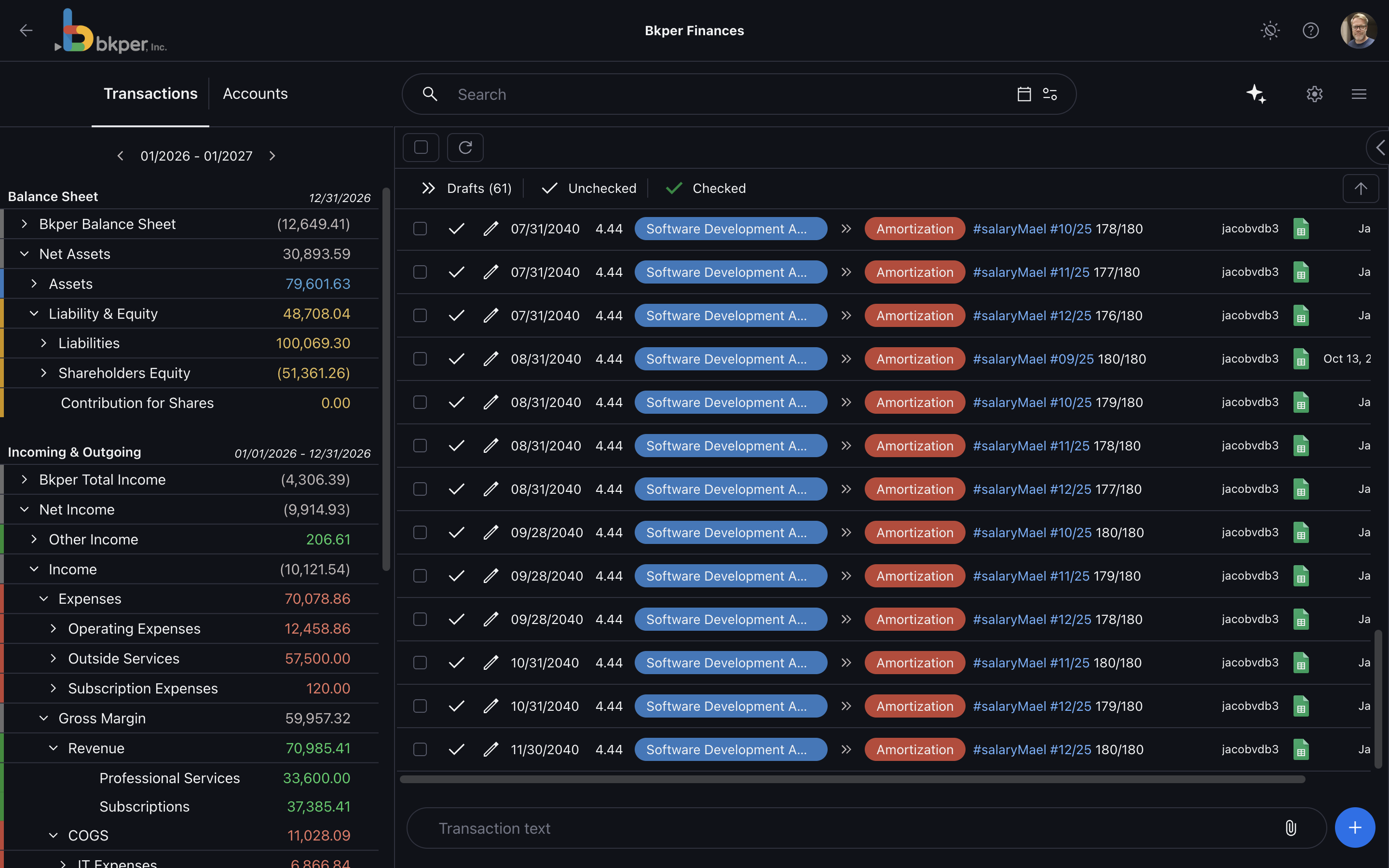
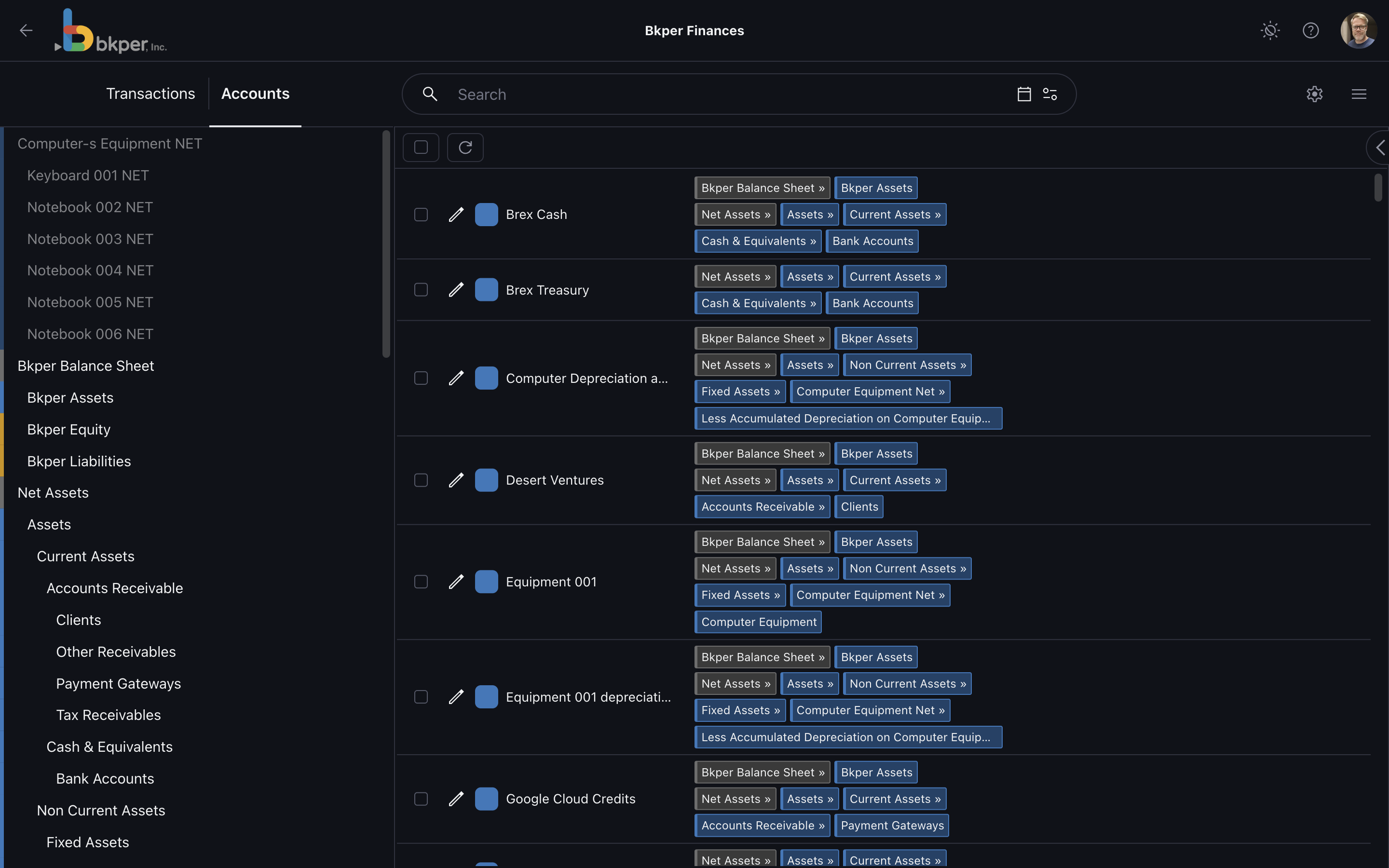
In the current Bkper app, the same model appears in two complementary views: the Transactions tab shows the movements, while the Accounts tab shows the places those movements affect.
Starting with accounts
Transactions represent the exchange of resources between two accounts. If you are not familiar with bookkeeping or accounting concepts, start with just a few accounts that represent all your activities. With a few accounts, transaction identification can be done with searchable #hashtags in the description.
As the need for more granularity grows naturally, you can add accounts that make sense for your activities. Add an online payment receivable alongside your bank account, or detail expenses into separate accounts to track their balances during a running period.
Account types
Account types determine if an account appears on the balance sheet or the income statement in the balance sidebar.
Asset (blue) and Liability (yellow) accounts are permanent accounts shown on the upper part of the sidebar — together they represent your balance sheet. Incoming (green) and Outgoing (red) accounts are non-permanent accounts shown on the lower part — together they represent your income statement for a given period.
See also: Permanent accounts, debit and credit balances
With account types assigned, Bkper uses the same color language across the transaction list, account list, and balance sidebar.
Grouping by account type
With accounts that represent financial movements, you can group accounts of the same kind and see their total balance on the sidebar. Group all customer accounts into one group to show the combined customer balance. The same applies for revenue, assets, liabilities, or expenses.
Bkper does not allow grouping Permanent Accounts with Non-Permanent accounts, but you can group Assets with Liabilities to see your Equity, and group Incoming with Outgoing to see your Net Profit for a given period.
Grouping permanent accounts
Grouping permanent accounts shows the result of your balance sheet on the sidebar.
Grouping non-permanent accounts
Grouping non-permanent accounts shows the result (net profit) of the selected running period on the sidebar.
With all groupings in place:
Explore this concept hands-on by making your own copy of the advanced concept book.