
Coding Agents
Use AI coding agents to build Bkper integrations faster — from the built-in Bkper CLI Agent to Claude Code, Pi, OpenCode, Codex, and Cursor.
AI coding agents are the fastest way to go from idea to working Bkper integration. They can scaffold projects, write SDK code, debug issues, and iterate with you in real time — as long as they have the right context about the platform.
Use whichever agent harness you’re most comfortable with. They all work well. But we have a recommended starting point.
Bkper CLI Agent (recommended)
The Bkper CLI ships with a built-in coding agent. It’s powered by Pi Agent with a custom system prompt that gives it deep knowledge of Bkper — core concepts, the SDK, CLI commands, and the accounting model. It’s what the Bkper team uses every day, and the choice of Pi as the engine was deliberate.
Why Pi
We spent over a year working heavily with coding agents — Claude Code, Cursor, OpenCode, Codex — before settling on Pi as the foundation for Bkper CLI Agent. The reasoning comes down to three things:
-
Distribution — One install gets you everything. The Bkper CLI bundles the Pi agent runtime and all Bkper domain context, so
bkper agentworks the moment the CLI is installed. You don’t need a separate agent harness, a skill download, or manual context setup. One package, one command, and the from-to model, SDK types, and CLI references are already loaded. -
Philosophy — Pi is built around a minimal, well-done core that you extend through TypeScript extensions, skills, and packages instead of fighting an opinionated black box. That mirrors how we think about Bkper: a simple, rigorous accounting engine with powerful hooks for apps, bots, and automations. Embedding Bkper’s domain into Pi felt natural because both systems share the same shape — get the core right, then get out of the way.
-
Model freedom — 15+ providers (Anthropic, OpenAI, Google, and more), including low-cost hosts for open-weight models. Use Claude or GPT when the task demands peak capability, and switch to affordable APIs serving Kimi, Qwen, or DeepSeek when it doesn’t. Run models locally too if you prefer. The freedom to choose the best model for the task also means the freedom to choose the most cost-effective option. AI assistance should be available to everyone, not just those with a premium API subscription.
Make sure the CLI is installed and authenticated, then start the agent:
bkper agent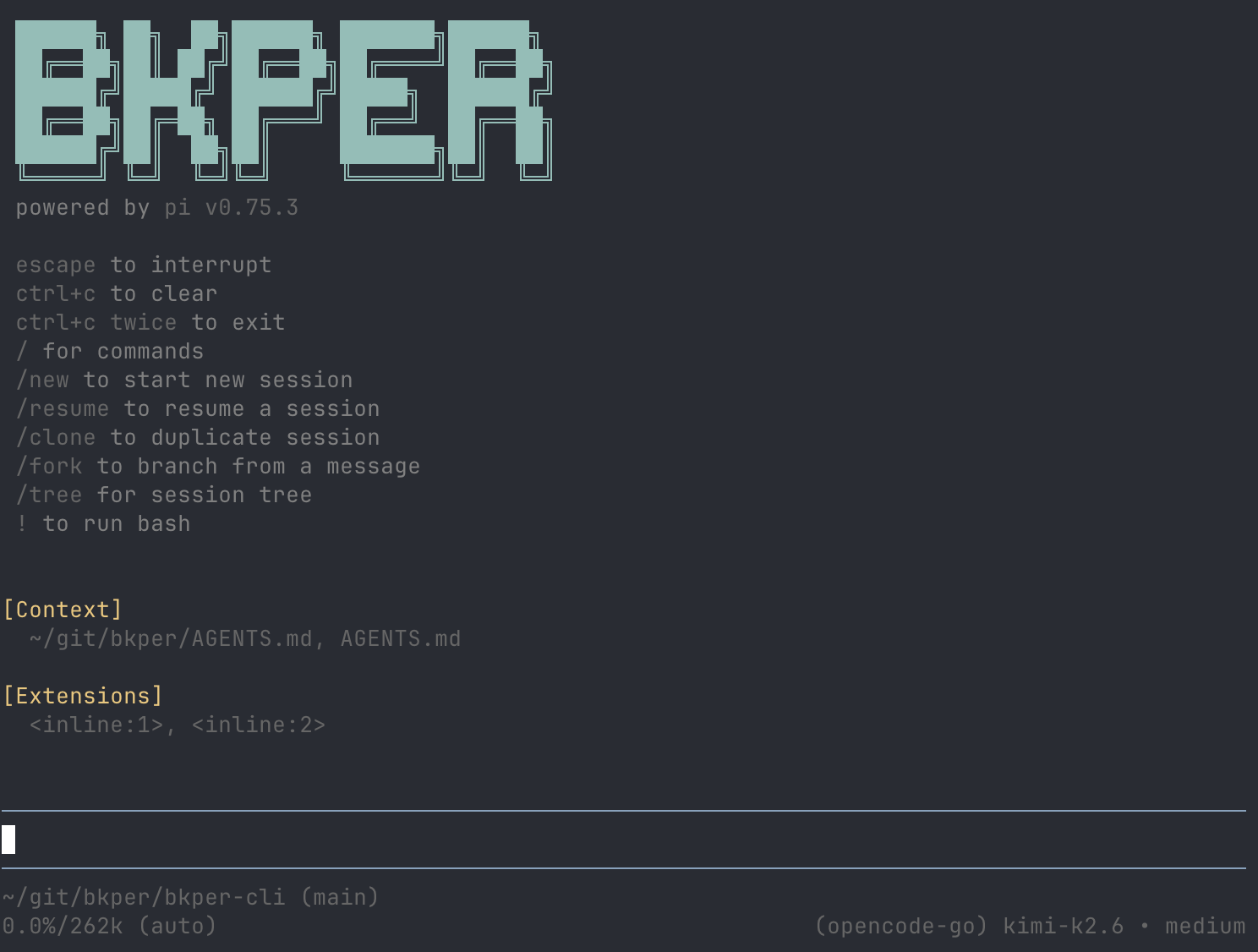
Connect a model provider
The agent needs access to a language model. On first launch, type /login and select a provider. We recommend OpenCode Go for low-cost open-weight models. For frontier model access, use a Codex subscription — one of the most affordable ways to use a frontier models in coding agents.
Once logged in, you’re in an interactive session. The agent can read your project files, run CLI commands, write code, and iterate with you — all with Bkper context already loaded.
Start asking questions
Just talk to it. Good starting prompts:
What are the main account types in Bkper?How do I query transactions using the CLI?What files are in this project?Help me create a script that lists all accounts in my book
The agent reads your project’s AGENTS.md and nearby files automatically, so it already has project-specific context. Since Bkper CLI Agent wraps Pi Agent, you can pass any Pi flag through — --model, --continue, @file references, and so on.
Other coding agents
Any coding agent can build effectively with Bkper when given the right context. Here are the ones we’ve used and recommend:
| Agent | Type | Models | What it is |
|---|---|---|---|
| Pi Agent | Terminal | 15+ providers — Anthropic, OpenAI, Google, and more | Minimal, extensible harness — the engine behind Bkper CLI Agent |
| Claude Code | Terminal, Desktop, IDE | Claude models | Anthropic’s full-featured agent across all surfaces |
| OpenCode | Terminal, Desktop, IDE | 75+ providers — free models included, works with Copilot and ChatGPT subscriptions | Open-source agent with the largest provider ecosystem |
| Codex | Terminal, Desktop, IDE | OpenAI — works with your ChatGPT plan | OpenAI’s open-source coding agent |
| AMP | Terminal | Multiple providers — works with Claude, OpenAI, and more | Open-source coding agent built for AI-native development workflows |
| Cursor | Terminal, Desktop, IDE | Multiple providers built in | AI-native code editor with a terminal agent |
Each tool has its own way of loading project context. The next section explains how to provide Bkper knowledge to any of them.
Giving your agent context
Bkper CLI Agent has context built in. For other agents, you need to provide it.
Install the Bkper skill (recommended)
For agents that support the Agent Skills standard, install the Bkper skill:
npx skills add bkper/skills --skill bkperThis bundles everything the Bkper Agent knows — core concepts, CLI reference, SDK types, and financial reporting workflows — into a single skill the agent loads automatically when working on Bkper tasks. Source on GitHub.
Direct Markdown access
If your agent doesn’t support skills, you can load context manually. Every page on bkper.com is available as clean Markdown — append .md to any URL:
https://bkper.com/docs/core-concepts.mdhttps://bkper.com/docs/api/bkper-js.mdhttps://bkper.com/docs/build.mdThis strips navigation chrome and reduces token usage. See AI Tooling for all access methods.
Three URLs cover most Bkper development needs:
| URL | What it covers |
|---|---|
/platform/agents.md | Technical instincts, quality standards, domain sensibilities |
/docs/core-concepts.md | The from-to model, account types, transactions, groups, queries |
/docs/api/bkper-js.md | Full bkper-js SDK reference with TypeScript types |
Use whichever combination your project needs.
Project-level context files
For project-specific knowledge — which book you’re working with, what accounts matter, what tags to use — add it to your agent’s context file (AGENTS.md, CLAUDE.md, or equivalent):
## Project context
- Book ID: abc123-def456- Key accounts: Checking, Sales, Accounts Receivable- Common tags: #invoice, #payment, #reconciled
## Rules
- All automated transactions must be created as drafts- Use the #sync tag on all imported transactions
This gives the agent project-specific knowledge that no published doc can provide.
Next steps
- Your First App — build and deploy a full Bkper app (a great task to pair with an AI agent)
- CLI Scripting & Piping — automate data workflows with CLI pipes
- Apps Overview — understand the Bkper Platform architecture